
10 Best Video Doorbells for Caregivers: Top Picks for Home Monitoring


Smart Health Watch for Seniors

Bedside Commode Chair
Robot Vacuum Cleaner
Video doorbells let us see who is at the door, speak with visitors, and receive alerts when someone arrives. For caregivers, these features can also support remote check-ins, help monitor deliveries, and provide a simple way to respond when an older adult or person with disabilities cannot reach the door quickly.
The best video doorbells for caregivers combine clear video, reliable alerts, simple controls, and strong privacy features. We also look for two-way audio that works well, night vision, motion settings that limit false alerts, and options for sharing access with trusted family members or care staff. A wired model may provide steady power, while a battery model can work better in homes without suitable wiring.
Before buying, we recommend checking subscription costs, emergency limitations, installation needs, and compatibility with the caregiver’s phone or smart-home system. We evaluated these details to find video doorbells that make remote support easier without adding unnecessary complexity.
Best Video Doorbells for Caregivers
We selected the best video doorbells for caregivers based on video quality, two-way audio, motion alerts, installation, and privacy features. Our list includes options that can help us monitor visitors, deliveries, and safety concerns from anywhere.
Blink Video Doorbell

We recommend this doorbell for caregivers who want simple remote check-ins, clear video, and long battery life without complex installation.
Pros
- Head-to-toe view helps us see visitors and packages clearly.
- Wireless setup offers flexible placement.
- Included Sync Module supports longer battery life.
Cons
- Person alerts and cloud storage require a paid plan.
- Night video can look less clear in some conditions.
- Battery performance depends on use and weather.
During setup, we found the Blink app straightforward and the included mounting parts useful. We could install the doorbell without existing wiring, which helps caregivers who rent or need a quick setup. Wired installation also works with compatible doorbell systems.
The square video view gave us a useful look at both faces and packages near the ground. Two-way talk let us speak with visitors through the app, while infrared night vision supported basic checks after dark.
The long battery rating reduces maintenance, but actual life will vary with activity, settings, and weather. Caregivers should also note that the Sync Module needs indoor power and that the doorbell requires a 2.4 GHz Wi-Fi network.
We could use Alexa to answer the door with voice commands. The doorbell records and stores clips through a subscription plan after its trial period, so ongoing costs may matter when planning a caregiver’s home security setup.
Ring Battery Doorbell 2K
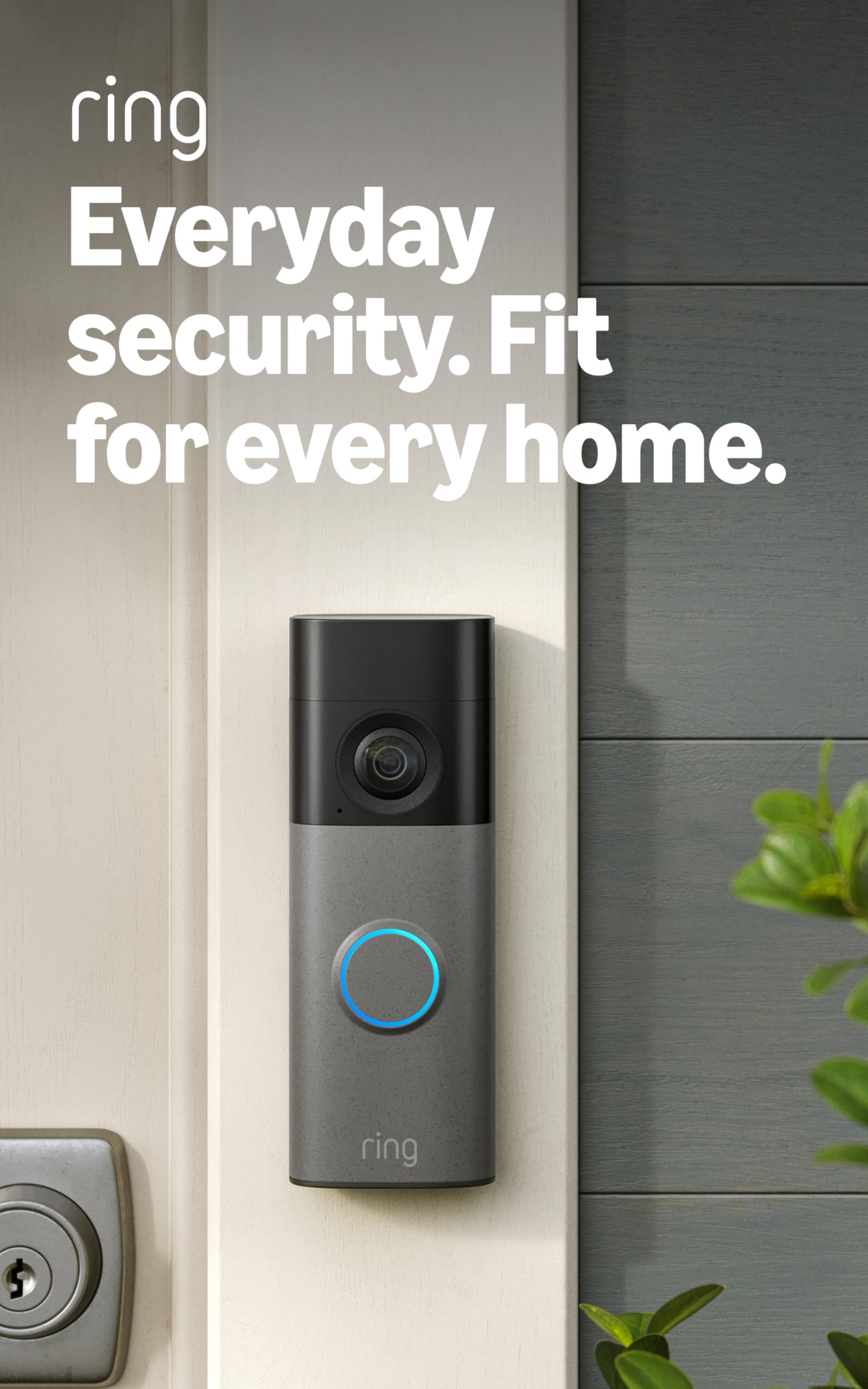
We recommend this doorbell for caregivers who need clear video, two-way communication, and phone alerts without a complex installation.
Pros
- Sharp 2K video with a wide view
- Removable battery and simple setup
- Two-way talk and Alexa support
Cons
- Cloud recordings require a paid plan
- Battery charging needs regular attention
- Works only on 2.4 GHz Wi-Fi
We found the video clear enough to check a visitor’s face, a package, or activity near the door. The wide view helped us see more of the entry area, while the zoom feature made distant details easier to inspect.
Motion alerts reached our phone quickly, which can help caregivers check on deliveries or visitors from another room. Two-way talk also lets us speak with someone at the door without asking the person we assist to answer it.
Installation took little time, and the removable battery made charging manageable. However, we had to remove the doorbell from its mount to charge it, and Ring does not include a USB-C cable.
The doorbell stores and reviews recordings through a compatible Ring Protect subscription. Without the plan, caregivers still get live viewing and alerts, but they lose many recording features. A stable 2.4 GHz Wi-Fi connection also remains important for reliable use.
BOIFUN 2K Video Doorbell
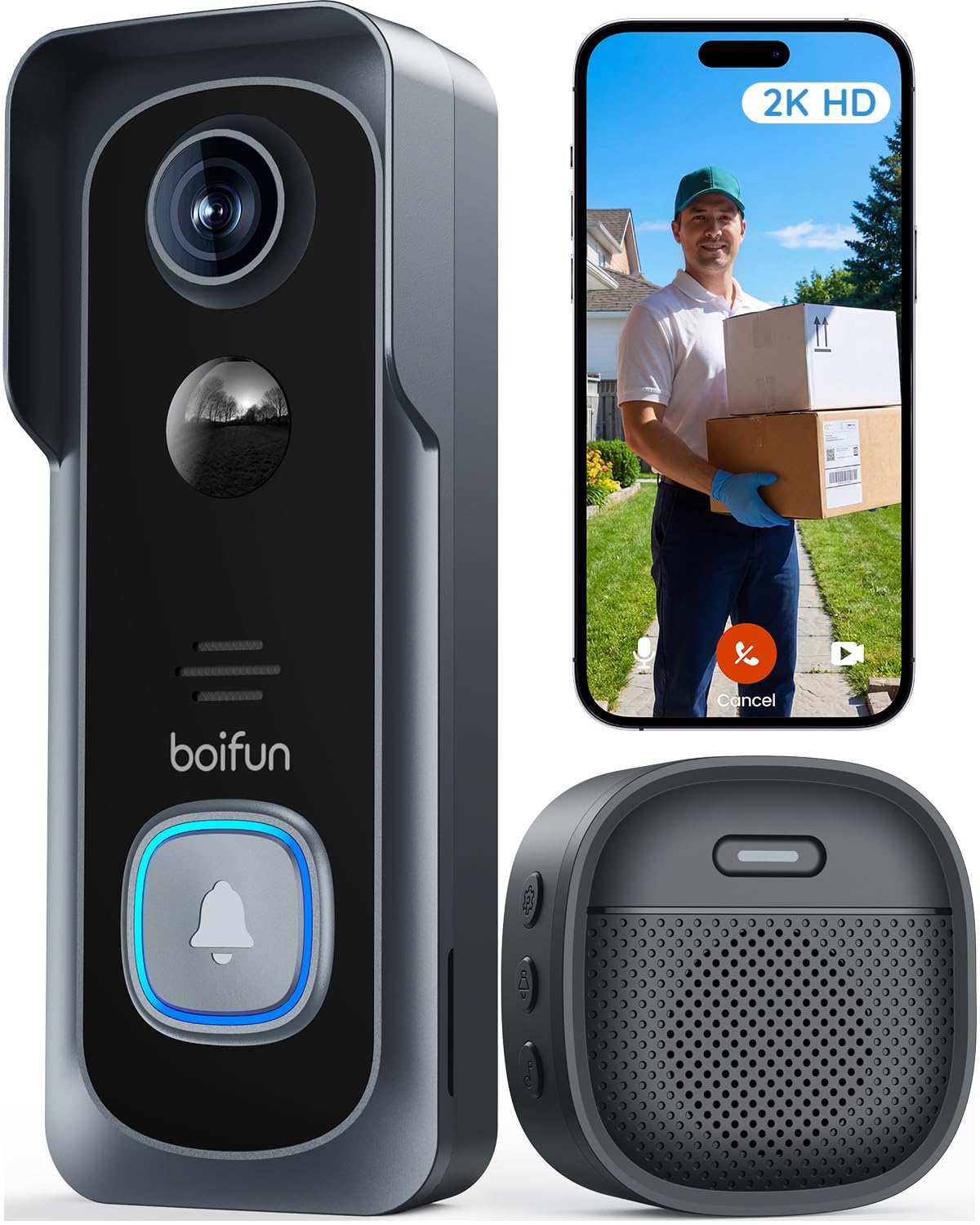
We recommend this doorbell for caregivers who want wide coverage, two-way talk, and local video storage without a required monthly plan.
Pros
- Wide 166-degree view helps us check more of the entry area.
- Two-way audio lets us speak with visitors without opening the door.
- Local storage works with a microSD card up to 128GB.
Cons
- It supports only 2.4GHz Wi-Fi.
- The battery is built in and cannot be removed.
- Actual battery life may fall below the advertised 60 days.
The wide view gave us a better look at visitors and nearby packages. Human detection and motion alerts can help caregivers notice activity at the door without checking the camera constantly.
We could answer visitors through the BoifunCam app, which is useful when a family member or helper arrives. The included indoor chime also helps people hear alerts at home, while night vision supports viewing after dark.
Setup does not require drilling, and the tamper alert adds useful protection. The doorbell uses a rechargeable battery, so we would place it where regular charging remains convenient. Motion settings may need adjustment in busy areas to reduce alerts and extend battery life.
The camera requires 2.4GHz Wi-Fi, which may limit placement in some homes. We also recommend adding a microSD card because it is not included. Caregivers should save the app login details before reinstalling the app or deleting the account.
eufy E340 Video Doorbell
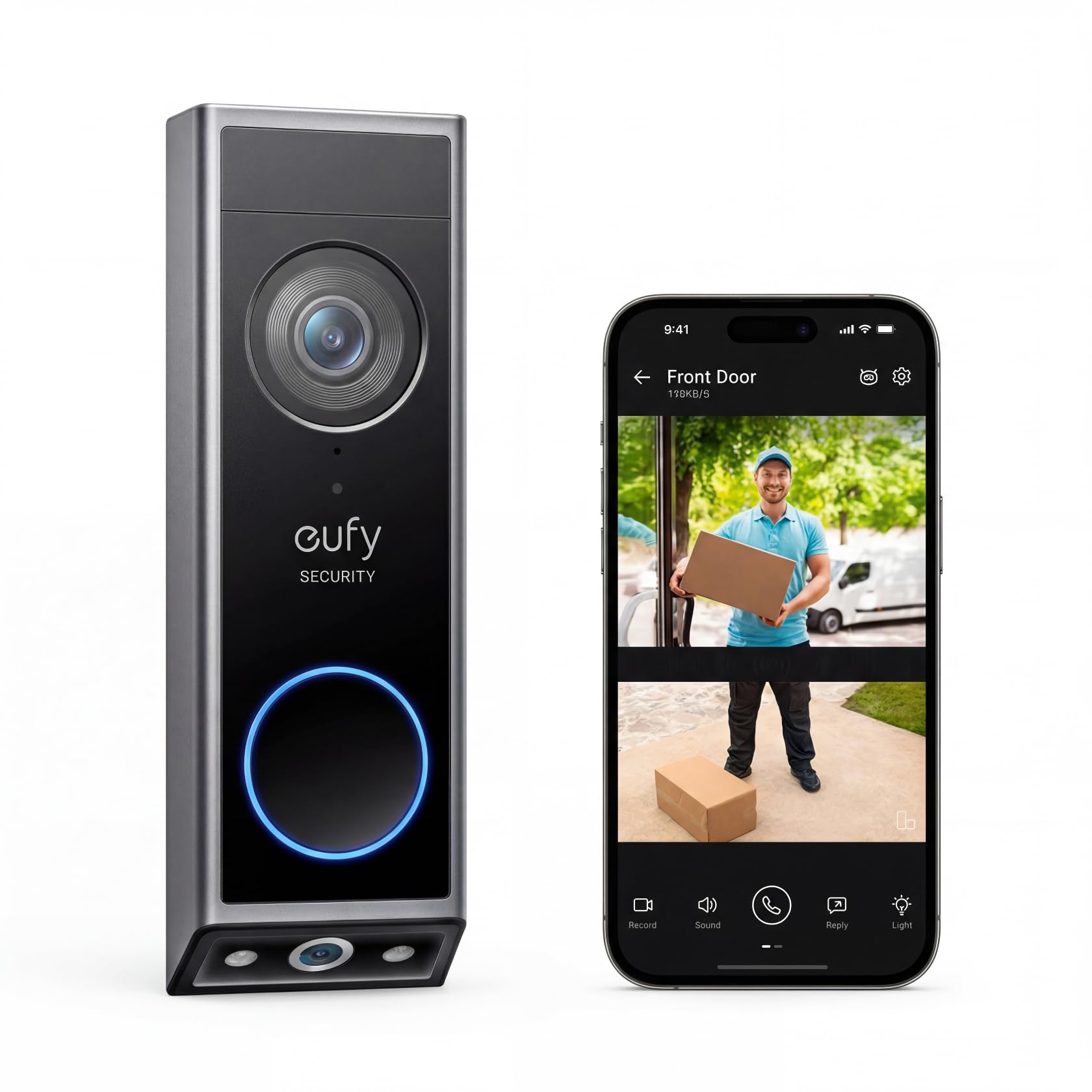
We recommend the eufy E340 for caregivers who want clear visitor and package views without a required monthly subscription.
Pros
- Dual cameras show visitors and packages
- Local storage avoids subscription fees
- Battery or wired installation offers flexibility
Cons
- Package alerts may trigger by mistake
- Some setups may require drilling
- A separate chime may be needed indoors
We found the dual-camera view useful for checking both a visitor’s face and items left near the door. That layout can help caregivers monitor deliveries without opening the door or asking someone else to check the porch.
The 2K video looked clear during daytime use, while color night vision helped preserve detail after dark. Two-way talk also made it easier for us to speak with visitors from a phone.
Installation supports either battery power or existing doorbell wiring. The battery option helped when wiring was unavailable, but caregivers should plan for charging and check that alerts reach the right phone or smart speaker.
Local storage keeps recorded clips on the device, so ongoing cloud fees are not required. We did notice that motion and package detection can sometimes send repeated or inaccurate alerts, so notification settings may need adjustment.
Orbitell M52 Video Doorbell

We recommend the Orbitell M52 for caregivers who want an affordable way to check visitors, deliveries, or activity near a loved one’s door.
Pros
- Clear night footage and two-way audio
- Simple wireless setup
- Wide view with motion alerts
Cons
- Works only with 2.4GHz Wi-Fi
- Cloud features require a subscription
- Some users report freezing and delays
During testing, the M52 gave us a useful view of the doorstep in both daylight and darkness. Its infrared night vision helped us see visitors without needing extra lighting. The wide viewing angle also showed more of the area around the door.
Two-way audio made it easy for us to speak with visitors or guide a delivery driver without opening the door. Caregivers can use this feature to check in remotely, but the reported delays may make conversations less smooth at times.
Setup felt straightforward, and the wireless design suited doors without existing wiring. We would first confirm that the home uses a 2.4GHz network, since this doorbell does not support 5GHz Wi-Fi.
The M52 sends motion alerts and can identify people while filtering out some animals and vehicles. Cloud storage and pre-capture recording add useful protection, but these features need a paid plan. Overall, its 3.8-star rating reflects a capable budget option with some reliability and subscription concerns.
Ring Battery Doorbell 2K Plus
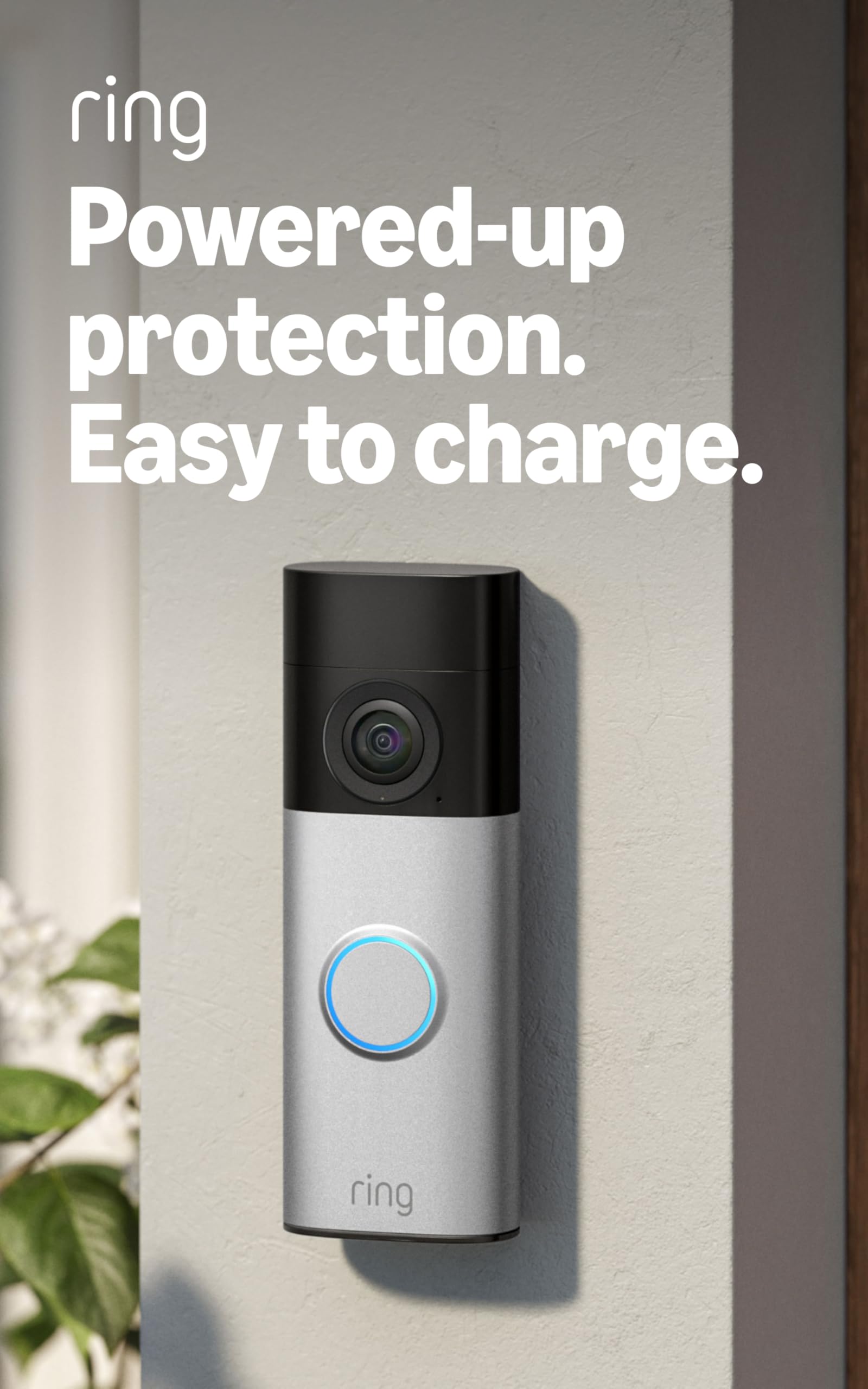
We recommend this doorbell for caregivers who want clear video, useful motion alerts, and a simple battery-powered setup.
Pros
- Sharp 2K video with a wide view
- Removable battery makes charging easier
- Two-way talk supports quick check-ins
Cons
- Cloud recordings require a Ring Protect subscription
- Uses 2.4 GHz Wi-Fi only
- Battery life can vary with frequent activity
We found the video clear enough to identify visitors and check packages without standing at the door. The wide view also helped us see more of the entry area, while the zoom feature made distant details easier to inspect.
Motion alerts arrived quickly during testing, and we could adjust the activity zones to reduce unwanted notifications. Two-way talk worked well for speaking with visitors, which can help caregivers check on deliveries or communicate with someone who needs assistance.
Installation was straightforward because the doorbell uses a removable battery. We could take the battery indoors to charge without removing the whole unit. However, frequent motion events may require more charging, so caregivers should monitor the battery level.
The doorbell works best with a strong Wi-Fi signal near the entrance. Ring also places recording storage and some advanced features behind a compatible subscription, so we should include that ongoing cost in the purchase decision.
Tapo D210 Wireless Video Doorbell

We recommend the Tapo D210 for caregivers who want clear video, flexible placement, and simple visitor calls without doorbell wiring.
Pros
- Sharp 2K video with a wide, head-to-toe view
- Rechargeable battery and included indoor chime
- Person detection, quick replies, and local storage
Cons
- Battery life varies with use and settings
- microSD card is sold separately
- Cloud storage requires a Tapo Care subscription
We found the video clear enough to check visitors, deliveries, and activity near the doorway. The wide view helped us see more of the entry area, while the spotlight improved visibility at night.
The battery design made placement easier for homes without existing doorbell wires. We also liked the included angled wedge, which helped adjust the camera toward the walkway. Caregivers can answer through the app, use preset replies, or speak through two-way audio.
Person detection and activity zones can reduce unnecessary alerts. Local recording works with a compatible microSD card, so we can avoid a cloud plan for basic storage. The doorbell also works with Alexa and Google Assistant displays.
We would plan charging around the household’s needs because frequent live viewing, recordings, and weather can reduce battery life. The chime stays indoors, and the doorbell connects through 2.4GHz Wi-Fi.
Blink Doorbell + Outdoor 4
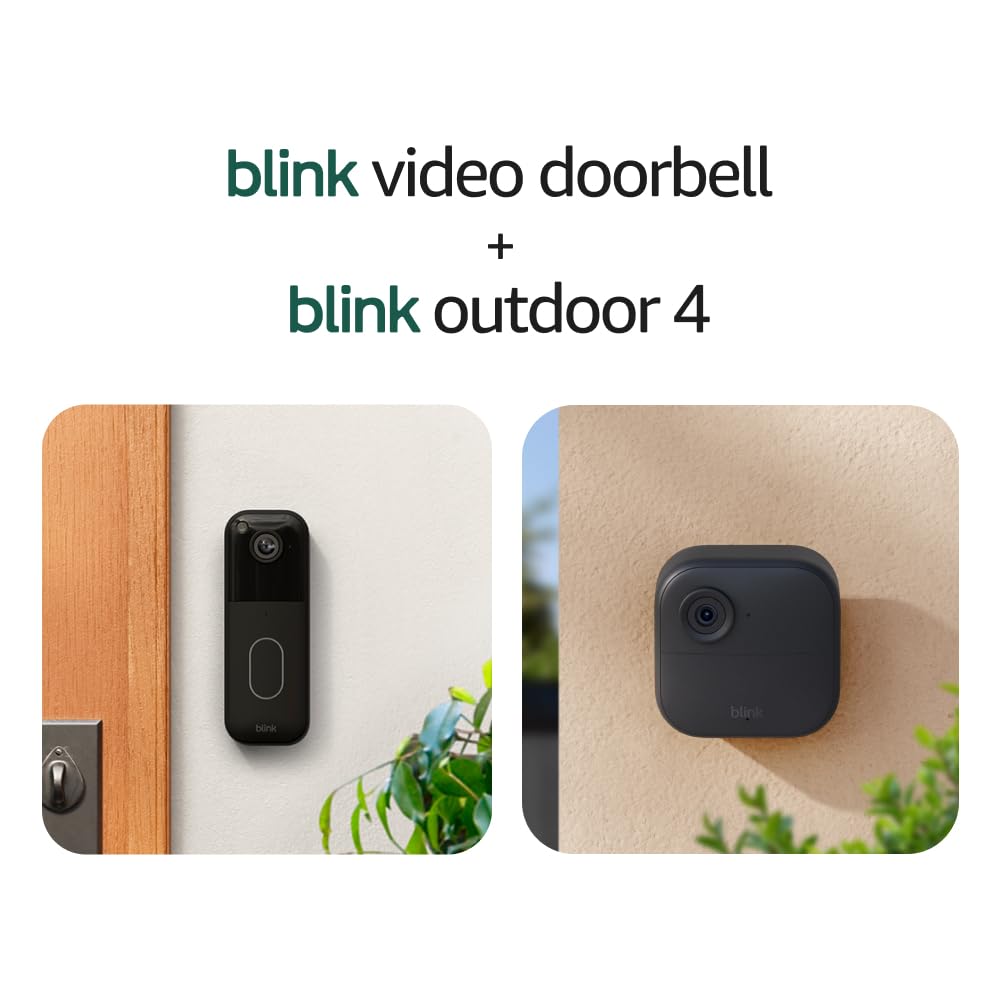
We recommend this bundle for caregivers who want simple remote check-ins, package alerts, and outdoor coverage without running power cables.
Pros
- Clear day and night video with two-way talk
- Long battery life under normal use
- Includes a doorbell, outdoor camera, and sync module
Cons
- Cloud storage requires a paid plan after the trial
- Battery life changes with activity and settings
- Motion alerts may need careful adjustment
We found the setup quick and straightforward through the Blink app. The doorbell’s head-to-toe view helped us check visitors and packages, while the Outdoor 4 gave us a wider view of nearby activity.
Two-way audio worked well for brief conversations, such as asking a delivery driver to leave a package in a safer spot. This feature can also help us check in with someone at home without making a phone call.
The battery design suits caregivers who cannot visit often to maintain equipment. Still, heavy motion activity, weak Wi-Fi, or frequent live viewing may reduce battery life. We also need a subscription to keep cloud clips after the free trial, so we should include that cost in the budget.
The system works best for basic monitoring rather than emergency care. We should not rely on it to detect falls, replace personal support, or guarantee an immediate response.
Wyze Battery Video Doorbell
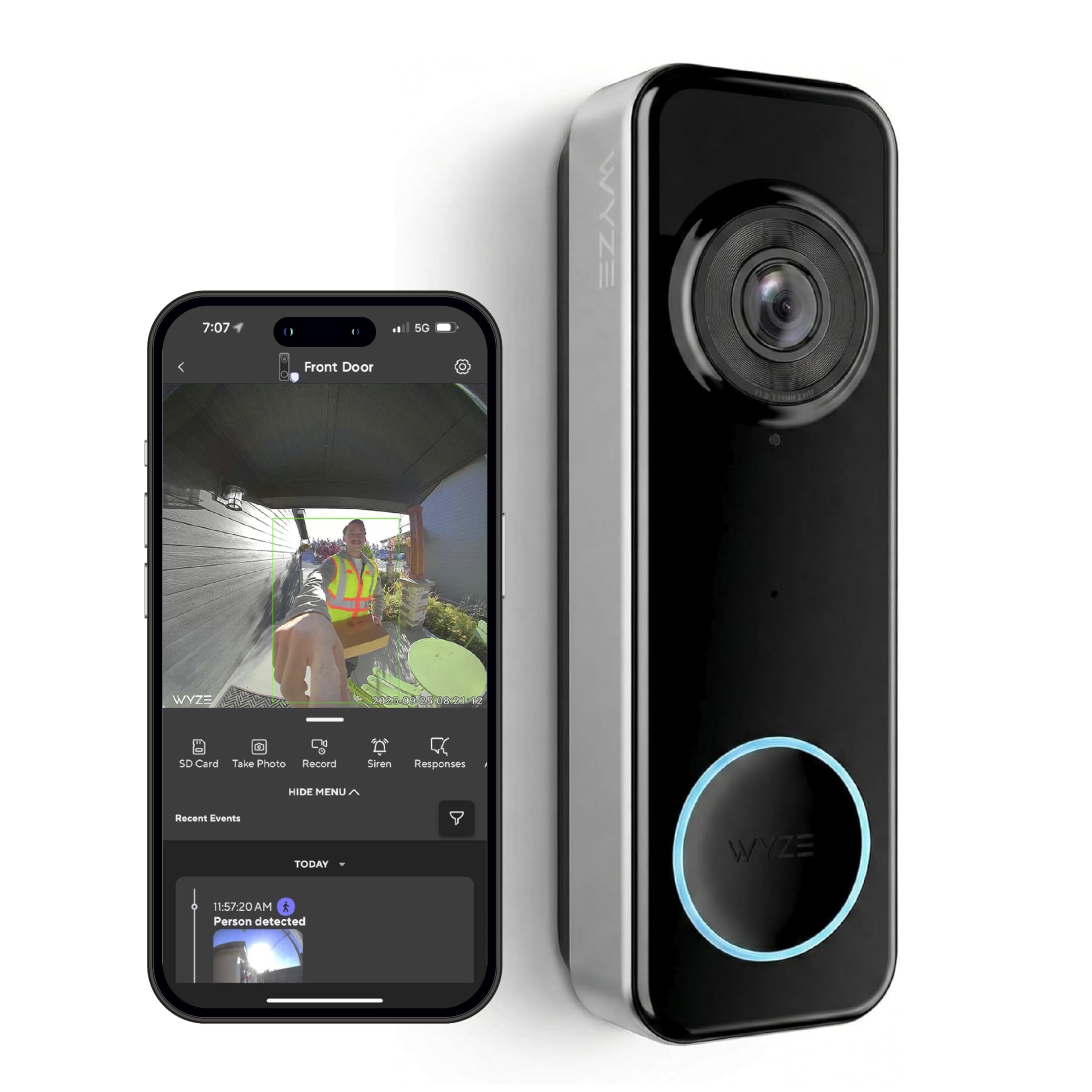
We recommend this doorbell for caregivers who want a wide view, simple alerts, and flexible battery or wired power.
Pros
- Head-to-toe view helps us see visitors and packages near the door.
- Battery or wired setup fits different homes.
- Local storage works without a required monthly fee.
Cons
- Battery life can vary with activity and settings.
- A separate chime or microSD card costs extra.
- Setup may take more effort with some phones.
We found the 1:1 view useful for checking both a person’s face and items on the ground. The 1536p video stayed clear in daylight, while color night vision helped us see more detail after dark.
The wire-free setup made placement easier, especially where existing doorbell wiring was unreliable. Caregivers can also use two-way audio or an auto-response when they cannot answer immediately.
Battery performance depends on traffic, Wi-Fi strength, and recording settings. Some users report charging much sooner than the advertised six months, so homes with frequent activity may work better with wired power.
The Wyze app sends visitor and package alerts, but caregivers should check notification settings before relying on them. Local recording requires a separately purchased microSD card, and a compatible chime is also sold separately.
Aosu 5MP Video Doorbell
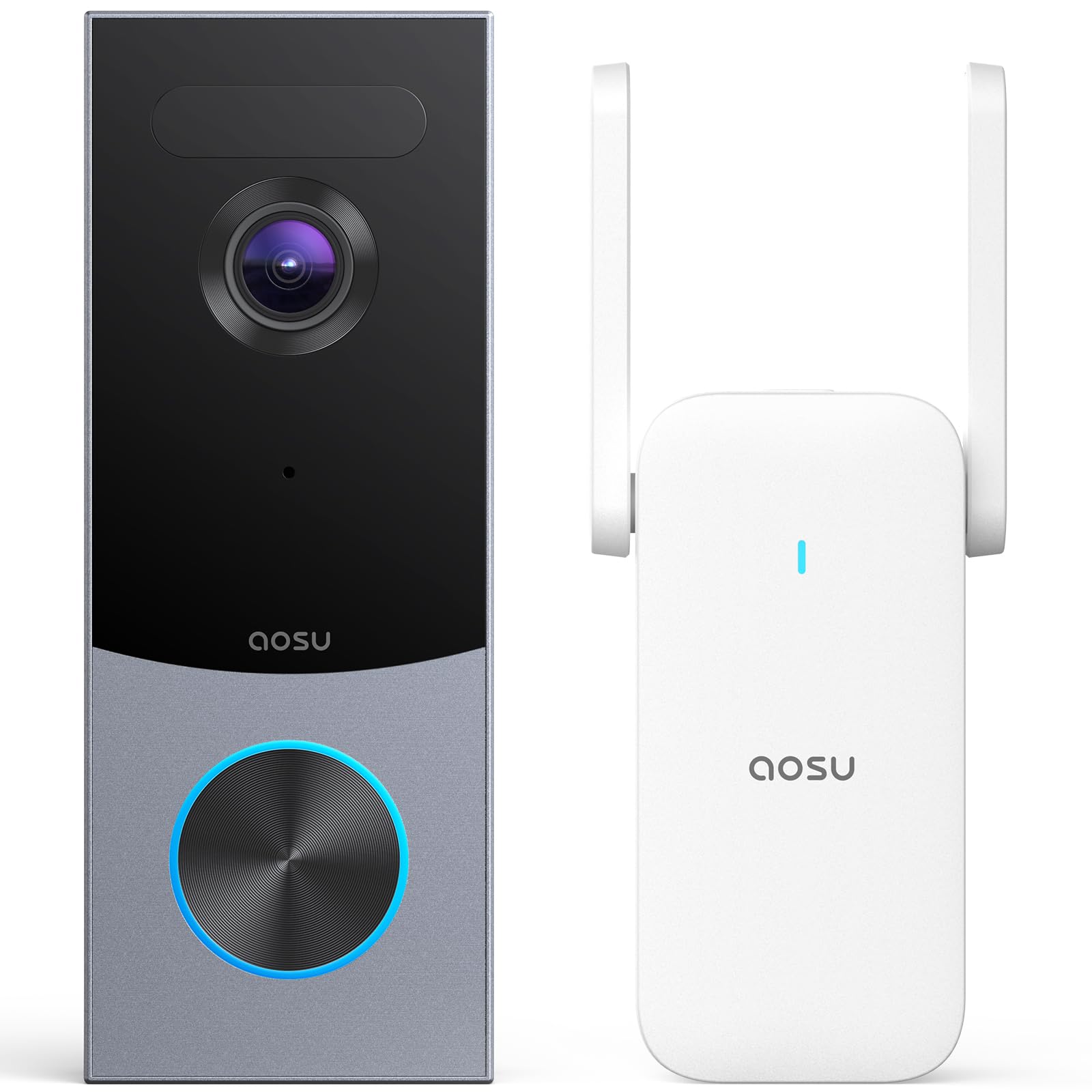
We recommend this doorbell for caregivers who want clear visitor video, flexible power options, and local recording without a required monthly fee.
Pros
- Clear head-to-toe video helps us see both visitors and packages.
- Local storage avoids a required subscription.
- Wireless or wired installation fits different homes.
Cons
- Initial setup may take time for some users.
- The app and alerts may need adjustment to reduce unwanted notifications.
- A damaged unit can make returns or support frustrating.
During testing, the 5MP camera gave us a sharp view of faces and deliveries. The tall 4:3 framing helped us see more of the area below the doorbell than many standard cameras.
We also found the triple-sensor detection useful. Radar, infrared sensing, and human recognition helped focus alerts on people, while customizable zones let us limit activity from nearby streets or walkways.
The included aosuBase Mini stores recordings locally for up to 60 days in a loop. This setup worked well for caregiving because we could review activity without paying for a required cloud plan.
Battery power made placement simple, while wired power offered a better choice for homes where regular charging would be difficult. We also liked the two-way audio for speaking with visitors, delivery workers, or family members from the app.
Night video remained useful, though changing light and weather can affect image quality. We recommend checking Wi-Fi coverage near the entrance and testing alert zones after installation.
Buying Guide
We should start with the caregiver’s daily needs. A doorbell with clear two-way audio, reliable motion alerts, and simple controls can support quick check-ins without requiring a complicated setup.
| Feature | What we should look for |
|---|---|
| Video quality | Clear images in daylight and low light |
| Two-way audio | A speaker and microphone that reduce background noise |
| Alerts | Adjustable motion zones and notification settings |
| Power | Battery or wired power that fits the home |
| Storage | Local or cloud recording, with clear fees and retention terms |
| Privacy | Strong account security and options to limit recording areas |
We should check whether the device works with our phones and any smart home systems we already use. We also need to review the setup process, app design, and whether multiple caregivers can access the same account safely.
Motion detection settings matter when a caregiver needs fewer unnecessary alerts. Look for adjustable zones, sensitivity controls, and useful notifications, such as people, packages, or general movement, if those features meet our needs.
We should consider the home’s layout and internet connection. A strong Wi-Fi signal near the entrance supports dependable video, while a wired model may suit homes where regular battery charging would be difficult.
Before buying, we should review subscription costs, warranty terms, return policies, and accessibility features. Large text, clear menus, and easy-to-hear audio can make daily use simpler for both caregivers and household members.
Editor’s Choice
We choose the Google Nest Doorbell (wired, 2nd generation) for caregivers who want dependable visitor alerts and clear video without frequent battery charging. Its familiar app makes it easy for family members to check the front door and share access.
The doorbell provides 24/7 video, motion alerts, and familiar-face detection with a compatible Nest Aware plan. We recommend checking Google’s current subscription terms because some features require a paid plan.
| Caregiver need | How it helps |
|---|---|
| Shared monitoring | Multiple people can receive alerts and view the camera |
| Visitor awareness | Two-way talk lets us speak with visitors remotely |
| Ongoing coverage | Wired power avoids routine battery changes |
| Package checks | The camera helps us see deliveries near the door |
We should confirm that the home has compatible wiring before choosing this model. If installation or wiring presents a problem, the Ring Battery Doorbell Plus offers a simpler setup, though battery life depends on use and local conditions.
For privacy, we should enable two-factor authentication, use strong account passwords, and limit access to trusted caregivers. We should also review motion zones so alerts focus on the entrance rather than nearby sidewalks or shared spaces.
Conclusion
We should choose a video doorbell based on the caregiver’s daily needs, the resident’s comfort, and the home’s internet setup. Clear video, two-way audio, motion alerts, and simple controls can support safer check-ins without replacing in-person care.
Key factors to weigh:
- Video quality in daylight and low light
- Reliable motion and package alerts
- Two-way talk with clear sound
- Easy installation and app access
- Privacy controls and user permissions
- Battery life or stable wired power
- Subscription fees and storage costs
We should also consider who will manage the device. A doorbell with shared access, dependable notifications, and simple settings may work better for families or care teams than a model with advanced features that few people use.
Before buying, we can check the doorbell’s viewing angle, Wi-Fi requirements, mounting options, and compatibility with the home. Testing alert settings after installation helps us limit false alarms while keeping important activity visible.
FAQs
What should we look for in a video doorbell for caregiving?
We should prioritize clear two-way audio, motion alerts, night vision, and reliable app access. A wide viewing angle can also help us see visitors, packages, and the area near the door.
Do video doorbells require a subscription?
Some models store video locally, while others require a monthly plan for cloud recording and advanced alerts. We should check the storage fees before choosing a doorbell.
Can we use a video doorbell for an older adult who lives alone?
Yes. We can use it to check visitors, speak through the door, and receive alerts about activity. We should explain how the device works and get the resident’s consent before installing it.
What internet connection does a video doorbell need?
Most smart doorbells need a stable Wi-Fi connection. We should test the signal near the door and consider a Wi-Fi extender if the connection is weak.
Should we choose a wired or battery-powered model?
A wired model avoids regular charging but may require professional installation. A battery-powered model offers more placement flexibility, though we must remember to recharge it.
Can multiple caregivers access the same doorbell?
Many brands allow shared users through their apps. We should use individual accounts when possible and limit access to trusted caregivers.