
10 Best Security Cameras for Caregivers: Top Choices for Home Monitoring


Shiatsu Neck Massager

Adjustable Bed Frame

Folding Walking Cane
Security cameras can help caregivers check on a loved one, monitor daily routines, and respond quickly when something seems wrong. Indoor cameras designed for caregiving often include live video, two-way audio, motion alerts, and night vision. Some also offer activity zones, privacy controls, or fall detection features.
The best security camera for caregivers should provide clear video, reliable alerts, simple controls, and strong privacy protections. We should also consider where the camera will sit, how it stores video, whether it requires a subscription, and how easily a caregiver can access the feed. We evaluated these factors to find the cameras that provide useful monitoring without adding unnecessary complexity.
Best Security Cameras for Caregivers
We reviewed security cameras that help caregivers monitor loved ones, support daily safety, and stay connected from a distance. Our list includes options with useful features such as clear video, two-way audio, motion alerts, and easy setup.
SensForge Indoor Pan-Tilt Camera
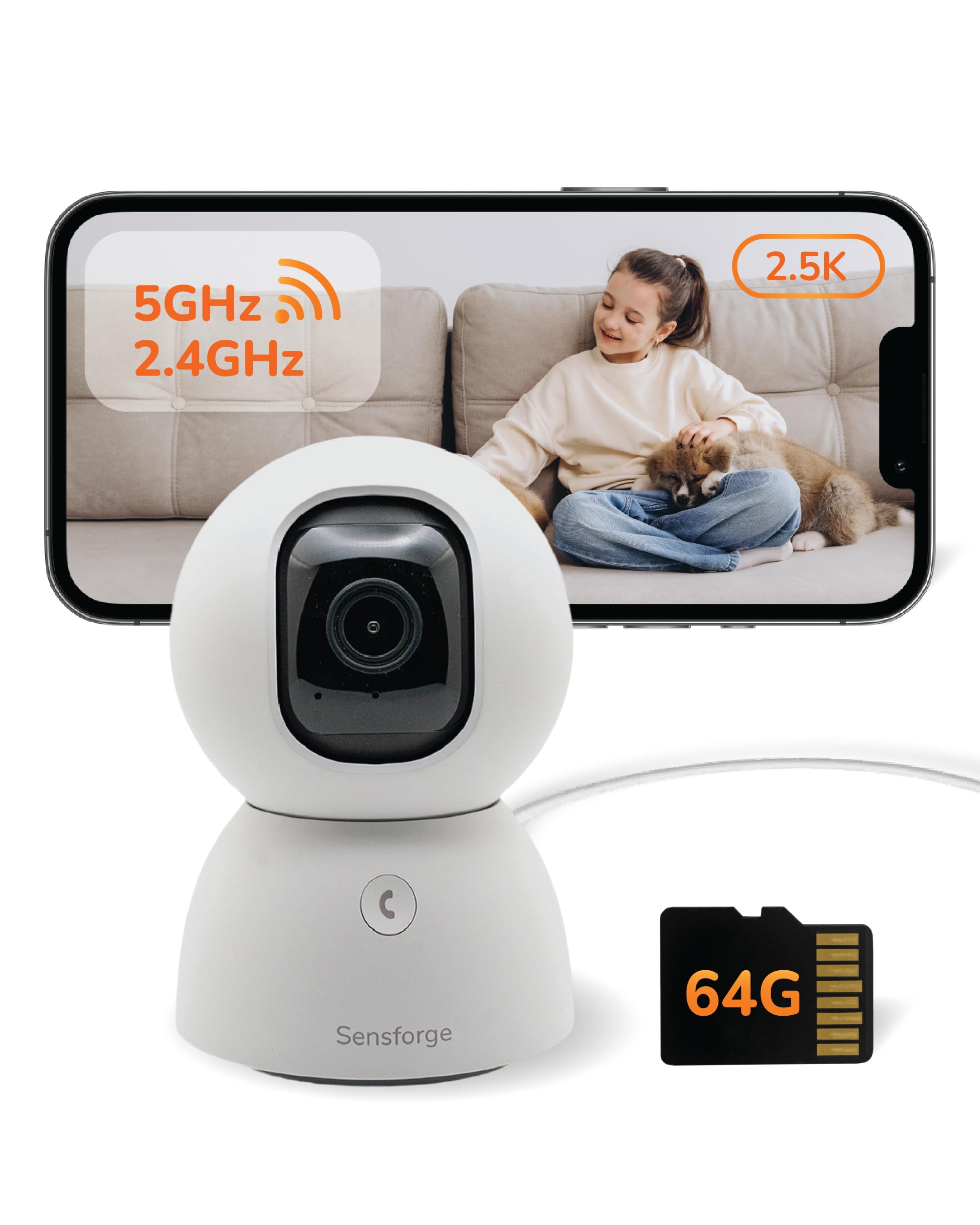
We recommend this camera for caregivers who want clear indoor video, room-wide coverage, and local recording without a required subscription.
Pros
- Clear daytime and nighttime video
- Pan-and-tilt view helps cover an entire room
- Includes a 64GB SD card for local storage
Cons
- The app works only in the United States and Canada
- It needs a constant power connection
- Some app features require an optional membership
We found the setup simple and quick, with the camera connecting to Wi-Fi through the SensForge app. The included SD card also made recording easier without adding a monthly fee.
The image stayed clear during daytime checks, and night viewing remained useful in a dim room. We could turn the camera across the room and tilt it to check areas that a fixed camera might miss.
For caregiving, motion and human detection can help us notice activity without watching the live feed constantly. The two-way audio also lets us speak with someone in the room, although we would not treat it as a replacement for direct care.
The camera works well for indoor spaces such as bedrooms, living rooms, and care areas. We should note that the app is unavailable outside the U.S. and Canada, and the camera should not sit behind a window because reflections can reduce image quality.
TP-Link Tapo C100 Indoor Camera
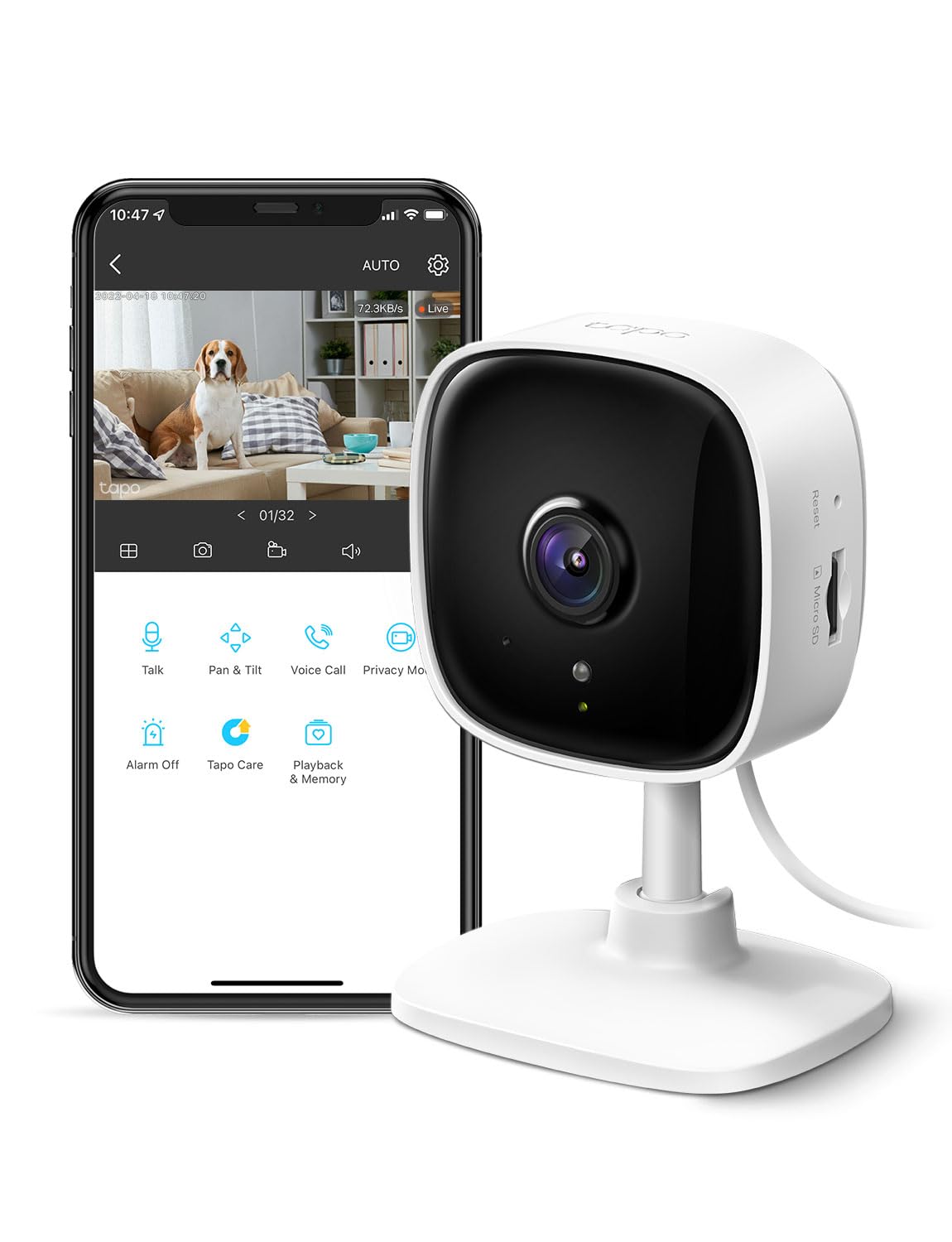
We recommend the Tapo C100 for caregivers who want an affordable indoor camera with clear video, two-way audio, and useful motion alerts.
Pros
- Clear daytime video with helpful night viewing
- Person and baby-cry detection without a required subscription
- Local recording through a compatible microSD card
Cons
- Requires a power outlet and 2.4GHz Wi-Fi
- Cloud storage requires a paid plan
- Google Home use may be less reliable for some users
We found the camera simple to set up and easy to view through the Tapo app. The compact design worked well in a bedroom, living room, or near an entryway. Its 1080p video made it easier for us to check on a family member without needing to be in the same room.
Motion and person alerts can help us notice activity without watching the live feed all day. Two-way audio lets us speak with someone remotely, while the built-in siren offers an added warning if needed. These tools may help caregivers check in, offer reminders, or respond quickly to unusual movement.
The infrared night view remained useful in a dim room, though image detail was less clear than during the day. We also liked the choice between local microSD recording and Tapo’s cloud service. Buyers should check card compatibility before purchasing, and remember that the camera works indoors only.
Alexa support makes it possible to view the feed on a compatible screen. Google Home integration may take more effort and does not work smoothly for every user. Overall, the Tapo C100 offers practical caregiver features at a low price, but its corded design limits placement.
GALAYOU G2 Indoor Camera 4-Pack
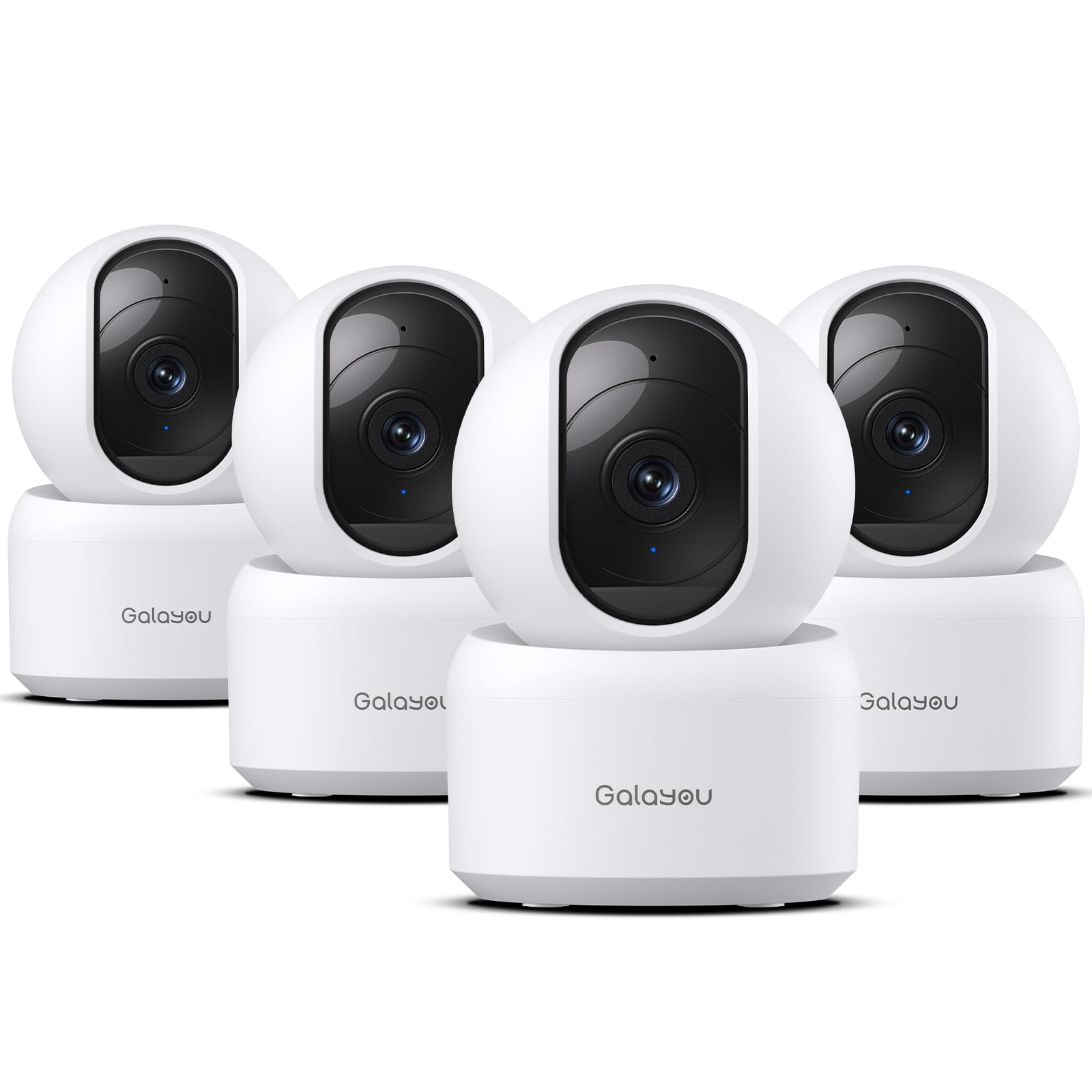
We recommend this four-camera kit for caregivers who need clear indoor video, room coverage, and simple phone access at a reasonable price.
Pros
- Clear 2K video with useful night vision
- Two-way audio, motion alerts, and pan-and-tilt control
- Supports local recording with a microSD card
Cons
- Works only with 2.4GHz Wi-Fi
- Requires a nearby power outlet
- Cloud storage requires a subscription after the trial
We found the G2 cameras easy to place around a home, such as in a bedroom, living area, or hallway. The app supports up to four live views at once, which helps us check several rooms without switching between camera feeds.
The video looks sharp enough to monitor movement and identify what is happening in a room. Night vision also provides a usable view in dark spaces, while the motion alerts can notify us when someone enters or moves nearby.
Two-way audio lets us speak with a family member without making a phone call. The built-in siren may help draw attention, but caregivers should use it carefully because it could startle someone.
Each unit uses a power cord, so placement depends on available outlets. The cameras also need 2.4GHz Wi-Fi and will not connect to a 5GHz network. Local recording requires a separately purchased microSD card, while cloud storage moves to a paid plan after the 30-day trial.
Tapo C201 Indoor Security Camera

We recommend the Tapo C201 for caregivers who want affordable indoor monitoring with pan and tilt control, clear video, and local storage options.
Pros
- Covers a wide area with remote pan and tilt
- Sends motion, person, and baby-cry alerts
- Supports microSD recording without a required subscription
Cons
- Requires a nearby power outlet
- Two-way audio can have a short delay
- Setup may take extra effort after moving it to a new Wi-Fi network
We found the camera easy to place in a bedroom, living area, or hallway. Its movement controls helped us check different parts of a room without physically repositioning the camera. The 1080p image looked clear enough for routine check-ins during the day.
The Tapo app sends alerts for motion and detected people. This can help caregivers notice activity between visits, while the baby-cry detection adds value for households caring for infants. Alerts may still need adjustment to avoid unnecessary notifications.
Night vision gave us a usable view after dark, though low-light detail was less clear than daytime footage. The two-way audio let us speak through the camera, but the slight delay made conversations feel less natural.
We liked having the choice between a compatible microSD card and Tapo’s cloud plan. Local recording can reduce ongoing costs, but the card is sold separately, and buyers should check TP-Link’s compatibility list before purchasing. Alexa and Google Assistant support also makes live viewing convenient on supported screens.
GALAYOU G2 Indoor Camera 2-Pack
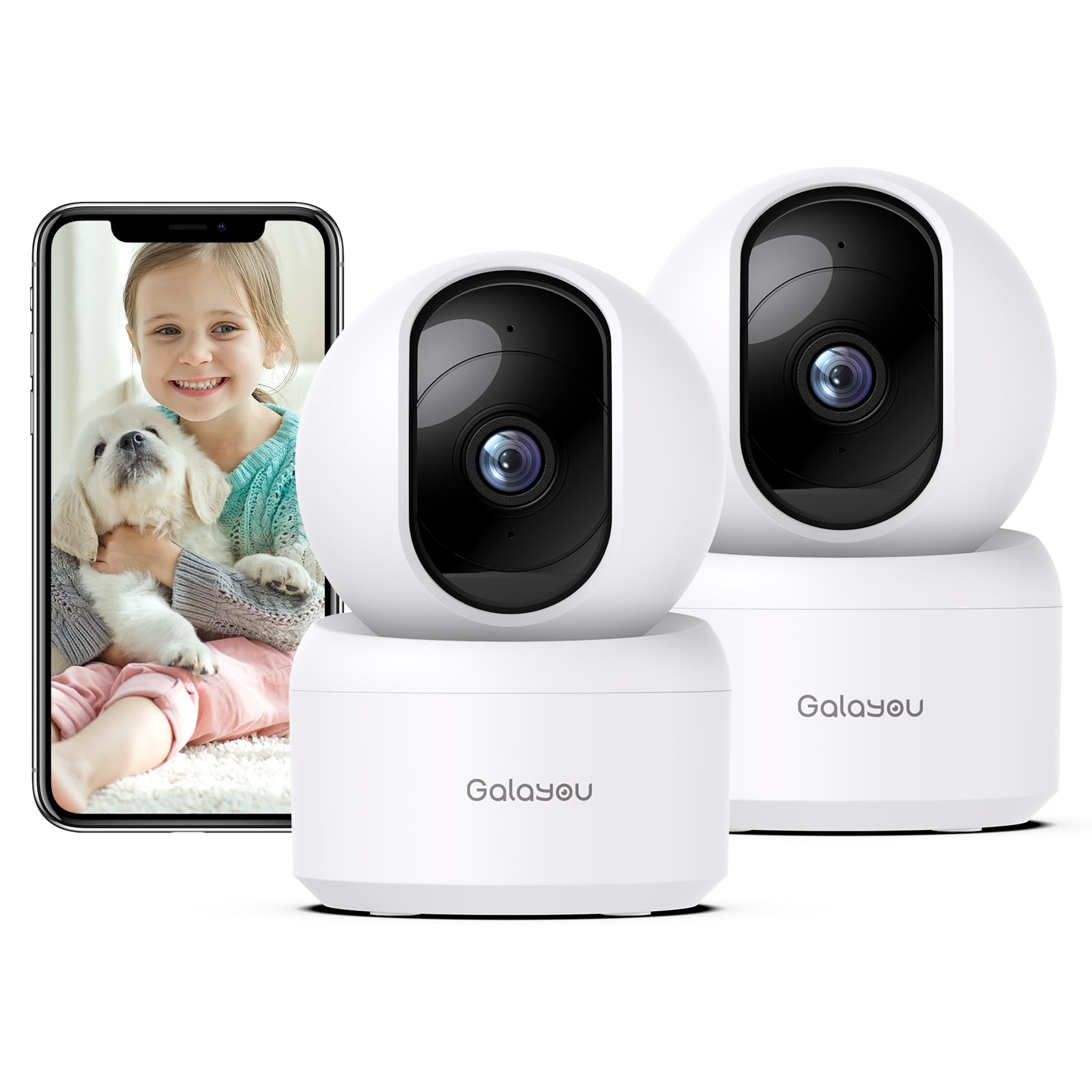
We recommend this affordable pair for caregivers who need clear indoor video, remote camera movement, and two-way talk.
Pros
- Clear 2K video with broad room coverage
- Useful motion alerts, night vision, and two-way audio
- Supports continuous recording with a microSD card
Cons
- Works only with 2.4GHz Wi-Fi
- Storage card is not included
- The power cords limit placement
We found the cameras easy to set up and control through the app. The image stayed clear enough to check on a child, older adult, pet, or caregiver from another room. Remote controls let us adjust the view when someone moved outside the original frame.
Night vision helped us see across a dim room without turning on a light. Two-way audio also made quick check-ins simple, although we would not rely on the camera alone for urgent communication.
Motion alerts can notify us when someone enters the room, and the built-in siren adds another way to respond to unexpected activity. We would adjust alert settings carefully because normal movement may trigger notifications.
The cameras need a nearby outlet and a 2.4GHz network, so placement may take some planning. Local recording requires a separate microSD card, while cloud storage offers a limited trial before paid service may apply.
CallToU Elderly Care Monitor
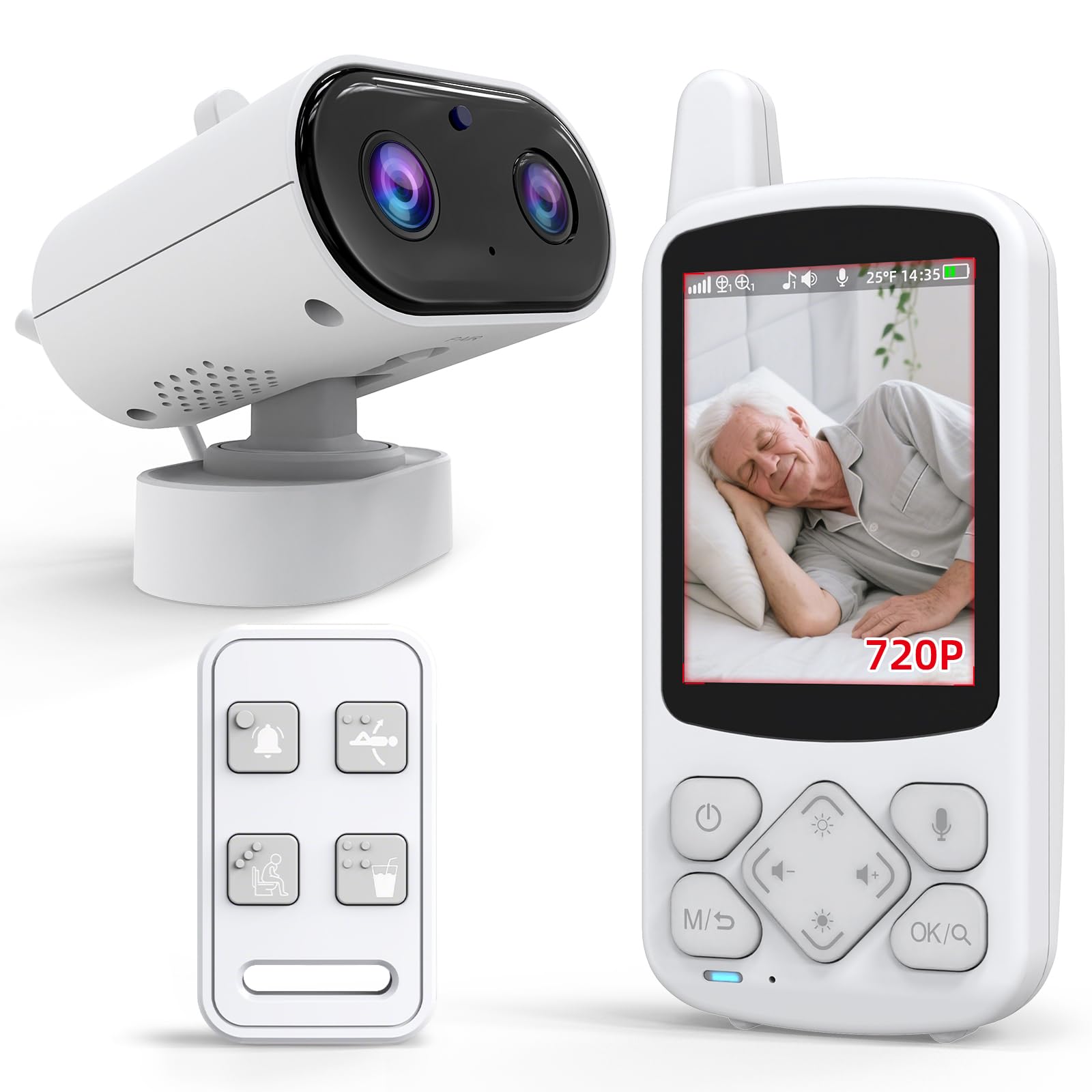
We recommend this monitor for caregivers who want private, simple room checks without relying on Wi-Fi.
Pros
- Works without an internet connection
- Includes two-way talk and an SOS button
- Offers night vision and daily reminder alerts
Cons
- The small screen may limit viewing detail
- Some users report short battery life
- Alert buttons may need resetting after problems
We found the setup simple, which helps when we need to start monitoring quickly. The portable receiver makes it easy to check on someone from another room, while the camera provides two-way audio for short conversations.
The SOS button gives the person being monitored a direct way to request help. Daily reminders for tasks such as drinking water or using the bathroom may also support routine care.
Night vision worked well for basic checks in a dark room, but the small display made details harder to see. The 4x zoom helps, though it does not replace a larger security camera screen.
Some user feedback points to inconsistent video, weak sound, battery concerns, and alerts that may require a reset. We would keep the call button dry and test the system before relying on it for important care needs.
JEMXITG Senior Care Monitor
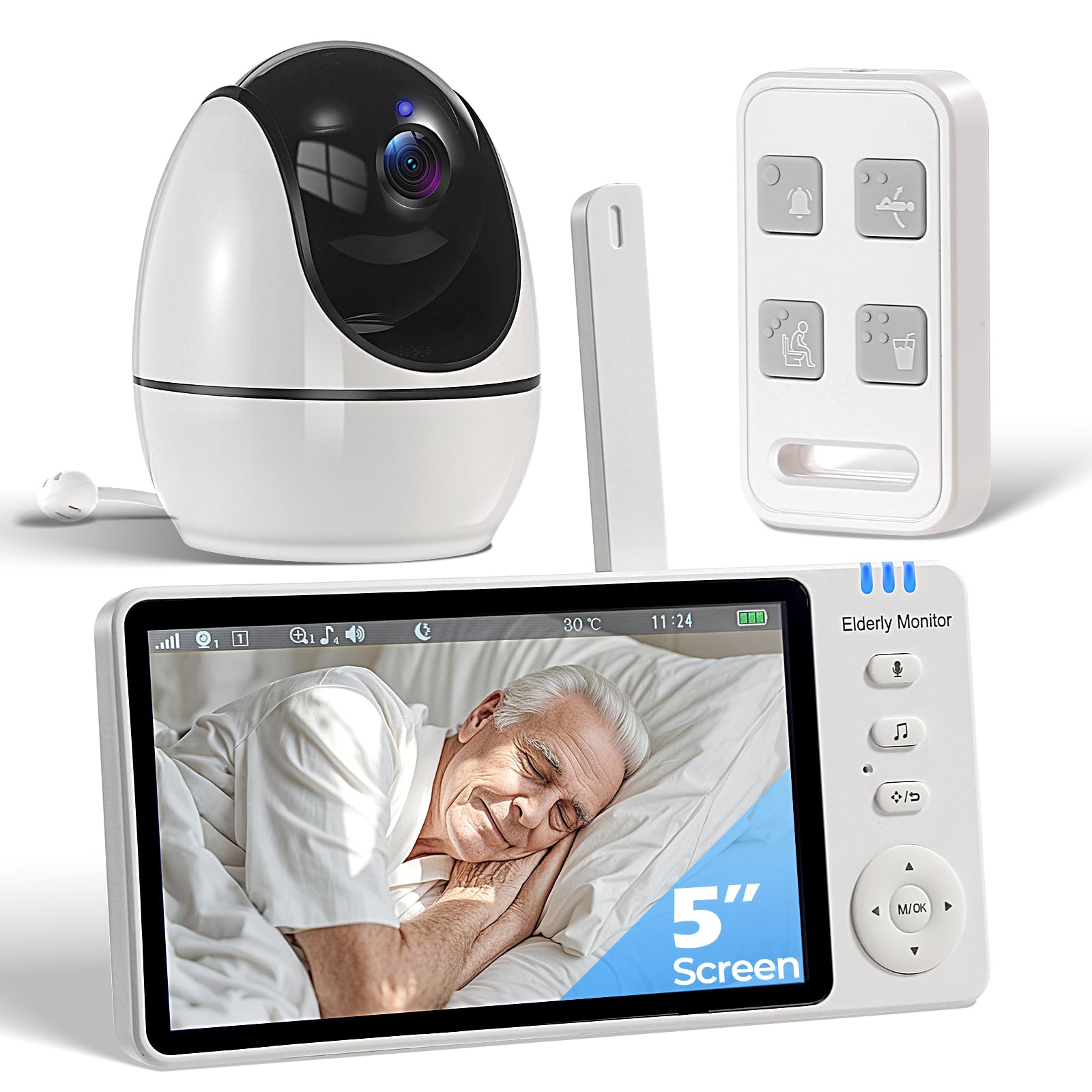
We recommend this monitor for caregivers who want private, in-home monitoring with emergency call buttons, reminders, and no Wi-Fi setup.
Pros
- No Wi-Fi connection supports greater privacy
- Large caregiver-friendly call buttons and two-way audio
- Medication alerts, temperature warnings, and night vision
Cons
- Limited signal range in some homes
- Picture quality may vary, especially at night
- The system does not provide remote phone or app access
We found the dedicated remote useful for seniors who may struggle with touchscreens. Its raised buttons and labels for SOS, help, bathroom, falling, and water requests make common needs easier to communicate.
The handheld screen lets us check the room and speak with someone without walking in. We also liked the pan, tilt, and zoom controls, which helped us adjust the view from another room.
Medication reminders and temperature alerts add practical support during daily care. The monitor also switches to night vision automatically, although some customer feedback reports poor nighttime image quality.
Because the system uses its own wireless connection, we did not need an internet account or app. That improves privacy but limits viewing to the included screen and the monitor’s local range. The long-lasting battery also reduces the need for frequent charging.
Blink Outdoor 4 Three-Camera System

We recommend this system for caregivers who want simple outdoor monitoring without running power cables.
Pros
- Wireless setup with long battery life
- Clear daytime video and useful infrared night vision
- Two-way talk through the Blink app
Cons
- Cloud recording requires a paid plan after the trial
- The included module does not provide local storage
- Motion alerts can require careful adjustment
We found the cameras easy to mount and set up around entryways, driveways, or other outdoor areas. The included batteries reduce maintenance, which helps when we need reliable checks without visiting the property often.
The video provides a clear view during the day, while infrared night vision helps us monitor dark areas. Two-way talk also lets us speak with someone near the camera through the app, although it works best when the camera and phone have a stable connection.
Motion detection responds quickly, and activity zones help reduce alerts from busy areas. Person detection adds more useful filtering, but it requires a separate Blink subscription.
The main drawback is storage. The Sync Module Core does not include local storage, so we need a subscription to save clips in the cloud. Setup may also take extra time if the module has trouble connecting to Wi-Fi, but the system works smoothly once connected.
blurams 2K 360° Indoor Security Camera

We recommend this camera for caregivers who need broad indoor coverage, clear video, and simple two-way communication without a required subscription.
Pros
- 360-degree pan and motion tracking help us follow activity across a room.
- Clear day and night video makes people easier to identify.
- Person, motion, and sound alerts support quick check-ins.
Cons
- The corded design limits placement options.
- App connection problems may interrupt live viewing.
- It works indoors only and needs a separate memory card for local recording.
We found the camera easy to set up and useful in rooms where someone may move around. Its rotating view covers more space than a fixed camera, while motion tracking helps keep a person in the frame.
The video looked clear during the day, and night vision provided enough detail for routine checks. We could also use two-way audio to speak with someone without entering the room, which helps when giving reminders or checking whether assistance is needed.
The app supports shared access, so family members can view the camera as well. Alerts for people, movement, and unusual sounds can help us notice activity, though frequent alerts may require adjustment.
Cloud storage includes short alert clips without a monthly fee, while continuous recording requires an optional plan. We also found that a memory card can provide local storage, but the camera’s Wi-Fi connection and app must remain reliable for smooth remote viewing.
ieGeek SC1 Pro Indoor Camera 2-Pack
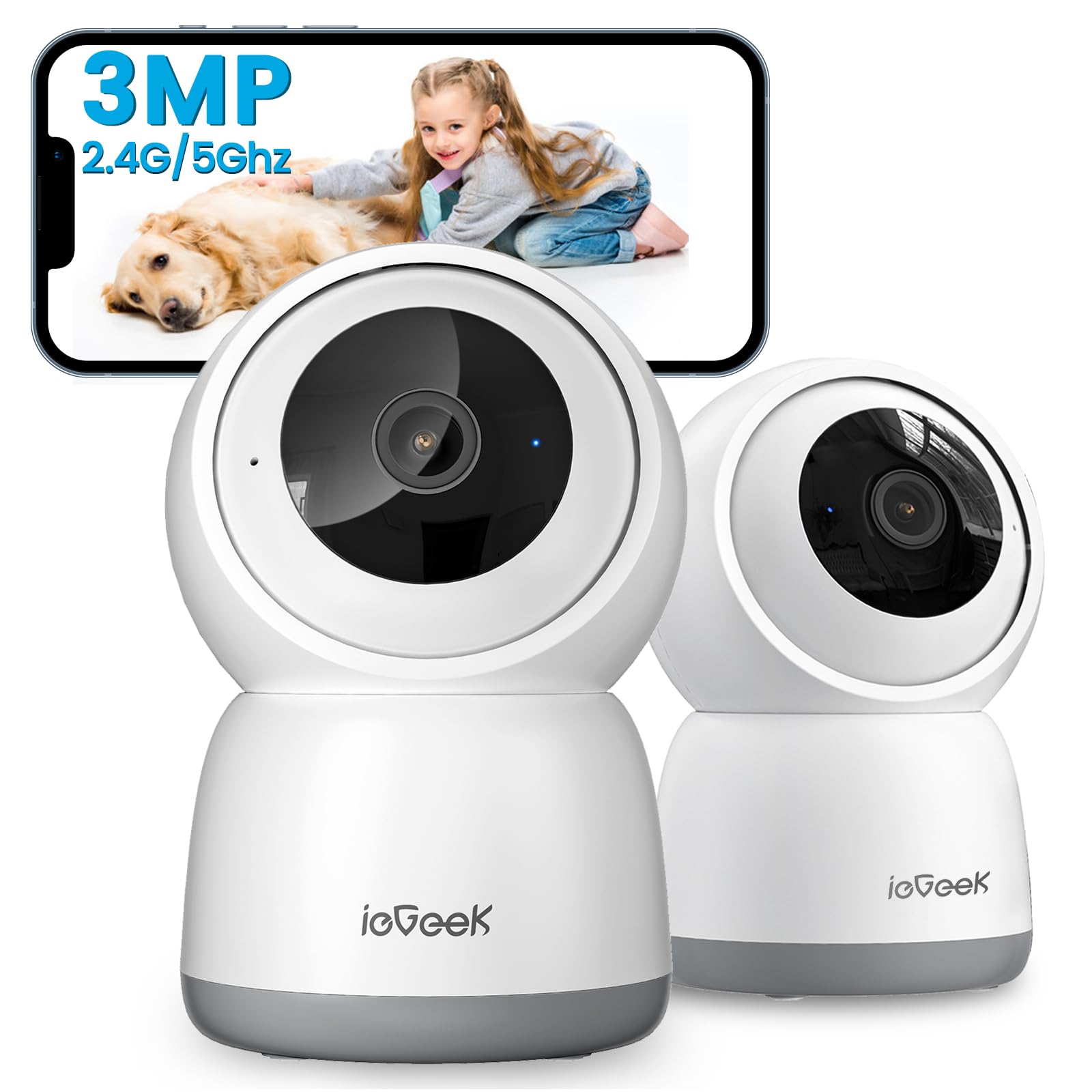
We recommend this pair for caregivers who want broad indoor coverage, clear video, and local storage without a required monthly plan.
Pros
- 360-degree pan and tilt helps us check most of a room remotely.
- Clear video, night viewing, and two-way audio support daily check-ins.
- Dual-band Wi-Fi and AI alerts make live monitoring easier.
Cons
- Each camera needs a nearby power outlet.
- The microSD card costs extra.
- Motion and sound alerts may need adjustment to reduce unwanted notifications.
The ieGeek SC1 Pro gave us a wide view of the room without requiring constant repositioning. We could follow movement through the app and check different areas when a caregiver, child, or older adult needed attention.
Video looked sharp enough for routine monitoring, including in dim rooms. Two-way audio let us speak through the camera, although we would still use a phone for sensitive or detailed conversations.
Setup was straightforward after downloading the ieGeek app and connecting the camera to Wi-Fi. The dual-band support helped, but network performance can still depend on the router and the camera’s location.
We liked having local microSD storage as an option, since cloud storage may add costs. The card is not included, and the cameras must remain plugged in, so we would place them near safe outlets and keep cords out of reach.
Buying Guide
We should start by identifying where we need coverage. Indoor cameras suit bedrooms, living areas, and entryways, while weather-resistant models fit outdoor spaces. Check the viewing angle, mounting options, and available power sources before buying.
Look for features that support safe, respectful care:
- Video quality: Choose clear video that shows faces and details in different lighting.
- Night vision: Infrared or low-light viewing helps us monitor rooms after dark.
- Two-way audio: This lets caregivers speak with and hear the person being monitored.
- Motion alerts: Adjustable alerts can reduce unnecessary notifications.
- Privacy controls: Look for a physical lens cover, camera shutoff, or activity zones.
- Storage: Compare local storage, cloud storage, fees, and recording limits.
- Security: Choose strong account protection, data encryption, and regular software updates.
We should also check whether the camera works with our phone, tablet, or smart home system. Simple setup and clear controls matter when several people share caregiving duties.
| Feature | What to check |
|---|---|
| Power | Outlet, battery, or backup options |
| Internet | Wi-Fi range and connection needs |
| Alerts | Custom zones, sound detection, and sensitivity |
| Access | Shared users and permission controls |
| Cost | Camera price, storage fees, and accessories |
We should place cameras only where monitoring supports care and safety. Avoid private areas such as bathrooms, and tell household members when cameras operate.
Editor’s Choice
We recommend the Google Nest Cam (Indoor, Wired) for caregivers who need clear video, two-way audio, and dependable phone alerts. Its 24/7 live view helps us check on a loved one, while activity alerts can identify people, animals, and general movement.
The camera works well in bedrooms, living areas, and near entry points. We can speak through the camera using two-way talk, but we should place it where private conversations and personal routines remain protected.
| Feature | Why it matters |
|---|---|
| 1080p video | Shows clear daily activity |
| Two-way audio | Supports quick check-ins |
| Activity alerts | Helps us notice movement |
| Wired power | Avoids battery changes |
| Indoor design | Fits common care areas |
Nest Aware adds familiar-face alerts and longer event history through a subscription. We should review the plan before buying because some features require an ongoing fee.
For privacy, we should enable two-factor authentication, use a strong account password, and tell the person being monitored when the camera operates. A visible camera and clear family rules help support trust.
Conclusion
We should choose a caregiver security camera based on the person’s needs, home layout, and comfort with monitoring. Clear video, two-way audio, night vision, motion alerts, and dependable app access can support daily care without adding unnecessary complexity.
Privacy also matters. We should place cameras only in suitable shared areas, explain their use to everyone affected, and avoid bedrooms and bathrooms. Strong passwords, two-factor authentication, regular software updates, and limited account access can help protect recorded footage.
Before buying, we can compare the full cost of the camera, cloud storage, and optional features. A simple model may work well for basic check-ins, while a system with person detection, activity zones, or multiple cameras may better support complex care needs.
FAQs
What should we look for in a caregiver security camera?
We should look for clear video, two-way audio, night vision, motion alerts, and secure account access. A camera with simple controls can help caregivers respond quickly.
Do we need cloud storage?
Cloud storage lets us view recorded clips from different locations, but it may require a monthly fee. Local storage, such as a microSD card, can reduce ongoing costs but may offer fewer backup options.
Are indoor cameras safe to use?
We should choose cameras with strong passwords, two-factor authentication, and regular software updates. We can also turn off remote access when we do not need it.
Can cameras replace in-person care?
No. Cameras can help us check activity, notice possible problems, and communicate with someone. They cannot replace personal care, emergency services, or regular visits.
Where should we place the camera?
We should place it where it gives a clear view without invading private areas. We should avoid bedrooms and bathrooms unless the person gives clear consent and a specific safety need exists.
Should we tell the person about the camera?
Yes. We should explain what the camera records, who can view it, and when it operates. Consent and local privacy laws may apply, especially in shared homes or care settings.
