
10 Best Fall Detection Devices for Seniors: Top Picks for Safety


Back Massager with Heat

Electric Jar Opener

Portable Radio with Large Buttons
Falls become more common with age, and a quick response can reduce the risk of serious harm. Fall detection devices use sensors to detect a sudden change in movement or position, then contact a caregiver, emergency service, or monitoring center. They can provide added support, but they do not replace regular check-ins or medical care.
These devices come in several forms, including pendants, watches, wristbands, and in-home systems. The best fall detection device should fit comfortably, work reliably in the places it will be used, and offer a clear way to call for help when automatic detection misses a fall. We also look at battery life, cellular coverage, water resistance, location tracking, monitoring fees, and how easily a senior can use each device.
We compared leading options to find the fall detection devices that offer dependable protection, simple controls, and useful features for seniors and their caregivers.
Best Fall Detection Devices for Seniors
We evaluated fall detection devices for seniors based on features, ease of use, comfort, and emergency response options. Our list includes reliable choices for different needs, budgets, and levels of daily support.
Seculife Medical Alert Pendant
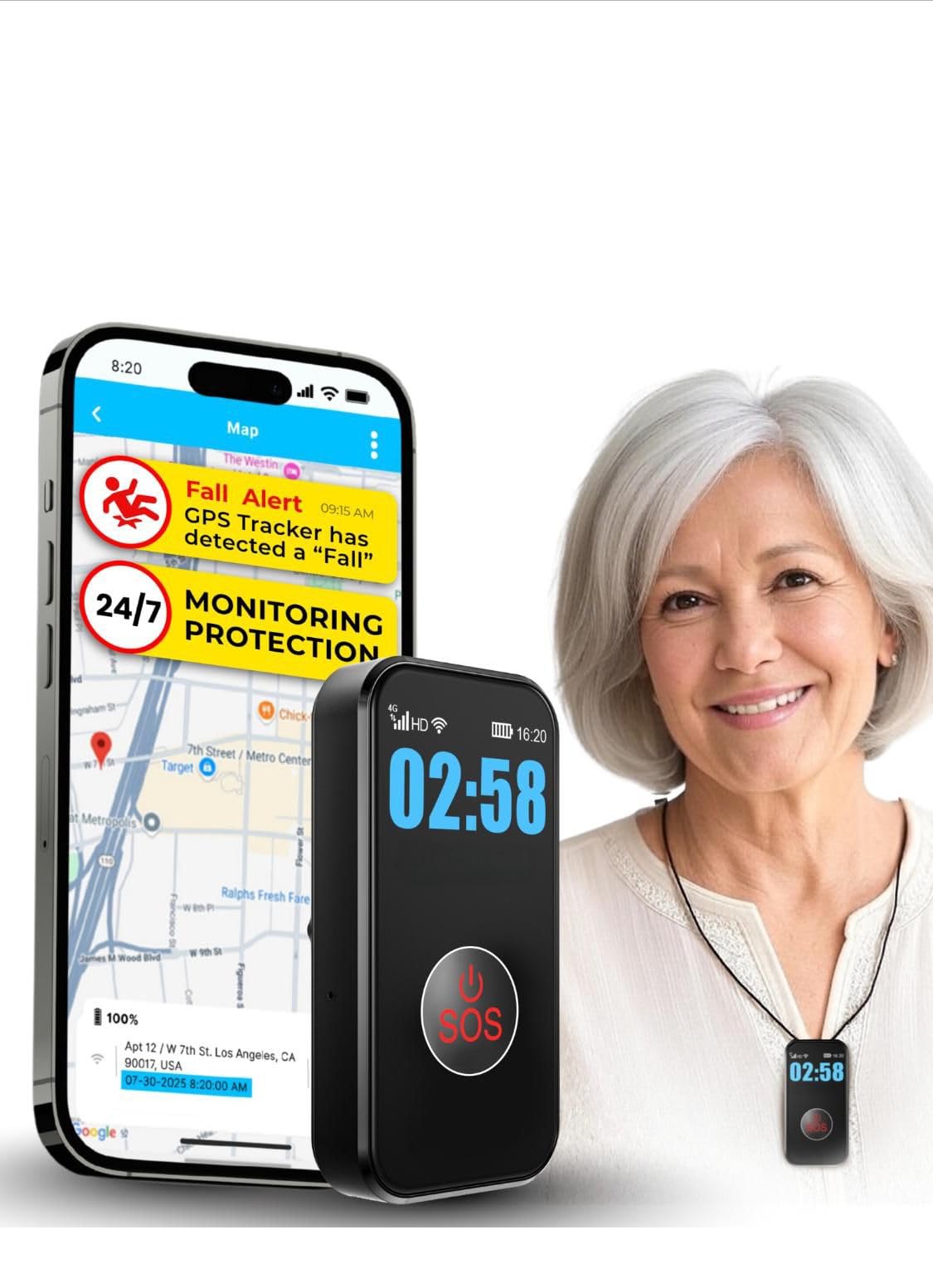
We recommend this pendant for families who want fall alerts, GPS tracking, and direct calls to personal contacts for a monthly fee.
Pros
- Large SOS button and simple controls
- Two-way calling with hands-free answering
- Waterproof design with GPS and geofence alerts
Cons
- Requires a $20 monthly subscription
- Fall detection may not detect every type of fall
- Battery life varies with tracking use
We found the pendant easy to activate and simple enough for many older adults to use. The large button works well for people with limited hand strength, while the display shows basic information such as battery and signal status.
Pressing SOS starts a cellular call to selected contacts, rather than a call center. We also like that contacts can call the pendant back, and the hands-free speakerphone supports two-way communication.
GPS tracking adds useful support for people who walk alone or may become confused outdoors. Families can set geofence zones and review location history, but location accuracy and battery life may vary by cellular coverage and tracking settings.
The waterproof IP67 design allows regular wear in rain or during showers. We would still test fall detection, calling, and charging routines at home before relying on the device during an emergency. The monthly plan is a key ongoing cost, even though the product does not require a long-term contract.
Nomo Smart Care Fall Detection System
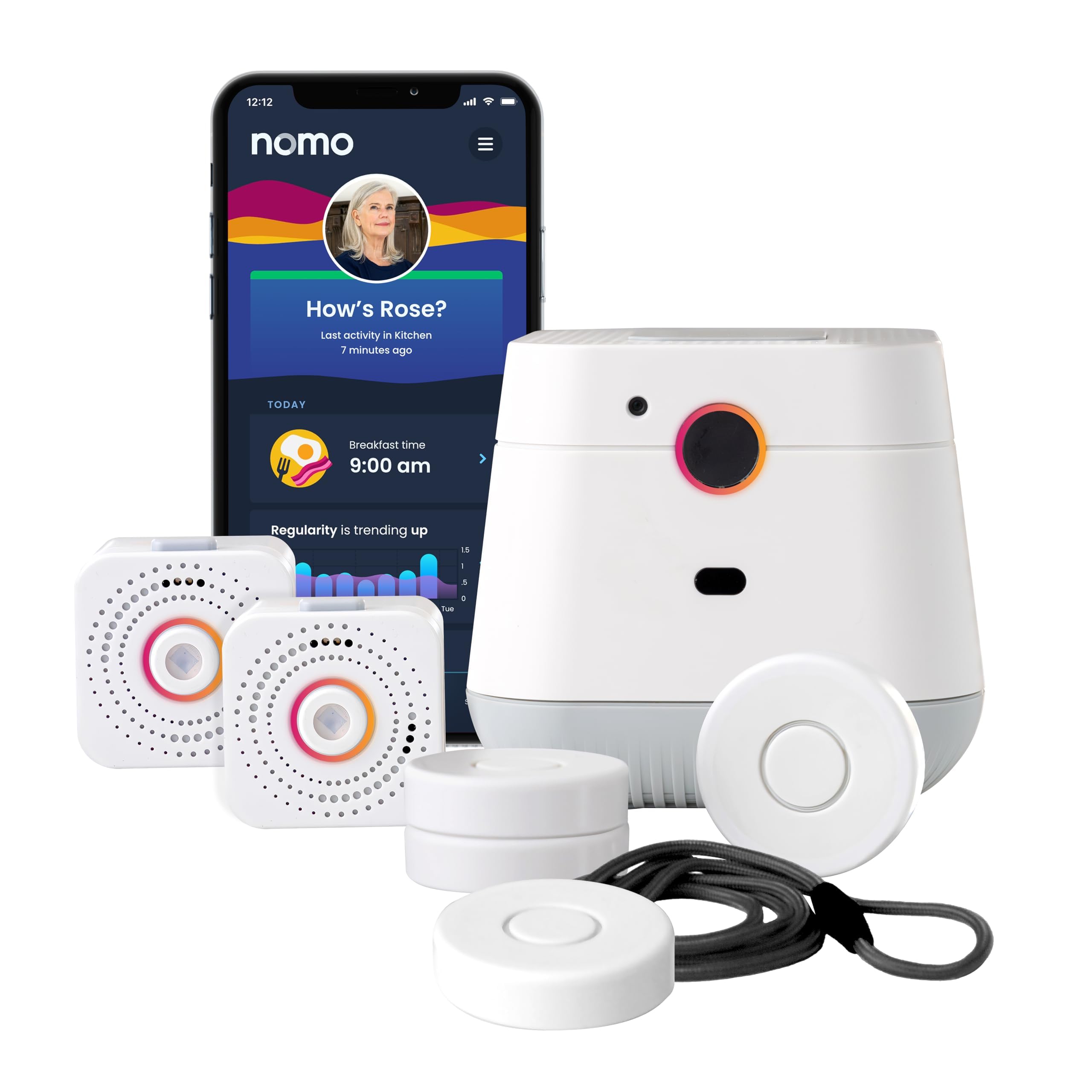
We recommend this system for in-home monitoring when caregivers want activity updates, two-way voice, and emergency support without cameras.
Pros
- Camera-free monitoring helps protect privacy
- Includes activity tracking, fall alerts, and Smart Tags
- Setup uses home Wi-Fi and needs no professional installation
Cons
- Requires a 2.4 GHz Wi-Fi connection
- Ongoing monitoring costs $19.99 per month after the trial
- Some users report inconsistent automatic fall detection
We found the setup straightforward: plug in the Hub and two Satellites, connect them to Wi-Fi, and place the Smart Tags where needed. The app lets caregivers monitor routines and receive alerts from a distance.
The Hub’s two-way voice feature gives seniors a direct way to contact their Care Circle or emergency support. Smart Tags can also track activity around doors, cabinets, and medication areas.
Fall detection performance may vary, so we would not rely on it as the only safety measure. The system also depends on Wi-Fi and requires a monthly plan after the included 60-day trial.
Family First Alert Mini Medical Alert Pendant
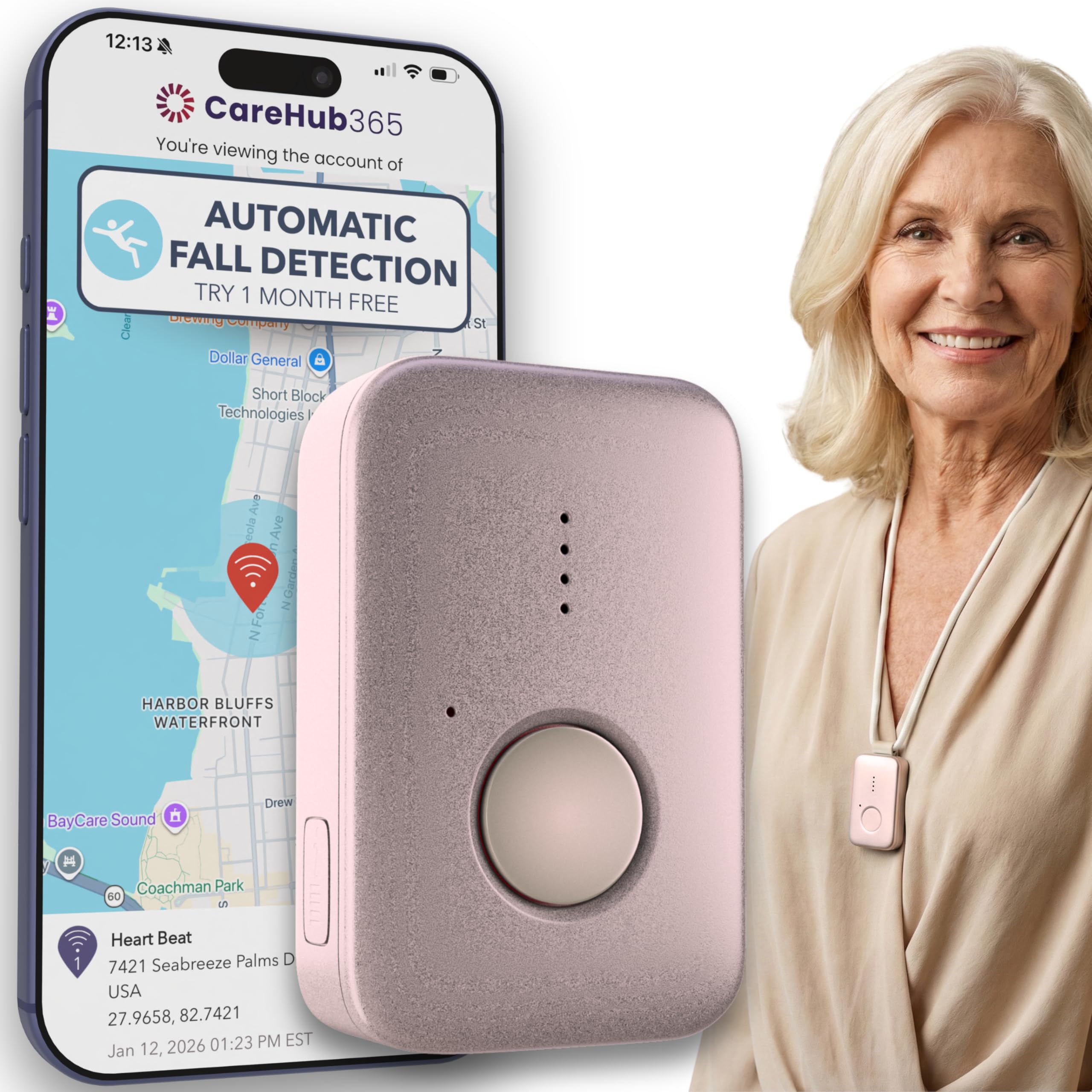
We recommend this pendant for seniors who want 24/7 monitoring, GPS support, and optional fall detection through cellular networks.
Pros
- Lightweight design with a charging dock and belt clip
- Two-way contact with trained emergency operators
- Water-resistant for use during showers
Cons
- Fall detection costs an additional monthly fee
- Requires a $39.99 monthly monitoring plan
- Coverage depends on AT&T or Verizon signal strength
We found the pendant simple to wear and easy to charge. The included lanyards and belt clip give users more than one way to carry it, while the small design keeps it from feeling bulky during daily activities.
Pressing the SOS button connects the wearer with a live operator. GPS tracking can help responders locate the user, but the device needs a working cellular signal. It supports both AT&T and Verizon networks, which may improve coverage in some areas.
Fall detection is available as a paid add-on rather than as part of the base plan. We also noticed that the company recommends charging it daily, even though the battery may last up to five days. The water-resistant build supports shower use, but users should follow the care instructions.
Setup requires contacting Family First Alert after delivery. The monitoring plan and optional fall detection add to the total cost, so we recommend checking the ongoing fees before purchasing.
Fajocru V46 Fall Detection Watch
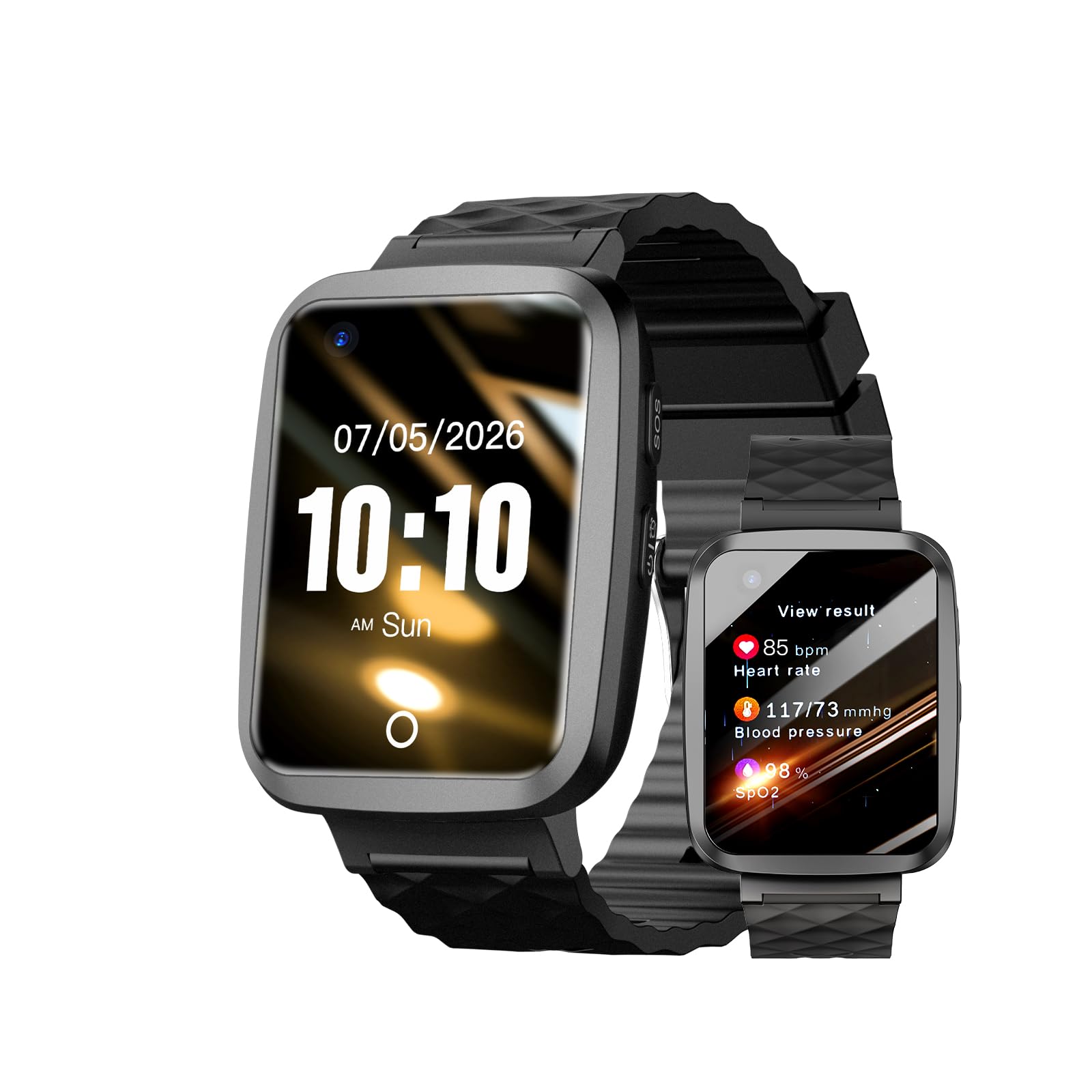
We recommend this watch for families who want fall alerts, GPS tracking, and two-way contact in one device, but setup may take patience.
Pros
- Fall alerts can notify preset contacts if the wearer cannot press the SOS button.
- GPS tracking and geofencing help caregivers monitor location.
- The large screen, magnetic charger, and light design support daily use.
Cons
- Setup may feel difficult for some users.
- The included data SIM does not support voice calls.
- Fall detection and health readings should not replace professional medical tools.
We found the watch comfortable enough for regular wear and simple to check at a glance. Its touchscreen and SOS button give seniors more than one way to request help.
The GPS features add useful support for caregivers. We could use location tracking and safe zones to monitor wandering, though the wearer needs reliable cellular coverage for these features to work.
Two-way voice communication requires a compatible voice-enabled SIM card. The included SIM provides one year of data service, but it does not handle calls, so buyers should plan for that extra setup.
The watch also tracks steps and offers heart rate, blood pressure, and blood oxygen readings. We would treat these numbers as general reference points rather than medical measurements. Its IP67 water resistance suits rain and hand washing, but it should not be used for swimming.
CallToU Wireless Caregiver Pager
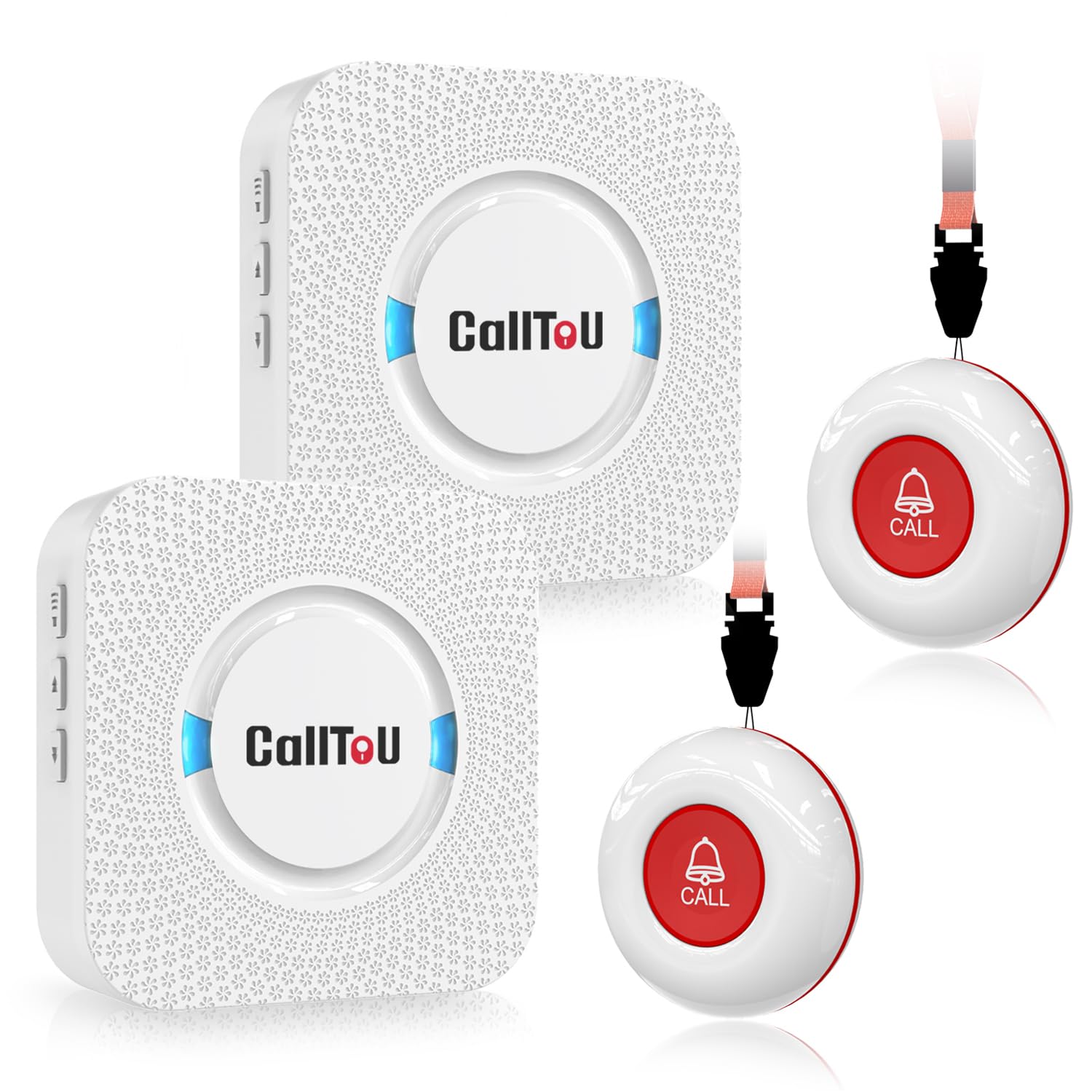
We recommend this pager for households that need a simple way to request help after a fall or during daily activities.
Pros
- Two call buttons and two receivers support shared caregiving.
- Loud, adjustable alerts work well across much of the home.
- Waterproof buttons suit bathrooms and outdoor use.
Cons
- It does not detect falls automatically.
- Receivers need nearby power outlets.
- The small instructions may take extra effort to read.
We found the CallToU system easy to set up without Wi-Fi, Bluetooth, or a phone app. Each call button can stay around the user’s neck or attach near a bed, chair, or bathroom. Pressing it sends an alert to the receivers, giving caregivers a quick way to respond.
The two receivers make this useful in larger homes. We could place one near a caregiver’s usual area and carry the other to another room. The stated range is over 500 feet in open space, but walls and the home’s layout can reduce it.
The alert volume reaches a high level, and we could choose from many ringtone options. This helps caregivers notice calls from another room, though the loudest setting may be too strong for some spaces.
Both the buttons and receivers resist water and dust, which adds useful protection near sinks and showers. Still, the system only sends an alert when someone presses the button. It cannot sense a fall or call emergency services on its own.
Seculife SOS Fall Detection Wristband
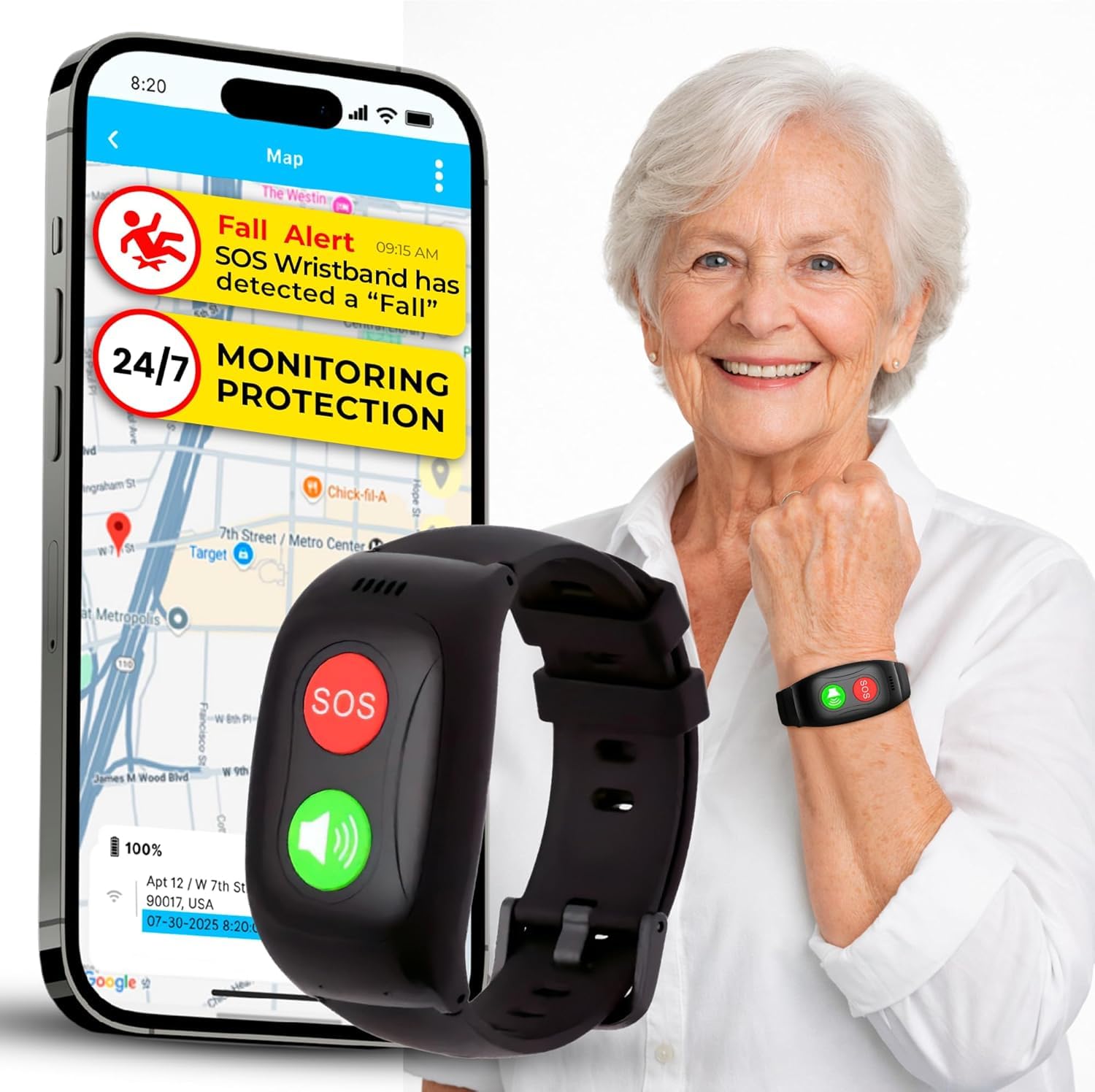
We recommend this wristband for families who want GPS tracking, two-way calls, and fall alerts, but the required $25 monthly plan and mixed support feedback deserve careful review.
Pros
- One-button SOS calling and automatic fall alerts
- GPS tracking, geofencing, and two-way voice calls
- Screen-free, lightweight design with IP67 water resistance
Cons
- Requires a $25 monthly subscription
- Battery life is listed at about one day
- Some buyers reported setup and support problems
The screen-free design feels simple for seniors who may not want a smartwatch. We found the SOS and call buttons easy to understand, though the call button requires a short press rather than a quick tap.
Family members can use the app to view location, set safe zones, and manage contacts. GPS tracking adds useful support for seniors who go out alone, but it also depends on cellular service and an active subscription.
The bracelet handles rain, splashes, and handwashing, but it is not designed for full swimming use. Its listed one-day battery life means we would charge it daily and check the connection before relying on it.
Seculife sends alerts directly to preset contacts instead of using a call center. That setup may suit families who want to manage responses themselves, although reports of difficult support and billing issues make the subscription terms important to confirm before buying.
Seculife S16 Medical Alert Smartband
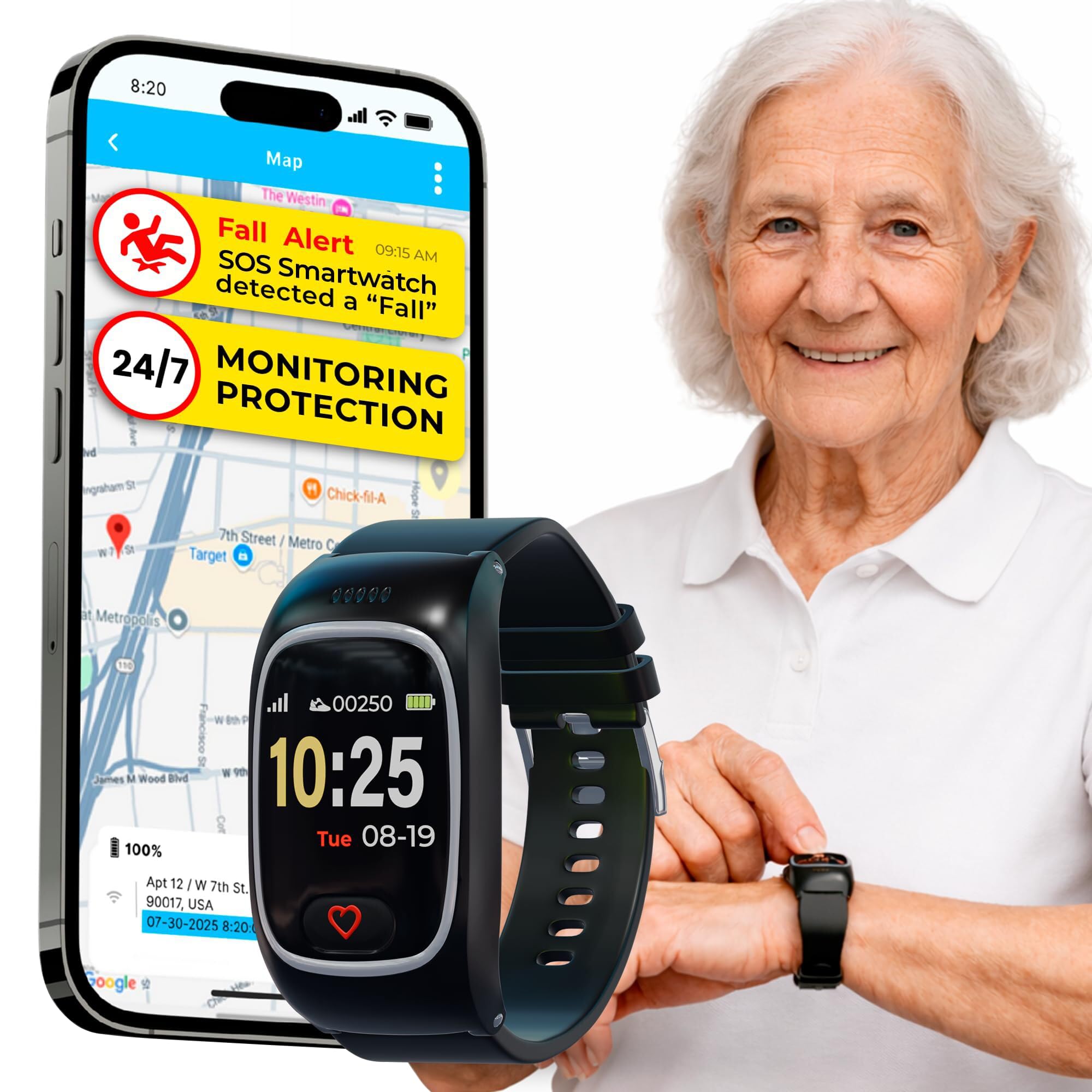
We recommend the Seculife S16 for families who want fall alerts, GPS tracking, and two-way calling, but buyers should prepare for a required monthly subscription and mixed app performance.
Pros
- Large SOS button and automatic fall alerts
- GPS tracking with geofence notifications
- Two-way calling and automatic answers from approved contacts
Cons
- Requires a subscription starting at about $25 per month
- Battery life lasts about one day
- Some users report false alerts, delayed location updates, and loud alarms
The large screen and main SOS button make the watch fairly easy for seniors to understand. We found the basic calling features more useful than the smartwatch functions, especially for someone who may struggle with a smartphone.
Family members can use the app to check location, set safe zones, and review alerts. GPS tracking adds value for seniors who may wander, but user reports mention delays and inaccurate locations. We would test the tracking in familiar areas before relying on it.
The S16 includes fall detection, heart rate, blood oxygen, and body temperature monitoring. These features can support daily awareness, but they should not replace medical equipment or professional care.
Its IP67 water resistance helps protect it from splashes and brief water exposure. The battery lasts roughly one day, so we would charge it every night and check the connection regularly. The 3.7-star rating from 104 reviews also suggests that reliability may vary between users.
Nesthao Wireless Bed Sensor Alarm

We recommend this affordable alert system for caregivers who need notice when a senior gets out of bed or leaves a room.
Pros
- Detects movement near the bed or doorway
- Sends alerts from up to 918 feet in open areas
- Offers adjustable volume and battery or USB power
Cons
- Needs careful placement and range testing
- May require pairing again after power-off
- Covers basic alerts, not two-way communication
We found setup straightforward. The sensor can sit under the bed near the feet, which avoids the cleaning and shifting issues common with pressure pads. It can also monitor a doorway, making it useful for seniors who wander at night.
The remote pager stays outside the bedroom, so the alarm does not startle the person in bed. We could adjust the volume across five levels, and the flashing indicator provided a second alert. The system includes batteries, a USB cable, mounting supplies, and a manual.
Before using it, we would wait for the sensor’s 20-second self-test and then check its detection direction and range. Some users report that the unit needs to pair again after being switched off and back on. This device can alert a caregiver, but it does not replace supervision, mobility support, or emergency medical services.
PILSAMAS WiFi Caregiver Pager
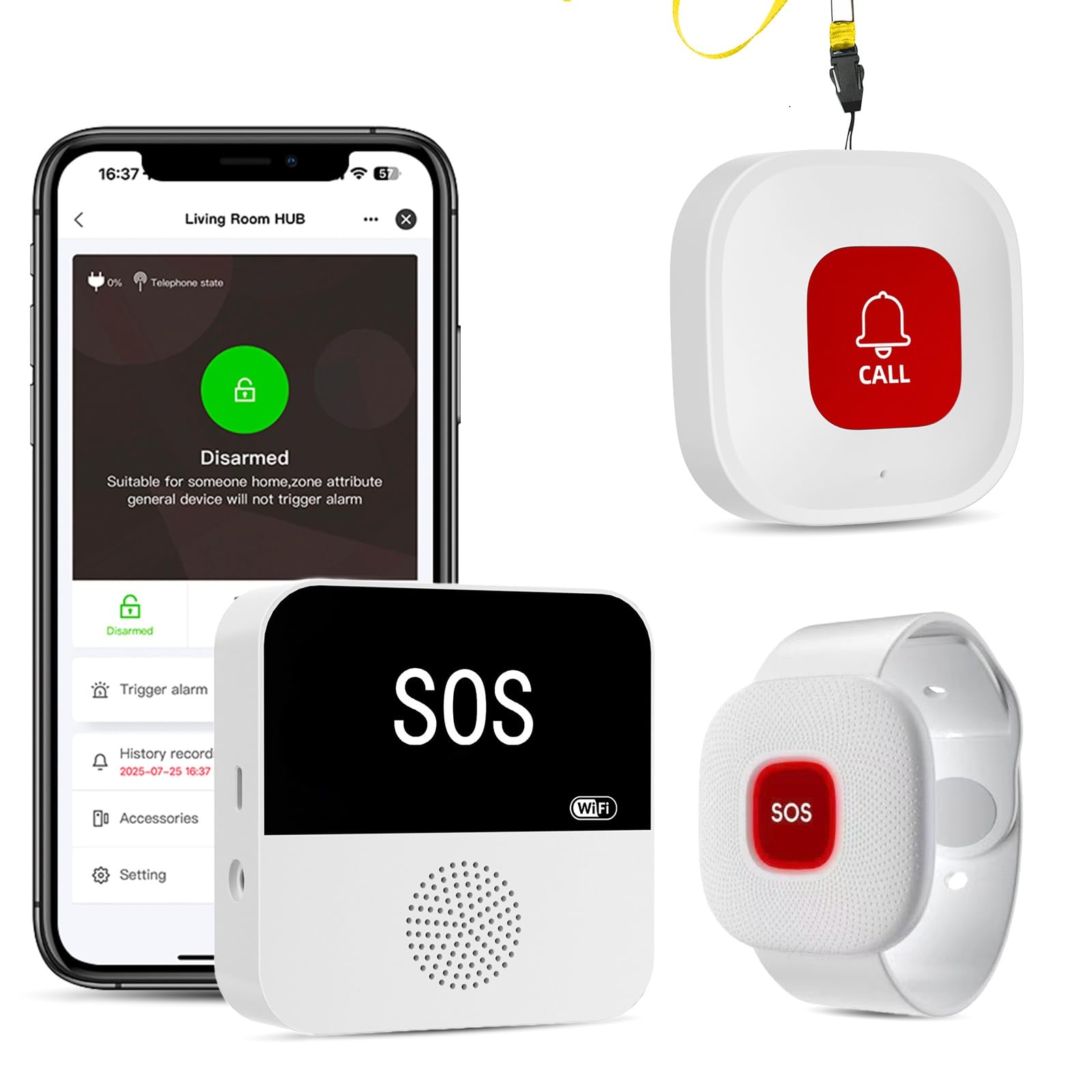
We recommend this system for households that want local alerts and app access without a required monthly fee.
Pros
- Loud receiver with adjustable tones and volume
- Waterproof call buttons and wristband
- Free app alerts with device names and locations
Cons
- Wi-Fi setup requires a 2.4 GHz network
- Neck button may trigger false alarms if it rubs against objects
- Receiver needs a constant power connection
We found the setup straightforward after connecting the hub to a 2.4 GHz network. The buttons arrived pre-paired, so we could place one near a bed, wear the wristband, and start testing alerts quickly.
The receiver produced a loud sound and flashing light when we pressed a button. The app also identified the assigned device, which helped us tell whether the alert came from the bedroom, bathroom, or another location.
The waterproof design makes the buttons useful near sinks, showers, and tubs. We also liked the adjustable wristband, though the neck-worn button felt too sensitive during movement and caused occasional false alarms.
The free app supports shared alerts and alert history without a required subscription. Optional plans apply to text messages, phone calls, and emails, so buyers should check whether app notifications meet their needs.
Seculife Medical Alert Smartwatch
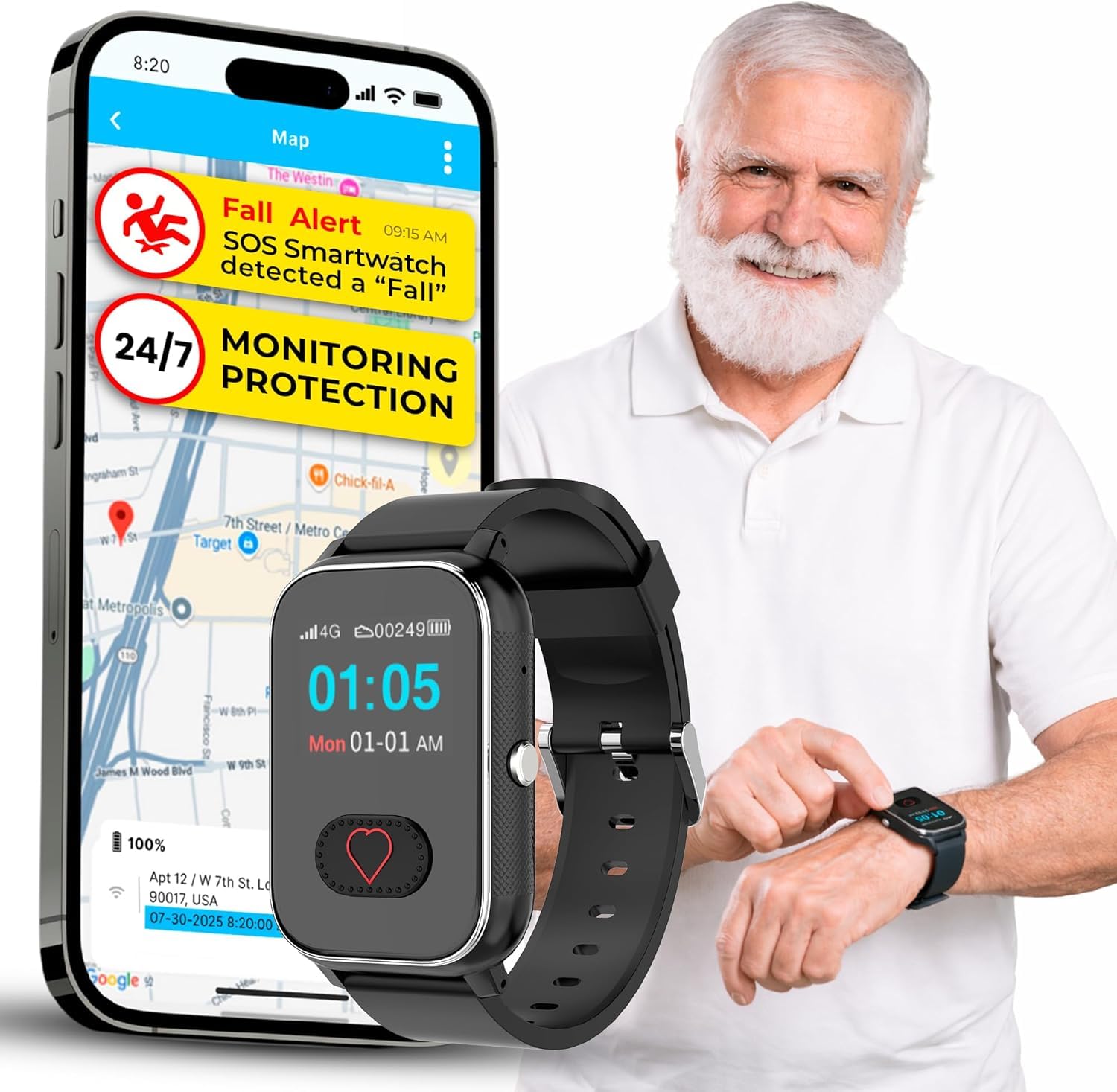
We recommend this watch for seniors who want fall detection, GPS tracking, and two-way calling in one device, but the short battery life and monthly fee require careful planning.
Pros
- Automatic fall alerts and a dedicated SOS button
- GPS tracking with approved-contact calling
- Large display, medication reminders, and water resistance
Cons
- Requires a $25 monthly subscription
- Battery lasts about 12 hours
- Customer feedback is mixed, with a 3.6-star rating
During testing, we found the large screen and simple controls easy to understand. The heart-shaped SOS button stands out, and holding it for three seconds starts an emergency call. Approved contacts can call back, while unknown numbers remain blocked.
Fall detection can send an alert without a button press, which adds useful backup for someone who cannot reach the watch after a fall. We would still treat it as a safety aid rather than a replacement for direct supervision, since automatic detection may not recognize every fall.
GPS tracking helps caregivers check a wearer’s location, and the watch includes location history. The built-in speakerphone worked well for basic calls, though users should confirm cellular coverage and service compatibility before buying.
The watch handles light rain, handwashing, and similar daily exposure with its IP67 water resistance. Its main drawback is the roughly 12-hour battery life, so we would charge it every night and check the battery before longer outings. The required $25 monthly plan also adds a continuing cost.
Buying Guide
We should start by matching the device to the senior’s daily routine, health needs, and comfort. A wearable device may suit someone who spends time alone, while an in-home system may work better for someone who rarely goes outside.
We should compare these key features:
| Feature | What to check |
|---|---|
| Fall detection | Check whether it works automatically or requires the user to press a button. |
| Two-way communication | Look for clear audio and simple controls. |
| Coverage | Confirm the device works at home, outdoors, or in both settings. |
| Location tracking | Consider GPS for seniors who may become lost or need help away from home. |
| Battery life | Choose a model that reduces charging needs and provides low-battery alerts. |
| Water resistance | Select protection suitable for showers, baths, and daily activities. |
| Response service | Check how alerts reach family members, caregivers, or emergency staff. |
We should also review the device’s fit and setup. Lightweight designs, adjustable bands, and simple buttons can make regular use easier. The senior should be able to wear, charge, and test the device without confusion.
Costs may include equipment, activation, monthly service, and replacement fees. We should read the cancellation terms and check whether the system needs a mobile signal, home internet, or a landline. Testing the device in the places where falls may occur can help us identify weak coverage or false alerts.
Editor’s Choice
We choose the Medical Guardian MGMove as our top pick for most seniors. Its wearable design supports fall detection, two-way communication, GPS location tracking, and access to a 24/7 monitoring team.
The device works as a smartwatch, so users can check the time, set reminders, and track daily activity. We also value its simple interface and flexible wearing options, which can make regular use easier.
| Feature | Medical Guardian MGMove |
|---|---|
| Fall detection | Available with select plans |
| Communication | Two-way voice |
| Location tracking | GPS |
| Monitoring | 24/7 professional response |
| Wear options | Wrist or lanyard |
Fall detection may not identify every fall. We recommend pairing the device with a charging routine and teaching users how to press the help button when they need assistance.
Before choosing a plan, we suggest checking monthly fees, equipment costs, cellular coverage, and cancellation terms. Seniors who spend much of their time at home may prefer a landline or in-home system, while active users may benefit more from a mobile device.
Conclusion
We should choose a fall detection device based on the user’s health needs, daily routine, and comfort. Automatic fall detection can provide extra support, but no device detects every fall or replaces regular check-ins and a clear emergency plan.
Wearable devices work well for active seniors who can charge and wear them each day. In-home systems may suit people who spend most of their time at home. We should also check cellular coverage, battery life, service fees, water resistance, and cancellation terms before buying.
Key points to review:
- Automatic fall detection and manual help buttons
- Two-way communication with trained responders
- GPS tracking for outdoor use
- Comfortable design and simple controls
- Reliable battery life and charging options
- Support for caregivers or family contacts
We should involve the senior in the decision. A device that feels comfortable and easy to use is more likely to be worn consistently. Testing the device and practicing how to call for help can also improve confidence and response time.
FAQs
How do fall detection devices work?
We find that most devices use sensors to detect sudden movement, impact, and changes in position. Some models also let the wearer press an emergency button.
Do these devices detect every fall?
No device detects every fall. A slow slide, soft landing, or unusual movement may not trigger an alert, so we recommend choosing a model with manual help features.
Do fall detection devices need a monthly fee?
Some devices work without a subscription, while others charge for 24/7 monitoring, cellular service, or emergency response. We advise checking the full cost before buying.
Can these devices work outside the home?
Many GPS-enabled devices work both indoors and outdoors. We recommend checking cellular coverage, battery life, and location accuracy in the areas where the user spends time.
Who receives the alert?
Depending on the device, alerts may go to a professional monitoring center, family members, or both. We suggest confirming who responds and whether the device can contact emergency services.
What features should we compare?
- Automatic fall detection
- A large, easy-to-press help button
- Two-way voice communication
- GPS location tracking
- Water resistance
- Long battery life
- Comfortable, secure fit
Do users need a smartphone?
Some devices connect to a smartphone, but others include their own cellular connection. We should confirm the requirements before choosing a model.