
10 Best Smart Door Locks 2026: Top Picks for Secure Homes


Smart Doorbell Camera

Adjustable Walker with Wheels

Reacher Grabber Tool
Smart door locks let us lock and unlock an entry without relying only on a traditional key. Depending on the model, we can use a keypad, phone app, fingerprint reader, voice assistant, or a regular key. They can also share temporary access codes and show when someone enters or leaves.
The best smart door locks balance reliable security, simple installation, dependable access methods, and useful smart-home features. We should also check whether a lock fits our door, works during a power or internet outage, supports the devices we already use, and offers strong battery life. Features such as auto-locking and activity logs can add convenience, but they should not make the lock difficult to use.
We compared leading smart door locks for security, ease of use, installation, battery performance, and access options to identify the models that make protecting our homes simpler.
Best Smart Door Locks 2026
We tested and compared smart door locks based on security features, installation, app quality, and smart home compatibility. Our list includes reliable options for different budgets, door types, and access needs.
Philips 4200 Series WiFi Smart Lock
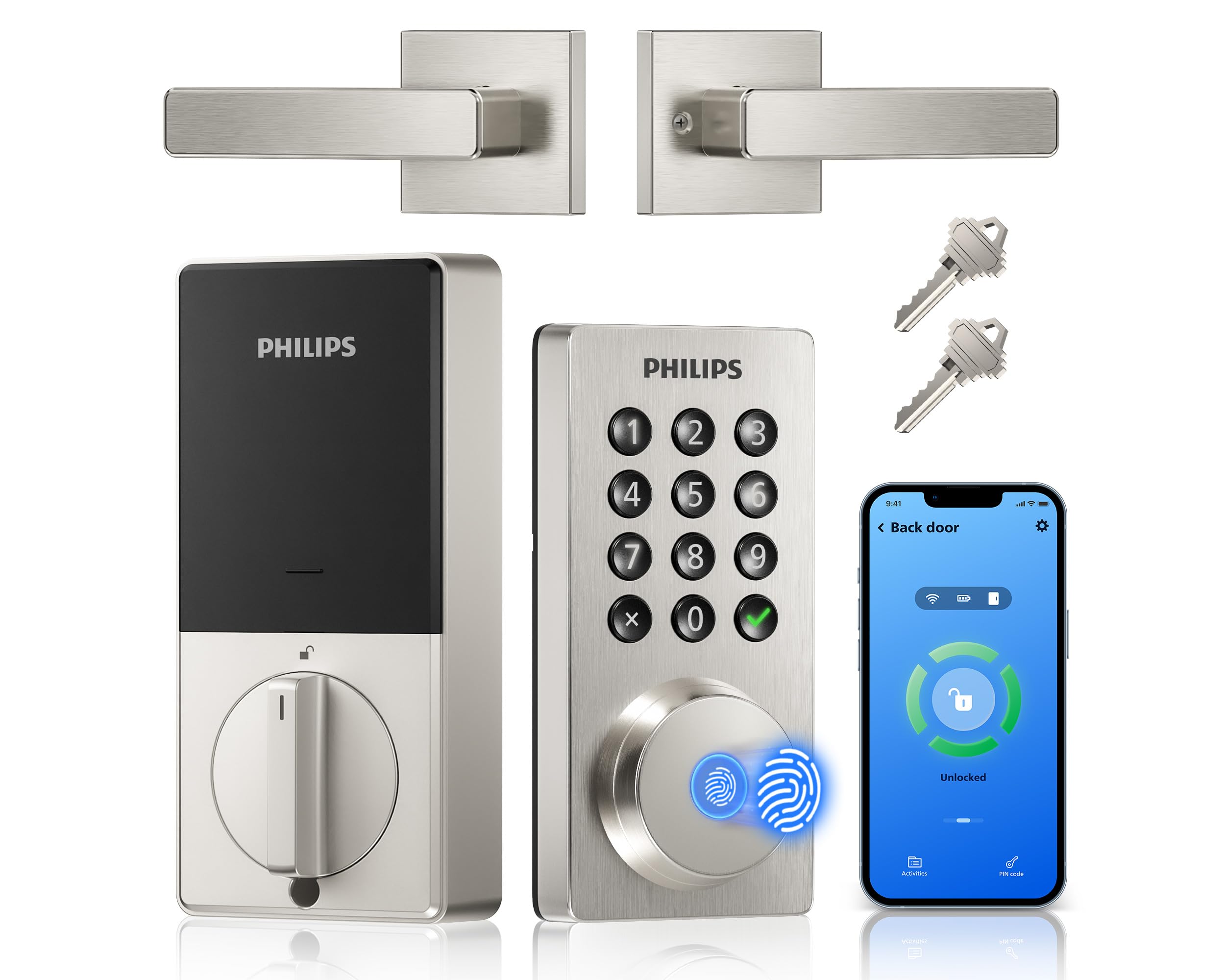
We recommend this lock for households that want fingerprint entry, remote app control, and a matching handle without adding a separate hub.
Pros
- Fingerprint access works quickly and feels convenient for daily use.
- Built-in Wi-Fi supports remote control without an extra bridge.
- The included handle creates a clean, matching front-door setup.
Cons
- It requires eight AA alkaline batteries, which are not included.
- Battery life may drop quickly with lower-quality batteries.
- We must check door thickness and fit before installing.
During setup, we found the installation fairly simple with a screwdriver. The lock fits doors from 1-3/8 to 1-3/4 inches thick, but checking measurements first can prevent problems. The handle set also makes this a practical choice for a full front-door upgrade.
Daily use feels flexible. We can unlock with a fingerprint, keypad code, phone app, or physical key. The app supports temporary and recurring codes, while the access history helps us track entries for family members, guests, or service workers.
Built-in Wi-Fi lets us lock or unlock the door from outside the home and check its status remotely. Alexa and Google Assistant support adds voice control, although we still prefer using the app for access changes.
The main drawback involves battery use. Some owners report low-battery warnings within a short time, especially with basic batteries. We would use quality alkaline batteries and keep the emergency power option in mind.
Schlage Encode Smart WiFi Deadbolt

We recommend this lock for households that want remote access, keypad entry, and built-in Wi-Fi without buying a separate hub.
Pros
- Built-in Wi-Fi supports remote control
- Holds up to 100 access codes
- Strong construction and simple installation
Cons
- Battery life may vary with frequent use
- Some doors may need minor adjustment
- The touchscreen can require a firm touch
We found the Schlage Encode easy to manage through the Schlage Home app. We could lock or unlock the door remotely, create codes for guests, review activity, and set alerts without adding another connection device.
The keypad made daily entry convenient, especially when we did not want to carry keys. Auto-lock and one-touch locking also helped us secure the door quickly. Alexa and Google Assistant support added useful voice control, though we still preferred the keypad for most use.
Installation took little time with a screwdriver, but door alignment mattered. On some doors, the deadbolt opening may need adjustment for smooth operation. Once aligned, the lock felt solid and engaged reliably.
The lock includes a built-in alarm, encrypted connections, and a physical backup key. Four AA batteries power it, and the app and touchscreen provide low-battery warnings. We would choose it for a main entry door, rental property, or home where remote guest access matters.
ULTRALOQ Bolt SE
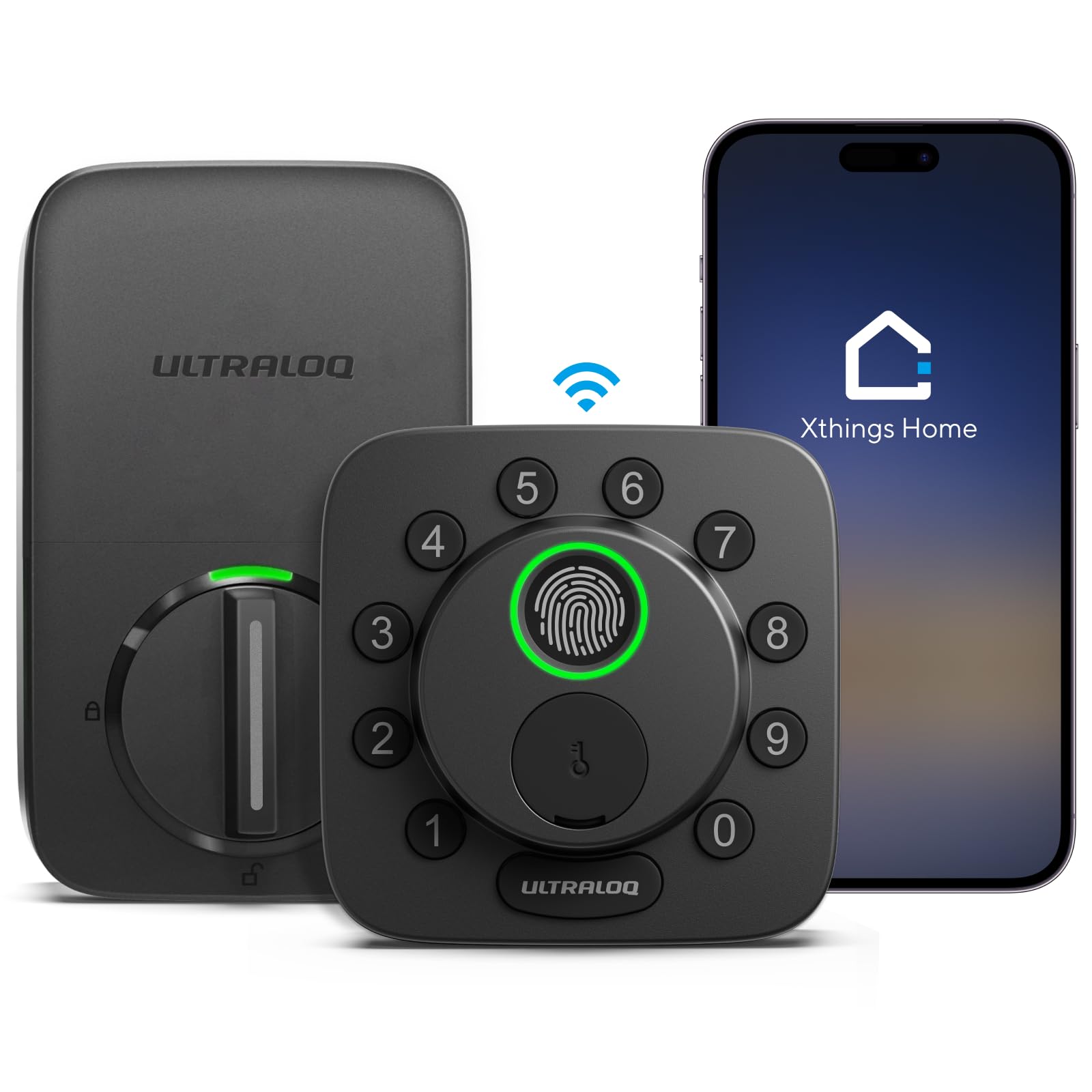
We recommend the ULTRALOQ Bolt SE for households that want fingerprint entry, remote control, and broad smart-home support in one lock.
Pros
- Fingerprint, code, app, voice, and key entry
- Built-in Wi-Fi with no hub required for basic remote access
- Supports Apple Home, Alexa, Google Assistant, and Matter
Cons
- Matter features require a compatible Thread hub
- Works with 2.4 GHz Wi-Fi only
- The door sensor is sold separately
Our fingerprint entry made daily use quick, especially when we had full hands. We could also create temporary codes for guests and check activity through the app. The keypad felt practical, and the physical keys provided a useful backup.
Built-in Wi-Fi lets us lock or unlock the door remotely without adding a separate hub. The lock also supports Matter over Thread, but that feature needs a compatible Thread border router. Buyers should check their existing smart-home setup before choosing this option.
Installation was manageable with basic tools, though the deadbolt needed to align fully with the strike plate. If the bolt met resistance, the lock showed a jam warning. The exterior design felt sturdy and weather resistant, while the advertised battery life can reach 18 months depending on use and settings.
With a 4.3-star rating from more than 10,000 reviews, the Bolt SE offers a strong mix of entry methods and smart-home features. We would choose it for a front or back door when fingerprint access matters and the door has a properly aligned deadbolt.
Veise VE017G-H Smart Lock
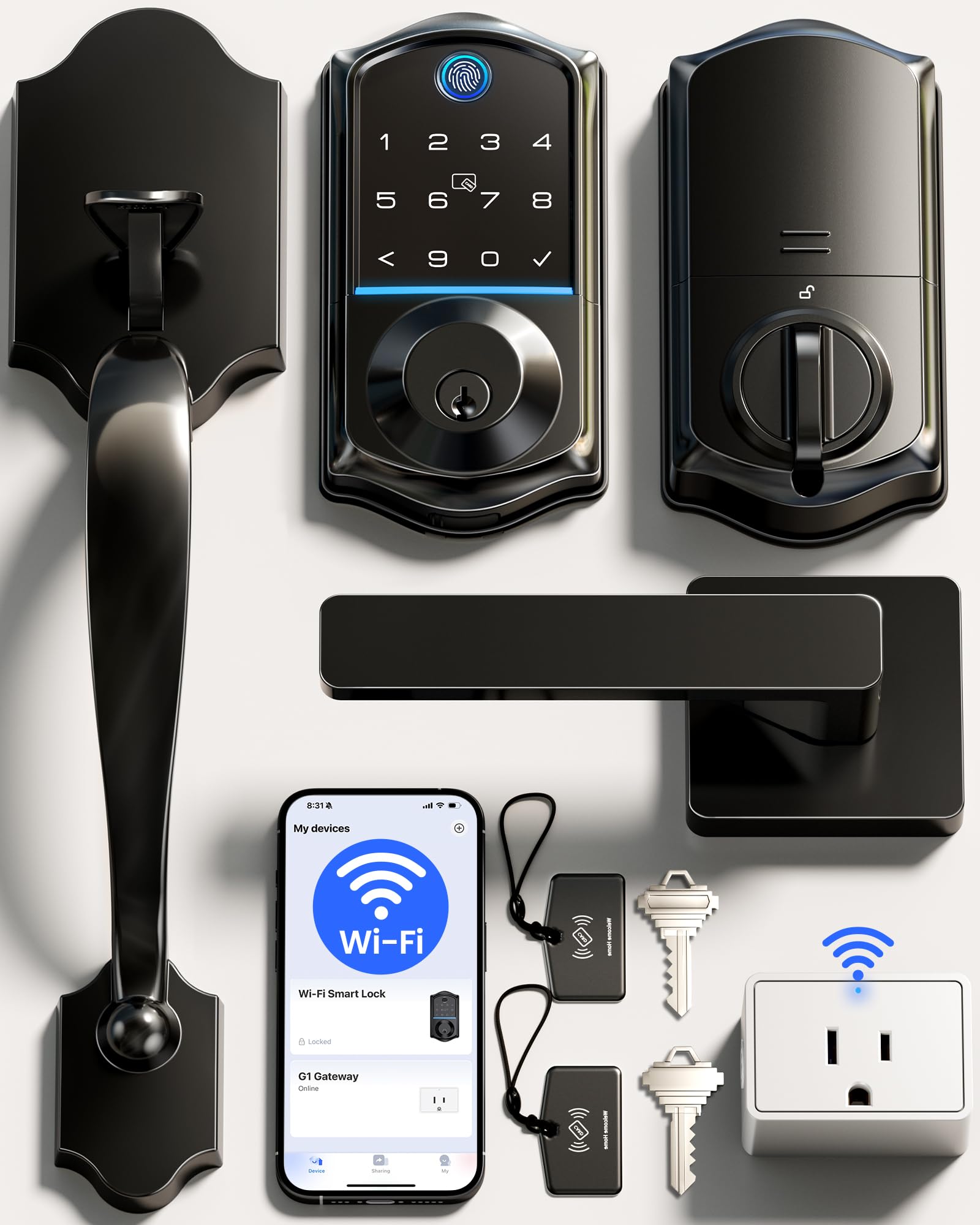
We recommend this lock for households that want fingerprint entry, remote control, and a complete handle set at a reasonable price.
Pros
- Fast fingerprint and keypad entry
- Remote access, activity logs, and code management
- Complete handle set with simple installation
Cons
- Batteries are not included
- Fingerprint performance may vary
- One report described an interior latch failure
During setup, we found the installation fairly simple with a screwdriver, provided the door matched the listed size range. The matte-black handle gave the entryway a clean, modern look, and the complete set meant we did not need to buy separate hardware.
Daily entry felt flexible. We could use a fingerprint, code, card, app, voice command, or backup key. Fingerprint access worked quickly for some household members, while one reported review noted that a fingerprint needed repeated setup.
The KK Home app adds useful control when we are away. We could create temporary or recurring codes, check the lock’s status, and review activity. The included Wi-Fi gateway supports remote features and voice control through Alexa and Google Home.
The lock uses four AA batteries and includes an emergency power port. Its auto-lock timer helps secure the door when we forget, while the ANSI Grade 3 rating suits basic residential use. Still, one customer reported that the inside latch failed after several weeks, so we would keep the backup keys accessible and monitor the hardware during early use.
Philips Wi-Fi Smart Deadbolt

We recommend this lock for households that want fingerprint, passcode, app, and voice access without adding a separate hub.
Pros
- Multiple unlock methods, including fingerprint and physical key
- Built-in Wi-Fi supports remote access
- Easy installation with a screwdriver
Cons
- Uses only 2.4GHz Wi-Fi
- Batteries are not included
- No door-position sensor
We found the installation straightforward when replacing a standard deadbolt. The lock fits doors from 1⅜ to 2 inches thick, but we still recommend checking your door measurements before ordering. Careful cable routing helps the latch move smoothly.
Daily access feels flexible. We could use the backlit keypad, fingerprint reader, app, or key, while the lock also supports Alexa and Google Assistant. The app can create up to 100 passcodes, including temporary and scheduled codes for guests.
Remote control works through the built-in Wi-Fi, so no hub is needed. The lock requires a nearby 2.4GHz network, with Philips recommending no more than 65 feet between the router and lock. We also received access alerts and could review entry history in the app.
The automatic-lock timer can run from 10 to 180 seconds. Away Mode limits unlocking to the master code, which adds control during trips. However, the lock does not sense whether the door is fully closed, so we would not rely on auto-lock without checking that the door and deadbolt align properly.
Yamiry Smart Door Handle Lock

We recommend this lock for households and rental properties that want flexible keyless entry without a difficult installation.
Pros
- Fingerprint, keypad, app, key fob, and key access
- Simple screwdriver-based installation
- Temporary codes and access records in the app
Cons
- Remote control requires a separately sold Wi-Fi gateway
- App features depend on Bluetooth or Wi-Fi setup
- Handle-style design may not suit every door
We found the installation straightforward on a compatible standard door. The adjustable latch and reversible handle make it easier to fit different door setups, while the matte black finish gives it a clean, modern look.
Daily use feels flexible. We could unlock the door with a fingerprint, passcode, phone, key fob, or regular key. The fingerprint reader and keypad provide quick entry when carrying groceries or when we do not want to use a phone.
The app adds useful access controls for families, guests, and rental units. We can create temporary or one-time codes and review unlock records. Remote locking and Alexa control require the optional Wi-Fi gateway, so buyers should include that extra cost if they need those features.
With a 4.3-star rating from more than 3,500 reviews, the Yamiry YR01 offers a strong mix of access options and easy setup. We would choose it for indoor or exterior doors where app-based management matters, but we would confirm door compatibility before ordering.
Wyze Lock Bolt v2

We recommend the Wyze Lock Bolt v2 for households that want fast fingerprint entry, remote control, and several backup unlocking options.
Pros
- Fast, accurate fingerprint reader
- Built-in Wi-Fi with app control
- USB-C emergency power and backup keys
Cons
- Fingerprint setup may take several attempts
- Installation instructions can feel unclear
- Requires eight AA batteries
We found the lock simple to install with a Phillips screwdriver, though the instructions were not always as clear as they could be. Once fitted, the lock operated quietly and the auto-lock feature worked well for everyday use.
The fingerprint scanner responds quickly and recognizes registered users reliably. Its keypad also supports up to 50 codes, which gives us useful flexibility for family members and guests. The anti-peep design adds privacy when entering a code in front of others.
Built-in Wi-Fi lets us check and manage the lock through the Wyze app, including remote unlocking and access history. We also like having physical keys and a USB-C port for emergency power if the batteries run out.
Some users may need patience during fingerprint registration, especially if the scanner does not read a finger correctly on the first attempt. The lock uses eight AA batteries and carries IP53 weather resistance, so we would install it under a covered area rather than expose it to heavy rain.
LOCKSTAR Smart Door Lock
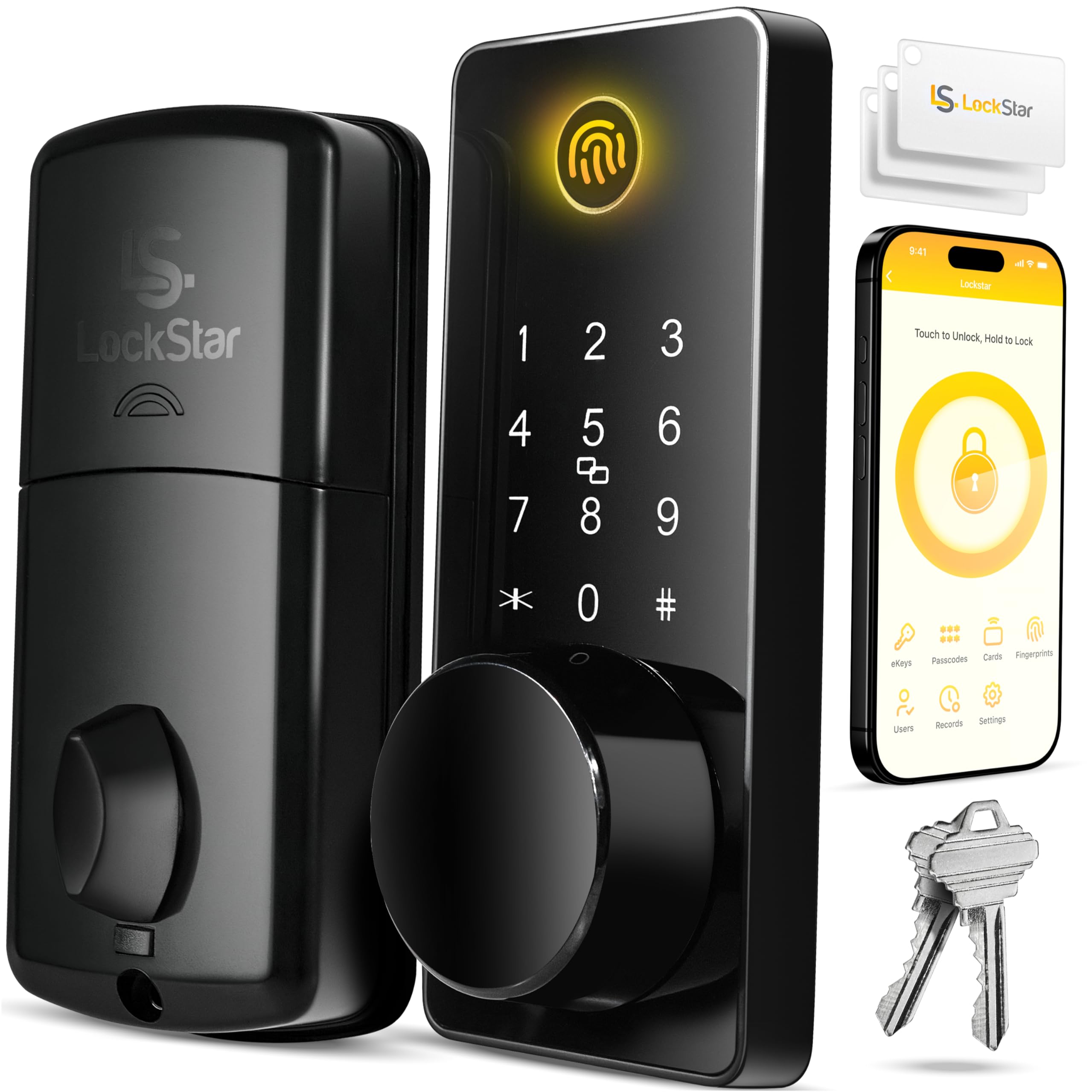
We recommend this lock for households that want several entry options, remote access, and a simple installation.
Pros
- Fingerprint, keypad, app, card, fob, and key access
- Wi-Fi gateway included for remote control
- Auto-lock and activity alerts add convenience
Cons
- Batteries are not included
- App features may require setup and adjustment
- Some users may find the build less premium than expected
We found the installation straightforward because the package includes a screwdriver, drill bit, and mounting guide. The setup should work well for many existing deadbolt locations, though doors without a suitable hole may take more time.
Daily use feels flexible. We could unlock the door with a fingerprint, code, fob, app, or traditional key. Auto-locking was useful when leaving in a hurry, while the app’s event history helped us track entries.
The included Wi-Fi gateway supports control from outside the home and sends activity notifications. We would still check battery levels regularly, since the lock needs batteries and the product does not include them.
With a 4.6-star rating from 1,926 customers, the LOCKSTAR offers strong value for renters and homeowners who want multiple access methods without buying a separate bridge.
Philips Wi-Fi Smart Lock Set
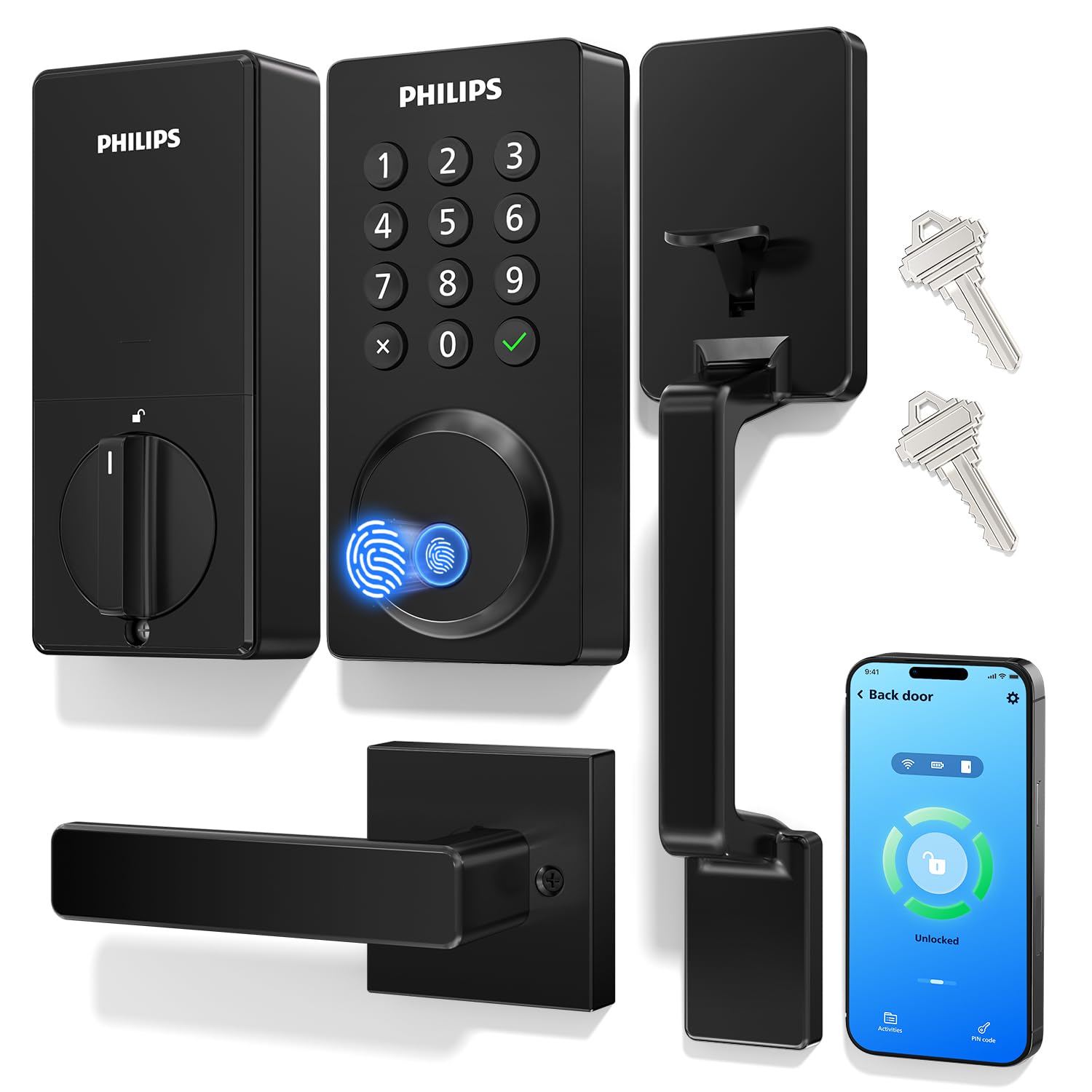
We recommend this lock for households that want remote access, fingerprint entry, and a matching handle without adding a separate hub.
Pros
- Built-in Wi-Fi supports remote control and status checks.
- Fingerprint, code, app, key, and voice entry offer useful flexibility.
- Temporary codes and adjustable auto-lock help manage guests.
Cons
- Setup and Wi-Fi pairing may take patience.
- Four AA batteries are not included.
- Door fit and cable placement need careful attention during installation.
We found the Philips lock convenient for daily use. Fingerprint entry made quick trips easier, while the keypad worked well when we did not want to use the app. The included physical keys also provide a simple backup.
Remote access lets us check the lock and unlock the door from anywhere. We also liked the option to create temporary codes for guests, cleaners, or family members. Unlock alerts add useful awareness of activity at the door.
Installation replaces a standard deadbolt and knob, but we would measure the door first. The lock fits doors between 1⅜ and 2 inches thick with a 1½- or 2⅛-inch cross bore. We would also avoid overtightening screws, since that can affect the motor.
The main drawback involves setup. Some users may need extra time to connect the lock to Wi-Fi and check the battery wiring. Once configured, the feature set makes this a practical choice for a connected front, back, side, or garage door.
Philips Wi-Fi Smart Front Door Lock Set
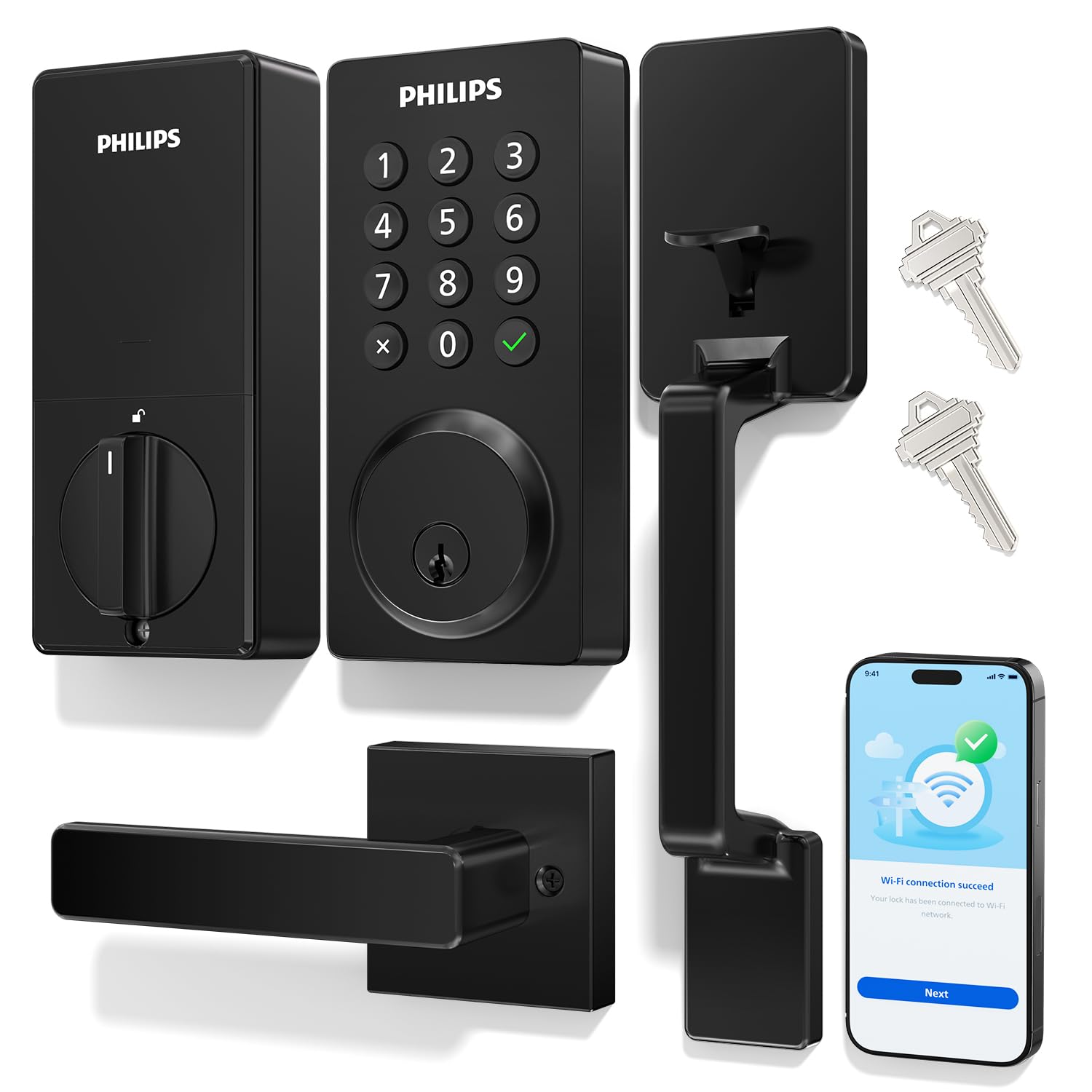
We recommend this Philips lock for households that want remote access, flexible codes, and a matching handle set without adding a separate hub.
Pros
- Remote locking and unlocking through built-in Wi-Fi
- Supports temporary, scheduled, and permanent access codes
- Includes both the handle and deadbolt for a cleaner upgrade
Cons
- Requires eight AA alkaline batteries, which are not included
- Works with 2.4GHz Wi-Fi only
- Installation may not suit every door, despite its broad compatibility
We found the Philips lock easy to use after installation. The backlit keypad made nighttime entry simple, while the app let us create codes for family members and visitors. Temporary codes are useful for cleaners, guests, or short-term access.
Built-in Wi-Fi allows remote control without a separate hub. We could also review lock activity and receive alerts when someone used the door. The connection depends on a nearby 2.4GHz router, so placement may affect reliability.
The auto-lock timer can be set from 10 to 180 seconds. That gave us control over how quickly the door secured itself, though we would test the timing carefully before relying on it every day.
The included handle gives the entryway a matching look and avoids buying separate hardware. Installation should be straightforward on compatible standard U.S. doors, but we would check the bore size and door thickness first. The lock also needs eight AA batteries, and the reset button must be held for five seconds to activate it.
Buying Guide
We should start with the door and lock type. Check whether our door uses a deadbolt, latch, mortise lock, or another design. Measure the backset, door thickness, and space around the lock before we buy.
We should then choose how the lock will receive power and commands. Battery-powered models need accessible batteries and low-battery alerts. Wi-Fi allows remote access without an extra hub, while Bluetooth usually works only when we are nearby. Some locks use a separate hub for remote control.
| Feature | What we should check |
|---|---|
| Access methods | Keypad, fingerprint reader, app, physical key, or voice control |
| Remote access | Whether we can lock, unlock, and manage users away from home |
| User controls | Temporary codes, schedules, activity logs, and user limits |
| Security | Automatic locking, tamper alerts, encryption, and two-factor authentication |
| Power backup | Low-battery warnings, emergency power, and a mechanical key option |
| Smart home support | Compatibility with our phone, hub, and preferred smart home system |
| Installation | Fit with our existing door and whether tools or wiring are required |
We should select access features that match our household. A keypad helps guests enter without a key, while temporary codes suit cleaners or service workers. Activity logs can show when each code was used.
We should also review privacy settings, software support, warranty terms, and replacement costs. A lock that fits our door, supports our preferred access method, and remains usable during a power or internet outage will be easier to manage.
Editor’s Choice
We chose the August Wi-Fi Smart Lock as our editor’s choice for 2026. Its compact design fits over many existing deadbolts, so we can keep our keys while adding app control, remote access, and automatic locking.
| Feature | Details |
|---|---|
| Best for | Most homes |
| Access methods | App, keypad sold separately, physical key |
| Remote control | Built-in Wi-Fi |
| Compatibility | Many standard deadbolts |
| Key strength | Easy installation |
We like its balance of features and setup time. The August app lets us create virtual keys, check the lock’s status, and manage access for family members or guests. Built-in Wi-Fi also avoids the need for a separate hub.
The lock does not suit every door. We should check deadbolt compatibility before buying, and homes without a strong Wi-Fi signal near the entrance may need better network coverage. Its battery life also depends on use and connection quality.
For shoppers who want a keypad included, the Schlage Encode Smart WiFi Deadbolt offers a stronger all-in-one design. It replaces the full deadbolt and supports keypad entry, app control, and voice assistant integration.
Conclusion
We should choose a smart door lock based on our door, budget, and daily needs. Key factors include battery life, installation, app quality, security features, and support for platforms such as Apple Home, Google Home, or Amazon Alexa.
For simple upgrades, a retrofit lock can keep our existing keys while adding remote access. A fully replaced deadbolt may offer more features, such as a keypad, fingerprint reader, or built-in Wi-Fi.
Before buying, we should check the lock’s fit, power options, and network requirements. We should also use strong account passwords, enable two-factor authentication when available, and keep the lock’s software updated.
FAQS
Are smart door locks secure?
We find that reputable smart locks can provide strong security when installed correctly and kept updated. We should choose models with encryption, tamper alerts, two-factor authentication, and a reliable manual key or backup entry method.
Do smart locks work during a power outage?
Most battery-powered locks continue to work during an outage. We should check the battery level often and keep a portable power bank or backup key available if the lock supports emergency power.
Can we install a smart lock ourselves?
Many models fit standard deadbolt openings and include step-by-step instructions. We should confirm door and deadbolt compatibility before buying. Some doors may need professional installation.
Do smart locks work without Wi-Fi?
Many locks support Bluetooth, keypads, or physical keys without Wi-Fi. Wi-Fi usually enables remote access, alerts, and smart-home features. We should check which functions remain available during an internet outage.
How long do smart lock batteries last?
Battery life often ranges from several months to about a year, depending on usage, weather, and connection type. We should select a lock with low-battery warnings and replace batteries promptly.
Can we control a smart lock with a phone?
Most connected models offer a mobile app for locking, unlocking, access codes, and activity logs. We should review the app’s privacy settings and only share access with trusted users.