
10 Best Security Cameras for Home: Top Picks for 2026


Upright Walker

Heated Blanket

Voice Assistant Smart Speaker
Home security cameras help us monitor entrances, rooms, yards, and other areas when we are away or asleep. They can provide live video, motion alerts, two-way audio, and recorded footage, giving us a clearer view of activity around the house.
The best home security cameras provide reliable video, useful alerts, strong privacy controls, and simple setup without requiring constant attention. When choosing one, we look closely at video quality, night vision, motion detection, local versus cloud storage, power options, weather resistance, and whether key features require a subscription.
We tested and researched home security cameras to find models that offer dependable performance and practical features for different homes and budgets.
Best Security Cameras for Home
We reviewed key features such as video quality, night vision, motion alerts, storage, and ease of installation. Our list includes reliable options for different homes, budgets, and security needs.
AOSU D1 Classic 4-Cam Kit

We recommend this kit for homeowners who want broad outdoor coverage, solar charging, and local video storage without a monthly fee.
Pros
- Solar panels reduce battery maintenance.
- Four cameras provide wide property coverage.
- Local storage avoids subscription costs.
Cons
- Low-light details can soften at longer distances.
- Wi-Fi strength affects live viewing and alerts.
- The plastic housing may feel less rugged than premium models.
After setting up the cameras, we found installation fairly simple. Each unit mounts with screws, and the solar panels help maintain the battery in normal daylight. We would still place them where they receive direct sun, especially in shaded yards or during long periods of cloudy weather.
The 360-degree movement and automatic tracking helped us follow activity across larger areas. The app also made it easy to view multiple cameras and check alerts. Motion notifications worked well, though busy streets or trees may create extra alerts.
Video looked clear during the day, while the color night view helped show more detail than basic black-and-white footage. At greater distances and in dim conditions, however, faces and license plates were not consistently sharp.
The included aosuBase stores recordings locally, so we avoided recurring cloud fees. That makes this system a practical choice for covering several outdoor areas, provided our Wi-Fi signal reaches each camera reliably.
eufy Security SoloCam E42 4-Cam Kit
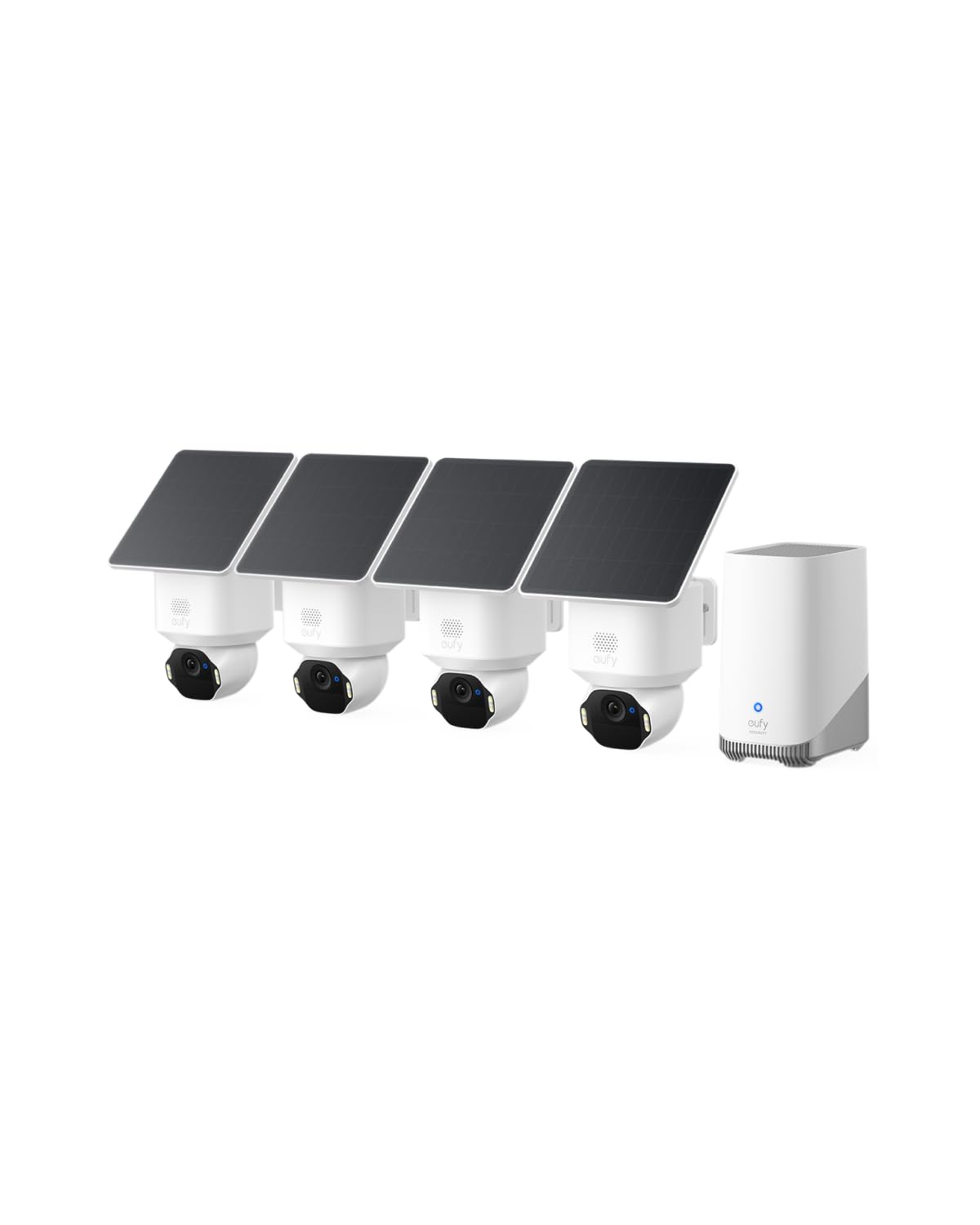
We recommend this kit for homes that want sharp outdoor video, solar charging, and local storage without a monthly fee.
Pros
- Clear 4K video with useful tracking
- Solar panels reduce charging needs
- HomeBase 3 supports local storage
Cons
- Some users report connection dropouts
- A microSD card or hard drive costs extra
- Weak Wi-Fi can affect motion alerts
During testing, we found the four cameras easy to mount and adjust. The pan-and-tilt movement helped us cover driveways, porches, and yard areas with fewer blind spots.
Video quality looked sharp in daylight, and the camera captured useful details at a distance. Night vision remained serviceable, while the motion tracking followed people and vehicles across the frame.
Solar charging worked best in locations with regular direct sunlight. We still recommend checking each camera’s battery level during cloudy periods, especially when motion activity is high.
HomeBase 3 keeps recordings local and avoids a required subscription. We liked having room to expand storage, but buyers should remember that extra storage does not come included. Some reported connection problems also make strong Wi-Fi placement important.
eufy SoloCam S340
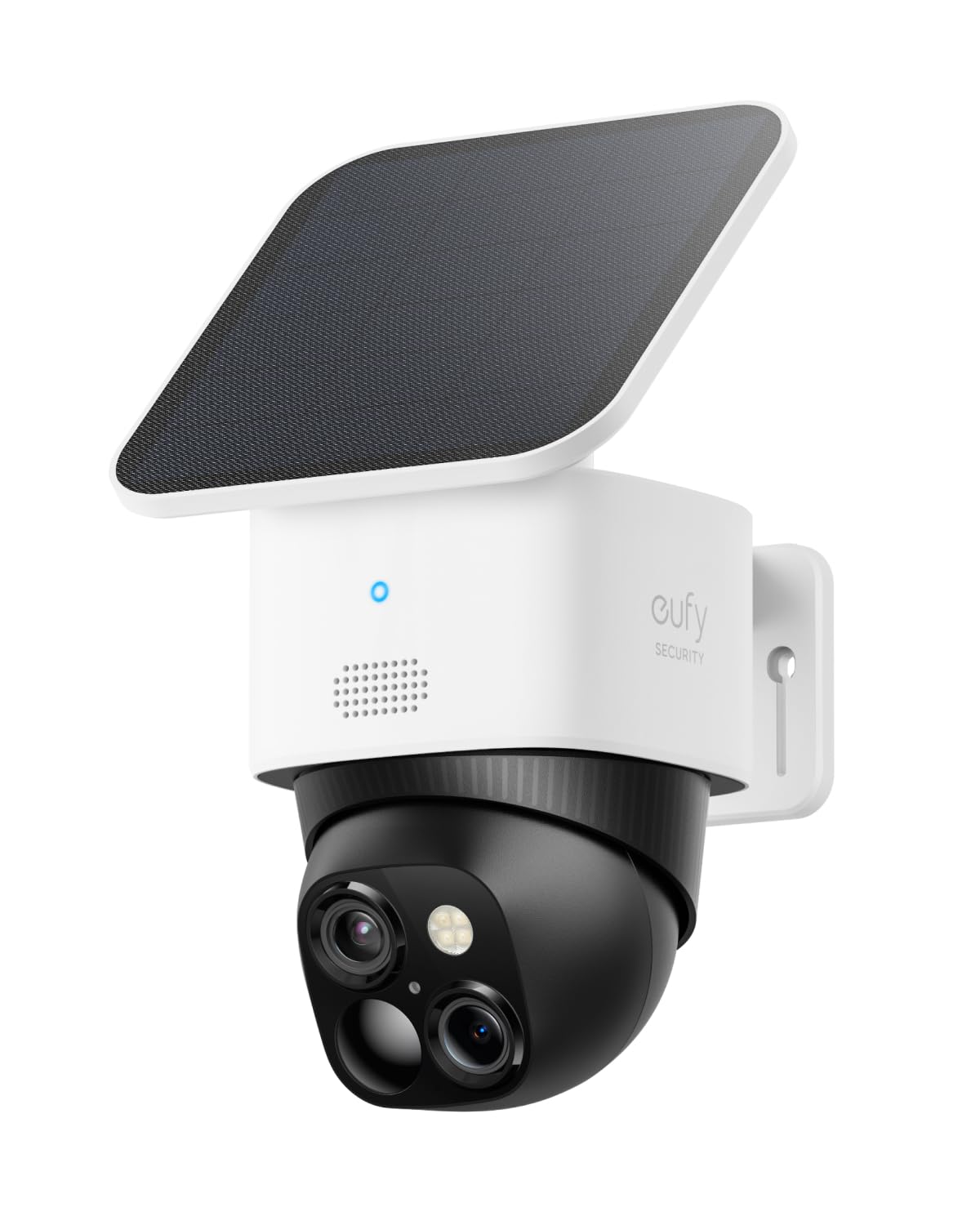
We recommend this camera for outdoor areas where we want clear video, broad viewing control, and no monthly storage fee.
Pros
- Clear 3K video with useful zoom
- Solar panel reduces charging needs
- Pan and tilt provide flexible coverage
Cons
- Motion detection may miss activity behind the camera
- Wi-Fi range can affect performance
- Local storage features may require extra setup
During testing, the S340 gave us a sharp view of the yard and driveway. Its dual-camera design helped us check both a wide area and smaller details without moving the camera as often.
The pan-and-tilt controls worked well through the app. We could check different parts of the property remotely, though the camera cannot detect motion in every direction at once. Activity beside or behind its current view may go unnoticed.
The removable solar panel helped keep the battery charged during normal outdoor use. Setup was simple, and the wire-free design made placement easier than with a wired camera.
We also liked the local storage option because it avoids a required cloud subscription. The app offers useful alerts and remote viewing, but performance still depends on a reliable Wi-Fi connection.
Ring Outdoor Cam
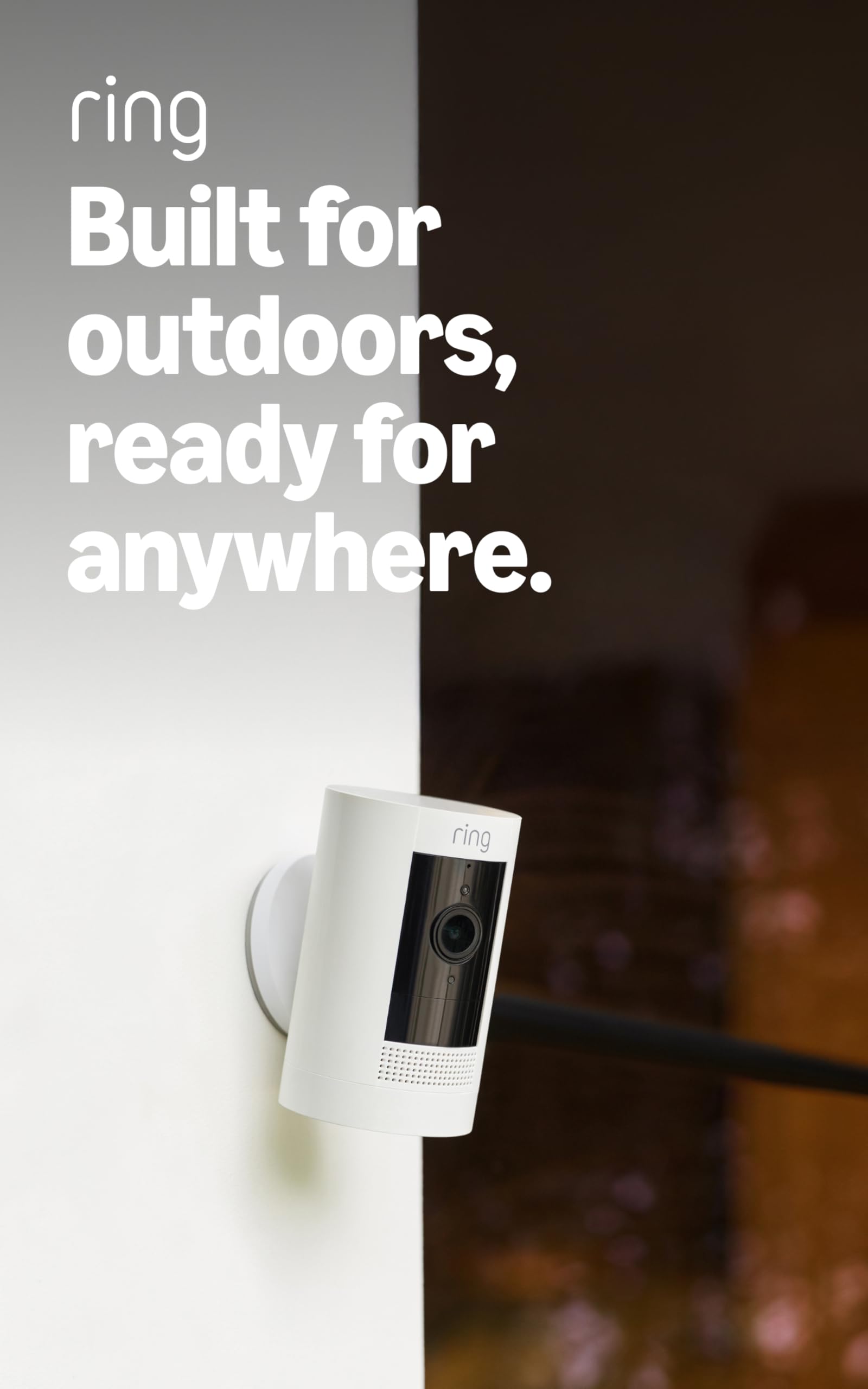
We recommend the Ring Outdoor Cam for flexible, wire-free monitoring, especially for homes already using Ring devices.
Pros
- Battery-powered setup works well in places without nearby outlets
- Clear video, useful night vision, and two-way talk
- Simple placement on a shelf or wall
Cons
- Recharging the battery takes regular planning
- Some recording and alert features require a Ring Protect subscription
- Wi-Fi strength can affect outdoor performance
We found the setup straightforward: insert the rechargeable battery, connect the camera through the Ring app, and choose a location. The included bracket supports wall mounting, while the camera can also sit on a flat surface.
During use, the live video made it easy for us to check outdoor areas from our phones. Motion alerts arrived promptly, and two-way talk worked well for speaking with visitors or checking activity near the home.
The weather-resistant design suits outdoor use, and color night vision helps us see more after dark. Still, battery life depends on activity and settings, so high-traffic areas may require more frequent charging.
The camera fits best within a larger Ring setup. We could connect multiple cameras in the same app, and Alexa devices can announce alerts or display video. Cloud recording and some advanced features require a separate Ring Protect subscription.
ANSQUE GU01 Home Security Camera System
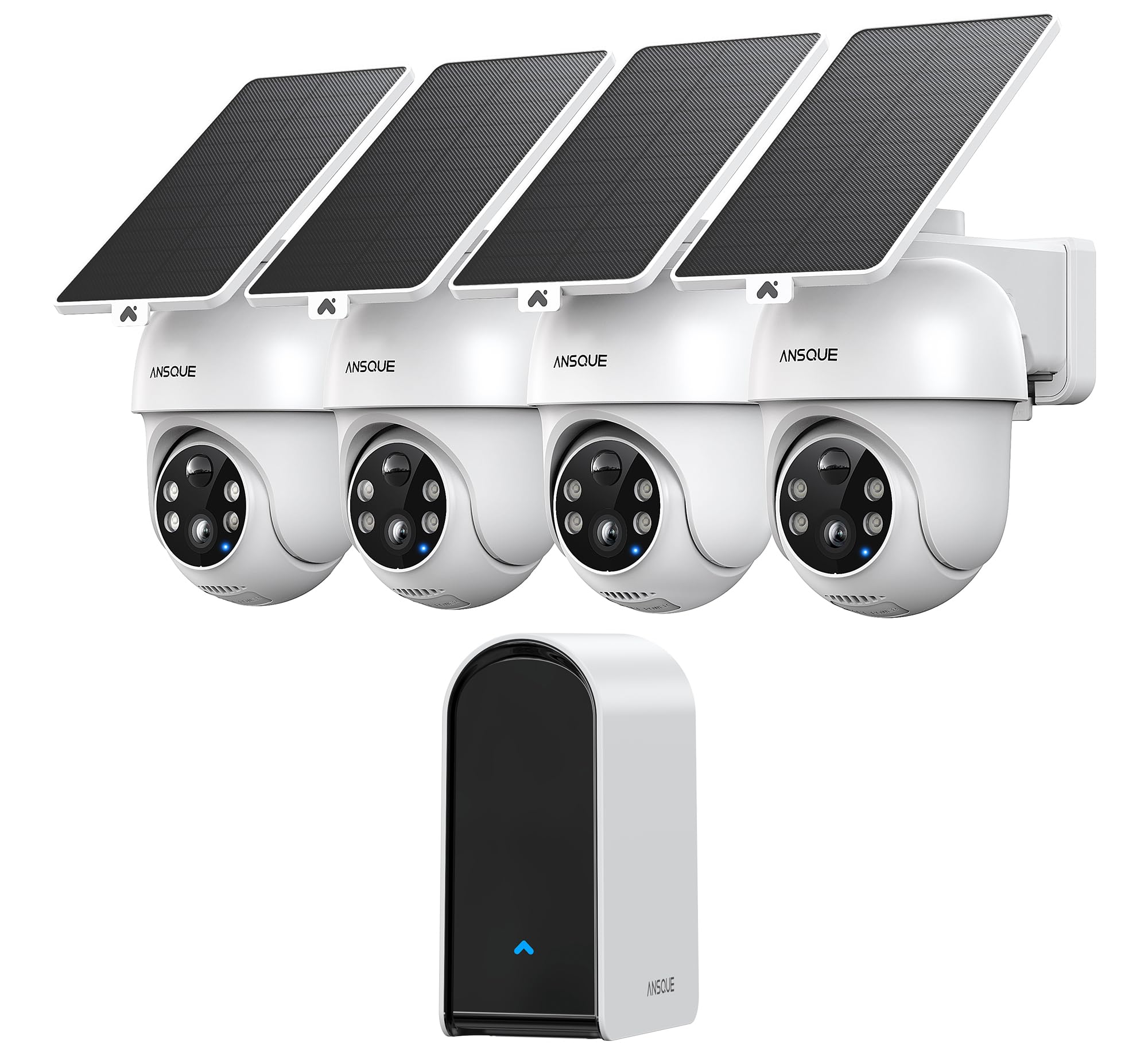
We recommend this system for households that want broad outdoor coverage, solar charging, and local storage without a monthly fee.
Pros
- Solar panels reduce the need for regular charging.
- Local storage avoids subscription costs.
- PTZ cameras provide wide coverage with motion tracking.
Cons
- App features require time to configure.
- Digital zoom may lose detail at longer distances.
- Wi-Fi strength can affect remote viewing.
We found the cameras straightforward to install, especially because we could mount each solar panel separately from its camera. The included brackets helped us position the units around entry points, driveways, and side paths.
Video looked clear during the day, while the color night view helped us identify people and nearby activity after dark. The cameras also detected and followed movement, although the 8x zoom worked best at shorter distances.
The app gave us useful controls for detection zones, recording schedules, and security modes. We could view multiple feeds together and receive alerts without paying for cloud storage.
The built-in storage kept recordings available locally, which suited us for routine home monitoring. However, users should place the cameras within a reliable Wi-Fi range, since weak signals can delay alerts or make live viewing less consistent.
Solar charging worked well when we positioned the panels where they received enough light. Shaded locations may still require occasional charging, so placement matters.
HITELLARCAM 2K Outdoor Security Camera

We recommend this camera for homeowners who want clear video, flexible storage, and a battery-powered design without a required cloud subscription.
Pros
- Clear 2K video with color night vision
- Supports 2.4GHz and 5GHz Wi-Fi
- Includes free cloud storage and microSD support
Cons
- Free cloud recordings use SD quality
- Battery life depends heavily on motion activity
- MicroSD card is sold separately
We found the setup straightforward through the app, and dual-band Wi-Fi gives us more placement options than cameras limited to 2.4GHz. The wireless design also made outdoor installation easier, although we still needed to choose a location near a stable signal.
During the day, the 2K image shows useful detail for checking walkways, doors, and driveways. At night, the built-in lights help produce color footage, but using them often may reduce the time between battery charges.
Motion alerts worked well for routine monitoring, and two-way audio let us speak with visitors through the app. The camera also works with Alexa and has an IP66-rated body for outdoor use.
Storage flexibility is a strong point. We can use the included free cloud plan or add a microSD card for local recording, though the free plan limits cloud video quality. The claimed battery range varies with temperature, recording activity, and alert frequency, so we would not assume six months in a busy area.
Blink Outdoor 4 Five-Camera System

We recommend this system for households that want simple outdoor coverage without running power cables.
Pros
- Wireless setup feels quick and straightforward
- Clear 1080p video with useful night vision
- Long battery life reduces maintenance
Cons
- Cloud storage requires a paid plan after the trial
- Sync Module Core does not include local storage
- Motion alerts can require careful zone adjustments
We found the cameras easy to mount and connect through the Blink app. The five-camera package works well for covering entry points, driveways, and other outdoor areas without a complicated installation.
Daytime video looks clear enough to identify visitors, while infrared night vision helps us monitor darker areas. Two-way audio lets us speak with someone near a camera, although the experience depends on a strong 2.4 GHz Wi-Fi connection.
Motion detection responded quickly during testing. We still needed to adjust activity zones to reduce alerts from passing cars and other movement. Person detection requires a separate Blink subscription.
The included lithium batteries can last up to two years under default settings, but heavy use, cold weather, and frequent live viewing may shorten that period. Buyers should also note that the Sync Module Core does not provide local storage, so saving clips beyond the trial requires a subscription or separately purchased compatible equipment.
aosu D1 Classic 8-Cam Kit
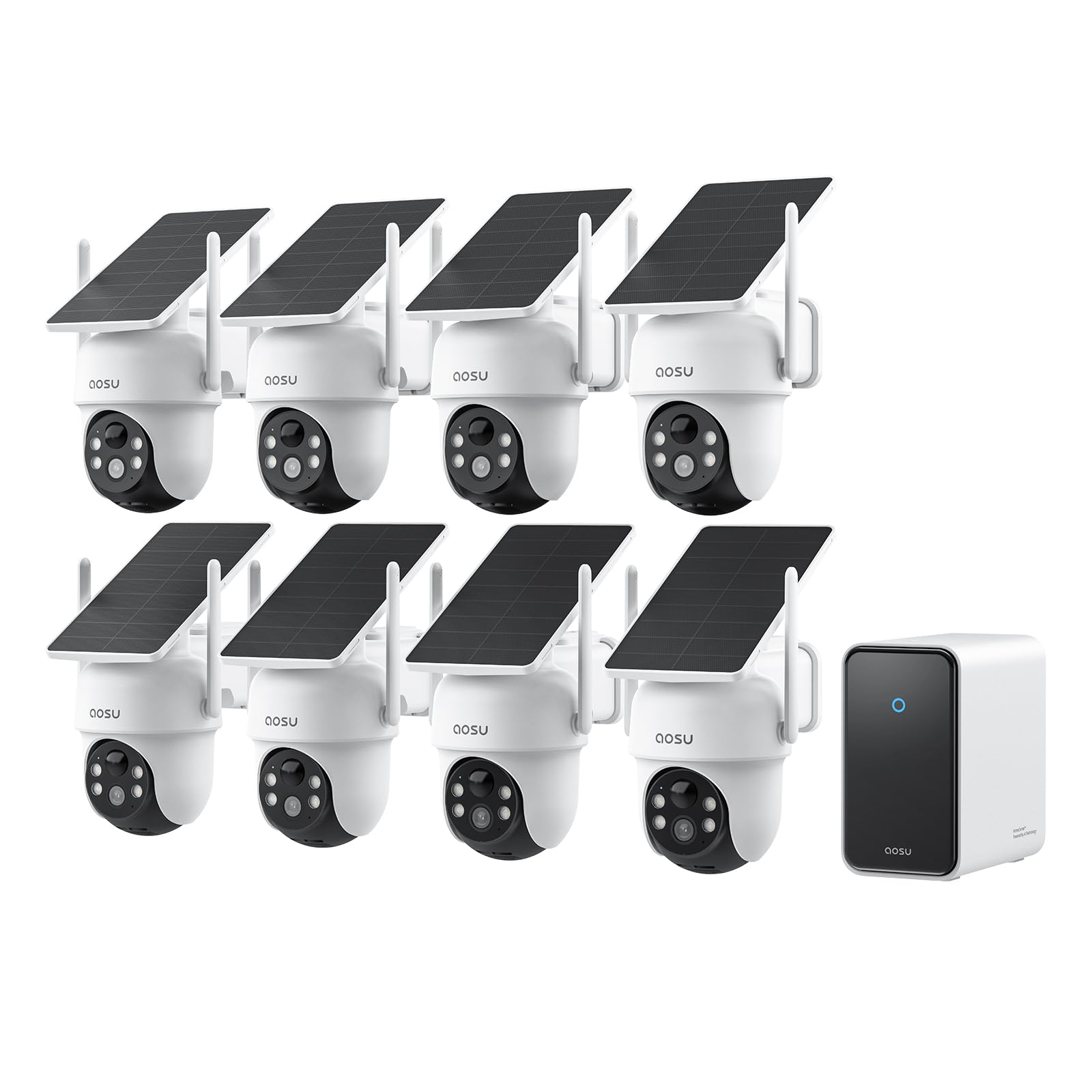
We recommend this kit for large properties that need broad outdoor coverage without monthly recording fees.
Pros
- Eight cameras help cover homes, garages, sheds, and other buildings.
- Solar charging reduces battery maintenance.
- Local storage keeps recorded video available without a required subscription.
Cons
- The setup takes more planning than a smaller camera system.
- Solar panels need suitable daylight for reliable charging.
- Advanced storage expansion may require extra hardware.
During testing, we found the wire-free design made placement easier than a wired system. The solar panels also reduced the need to remove cameras for charging, although we would still place each panel where it receives steady sunlight.
The 3K video produced clear daytime footage, while the color night view helped us see more detail than standard black-and-white recording. The 360-degree pan and tilt gave us a wider view, but moving cameras can miss brief activity outside their current position.
The aosuCortex app lets us view all eight cameras and check several feeds at once. Human detection and tracking helped organize activity, though smart alerts can still need adjustment around busy streets, pets, or frequent visitors.
With built-in local storage and no required monthly fee, this kit keeps ongoing costs low. We would choose it for a large home or property, but smaller households may find an eight-camera system more than they need.
Ring Indoor Cam
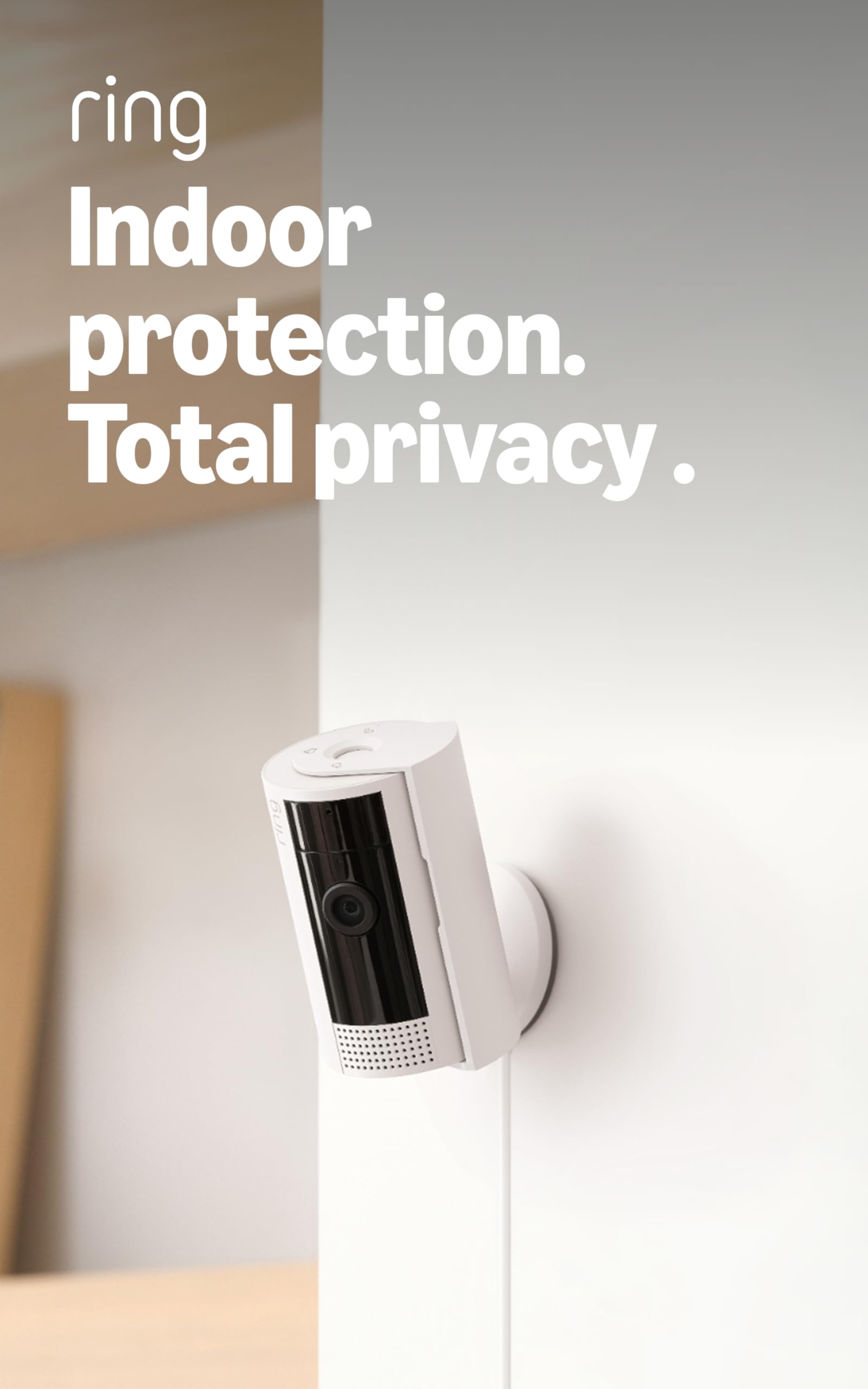
We recommend the Ring Indoor Cam for simple indoor monitoring, clear video, and flexible placement at a reasonable price.
Pros
- Clear daytime and nighttime video
- Easy setup and adjustable mounting
- Manual privacy cover for the camera and microphone
Cons
- Requires a power outlet
- Some recording features need a paid subscription
- Designed for indoor use only
We found the camera quick to set up and easy to move between rooms. The swivel mount helped us aim it toward a living area, entryway, or pet space without much effort.
Video looked sharp enough for everyday monitoring, and Color Night Vision helped us see more detail in low light. Motion alerts arrived quickly, while adjustable motion zones helped reduce alerts from areas we did not need to watch.
The privacy cover gave us a simple way to block the lens and microphone when we wanted more privacy. We also liked the option to view the feed through the Ring app or compatible Alexa devices.
The camera records extra moments before motion events with Advanced Pre-Roll, but broader playback and some smart alert features require a Ring Protect subscription. Since the Indoor Cam uses a power cord, we needed to place it near an outlet rather than install it anywhere.
Ring Indoor Cam Plus
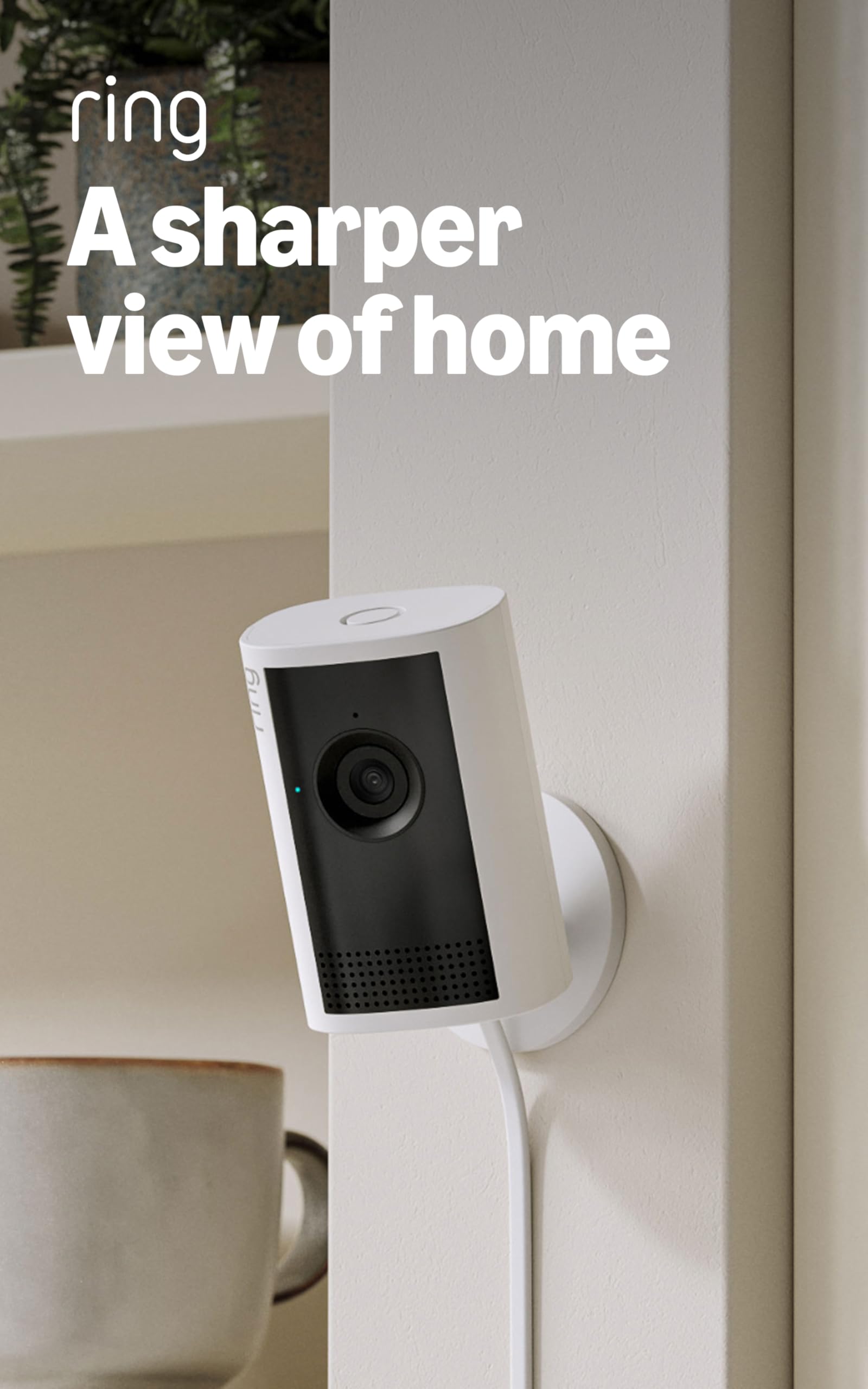
We recommend the Ring Indoor Cam Plus for indoor monitoring when we want sharp video, quick alerts, and simple phone access.
Pros
- Clear, detailed video with useful zoom
- Fast setup and responsive live viewing
- Built-in privacy cover and two-way talk
Cons
- Requires a power outlet
- Microphone remains on when the cover is closed
- Some features may require a Ring subscription
The camera gave us a clear view of rooms, pets, and people during daytime testing. Its Retinal 2K image showed more detail than many basic indoor cameras, while the enhanced zoom helped us inspect activity farther from the lens.
Low-light viewing also worked well. With some room light, colors stayed natural, and the camera changed to black-and-white footage in complete darkness. Bright windows and darker areas remained fairly balanced in the same frame.
Setup took only a short time through the Ring app. Motion alerts arrived promptly, and Live View loaded quickly on a reliable connection. Two-way talk made it easy for us to speak with people or check on pets while away.
The built-in lens cover adds a useful privacy step when we do not want the camera recording video. Because the microphone can stay active while the cover is closed, we would disable it in the app when we want full audio privacy.
This is a plug-in camera, so placement depends on access to an outlet. For a living room, office, nursery, or pet area, that limitation is usually manageable.
Buying Guide
We should start by deciding where we will place the camera and what it must cover. Indoor cameras usually need a compact design, while outdoor models need weather resistance and a wide operating temperature range.
We should compare these key features:
| Feature | What to look for |
|---|---|
| Video quality | Clear footage in daylight and low light |
| Field of view | A wide view for rooms, doors, and yards |
| Night vision | Infrared or color night footage |
| Motion detection | Adjustable zones and fewer false alerts |
| Storage | Local storage, cloud storage, or both |
| Power | Wired, battery, or solar options |
| Privacy | Activity zones, lens covers, and data controls |
Our internet connection must support the camera’s video quality, especially when we use several cameras. We should also check whether the camera works with our phone, smart home system, and preferred voice assistant.
For outdoor use, we should choose a camera with a suitable weather-resistance rating and secure mounting hardware. Battery models offer easier installation, but we will need to recharge them. Wired models provide steady power but may require more installation work.
We should review storage fees before buying. Local storage can reduce ongoing costs, while cloud storage may provide easier access and backup. We should also check how long recordings remain available and whether advanced alerts require a subscription.
Finally, we should consider privacy and account security. Strong passwords, two-factor authentication, regular software updates, and clear data policies help us protect recorded footage.
Editor’s Choice
We choose the Google Nest Cam (Indoor, Wired) as our editor’s pick for most homes. It delivers clear 1080p video, reliable motion alerts, and simple setup through the Google Home app.
Its built-in intelligence can identify people, animals, and vehicles. We also value its two-way audio and activity zones, which help reduce unnecessary alerts. The camera works best for indoor use because it requires a power outlet.
| Feature | Details |
|---|---|
| Video quality | 1080p HDR |
| Power | Wired |
| Smart alerts | People, animals, and vehicles |
| Storage | Cloud recording with a subscription |
| Best for | Indoor monitoring |
We recommend checking the subscription costs before buying. Some advanced recording features require a Nest Aware plan, while basic alerts and live viewing remain available without one.
For homes that need outdoor coverage, we would choose a weather-resistant model instead. The Nest Cam’s wired design also limits placement, so it may not suit rooms without a nearby outlet.
Conclusion
We should choose a home security camera based on our space, budget, and privacy needs. Indoor cameras work well for monitoring rooms, while outdoor models need weather protection, strong night vision, and reliable motion alerts.
Before buying, we should check these key features:
- Video quality: 1080p provides clear footage for most homes.
- Storage: Cloud plans offer easy access, while local storage can reduce monthly costs.
- Power: Wired cameras need a nearby outlet; battery models offer more flexible placement.
- Smart features: Person detection and activity zones can help reduce unwanted alerts.
- Privacy: We should review data policies, enable two-factor authentication, and use strong passwords.
We also need to consider installation and network strength. A camera can only work well when it has a stable connection and a clear view of the area we want to monitor.
The best choice gives us useful alerts, dependable video, and controls that fit our daily needs. Comparing total costs, including subscriptions and accessories, helps us choose a system we can use and maintain over time.
FAQS
What should we look for in a home security camera?
We should compare video quality, night vision, motion alerts, two-way audio, storage options, and weather resistance. We also need to check whether the camera works with our phone and smart home devices.
Do we need indoor and outdoor cameras?
We need outdoor cameras for entrances, driveways, and other exposed areas. Indoor cameras can monitor hallways, pets, children, or valuables. We should choose models rated for the weather when placing them outside.
Is local storage better than cloud storage?
Local storage saves video to a memory card or hub, which can reduce subscription costs. Cloud storage allows remote access and can protect footage if someone steals the camera. We should review storage fees, limits, and privacy policies before buying.
Do security cameras need Wi-Fi?
Most consumer cameras need Wi-Fi to send alerts and stream video. Some models support wired connections, cellular service, or local recording. A strong signal near each camera helps prevent missed footage.
How much should we spend?
We can find useful basic cameras at a modest price, while advanced models cost more. We should include possible subscription fees, installation costs, and storage charges in our budget.
How can we protect our privacy?
We should use strong, unique passwords and turn on two-factor authentication. We should also update camera software, limit account access, and avoid aiming cameras at areas where neighbors expect privacy.
