
Arlo vs Eufy Security Camera for Seniors: Which?


Spill-Proof Travel Mug

Smart Plug with Alexa

Sudoku Puzzle Book
Arlo vs Eufy security camera for seniors is a useful comparison if you want home monitoring without making daily use too complicated. Both brands offer cameras with mobile apps, motion alerts, two-way audio, and smart features.
The biggest difference is how the two systems handle video storage and paid features. Arlo places more focus on its cloud-based Arlo Secure service, while eufy offers several systems built around local storage and HomeBase.
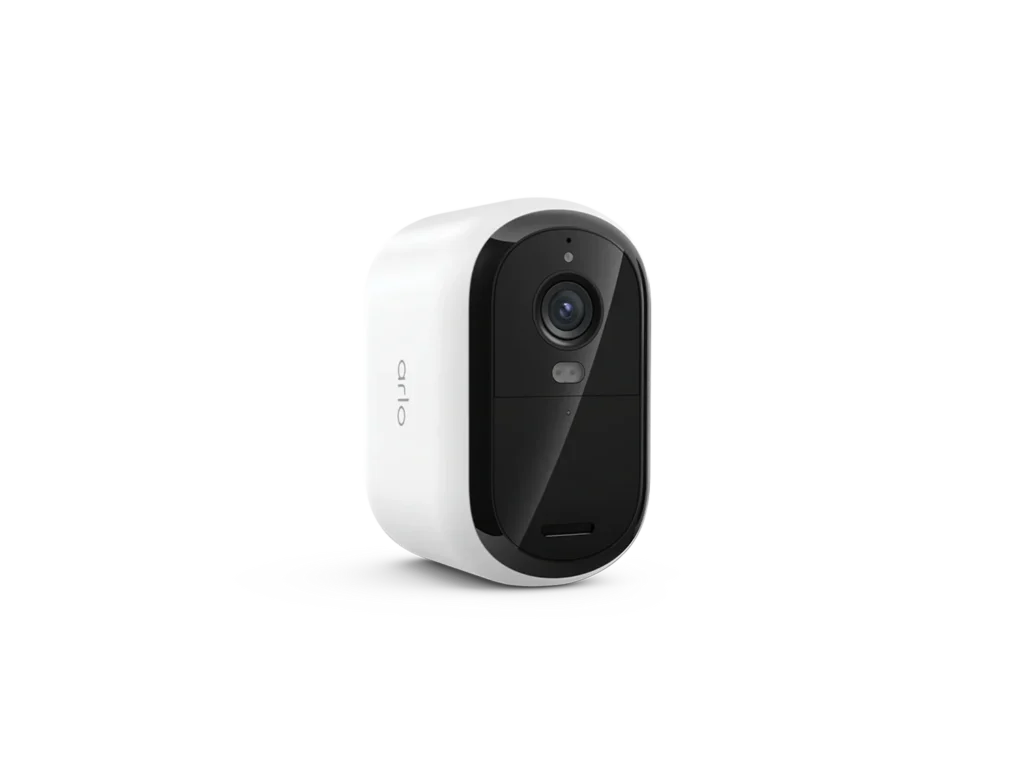
Quick Comparison
For seniors who want a simple camera system with local video storage and no required monthly fee for supported eufy systems, eufy can be a practical fit. HomeBase 3 supports local storage and expandable storage without monthly fees.
Arlo may suit seniors and caregivers who prefer cloud recording, smart alerts, and a mature app-based system. However, some advanced recording and detection features require an Arlo Secure plan.
The right choice depends less on the brand name and more on how the camera will be used.
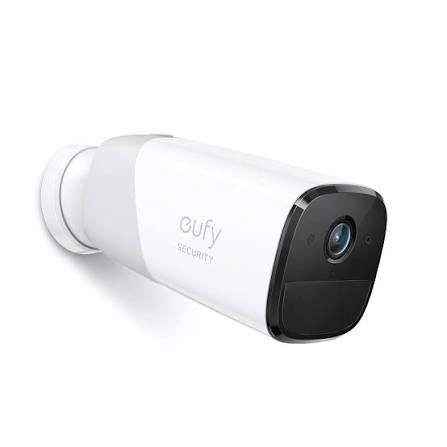
Arlo vs Eufy At a Glance
The two brands take different approaches to storage, subscriptions, and smart-home security.
| Feature | Arlo | Eufy |
|---|---|---|
| Video quality | Up to 4K on selected models | Up to 4K on selected models |
| Local storage | Available on supported models/hubs | Strong focus on local storage |
| Cloud recording | Available with Arlo Secure plans | Available on some systems |
| Monthly fee | Optional for some features; paid plans add features | Many HomeBase systems offer local storage without monthly fees |
| Two-way audio | Yes on many models | Yes on many models |
| Smart alerts | Advanced features with compatible plans | AI features on compatible systems |
| App | Arlo Secure app | eufy Security app |
Exact features vary by model and generation. For example, Arlo currently lists 2K and 4K cameras across several product families, while eufy has both HomeBase and standalone camera systems.
Arlo Security Cameras for Seniors Review
Arlo offers a broad range of indoor, outdoor, pan-tilt, floodlight, and higher-resolution cameras. Current models include 2K Essential cameras and 4K Ultra cameras.
Ease of Use
The Arlo Secure app is central to the system. A senior or caregiver can use it to view a live feed and receive alerts. Supported cameras can also provide two-way audio and other deterrence features.
For a senior who mainly wants to open an app, check a camera, and receive an alert, this can be convenient. The downside is that Arlo has several settings and service options, so the initial setup may take some time.
Key Strengths
- Strong range of camera types
- 2K and 4K options are available
- Live streaming through the app
- Two-way audio on supported cameras
- Motion alerts
- Local storage is available on supported systems
- Advanced cloud features through Arlo Secure
Potential Drawbacks
- Advanced recording features can require a subscription
- Features vary by camera generation
- Some higher-resolution cloud recording requires a paid plan
- The wider product range can make model selection confusing
Arlo says users can still access live streaming, motion alerts, two-way audio, and local storage on supported devices without a subscription. However, features such as video history and activity zones are tied to paid service or trial availability.
Eufy Security Cameras for Seniors Review
Eufy takes a strong local-storage approach with systems such as eufyCam 3 and HomeBase 3. Compatible systems can store footage locally and expand storage with additional drives.
Ease of Use
Eufy’s system can be appealing when a family wants fewer recurring service costs. HomeBase 3 acts as a central part of the system and can manage compatible cameras and local recordings.
The trade-off is that a HomeBase system adds another device to install. A senior may therefore benefit from having a family member or caregiver handle the initial setup.
Key Strengths
- Strong local-storage options
- HomeBase 3 supports expandable storage
- Many compatible systems have no monthly storage fee
- 4K cameras are available
- Two-way audio is available on supported cameras
- Some models offer solar charging
Potential Drawbacks
- HomeBase adds another setup step
- Features vary across eufy camera families
- Some advanced functions depend on compatible HomeBase hardware
- Solar performance depends on installation and sunlight
For example, eufy lists the eufyCam 3 with 4K video, local 16GB storage, expandable storage up to 16TB, two-way audio, and solar power.
Which Is Easier for Seniors to Use?
Ease of use depends on the exact camera. A basic camera with simple alerts can be easier than a feature-rich model from either brand.
| Senior Need | Arlo | Eufy |
|---|---|---|
| Check live video | Easy through app | Easy through app |
| Receive motion alerts | Yes | Yes |
| Talk through camera | Supported models | Supported models |
| Local recording | Supported systems | Strong option on HomeBase systems |
| Avoid monthly storage fee | Possible with local storage | Strong advantage on supported systems |
| Simple setup | Depends on model | HomeBase adds one setup step |
For a senior who mainly wants remote viewing and alerts, either brand can work. For a caregiver who wants local recordings without an ongoing storage plan, a compatible eufy system may require less attention to subscription management.
A simple camera that gets used every day can be more useful than a camera packed with features that nobody wants to manage.
Performance Comparison
The most useful performance factors here are video detail, night viewing, alerts, and communication.
| Performance Area | Arlo | Eufy |
|---|---|---|
| Video resolution | Up to 4K on selected models | Up to 4K on selected models |
| Night viewing | Color/night vision varies by model | Color and infrared options vary by model |
| Motion alerts | Yes | Yes |
| Two-way audio | Supported models | Supported models |
| Smart detection | Advanced options available | AI options on compatible systems |
Arlo’s current lineup includes cameras capable of 2K and 4K recording. Its newer 2K models can stream 2K directly through the app, while 2K cloud recording requires an appropriate Arlo Secure plan.
Eufy’s eufyCam 3 offers 4K video, color night vision, a motion-triggered spotlight, and AI detection for people, vehicles, and pets.
Comfort, Accessibility, and Senior-Friendly Design
A security camera does not need to be physically handled every day, but installation and maintenance still matter.
For a senior living independently, a camera that needs frequent battery charging may be less convenient. A wired camera or a solar-assisted model can reduce that task.
| Practical Factor | Arlo | Eufy |
|---|---|---|
| Remote viewing | Yes | Yes |
| Two-way communication | Available | Available |
| Battery options | Available on many models | Available on many models |
| Solar options | Available on selected models | Available on selected models |
| Central hub | Only required for certain features/models | HomeBase used by many systems |
For caregivers, remote access and clear alerts may matter more than advanced camera specifications.
Features Comparison
The major feature difference is not simply image quality. It is the way each ecosystem handles storage and additional services.
| Feature | Arlo | Eufy |
|---|---|---|
| Cloud storage | Strong option | Available on some systems |
| Local storage | Supported on compatible systems | Core feature of HomeBase systems |
| Expandable storage | Supported through compatible hubs | HomeBase 3 supports expansion |
| AI detection | Advanced options with compatible plans | Available on compatible cameras/HomeBase |
| Subscription-free use | Possible with limitations | Many HomeBase systems support local storage without monthly fees |
HomeBase 3 includes 16GB of built-in storage and supports expansion up to 16TB according to eufy’s current product information.
Price, Maintenance, and Long-Term Value
Camera prices change often, so the better question is what the system may cost over time.
Arlo can have a lower ongoing commitment if you use only the features available without a subscription. But users wanting cloud recording, advanced detection, or longer video history may need an Arlo Secure plan.
Eufy can be attractive for buyers who prefer local storage. A compatible HomeBase 3 system can store video locally without a monthly storage fee, although the initial hardware cost and optional storage expansion still matter.
| Cost Factor | Arlo | Eufy |
|---|---|---|
| Monthly storage cost | May apply for advanced cloud features | Often avoidable with supported local-storage systems |
| Local storage | Available on supported systems | Major strength |
| Extra hardware | Depends on model | HomeBase may be needed |
| Long-term cost | Depends heavily on subscription use | Depends on system and storage needs |
Who Should Choose Arlo?
Choose Arlo if:
- You want strong app-based monitoring.
- Cloud video history is important.
- You want a wide range of camera types.
- You want advanced alert features and are comfortable with a subscription.
- A caregiver will manage the account and settings.
Who Should Choose Eufy?
Choose Eufy if:
- Local video storage is important.
- You want to reduce recurring storage fees.
- You prefer keeping recordings at home.
- You want compatible cameras managed through HomeBase.
- Solar-assisted outdoor cameras are useful for your setup.
Arlo vs Eufy — Final Verdict
There is no single winner for every senior.
Better for cloud-focused monitoring: Arlo
Better for local storage: Eufy
Better for avoiding recurring storage fees: Eufy on compatible HomeBase systems
Better for a broad range of camera choices: Arlo
The key difference is the storage model. Arlo offers a strong cloud-centered experience, while eufy’s compatible HomeBase systems put more emphasis on local storage and avoiding monthly storage fees.
Scoring Summary
Scores here are a simple editorial comparison of the factors discussed above. They are not laboratory test results.
| Category | Arlo | Eufy |
|---|---|---|
| Ease of Use | 8/10 | 8/10 |
| Senior-Friendly Design | 8/10 | 8/10 |
| Performance | 9/10 | 9/10 |
| Maintenance | 8/10 | 8/10 |
| Value | 7/10 | 9/10 |
The scores can change with the exact camera model, storage setup, and subscription choice.
How We Evaluate Products
This comparison focuses on practical factors that can matter to older adults and caregivers.
We look at ease of use, setup, accessibility, alerts, communication, storage, maintenance, performance, privacy, and long-term value.
No hands-on testing is claimed here. Product specifications and service information can also change, so buyers should check the exact model before purchasing.
Senior-Specific Buying Considerations
A few simple checks can prevent frustration later.
Setup
Check whether the camera connects directly to Wi-Fi or needs a hub such as HomeBase.
Controls
A senior should be able to understand the basic app actions without needing to change many settings.
Maintenance
Think about battery charging, cleaning, firmware updates, and storage management.
Alerts
Too many alerts can become annoying. Look for motion and detection settings that can be adjusted to the home.
Privacy
Consider where recordings are stored and who can access the account.
Common Buying Mistakes
Avoid these common mistakes:
- Choosing only by video resolution
- Ignoring subscription costs
- Forgetting about hub requirements
- Buying a battery camera without considering charging
- Setting up too many complicated alerts
- Failing to check compatibility with the home’s Wi-Fi and smart-home devices
Safety
Security cameras are low-risk compared with many household devices, but installation still deserves care.
If a camera must be mounted high on a wall or outside a home, an older adult should avoid climbing or stretching to install it. A family member or professional installer may be safer.
Also use strong account credentials and keep the camera firmware and app updated.
Conclusion
Arlo vs Eufy security camera for seniors comes down to priorities. Arlo is a strong fit for people who want an app-centered system with cloud services and a broad camera lineup. Eufy is appealing for users who place more value on local storage and avoiding recurring storage fees on compatible systems.
For a senior, the best setup is one that is easy to check, easy to maintain, and simple enough to use every day. Before buying, compare the exact camera model, storage method, subscription requirements, and installation needs rather than choosing based on brand name alone.