
Ring vs Blink Security Camera for Seniors Guide


Sudoku Puzzle Book

Automatic Jar Opener

Leg Massager for Circulation
Ring vs Blink security camera for seniors is a useful comparison if you want home monitoring without making the system too difficult to manage. Both brands offer indoor and outdoor cameras, mobile alerts, live video, and two-way audio.
The main difference is the overall approach. Ring offers a broader security ecosystem with more advanced subscription features, while Blink puts more emphasis on simple cameras, long battery life, and flexible local storage options. The right choice depends on how much security functionality the senior or caregiver actually needs.
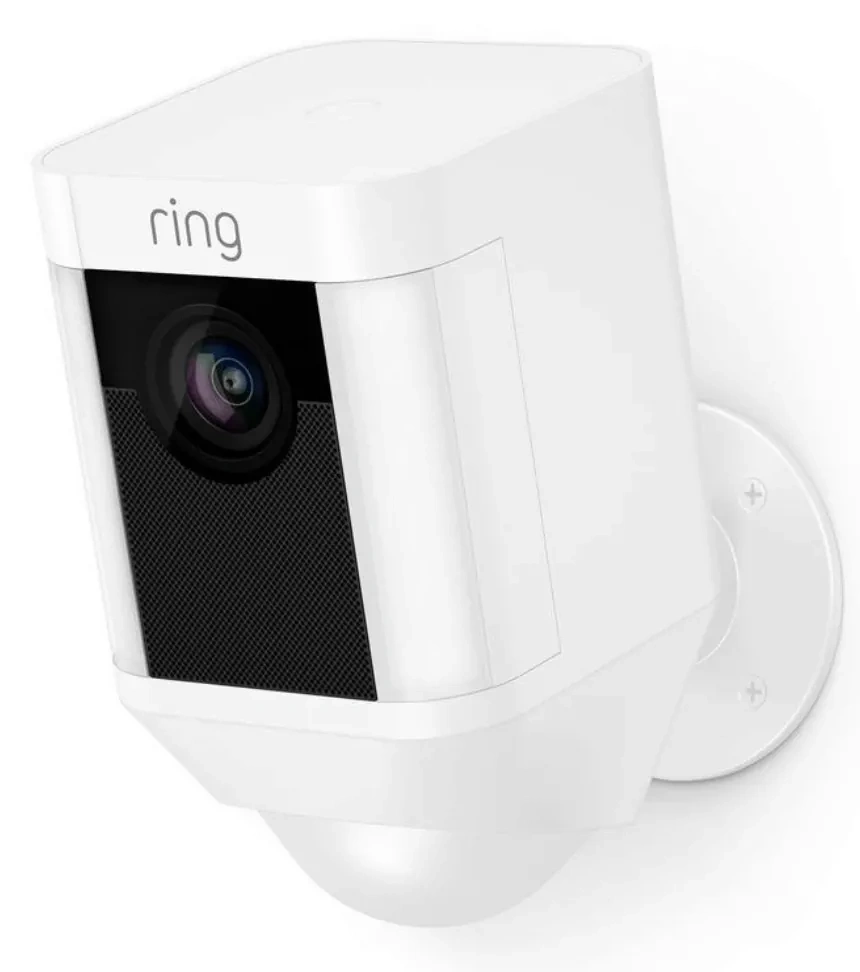
Quick Comparison
Ring is a strong choice for seniors who want a more complete security system and do not mind paying for a subscription to unlock recording and advanced features. Ring Protect currently offers video history, smart alerts, and other features depending on the plan.
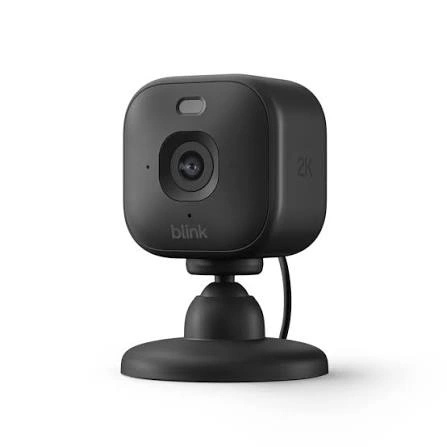
Blink can make more sense for someone who wants a simpler camera setup, especially when long battery life and local storage are important. Some Blink cameras can use a Sync Module 2 with a USB drive for local video storage without a monthly subscription.
Simple choice: Ring focuses more on a connected security ecosystem. Blink focuses more on simple, flexible camera monitoring.
Ring vs Blink At a Glance
Because both brands sell several camera models, features vary by model. This table compares the two ecosystems rather than claiming every camera has identical specifications.
| Feature | Ring | Blink |
|---|---|---|
| Ease of use | Good | Very good |
| Live View | Yes | Yes |
| Two-way audio | Available on many models | Available on many models |
| Cloud recording | Ring Protect required for recording | Blink plan available |
| Local storage | Available on select setups | Available with compatible Sync Module |
| Battery cameras | Available | Strong focus |
| Smart alerts | Available with compatible plan | Available on compatible plans |
| Alexa integration | Yes | Yes |
| Security ecosystem | Broad | More camera-focused |
Ring Security Cameras for Senior-Friendly Use
Ring has a wide range of indoor and outdoor security cameras. Its current ecosystem also connects cameras with other home-security products through the Ring app.
For seniors, the biggest appeal is having several security functions managed from one app.
Ease of Use
Ring cameras are controlled through the Ring app. Users can receive motion alerts, open Live View, and use two-way communication where supported. Ring says its devices can be managed from multiple phones and tablets, which can be useful when a family member helps manage the system.
The downside is that Ring offers many features and settings. A senior who only wants a basic camera may not need all of them.
Key Strengths
- Broad range of indoor and outdoor cameras
- Live video and two-way communication
- Strong integration with the Ring security ecosystem
- Smart alerts on compatible plans
- Long video history with Ring Protect
- Multiple family members can manage devices
- Optional professional monitoring on higher plans
Potential Drawbacks
- Important recording features require a subscription
- Advanced features can increase monthly costs
- The wider ecosystem may feel more complicated
- Features vary between camera models and plans
Blink Security Cameras for Simple Home Monitoring
Blink takes a more streamlined approach to home cameras. Current models include battery-powered outdoor cameras as well as compact indoor cameras. Blink also offers local-storage options with compatible devices and Sync Modules.
Ease of Use
Blink can be appealing when the goal is straightforward monitoring rather than a large security system.
For example, Blink Outdoor 4 uses two AA lithium batteries and is rated for up to two years of battery life under default settings. Actual battery life varies with usage and environmental conditions.
Some Blink cameras also use a Sync Module. This adds another device to set up, but it can provide local storage and allow multiple cameras to work together. A Sync Module 2 can manage up to ten compatible Blink devices.
Key Strengths
- Simple camera-focused ecosystem
- Excellent battery-life potential on compatible models
- Local storage available with compatible setups
- Live View and motion notifications without a subscription
- Alexa integration
- Compact camera options
- Useful for basic home monitoring
Potential Drawbacks
- Some cameras require a Sync Module
- Advanced detection features may require a subscription
- Local storage requires additional hardware and a USB drive
- Features differ significantly between Blink models
Which Is Easier for Seniors to Use?
For a senior who wants only basic monitoring, Blink’s simpler approach may be easier to understand. A battery-powered camera can also reduce the need to manage a power cable.
However, Ring can be easier for families who want several security functions in one ecosystem. Ring supports management from multiple phones and tablets, which can make caregiver assistance easier.
| Senior Need | Ring | Blink |
|---|---|---|
| Simple camera monitoring | Good | Very good |
| Family assistance | Very good | Good |
| Battery operation | Model dependent | Strong option |
| Basic alerts | Yes | Yes |
| Large security ecosystem | Very good | Good |
| Minimal setup | Model dependent | Good |
The better option depends less on age and more on how much technology the user wants to manage.
Performance Comparison
Video performance depends heavily on the specific model. Ring currently offers cameras with resolutions reaching 2K and 4K on some products, while Blink has newer 2K models alongside 1080p cameras such as Outdoor 4.
For everyday senior home monitoring, resolution is only one part of the decision.
Ring’s cameras can provide motion alerts, Live View, and two-way communication. Its subscription plans can also add smart alerts and longer video history.
Blink offers motion detection and Live View without requiring a subscription. Compatible models can add person detection, cloud storage, and other features through a Blink plan.
| Performance Area | Ring | Blink |
|---|---|---|
| Live video | Yes | Yes |
| Motion alerts | Yes | Yes |
| Person detection | Compatible plans/models | Compatible plans/models |
| Two-way audio | Many models | Many models |
| Night viewing | Model dependent | Model dependent |
| High-resolution options | Up to 4K on select models | 2K on newer models |
Comfort, Accessibility, and Senior-Friendly Design
A security camera does not require much physical effort after installation. The bigger issue is how easy it is to check alerts and change settings.
For seniors who prefer fewer settings, a basic Blink setup may be easier to understand. For seniors who rely on a family member to help manage security, Ring’s broader account and security ecosystem can be useful.
Consider these practical points:
- Choose a camera with an easy-to-reach reset or battery compartment.
- Avoid mounting a battery camera where changing batteries requires a ladder.
- Check that Wi-Fi reaches the installation location.
- Use a simple notification setup to avoid excessive alerts.
- Make sure the phone used for alerts has readable text and notification sounds.
Features Comparison
The biggest difference is not simply camera resolution. Storage, alerts, and ecosystem features can have a larger effect on everyday use.
| Feature | Ring | Blink |
|---|---|---|
| Cloud video history | Up to 180 days with compatible plan | Up to 60 days in supported regions/plans |
| Local storage | Select setups | Yes, with compatible Sync Module |
| Smart alerts | Compatible Ring Protect plans | Compatible Blink plans |
| Alexa | Yes | Yes |
| Multi-device management | Strong | Up to 10 devices per Sync Module |
| Professional monitoring | Available with Ring Pro | Not the same Ring-style offering |
Ring’s current Solo plan is listed at $4.99/month or $49.99/year, while Multi is $9.99/month or $99.99/year in the U.S. Blink’s U.S. Basic plan is currently $3.99/month or $39.99/year, while Plus is $11.99/month or $119.99/year. Prices and plan availability can vary by market.
Price, Maintenance, and Long-Term Value
Blink has an advantage for users who want to avoid a recurring cloud-storage bill. Compatible Blink cameras can use local storage through a Sync Module 2 and USB drive.
Ring also works without a subscription for live monitoring, but without Ring Protect, recorded videos and photos are not saved for later review.
This creates an important difference:
Blink: potentially better for someone willing to manage local storage.
Ring: potentially better for someone who prefers cloud recording and a broader managed security ecosystem.
Battery replacement is another consideration. Blink Outdoor 4 uses two AA lithium batteries and has a rated battery life of up to two years under default settings.
Who Should Choose Ring?
- Choose Ring if you want a broader home-security ecosystem.
- Choose Ring if family members will help manage the system remotely.
- Choose Ring if long video history is important.
- Choose Ring if smart security features are a priority.
- Choose Ring if professional monitoring is useful for your setup.
- Choose Ring if you prefer cloud-based video management.
Who Should Choose Blink?
- Choose Blink if simple camera monitoring is the main goal.
- Choose Blink if long battery life matters.
- Choose Blink if you want the option of local video storage.
- Choose Blink if you want to minimize recurring storage costs.
- Choose Blink if you already use Alexa devices.
- Choose Blink if you do not need a large home-security ecosystem.
Ring vs Blink Security Camera — Final Verdict
Ring and Blink serve slightly different priorities. Ring is more focused on a connected security ecosystem, while Blink offers a simpler camera-centered approach with strong battery and local-storage options on compatible models.
For seniors who want straightforward monitoring and potentially fewer ongoing storage costs, Blink may be easier to keep simple. For seniors and caregivers who want more advanced security functions and cloud-based video management, Ring provides a broader set of options.
Scoring Summary
These scores are editorial comparisons based on the features and usability factors discussed above. They are not laboratory test results.
| Category | Ring | Blink |
|---|---|---|
| Ease of Use | 8/10 | 9/10 |
| Senior-Friendly Design | 8/10 | 9/10 |
| Performance | 9/10 | 8/10 |
| Maintenance | 8/10 | 9/10 |
| Value | 8/10 | 9/10 |
The scores can change depending on the exact camera model, subscription choice, installation method, and user’s needs.
How We Evaluate Products
We compare security cameras around practical factors that matter in everyday senior use.
These include:
- Ease of setup
- App usability
- Alert management
- Video quality
- Two-way communication
- Storage options
- Battery or power requirements
- Maintenance
- Accessibility
- Subscription costs
- Long-term practicality
No hands-on testing is claimed here. The comparison is based on current manufacturer information and the practical differences between the two ecosystems.
Senior-Specific Buying Considerations
Physical Effort
Think about where the camera will be installed. A battery-powered camera may be convenient, but changing batteries can become inconvenient if the camera is mounted high.
Controls
The app should be easy to open, understand, and use. Avoid turning on more alerts than the user actually needs.
Maintenance
Check whether the camera requires battery changes, cleaning, firmware updates, or storage-device management.
Storage
Decide whether cloud storage or local storage is easier. Blink’s compatible local-storage system can reduce dependence on a monthly cloud plan.
Setup
Check Wi-Fi strength before installing the camera. Blink Outdoor 4, for example, requires a Sync Module for normal operation.
Safety
Avoid installing cameras in places that require unsafe ladder use for routine maintenance. If professional installation is needed, consider having a qualified person handle it.
Common Buying Mistakes
- Choosing based only on camera resolution
- Ignoring subscription costs
- Installing a battery camera in an awkward location
- Forgetting to check Wi-Fi coverage
- Buying advanced features that will never be used
- Overlooking local-storage requirements
- Assuming every camera in a brand’s lineup has the same features
Safety
Security cameras are generally low-risk once installed correctly, but installation deserves attention.
Keep power cables away from walking paths. Use outdoor-rated accessories when required. Do not place electrical equipment where it can be exposed to water unless the product and installation are designed for that environment.
For battery-powered cameras, use the battery type recommended by the manufacturer. Never improvise power or mounting methods.
Conclusion
Ring vs Blink security camera for seniors comes down to simplicity versus a broader security ecosystem. Blink can be appealing for seniors who want straightforward monitoring, long battery life, and local-storage flexibility. Ring can be a better fit when cloud recording, smart alerts, family management, and additional security services matter more.
Before choosing, focus on the exact camera model, storage method, subscription cost, installation location, and who will manage the system. Those details can matter more than the brand name alone.
