
Kindle vs Kobo E-Reader for Seniors: Key Differences


Leg Massager for Circulation

Large Button TV Remote

Fall Detection Smart Watch
Kindle vs Kobo e-reader for seniors is a useful comparison when simple reading, clear text, and easy controls matter most. Both brands offer E Ink readers that are designed for long reading sessions without the look of a bright tablet screen.
The main difference is the reading ecosystem. Kindle connects closely with Amazon and services such as Kindle Unlimited. Kobo puts more focus on open formats and direct library borrowing on supported devices.
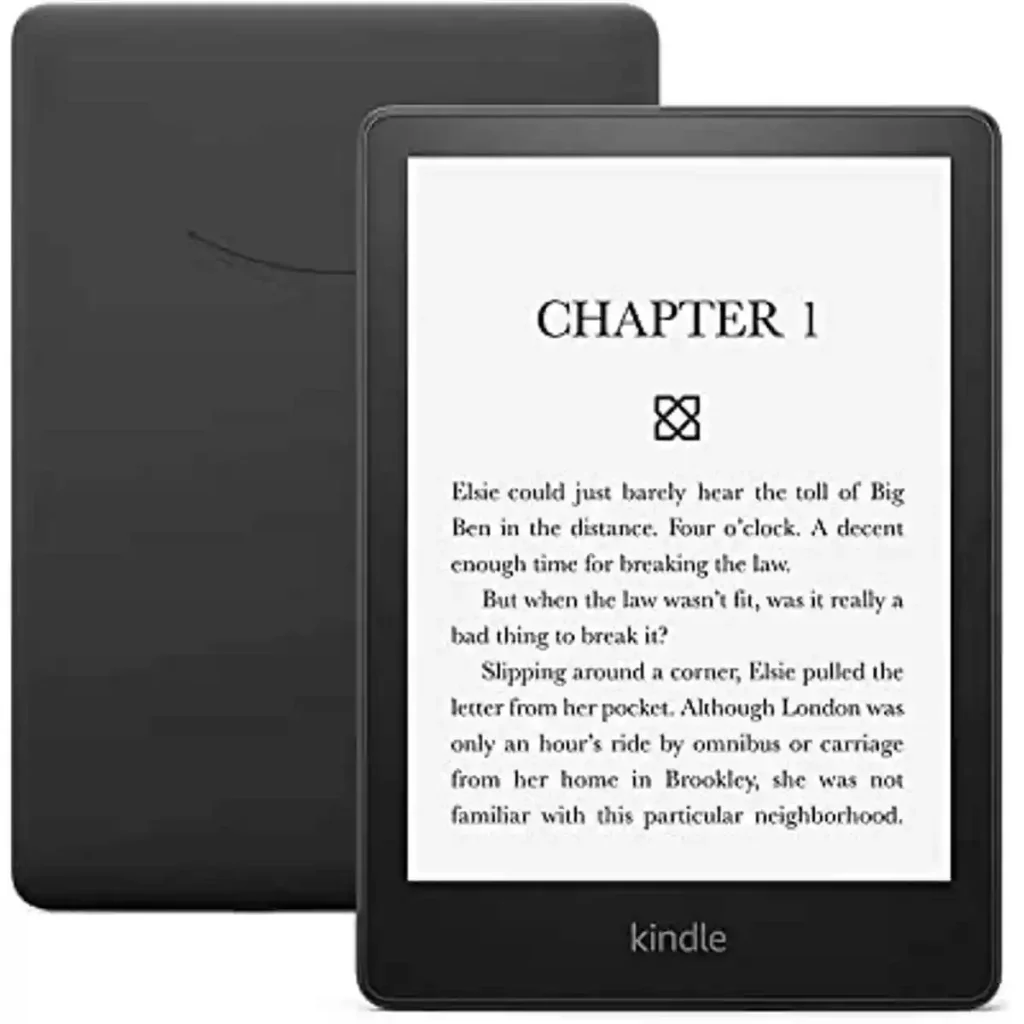
Quick Comparison
For seniors who already buy most books from Amazon, Kindle may be the simpler choice. Its store, Kindle library, and Kindle app work closely together.
For seniors who borrow many eBooks from a public library, Kobo may be more convenient, especially with a supported model and a compatible library. Kobo supports direct OverDrive/Libby borrowing on several current readers.
The better option depends less on age and more on how the reader gets books and which controls feel easiest.

Kindle vs Kobo At a Glance
The current Kindle range includes models such as the Kindle, Kindle Paperwhite, Colorsoft, and Scribe. Kobo’s current range includes models such as the Clara BW, Clara Colour, Libra Colour, Sage, and Elipsa 2E.
| Feature | Kindle | Kobo |
|---|---|---|
| Main bookstore | Amazon Kindle Store | Kobo Store |
| Library borrowing | Depends on market and library service | Built-in OverDrive/Libby on supported models |
| E Ink options | Black-and-white and color models | Black-and-white and color models |
| Adjustable lighting | Yes on many current models | Yes |
| Waterproof models | Yes, including Paperwhite | Yes, including Clara and Libra models |
| Page-turn buttons | Limited by model | Available on Libra Colour |
| File support | Strong personal-document support | Broad EPUB and other format support |
| Subscription option | Kindle Unlimited | Kobo Plus in supported markets |
| Best ecosystem fit | Amazon users | Library and open-format users |
Current Kindle models include features such as adjustable lighting, USB-C, VoiceView support, and, on Paperwhite 12th Generation, waterproofing and up to 12 weeks of battery life.
Kindle Review for Senior Readers
Kindle is a strong choice for readers who want a simple connection to the Amazon book ecosystem. The Kindle Store can be accessed from compatible Kindle devices, and purchased books are delivered to the reader over the internet.
Ease of Use
The Kindle experience is fairly direct.
A senior can search for a book, buy it, and have it delivered to the device. Personal documents can also be sent to a Kindle using Send to Kindle. Supported file types include EPUB, PDF, DOC, DOCX, TXT, and several image formats.
Current Kindle models also support accessibility features such as VoiceView through Bluetooth on supported devices.
Key Strengths
- Simple Amazon-based book buying
- Adjustable text settings
- Adjustable front lighting on many models
- VoiceView support on supported devices
- Strong personal-document support
- Kindle Unlimited on eligible accounts and markets
- Waterproof options such as Kindle Paperwhite
Potential Drawbacks
- The best Kindle experience is closely tied to Amazon services.
- Library borrowing can depend on the reader’s country and local library system.
- Different Kindle models have different features.
- Some advanced models may offer more functions than a basic reader needs.
Kobo Review for Senior Readers
Kobo is especially interesting for readers who want library access and broad file support. Current Kobo readers support several formats, including EPUB, EPUB2, EPUB3, PDF, MOBI, CBZ, CBR, TXT, HTML, and RTF.
Ease of Use
Kobo offers several simple readers. The Clara BW, for example, has a 6-inch E Ink Carta 1300 HD screen, 16GB of storage, adjustable ComfortLight PRO, and waterproof protection.
The Kobo Libra Colour adds page-turn buttons and an ergonomic shape. That can be useful for readers who prefer physical buttons instead of tapping the screen for every page turn.
Key Strengths
- Broad eBook format support
- Direct library borrowing on supported models
- Page-turn buttons on Libra models
- Waterproof options
- Adjustable front lighting
- Black-and-white and color options
- ComfortLight PRO on current models
Potential Drawbacks
- Library support depends on the country and local library.
- Not every Kobo model has page-turn buttons.
- The Kobo Store experience differs from Amazon’s ecosystem.
- Some library books may not be available through Kobo.
Which Is Easier for Seniors to Use?
Both can be easy to use, but the best fit depends on the reader.
A senior who already uses Amazon may find Kindle familiar. Buying a book and syncing it with other Kindle apps can reduce the number of new systems to learn.
Kobo can be a better fit for someone who often borrows eBooks from a participating public library. Supported Kobo readers can let users browse and borrow library eBooks directly from the device.
Physical buttons can also matter. Kobo Libra Colour has page-turn buttons, which may be useful for readers who prefer a button over repeated screen taps.
The easiest e-reader is usually the one that matches the reader’s existing habits.
Performance Comparison
Both brands use E Ink displays designed for reading rather than general tablet use.
For everyday novels and text-heavy books, screen clarity and font control matter more than raw processing power.
Kindle Paperwhite 12th Generation has a 7-inch display, adjustable warm light, dark mode, waterproofing, and up to 12 weeks of battery life according to Amazon.
Kobo offers several screen sizes and types. Clara BW uses a 6-inch black-and-white E Ink display, while Libra Colour uses a 7-inch color E Ink display. Kobo says its current readers provide weeks of battery life.
| Performance Area | Kindle | Kobo |
|---|---|---|
| Long reading | Excellent fit | Excellent fit |
| Text adjustment | Yes | Yes |
| Front lighting | Available on many models | Available |
| Dark Mode | Available on current models | Available on several models |
| Color screen | Colorsoft models | Clara Colour and Libra Colour |
| Page-turn buttons | Model dependent | Libra models |
Comfort, Accessibility, and Senior-Friendly Design
Comfort matters more than having the most features.
A smaller reader may be easier to carry. A larger screen may be easier for some readers to view. Physical page buttons may also help people who prefer tactile controls.
Kobo Libra Colour uses an ergonomic shape with page-turn buttons. Kindle offers VoiceView on supported current models, which can provide an accessibility option for readers who benefit from spoken screen information.
Neither brand should be treated as automatically better for every older adult. Reading habits, vision needs, dexterity, and familiarity with technology vary widely.
Features Comparison
The biggest feature difference is not the screen. It is the ecosystem.
| Feature | Kindle | Kobo |
|---|---|---|
| Store | Amazon Kindle Store | Kobo Store |
| Subscription | Kindle Unlimited | Kobo Plus in supported markets |
| Library access | Market dependent | OverDrive/Libby on supported models |
| EPUB support | Supported through Send to Kindle | Native support |
| Physical page buttons | Model dependent | Libra models |
| Stylus | Scribe models | Selected models |
| Color | Colorsoft | Clara Colour, Libra Colour |
Kobo’s support for EPUB and other formats can be useful for readers who manage books from several sources.
Price, Maintenance, and Long-Term Value
Prices change by model, country, and promotions, so a single price does not tell the whole story.
The better value depends on what the reader will actually use.
Kindle can provide strong value for someone who regularly buys Kindle books or uses Kindle Unlimited. Amazon says Kindle Unlimited includes eBooks, audiobooks, comics, manga, and magazines, although the catalog and availability can change.
Kobo may offer stronger practical value for a reader who frequently uses supported public-library services. Kobo says supported readers can borrow eBooks through OverDrive/Libby, although availability varies by country and library.
Both are low-maintenance devices compared with tablets. The main ongoing concern is charging, protecting the screen, and keeping the software updated.
Who Should Choose Kindle?
- Choose Kindle if the reader already uses Amazon often.
- Choose Kindle if most books come from the Kindle Store.
- Choose Kindle if Kindle Unlimited is useful in the reader’s market.
- Choose Kindle if VoiceView support is important.
- Choose Kindle if a Paperwhite-style waterproof reader fits the budget.
Who Should Choose Kobo?
- Choose Kobo if library borrowing is a major priority.
- Choose Kobo if broad EPUB support matters.
- Choose Kobo if physical page-turn buttons are preferred.
- Choose Kobo if the reader wants both black-and-white and color options.
- Choose Kobo if the reader wants a less Amazon-centered reading ecosystem.
Kindle vs Kobo — Final Verdict
Kindle and Kobo are both capable e-reader platforms, but they suit different reading habits.
Best for Amazon users: Kindle
Best for library-focused readers: Kobo, where local library support is compatible
Best for physical page buttons: Kobo Libra models
Best for Amazon-based subscriptions: Kindle
Best for broad file-format support: Kobo
These are not universal winners. A senior who already owns many Kindle books may find Kindle much easier. A reader who borrows books from a supported public library may find Kobo more convenient.
Scoring Summary
The scores below are editorial comparisons based on the features discussed above. They are not laboratory test scores.
| Category | Kindle | Kobo |
|---|---|---|
| Ease of Use | 9/10 | 9/10 |
| Senior-Friendly Design | 9/10 | 9/10 |
| Reading Performance | 9/10 | 9/10 |
| Library Support | 7/10 | 9/10 |
| File Flexibility | 8/10 | 9/10 |
| Ecosystem Value | 9/10 | 8/10 |
Model and market differences can change these results. For example, a Kindle Paperwhite and a Kobo Libra Colour offer different hardware features, so this scoring is best used as a guide rather than a precise measurement.
How We Evaluate Products
This comparison focuses on practical factors that can affect everyday senior use:
- Ease of reading
- Text and lighting controls
- Physical controls
- Accessibility
- Comfort
- Setup
- Library access
- File support
- Maintenance
- Long-term value
The comparison does not claim hands-on testing. Current product information was checked against manufacturer and official support information.
Senior-Specific Buying Considerations
Physical Effort
Check whether the reader feels comfortable to hold for a long period. A model with physical page buttons may suit someone who prefers tactile controls.
Controls
Look for clear menus, easy text controls, and a reading interface that does not feel crowded.
Display
Think about screen size, lighting, font size, and contrast. A larger screen is not automatically better if portability matters.
Setup
Consider who will set up the device. An Amazon user may find Kindle easier. A library user may need to check whether the Kobo model supports their library service.
Storage
Most current e-readers offer enough storage for a large personal library. Storage is usually less important than the ecosystem and controls for a typical book reader.
Common Buying Mistakes
- Choosing a model only because it is cheaper
- Ignoring the reader’s preferred book source
- Forgetting to check local library support
- Buying advanced features that will not be used
- Choosing a device without considering screen size
- Assuming every model in a brand has the same features
Safety
E-readers have few major safety concerns during normal use. Still, protect the device from extreme heat, water unless the model is rated as waterproof, and damaged charging cables.
Waterproof ratings also have limits. For example, Kobo describes its waterproof models as meeting IPX8 requirements, but waterproofing does not mean the device should be treated as a swimming or diving device.
Frequently Asked Questions
Is Kindle or Kobo easier for seniors?
Both can be easy to use. Kindle may feel simpler for someone already using Amazon, while Kobo can be attractive for library users and readers who prefer physical page buttons on selected models.
Can seniors borrow library books on Kobo?
Yes, on supported Kobo models and with participating libraries. Kobo’s built-in OverDrive/Libby support is available in several countries, but local library support can vary.
Can Kindle read EPUB books?
Yes. Amazon supports EPUB through Send to Kindle, which converts the file for use on Kindle devices and apps.
Which has better battery life, Kindle or Kobo?
Battery life varies by model and settings. Amazon rates the current Kindle Paperwhite for up to 12 weeks under its stated conditions, while Kobo describes its current e-readers as offering weeks of battery life.
Does Kobo have physical page-turn buttons?
Some do. The Kobo Libra Colour has dedicated page-turn buttons, while other Kobo models use the touchscreen.
Is Kobo better for library books?
Kobo can be a strong fit when the reader’s library supports its OverDrive/Libby system. The exact experience depends on the country, library, and e-reader model.
Conclusion
Kindle vs Kobo e-reader for seniors comes down to ecosystem, controls, and reading habits. Kindle fits naturally with Amazon purchases and Kindle services, while Kobo offers broad format support and convenient library borrowing on supported devices.
For a senior who wants a simple reading device, either brand can work well. The most important step is to check where the reader gets books, whether library support is available, and which screen and controls feel most comfortable.