
10 Best Video Doorbells for Apartments: Top Picks for Secure Living

Robot Vacuum Cleaner

Large Button TV Remote

Gardening Kneeler Bench
Video doorbells let us see who is at the door, speak with visitors, and receive alerts when someone approaches. For apartment residents, they can add awareness at the entry without requiring a full security system. Some models run on batteries, while others need existing doorbell wiring or approval from a landlord or building manager.
The best video doorbells for apartments offer reliable motion alerts, clear video, two-way talk, and an installation method that fits the building’s rules. We also look for compact designs, strong Wi-Fi performance, useful privacy controls, and storage plans that do not add unexpected costs. Before buying, check whether the doorbell works with your peephole, door frame, or existing wiring, and confirm that its field of view does not record areas where neighbors expect privacy.
We compared apartment-friendly video doorbells and focused on setup, daily performance, features, and long-term costs to identify the models that make apartment entryways easier to monitor.
Best Video Doorbells for Apartments
We reviewed video doorbells that suit apartment living, focusing on video quality, simple installation, privacy features, and reliable alerts. Our list includes options for renters and owners with different budgets and security needs.
Blink Video Doorbell

We recommend the Blink Video Doorbell for apartment residents who want simple setup, long battery life, and clear video without paying for premium features.
Pros
- Long battery life with included lithium batteries
- Clear head-to-toe video and two-way talk
- Works with wired or wireless installation
Cons
- Cloud video storage requires a paid plan after the trial
- Does not include a standard indoor chime for wireless use
- Night footage may lack fine detail
We found the setup quick and manageable through the Blink app. The included Sync Module helps connect the doorbell to the network, while the mounting kit and corner mount make it easier to fit different apartment doorways.
The square video view shows more of the area around the door than many basic doorbell cameras. We could see visitors and packages clearly, and two-way talk worked well for short conversations. Infrared night vision kept the image usable after dark, though small details were less clear.
Battery operation suits renters who cannot change existing wiring. If wiring is available, connecting the doorbell can activate an indoor chime. Otherwise, alerts come through the app, or we can add a compatible Blink camera as a chime.
The main drawback involves saved video. Blink offers a free trial of its subscription plan, but continued cloud storage and person alerts require a paid plan. Without a subscription, the doorbell still provides live viewing and alerts, but recorded clips are more limited.
Ring Battery Doorbell 2K
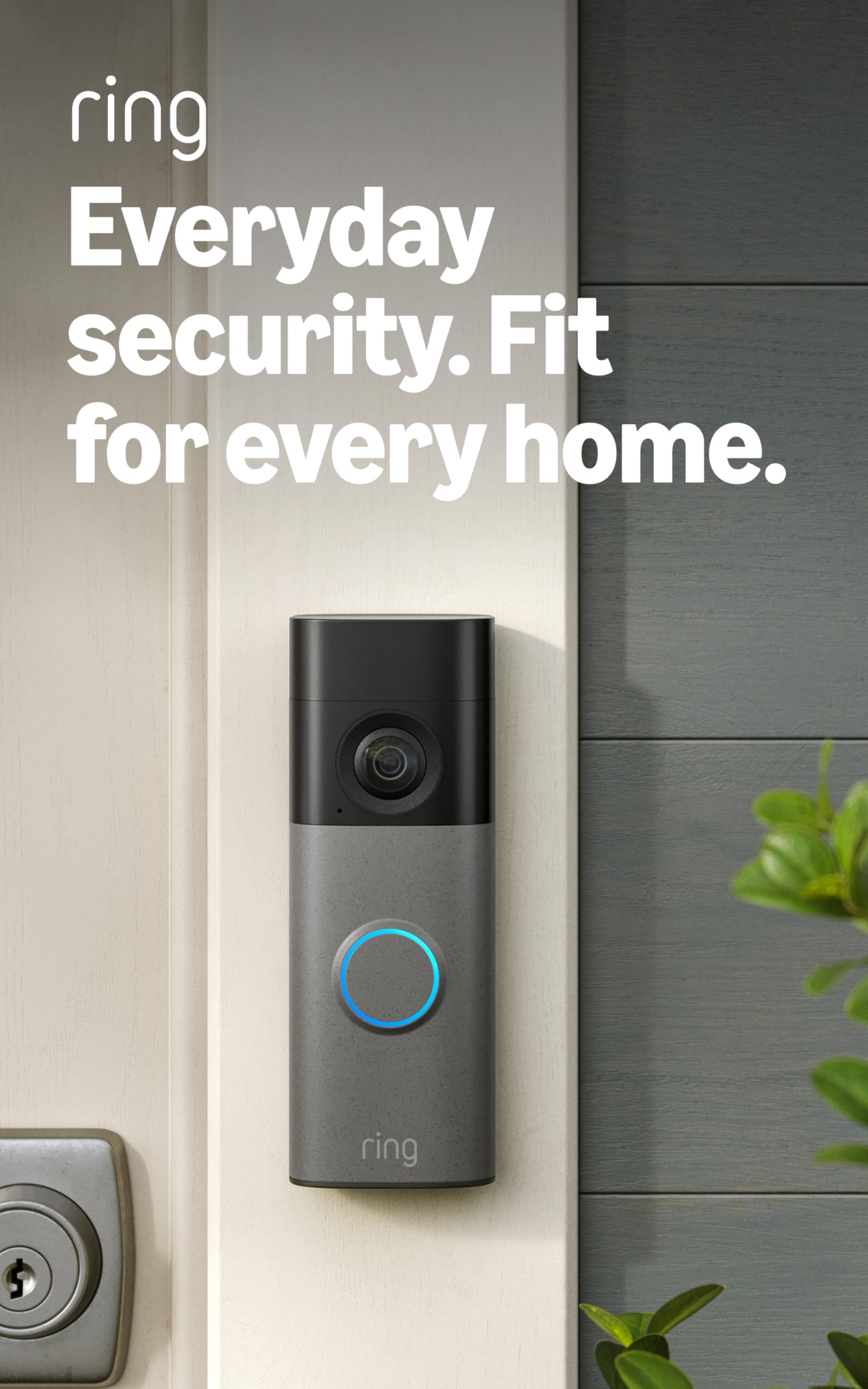
We recommend this doorbell for apartment residents who want sharp video, flexible battery power, and reliable two-way communication.
Pros
- Clear 2K video with up to 6x zoom
- Simple battery-powered installation
- Wide view helps monitor packages and visitors
Cons
- Requires regular recharging
- Some useful features need a Ring Protect plan
- Works only with 2.4 GHz Wi-Fi
We found the video clear enough to identify faces, packages, and activity near the door. The wide view also helped us see more of the entry area, while the zoom brought distant details closer without making setup harder.
Installation took little time because the doorbell uses a built-in battery. When it needed power, we removed the unit with the included tool and charged it through USB-C. The charging cable does not come in the box, so we needed to provide one.
Motion alerts arrived quickly during testing, and Two-Way Talk made it easy to speak with visitors without opening the door. Battery life may drop faster when we use frequent alerts and live video.
Apartment shoppers should also consider the subscription. Ring Protect adds stored recordings and other features, while basic live viewing and alerts remain available without it. The doorbell works with Alexa, which can make visitor notifications more convenient.
BOIFUN 2K Video Doorbell
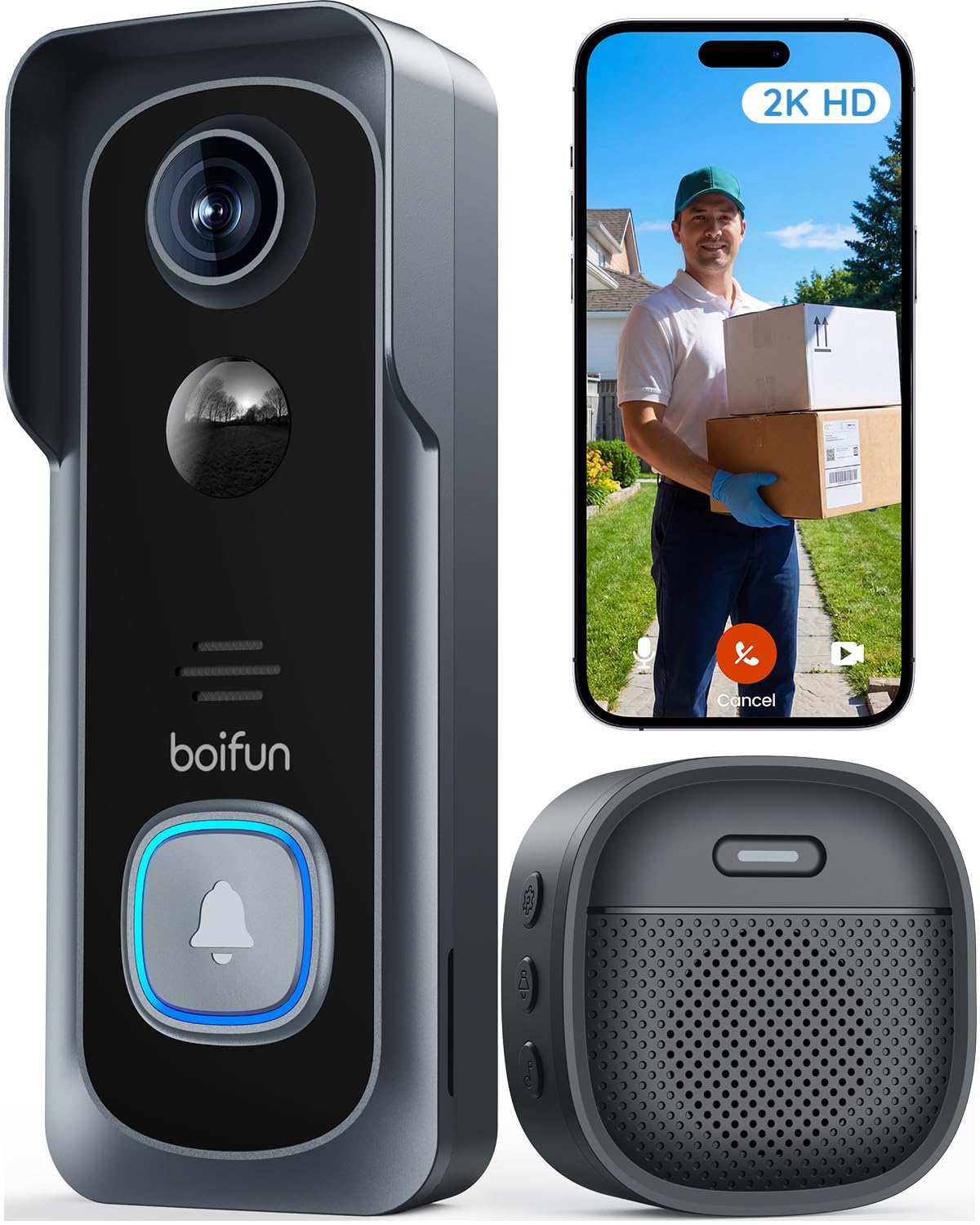
We recommend this doorbell for apartment residents who want wide coverage, local storage, and no required subscription.
Pros
- Wide view helps cover the entry area
- Local microSD storage avoids monthly fees
- Wireless setup works well for renters
Cons
- Supports only 2.4GHz Wi-Fi
- Battery performance depends on motion activity
- MicroSD card is sold separately
The 166-degree view gave us a broad look at the hallway or porch, which helped reduce gaps near the door. Its 2K video provided clear daytime detail, while HDR and infrared night vision kept visitors visible after dark.
We found the wireless installation useful for apartments where drilling or wiring is not practical. The included adhesive and mounting hardware make setup flexible, and the built-in tamper alarm adds protection if someone tries to remove the unit.
Through the BoifunCam app, we could receive motion alerts, view live video, and speak with visitors. Human detection helped limit some unwanted alerts, but busy shared hallways may still trigger the camera often.
The built-in battery avoids a wired connection, though frequent activity can shorten its runtime. We could extend use between charges by reducing motion sensitivity and narrowing the detection area.
Essential features work without a subscription. Adding a microSD card of up to 128GB lets us save recordings locally, but the card is not included. The doorbell also includes an indoor chime and a two-year warranty.
Arlo Video Doorbell 2K
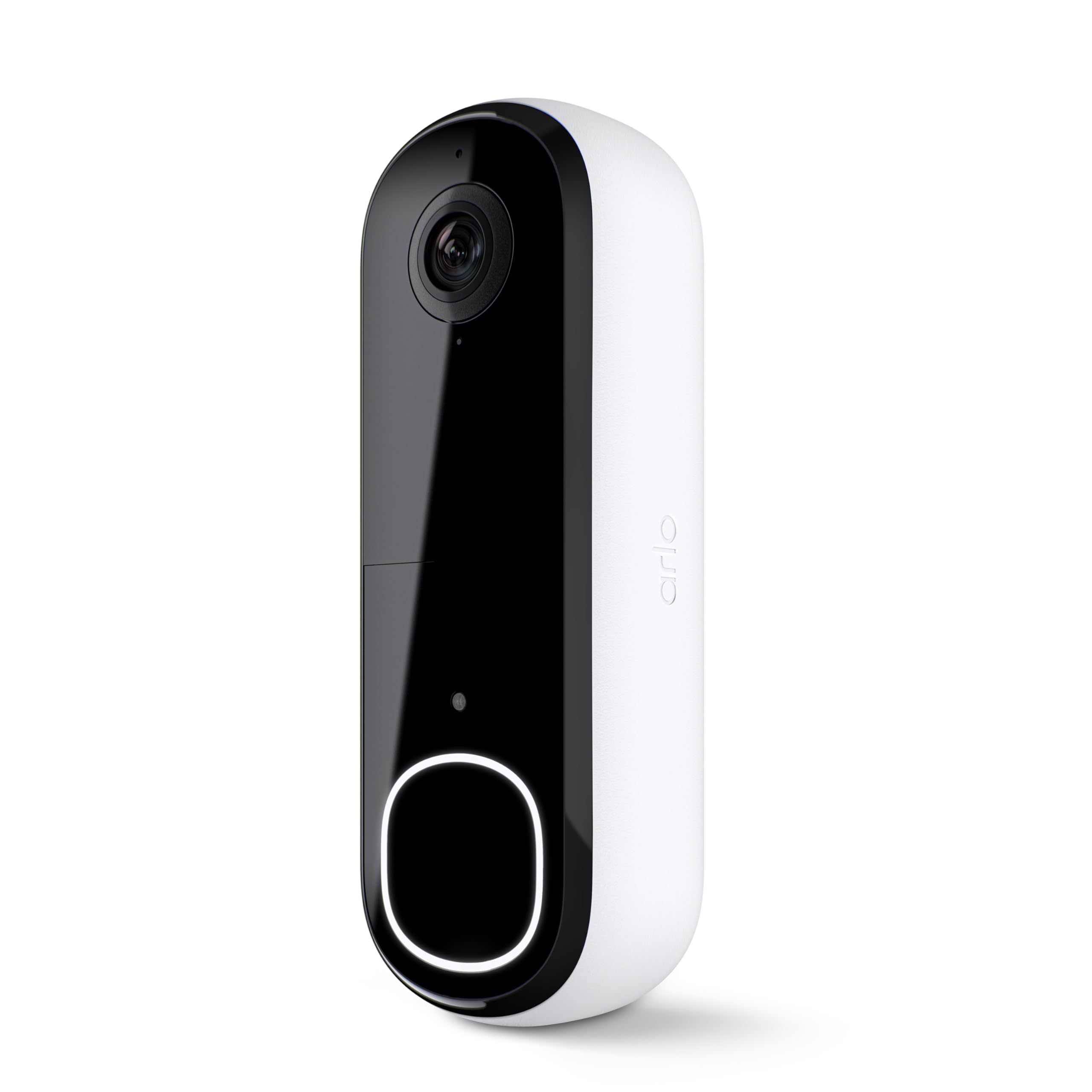
We recommend this doorbell for apartment residents who want a wide view, clear video, and flexible battery or wired installation.
Pros
- Sharp 2K video with a head-to-toe view
- Battery or wired power options
- Basic alerts and live viewing work without a subscription
Cons
- Advanced detection and video storage require a paid plan after the trial
- Battery life depends on activity and settings
- 2.4 GHz Wi-Fi may limit placement options
We found the 180-degree view useful at an apartment entrance. It showed both visitors and packages near the floor, while night vision kept the image usable after dark.
Installation felt flexible because we could use the rechargeable battery or connect the doorbell to compatible wiring. Renters should check building rules before drilling or changing existing doorbell hardware.
Motion alerts arrived quickly during testing, and two-way audio made it easy to speak with visitors from a phone. We also liked the activity and privacy zones for limiting alerts in shared hallways.
The main drawback is the subscription model. Live video, basic motion alerts, and two-way communication remain available without a plan, but features such as extended cloud storage and advanced detection require a paid Arlo Secure subscription after the one-month trial.
KIMILAR Anti-Theft Doorbell Mount

We recommend this mount for apartment renters who need a drill-free way to secure a compatible Ring or Blink doorbell.
Pros
- Installs without drilling
- Adjustable fit for many inward-opening doors
- Helps protect the doorbell from theft
Cons
- Does not include a doorbell
- Not compatible with Blink 2nd Gen or newer Ring models
- May prevent easy battery removal
We found the KIMILAR mount simple to set up. The doorbell slides into the protective shell, and the adjustable clip tightens around the door. This makes it useful for renters who cannot drill into a wall or door frame.
The mount fits doors between 0.6 and 2.3 inches thick, but the door must open inward. We would measure the door first, especially if it has a raised edge, security design, or tight frame. It also does not fit security doors.
Once installed, the bracket holds the doorbell firmly and keeps it from being easily removed. The main drawback is charging access. Depending on the doorbell model, we may need to remove the entire mount before taking out the battery. Confirm the model and door measurements before ordering.
Orbitell M52 Video Doorbell

We recommend the Orbitell M52 for apartment residents who want an affordable wireless doorbell with clear video, night vision, and two-way audio.
Pros
- Simple wireless installation
- Clear night footage and two-way audio
- Wide view with useful motion alerts
Cons
- Works only with 2.4GHz Wi-Fi
- Some users report freezing and delays
- Key features require a paid cloud plan
We found the M52 easy to set up at an apartment door. Its wireless design avoids drilling or complex wiring, and the app lets us check the entryway, speak with visitors, and receive alerts when someone approaches.
Video quality works well for basic identification, including at night. The wide view shows more of the doorstep, while the infrared lighting helps in dark hallways. Two-way audio is loud enough for short conversations with visitors or delivery drivers.
The 2.4GHz-only connection may limit placement in some homes, especially if the router uses separate networks. We also noticed that the product’s cloud features depend on a subscription, and customer feedback mentions occasional freezing, slow video, and delayed alerts.
With a 3.8-star rating from more than 2,100 customers, the Orbitell M52 offers useful apartment security at a low price, but shoppers should accept its subscription costs and possible connection issues.
Nexfluxio N52 Wireless Doorbell Camera
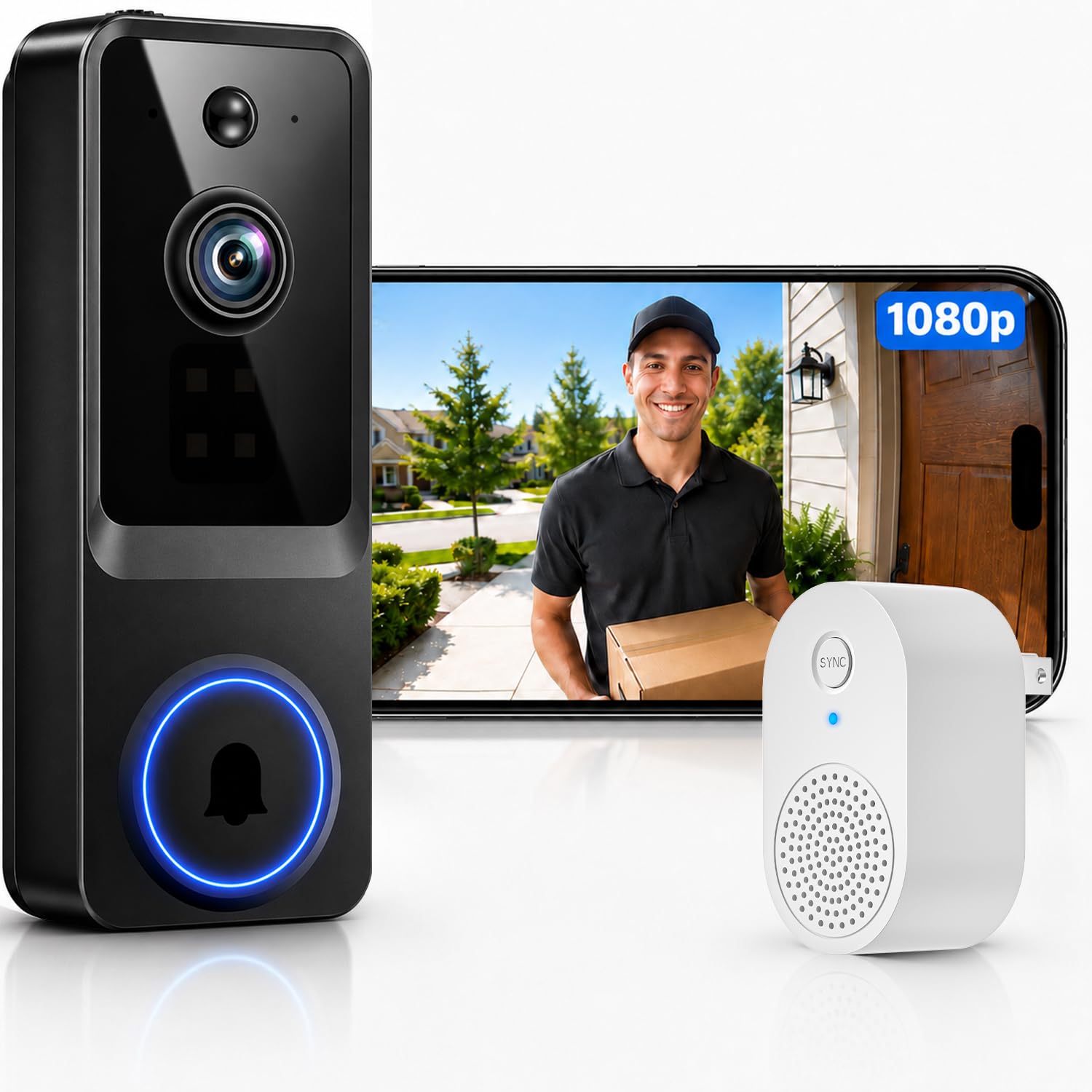
We recommend the Nexfluxio N52 for apartment renters who want simple wireless installation, clear video, and an indoor chime without paying for a premium brand.
Pros
- Quick, wire-free setup with a rechargeable battery
- Clear 1080p video, night vision, and two-way audio
- Indoor receiver and human-motion alerts included
Cons
- Cloud storage requires a separate subscription
- Uses 2.4GHz Wi-Fi only
- Battery life may require frequent charging
We found the setup straightforward. The camera connects through the app and mounts without running wires, which suits apartments where permanent changes may not be allowed. The included indoor receiver also helps us notice visitors when our phones are out of reach.
Daytime video looks clear enough to identify visitors and deliveries. Night vision keeps the doorway visible after dark, while two-way audio lets us speak with guests or couriers without opening the door.
AI human detection helps limit alerts from pets and passing activity, though no motion system works perfectly. We also need a nearby 2.4GHz Wi-Fi signal for reliable performance.
The main drawback is power management. Some users report short battery life, so we may need to recharge it more often than expected. Cloud recording also costs extra, making this doorbell best for shoppers who want basic monitoring rather than a fully subscription-free system.
Blink Video Doorbell + Outdoor 4
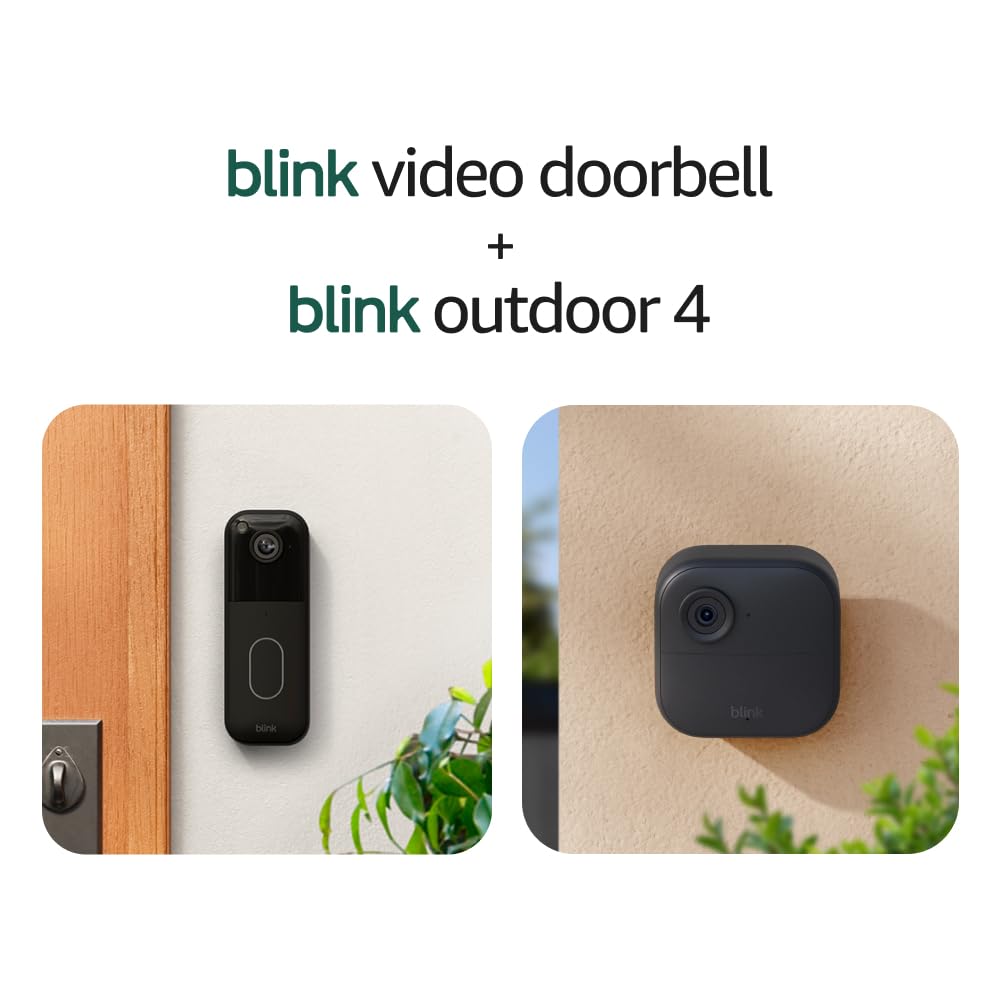
We recommend this bundle for apartment residents who want simple, battery-powered monitoring for the entryway and nearby areas.
Pros
- Clear day and night video
- Easy wireless installation
- Long battery life
Cons
- Cloud storage requires a subscription after the trial
- Motion alerts may need fine-tuning
- Requires a stable 2.4 GHz Wi-Fi connection
We found the doorbell easy to mount without running new power cables, which suits many apartment setups. Its head-to-toe view helped us check visitors and packages, while two-way audio let us speak through the Blink app.
The Outdoor 4 camera added useful coverage beyond the door. We could monitor a hallway, balcony, or other approved area, although apartment residents should check building rules before mounting a camera outside their unit.
Video looked clear in daylight and remained usable at night with infrared vision. Motion detection worked well in testing, but busy hallways may produce extra alerts. Adjusting the activity zones can help reduce unwanted notifications.
The included Sync Module Core keeps the system connected and helps reduce battery use. Blink claims up to two years of battery life under default settings, but frequent motion events and live viewing can shorten that time.
Cloud clip storage requires a separate Blink subscription after the free trial. Without it, we would need to save important clips manually, so buyers should consider that added cost before purchasing.
eufy Security E340 Video Doorbell
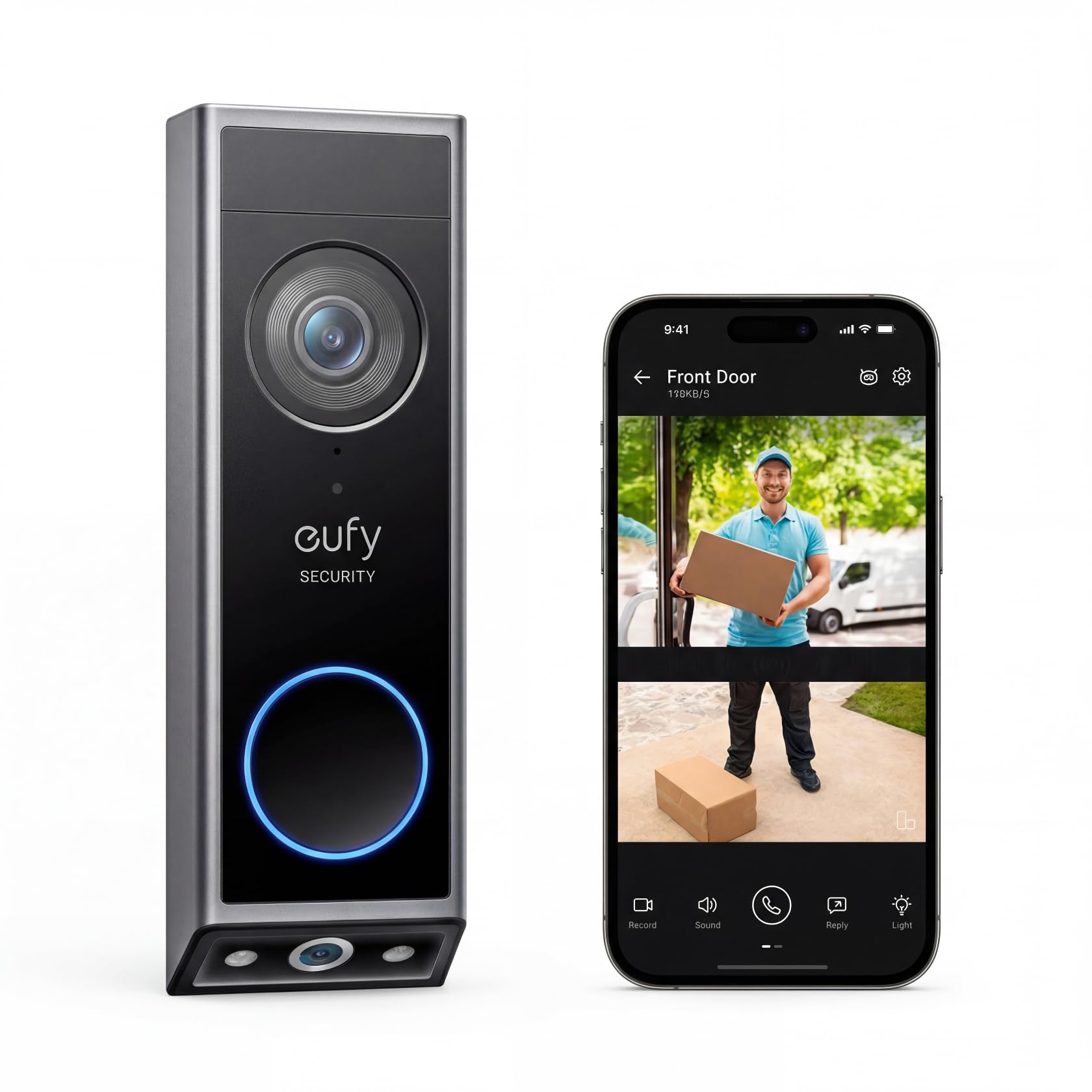
We recommend the eufy E340 for apartment residents who want clear video, package coverage, and local storage without a monthly fee.
Pros
- Dual cameras show visitors and packages
- Battery or wired installation
- Local storage avoids subscription costs
Cons
- Package alerts can sometimes misfire
- Battery life depends on activity and settings
- Some apartments may restrict door mounting
We found the dual-camera design useful at an apartment door. The main view showed visitors from head to toe, while the lower camera kept packages in view. Its wide angle also helped cover more of the entry area.
Video looked sharp in daylight, and color night vision provided a clearer view after dark than basic black-and-white footage. Two-way talk worked well for speaking with delivery drivers without opening the door.
The rechargeable battery made installation easier when existing wiring was unavailable. We could also connect the doorbell to compatible wiring for regular charging. The built-in storage is helpful for avoiding a required cloud plan, though apartment residents should check mounting rules before installing it.
Motion and package alerts added useful coverage, but reports indicate that package notifications can occasionally trigger without a delivery. We would choose the E340 for renters who value local recording and flexible power options, provided their building allows a video doorbell.
Wyze Battery Video Doorbell
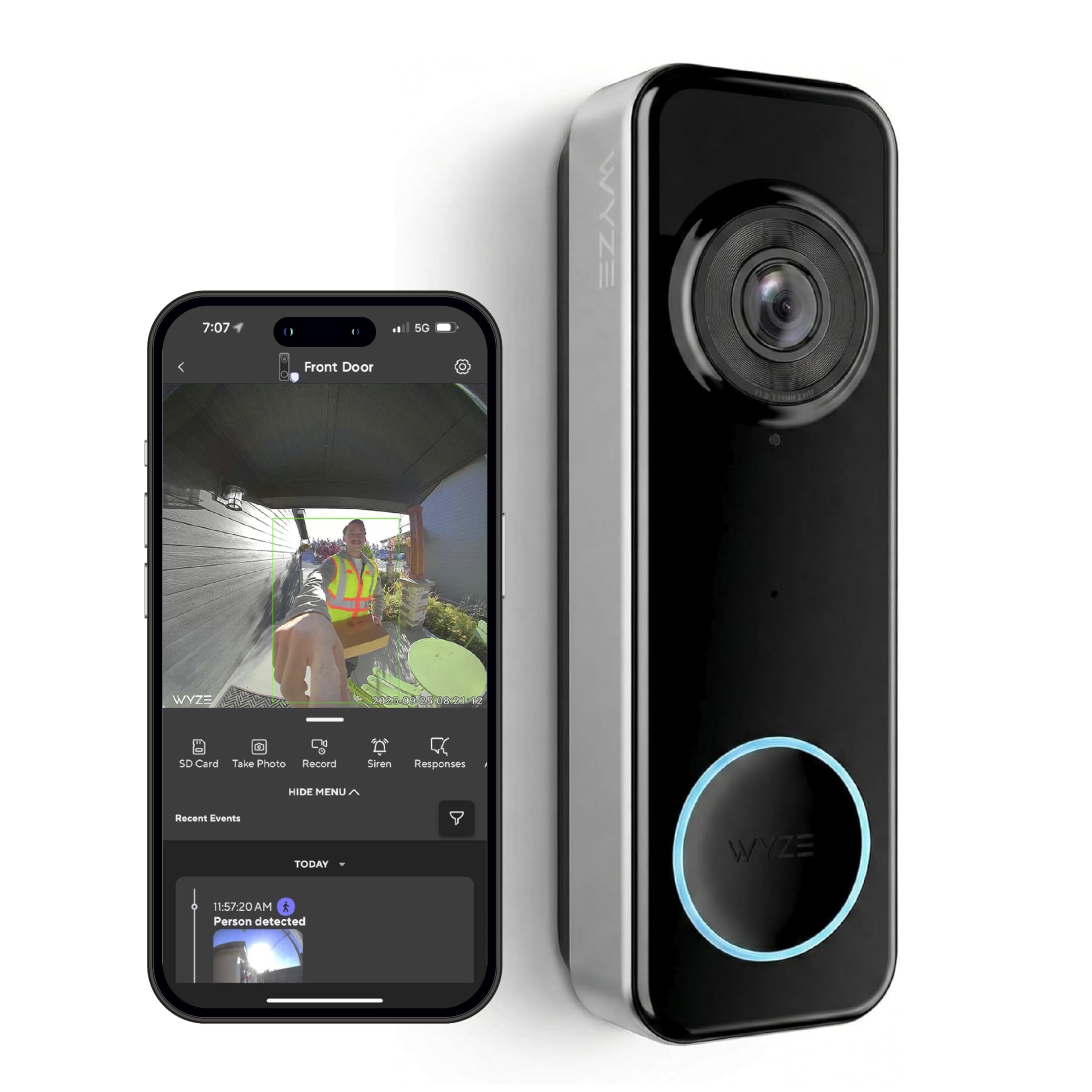
We recommend this doorbell for apartment residents who want a wide view, simple setup, and flexible battery or wired power.
Pros
- Wide head-to-toe view helps us see visitors and packages.
- Battery or hardwired installation suits different apartments.
- Local storage works without a required monthly fee.
Cons
- Battery life may fall below the advertised estimate with frequent activity.
- A separate chime or Wyze device may be needed for indoor alerts.
- Setup can take extra effort on some phones.
The 1:1 view worked well at apartment doors because it showed both a visitor’s face and the floor near the threshold. We could also see packages placed close to the door instead of only seeing the visitor’s upper body.
Video looked clear in daylight, while color night vision helped retain useful detail after dark. Motion and package alerts arrived through the Wyze app, and two-way audio let us speak with visitors without opening the door.
Installation was flexible. We could use the rechargeable battery when wiring was not practical, or connect the doorbell to existing power. Battery results depend heavily on motion levels; busy hallways may require charging more often than expected.
Local recording requires a separate microSD card, but the doorbell does not require a monthly plan for basic use. We should budget for an additional chime if we want a traditional indoor doorbell sound throughout the apartment.
Buying Guide
We should first check our lease and building rules. Some apartments limit devices on shared doors, require approval, or prohibit drilling. A wire-free model with removable mounting may suit renters, while a wired model can work if an existing doorbell connection is available.
| Feature | What we should look for |
|---|---|
| Power | Rechargeable battery or compatible existing wiring |
| Video | Clear footage, useful night vision, and a wide viewing angle |
| Connectivity | Stable Wi-Fi that reaches the entry door |
| Storage | Local storage or a cloud plan with clear fees |
| Alerts | Motion zones and adjustable notification settings |
| Privacy | Encryption, privacy controls, and user access management |
We should measure the door area and check whether the camera can see visitors without pointing into a neighbor’s home. Motion zones help reduce alerts from hallways, elevators, and passing residents.
Apartment buildings often have shared Wi-Fi limits, thick walls, or weak signals near the entrance. We should confirm the device supports our network and check battery access, charging time, and weather protection when the door opens directly outdoors.
We should also review subscription costs before buying. Some features, such as recorded video or advanced alerts, may require a paid plan, while other models may provide basic use without monthly fees.
Editor’s Choice
We choose the Ring Battery Doorbell Pro as our top pick for most apartments. Its wireless setup suits renters, while clear video, two-way audio, and motion alerts help us monitor the area outside our door.
The doorbell can record a wide view and send alerts through the Ring app. We can adjust motion zones to reduce notifications from shared hallways, though some advanced features require a subscription.
| Feature | Details |
|---|---|
| Power | Removable battery |
| Video | 1536p HD+ |
| Storage | Cloud subscription or local option with compatible Ring devices |
| Best for | Renters who want strong app features |
Before installing it, we check our lease and building rules. Some apartments prohibit drilling, cover peepholes, or restrict devices that record shared spaces.
For renters who cannot mount a doorbell, we can use a peephole camera or a no-drill mount. We also point the camera toward our doorway and avoid recording more of the hallway than needed.
Conclusion
We should choose an apartment video doorbell based on our building’s rules, door design, Wi-Fi quality, and power options. A wireless model may suit renters who cannot alter the door or wiring. A wired model can provide steady power when an approved connection is available.
Key features to check:
- Clear video with a wide viewing angle
- Motion alerts that we can adjust
- Two-way audio
- Reliable night vision
- Local or cloud storage that fits our needs
- A removable design if our lease requires it
- Privacy settings for shared hallways
We should also check whether the doorbell can mount without drilling and whether it fits within the peephole or door frame. A compact design helps prevent blocked walkways and may reduce concerns from neighbors or building staff.
Before buying, we can confirm the return policy, subscription costs, battery life, and smart-home support. Choosing a model that meets our building’s requirements will make installation easier and help us use the doorbell without creating problems for others.
FAQs
Can we install a video doorbell in an apartment?
We should check our lease and ask the property manager first. Some buildings limit devices attached to doors, walls, or shared hallways.
Do apartment doorbells need wiring?
No. Battery-powered models usually install without doorbell wiring. Wired models can work if our apartment has compatible wiring and we have permission to use it.
What features matter most for apartments?
We should look for motion zones, package alerts, night vision, two-way audio, and clear video. A compact design can also reduce problems in narrow hallways.
Can we use a video doorbell without Wi-Fi?
Most smart doorbells need Wi-Fi to send alerts and stream video. We should check the signal near our door before choosing a model.
How do we protect neighbors’ privacy?
We can aim the camera at our doorway and use privacy zones to block nearby doors or windows. We should avoid recording more of a shared hallway than needed.
Do video doorbells require a subscription?
Some models store video locally, while others require a monthly plan for cloud storage and advanced alerts. We should review storage fees before buying.
Can renters take the doorbell when they move?
Battery models and adhesive mounts usually move easily, but we should remove them carefully and follow the lease terms. Wired installations may need professional removal.