
10 Best Smart Door Locks for Seniors: Easy and Secure Options


Anti-Glare Reading Glasses

Upright Walker

Raised Toilet Seat
Smart door locks can make daily entry easier by replacing keys with a keypad, phone app, fingerprint reader, or voice control. They can also let family members or caregivers unlock the door without sharing a physical key, while access logs can show when someone enters.
For seniors, ease of use and dependable access matter more than having every available feature. The best smart door locks for seniors should offer simple controls, clear status signals, reliable backup entry, and an installation process that does not require major changes to the door. We also consider battery life, emergency power options, security features, and compatibility with the user’s existing door and smartphone.
We tested and researched smart door locks to find the models that make home entry safer, simpler, and more convenient for older adults.
Best Smart Door Locks for Seniors
We selected the best smart door locks for seniors based on ease of use, reliable access, strong security, and helpful features. Our list includes options with simple controls, keypads, smartphone access, and emergency entry methods.
Philips Wi-Fi Smart Deadbolt

We recommend this lock for seniors who want several simple entry options and remote control without adding a separate hub.
Pros
- Fingerprint, code, app, key, and voice access
- Easy screwdriver installation
- Remote access and entry alerts
Cons
- Batteries are not included
- Works only with 2.4 GHz Wi-Fi
- No door-open sensor
We found the installation manageable, even when replacing an older deadbolt. The setup took about 20 minutes with basic DIY skills, but we needed to route the cable carefully and check the door fit before tightening everything.
The fingerprint reader provides a quick way to enter without searching for keys. The backlit keypad also helps in low light, while the app lets family members create codes or unlock the door from a distance.
We liked the flexible access choices for households with different needs. However, remote features require a stable 2.4 GHz connection, and the lock works best when the router sits within about 65 feet.
Auto-lock can activate after 10 to 180 seconds, which helps prevent accidental oversights. We would still prefer a door sensor because the lock cannot confirm whether the door itself remains open. Use AA alkaline batteries, which must be purchased separately.
eufy FamiLock S3 Max
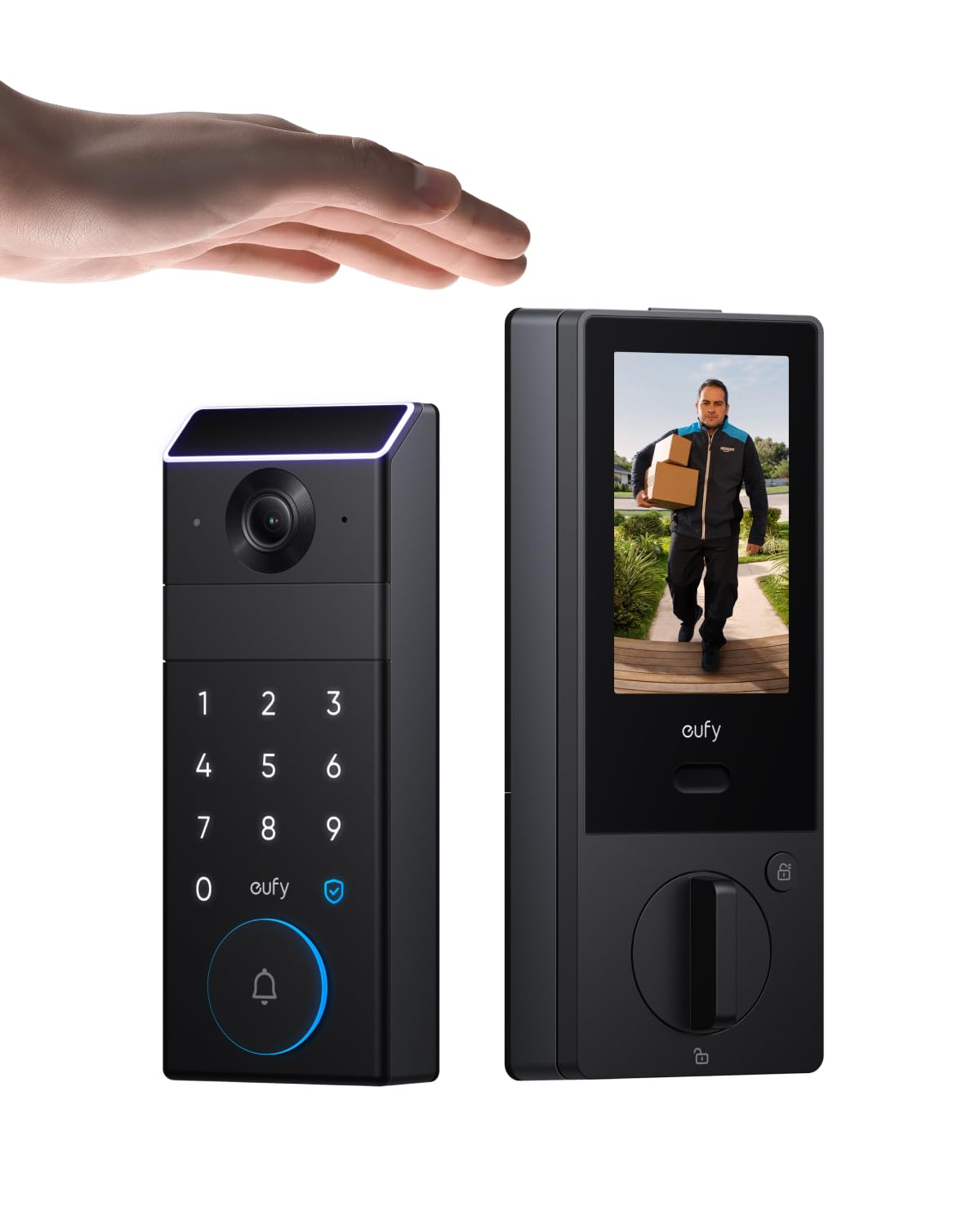
We recommend this lock for seniors who want simple palm entry, a built-in camera, and a screen that works without a phone.
Pros
- Quick palm-vein unlocking
- Rear screen shows the front door
- Backup batteries and physical keys
Cons
- App setup may require a 2.4GHz Wi-Fi network
- Large design may not suit every door
- Some users reported reliability issues
We found the palm scanner easy to use after learning where to place our hand. It opened the door quickly and removed the need to remember a code or carry keys.
The internal screen adds useful convenience for older adults. We could check the front door from inside without opening a phone app. The camera also provides a wide view, clear video, and visitor alerts.
Installation felt manageable with the included hardware, though door alignment still matters. The lock includes a rechargeable battery, emergency AAA battery support, and physical keys, which gives us several ways to enter if the main battery runs low.
The app connects with Alexa, Google Home, Apple Home, and SmartThings. We should note that some features depend on the eufy app, and the lock does not work with HomeBase 2. Some customer reports also mention connection problems or hardware failures, so we would keep the backup keys accessible.
LOCKSTAR Smart Door Lock
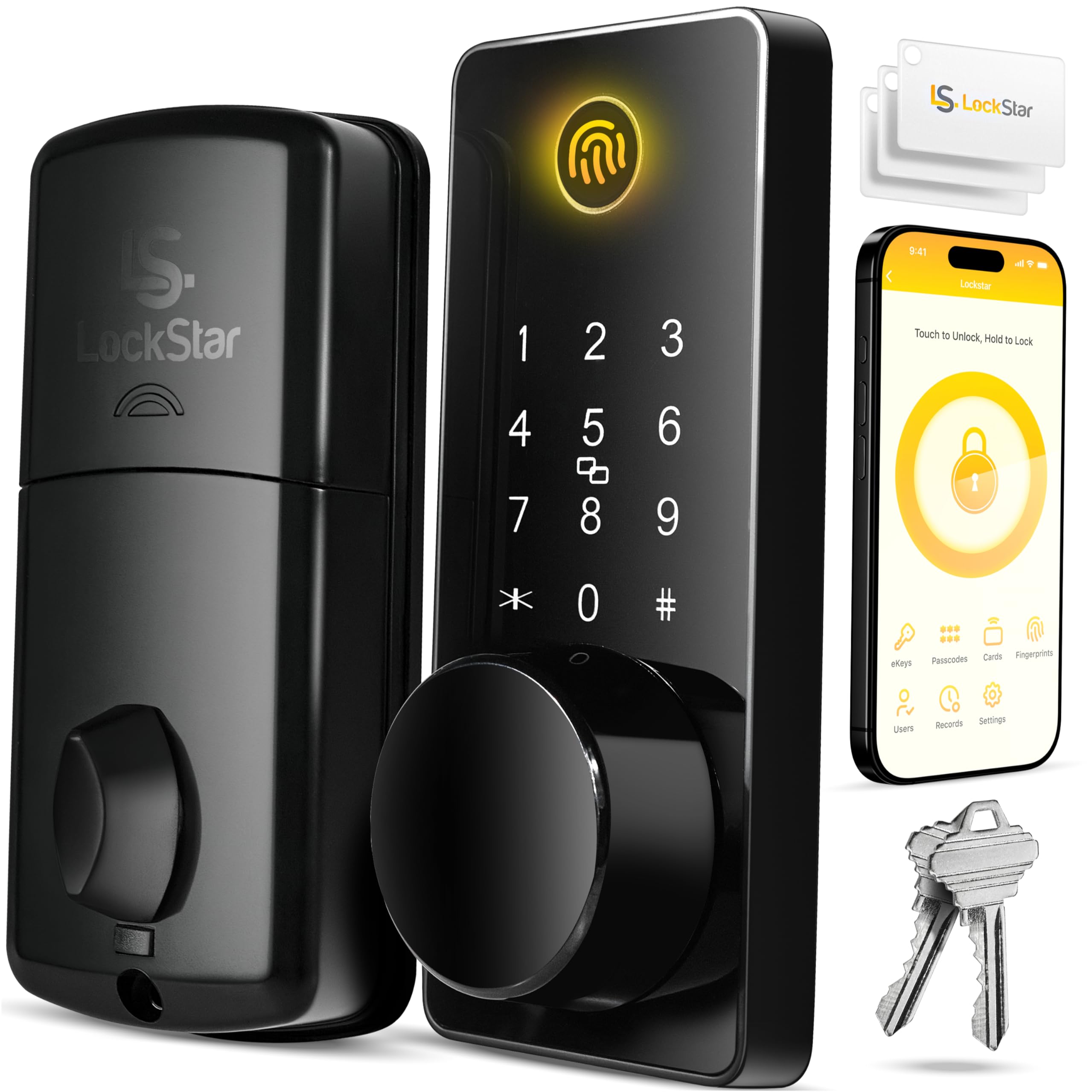
We recommend this lock for seniors who want several simple ways to enter their home and remote access through an app.
Pros
- Fingerprint, keypad, fob, app, and key entry
- Auto-lock and activity alerts
- Includes basic installation tools and a Wi-Fi gateway
Cons
- Requires batteries, which are not included
- App features may take time to learn
- Fingerprint access may not work every time
During setup, we found the installation fairly simple. The included screwdriver and drill bit helped, and the instructions made the process easier for a standard door. We still recommend checking the door alignment before tightening the lock.
We liked having several entry options. A senior can use a fingerprint, code, fob, or regular key, while family members can use the app. This gives us useful backup choices if one method fails or becomes difficult to use.
The auto-lock feature helps when we forget to lock the door. We also found the activity history and phone alerts useful for checking when someone entered. However, users should keep spare batteries available and learn the app before relying on remote control.
With a 4.6-star rating from more than 1,900 reviews, the LOCKSTAR offers strong convenience at a reasonable price. Its many access methods suit seniors, but the electronic features may feel less familiar than a standard deadbolt.
samtechT Fingerprint Smart Lock

We recommend this lock for seniors who want several simple ways to enter without carrying keys.
Pros
- Fingerprint, keypad, fob, app, and key access
- Auto-lock helps prevent missed lockups
- Straightforward installation for many standard doors
Cons
- Remote access requires an additional gateway
- App setup may take some trial and error
- Fingerprint access may not work equally well for everyone
We found the fingerprint reader and backlit keypad useful for quick entry, especially when carrying groceries. Seniors can also use a fob or physical key if they prefer not to manage an app.
Installation was manageable with a screwdriver on a compatible door. We would still check the door thickness and existing deadbolt setup before ordering, since not every lock will fit without adjustments.
The auto-lock feature adds daily convenience, while one-touch locking makes it easy to secure the door when leaving. The app can track access and manage temporary codes, which helps families, caregivers, and rental hosts.
The lock supports Alexa and Google Assistant, but voice control and remote operation need a gateway. We also recommend keeping the physical key available as a backup in case the batteries or electronic features stop working.
eufy Security C220 Smart Lock
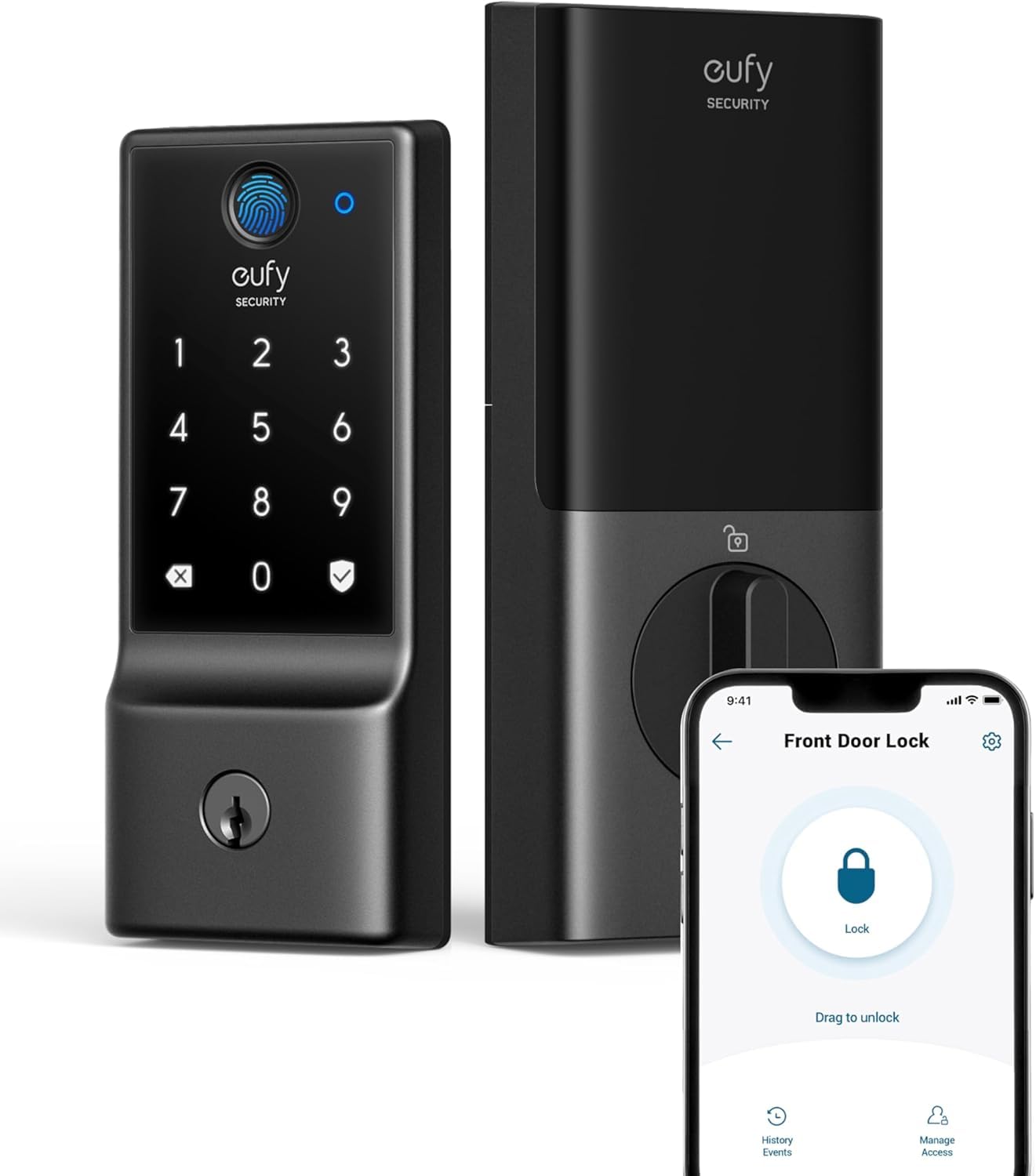
We recommend the eufy C220 for seniors who want simple keyless entry, remote control, and several backup options.
Pros
- Fingerprint, keypad, app, voice, and key access
- Built-in Wi-Fi works without a bridge
- Easy installation with long battery life
Cons
- Fingerprint reading may take practice
- The lock does not include an exterior handle
- Wi-Fi features depend on the home network
We found the installation straightforward with a standard deadbolt and a Phillips screwdriver. Most users should not need to drill, but door fit can vary. The included keys also provide a useful backup if the batteries run low or the fingerprint reader does not respond.
The fingerprint reader opened the door quickly after we registered our prints. However, some users may need to try different finger positions, especially if their fingertips are dry or worn. The keypad offers a good alternative, and family members can use the eufy app for remote access.
Built-in Wi-Fi lets us lock or unlock the door from anywhere, review activity, and receive alerts about unusual attempts. The lock also works with Alexa and Google Assistant. Battery life can reach about eight months, but frequent use may reduce it, so we would still check the battery level regularly.
The C220 suits seniors who want flexible entry methods without carrying keys. We would choose it for a compatible front door, while keeping in mind that it replaces the deadbolt only and does not add a door handle.
Yamiry Smart Door Handle Lock

We recommend this lock for seniors who want several simple ways to enter without relying on one method.
Pros
- Fingerprint, keypad, fob, key, and app access
- Quick installation with basic tools
- Temporary codes and access records in the app
Cons
- Remote control needs a separately sold Wi-Fi gateway
- App setup may take time for some users
- Battery changes remain necessary
We found the fingerprint reader quick and convenient during daily use. The keypad also gave us a useful backup, especially when our hands were full or the reader did not recognize a finger right away.
Installation felt manageable with a screwdriver, and the adjustable latch helped the lock fit the door. The reversible handle works for doors that open from either side, but we still recommend checking the door measurements before ordering.
The app lets us create permanent or temporary codes and review entry records. That can help family members or caregivers enter without sharing a physical key. However, remote access requires the optional Wi-Fi gateway, while Bluetooth works when we are nearby.
Two key fobs and mechanical keys provide extra backup. Seniors who prefer a physical option can use those methods, while family members can use fingerprints or passcodes. The lock uses batteries, so we would keep replacements available and pay attention to low-battery alerts.
Yamiry Fingerprint Smart Door Lock

We recommend this lock for seniors who want simple entry choices, especially fingerprint, keypad, key fob, and physical key access.
Pros
- Fingerprint access works quickly after setup
- Several backup entry methods reduce key carrying
- Installation and app setup feel straightforward
Cons
- The lock needs four AA batteries, which are not included
- Bluetooth limits control unless we add the separate Wi-Fi gateway
- Some doors may need minor adjustment for the strike plate
We found the installation manageable with a screwdriver, though the fit was not perfect on every door. One customer had to chisel space for the strike plate, so we would check the door alignment before buying.
The fingerprint reader gives seniors a convenient way to enter without remembering a code. The bright keypad also helps, while key fobs and physical keys provide useful backups if the reader or batteries cause trouble.
The app connects through Bluetooth and supports stored fingerprints, codes, and key fobs. Remote control requires the optional Wi-Fi gateway, so this model works best for people who mainly use it near the door.
Our main concern is long-term reliability. Several users reported smooth setup and daily use, but others described Bluetooth connection failures or early product failure. We would keep the physical keys available and monitor battery life.
Philips Wi-Fi Smart Lock
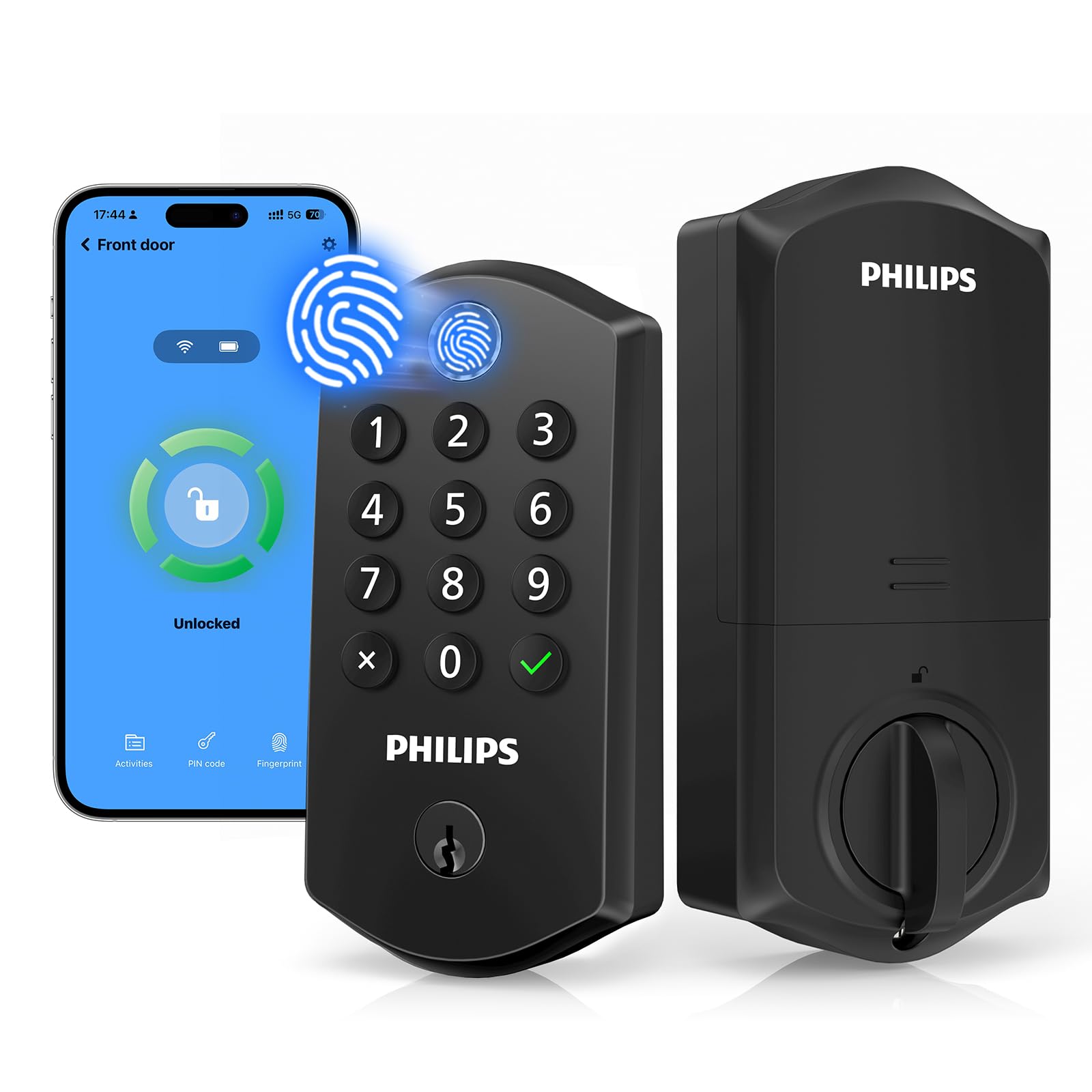
We recommend this lock for seniors who want simple fingerprint or keypad entry, plus remote control when the app connection works well.
Pros
- Fingerprint reader supports quick, one-motion entry
- Offers keypad, app, voice, and key access
- Auto-lock helps prevent forgotten locks
Cons
- App setup and connections may feel unreliable
- Batteries may need frequent replacement
- Requires eight AA alkaline batteries
We found the fingerprint reader easy to use and more convenient than entering a code each time. The keypad and physical keys also give us useful backup options, which can help family members or caregivers enter without sharing one main code.
Installation felt straightforward on a standard door, although we would check the door measurements first. The lock supports left- and right-handed doors, but the required batteries are not included.
Remote locking, activity alerts, and temporary passcodes add useful control for families. We could give a caregiver a limited code and remove it later without changing our own access.
The main weakness involves the app. Some users report trouble adding people or keeping the lock connected. We also found battery life worth watching, especially if we rely heavily on wireless features.
Schlage Encode Smart Wi-Fi Deadbolt

We recommend this lock for seniors who want remote access, simple keypad entry, and strong security without buying a separate hub.
Pros
- Built-in Wi-Fi supports remote control and alerts
- Large touchscreen offers keyless entry
- Auto-lock and one-touch locking add convenience
Cons
- Installation may require door adjustments
- Batteries need regular checking
- App setup can take some time
We found the Schlage Encode sturdy and easy to use after installation. The touchscreen lets us enter a code without handling a key, which can help anyone with limited hand strength or trouble keeping track of keys.
The Schlage Home app gives us remote control, lock history, and customizable alerts. We can create temporary codes for family, caregivers, or guests, then remove them when they are no longer needed. Alexa and Google Assistant also support optional voice control.
Installation usually takes a screwdriver, but the deadbolt must line up correctly with the door and frame. Some doors may need a larger hole or minor adjustment, so we would check the fit before starting.
The lock uses four AA batteries and includes a physical backup key. Its auto-lock feature can relock the door after a chosen delay, while the built-in alarm can warn us about possible forced entry or door movement.
Philips 4200 Series WiFi Smart Lock
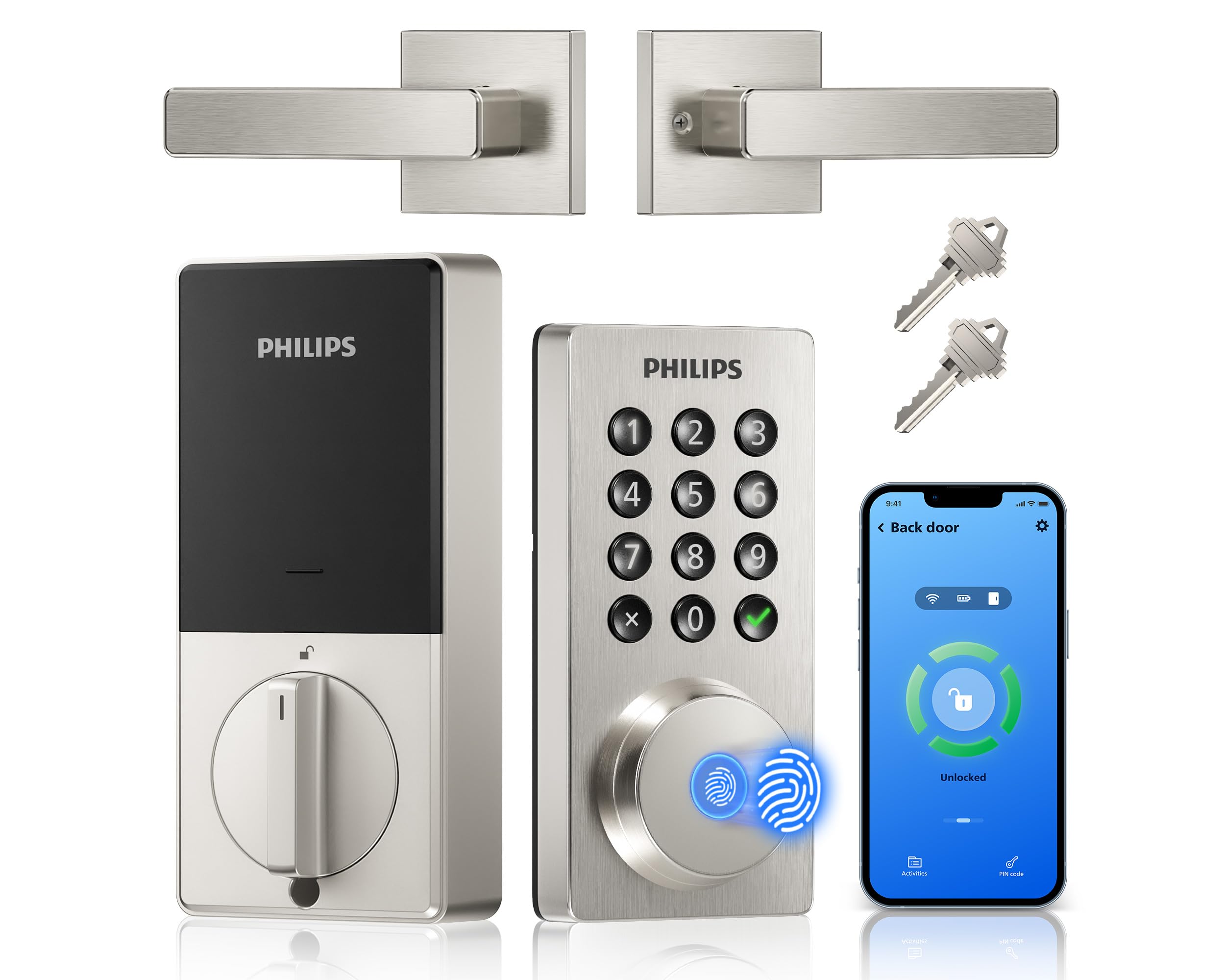
We recommend this lock for seniors who want several simple ways to enter, plus remote access and status checks through an app.
Pros
- Fingerprint, keypad, key, and app access
- Auto-lock and remote status checks
- Includes a matching handle set
Cons
- Requires eight AA batteries, sold separately
- Needs a 2.4GHz WiFi network
- Door measurements must match before installation
When we used the Philips 4200 Series, the backlit keypad was easy to read and the raised buttons felt simple to press. The fingerprint reader also gave us a quick way to unlock the door without carrying keys or remembering a code.
The app adds useful support for seniors and caregivers. We could check whether the door was locked, unlock it remotely, review access history, and create temporary or recurring codes for family members or home aides. Voice control with Alexa and Google Assistant provides another option, although app and voice features depend on a working WiFi connection.
Auto-lock helped reduce the need to remember the lock after entering. We could set the delay from zero to 180 seconds, which gives enough time to bring in groceries or help someone through the doorway.
Installation should be manageable for many users, but we would check the door thickness and existing hardware first. The lock fits doors from 1-3/8 to 1-3/4 inches thick and requires eight AA alkaline batteries. Some users report short battery life with lower-quality batteries, so we would choose premium cells and keep replacements available.
Buying Guide
We should choose a smart lock that matches the senior’s comfort, mobility, and daily routine. The best option should offer simple controls, clear feedback, and a reliable way to enter if the phone or battery fails.
| Feature | What to look for |
|---|---|
| Entry methods | Keypad, physical key, phone app, or fingerprint access |
| Ease of use | Large buttons, readable numbers, and simple instructions |
| Emergency access | A backup key, external battery connection, or other manual option |
| Power | Long battery life and clear low-battery alerts |
| Installation | Compatibility with the existing door and a simple setup process |
| Security | Automatic locking, access logs, and secure user codes |
| Connectivity | Bluetooth for local control or Wi-Fi for remote access |
We should check whether the lock fits the door’s thickness, backset, and existing hardware. Some models need a specific deadbolt type or more space around the door, so we should measure before buying.
A keypad can help seniors avoid carrying keys, while a physical key provides a familiar backup. We should select a model with large, high-contrast numbers and a code that the user can remember without writing it near the door.
Remote access can help family members or caregivers manage entry, but it may require a hub or home internet connection. We should also review app accessibility, user permissions, privacy settings, and the process for replacing batteries.
Editor’s Choice
We choose the Schlage Encode Smart WiFi Deadbolt for its balance of simple controls, strong security features, and remote access. It connects directly to Wi-Fi, so we do not need a separate hub to lock or unlock the door from a phone.
The keypad lets us enter a code instead of carrying keys. We can create unique codes for family members or caregivers, review activity, and receive alerts through the Schlage app.
| Feature | Why it helps seniors |
|---|---|
| Built-in Wi-Fi | Fewer devices to set up |
| Large, backlit keypad | Easier to see and use |
| One-touch locking | Simplifies daily use |
| Temporary access codes | Supports caregivers and visitors |
| Physical key backup | Provides another entry option |
We recommend professional installation if hand strength, vision, or mobility makes the setup difficult. We should also test the lock, keypad, app, and backup key before relying on it.
The lock works best for users who have stable Wi-Fi and a compatible smartphone. Those who prefer voice control should check compatibility with their preferred smart-home platform before buying.
Conclusion
We should choose a smart door lock based on the senior’s daily needs, comfort with technology, and home setup. A lock with simple controls, clear instructions, and reliable access can make daily entry easier.
Key features to consider include:
- Keypad entry for people who prefer not to use a phone
- Large, easy-to-read buttons and clear voice or sound alerts
- Remote access for trusted family members or caregivers
- Long battery life with low-battery warnings
- Manual backup access if the battery or internet fails
- Strong security settings, such as unique codes and automatic locking
We should also check whether the lock fits the existing door and works with the home’s Wi-Fi or smart-home system. Professional installation may help if the senior has limited hand strength or if the door needs adjustments.
The best choice balances ease of use, safety, and dependable access. A straightforward model often serves seniors better than one with many features that add complexity.
FAQs
Are smart locks safe for seniors?
We consider smart locks safe when users choose strong passwords, enable automatic updates, and keep backup entry methods available. A keypad, fingerprint reader, or traditional key can help if a phone battery runs out.
Which features should we look for?
We recommend large, easy-to-read numbers, simple controls, reliable batteries, and clear low-battery alerts. Voice control and remote access can also help family members provide support.
Can we install a smart lock without replacing the whole lock?
Some models fit over the inside part of an existing deadbolt. Others require full replacement. We should check the door type, deadbolt size, and installation instructions before buying.
What happens if the batteries die?
Most smart locks provide warnings before the batteries run out. Many also include a backup key slot or an external emergency power contact.
Do smart locks need Wi-Fi?
Not always. Basic keypad and fingerprint models can work without Wi-Fi, while remote control usually requires Wi-Fi or a separate hub.
Can family members receive their own access codes?
Many models support separate codes for relatives, caregivers, or service workers. We can often set schedules, review access records, and remove codes when needed.