
10 Best Security Cameras for Elderly: Top Picks for Safety and Peace of Mind

Electric Mobility Scooter

Portable Wheelchair

Page Magnifier Sheet
Security cameras can help families check on an older adult, notice unusual activity, and respond to problems sooner. Indoor cameras often include live video, two-way audio, motion alerts, and night vision, while some models add fall detection or professional monitoring.
The best security cameras for elderly people are easy to set up, simple to use, and designed to provide clear alerts without creating extra stress. We should pay close attention to video quality, privacy controls, speaker and microphone performance, alert accuracy, and whether the camera requires a monthly subscription. We evaluated these features to find the cameras that offer dependable monitoring and practical support for older adults.
Best Security Cameras for Elderly
We evaluated security cameras for clear video, simple controls, reliable alerts, and useful features for older adults. Our list includes options for home monitoring, fall awareness, two-way communication, and added peace of mind.
Rocktone Indoor/Outdoor Security Camera

We recommend this two-camera kit for older adults who want simple phone alerts, clear video, and two-way audio without a costly setup.
Pros
- Easy app setup and flexible mounting
- Clear daytime video with useful color night vision
- Supports local recording and multiple users
Cons
- Requires a nearby power outlet
- Some users report loud connection announcements
- Wi-Fi setup may fail on certain networks
We found the Rocktone cameras quick to install and easy to check from a phone. The app supports two-way conversations, which helps us check on a family member without making a separate call. Multiple users can also access the camera, so relatives can share monitoring duties.
Video looked clear during the day, while the built-in lights helped show color at night. Motion alerts can notify us when someone enters a room or approaches an outdoor area. We would adjust alert settings carefully to avoid unnecessary notifications.
The cameras support 2.4GHz and 5GHz Wi-Fi, but some buyers report trouble connecting to certain 5GHz networks. They also need wired power, which limits placement. Local recording requires a microSD card, while cloud storage includes a limited free trial.
With a 4.3-star rating from more than 2,200 customers, this Rocktone set offers useful features at a reasonable price. We would choose it for indoor monitoring, entryways, or checking on an older adult who wants family support from a distance.
TP-Link Tapo C100
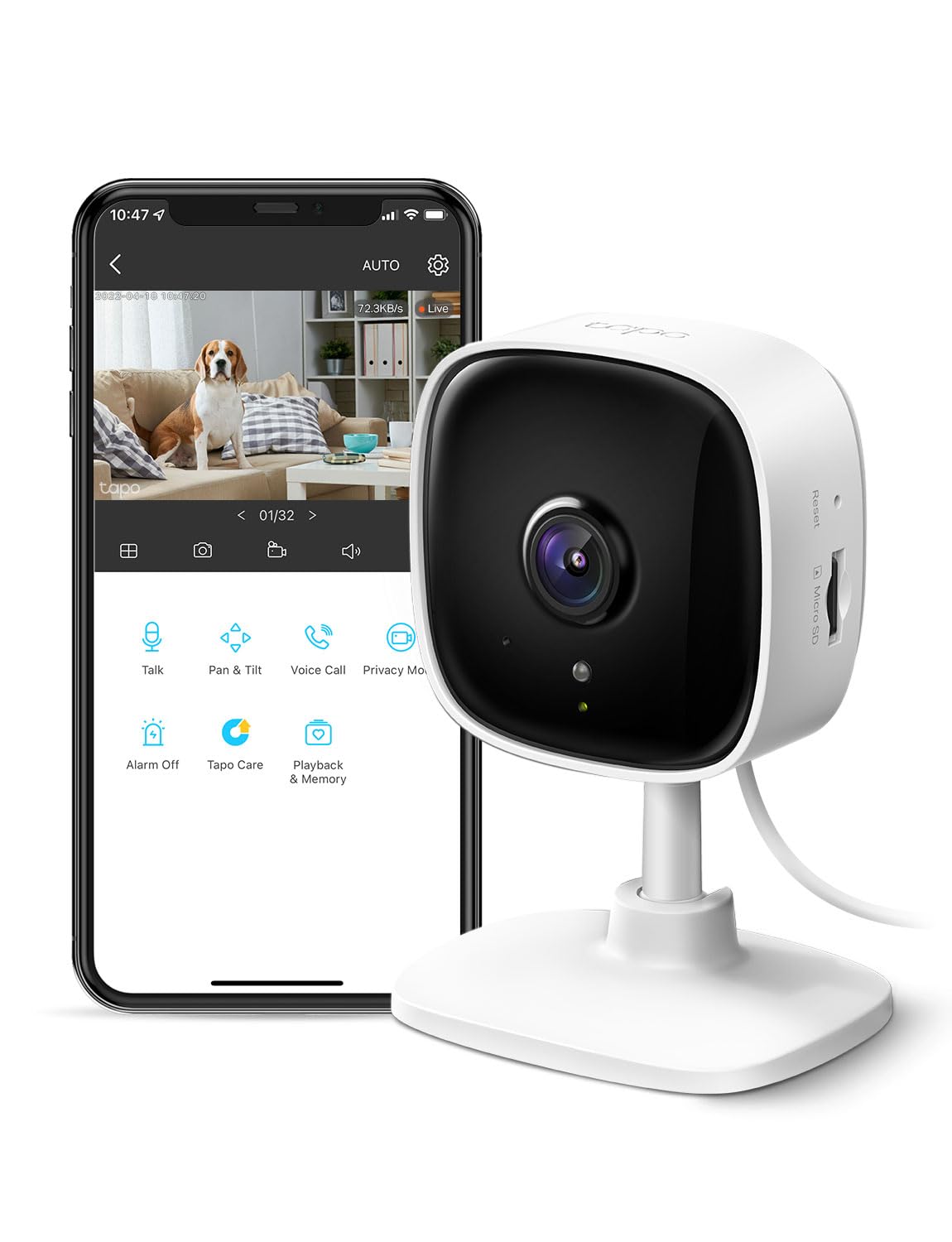
We recommend the Tapo C100 for older adults who need a simple indoor camera with clear video, motion alerts, and two-way communication at a low price.
Pros
- Clear 1080p video with useful night vision
- Simple app, motion alerts, and two-way audio
- Supports local microSD storage without a required subscription
Cons
- Works only indoors and needs a power outlet
- Uses 2.4GHz Wi-Fi
- Some features may require Tapo Care
We found the setup quick and straightforward. The app makes it easy to check a room, speak through the camera, or receive an alert when it detects movement. This can help family members check in without calling or visiting every time.
The image looked sharp enough to see activity across a room, while infrared night vision helped us monitor dark areas. Motion and person alerts can reduce unnecessary notifications, although users may need to adjust the settings for the best results.
Two-way audio worked well for short conversations, reminders, or reassurance. The built-in siren adds another option, but we would use it carefully because it may confuse or startle someone.
The camera records to a compatible microSD card, or users can choose cloud storage through Tapo Care. Since the camera uses a power cord and indoor placement, we would position it near an outlet with a stable 2.4GHz Wi-Fi signal.
LaView 1080p Indoor Security Cameras

We recommend this four-camera set for older adults who want simple indoor monitoring, clear video, and phone access at a reasonable price.
Pros
- Simple setup and an easy-to-use app
- Clear 1080p video with useful night vision
- Two-way audio and access for multiple family members
Cons
- Works only with 2.4GHz Wi-Fi
- Requires power outlets near each camera
- Some users report long-term reliability concerns
We found the cameras quick to install. The app guides us through Wi-Fi pairing and lets us view several rooms from one account. Family members can also share access, which helps when more than one person checks on a parent.
The video looks clear in normal indoor lighting, and infrared night vision covers small rooms well. Motion alerts help us notice activity, although frequent movement from pets or other household activity may create extra notifications.
Two-way audio lets us speak with someone in the room without making a phone call. The cameras need wired power, and the viewing angle does not offer much side-to-side adjustment, so we had to place them carefully.
This set supports local microSD recording and includes a trial of cloud storage. We should note that it supports 2.4GHz networks only, making it less suitable for homes that rely mainly on 5GHz Wi-Fi.
Anona 4K Indoor Security Camera
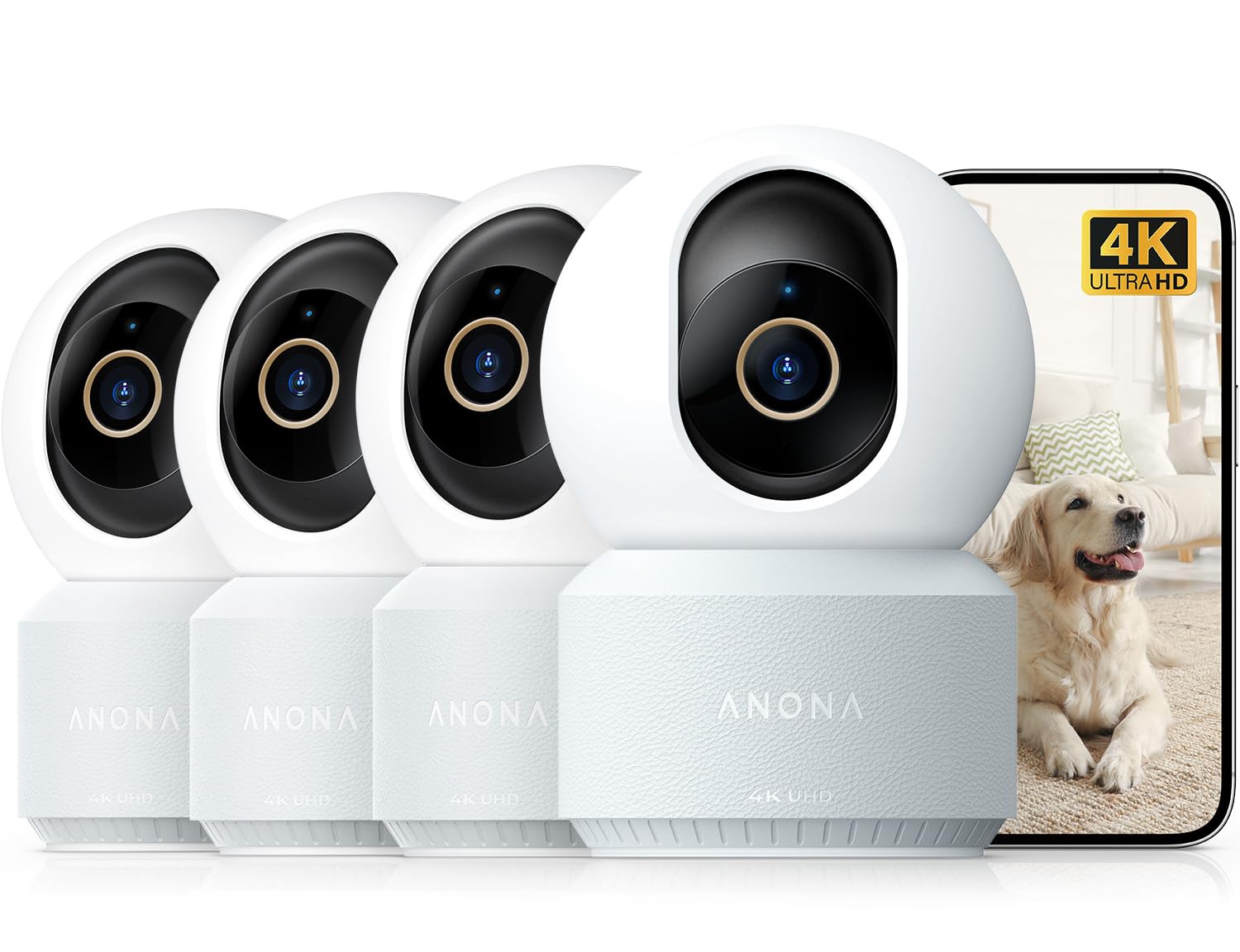
We recommend this four-camera pack for families who want flexible indoor monitoring, clear video, and two-way communication for an older adult.
Pros
- Sharp video with useful digital zoom
- Wide pan-and-tilt coverage with auto-tracking
- Person detection, crying alerts, and local storage options
Cons
- Requires a constant power connection
- The microSD card is sold separately
- App features may take time for some users to learn
We found the setup straightforward, especially when placing a camera on a table or shelf. The phone app makes it easy for family members to check in, while the 360-degree pan and 110-degree tilt help cover a large room.
The image looked sharp during daytime use, and the night view remained clear enough for routine checks. Digital zoom helped us inspect parts of the room, but it cannot match the detail of true optical zoom.
Two-way audio worked well for short conversations. We could speak through the camera without calling, which may help an older adult feel connected or respond to a quick check-in.
The camera can identify people and send alerts for movement. Local recording supports microSD cards up to 512GB, while cloud storage provides another option. We would place the camera where the power cord stays secure and explain the app before relying on it for regular monitoring.
Tapo C201 Indoor Security Camera

We recommend the Tapo C201 for older adults who want an affordable indoor camera with simple remote viewing and useful motion alerts.
Pros
- Wide pan and tilt coverage helps us view most of a room.
- Clear 1080p video and useful night vision.
- Local storage works without a required subscription.
Cons
- Setup may take extra effort when moving the camera to a new Wi-Fi network.
- Two-way audio can have a noticeable delay.
- It works indoors only and needs a power outlet.
The C201 gave us a broad view of the room, so we could check more than one area from the Tapo app. The image looked clear during the day, while night vision helped us see movement in darker rooms.
Motion and person alerts can help us check on a family member without watching the feed constantly. The app also supports two-way audio, although the talk feature may lag during a conversation.
We like that the camera supports a compatible microSD card for local recording. That keeps basic video storage available without a monthly plan, but we would check Tapo’s compatibility list before buying a card. Alexa and Google Assistant support also lets us view the camera on a compatible screen.
KEENLUK 4.3-Inch Security Camera

We recommend this camera for families who want an easy one-button way to check in with an older adult at home.
Pros
- One-button video calling is simple to use.
- The built-in screen supports two-way video chats.
- Motion alerts, night vision, and wide movement coverage add useful monitoring.
Cons
- It works only with 2.4GHz Wi-Fi.
- The app may be difficult to connect and use.
- A microSD card is needed for local recording.
We found the large 4.3-inch screen helpful for quick calls. An older family member can press one button instead of finding and answering a phone, while we can check in through the mobile app.
The 1080p video looked clear in normal indoor lighting. Motion detection and night vision also made it useful for checking rooms after dark. Its 350-degree movement range helped us view more of the room without moving the camera.
Setup was quick when the Wi-Fi connection worked as expected. However, some users report trouble pairing the camera with the app, so the experience may depend on the network and phone. The camera supports local SD card storage, but the card must be purchased separately.
This is an indoor camera, not a full medical alert system. It can support daily check-ins, but it should not replace emergency services or hands-on care.
SensForge 2.5K Indoor Pan-Tilt Camera
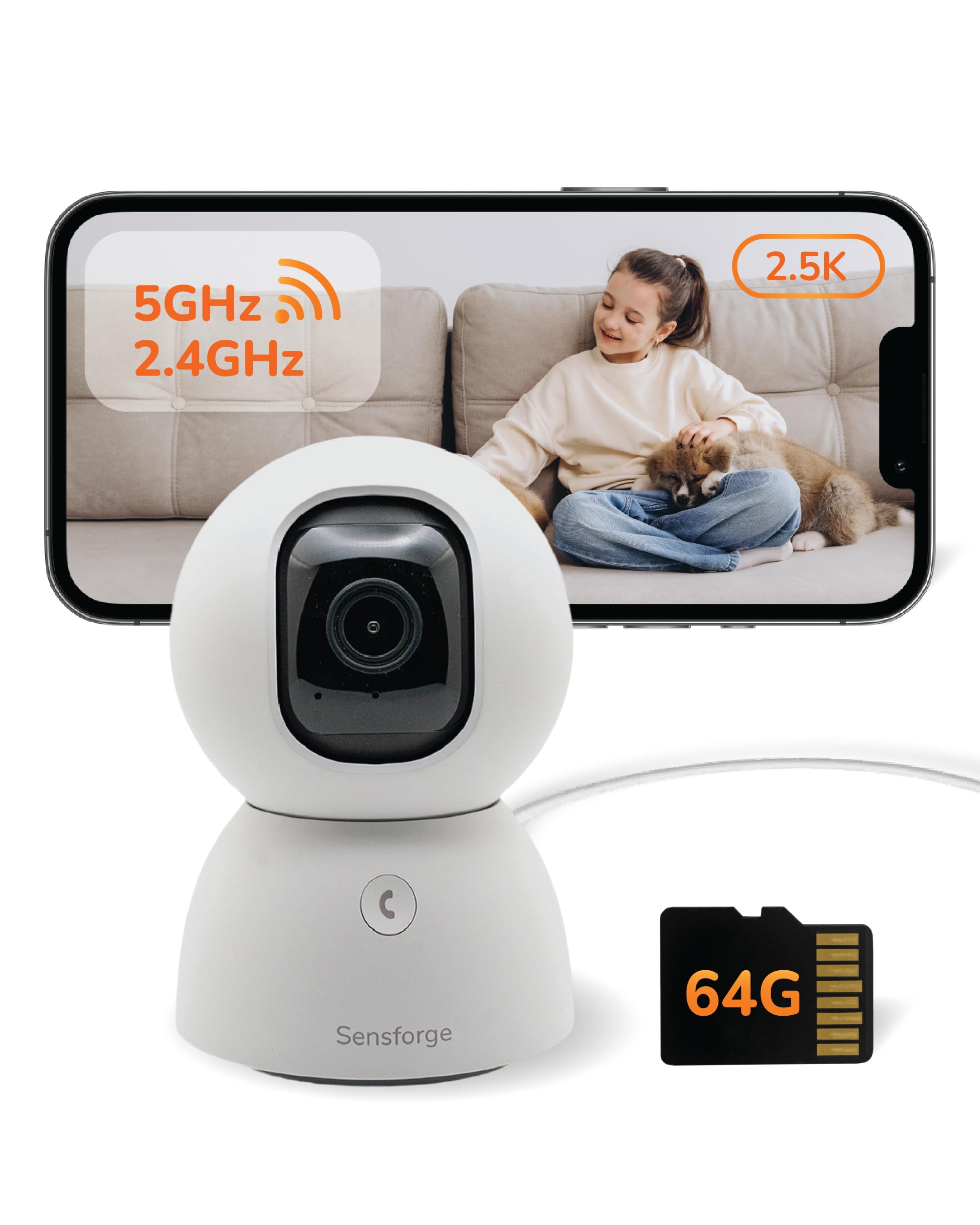
We recommend this camera for older adults who want clear indoor video, simple two-way talk, and local recording without a required subscription.
Pros
- Clear 2.5K video with useful night viewing
- Wide pan-and-tilt coverage for one-room monitoring
- Includes a 64GB SD card for local storage
Cons
- The app works only in the United States and Canada
- Setup requires a smartphone and Wi-Fi
- The printed manual is small and difficult to read
We found the setup quick, taking about 15 minutes from opening the box to viewing the live feed. The camera connects through the SensForge app, and the included SD card means we could record without adding a monthly fee.
Video looked sharp during the day, while the night view remained clear enough to check on a room, pet, or family member. The camera’s movement also helped us scan the space remotely instead of relying on one fixed angle.
Two-way audio made it easy to speak with someone in the room. Human and pet alerts can reduce unnecessary notifications, though older users may need help adjusting app settings and sharing access with family members.
The camera must stay indoors and should not sit behind a window. We also recommend confirming app availability before buying, since users outside the United States and Canada may not be able to operate it.
Aosu 2K Indoor Camera

We recommend this indoor camera for older adults who need simple check-ins, clear video, and an easy way to contact family.
Pros
- One-touch calling and two-way audio
- 360-degree room coverage with motion tracking
- Clear video and useful night vision
Cons
- Requires a power outlet
- Works only with 2.4GHz Wi-Fi
- App setup may take help for some users
We found the one-touch call button useful for quick contact. An older family member can speak with us without searching through a phone, while we can check the room through the app.
The camera gives us a broad view and follows movement when tracking is enabled. This helps us check on a living room or bedroom without moving the camera by hand. The 2K video looks clear during the day, and the infrared night view helps in darker rooms.
Setup was fairly simple, but the camera needs a power cord and a 2.4GHz Wi-Fi network. That limits placement compared with battery-powered models. We also noticed that app controls may feel less familiar to someone who rarely uses smartphones.
Local recording, Alexa and Google Assistant support, and motion alerts add useful options. Overall, this camera works well for families who want regular indoor check-ins without paying for a more complex system.
Cinnado D1 Indoor Security Camera
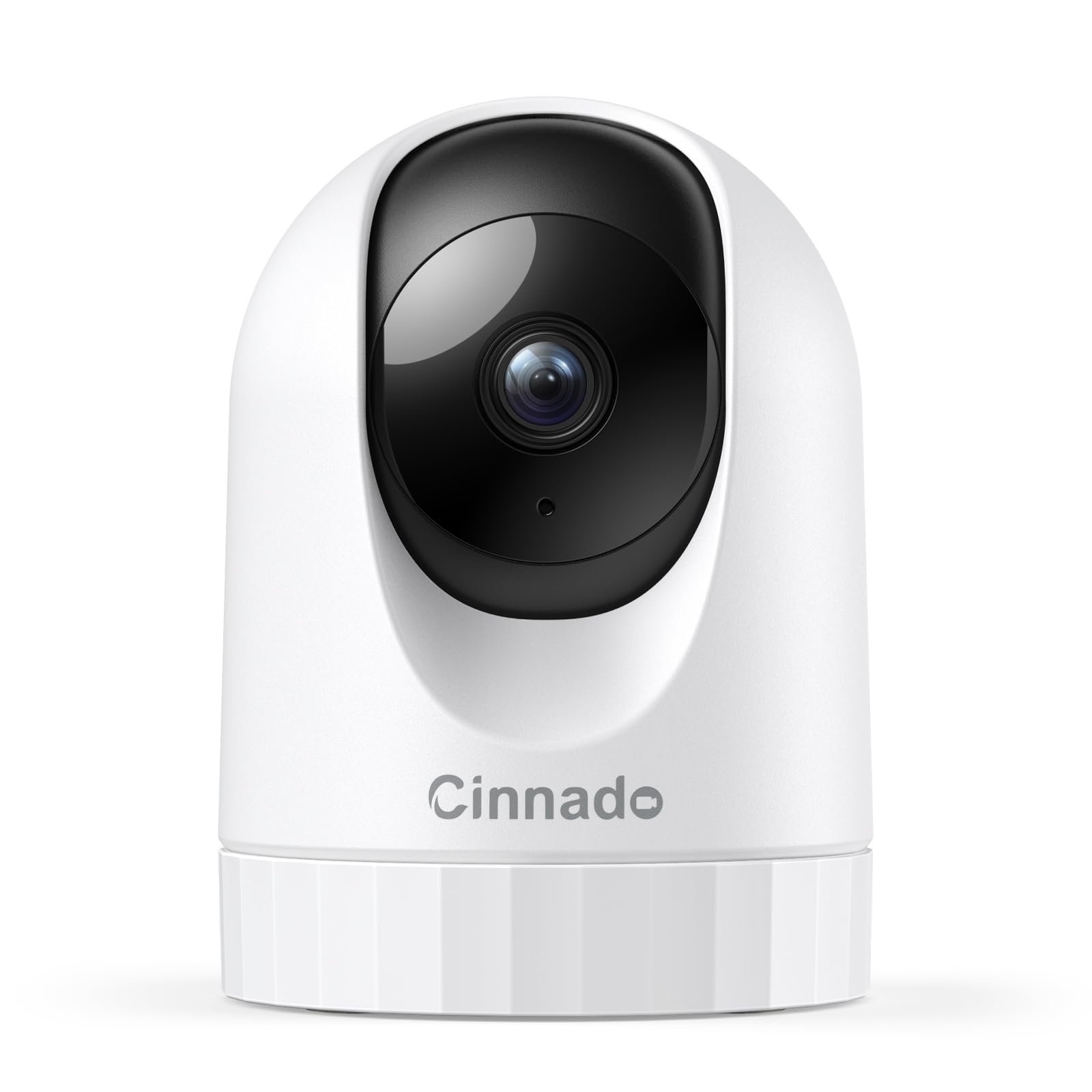
We recommend the Cinnado D1 for families who want an affordable indoor camera with clear video, two-way audio, and simple phone alerts.
Pros
- Clear 2K video with useful night vision
- Remote pan and tilt provide broad room coverage
- Easy setup and support for multiple users
Cons
- Requires a power cord
- Works only with 2.4GHz Wi-Fi
- Some features require cloud storage
We found the setup quick and manageable, even without advanced technical skills. The app guided us through connecting the camera, though we needed to place it close to the router during setup.
The live view showed clear detail during the day and remained useful in low light. We could move the camera from the app to check different parts of a room, which helped when monitoring an older family member from another room.
Two-way audio let us speak through the camera, but the speaker was not especially loud. Motion alerts arrived on our phone, although frequent movement can create several notifications.
The camera supports an SD card for continuous recording, while cloud storage offers another option after the trial period. We also appreciated the ability to share access with family members. Because the camera needs a wall outlet and uses only 2.4GHz Wi-Fi, we would plan its placement before buying.
eufy Security Indoor Cam S350
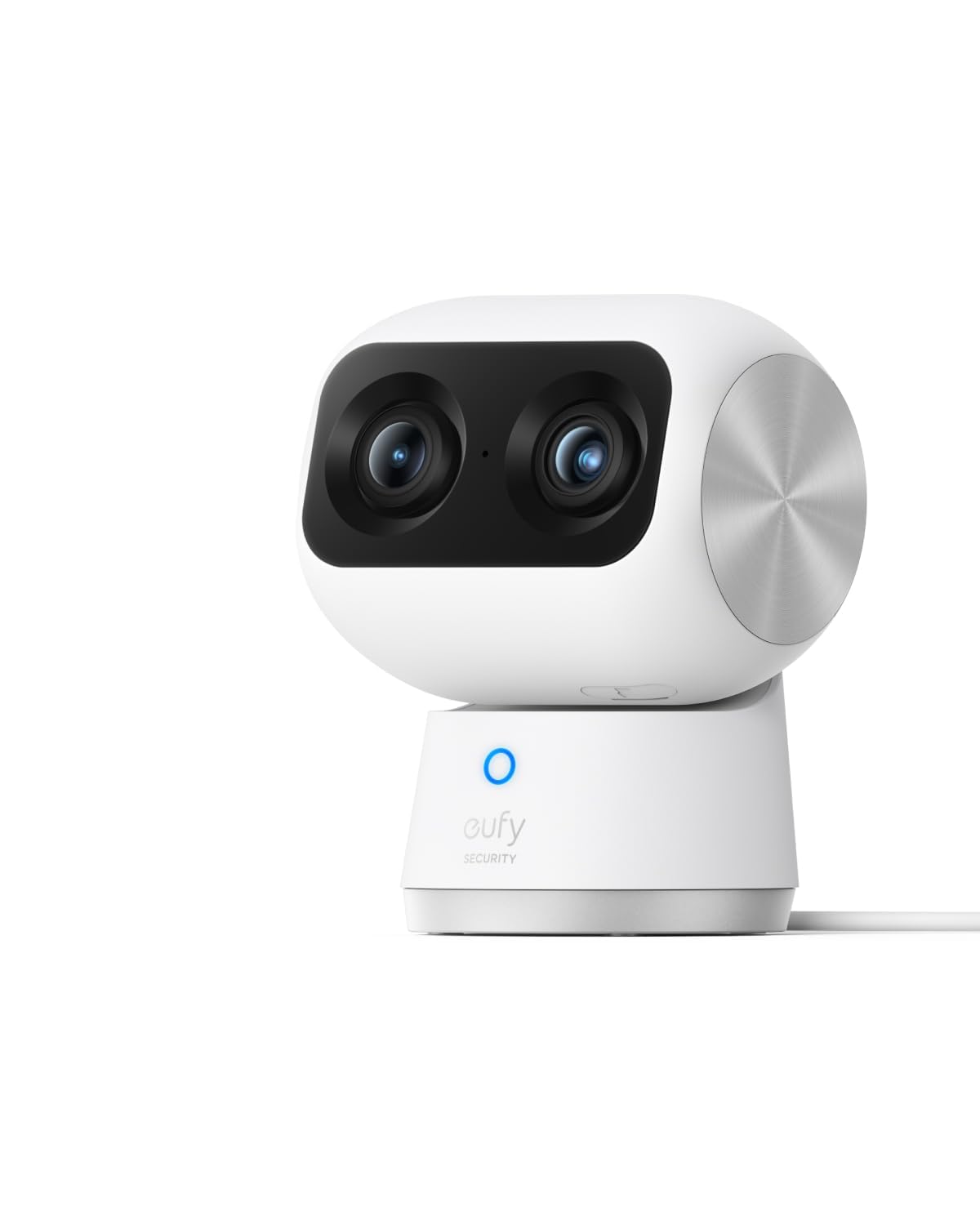
We recommend this camera for families who want a clear view of an older adult at home without a required monthly cloud fee.
Pros
- Clear 4K video with useful close-up views
- Wide coverage and automatic tracking
- Local storage and a physical privacy mode
Cons
- Requires a microSD card for local recording
- Works indoors only
- Does not support Apple HomeKit
During testing, the dual-camera design made it easier for us to watch the full room while checking a smaller detail, such as whether someone had reached a chair or table. The pan-and-tilt movement also helped us cover more of the room without moving the camera.
The app provided useful alerts for people, motion, and sounds. These features can help us notice unusual activity, but we would still treat the camera as a supplement to regular check-ins rather than an emergency medical device.
Video quality stayed sharp in daylight and remained clear at night across a typical room. Setup was straightforward, although local recording requires a separate microSD card, and some households may need time to adjust the alert settings.
The camera uses a power cable and supports Wi-Fi connections. We also need HomeBase 3 for certain features, and it does not work with HomeBase 2. Its higher price may be worthwhile for families who value detailed video, broad coverage, and local storage.
Buying Guide
We should choose a security camera based on the older adult’s needs, home layout, and comfort with technology. A simple setup can reduce frustration, while useful safety features can help family members check in without invading privacy.
| Feature | What we should look for |
|---|---|
| Video quality | Clear images in daylight and low light |
| Two-way audio | Simple controls with clear sound |
| Motion alerts | Adjustable alerts that reduce false alarms |
| Night vision | Useful coverage after dark |
| Installation | Wireless or plug-in setup that fits the home |
| Privacy controls | Physical covers, activity zones, or recording controls |
| Storage | Clear costs and options for local or cloud storage |
| Accessibility | Large text, simple apps, and easy-to-press buttons |
We should check whether the camera needs a constant internet connection, a subscription, or a smartphone app. We also need to confirm that the device works with the user’s phone and home network.
Placement matters. Indoor cameras may suit living areas, entrances, or spaces where falls could occur. Outdoor models should resist weather and provide a suitable viewing range. We should avoid private areas such as bedrooms and bathrooms unless the person clearly agrees.
We should also review account security. Strong passwords, two-step verification, regular software updates, and limited user access can help protect video feeds. A camera with fewer features may be the better choice if it is easier to use and maintain.
Editor’s Choice
We choose the eufy Security Indoor Cam C120 as our editor’s pick for older adults. It offers clear 2K video, two-way audio, and motion alerts without requiring a monthly subscription for basic features.
Its pan-and-tilt design helps us check more of a room from the app. Night vision supports viewing in low light, while activity zones can reduce alerts from areas such as windows or doorways.
| Feature | Details |
|---|---|
| Video quality | 2K resolution |
| Audio | Two-way talk |
| Night viewing | Yes |
| Storage | microSD card or cloud plan |
| Smart alerts | Motion and sound detection |
We like the camera’s simple setup and compact design. Family members can use the shared app to check in, and the built-in microphone and speaker support quick conversations without a separate phone call.
The camera needs a nearby power outlet and a stable Wi-Fi connection. It also works best when placed in a common area, rather than a private space, to respect the resident’s comfort and privacy.
Conclusion
We should choose a security camera based on the older adult’s needs, home layout, and comfort with technology. A simple camera with clear video, two-way audio, night vision, and useful motion alerts can support daily safety without adding confusion.
For many homes, we should also consider:
- Easy setup and controls
- Reliable mobile alerts
- Strong privacy settings
- Optional professional monitoring
- Accessible customer support
We should place cameras in shared areas, entryways, or other suitable locations rather than private spaces. We also need to explain how recording, storage, and access work before installing the system.
The right camera should help family members stay informed while allowing older adults to maintain their privacy and independence.
FAQs
Are security cameras useful for elderly people living alone?
Yes. We can use cameras to check for falls, unusual inactivity, or other concerns. Cameras should support care, not replace regular contact or medical help.
Where should we place indoor cameras?
We should place them in shared areas, such as the living room, hallway, or kitchen. We should never place cameras in bathrooms or bedrooms unless the resident gives clear consent.
What features matter most?
We should look for:
- Two-way audio
- Clear night vision
- Motion alerts
- Simple mobile controls
- Loud speaker volume
- Local or secure cloud storage
- Privacy controls
Do cameras need Wi-Fi?
Most smart cameras need Wi-Fi to send alerts and provide remote viewing. Some models can record to a memory card without internet access, but remote features may not work.
How can we protect privacy?
We should use strong, unique passwords and turn on two-factor authentication. We should also limit account access, update the camera’s software, and use privacy modes when monitoring is not needed.
Can cameras detect falls?
Some cameras offer fall detection, but accuracy varies. We should treat alerts as prompts to check on the person, not as a replacement for emergency services or personal response systems.
Should we ask for consent?
Yes. We should explain what the camera records, who can view it, and when it operates. Consent should remain voluntary and informed.