
10 Best Medical Alert Systems for Elderly: Top Picks for 2026


Electric Kettle with Auto Shutoff

Hands-Free Neck Magnifier

Shower Chair for Elderly
Medical alert systems give older adults a way to call for help after a fall, medical emergency, or other urgent event. Most include a wearable button that connects to a monitoring center, a mobile phone, or a caregiver. Some work throughout the home, while others use cellular or GPS connections for protection outside it.
The best medical alert system should match the user’s daily routine, location, health needs, and comfort with technology. We also look for clear two-way communication, reliable connections, long battery life, simple setup, and reasonable monthly fees. Fall detection can add protection, but it may not identify every fall and should not replace the help button.
We compared medical alert systems for ease of use, response time, coverage, pricing, and caregiver features to find the options that provide dependable support without adding unnecessary complexity.
Best Medical Alert Systems for the Elderly
We reviewed medical alert systems based on features, ease of use, response times, and pricing. Below, we list the best options for helping older adults get assistance during emergencies.
SecuLife Medical Alert Pendant
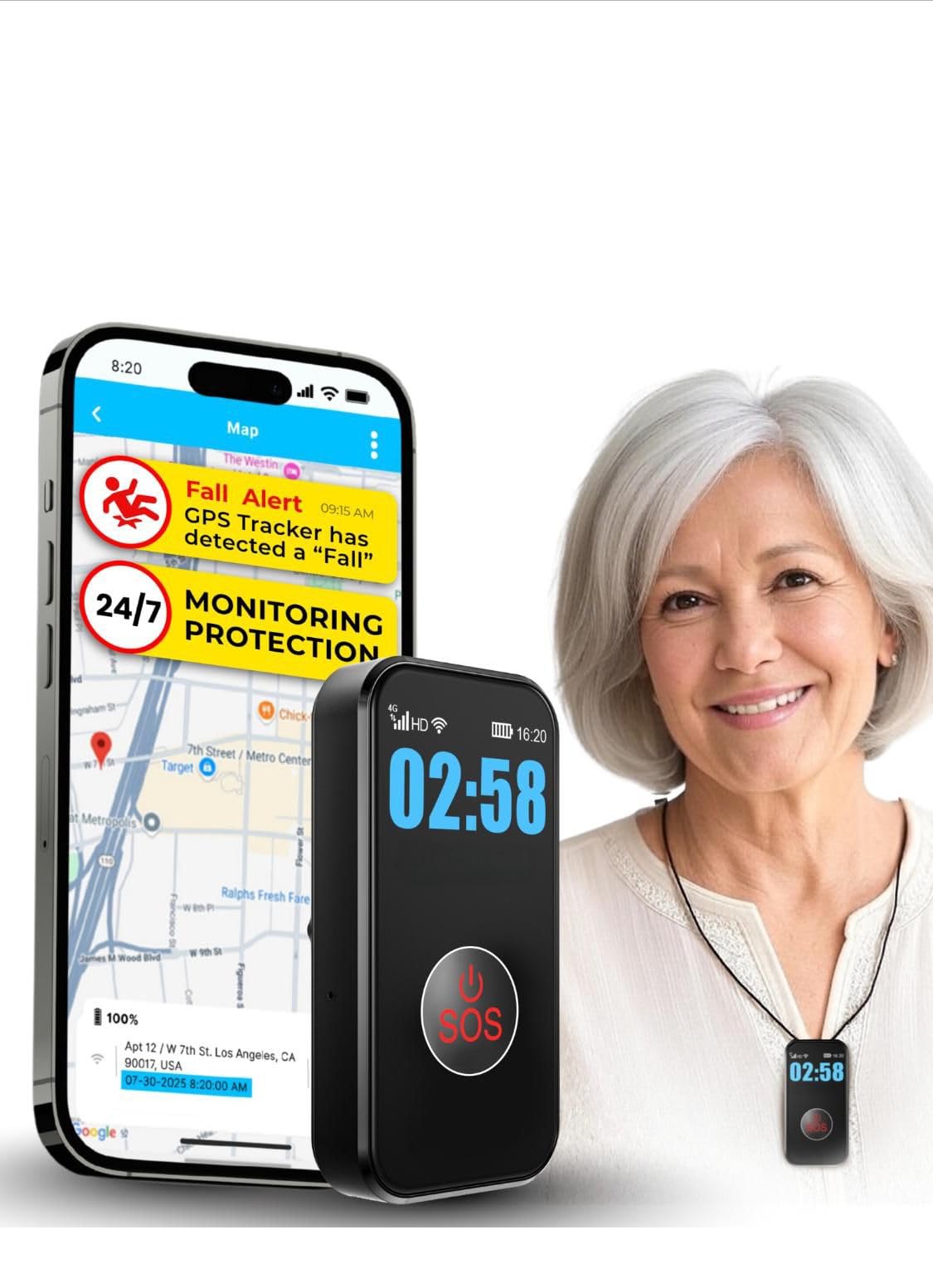
We recommend this pendant for families who want direct contact, fall alerts, and GPS tracking without relying on a call center.
Pros
- Simple SOS button with two-way calling
- GPS tracking and customizable safe zones
- Waterproof design with several days of battery life
Cons
- Requires a $20 monthly subscription
- Fall detection may not recognize every fall
- Cellular service is needed for alerts and calls
We found the setup straightforward, and the large button was easy to press. The pendant also supports hands-free calls, so the wearer can speak with a family member without handling a phone.
GPS tracking adds useful support for people who may wander. Families can set safe zones and receive alerts when the wearer leaves them. The location history can also help review recent movements.
The device is rated waterproof for everyday exposure, including showers and rain. Its battery lasts several days under typical use, though tracking intervals and call activity can affect charging time.
This system sends alerts to selected contacts rather than a staffed emergency center. That keeps the service focused on family communication, but buyers should confirm that those contacts can respond quickly. The monthly plan is required, so we recommend including that ongoing cost in the purchase decision.
CallToU Wireless Caregiver Pager
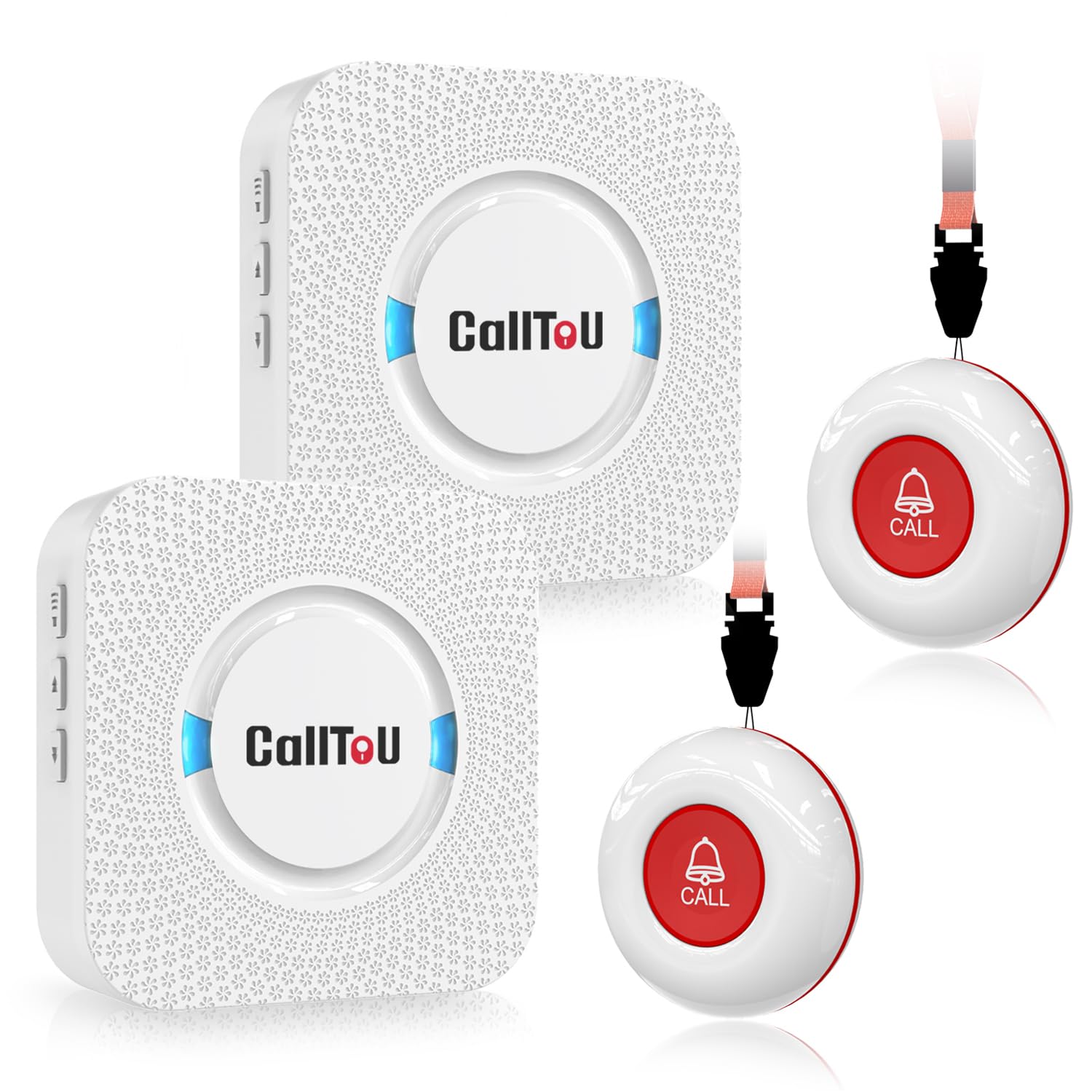
We recommend this system for home caregivers who need a simple way to receive an alert from another room without Wi-Fi or a phone app.
Pros
- Two call buttons and two portable receivers support shared caregiving.
- Loud, adjustable alerts and many ringtone choices make calls easy to notice.
- Waterproof buttons work well near bathrooms and other damp areas.
Cons
- The receivers need nearby power outlets.
- It does not detect falls automatically.
- Small manual text may be hard for some users to read.
We found the setup straightforward: plug in each receiver, pair the buttons, and choose a ringtone and volume. The buttons can hang around the neck or attach to a wall, so we could place them where help might be needed.
The receivers gave us useful flexibility around the house. We could keep one nearby while moving between rooms, and the strong signal worked well across multiple floors in user reports. The loudest settings may suit people with hearing loss, though they could be too strong in a quiet room.
This is a basic caregiver pager rather than a monitored medical alert service. It does not contact emergency responders, track location, or sense a fall. For families providing care inside the home, the CallToU Wireless Caregiver Pager offers a practical and affordable way to request help.
TurboSense No-Fee Medical Alert System
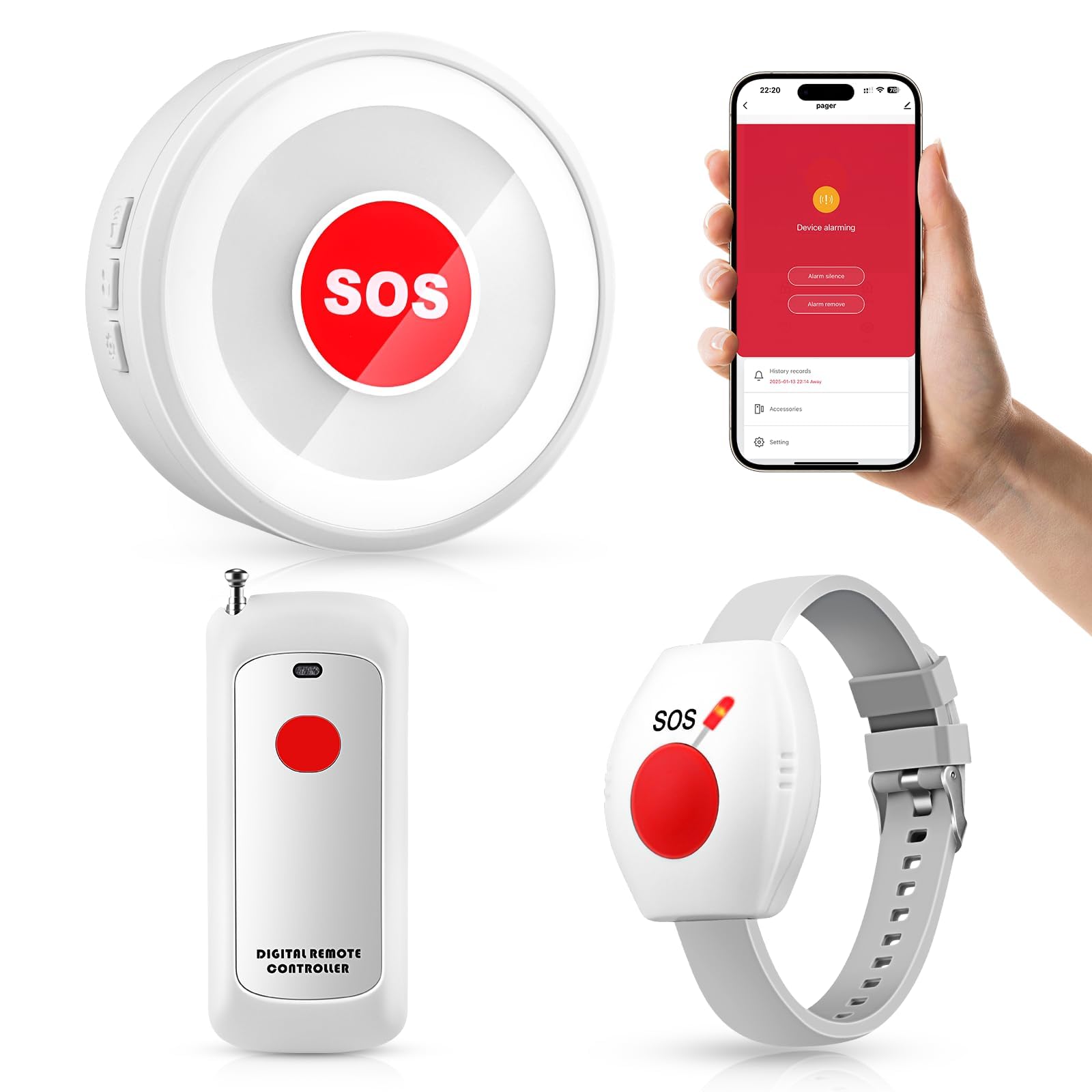
We recommend this system for caregivers who need an affordable, in-home alert button without a monthly service plan.
Pros
- No subscription or monthly fee
- Loud receiver with app alerts over 2.4GHz Wi-Fi
- Includes wearable pendant and wrist button
Cons
- Setup may take some trial and error
- App alerts require Wi-Fi
- Reports include occasional false alarms
The TurboSense system gave us a simple way to alert someone nearby. We could wear the button as a pendant or on the wrist, while the plug-in receiver stayed in a central room. Its loud sound worked well across a typical home.
We also liked that the system can work without the app or Wi-Fi for local alerts. The app adds remote notifications, but caregivers must connect it to a compatible 2.4GHz Wi-Fi network during setup.
The waterproof button suits common areas such as the bathroom, bedroom, and kitchen. We found the controls easy to use after setup, though selecting a ringtone took some patience.
This device does not contact emergency services. It works best when a caregiver remains close enough to hear the receiver or receive the app notification. Some buyers also report false alarms, so we would test every button before relying on it.
Bay Alarm Medical SOS Mobile GPS

We recommend this system for seniors who want a portable help button with GPS tracking and direct access to a response center.
Pros
- Simple setup with clear instructions
- Lightweight design with several wearing options
- Caregiver app tracks battery and device status
Cons
- Requires a paid service plan
- Needs regular charging
- Optional fall detection costs extra
We found the device easy to carry with its lanyard or belt clip. Its small size makes it less noticeable than many home-based alert systems, and it works without a smartphone.
Pressing the button connects us with a trained operator through the built-in speaker. The 4G LTE connection and GPS support make it useful outside the home, though performance can depend on cellular coverage.
The battery can last several days with typical use. We still need to place it on the charging dock regularly, and the required subscription adds to the total cost. The caregiver app provides helpful updates, but some families may prefer text alerts instead of email notices.
CallToU Caregiver Pager
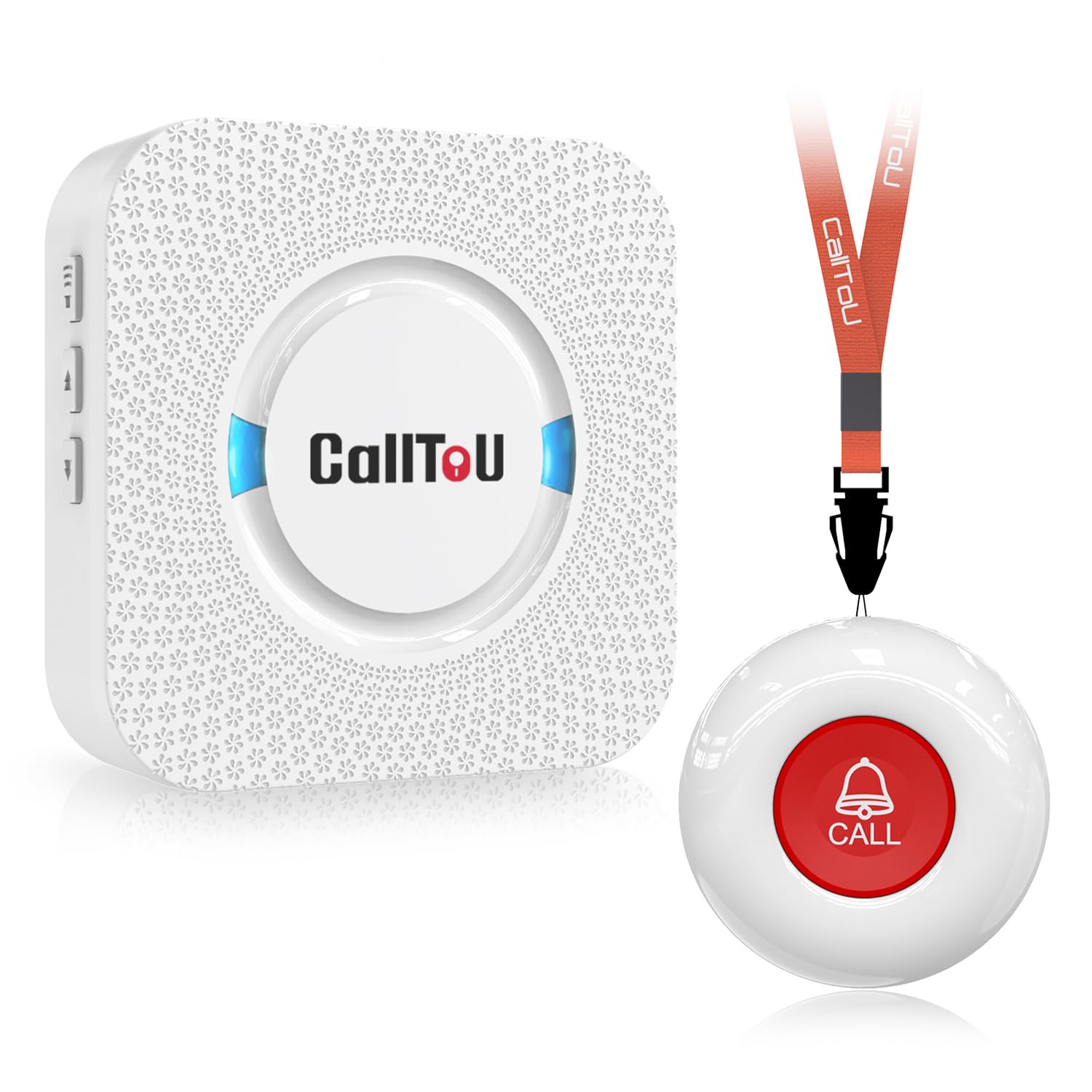
We recommend this simple alert system for in-home caregiving because it provides a loud, easy way to call for help without monthly fees.
Pros
- Simple setup with a pre-paired button and receiver
- Long range through walls and doors
- Waterproof button with adjustable volume and tones
Cons
- The receiver must stay plugged into an outlet
- It does not contact emergency services
- The wall-mounting parts may be confusing
We found the system easy to use right away. The person needing help can wear the button as a pendant, attach it near a bed, or keep it within reach. Pressing it makes the receiver sound an alert for the caregiver.
The receiver offers many ringtone choices and several volume levels. At the loudest setting, we could hear it clearly from nearby rooms, though walls, doors, and household noise may affect the range.
The call button and receiver resist water and dust, which makes the button useful near a bathroom or outdoor area. We would still keep the receiver in a dry indoor location and test the system from the places where it will be used.
This product works best for homes where a caregiver remains nearby. It does not connect to a monitoring center, call emergency services, or replace a formal medical alert plan.
STECHRO Wireless Caregiver Pager

We recommend this pager for households that need a simple way for an older adult to call a nearby caregiver.
Pros
- Easy one-button operation
- Adjustable volume with 58 tone options
- Water- and dust-resistant design
Cons
- It does not contact emergency services
- The call button needs regular battery checks
- It works best when a caregiver stays within range
We found the setup quick and straightforward. The call button pairs with the receiver without a complicated process, and the large button feels easy to press. We could place the receiver in another room and still hear the alert clearly.
The five volume levels let us adjust the sound for different rooms and hearing needs. The loudest setting reaches up to 120 decibels, while quieter options work better at night. We also liked choosing from many alert tones instead of using one fixed sound.
The call button can be carried or mounted near a bed, chair, or bathroom. Its IP55 rating adds protection from dust and light water exposure, but we would not submerge it. With a listed range of up to 1,500 feet in open space, walls and other obstacles may reduce the actual distance.
This system works well for in-home caregiver support, but it is not a monitored medical alert service. It cannot call 911 or connect the user to a response center, so we would use it only when a trusted person can hear and respond to the receiver.
LogicMark Freedom Alert

We recommend this system for homebound older adults who have a landline and want two-way emergency communication without a monthly service fee.
Pros
- Two-way voice communication through the pendant
- No recurring monthly charge
- Includes rechargeable power and battery backup
Cons
- Requires an active landline
- Works only within about 600 feet of the base
- The pendant may feel bulky to some users
We found setup fairly simple after connecting the base to a landline and programming the contact numbers. Pressing the pendant button starts the call, and the user can speak with family members or emergency services through the system.
The pendant can be worn or placed on its mount, which gives users more than one way to reach it. Its range suits many homes, but we would test it throughout the house and yard before relying on it.
The lack of monthly fees keeps long-term costs down. However, this device does not provide nationwide monitoring, GPS tracking, or cellular backup. We would also confirm the seller’s warranty and support terms before buying, since some customers have reported battery or setup issues.
SYNLETT Caregiver Pager

We recommend this simple system for home caregivers who need loud, portable alerts without monthly fees.
Pros
- Two call buttons support more than one room or user.
- The portable receiver is easy to carry.
- Loud chime and alarm settings improve awareness.
Cons
- It does not contact emergency services.
- The 500-foot range may shrink indoors.
- Batteries require regular checking and replacement.
We found the buttons easy to use because they need only a touch. Their large design should suit older adults who may struggle with small controls. We could mount one near a bed or bathroom and wear the other with the included lanyard.
The receiver’s portable design helps us stay nearby while doing household tasks. We could place it on a flat surface, clip it to clothing, or carry it between rooms. The chime worked for routine requests, while the continuous alarm offered a stronger alert for urgent needs.
The system runs on AA batteries, which makes setup flexible but adds a maintenance task. It also provides no two-way voice connection, GPS, fall detection, or professional emergency response. We would choose it for in-home caregiver support rather than as a complete medical alert service.
Daytech Caregiver Pager

We recommend this in-home alert system for families who need a simple way to receive help requests without relying on a subscription service.
Pros
- Simple buttons and watch pagers
- Multiple receivers for different rooms
- Adjustable tones and volume
Cons
- Limited to about 100 feet
- Devices must stay dry during bathing
- Does not contact emergency services
We found the system easy to use after pairing the buttons and receivers. A user can press a watch or wall-mounted button, and the caregiver receives an audible alert. The included neck strap also keeps a call button within reach.
The three receivers work well for homes with more than one floor. We could place them in key areas so a caregiver would be more likely to hear an alert. The system uses batteries, which makes placement flexible but requires regular battery checks.
The call button handles splashes, so we would place it near a bathroom. However, the watch pager and button should not be immersed in water. This system works best for contacting someone nearby, not for calling 911 or getting help outside the home.
321 Alert Mini X2
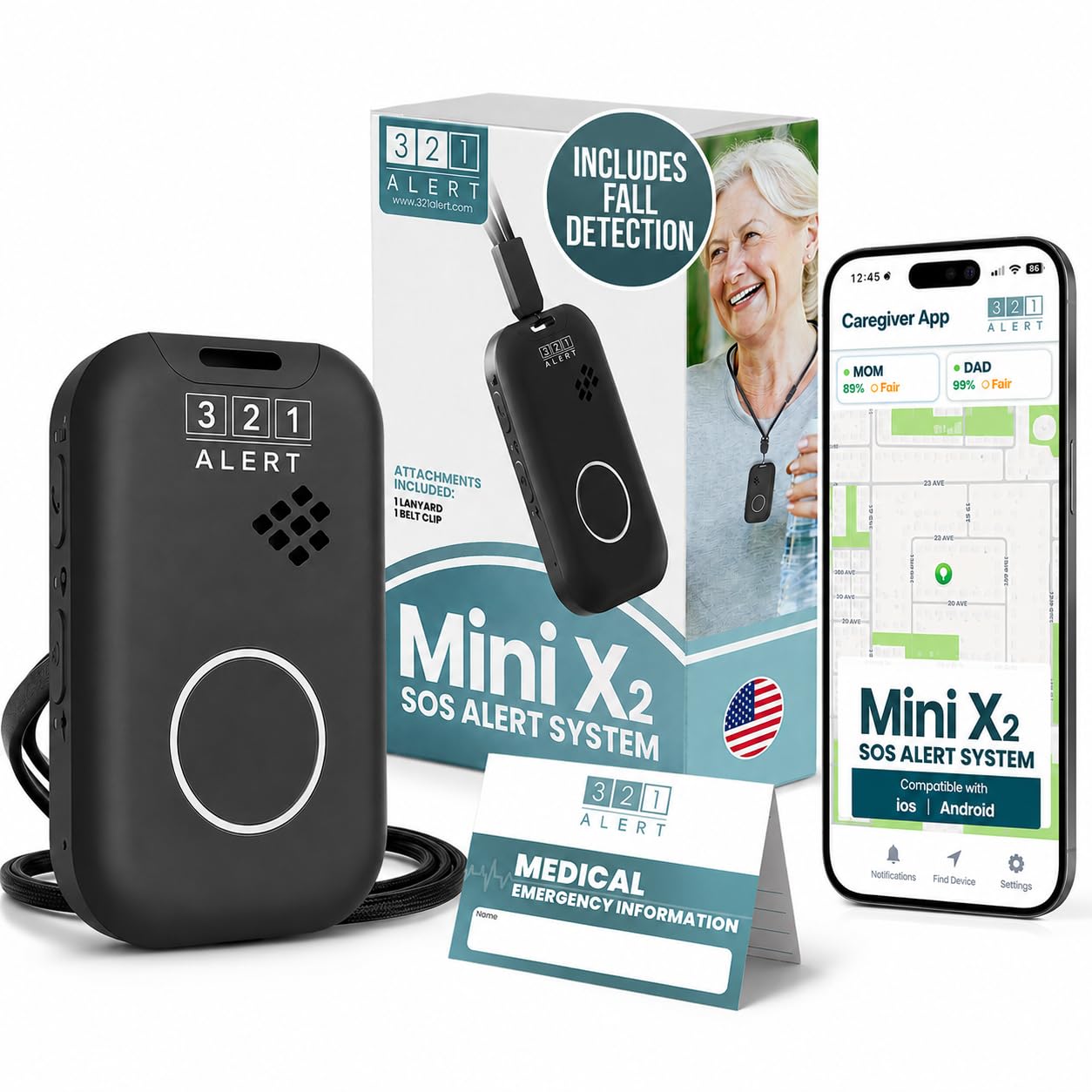
We recommend the 321 Alert Mini X2 for seniors who want fall detection, GPS, and 24/7 monitoring in a portable device.
Pros
- Simple setup and responsive monitoring staff
- GPS and cellular coverage support use away from home
- Charging dock includes a bedside help button
Cons
- The alarm may trigger too easily
- Some setup steps may challenge certain users
- Service starts at about $34.99 per month
We found the Mini X2 easy to wear and simple to activate with its large SOS button. Its necklace, belt clip, and charging dock give us several ways to keep it nearby during daily activities.
Fall detection adds another layer of support if the wearer cannot press the button. However, users should test the feature carefully because some reviews report accidental alarms. Fall detection may also miss certain falls, so it should not replace normal safety habits.
The device uses 4G LTE and GPS, which lets us use it at home or in areas with cellular service. The mobile app can show location, battery status, and device alerts for family members.
Battery life depends on use and feature settings. We would place it on the included dock each night to reduce the chance of a missed alert. The dock also works as a second help button near the bed.
Buying Guide
We should start by identifying the user’s daily needs, health risks, and living situation. A person who spends time alone may need automatic fall detection, while someone who stays at home may prefer a simple in-home unit.
When comparing systems, we should check the following features:
| Feature | What to look for |
|---|---|
| Connection type | Cellular service, landline support, or Wi-Fi access |
| Coverage | A range that fits the user’s home, yard, and regular activities |
| Emergency response | Trained operators available at all needed times |
| Fall detection | Optional automatic alerts, with clear limits on accuracy |
| Two-way voice | Clear communication through the device or base unit |
| Battery life | Enough power for daily use, plus low-battery alerts |
| Water resistance | Protection for use in the shower or near sinks |
| Help button | A design that is easy to press and wear |
| Costs | Equipment fees, monthly charges, activation fees, and cancellation terms |
We should choose a device that the user can wear comfortably and operate without help. Lightweight pendants, wrist buttons, and wall buttons may suit different preferences.
We should also review the service agreement before buying. Check response times, equipment replacement rules, trial periods, customer support hours, and whether the system works outside the home. If the user has memory, hearing, or vision limits, we should select controls and alerts that match those needs.
Editor’s Choice
We recommend Bay Alarm Medical for older adults who want reliable help at home and on the go. Its plans include wearable help buttons, 24/7 professional monitoring, and optional GPS tracking.
We like its range of equipment and plan choices. Users can choose a basic in-home system or add mobile protection for errands, travel, and outdoor activities.
| Feature | Bay Alarm Medical |
|---|---|
| Best for | Flexible coverage |
| Monitoring | 24/7 professional support |
| Options | In-home, mobile, and GPS devices |
| Helpful extra | Caregiver app and fall detection option |
Fall detection is available with select devices, but it may cost extra and cannot detect every fall. We recommend checking the plan details and testing the equipment before relying on it.
We also value the company’s clear setup process and support options. Before choosing a system, we suggest comparing monthly fees, equipment costs, activation charges, and cancellation terms.
Conclusion
We should choose a medical alert system based on the user’s health needs, daily routine, home setup, and budget. A simple in-home unit may work well for someone who spends most of the day at home. A mobile system offers more support for people who often go out alone.
We should also check key features before buying:
- 24/7 emergency response
- Water-resistant help button
- Fall detection, if needed
- GPS location tracking for mobile use
- Clear pricing and contract terms
- Reliable battery life
- Helpful customer support
No system can prevent every emergency, and fall detection may not identify every fall. We should treat it as an added safety feature, not a replacement for regular check-ins, medical care, or a clear emergency plan.
Testing the device at home can help us confirm that the button, speaker, connection, and response service work as expected. We should also update contact information and review the system with family members or caregivers.
FAQs
What should we look for in a medical alert system?
We should compare response times, monitoring availability, device range, battery life, fall detection, and monthly fees. We should also check whether the system works at home, outdoors, or both.
Do medical alert systems require a landline?
Many current systems use cellular networks and do not need a landline. We should confirm network coverage in the user’s area before choosing a system.
Is fall detection always included?
No. Some providers include fall detection, while others charge an additional fee. This feature can help, but it may not detect every fall, so users should still press the help button when possible.
Can we use a medical alert system outside the home?
Some devices include GPS and cellular service for use away from home. We should confirm the covered locations, device range, and any limits on outdoor use.
How much do medical alert systems cost?
Costs often include a monthly monitoring fee and, sometimes, equipment or activation charges. We should review the full contract and ask about cancellation fees, price increases, and optional features.
Who responds when we press the help button?
Most monitored systems connect us to a trained response agent. The agent may contact emergency services, a family member, or another person listed in the user’s care plan.
