
10 Best Medical Alert Systems for Bathroom Safety and Emergency Support


Non-Slip Bathroom Mat

Rollator Walker with Seat

Pulse Oximeter Finger Monitor
Bathrooms can be risky places for falls, especially for older adults and people with limited mobility. Medical alert systems provide a way to call for help after a fall, sudden illness, or another emergency when reaching a phone may not be possible.
Bathroom coverage requires more than a basic wearable button. Look for systems with waterproof help buttons, reliable signal range, fall detection, and 24/7 professional monitoring. For bathroom use, choose a medical alert system with a waterproof device that lets you call for help from inside the shower or tub.
We compared the features, response options, and bathroom safety designs of leading medical alert systems to identify the models that offer dependable help when it matters most.
Best Medical Alert Systems for Bathrooms
We reviewed medical alert systems designed to provide quick help during bathroom emergencies. Our list focuses on reliable alerts, waterproof designs, simple controls, and features that support safe daily use.
TurboSense Caregiver Pager
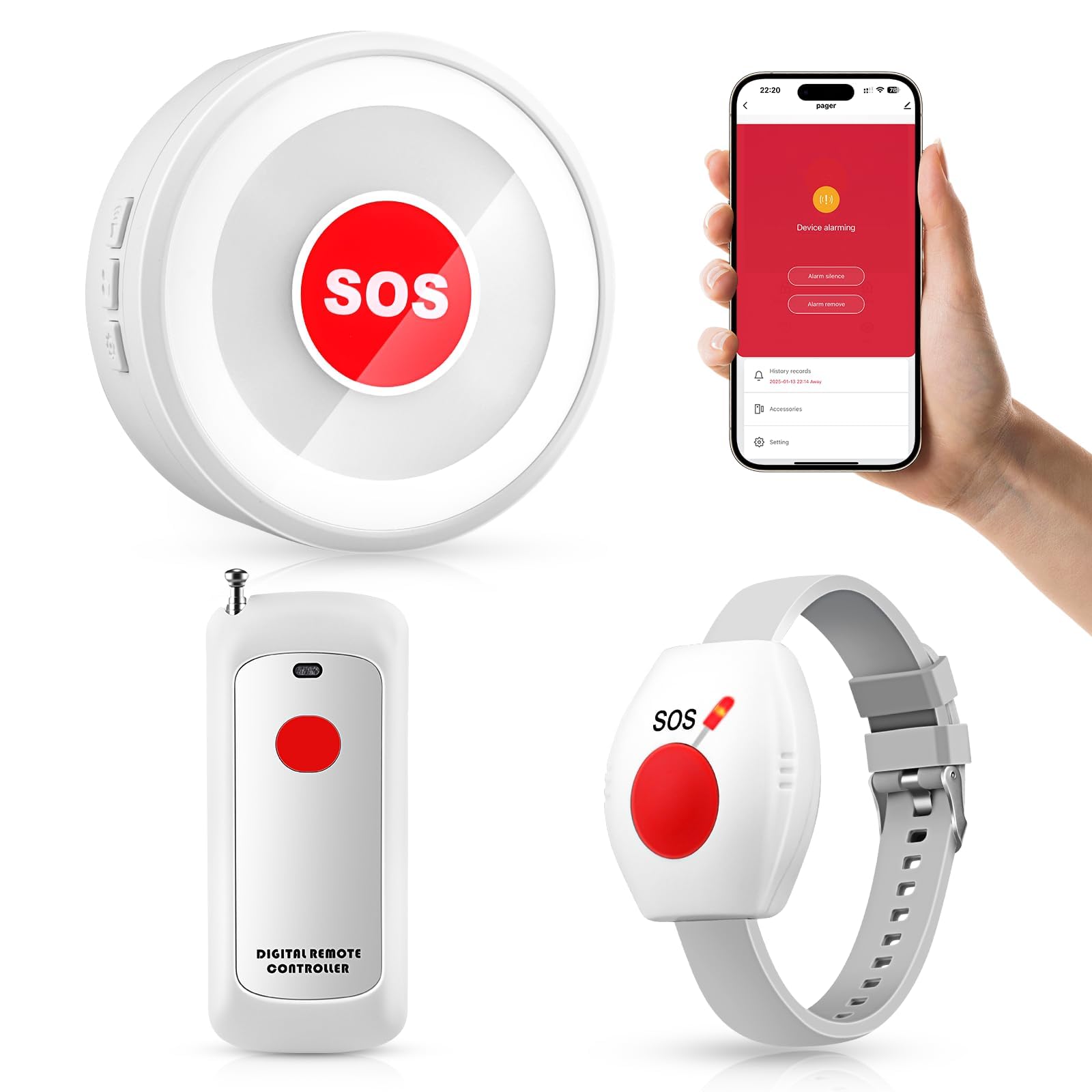
We recommend this system for households that need a simple bathroom call button without a monthly fee or required monitoring service.
Pros
- Waterproof pendant and wrist button
- Loud plug-in receiver
- Optional phone alerts through Wi-Fi
Cons
- App setup may take extra effort
- Wi-Fi is needed for phone notifications
- False alerts may occur in some cases
We found the waterproof button practical for bathroom use. We could wear it around the neck or on the wrist, which made it easier to reach than a wall-mounted button. Users can also place it near a shower, toilet, or sink, but the product should not be submerged unless the instructions allow it.
The receiver produced a strong sound that worked well across nearby rooms. This helps when a caregiver stays in another part of the home. We also like that the system can work as a local pager without relying on the app or a phone connection.
Wi-Fi adds another layer of convenience by sending alerts to connected family members. However, the phone notifications depend on a working 2.4GHz Wi-Fi network and proper setup. We would test the alert range, receiver volume, and battery before relying on it during an emergency.
TurboSense suits caregivers who want a low-cost way to receive alerts at home. It does not replace a professionally monitored medical alert service, emergency response center, or regular caregiver check-ins.
Zuomeng Bathroom Emergency Call System

We recommend this system for homes that need a simple, wireless bathroom alert with both a call button and pull cord.
Pros
- Large button and extended pull cord
- Adjustable alarm volume with flashing alert
- Wireless range works well across many homes
Cons
- The pull cord may feel stiff for some users
- Requires battery replacement over time
- Basic model does not use Wi-Fi or app alerts
We found the Zuomeng straightforward to mount and use. The large button gives users a clear way to call for help, while the pull cord offers another option after a fall. People with limited strength may find the cord harder to pull, so we would test it before relying on it.
The receiver combines a loud alarm with a flashing light. We could adjust the volume for different parts of the home, and the alert remained noticeable from a distance. The advertised wireless range reaches up to 300 feet, though walls and the home layout can affect performance.
Its waterproof design suits humid bathroom conditions. We would still place the receiver where caregivers can hear or see it easily and test the system regularly. This model works best for families that want a basic local alert rather than professional monitoring or smartphone notifications.
CallToU Wireless Caregiver Pager
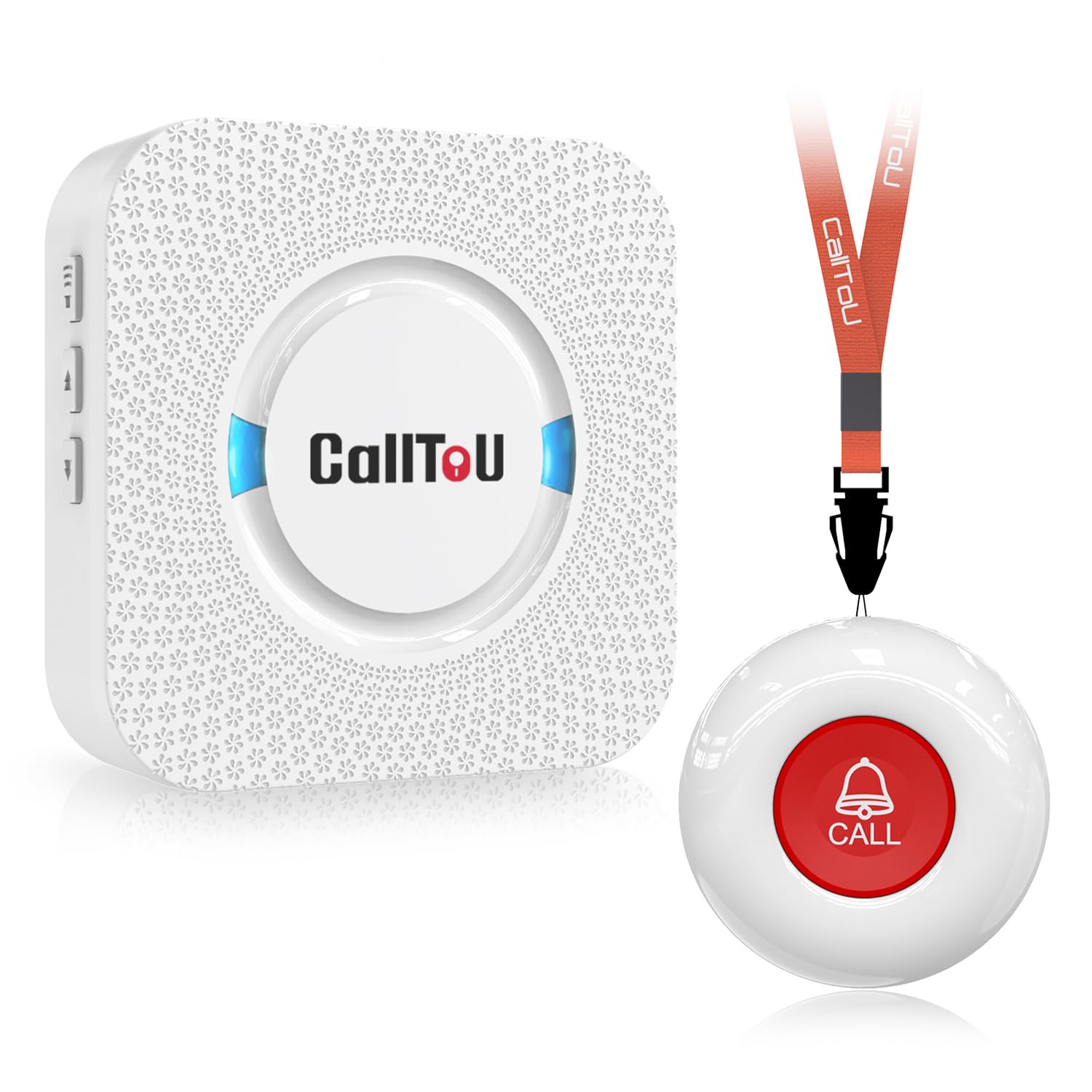
We recommend this simple alert system for bathrooms because its waterproof call button lets users request help without relying on a phone.
Pros
- Waterproof button and receiver suit bathroom use
- Loud, adjustable alerts with 55 tone choices
- Call button works through walls across much of a home
Cons
- Receiver needs a nearby electrical outlet
- The basic kit includes only one button and receiver
- The mounting bracket may not fit the button well
We found the CallToU easy to set up because the button and receiver arrived paired. We could place the button near the shower or toilet, then keep the receiver in a nearby room where a caregiver could hear it.
The button can hang around the user’s neck or attach to a wall. Its waterproof design adds useful protection around sinks, tubs, and showers, though we would still place it where the user can reach it without stretching or standing.
The receiver offers several volume levels and alert sounds. We liked this flexibility because a caregiver can choose a softer tone at night or a louder setting during household activity. The receiver must stay plugged in, while the call button uses a replaceable battery.
This system works best for home caregiving rather than emergency monitoring. It does not connect to emergency services, so someone must remain close enough to respond when the alert sounds.
STECHRO Wireless Caregiver Pager

We recommend this pager for bathrooms because its portable call button lets someone request help quickly without shouting.
Pros
- Loud, adjustable receiver with 58 sound options
- Water- and dust-resistant call button
- Simple setup and large, easy-press controls
Cons
- It does not contact emergency services
- The button and receiver need regular battery checks
- The call button may need careful placement near the shower
We found the setup straightforward: pair the call button with the receiver, choose a tone, and place the receiver where a caregiver can hear it. The receiver can reach up to 1,500 feet in open areas, though walls and floors may reduce that distance.
The call button works well near a bathroom when we place it within easy reach of the user. Its water- and dust-resistant design adds protection against splashes, but it should not be treated as fully waterproof or submerged.
We liked the adjustable volume, especially in a larger home or when the caregiver stays on another floor. The receiver offers several volume levels, including a very loud setting, but users should choose a level that remains comfortable.
This system works as an in-home alert, not as a monitored medical alert service. It does not call 911 or a response center, so we would use it alongside a clear emergency plan and regular battery checks.
Seculife Medical Alert Pendant
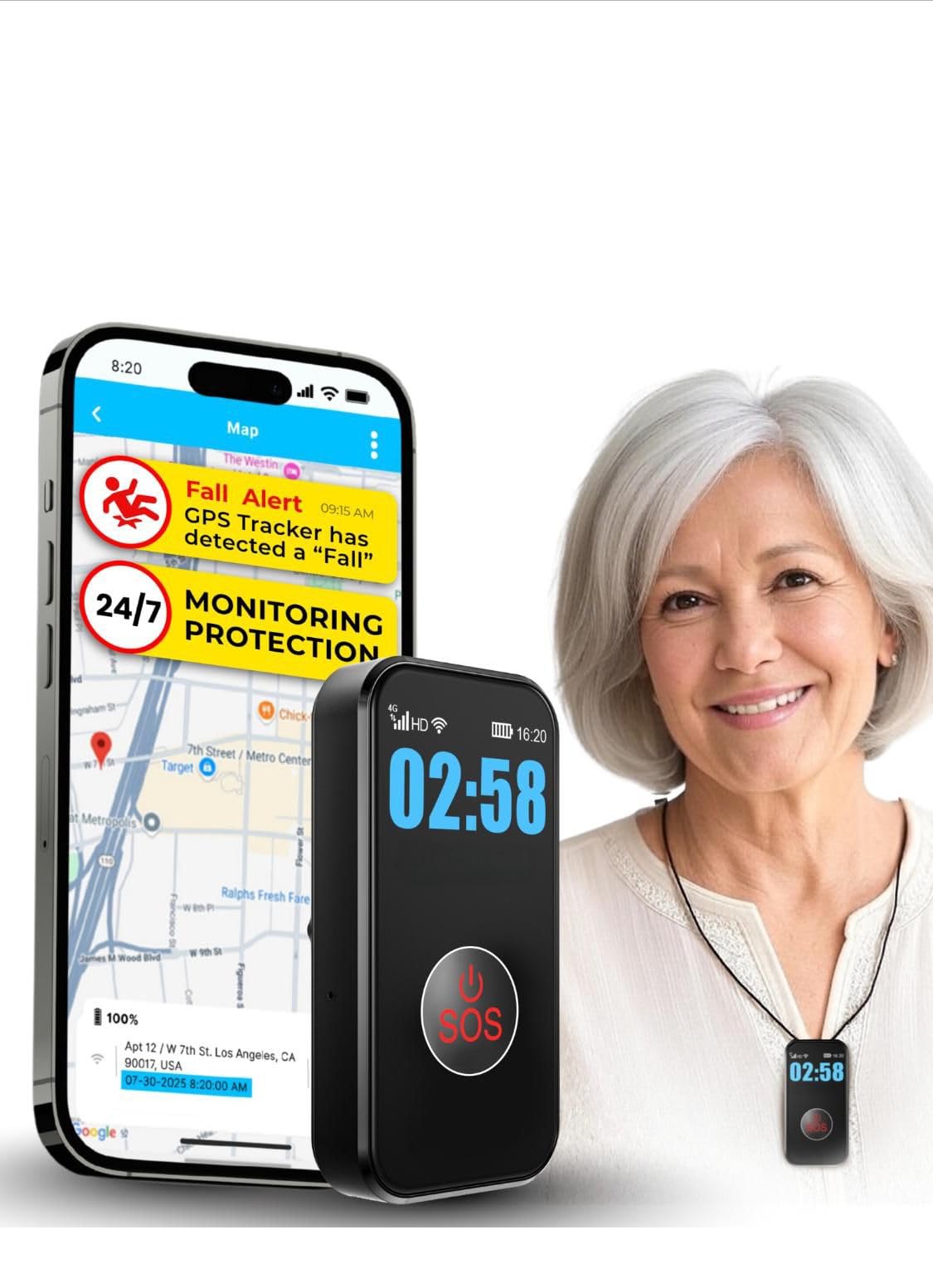
We recommend this pendant for families who want waterproof bathroom coverage, direct contact with caregivers, and fall alerts without a call-center plan.
Pros
- Waterproof design supports use in the shower.
- Large SOS button and two-way calling feel simple to use.
- GPS tracking and geofencing add protection outside the home.
Cons
- The $20 monthly subscription is required.
- Fall detection may not identify every type of fall.
- Cellular coverage affects calls and alerts.
We found the pendant easy to wear and quick to activate during testing. The large button should work well for users with limited hand strength, while the built-in speaker lets them talk with a family member without reaching for a phone.
For bathroom use, the waterproof design stands out. We could keep it on during showers, and its compact shape did not feel too bulky. A charged battery lasts several days, but regular charging still matters because battery life depends on tracking settings and use.
The device sends alerts to selected contacts rather than a professional response center. That setup works well for families who can respond quickly, but buyers should confirm cellular coverage and understand that the monthly service is required.
MT EXESPR Caregiver Alert System
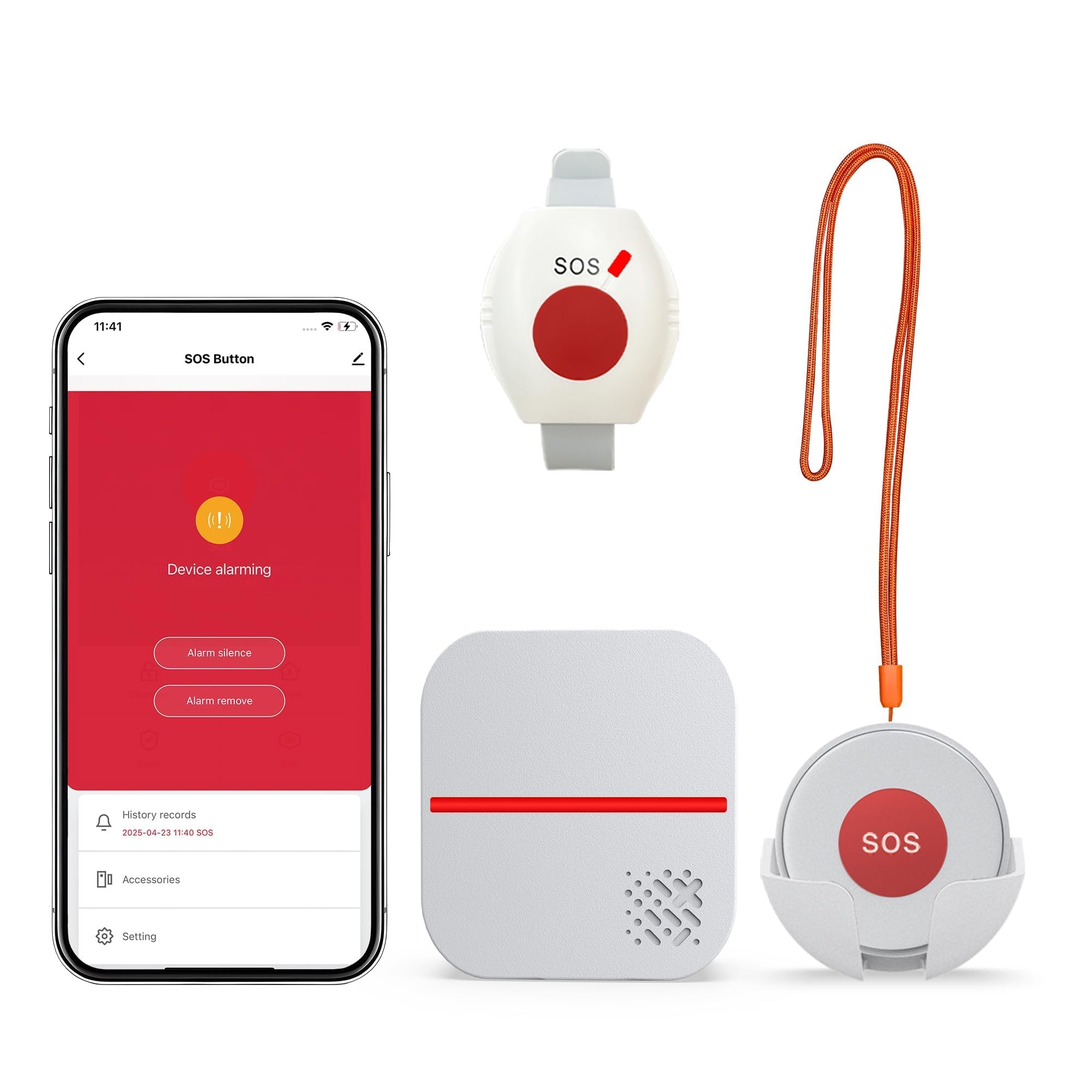
We recommend this system for homes where caregivers need a simple bathroom alert without a required monthly fee.
Pros
- Waterproof wearable button suits bathroom use
- Loud receiver offers adjustable volume and tones
- App alerts can reach connected caregivers over 2.4GHz Wi-Fi
Cons
- SMS and phone alerts require a separate subscription
- The system depends on someone responding to the alert
- The receiver must stay within signal range
We found the buttons simple to use. A person can press the pendant or watch button with one hand, while the plug-in receiver sounds and flashes nearby. The waterproof button adds flexibility for showers and other damp areas, but we would still follow the maker’s care instructions.
The receiver worked well when placed in a central room. Its open-area range reaches up to 656 feet, though walls, floors, and other obstacles can reduce that distance. Four volume levels helped us choose a setting that remained easy to hear without being unnecessarily loud.
App notifications add useful support when family members are away. Setup requires 2.4GHz Wi-Fi, and the system does not include automatic fall detection. Users must press the button after a fall or when they need assistance, so this works best when a caregiver can respond promptly.
PRNBRH App-Controlled Medical Alert System
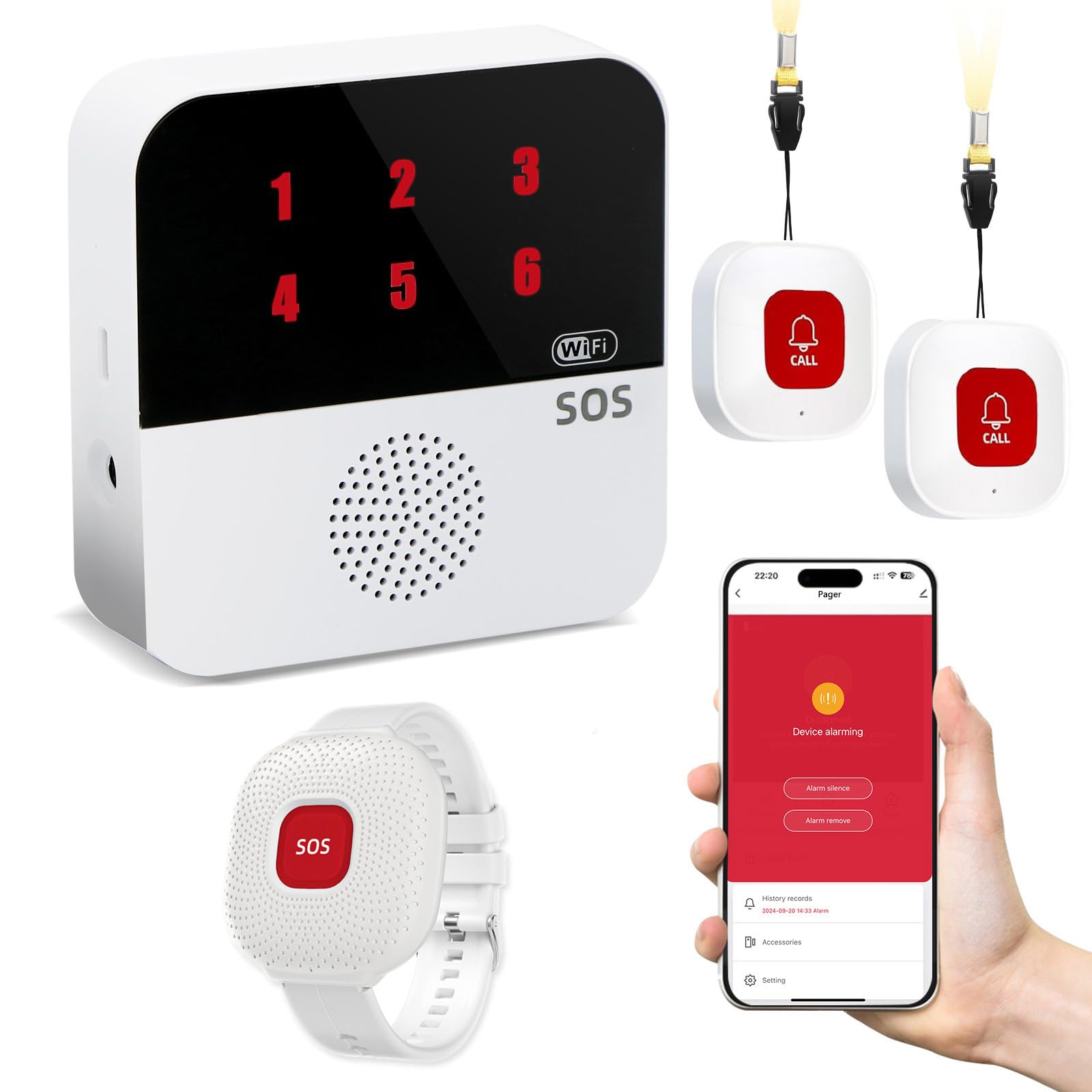
We recommend this system for families who want a bathroom alert button, local pager, and app notifications without a required monthly plan.
Pros
- Waterproof wrist remote for shower use
- Pager works through walls and during internet outages
- Supports shared app alerts for multiple caregivers
Cons
- Only the wrist remote is waterproof
- App alerts require a 2.4GHz Wi-Fi connection
- Extra phone SMS alerts require a subscription
During setup, we found the pager simple to pair with the buttons and home network. The receiver uses different numbers to show which button was pressed, which can help caregivers respond quickly when more than one person uses the system.
The wrist remote fits well for bathroom use because we can keep it on while showering. The two necklace buttons add coverage in other rooms, but we would keep those away from water.
The local wireless connection reaches up to 300 feet and can continue working if the internet drops. App notifications provide added reach, while shared access lets several family members receive alerts through Tuya Smart or Smart Life.
We like that the system avoids a required monthly monitoring fee for pager use. However, families should confirm their Wi-Fi supports 2.4GHz and remember that this product contacts caregivers rather than an emergency response center.
Nomo Smart Care Essential Kit
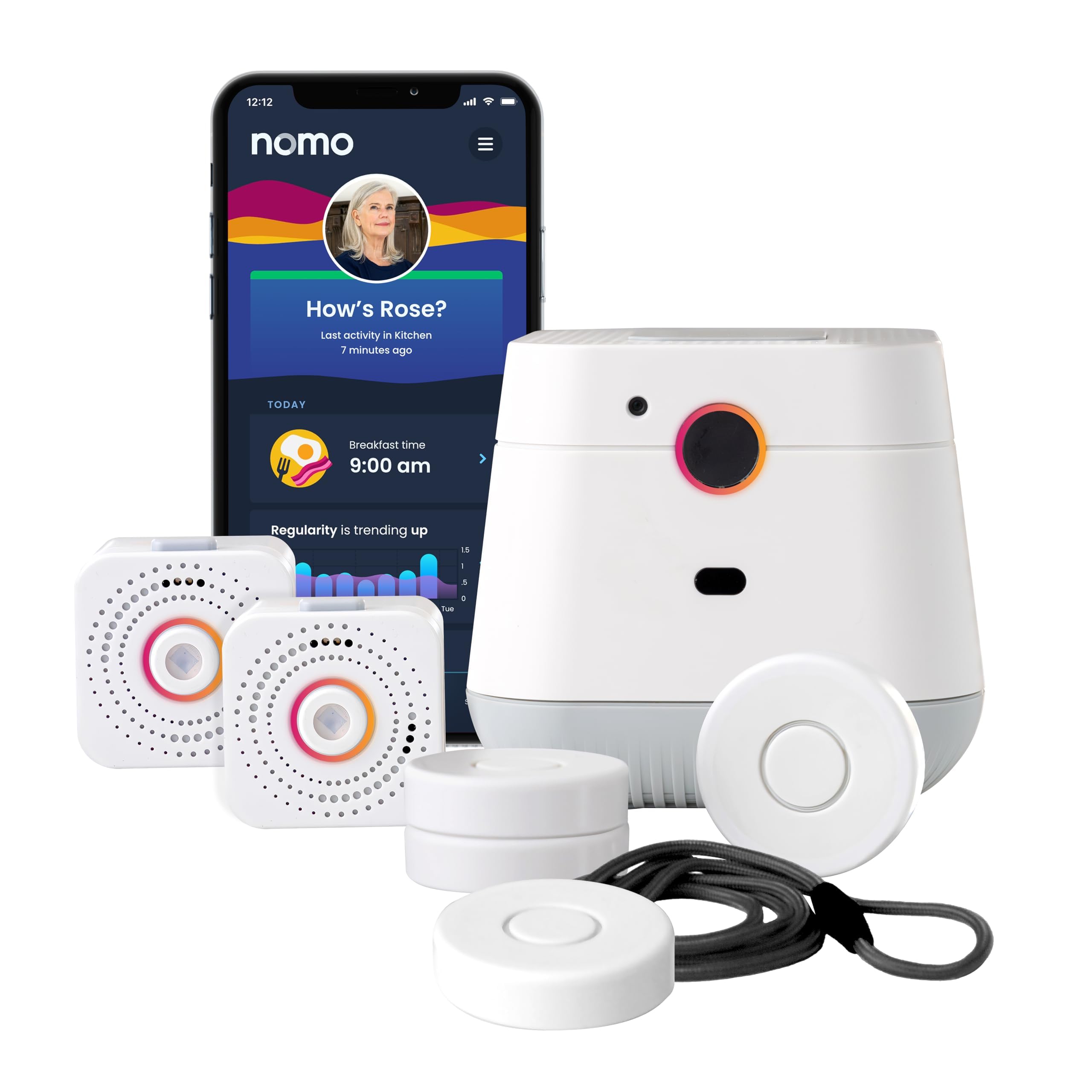
We recommend this system for households that want camera-free bathroom safety monitoring and caregiver alerts through home Wi-Fi.
Pros
- Camera-free monitoring helps protect privacy
- Two-way voice communication supports quick contact
- Smart Tags can monitor doors, cabinets, and medications
Cons
- Fall detection may not catch every fall
- It requires a 2.4 GHz Wi-Fi connection
- Continued app and monitoring service costs $19.99 per month after the trial
We found the setup fairly simple: plug in the Hub and Satellites, connect them to Wi-Fi, and place the Smart Tags where needed. The camera-free design works well for a bathroom, where privacy matters.
The Hub provides two-way voice communication, so we could speak with a caregiver during an alert. Caregivers can also receive notifications through the app and review activity patterns that may show changes in daily routines.
We would not rely on automatic fall detection alone. One customer reported that it did not work as expected, while other buyers praised the alerts and ease of use. We suggest placing a Smart Tag or emergency button within easy reach of the bathroom and keeping a backup safety plan.
The system includes a 60-day app trial, but monitoring continues as a paid subscription afterward. It suits families who want remote activity updates and emergency support without installing cameras or using a landline.
JoneR AI Bathroom Medical Alert System
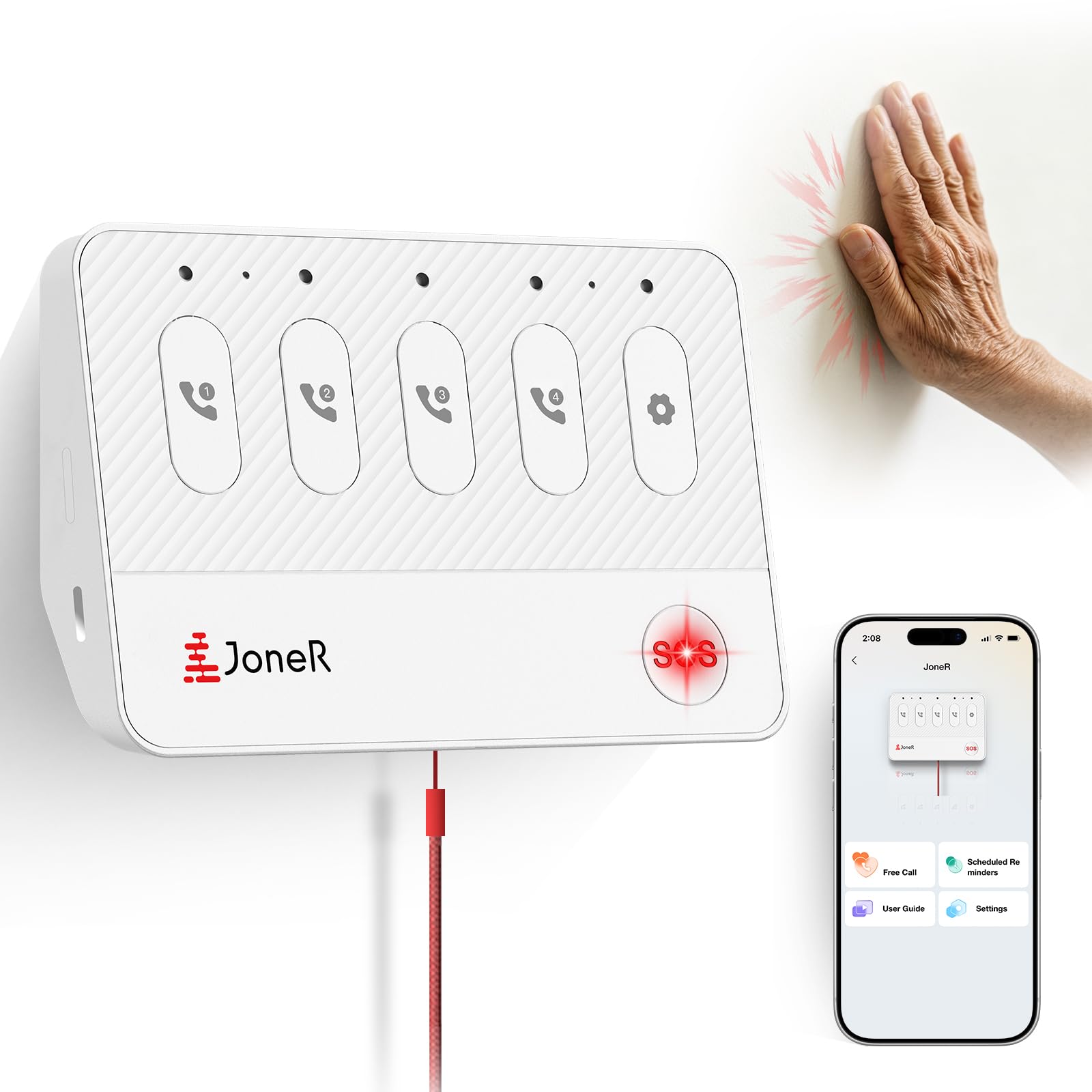
We recommend the JoneR for households that want several hands-free ways to call family without paying a monthly monitoring fee.
Pros
- Voice, tapping, button, and pull-cord alerts
- Two-way calling through the mobile app
- Camera-free design for bathroom privacy
Cons
- Requires a stable Wi-Fi connection
- Family members must monitor app alerts
- Limited customer feedback so far
After setting it up, we found the tabletop design practical for a bathroom counter or nearby wall. It does not need to be worn, which may help someone who often forgets a pendant or removes it before bathing.
The alert options suit different situations. We could use the button or pull cord when reaching the device was easy, while voice commands and tapping offered alternatives when fine movement was harder. The adjustable volume also helped make alerts easier to hear.
Family members receive app notifications and can use two-way communication to check what happened. This works well for relatives who provide their own monitoring, but it does not connect the user to a professional emergency response center.
Because the system relies on Wi-Fi and smartphones, setup and connectivity matter. We would place it where the signal remains strong and test every alert method after installation. Its camera-free design provides added privacy in bathrooms, while the no-monthly-fee model can reduce long-term costs.
CallToU Wireless Bathroom Alert

We recommend this system for households that need a simple bathroom call button without Wi-Fi, an app, or a monthly fee.
Pros
- Waterproof button works well near sinks and showers
- Loud, adjustable alerts with flashing light
- Easy setup and no subscription cost
Cons
- Receiver needs a wall outlet
- The button uses a replaceable battery
- It connects caregivers only inside the home
We found the CallToU easy to place near a bathroom toilet, shower, or sink. The button can hang from its lanyard or attach to a wall, so users can keep it within reach. Its waterproof design adds useful protection in a damp room.
The receiver plugs into an outlet and starts working without Wi-Fi or app setup. We could choose from several alert sounds and adjust the volume for different parts of the home. The loud chime and flashing light help caregivers notice an alert during chores or nighttime activity.
This system suits homes where a caregiver stays nearby. It does not contact emergency services, so it works best as an in-home caregiver bell rather than a complete medical alert service. We also found the receiver’s outlet requirement less convenient when we wanted to move it between rooms.
CallToU offers a practical, low-cost option for bathroom assistance. We would choose it for basic home communication, especially when avoiding monthly fees matters.
Buying Guide
We should choose a bathroom medical alert system based on response speed, ease of use, and installation needs. The device should remain easy to reach from the toilet, shower, and floor.
| Feature | What we should look for |
|---|---|
| Water resistance | A rating that supports use in wet areas |
| Activation method | A large button, pull cord, or hands-free option |
| Two-way communication | Clear speakers and microphones for speaking with help |
| Connection type | Cellular or landline service that works in the home |
| Range | Coverage that reaches the bathroom and nearby rooms |
| Power backup | Battery support during power or network outages |
| Installation | Mounting that avoids loose cords and trip hazards |
| Monitoring terms | Clear monthly fees, equipment costs, and cancellation rules |
We should confirm whether the system works in a shower or bathtub before buying. A waterproof help button may suit wet areas better than a standard pendant, while a wall-mounted unit can provide an additional way to call for help.
We should also test the alert button from the floor, since a fall may prevent us from reaching a wall unit. Check the battery life, testing process, emergency contact options, and accessibility features such as large buttons or adjustable volume.
Before choosing a monitored system, we should verify the monitoring center’s availability and ask how it handles missed check-ins or accidental alerts. For a self-monitored system, we should confirm which phones or contacts receive notifications and whether the system requires a home internet connection.
Editor’s Choice
We choose Medical Guardian as our top pick for bathroom safety. Its wearable devices include waterproof options, so users can call for help from the shower or bath. The system also offers fall detection as an optional feature, which may help when a user cannot press the alert button.
We value its flexible device choices. Users can select a pendant, wrist-worn button, or wall-mounted help button based on their bathroom setup and daily needs.
| Feature | Why it matters |
|---|---|
| Waterproof wearables | Support use in wet areas |
| Optional fall detection | Can detect some hard falls |
| 24/7 response center | Connects users with trained help |
| Multiple device styles | Fits different comfort and mobility needs |
We recommend wearing the alert device during every shower or bath. Fall detection can miss some incidents, so users should press the help button whenever they need assistance. Installation and monthly fees vary by plan, and we advise checking the current terms before ordering.
Conclusion
We should choose a medical alert system that works reliably in the bathroom, where slips and falls can happen quickly. A waterproof help button, strong signal coverage, and simple controls should guide our decision.
We also need to check how we can wear or place the device. A wristband, pendant, or wall-mounted button should stay within easy reach during a shower or bath. Two-way voice communication can help us speak with an emergency operator without reaching for a phone.
Before we buy, we should review:
- Waterproof or water-resistant ratings
- Bathroom signal range
- Fall detection options
- Monthly fees and equipment costs
- Battery life and replacement needs
- Emergency response times and policies
Testing the system in our bathroom can reveal weak signal areas or setup problems. We should also explain how the device works to family members or caregivers and keep their contact details current.
FAQS
What features matter most in a bathroom medical alert system?
We recommend a waterproof help button, two-way voice communication, and strong coverage throughout the home. Fall detection can add protection, but it may not detect every fall, so users should still press the button when possible.
Can we wear a medical alert device in the shower?
We should choose a device rated as waterproof, not merely water-resistant. Check the manufacturer’s instructions before wearing it in the shower or bath, and test the button regularly.
Should we install a bathroom help button?
A wall-mounted button can provide a useful backup near the toilet or shower. We should place it where a person can reach it from the floor after a fall, while keeping the device away from constant water exposure unless it is designed for it.
Do bathroom systems need a landline?
Many current systems use cellular networks and do not require a landline. We should confirm that the provider has reliable cellular coverage in the home.
What happens after we press the button?
A monitoring agent usually speaks through the device and contacts the user, a caregiver, emergency services, or another chosen contact. We should review the response plan and keep contact details up to date.
How can we test the system?
We should contact the provider before testing, follow its test procedure, and check the device’s battery and signal range at regular intervals.