
Best Apple Watch for Seniors: 5 Smart Picks for 2026

Bed Rail for Seniors

Toilet Safety Rails

Hands-Free Neck Magnifier
Apple Watches can be useful for seniors who want health tracking, simple communication, activity reminders, and extra safety features on their wrist. But the most expensive model is not automatically the best choice.
The best Apple Watch for seniors depends on the person’s eyesight, mobility, comfort with technology, budget, and need for features such as fall detection, Emergency SOS, cellular service, or longer battery life.
We compared five Apple Watch models that are still available to buyers. The Apple Watch Series 11 is our best overall pick, while the SE 3 offers the best value for most families.
Best Apple Watches for Seniors
These five models cover different needs, from simple everyday use to rugged designs and longer battery life.
Best Overall: Apple Watch Series 11
The Apple Watch Series 11 is the best overall choice for seniors who want a strong mix of health, safety, display quality, and everyday usability. It offers a bright always-on display, fall detection, Emergency SOS, heart-rate features, ECG, sleep tracking, and up to 24 hours of normal battery life.

Its display can reach 2,000 nits, which can make information easier to see outdoors. It also supports accessibility features such as larger text, Zoom, VoiceOver, increased contrast, and Touch Accommodations. These tools can be helpful when a senior has difficulty reading small controls or tapping precisely.
The main drawback is price. Someone who only wants basic safety and activity features may not need to pay for all of the Series 11’s health features.
Product Overview
The Series 11 comes in 42mm and 46mm sizes. Choosing the larger size may make sense for a senior who prefers a bigger viewing area, although wrist size and comfort should also be considered.
It includes Fall Detection, Crash Detection, Emergency SOS, heart-rate notifications, irregular-rhythm notifications, ECG, sleep tracking, and sleep apnea notifications. Apple also lists hypertension notifications among its health features.
| Specification | Details | Why It Matters |
|---|---|---|
| Display | Always-On OLED, up to 2,000 nits | Easier viewing in bright conditions |
| Battery | Up to 24 hours | Suitable for daily wear |
| Safety | Fall Detection, Emergency SOS, Crash Detection | Adds useful emergency features |
| Sizes | 42mm and 46mm | More choice for fit and readability |
Pros And Cons
The Series 11 has a strong feature set, but its extra health tools may be more than some seniors need.
| Feature | Pro | Con |
|---|---|---|
| Display | Bright and easy to read | Premium pricing |
| Safety | Fall Detection and Emergency SOS | Requires setup |
| Health | ECG and several health notifications | Many features may feel complex |
| Battery | Up to 24 hours | Requires frequent charging |
Who Should Consider This Product
The Series 11 is a good fit for a senior who wants one watch for health, safety, communication, and daily activity.
Best For: Seniors who want the strongest all-around feature set.
Not Ideal For: Seniors who want only basic smartwatch and safety functions at the lowest possible cost.
Best Value: Apple Watch SE 3
The Apple Watch SE 3 is the value pick. It uses Apple’s S10 chip and includes an always-on OLED display, Fall Detection, Crash Detection, Emergency SOS, heart-rate notifications, sleep tracking, and sleep apnea notifications.
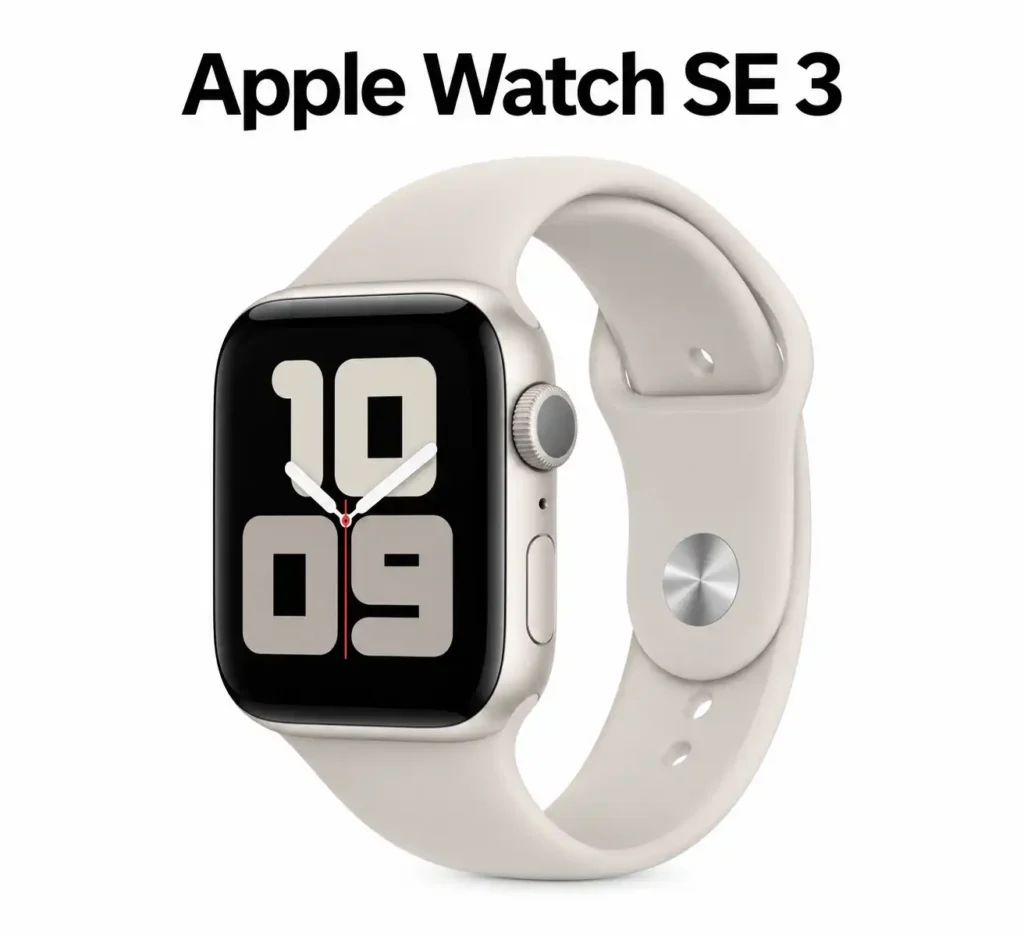
It gives up some of the more advanced health hardware found on the Series 11, but that may not matter to a senior who mainly wants safety, calls, activity tracking, and basic health information.
The SE 3 offers up to 18 hours of normal battery life and fast charging. Apple lists up to 32 hours in Low Power Mode.
Product Overview
The SE 3 is available in 40mm and 44mm sizes. The larger 44mm version may be worth considering when readability is a priority.
It has a maximum brightness of 1,000 nits. That is lower than the Series 11, but it still uses an always-on display. The watch also has 50-meter water resistance and supports cellular models.
| Specification | Details | Why It Matters |
|---|---|---|
| Display | Always-On OLED, up to 1,000 nits | Clear everyday viewing |
| Battery | Up to 18 hours | Usually requires daily charging |
| Safety | Fall Detection, Crash Detection, Emergency SOS | Useful for independent seniors |
| Sizes | 40mm and 44mm | Larger option for easier viewing |
Pros And Cons
The SE 3 keeps the important safety features while reducing the cost compared with Apple’s premium models.
| Feature | Pro | Con |
|---|---|---|
| Value | Lower-cost entry to newer Apple Watch features | Fewer advanced health sensors |
| Safety | Fall Detection and Emergency SOS | Still needs correct setup |
| Display | Always-on screen | Not as bright as Series 11 |
| Charging | Fast charging | Shorter battery rating than Ultra models |
Who Should Consider This Product
The SE 3 makes sense for seniors who want safety and everyday smartwatch functions without paying for every advanced health feature.
Best For: Budget-conscious seniors and families buying an Apple Watch for the first time.
Not Ideal For: Users who specifically want ECG or the most advanced health-monitoring features.
Best for a Large, Bright Display: Apple Watch Series 10
The Apple Watch Series 10 remains worth considering when you find it at a good price. It has a large 42mm or 46mm design, an always-on OLED display, and brightness up to 2,000 nits. Current retailers in Bangladesh still list the model for sale, although availability varies.
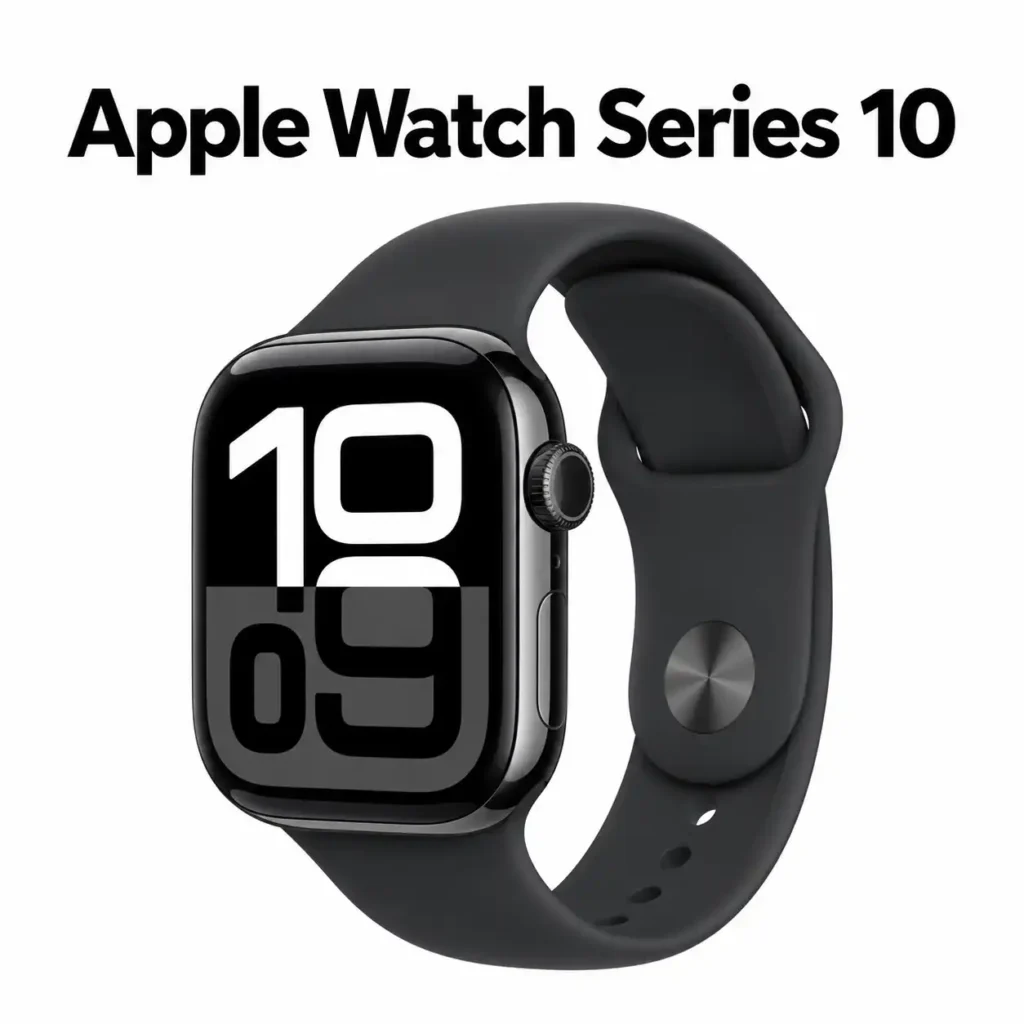
For seniors, the Series 10 can be especially interesting because the larger display provides more screen area without moving to the much larger Ultra design.
It also offers safety features such as Fall Detection and Emergency SOS, along with health and activity tracking.
Product Overview
The Series 10 uses Apple’s S10 chip and supports a broad set of watchOS features. Its fast charging can reach 80% in about 30 minutes, according to current product specifications.
Its biggest advantage today is value. If a retailer discounts the Series 10 well below the Series 11, it can be a sensible alternative.
| Specification | Details | Why It Matters |
|---|---|---|
| Display | Always-On OLED, up to 2,000 nits | Strong readability |
| Sizes | 42mm and 46mm | Useful size choice |
| Storage | 64GB | Plenty for normal use |
| Charging | Up to 80% in about 30 minutes | Less time on the charger |
Pros And Cons
The Series 10 is no longer the newest standard Apple Watch, but its hardware remains capable.
| Feature | Pro | Con |
|---|---|---|
| Display | Large and bright | Older than Series 11 |
| Design | Slimmer than Ultra models | Less rugged than Ultra |
| Features | Strong health and safety set | Availability can vary |
| Value | Can be attractive when discounted | Prices differ by retailer |
Who Should Consider This Product
The Series 10 is a good option for a senior who wants a large, bright screen and strong features but finds a discounted Series 10 at a better price than Series 11.
Best For: Seniors who prioritize screen size and value.
Not Ideal For: Buyers who want the newest model and longest standard feature support.
Best Premium: Apple Watch Ultra 3
The Apple Watch Ultra 3 is the premium option. It has a large 49mm titanium design, a bright always-on display, cellular connectivity, advanced GPS, and a battery rated for up to 42 hours of normal use.

That long battery life is its biggest practical advantage for seniors. A person who dislikes daily charging may appreciate the ability to go longer between charges.
The problem is size and weight. The Ultra 3 is much larger than the standard Apple Watch models. For a smaller wrist or someone who prefers a light watch, it can feel excessive.
Product Overview
The Ultra 3 is designed for demanding outdoor use, but some of its rugged features are unnecessary for many seniors.
It has dual speakers, a siren, a large display, and a titanium case. It also offers Emergency SOS and other safety features.
| Specification | Details | Why It Matters |
|---|---|---|
| Case | 49mm titanium | Rugged but large |
| Battery | Up to 42 hours | Less frequent charging |
| Display | Large always-on OLED | Easier viewing |
| Water resistance | Up to 100m | Strong durability |
Pros And Cons
The Ultra 3 makes the most sense when durability and battery life matter more than compact size.
| Feature | Pro | Con |
|---|---|---|
| Battery | Longest of these five | More expensive |
| Display | Large and bright | Large on smaller wrists |
| Durability | Rugged titanium design | Heavier than standard models |
| Safety | Strong emergency features | Many features may be unnecessary |
Who Should Consider This Product
The Ultra 3 suits active seniors who spend time outdoors or simply want maximum battery life and durability.
Best For: Active seniors who want premium durability and long battery life.
Not Ideal For: Seniors who prefer a lightweight, simple, low-cost watch.
Best Premium Value: Apple Watch Ultra 2
The Apple Watch Ultra 2 is still available from some retailers and can make sense when heavily discounted. It has a 49mm titanium case, a 3,000-nit display, and up to 36 hours of normal battery life, with up to 72 hours in Low Power Mode.

Its biggest advantage is that it delivers many premium Ultra features without requiring the newest Ultra 3 model.
The downside is simple: it is still a large and expensive watch. It also makes less sense if its price is close to the newer Ultra 3.
Product Overview
The Ultra 2 has a rugged titanium body, a bright always-on display, GPS, cellular connectivity, and a 100-meter water-resistance rating. Current retailers continue to list it in stock, although availability can change.
| Specification | Details | Why It Matters |
|---|---|---|
| Case | 49mm titanium | Strong but large |
| Battery | Up to 36 hours | Longer between charges |
| Low Power | Up to 72 hours | Useful for extended use |
| Display | Up to 3,000 nits | Excellent outdoor visibility |
Pros And Cons
The Ultra 2 can be a smart buy when its lower price creates enough separation from Ultra 3.
| Feature | Pro | Con |
|---|---|---|
| Battery | Strong battery life | Larger than standard models |
| Display | Very bright | May be excessive indoors |
| Build | Durable titanium | Heavy for some users |
| Value | Good if discounted | Not worth it at a near-Ultra-3 price |
Who Should Consider This Product
The Ultra 2 is best for seniors who want an Ultra-style watch but find a meaningful discount compared with the Ultra 3.
Best For: Active seniors looking for a discounted premium model.
Not Ideal For: Seniors who want a small, simple watch.
Comparison At A Glance
The best model depends more on the senior’s needs than on the Apple Watch’s price or age.
| Product | Best For | Key Trade-Off |
|---|---|---|
| Apple Watch Series 11 | Best overall | Higher price |
| Apple Watch SE 3 | Best value | Fewer advanced health features |
| Apple Watch Series 10 | Large bright display | Older model |
| Apple Watch Ultra 3 | Premium battery and durability | Large and expensive |
| Apple Watch Ultra 2 | Discounted premium option | Older Ultra model |
How We Chose These Products
We focused on features that can make an Apple Watch more useful for an older adult, rather than simply choosing the newest or most expensive models.
The comparison considered Apple’s specifications, safety features, display characteristics, battery life, accessibility options, current availability, and the practical trade-offs between models. Current retailer availability was also checked because older Apple Watch models can disappear from stores even when they remain technically useful.
| Evaluation Factor | Why It Matters |
|---|---|
| Ease Of Use | A watch should not feel frustrating to operate |
| Display | Larger and brighter screens can improve readability |
| Safety | Fall Detection and Emergency SOS can add useful protection |
| Battery | Longer battery life means fewer charging interruptions |
| Comfort | A large or heavy watch may not suit everyone |
| Value | Older models can be worthwhile when discounted |
What To Look For When Buying
Choosing the right Apple Watch for a senior starts with the person’s actual needs.
Display Size And Readability
Look at the 44mm, 46mm, or 49mm options if reading small text is difficult. A larger display can provide more room for text and controls.
Also consider brightness. Series 11 and Ultra models offer brighter displays than the SE 3, which can be useful outdoors.
Fall Detection And Emergency Features
Fall Detection and Emergency SOS are important features for seniors who may spend time alone. The Series 11, SE 3, and Ultra models all include key safety features.
These features should not be treated as a replacement for a medical alert system or emergency planning.
Battery Life
Battery life matters because a watch cannot provide useful monitoring while sitting on a charger.
The SE 3 is rated for up to 18 hours, Series 11 for up to 24 hours, Ultra 2 for up to 36 hours, and Ultra 3 for up to 42 hours of normal use.
Cellular Connectivity
A cellular Apple Watch can provide more independence because the watch can connect to cellular networks without relying on the iPhone for every communication task.
However, cellular service normally requires a compatible carrier plan, so include that ongoing cost when comparing models.
Comfort And Weight
A large watch is not automatically better for seniors.
The Ultra models are 49mm and designed for rugged use. That can be useful for an active person but uncomfortable for someone with a smaller wrist or a preference for lightweight accessories.
Common Buying Mistakes
A few simple mistakes can turn a good Apple Watch purchase into an expensive one.
| Mistake | Better Approach |
|---|---|
| Buying the most expensive model | Match features to actual needs |
| Ignoring watch size | Consider wrist size and readability |
| Focusing only on health features | Check safety, charging, and usability too |
| Buying an older model without checking price | Compare it with the newer SE 3 or Series 11 |
| Forgetting cellular costs | Check carrier compatibility and monthly fees |
Safety Considerations
An Apple Watch can provide useful safety tools, but it should not be treated as a guarantee of emergency assistance.
Fall Detection, Crash Detection, and Emergency SOS depend on settings, connectivity, device condition, and regional availability. Apple also notes that health features are not intended to replace professional medical advice.
Seniors with significant mobility, balance, heart, or other health concerns should discuss technology choices with an appropriate healthcare professional or caregiver when needed.
It is also worth setting up emergency contacts and testing the watch before relying on it.
Frequently Asked Questions
Is an Apple Watch good for seniors?
Yes. Apple Watch can be useful for seniors who want activity tracking, communication, health information, and safety features such as Fall Detection and Emergency SOS.
Which Apple Watch is easiest for seniors?
The Apple Watch SE 3 is a good starting point because it provides important safety features without the full cost and complexity of Apple’s premium models.
Is the Apple Watch Series 11 better than the SE 3 for seniors?
For many seniors, yes. The Series 11 has a brighter display and more advanced health features. But the SE 3 may be the better choice when value and basic safety features matter more.
Which Apple Watch has the best battery life?
Among the five models compared here, the Apple Watch Ultra 3 has the longest rated normal-use battery life at up to 42 hours. The Ultra 2 is rated for up to 36 hours.
Conclusion
For most seniors, the Apple Watch Series 11 is the best overall choice because it combines a bright display, strong safety features, useful health tools, and a more manageable design than the Ultra models.
The Apple Watch SE 3 is the better value choice. It keeps important features such as Fall Detection, Emergency SOS, Crash Detection, and an always-on display while avoiding some of the cost of the higher-end models.
For seniors who want maximum battery life and rugged construction, the Apple Watch Ultra 3 is the premium choice. The Series 10 and Ultra 2 are worth considering when you find them at a meaningful discount.
The right Apple Watch is ultimately the one the senior can comfortably wear, understand, charge, and use every day. For many families, that matters more than having the newest or most expensive model.