
Apple AirTag vs Chipolo Bluetooth Tracker for Seniors: Which?


Kitchen Timer with Large Display
Orthopedic Pillow

Rollator Walker with Seat
Apple AirTag vs Chipolo bluetooth tracker for seniors comes down to the phone they use and how they want to find lost items. Both can help locate keys, bags, wallets, and other everyday items.
AirTag works closely with Apple’s Find My system. Chipolo offers several tracker models, with current options that work with Apple Find My or Google’s Find Hub. This makes phone compatibility one of the first things to check.
Quick Comparison
For an iPhone user who wants a simple Apple-based tracker, AirTag is a strong fit. Its Precision Finding feature can help locate a nearby tag with a compatible iPhone.
Chipolo can make more sense for someone who wants broader phone options. Current Chipolo trackers include models for both iPhone and Android users.
The key choice is simple: AirTag fits the Apple ecosystem, while Chipolo offers more flexibility across phone platforms.
Apple AirTag vs Chipolo At a Glance
Here is the basic difference before looking at the details.
| Feature | Apple AirTag | Chipolo POP |
|---|---|---|
| Phone support | iPhone and iPad | iPhone and Android |
| Main tracking system | Apple Find My | Apple Find My or Google Find Hub |
| Battery | Replaceable CR2032 | Replaceable CR2032 |
| Battery life | About one year | About one year |
| Water resistance | IP67 | IP55 |
| Nearby finding | Precision Finding with compatible iPhone | Bluetooth finding |
| Speaker | Built-in | Built-in |
| Setup | Apple Find My | Chipolo or supported phone app |
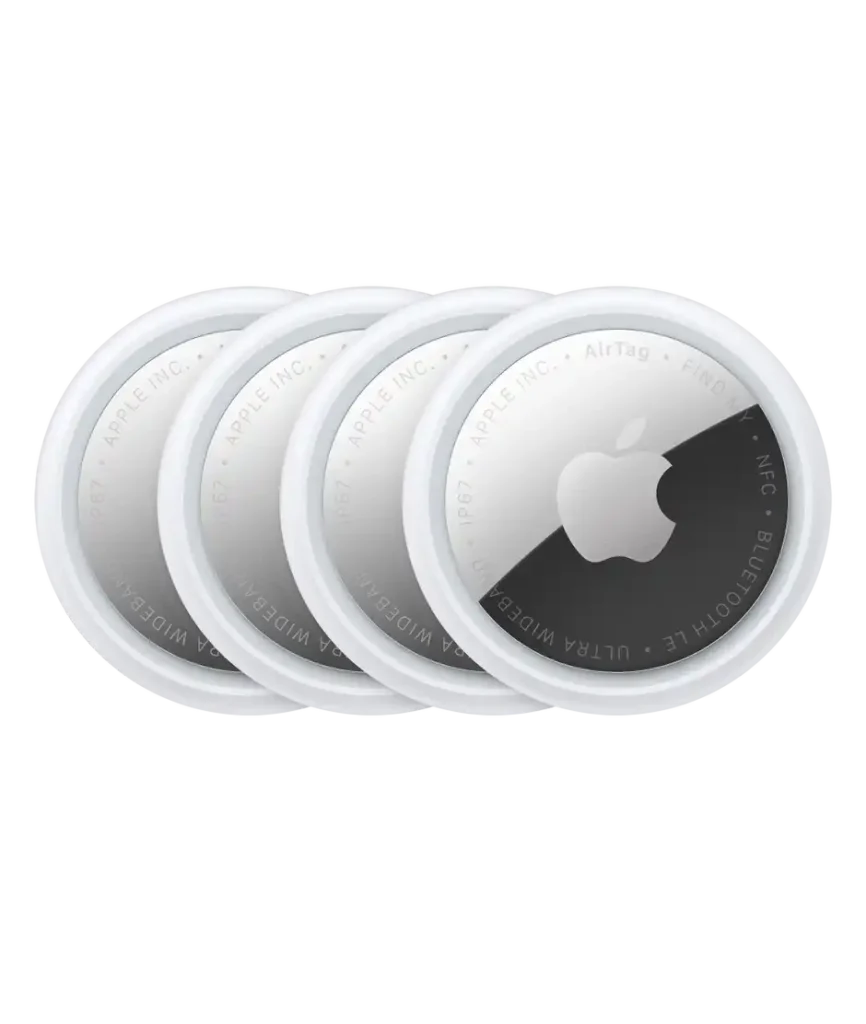
Apple lists AirTag with IP67 protection, a replaceable CR2032 battery, Bluetooth, NFC, and Precision Finding support.
Apple AirTag Review for Seniors
AirTag is a small tracker designed around Apple’s Find My network. It is especially straightforward for people who already use an iPhone.
Ease of Use
AirTag works through the Find My app. A senior who already knows how to use an iPhone may find this setup familiar.
The tag also has a built-in speaker. This can help when the item is somewhere nearby.
AirTag is 31.9 mm wide and weighs about 11.8 grams in the current model.
Key Strengths
- Works with Apple’s Find My system
- Precision Finding on compatible iPhones
- Built-in speaker
- Replaceable CR2032 battery
- IP67 water and dust resistance
- Small and light
- NFC Lost Mode support
Potential Drawbacks
- Requires an Apple device for setup and normal use
- Not designed as a general Android tracker
- Some advanced finding features depend on compatible Apple hardware
- A key ring or holder may cost extra
Apple says the current AirTag requires a compatible iPhone with iOS 26 or later or an iPad with iPadOS 26 or later.
Chipolo Bluetooth Tracker Review
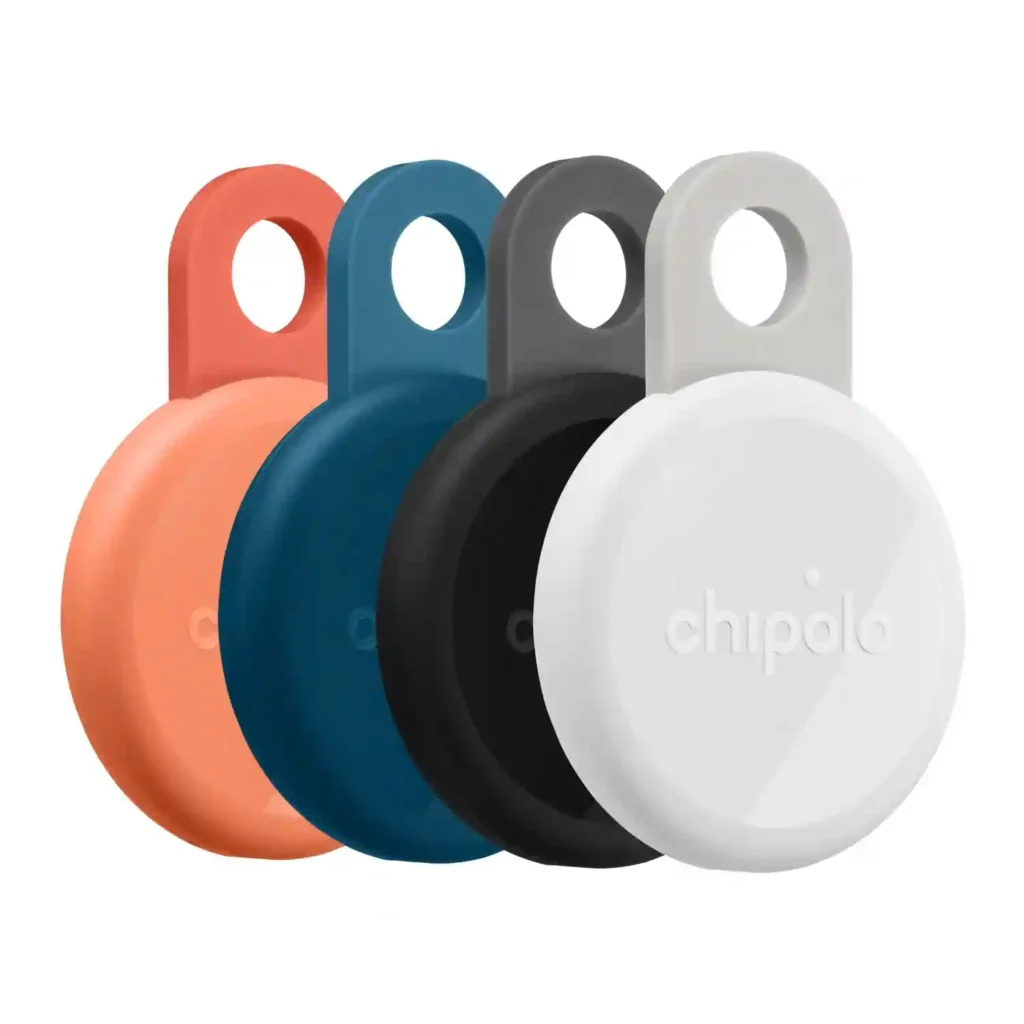
Chipolo is different because it offers several tracker types. The current Chipolo POP supports iPhone through Apple Find My and Android through Google’s Find Hub.
Ease of Use
Chipolo’s main advantage for many families is platform flexibility.
A senior with an Android phone does not need to move into Apple’s ecosystem just to use a compatible Chipolo tracker. Chipolo also offers its own app features on supported products.
The POP uses a replaceable CR2032 battery and is rated for about one year of battery life. Chipolo lists IP55 protection for the POP.
Key Strengths
- Supports iPhone and Android
- Can work with Apple Find My or Google Find Hub
- Replaceable battery
- Loud sound for nearby finding
- Simple attachment options
- Useful for people who do not use Apple devices
Potential Drawbacks
- Chipolo has several different tracker models
- Features can vary between models
- The tracking experience depends on the phone platform
- Some models have lower water protection than AirTag
This model difference matters. For example, Chipolo’s CARD Spot is designed for wallets and works with Apple Find My, while other Chipolo models target different uses and platforms.
Which Is Easier for Seniors to Use?
The easier choice depends heavily on the phone the senior already uses.
For an iPhone owner, AirTag keeps the experience inside Apple’s Find My app. That can reduce the need to learn another tracking system.
For an Android user, a compatible Chipolo tracker avoids switching to an iPhone simply for item tracking.
| Senior Need | Apple AirTag | Chipolo |
|---|---|---|
| iPhone user | Excellent fit | Good fit |
| Android user | Not suitable | Strong option |
| Simple Apple setup | Strong | Good |
| Cross-platform flexibility | Limited | Strong |
| Nearby item finding | Strong | Strong |
The best tracker is often the one that works naturally with the phone the senior already understands.
Performance Comparison
Bluetooth trackers are most useful for locating everyday items, not for replacing a dedicated GPS tracking device.
AirTag uses Bluetooth for proximity finding and includes Apple’s Ultra Wideband technology for Precision Finding. The current AirTag also has an updated Ultra Wideband chip and expanded Precision Finding capabilities.
Chipolo’s current product range varies by model. The POP, for example, supports Apple Find My or Google Find Hub and has a listed Bluetooth range of up to 90 meters under its stated conditions.
For everyday keys, bags, and similar belongings, both approaches can be useful. The phone ecosystem is the bigger difference.
Comfort, Accessibility, and Senior-Friendly Design
Both trackers are small, so physical handling is usually simple.
AirTag weighs about 11.8 grams. Its Find My integration also supports accessibility features such as VoiceOver and larger text.
Chipolo has several physical designs. Some are made for keyrings, while the CARD range is designed to fit inside a wallet. That gives caregivers and seniors more choice when the item being tracked changes.
A senior with limited dexterity may benefit from choosing a tracker that can stay attached to an item rather than needing frequent removal.
Features Comparison
The most useful features are the ones that reduce the effort needed to find a lost item.
| Feature | Apple AirTag | Chipolo |
|---|---|---|
| Apple Find My | Yes | Selected models |
| Google Find Hub | No | Selected models |
| Precision Finding | Yes, compatible iPhone | Depends on model/platform |
| Replaceable battery | Yes | Selected models |
| Wallet option | Requires accessory | CARD models available |
| Built-in sound | Yes | Yes |
Chipolo’s current range includes products with different battery systems, sizes, water ratings, and phone compatibility. Buyers should check the exact model rather than treating every Chipolo tracker as identical.
Price, Maintenance, and Long-Term Value
Both brands use small batteries that need replacement or renewal over time.
Apple’s current AirTag uses a replaceable CR2032 battery. Apple also provides instructions for replacing the battery when it becomes low.
Chipolo also offers replaceable-battery models. Its current POP uses a CR2032 battery with an estimated one-year life.
AirTag’s current U.S. list price is $29 for one or $99 for four. Prices for Chipolo products vary by model and package, so compare the exact model before buying.
For long-term value, also consider:
- Replacement batteries
- Required accessories
- Phone compatibility
- Water resistance
- Whether the tracker fits the intended item
- The number of trackers needed
Who Should Choose Apple AirTag?
Choose AirTag if:
- The senior already uses an iPhone.
- They want Apple Find My integration.
- Precision Finding is useful to them.
- They want strong water and dust resistance.
- A small tracker for keys or bags is the main goal.
- Family members also use Apple devices.
Who Should Choose Chipolo?
Choose Chipolo if:
- The senior uses Android.
- The family uses a mix of iPhone and Android phones.
- Cross-platform options matter.
- A wallet-specific tracker is useful.
- You want to choose between different Chipolo designs.
- You prefer a tracker that fits a particular item.
Apple AirTag vs Chipolo — Final Verdict
AirTag and Chipolo are not identical choices. AirTag is tightly connected to Apple’s ecosystem, while Chipolo offers a wider range of models and platform options.
Best for iPhone users: Apple AirTag
Best for Android users: Compatible Chipolo tracker
Best for Apple Find My integration: Apple AirTag
Best for platform flexibility: Chipolo
Best for wallet tracking: Chipolo CARD models
The right choice depends less on the brand name and more on the senior’s phone, the item being tracked, and the features they will actually use.
Scoring Summary
A simple score can help show the main differences, but these scores are based on practical use rather than laboratory testing.
| Category | Apple AirTag | Chipolo |
|---|---|---|
| Ease of Use | 9/10 | 8/10 |
| Senior-Friendly Design | 9/10 | 8/10 |
| Tracking Features | 9/10 | 8/10 |
| Platform Flexibility | 6/10 | 9/10 |
| Long-Term Practicality | 9/10 | 8/10 |
These scores apply to the comparison scope used here and should not be treated as universal scores for every Chipolo model.
How We Evaluate Products
This comparison focuses on factors that can matter in everyday senior use:
- Ease of setup
- App simplicity
- Phone compatibility
- Accessibility
- Battery replacement
- Physical design
- Finding features
- Water resistance
- Maintenance
- Long-term practicality
The comparison uses manufacturer information and current product documentation. It does not claim hands-on testing.
Senior-Specific Buying Considerations
The phone should be the first thing to check.
Phone Compatibility
An iPhone user has a natural fit with AirTag. An Android user should look at a compatible Chipolo model.
Setup
Choose a tracker that works with an app the senior already understands.
Battery
Both brands offer models with replaceable batteries. Check the exact model before buying.
Attachment
Think about where the tracker will go. Keys, bags, wallets, and luggage may need different designs.
Sound
A loud built-in sound can be useful when the missing item is somewhere inside the home.
Common Buying Mistakes
Avoid these common mistakes:
- Buying AirTag for an Android-only user
- Assuming all Chipolo models work the same way
- Forgetting to check phone compatibility
- Buying a wallet tracker for a keyring
- Ignoring battery replacement
- Paying for features the senior will not use
Safety
Bluetooth trackers are designed to help locate belongings. They should not be treated as a replacement for dedicated emergency or medical alert equipment.
AirTag and other trackers also contain coin-cell batteries. Apple warns that these batteries can pose a serious ingestion hazard, especially for children. Keep loose batteries and opened tracker components away from young children.
Frequently Asked Questions
Is AirTag better than Chipolo for seniors?
It depends on the senior’s phone. AirTag is a natural choice for iPhone users, while compatible Chipolo trackers offer options for Android users.
Does Chipolo work with iPhone?
Yes. Selected Chipolo models work with Apple’s Find My app. Other models use Chipolo’s own app or Google’s Find Hub.
Does AirTag work with Android?
AirTag is designed around Apple’s ecosystem and requires a compatible Apple device for normal setup and use.
Do AirTag and Chipolo need batteries?
Yes. AirTag uses a replaceable CR2032 battery. Chipolo models vary, but several use replaceable CR2032 batteries.
Which is better for a senior’s wallet?
A Chipolo CARD model can be useful because it is designed as a thin wallet tracker.
Conclusion
Apple AirTag vs Chipolo bluetooth tracker for seniors is mainly a choice between ecosystem simplicity and platform flexibility. AirTag fits naturally with iPhone and Apple’s Find My system, while Chipolo gives users more model and platform choices.
For an iPhone-using senior who wants a simple way to locate keys or bags, AirTag is a straightforward option. For an Android user or a household that needs broader compatibility, a suitable Chipolo model may fit better. The best choice is the one that matches the senior’s phone, daily items, and comfort with the tracking app.