
Apple AirTag vs Tile Bluetooth Tracker for Seniors: Which?


Heated Blanket

Anti-Glare Reading Glasses

Raised Toilet Seat
If you are comparing Apple AirTag vs Tile Bluetooth Tracker for seniors, the biggest choice is not just the tracker itself. It is the phone ecosystem, finding network, app, and daily ease of use.
AirTag fits especially well into the Apple ecosystem. Tile offers broader phone support and works with both iPhone and Android. For seniors, that difference can matter more than small hardware details.
Quick Comparison
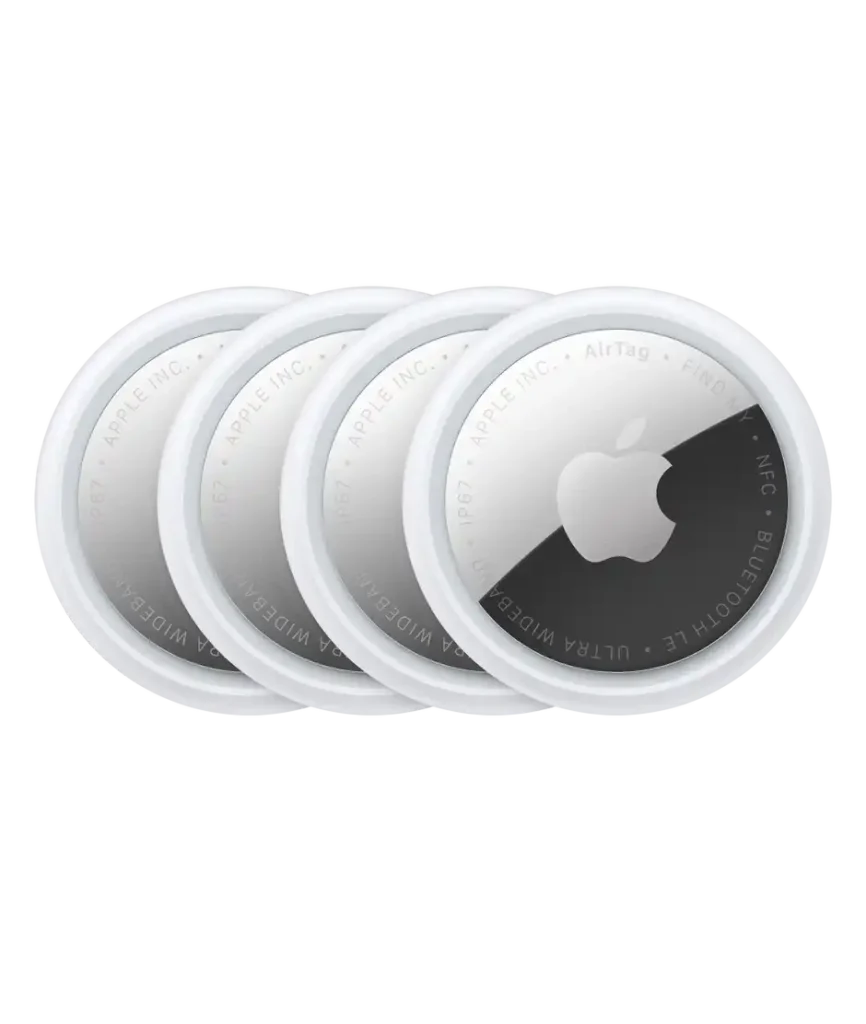
For seniors who use an iPhone, AirTag is the more seamless option because it works with Apple’s Find My app and supports Precision Finding on compatible iPhones.
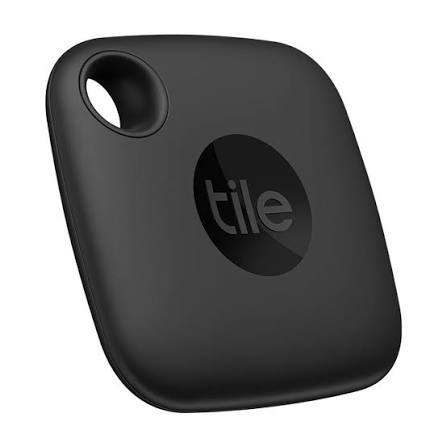
Tile is more flexible for households using both iPhone and Android. Current Tile Pro models also offer a loud ring, long Bluetooth range, and Life360 integration.
The best choice depends mainly on the phone the senior already uses.
Apple AirTag vs Tile At a Glance
The table below focuses on features that can make everyday tracking easier for older adults.
| Feature | Apple AirTag | Tile Pro |
|---|---|---|
| Phone support | iPhone/iPad | iOS and Android |
| Finding app | Apple Find My | Tile/Life360 |
| Nearby finding | Precision Finding on compatible iPhone | Bluetooth finding |
| Battery | Replaceable CR2032 | Replaceable on current Pro |
| Water resistance | IP67 | IP68 on 2024 Pro |
| Family sharing | Up to 5 people | Life360 integration |
| Physical button | No | Yes |
| Main strength | Apple ecosystem | Cross-platform flexibility |
Apple lists the current AirTag at 11.8 grams with IP67 resistance, a replaceable CR2032 battery, Bluetooth, NFC, and second-generation Ultra Wideband technology.
Tile’s current Pro is listed with a 500-foot range, a 110 dB+ ring, iOS and Android support, and Life360 integration.
Apple AirTag Review for Senior Use
AirTag is a small tracker designed around Apple’s Find My network. Its simple setup and integration with iPhone can make it convenient for seniors who already use Apple devices.
Ease of Use
The main advantage is the familiar Find My app for iPhone users. A nearby AirTag can also be located with Precision Finding on supported iPhones. The phone can show distance and direction while the AirTag plays a sound.
This can be useful when keys or a bag are somewhere inside the home.
Key Strengths
- Works closely with iPhone and Apple Watch
- Uses the Find My network
- Supports Precision Finding on compatible iPhones
- Replaceable CR2032 battery
- Small and light
- Can be shared with up to five people
- Built-in speaker
- IP67 water and dust resistance
Potential Drawbacks
- Designed primarily around Apple’s ecosystem
- Precision Finding requires compatible hardware
- No physical button for ringing a phone
- Replacing the coin-cell battery requires opening the device
- The small battery is a safety concern around young children
Tile Pro Review for Senior Use
Tile offers several tracker shapes, but the current Tile Pro is a useful reference point for a full-size Tile comparison. Tile describes Pro as its more powerful tracker, with a louder ring and longer range than other Tile models.
Ease of Use
Tile Pro works with both iOS and Android. That makes it useful when a senior, spouse, caregiver, or family member uses different phone systems.
The physical Tile button is also useful. Tile can ring a connected phone when the button is pressed, provided the phone is within Bluetooth range and the relevant feature is enabled.
Key Strengths
- Works with iPhone and Android
- Long Bluetooth range on the current Pro
- Loud built-in ring
- Physical button
- Replaceable battery on the 2024 Pro
- Works with the Life360 app
- IP68 water resistance on the 2024 Pro
Potential Drawbacks
- The experience depends on the Tile/Life360 app
- Tile has several models, so features vary
- Some Tile models use non-replaceable batteries
- It does not offer Apple’s Precision Finding experience
Which Is Easier for Seniors to Use?
Ease of use depends heavily on the phone already in the senior’s hand.
| Need | AirTag | Tile Pro |
|---|---|---|
| iPhone integration | Excellent | Good |
| Android support | Limited for ownership features | Yes |
| Simple nearby finding | Strong | Strong |
| Directional finding | Precision Finding on supported iPhones | Standard Bluetooth finding |
| Physical button | No | Yes |
| Family ecosystem | Apple sharing | Life360 |
For an iPhone user, AirTag may feel simpler because it appears inside Apple’s Find My system.
For someone using Android, Tile is the more practical fit because Tile supports both major mobile platforms.
Performance Comparison
Both products are designed to help find misplaced belongings, but they approach the task differently.
AirTag uses Bluetooth for nearby finding and Apple’s Find My network when the tag is away from the owner’s phone. Apple says the network can use more than a billion Apple devices to help locate an AirTag.
Tile Pro uses Bluetooth and the Tile/Life360 ecosystem. Its current Pro is listed with a range of up to 500 feet and a ring louder than 110 dB.
| Performance Area | AirTag | Tile Pro |
|---|---|---|
| Nearby finding | Excellent with compatible iPhone | Very good |
| Direction guidance | Yes, with compatible iPhone | No equivalent Precision Finding |
| Ringing lost item | Yes | Yes |
| Bluetooth range | Not presented by Apple as a simple ft rating | Up to 500 ft |
| Wider finding network | Find My | Tile/Life360 |
The important point is that Bluetooth range and network-based finding are different things. A longer direct Bluetooth range does not automatically mean a lost item will be easier to locate outside the home.
Comfort, Accessibility, and Senior-Friendly Design
Neither tracker requires much physical effort during normal use. The main differences are in the phone interface and setup.
AirTag has an advantage for some iPhone users because Find My supports accessibility features including VoiceOver, larger text, and braille-display compatibility.
Tile can be attractive when a family uses mixed phones. Its physical button can also be useful for someone who prefers a tangible control.
For seniors with limited dexterity, caregivers may want to handle the initial setup and battery replacement.
Features Comparison
The most useful features are the ones that reduce the work of finding everyday items.
| Feature | AirTag | Tile Pro |
|---|---|---|
| App | Find My | Tile/Life360 |
| UWB Precision Finding | Yes | No equivalent |
| Physical button | No | Yes |
| Speaker | Yes | Yes |
| Replaceable battery | Yes | Yes on 2024 Pro |
| Family sharing | Up to 5 people | Life360 |
| Lost-item network | Find My | Tile/Life360 |
AirTag can also be placed in Lost Mode, while NFC lets someone with a compatible smartphone access contact information when the lost AirTag is tapped.
Price, Maintenance, and Long-Term Value
Price can change by retailer, model, and bundle, so it is better to compare the ownership features than rely on a temporary sale price.
AirTag uses a replaceable CR2032 battery. Apple provides instructions for replacing it when the battery is low.
Tile’s battery situation depends on the model. Current Tile information says the 2024 Pro uses a replaceable battery, while the 2024 Mate, Slim, and Sticker use non-replaceable batteries designed for longer battery life.
| Cost Factor | AirTag | Tile Pro |
|---|---|---|
| Battery replacement | Yes | Yes |
| Battery type | CR2032 | CR2032 |
| App ecosystem | Apple Find My | Tile/Life360 |
| Multiple models | Limited | Several options |
| Long-term consideration | Battery replacement | Model-specific battery design |
Who Should Choose Apple AirTag?
- Choose AirTag if the senior already uses an iPhone.
- Choose AirTag if directional nearby finding is important.
- Choose AirTag if the family already uses Apple’s Find My ecosystem.
- Choose AirTag if accessibility features in Find My are useful.
- Choose AirTag if family members need to share access to an item.
Who Should Choose Tile Pro?
- Choose Tile Pro if the senior uses Android.
- Choose Tile Pro if family members use both Android and iPhone.
- Choose Tile Pro if a physical button is useful.
- Choose Tile Pro if a loud ring and long Bluetooth range are priorities.
- Choose Tile Pro if the household already uses Life360.
Apple AirTag vs Tile — Final Verdict
For an iPhone-owning senior, AirTag offers a particularly integrated experience through Find My, including Precision Finding on compatible iPhones and access to Apple’s large Find My network.
Tile Pro is more flexible across phone platforms. Its physical button, loud ring, long stated Bluetooth range, and Life360 integration can make it appealing for mixed-device households.
Scoring Summary
These scores are editorial comparisons based on the documented features above, not laboratory test results.
| Category | AirTag | Tile Pro |
|---|---|---|
| Ease of Use | 9/10 | 8/10 |
| Senior-Friendly Design | 9/10 | 8/10 |
| Finding Features | 9/10 | 8/10 |
| Maintenance | 9/10 | 8/10 |
| Phone Compatibility | 7/10 | 10/10 |
| Value | 9/10 | 9/10 |
The scores should be read in context. Phone compatibility can change the practical choice more than the overall numbers suggest.
How We Evaluate Products
For senior-focused comparisons, the key factors are simple daily operation, accessibility, setup, finding performance, maintenance, compatibility, and long-term practicality.
We do not treat marketing claims as independent testing. Current product specifications are checked against manufacturer information where available.
Senior-Specific Buying Considerations
Before choosing a tracker, check these points.
Phone Compatibility
Make sure the senior and the caregiver can use the required app and features.
Setup
A family member may want to complete the initial pairing and sharing setup.
Controls
Consider whether the senior prefers phone-based controls or a physical button.
Battery
Check whether the chosen model has a replaceable battery and who will handle replacement.
Family Access
If a caregiver needs to help locate items, check how item sharing works before buying.
Common Buying Mistakes
Avoid these common mistakes when choosing a Bluetooth tracker.
- Buying AirTag for someone who mainly uses Android
- Assuming every Tile model has the same battery
- Ignoring caregiver access
- Choosing based only on Bluetooth range
- Forgetting that Precision Finding needs compatible Apple hardware
- Leaving battery replacement entirely to a senior who may prefer assistance
Safety
Bluetooth trackers are designed for belongings, not as a substitute for emergency or medical monitoring.
AirTag and other trackers also include unwanted-tracking protections. Apple says iPhone, iPad, and Android users can receive alerts when compatible unknown trackers appear to be traveling with them.
The coin-cell battery in AirTag can be dangerous if swallowed, so new and used batteries should be kept away from young children.
For a senior using a tracker, the safest approach is to attach it securely to the intended item and make sure the family understands what the tracker can and cannot do.
Conclusion
Apple AirTag and Tile Pro both make useful Bluetooth trackers, but they suit different setups. AirTag is closely tied to Apple’s ecosystem and offers Precision Finding with compatible iPhones. Tile Pro provides broader iOS and Android support, a physical button, and strong direct Bluetooth range.
For seniors, the phone already being used is one of the most important factors. A simple tracker that fits naturally into the senior’s existing phone and family setup is likely to be easier to manage over time.
