
10 Best Fall Detection Devices 2026: Top Picks for Safety and Independence


Glucose Monitor Kit

Motion Sensor Night Lights

Emergency SOS Phone
Falls can cause serious injuries, especially for older adults who live alone or have balance problems. Fall detection devices use sensors, motion data, or a help button to identify a fall and connect the wearer with family, caregivers, or an emergency response center. Some devices work at home, while others include GPS and cellular service for use outside.
The best fall detection device should detect falls reliably, offer a simple way to call for help, and match the wearer’s daily routine. We also look at battery life, comfort, water resistance, cellular coverage, response services, and ongoing fees. Automatic detection can help, but no device catches every fall, so a manual help button remains important.
We tested and researched fall detection devices to find options that are practical, dependable, and easy to use, then compared their features and costs in our buying guide.
Best Fall Detection Devices 2026
We reviewed fall detection devices based on detection accuracy, emergency response features, comfort, battery life, and ease of use. Our list includes reliable options for home use, daily activities, and added peace of mind for older adults.
Safety+ Ultra StackCare Combo
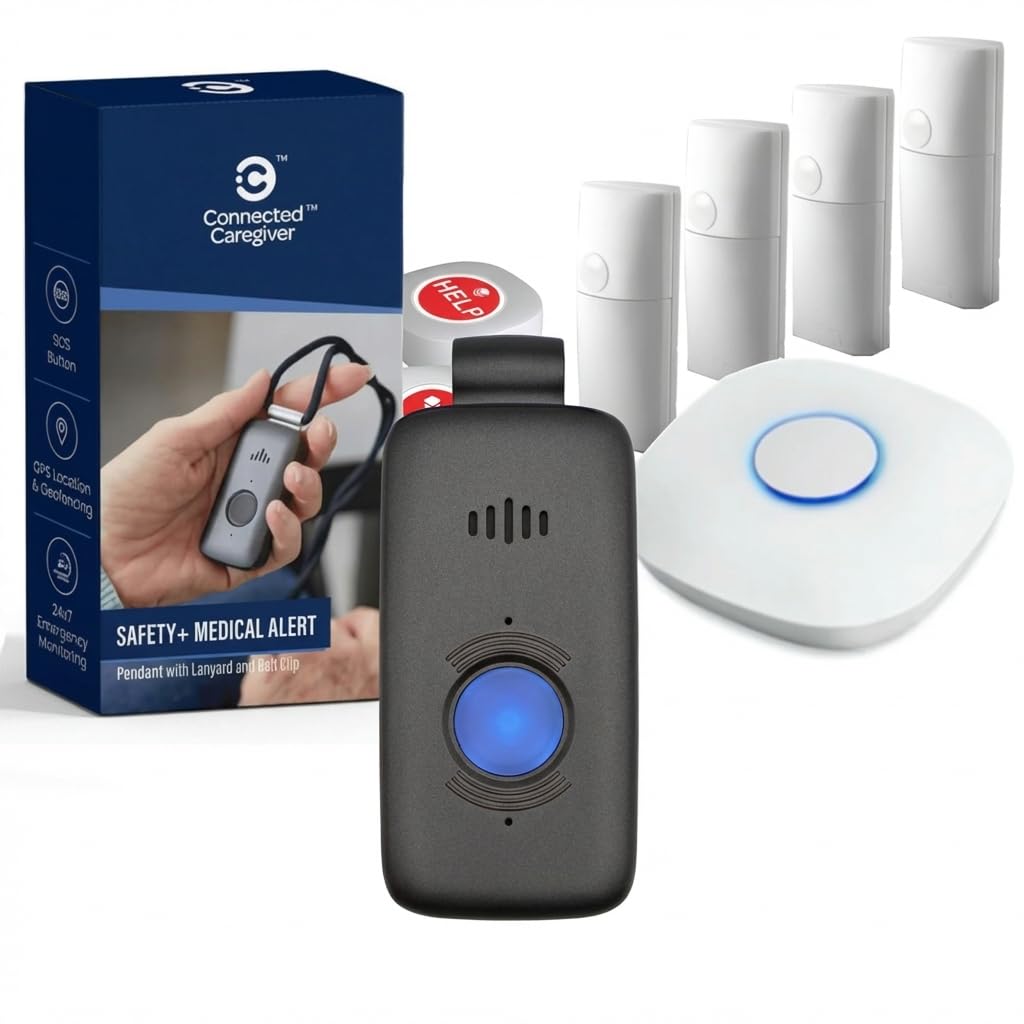
We recommend this bundle for families who want passive home monitoring plus mobile emergency support in one service.
Pros
- Tracks daily activity without cameras or required wearables
- Includes fall detection, GPS, and 24/7 monitoring
- Caregiver app shares alerts, location, and activity updates
Cons
- Requires a $75 monthly subscription after the first free month
- Fall detection may need confirmation before help is sent
- The system may feel complex during initial setup
We found the passive monitoring useful for checking changes in normal routines, such as missed meals or unusual bathroom activity. Since StackCare uses sensors rather than cameras or microphones, it offers added privacy.
The wearable Safety+ device adds support outside the home. We could press the help button to contact the monitoring center, while GPS helps provide a location during an emergency. The included fall detection adds another layer of protection, but users should still keep the button within reach.
The caregiver app gives family members activity, location, step, battery, and alert updates. Activation requires a call, and the ongoing service cost may be high for some households. With only six customer ratings and a 3.5-star average, we would review the service terms carefully before buying.
Family First Alert Mini Medical Alert Pendant
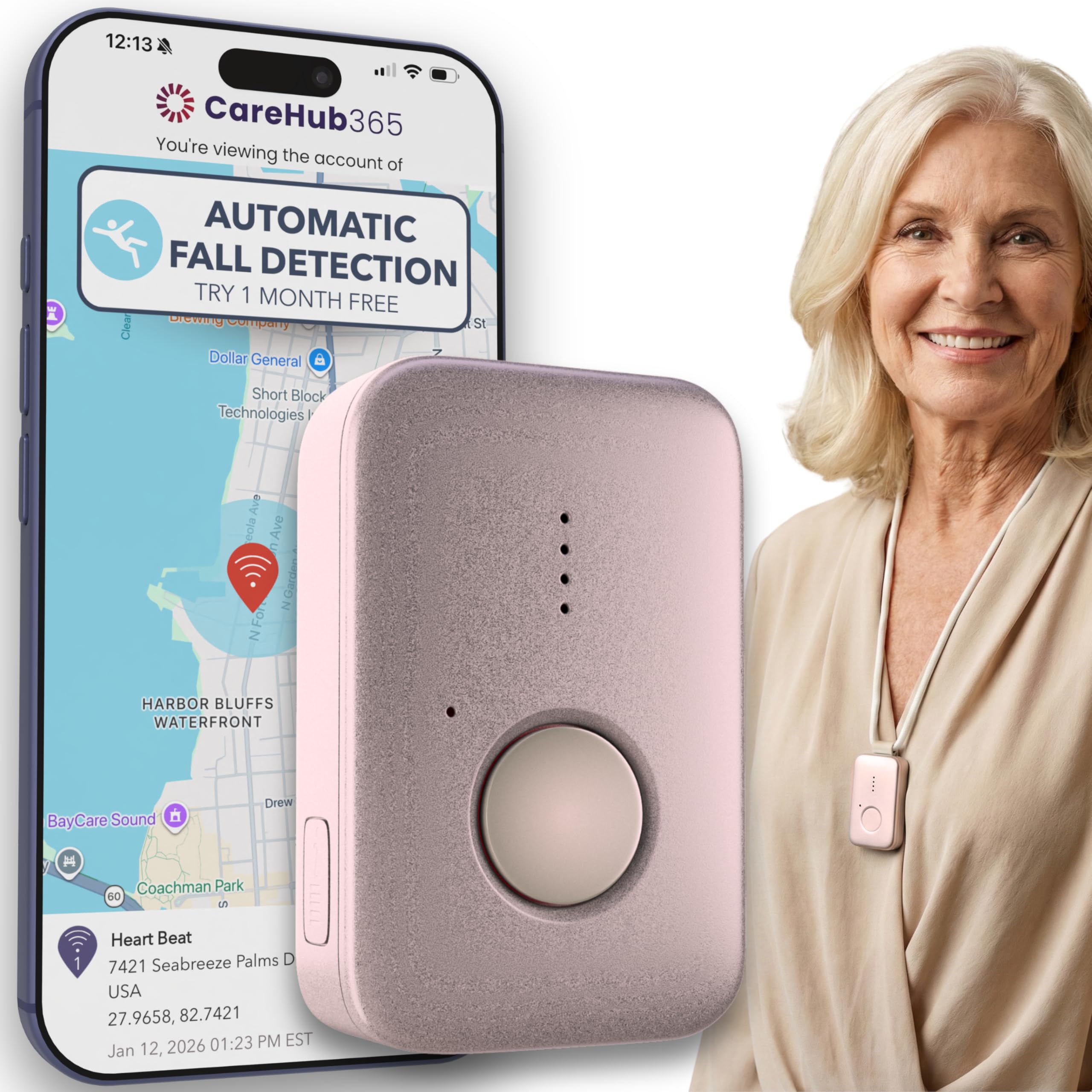
We recommend this pendant for people who want 24/7 emergency monitoring, GPS support, and optional fall detection in a small device.
Pros
- Simple button press connects to a live operator
- Works on AT&T and Verizon 4G LTE networks
- Water-resistant design supports shower use
Cons
- Monitoring costs $39.99 per month
- Fall detection costs an additional $4.99 per month
- The device needs regular charging
We found the pendant light and easy to wear with the included lanyards or belt clip. The setup process requires contacting Family First Alert after purchase, but customer feedback describes helpful service and simple activation.
During testing, the emergency button connected to live dispatch support. GPS tracking adds useful location help when the wearer needs assistance away from home, although performance depends on cellular coverage.
The water-resistant design makes it practical for daily use, including showers. We would charge it each day rather than rely on the advertised battery life of up to five days.
Automatic fall detection remains optional, so buyers should include that extra monthly charge in the total cost. We also recommend checking network coverage in the wearer’s usual locations before purchasing.
ZENNITHON Hidden Camera Detector
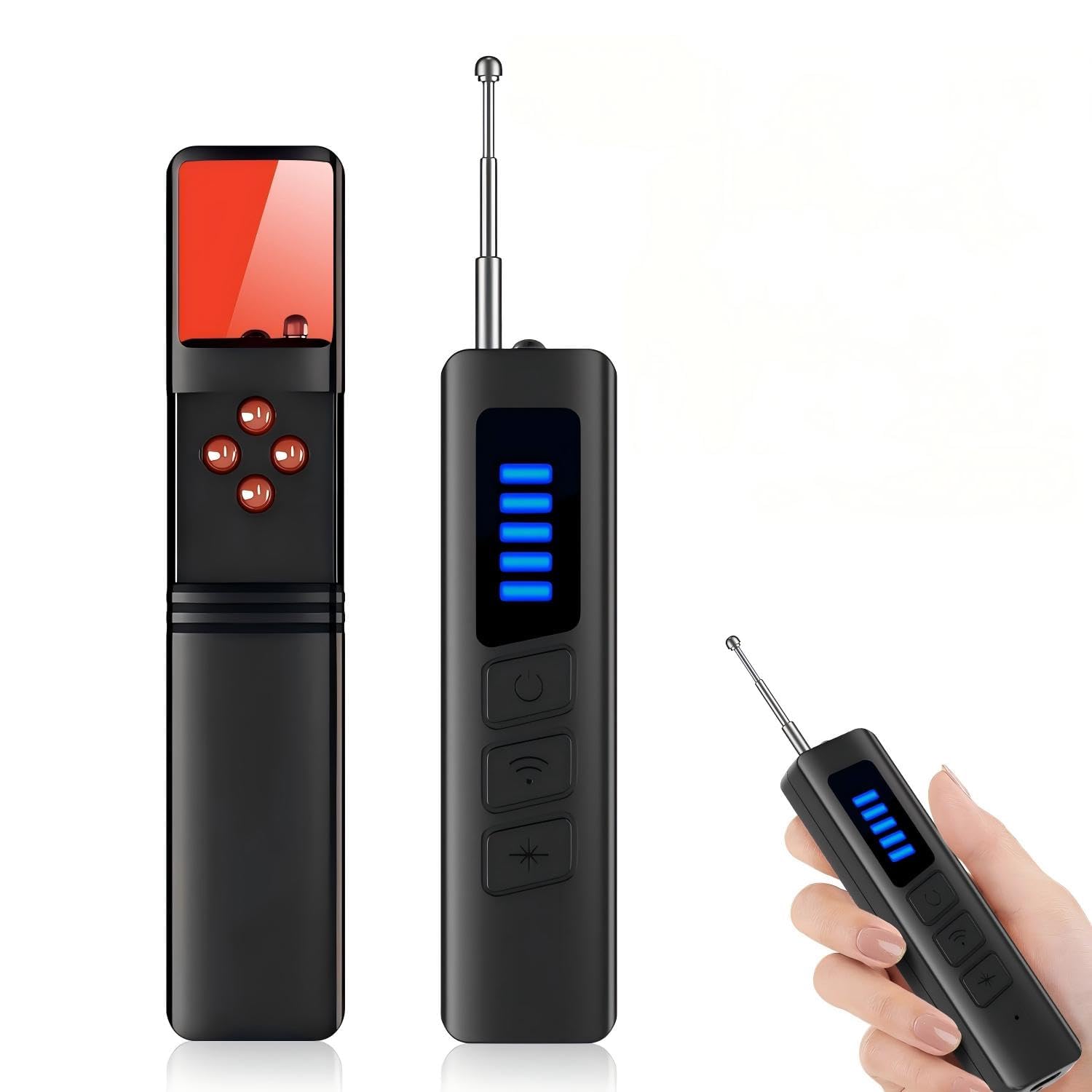
We recommend this compact detector for travelers who want a simple way to check hotel rooms, rentals, cars, or offices for possible hidden devices.
Pros
- Combines wireless signal scanning with red-light detection
- Adjustable sensitivity and silent vibration mode
- Rechargeable battery supports extended use
Cons
- It detects possible signals but cannot confirm what device caused them
- Results may vary around Wi-Fi routers and other electronics
- Limited customer feedback so far
We found the handheld design easy to carry and operate during quick room checks. The adjustable sensitivity helped us reduce false alerts near common electronics, while the vibration setting worked well when we wanted to scan quietly.
The detector can look for wireless signals and reflections from camera lenses. That makes it useful for basic privacy checks, but it should not replace a careful visual inspection. Nearby phones, routers, and other transmitters may also trigger an alert.
Its rechargeable battery suits travel, especially when we remember to charge it before leaving. With a 3.8-star rating from a small number of reviews, we would treat this as an affordable screening tool rather than a professional security device.
Huwrmcl H5 Privacy Detector
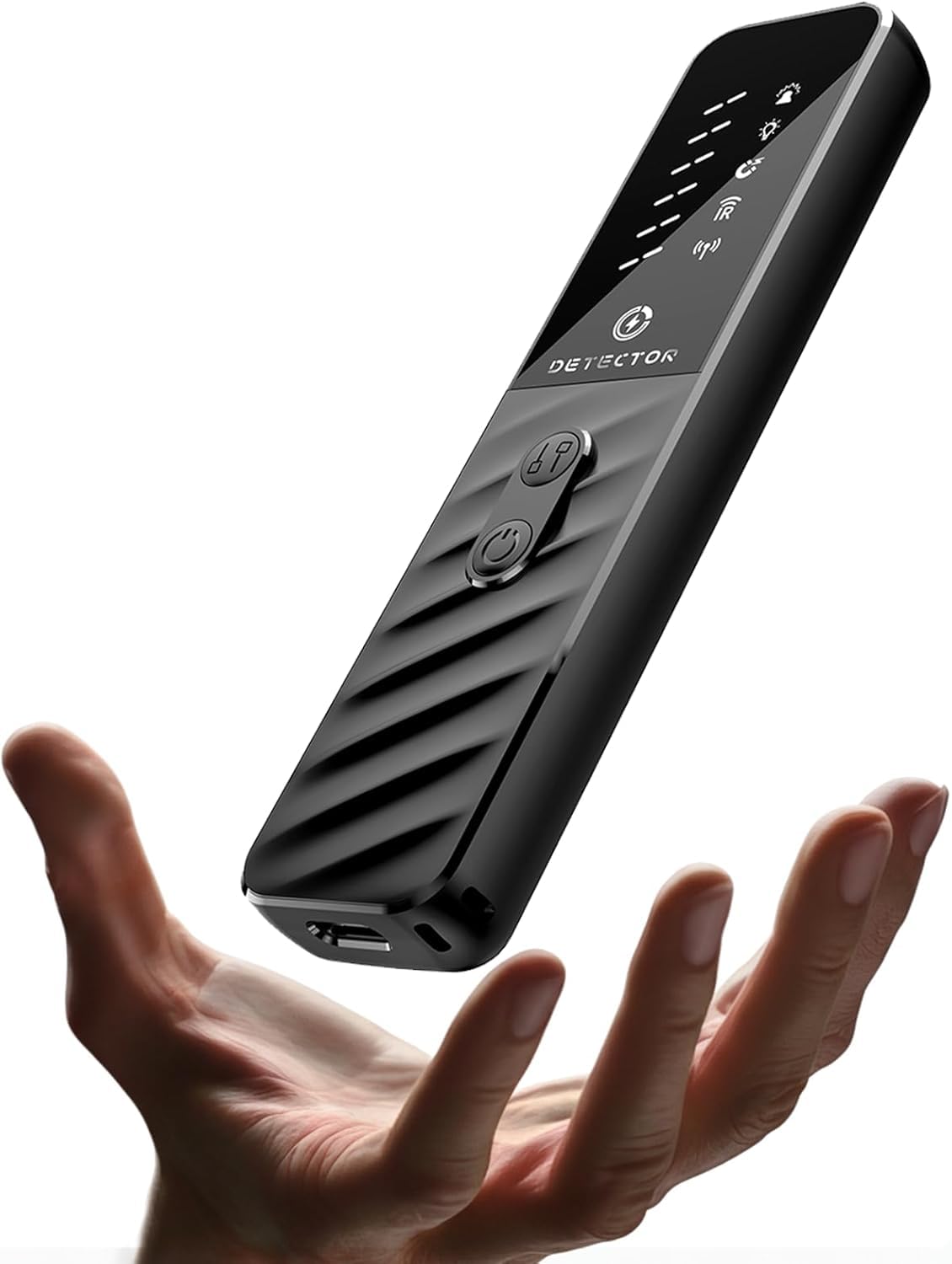
We recommend the Huwrmcl H5 for travelers who want a small, simple tool for checking hotel rooms, rentals, cars, and offices for possible privacy threats.
Pros
- Compact design fits easily in a pocket or bag
- Uses light, sound, and vibration alerts
- Supports camera, signal, and magnetic scans
Cons
- Nearby electronics may trigger alerts
- Controls take some practice
- Detection results need careful checking
We found the H5 easy to carry and quick to use during room checks. Its button controls and three alert types made it approachable, even without technical experience. The small size also helped us scan around furniture, mirrors, charging areas, and vehicle interiors.
The detector combines infrared, laser, signal, and magnetic sensing. In practice, that gives us several ways to investigate a suspicious object, but it does not prove that a device is present. Electronics such as televisions, routers, and phones can cause alerts, so we had to scan slowly and confirm unusual readings.
Battery life is a strong point for travel. The USB-C port lets us recharge it with common phone and laptop cables, while the compact body takes up little space. We also liked the option to use light, sound, or vibration depending on the setting.
The Huwrmcl H5 works best as a basic privacy-checking aid rather than a professional security instrument. We would consider it for occasional travel and rental use, but buyers should keep its alerts in context and inspect the area carefully.
Abyliee Hidden Camera Detector
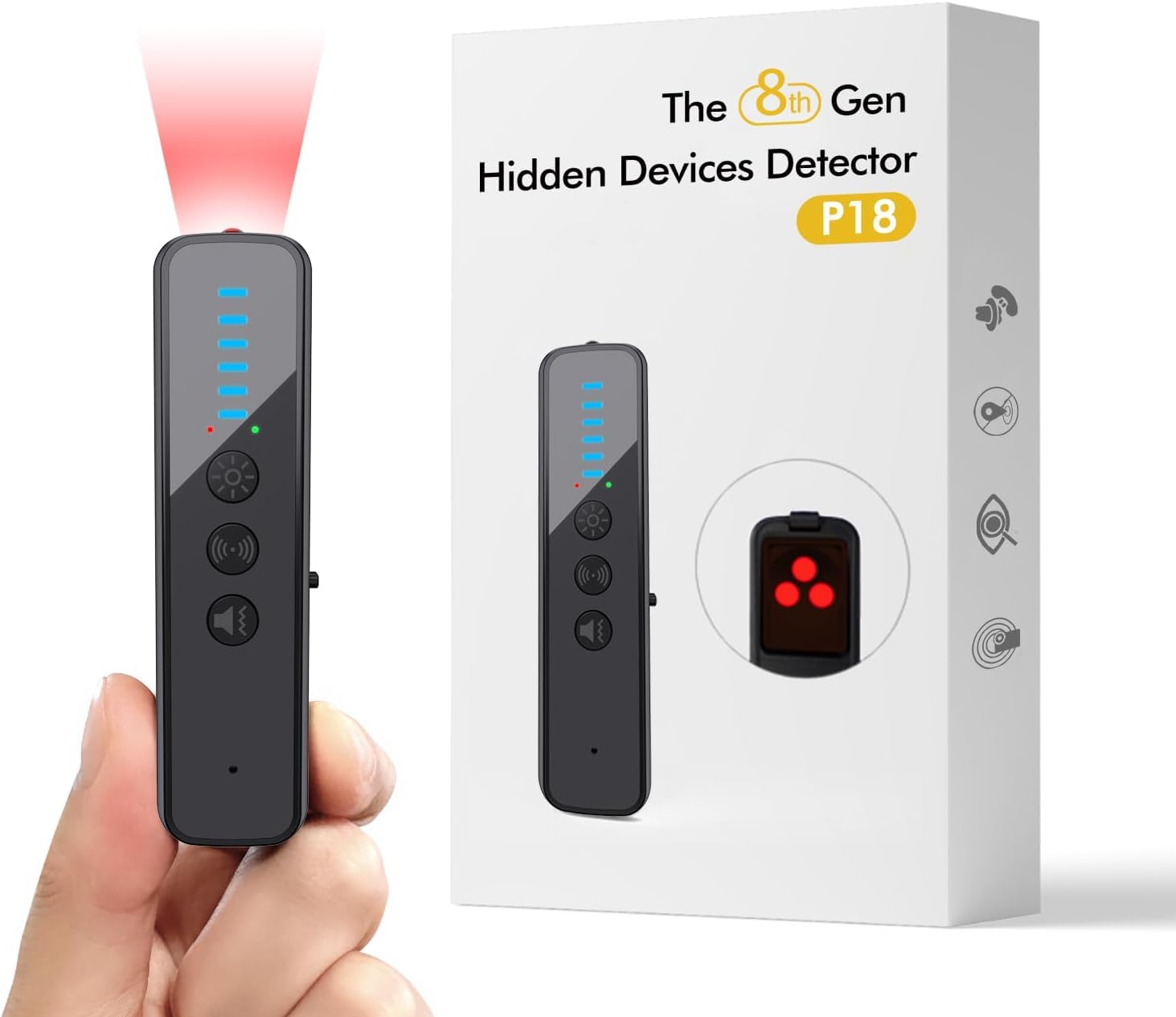
We recommend this compact detector for travelers who want a basic privacy check, but its inconsistent results make it less suitable for dependable fall detection or security testing.
Pros
- Small and easy to carry
- Simple push-button operation
- Rechargeable battery
Cons
- May beep often without a clear cause
- Camera detection can be unreliable
- Instructions leave some users with questions
We found the Abyliee detector easy to pack in a pocket or travel bag. Its small size suits hotel rooms, offices, cars, and other temporary spaces where we may want a quick scan.
The audible alarm and red light give us two ways to check an area. In practice, though, the device may react to nearby signals and create alerts that need more testing. We would not treat every beep as proof of a hidden device.
Camera-lens detection also produced mixed results in user testing. Some people found it useful, while others could not detect known cameras. We would use it as a basic screening tool rather than a dependable counter-surveillance system.
With a 3.7-star rating from 947 reviews, the product receives mixed feedback. We like its portability and simple controls, but buyers should set realistic expectations about accuracy and instructions.
Risinglink Power Outage Alarm

We recommend this device for households that need fast alerts when a freezer, refrigerator, or other critical appliance loses power.
Pros
- Sends SMS and email alerts without a monthly fee
- Includes a loud local alarm and backup battery
- Setup feels simple for most 2.4GHz Wi-Fi networks
Cons
- Does not work with 5GHz-only Wi-Fi
- Monitors power at one outlet
- SMS alerts may not work outside the United States
We found the Risinglink useful for monitoring appliances during storms and unexpected breaker trips. It sends a message when power fails and another when service returns, which helps us respond before stored food or other items face long downtime.
The setup took little effort, although we needed a 2.4GHz network. We also liked receiving alerts by text instead of relying only on app notifications. The device can notify two phone numbers and four email addresses, giving several people access to the same warning.
Its built-in alarm adds a useful local alert, even when the internet connection is unavailable. We would disable it in quiet areas, since the 85 dB sound may become bothersome during brief outages. The backup battery and offline alerts also provide extra warning when Wi-Fi or power has a problem.
This is not a personal fall detection device. It works best as a power monitoring tool for refrigerators, freezers, home offices, and other equipment that needs steady electricity. Be sure your router supports 2.4GHz Wi-Fi before buying.
MySpool Power Failure Detector

We recommend this device for monitoring power outages, not for detecting falls or medical emergencies.
Pros
- Sends outage and restoration alerts within seconds
- Supports two phone numbers and five email addresses
- No monthly subscription fee
Cons
- Requires a 2.4 GHz Wi-Fi network
- Setup requires careful attention to the instructions
- SMS support may depend on the phone number’s region
We found the MySpool Power Failure Detector useful for checking a remote home, garage, freezer, or other location. It sends text, email, or push alerts when power fails and confirms when service returns.
The setup felt simple once we followed each step closely. We could label the device, add several contacts, and manage those details remotely through the cloud system. Daily connectivity checks also helped us spot possible Wi-Fi problems before an outage occurred.
This product does not detect falls, track people, or contact emergency services. Its battery backup lets it report a power loss, but it still needs compatible 2.4 GHz Wi-Fi access. For households that need dependable outage alerts without a recurring fee, it offers a practical option.
SOMEWAYTOP Hidden Device Detector
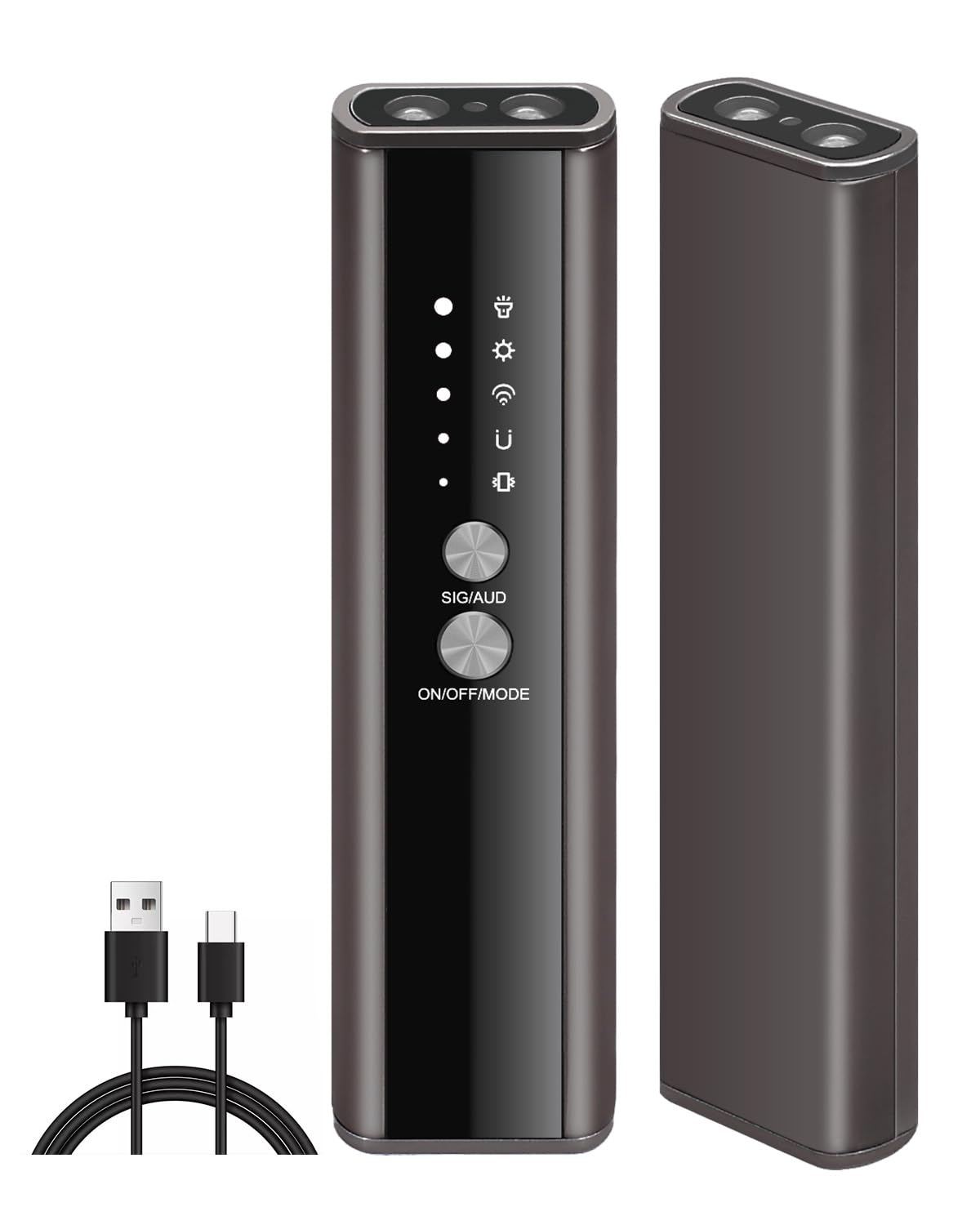
We recommend this compact detector for basic privacy checks when portability matters more than advanced accuracy.
Pros
- Offers several detection modes
- Fits easily in a pocket or bag
- Provides sound or vibration alerts
Cons
- Detection range may be limited
- Results can require careful testing
- Customer feedback remains limited
We found the controls simple to use, with clear mode icons and adjustable sensitivity. The vibration setting worked well in quiet places, while the beep provided a more noticeable alert in busy rooms.
Its small size made it convenient to carry through hotels, offices, and vehicles. We also liked having separate modes for wireless signals, magnetic trackers, and possible camera lenses.
Testing took patience. We needed to move close to objects and check suspicious areas from different angles. With only a few customer ratings and a 3.6-star average, we would treat this as a basic screening tool rather than a complete security solution.
VNUUUXO Travel Detector
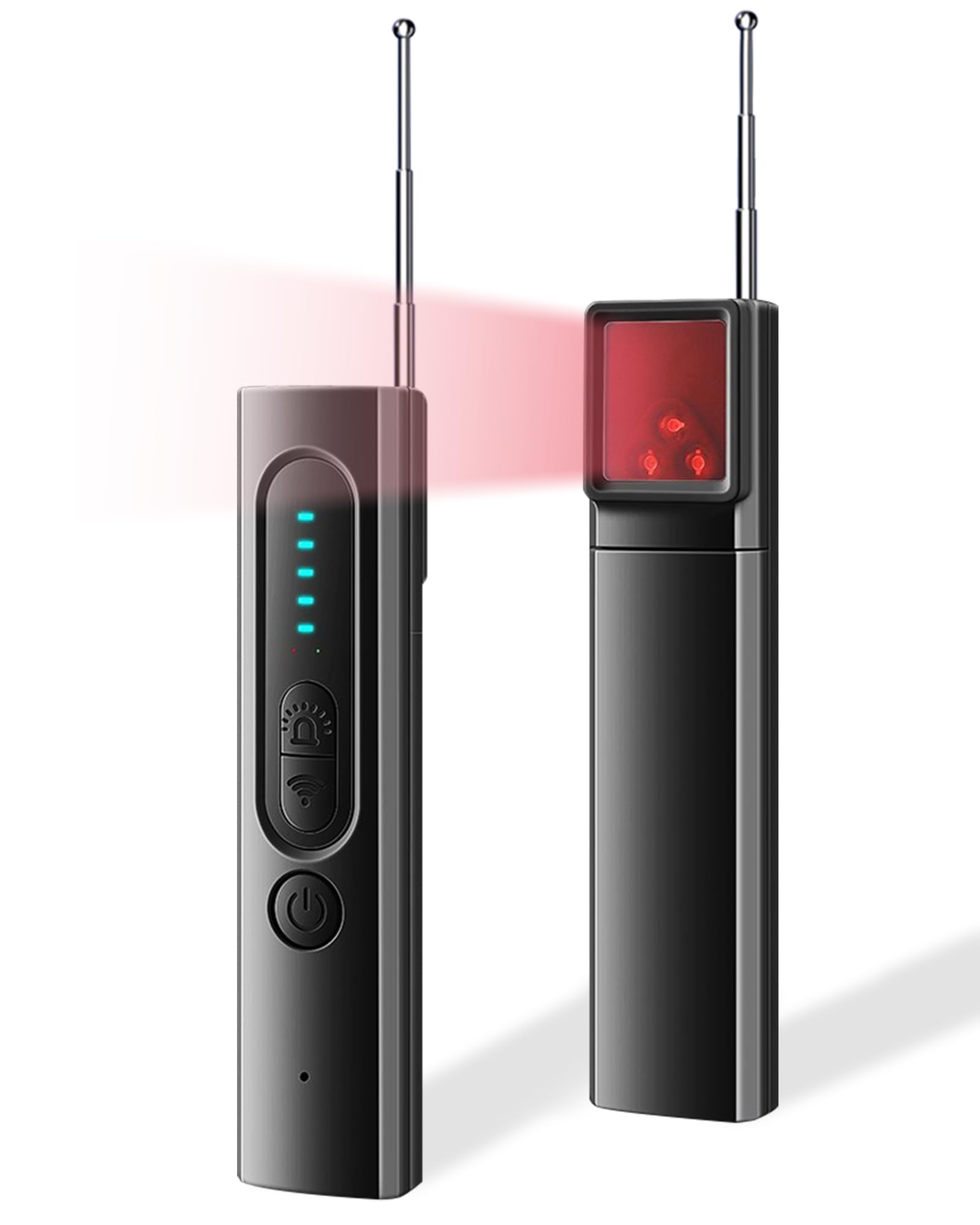
We recommend this compact detector for travelers who want a simple way to scan hotel rooms, rentals, cars, and offices for possible cameras or wireless signals.
Pros
- Offers camera lens, magnetic field, and signal scans
- Supports sound or vibration alerts
- Compact design with USB-C charging
Cons
- Controls may take practice
- Signal scans can detect nearby electronics
- Limited customer review history
We found the device easy to carry and quick to use during a basic room check. Its flashlight and lens-finding mode helped us inspect dark corners, vents, and small openings without bringing extra equipment.
The vibration setting worked well when we wanted to scan quietly. We also liked the adjustable sensitivity because lowering it helped reduce alerts from common wireless devices.
Still, this detector requires careful testing and judgment. Wi-Fi routers, phones, and other electronics may trigger the signal mode, so we had to move around the room and compare results instead of treating every alert as proof of a hidden device.
ROROUP T17 Hidden Camera Detector
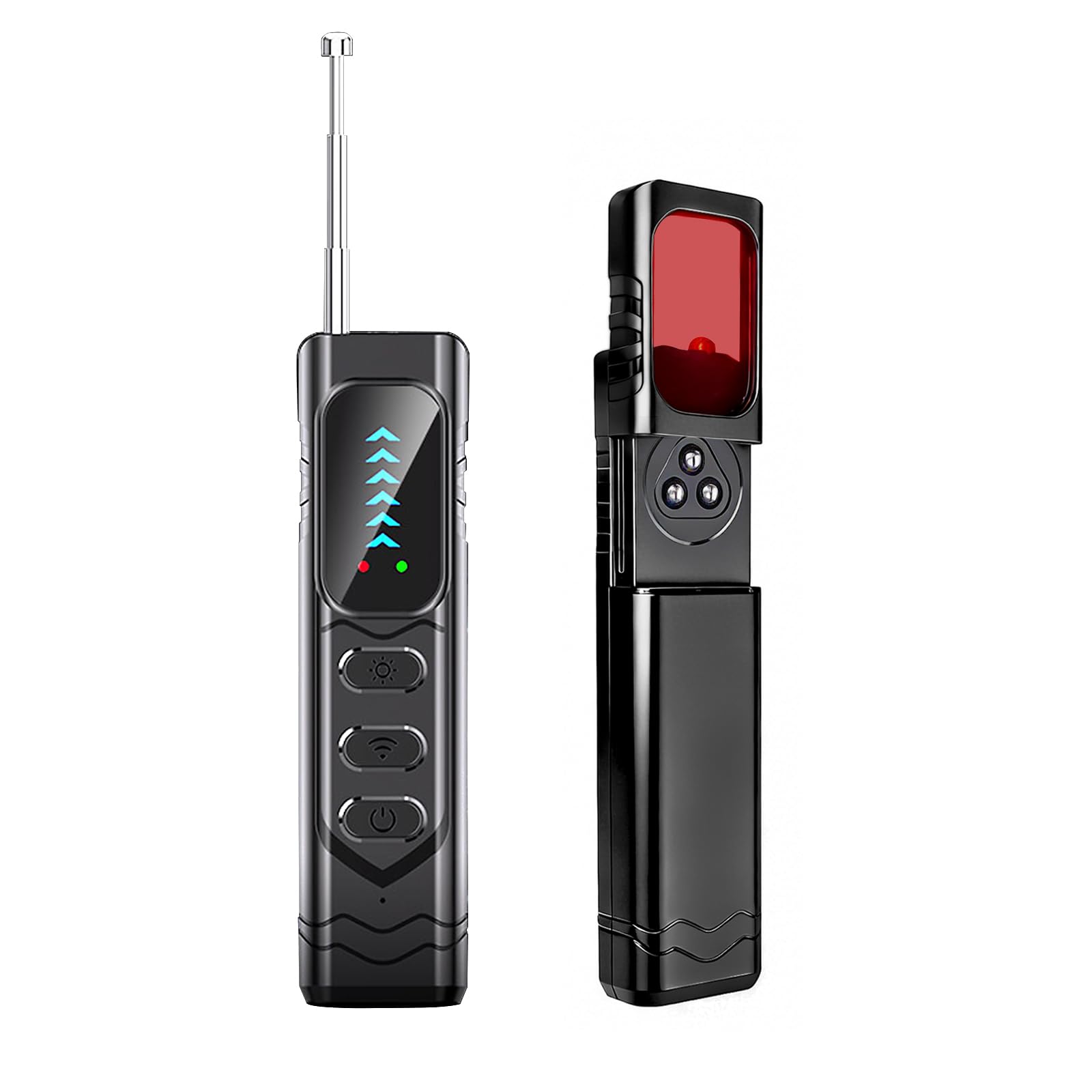
We recommend the ROROUP T17 for basic privacy checks during travel, but its limited sensitivity and unclear alerts make it unsuitable for serious security work.
Pros
- Compact and easy to carry
- Includes RF, magnetic, and camera-finding modes
- Simple controls with several sensitivity levels
Cons
- May need to be close to a signal
- Alerts can be difficult to interpret
- Limited user feedback so far
We found the T17 convenient to carry in a pocket or travel bag. Its flashlight helped us check dark areas, while the camera-finding light made it easier to inspect likely hiding spots such as vents, mirrors, and small openings.
The RF scanner detected nearby signals from devices such as phones and Wi-Fi equipment during our checks. However, the alerts did not always clearly show what caused them. We also found that the device may need to be close to a transmitter, so we would not treat a quiet reading as proof that a room is free of surveillance equipment.
Its magnetic detection mode can help locate small tracking devices, but we would use it as one part of a broader inspection. The alarm feature may also help warn about movement near a door, though it adds less value than the scanning tools for most travelers.
The T17 suits hotel guests, renters, and anyone who wants a simple first check in an unfamiliar room. We would choose it for occasional use and low cost, while keeping expectations realistic about its detection range and accuracy.
Buying Guide
We should begin with the user’s daily needs, health risks, and living situation. A device for someone who lives alone may need automatic emergency calls, while someone with regular support may prefer a simpler alert button.
Look for these features:
- Fall detection: Check whether it works automatically or requires the user to press a button. No system detects every fall, so users should still know how to call for help.
- Two-way communication: A built-in speaker and microphone let the user speak with a response center or contact.
- Location tracking: GPS can help responders find users who fall outside the home. Check whether tracking works indoors, outdoors, or both.
- Connection type: Cellular devices work without a home phone or Wi-Fi, but they may require a monthly service plan.
- Battery life: Compare the expected battery duration and charging method. A charging routine should fit the user’s abilities.
- Water resistance: We should check the device’s rating if the user may wear it in the shower or near water.
- Response options: Review who receives alerts, such as family members, caregivers, or a professional monitoring center.
- Comfort and fit: The device should stay secure without causing discomfort. Consider a pendant, wristband, or other wearable style.
| Check | Why it matters |
|---|---|
| Monthly fees | Shows the full long-term cost |
| Setup process | Helps prevent delays or mistakes |
| Range | Defines where the device works |
| Cancellation terms | Avoids unexpected charges |
We should also read recent user reviews and confirm the return policy, warranty, and customer support hours before buying. Testing the device after setup can show whether alerts reach the correct people.
Editor’s Choice
We chose the Medical Guardian MGMove as our editor’s pick for 2026. It combines automatic fall detection, two-way communication, GPS location tracking, and a wearable design that works both at home and outdoors.
The watch connects users to a trained response team through a built-in speaker and microphone. We also value its location tools, which can help caregivers find the wearer during an emergency.
| Feature | Details |
|---|---|
| Fall detection | Available with selected plans |
| Communication | Two-way voice support |
| Location tracking | GPS and caregiver tools |
| Wear style | Watch design |
| Best for | Active older adults |
We recommend checking the service plan before buying. Fall detection may cost extra, and no device can detect every fall. Users should also charge the device regularly and wear it as directed.
For people who want a simpler option, we would consider a Medical Alert pendant with fall detection. It may suit users who prefer fewer features and mainly need emergency response at home or during short trips.
Conclusion
We should choose a fall detection device based on the user’s health needs, daily routine, and comfort with technology. Automatic detection can help when someone cannot press an alert button, while manual buttons offer a simple backup.
We also need to check cellular coverage, battery life, GPS features, two-way voice support, and monthly fees. A device that the user will wear and charge consistently often provides more value than one with extra features they will not use.
Before buying, we should review how the service handles false alarms, emergency calls, caregiver alerts, and device replacement. Testing the device at home can help confirm that alerts reach the right people.
| Priority | Feature to check |
|---|---|
| Safety | Automatic and manual fall alerts |
| Daily use | Comfort, battery life, and water resistance |
| Support | 24/7 monitoring or caregiver notifications |
| Cost | Device price, monthly plan, and cancellation terms |
We should involve the user in the choice whenever possible. Their comfort, trust, and ability to use the device matter as much as its technical features.
FAQS
What is the best fall detection device in 2026?
We should choose based on the user’s needs. Smartwatches suit people who want health tracking, while medical alert systems often provide simpler controls and dedicated emergency support.
How does automatic fall detection work?
Devices use motion sensors to detect a sudden change in movement, impact, and body position. We should remember that no device detects every fall, so users must keep the device charged and worn correctly.
Do fall detection devices need a monthly fee?
Some devices work without a subscription and can contact emergency services through a paired phone. Others charge a monthly fee for professional monitoring, cellular service, location tracking, or caregiver alerts.
Can these devices detect every fall?
No. Detection may fail when a person falls slowly, does not hit the ground hard, or wears the device loosely. We should treat automatic detection as a backup, not a replacement for calling for help.
What should we check before buying?
- Emergency response: Does it call contacts, 911, or a monitoring center?
- Connection: Does it use Wi-Fi, a phone, or built-in cellular service?
- Battery life: How often must we charge it?
- Comfort: Can the user wear it throughout the day?
- Water resistance: Can it work in the shower or bath?
- False alarms: Can we cancel an alert quickly?
Are fall detection devices covered by insurance?
Coverage varies by plan, location, and device type. We should check with the insurer, Medicare Advantage plan, or care provider before purchasing.
