
10 Best Medical Alert Systems for Disabled Adults: Top Options Reviewed


Portable Wheelchair

Hands-Free Neck Magnifier

Electric Food Chopper
Medical alert systems help people call for assistance after a fall, health emergency, or other urgent event. Most include a wearable button, such as a pendant or wristband, that connects to a response center, caregiver, or emergency services. For disabled adults, these systems can support greater independence at home and while away from home.
The best medical alert system should match the user’s daily routine, mobility needs, communication style, and comfort with technology. We pay close attention to response options, fall detection, GPS coverage, battery life, water resistance, device fit, monthly fees, and cancellation terms. Features like two-way voice communication and caregiver apps can also make a system easier to use and manage.
We compared leading systems and examined their features, pricing, reliability, and ease of use to identify the options that offer the most practical support for disabled adults.
Best Medical Alert Systems for Disabled Adults
We reviewed medical alert systems based on features such as emergency response, fall detection, mobile coverage, and ease of use. Below, we list our top picks to help us choose a system that fits different needs, budgets, and living situations.
TurboSense Caregiver Pager
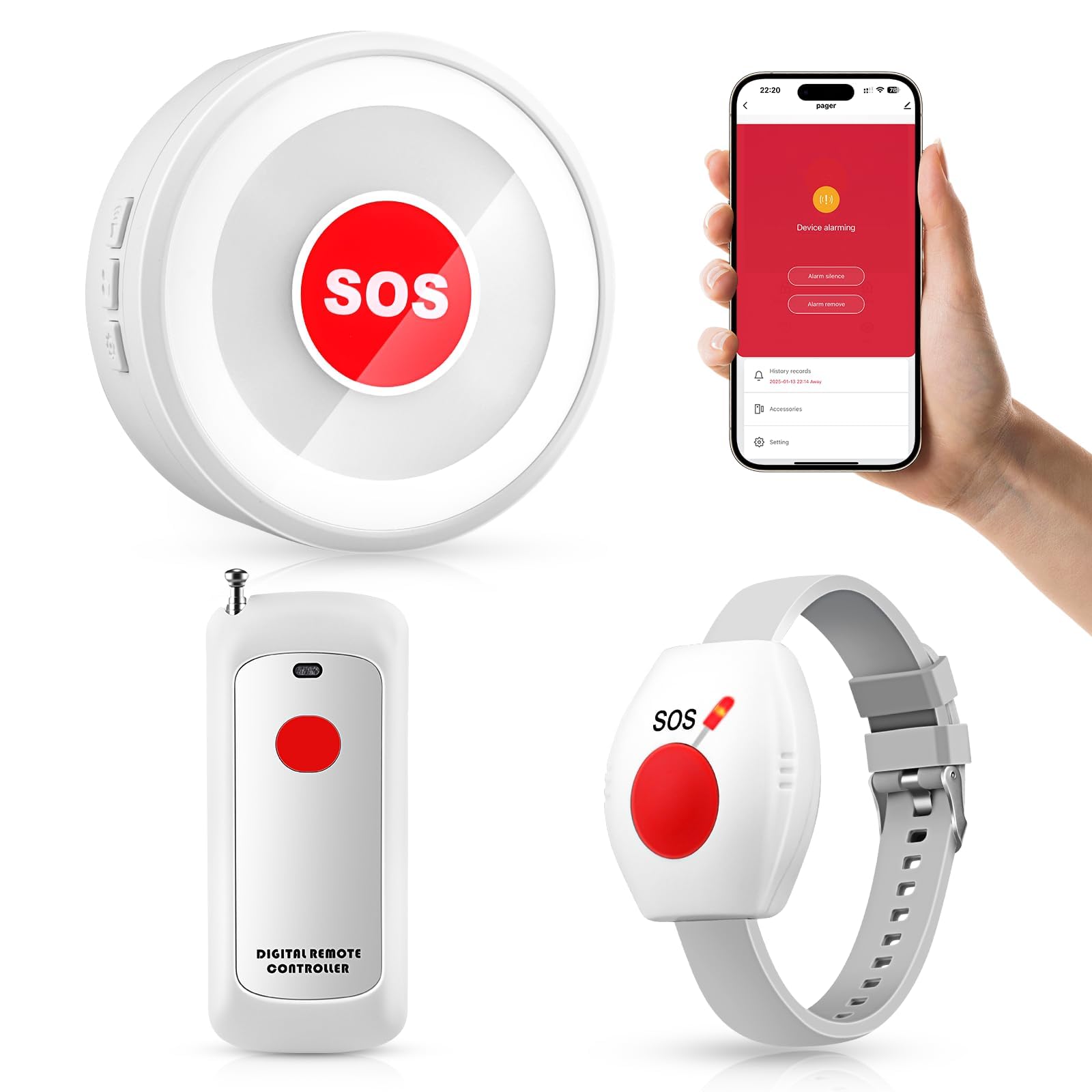
We recommend this system for in-home care when a nearby caregiver needs a simple alert without a monthly fee.
Pros
- No subscription required
- Includes pendant and wrist buttons
- Loud receiver with app alerts
Cons
- Depends on nearby caregiver response
- App setup requires 2.4GHz Wi-Fi
- Some users reported false alarms
We found the TurboSense pager easy to use after setup. Pressing the button activates the receiver, which provides a loud alert that can carry across several rooms. This makes it useful when a caregiver stays nearby but cannot watch the person at all times.
The waterproof button can work as a necklace or wrist device, and we could also place it near a bed, chair, or bathroom. The included receiver can work without the app or Wi-Fi, while the app adds phone notifications for connected family members.
Setup may take some trial and error, especially when choosing tones and connecting the app. We also noted reports of phantom alerts from one unit, so buyers should test the system soon after delivery.
This is an in-home caregiver pager, not a monitored emergency service. It does not contact emergency responders on its own, and its usefulness depends on the receiver, Wi-Fi features, and someone being close enough to help.
Seculife Medical Alert Pendant
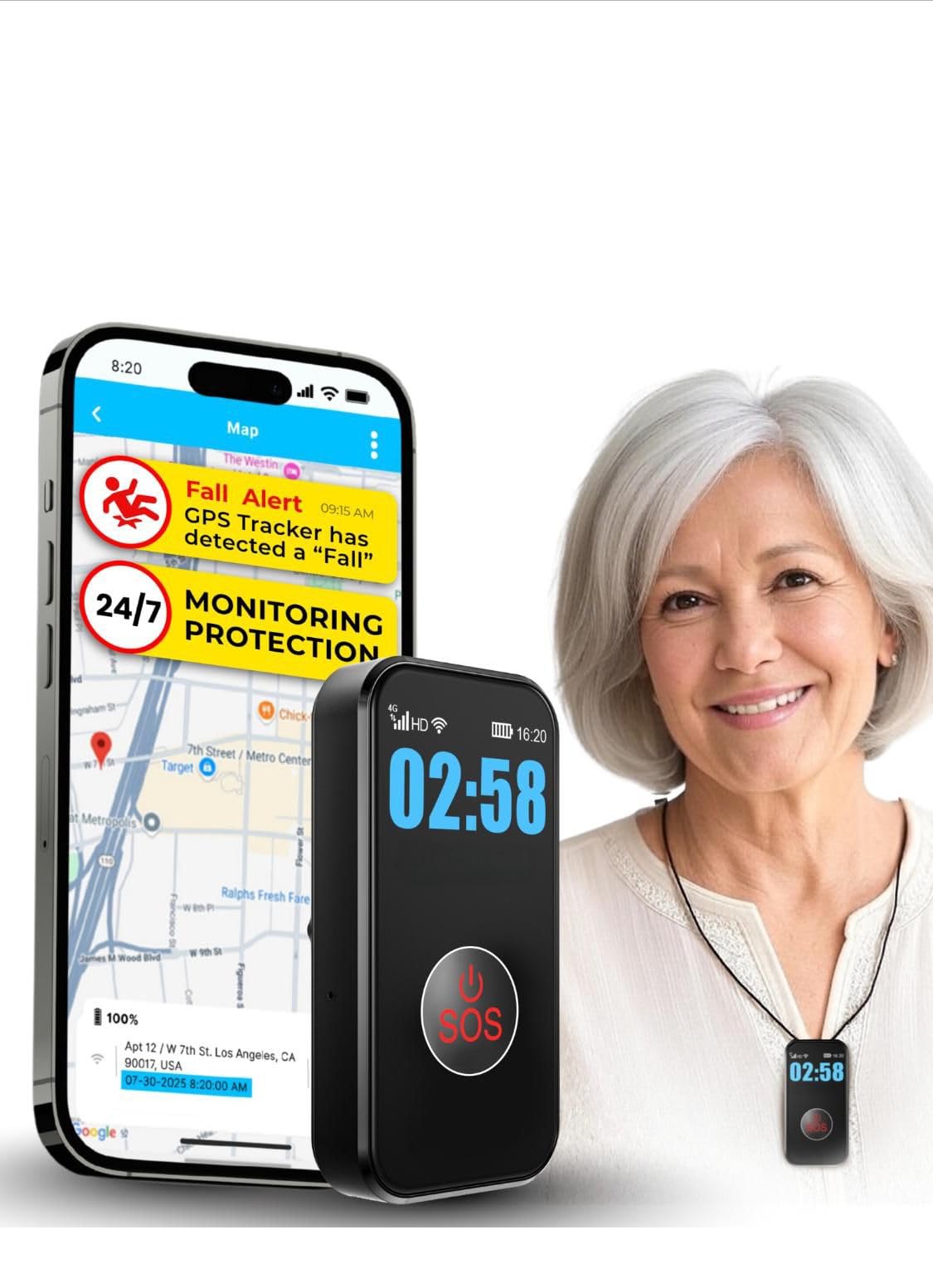
We recommend this pendant for disabled adults who want direct contact with family, GPS tracking, and fall alerts, but buyers should plan for the required $20 monthly subscription.
Pros
- Large SOS button and simple controls
- Two-way calling with hands-free answering
- Waterproof design with GPS and geofencing
Cons
- Monthly service fee is required
- Fall detection may not catch every fall
- Battery life depends on tracking settings
During testing, we found the pendant easy to set up and use. The main button responds well, which helps people with limited hand strength or arthritis. Its display shows basic information such as battery and signal status.
The device uses a 4G LTE connection to call selected contacts rather than a monitoring center. We could speak through its built-in speakerphone, and the auto-answer feature made it easier to check on the wearer without requiring them to press another button.
GPS tracking and geofence alerts add useful support for people who may wander or need help away from home. The system can also store up to one year of location history. These features require the paid service plan.
The waterproof IP67 design supports use in the shower and during light outdoor activity. Battery life can reach about six days with less frequent tracking, though daily charging may become necessary with heavier use. We also recommend testing fall detection and contact alerts after setup, since automatic detection cannot identify every fall.
Nomo Smart Care Medical Alert System
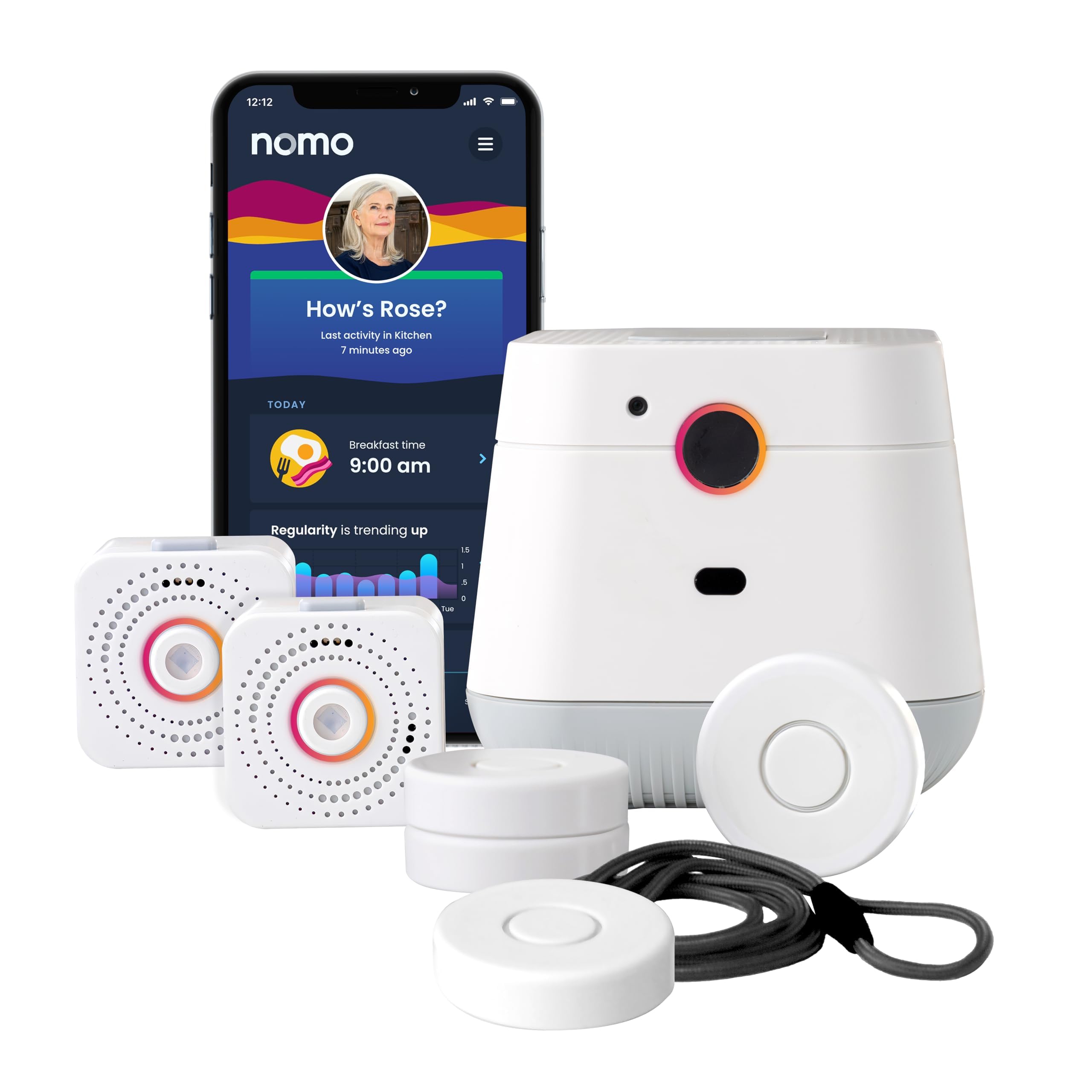
We recommend this system for disabled adults who want camera-free in-home monitoring, caregiver alerts, and fall detection through a home Wi-Fi connection.
Pros
- Camera-free monitoring helps protect privacy.
- Setup uses standard outlets and home Wi-Fi.
- Includes a 60-day app trial with emergency response.
Cons
- It works only inside the home.
- Fall detection may not identify every fall.
- Ongoing service costs $19.99 per month after the trial.
We found the setup straightforward. We plugged in the Smart Hub and two Satellites, connected them to a 2.4 GHz Wi-Fi network, and placed the Smart Tags on key doors, cabinets, and medication areas. The app then helped us adjust alerts and add trusted caregivers.
The Hub provides two-way voice communication, which lets the user speak with caregivers or request help without reaching for a phone. Caregivers can also receive activity and emergency notifications through the Nomo app.
Daily activity monitoring adds useful context. Changes in movement or routine may alert caregivers to a possible problem before an emergency occurs. However, the system requires reliable Wi-Fi and AC power, although battery backup helps during short outages.
We would not treat the fall detection as a replacement for direct supervision or a wearable medical alert device. Some users may also dislike the bright lanyard color, and the monthly fee continues after the free trial.
Daytech Caregiver Pager

We recommend this simple in-home alert system for disabled adults who need an easy way to call a nearby caregiver.
Pros
- Multiple watches, call buttons, and receivers
- Simple press-to-alert operation
- Useful range around the home
Cons
- Not a 911 or monitoring service
- Devices cannot be submerged
- Setup may take some patience
We found the system easy to use right out of the box. The watch and call buttons give the user more control, while the portable receivers help caregivers hear alerts in different rooms.
The call button’s splash-resistant design makes it practical near a bathroom, and the included strap keeps it close by. However, we would remove the watch and button before bathing because neither device is fully waterproof.
The system offers up to 100 feet of range, though walls and floors may affect coverage. We also liked the choice of 20 tones and adjustable volume, but pairing units and changing settings can feel a little fussy.
This Daytech system works best for home caregiving when someone nearby can respond. It does not contact emergency services, so it should not replace a professionally monitored medical alert system for users who live alone.
CallToU Wireless Caregiver Pager
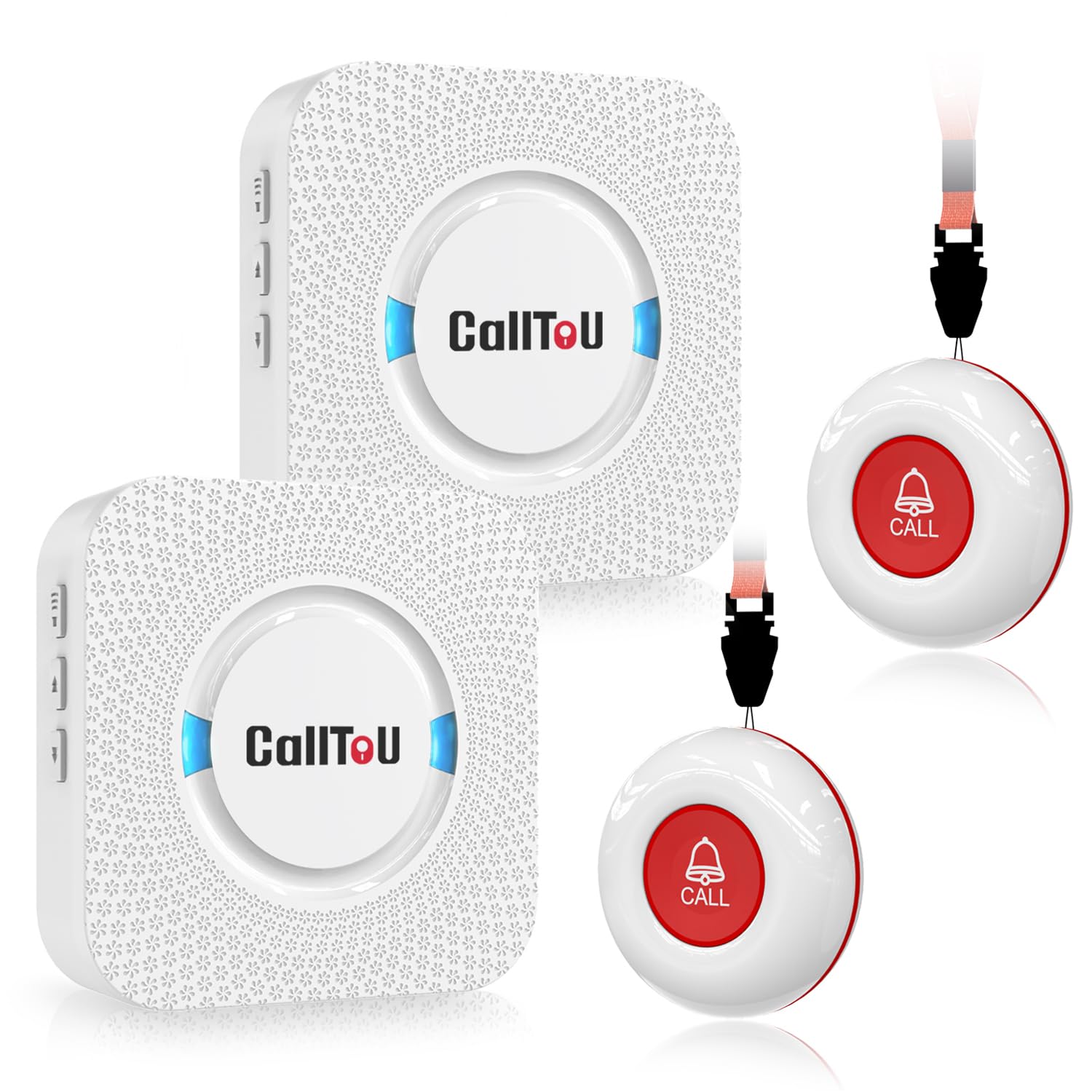
We recommend this simple home alert system for disabled adults who need an easy way to call a nearby caregiver without Wi-Fi or phone service.
Pros
- Two call buttons and two portable receivers
- Loud, adjustable alerts with many tone choices
- Waterproof buttons suit bathroom use
Cons
- It does not detect falls automatically
- Receivers need wall outlets
- It works mainly within the home
We found the system quick to set up and easy to use. A user can wear a call button with the neck strap, attach it near a bed, or place it within reach. Pressing the button sends an alert to both receivers, which helps caregivers hear the request from different rooms.
The receivers offer adjustable volume and many ringtone options. We could move them between common areas, although each receiver needs access to an outlet. The alert can sound very loud, which helps in larger homes but may feel excessive in a small room.
The waterproof design adds useful protection near sinks and showers. We would still test the signal throughout the home, since walls and building layout can affect the range. This is a caregiver pager rather than a full medical alert service, so it lacks professional monitoring, GPS, and automatic fall detection.
Seculife Medical Alert Smartband
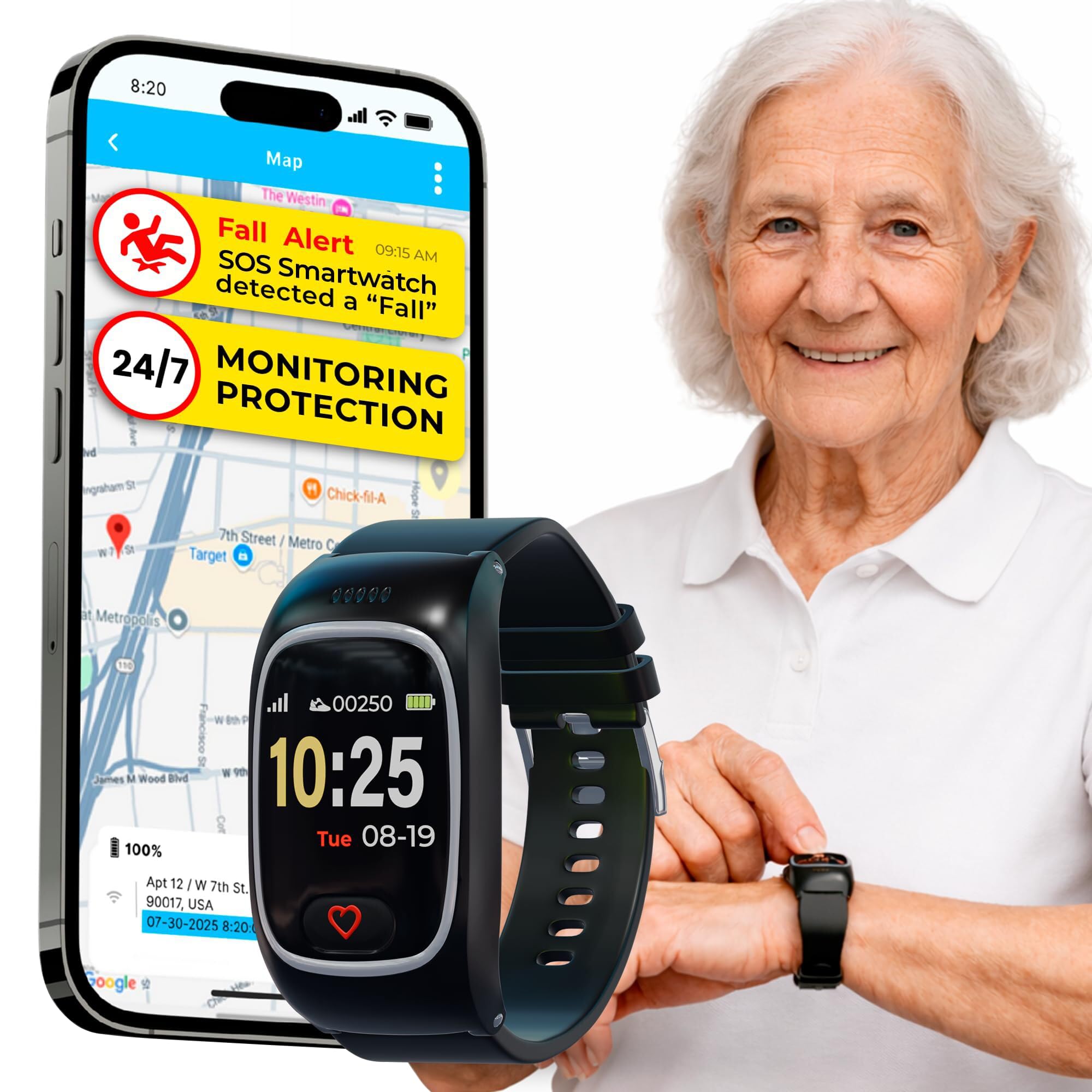
We recommend the Seculife Smartband for adults who need GPS tracking, two-way calling, and family alerts in one wearable, but buyers should expect some app and alert limits.
Pros
- Large SOS button with two-way calling
- GPS tracking and geofencing for caregivers
- Water-resistant design for daily wear
Cons
- Requires a monthly plan starting at $25
- Battery life averages about one day
- Some users report false alerts and delayed location updates
The large SOS button felt easy to find and press during testing. Holding it for three seconds starts an emergency call to selected contacts. The watch can also detect possible falls, although user reports suggest that these alerts may not always work consistently.
We liked the direct-to-family setup because it does not rely on a traditional call center. Approved contacts can call the watch, and its auto-answer feature can help when the wearer cannot reach the screen.
GPS and geofencing add useful support for people who may wander. However, reported location delays and incorrect locations make this feature better for general awareness than exact, real-time tracking.
The Seculife app provides access to location and health information for caregivers. Some buyers report problems with health-data logging, medication reminders, and false fall alerts. The speaker may also sound too loud because users report limited volume control.
Its IP67 water resistance and silicone band suit everyday use, but the roughly one-day battery requires frequent charging. We would choose this model for families who value direct contact and location tools, while recognizing that its alert reliability may vary.
PRNBRH App-Controlled Medical Alert System
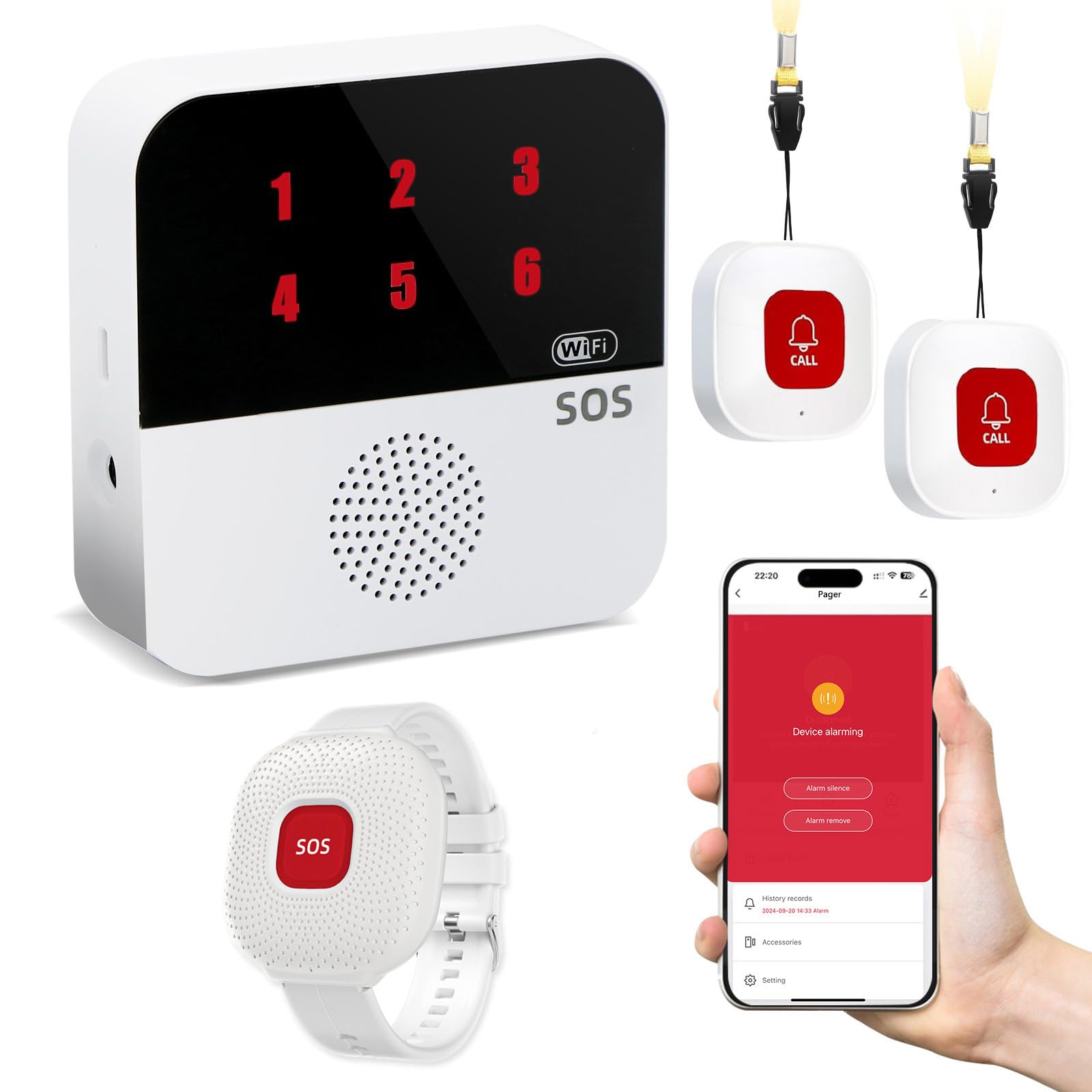
We recommend this system for families who want a simple in-home alert setup without a required monthly monitoring plan.
Pros
- Includes two call buttons, a waterproof wrist remote, and a receiver
- Sends alerts through the receiver and compatible smartphone app
- Wireless signal reaches up to 300 feet
Cons
- Requires a 2.4GHz Wi-Fi network for app features
- SMS alerts require a paid subscription
- It does not provide professional emergency monitoring
We found the setup fairly straightforward after connecting the receiver to Wi-Fi and pairing it with the Tuya Smart or Smart Life app. The receiver uses numbered indicators, which can help caregivers identify which button was pressed.
The wrist remote is waterproof for shower use, but the other buttons are not listed as waterproof. We would keep those devices away from sinks, tubs, and heavy moisture.
During testing, the receiver provided a loud 110-decibel alarm, while the wireless signal worked through walls within the stated 300-foot range. The wireless backup also helps the local pager continue working during an internet outage, although app notifications depend on the network.
Families can share app access with other caregivers, which makes this useful for relatives who live apart. We would choose it for home use when someone can respond to alerts, but we would not treat it as a replacement for a monitored medical alert service or emergency response plan.
SecuLife SOS Wristband
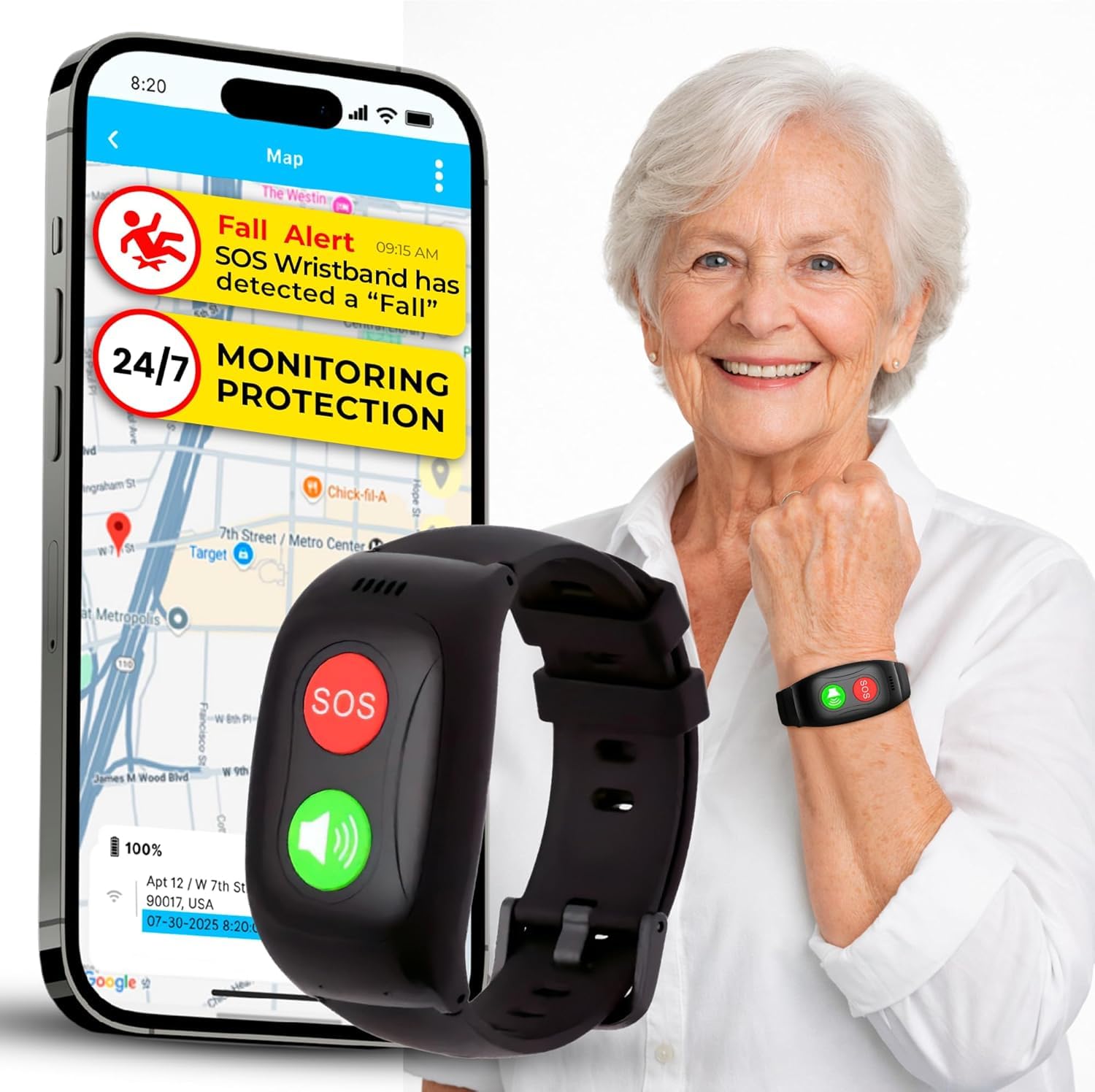
We recommend it for families who want GPS tracking and direct contact with caregivers, but the paid subscription and mixed customer feedback deserve careful review.
Pros
- Simple, screen-free SOS button
- GPS tracking, geofencing, and two-way calling
- Water-resistant design for daily wear
Cons
- Requires a $25 monthly subscription
- Battery life may last only about one day
- Some buyers report setup and support problems
We found the wristband easy to understand because it has no screen or complex menus. The wearer can press the SOS button to contact preset family members, while two-way calling lets caregivers speak through the device.
GPS tracking and geofencing add useful support for adults who may wander or need help while away from home. The caregiver app can show location information and send alerts when the wearer leaves a selected area.
The IP67 rating helps protect against rain, splashes, and handwashing. However, we would not treat it as fully waterproof without checking the manufacturer’s care instructions.
The required subscription increases the long-term cost. Its listed battery life of about one day also means we would need to charge it often. Customer ratings are mixed, with some users praising setup and ease of use while others mention poor support, charging issues, or billing concerns.
MT EXESPR Caregiver Alert System
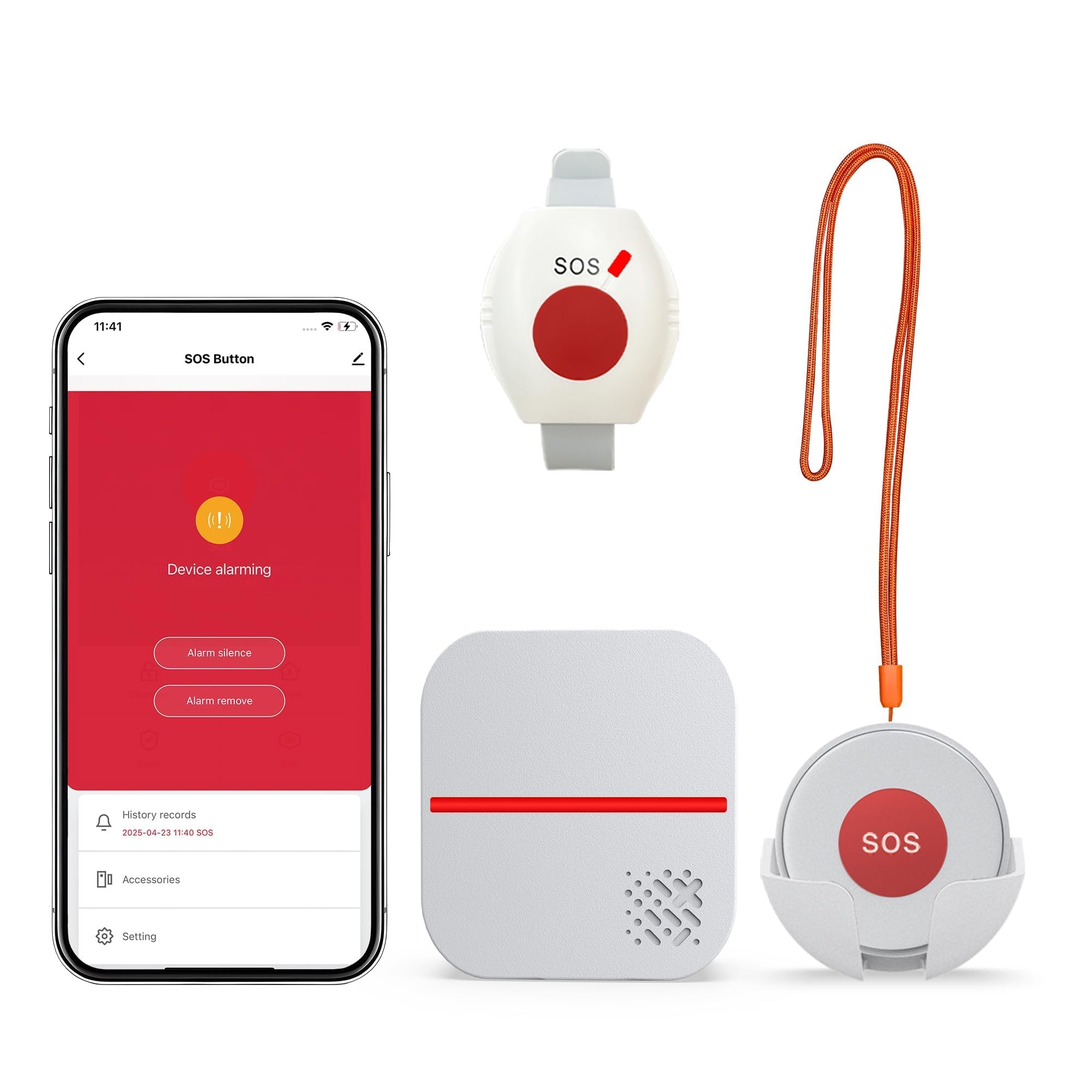
We recommend this system for disabled adults who need a simple way to alert nearby caregivers without a required monthly alarm fee.
Pros
- No monthly fee for local alarm alerts
- Wearable waterproof pendant and wrist button
- Loud receiver with adjustable volume and tones
Cons
- Text and phone alerts require a subscription
- App works only with 2.4GHz Wi-Fi
- Manual button press does not detect falls automatically
We found setup straightforward: plug in the receiver, pair the buttons, and choose a sound and volume level. The receiver can flash and play an alert, which helps caregivers notice requests in a busy home.
The pendant and wrist button give users more than one way to call for help. The waterproof design suits bathroom use, but the system still requires the user to press the button after a fall or other emergency.
Its stated range reaches up to 656 feet in open areas, though walls and building layouts can reduce that distance. The system also supports app notifications, while SMS and phone call alerts need an added subscription.
This option works best when a caregiver stays nearby or checks app alerts. We would not treat it as a replacement for a professionally monitored medical alert service, especially for someone who lives alone.
STECHRO Wireless Caregiver Pager

We recommend this pager for households that need a simple caregiver call system within the home.
Pros
- Two call buttons support more than one room or user
- Loud, adjustable alerts with 58 tone choices
- Water- and dust-resistant call buttons
Cons
- It does not contact emergency services
- The 1,500-foot range applies to open areas
- The receiver needs a nearby power source
We found setup quick and straightforward. The large buttons responded easily, and the included adhesive made it simple to place one near a bed or bathroom. Users can also carry a button with the included accessories.
The receiver offers five volume levels, including a very loud setting, which helped us hear alerts from another room. We liked having many ringtone choices because different sounds can help caregivers recognize this alert.
The two call buttons make this set useful for two adults or separate locations. The buttons use replaceable CR2032 batteries, but we would still check battery life regularly. The system works as an in-home alert, not as a monitored medical service, so it cannot call emergency responders on its own.
The IP55 rating adds protection from dust and light water exposure, but we would not submerge the buttons. Overall, this system suits families who want an affordable way to signal for help nearby without paying for a monthly monitoring plan.
Buying Guide
We should start by identifying the user’s main risks, daily routine, and support needs. Consider whether they need help at home, outside, during travel, or in areas with limited mobile coverage.
Key features to compare include:
| Feature | What to check |
|---|---|
| Connection type | Home cellular, landline, mobile, or Wi-Fi options |
| Two-way voice | Clear communication with responders through the device |
| Water resistance | Protection for use in the shower or near sinks |
| Fall detection | Whether it is optional, automatic, and supported by testing or user reports |
| Battery life | Expected runtime and how the device charges |
| Range | Distance between a home unit and wearable button |
| GPS location | Outdoor location support for users who may become lost |
| Caregiver access | Alerts, location sharing, and account controls for trusted contacts |
We should check how alerts reach help. Some systems connect to a professional response center, while others contact chosen family members or caregivers. Review response methods, emergency procedures, and whether operators can communicate with the user.
We should also examine the full cost, including equipment, activation, monthly service, optional features, shipping, and cancellation fees. Look for clear contract terms and ask whether the service works in the places where the user spends time.
Comfort and accessibility matter as much as technical features. We should choose controls that are easy to press, readable, and comfortable to wear, with charging steps the user can manage independently or with support.
Editor’s Choice
We chose Medical Guardian as our editor’s choice for disabled adults who need flexible emergency support. Its plans include options for at-home and on-the-go use, while fall detection is available with selected devices or plans.
Medical Guardian offers several device types, including:
- A home medical alert system with a base unit and help button
- A wearable device for use outside the home
- A mobile device with GPS tracking
- Optional automatic fall detection
We value the company’s range of equipment because users can select a setup that fits their mobility, living situation, and daily routine. The system can connect users with trained monitoring staff at any time, depending on the plan.
Pricing, equipment fees, and fall detection costs vary by plan. We recommend reviewing the contract terms and checking whether the service works in the areas where the user spends time. Users should also confirm battery life, cellular coverage, and the return policy before ordering.
For adults who prefer a simpler setup, an at-home system may provide enough protection. Those who travel, live alone, or need support outside the home may benefit more from a mobile device with GPS.
Conclusion
We should choose a medical alert system based on the user’s daily needs, living situation, and comfort with technology. Key features may include fall detection, GPS location, two-way communication, caregiver alerts, and support for landline or mobile service.
We should also check the system’s costs before signing up. Monthly fees, equipment charges, activation costs, replacement policies, and cancellation terms can affect the total price.
Before making a choice, we can test the device, review the emergency response process, and confirm that the help center operates at all needed times. We should also make sure the user can wear, charge, and activate the device without difficulty.
A good system should support independence while giving users and caregivers a practical way to respond during an emergency. Our final choice should match the user’s abilities, routine, budget, and preferred level of support.
FAQs
What should we look for in a medical alert system?
We should compare fall detection, two-way communication, GPS tracking, battery life, network coverage, and monthly fees. We should also check whether the device works indoors, outdoors, or both.
Can medical alert systems help adults with disabilities live independently?
Yes. These systems let us contact trained support staff, family members, or emergency services after a fall, health event, or other urgent problem. They can support independent living but do not replace medical care or daily assistance.
Do all systems include automatic fall detection?
No. Fall detection often costs extra, and no device detects every fall. We should treat it as a backup and press the help button whenever possible.
Are mobile systems better than home-based systems?
Mobile systems suit adults who leave home often because they use cellular networks and may include GPS. Home-based systems can work well for people who spend most of their time at home and want a simpler setup.
Will insurance cover a medical alert system?
Coverage varies by plan, location, and medical need. We should contact our insurer, Medicaid office, or care program before purchasing.
What accessibility features should we check?
We should look for large buttons, clear voice prompts, adjustable settings, wearable options, and compatibility with hearing aids or other assistive devices. A trial period can help us test comfort and reliability.
