
10 Best Medical Alert Systems for Home: Top Picks for Safety and Support


Portable Radio with Large Buttons

Lap Desk for Reading

Folding Walking Stick with Seat
Medical alert systems give people a way to call for help after a fall, injury, or sudden health problem. Home systems usually include a wearable button, a base station, and access to trained emergency operators. They can help older adults and people with health concerns feel safer while living independently.
The best home medical alert systems offer a simple button, reliable coverage throughout the home, clear two-way communication, and fast access to help. We also look at fall detection, backup battery life, monthly fees, and whether the system needs a landline or cellular connection. These details affect how well a system works during an emergency.
We tested and researched medical alert systems to find the options that are easiest to use, dependable, and suited to different needs and budgets.
Best Medical Alert Systems for Home
We reviewed medical alert systems designed for home use and selected the strongest options for different needs and budgets. Our list compares key features such as response services, fall detection, range, setup, and monthly costs.
CallToU Wireless Caregiver Pager
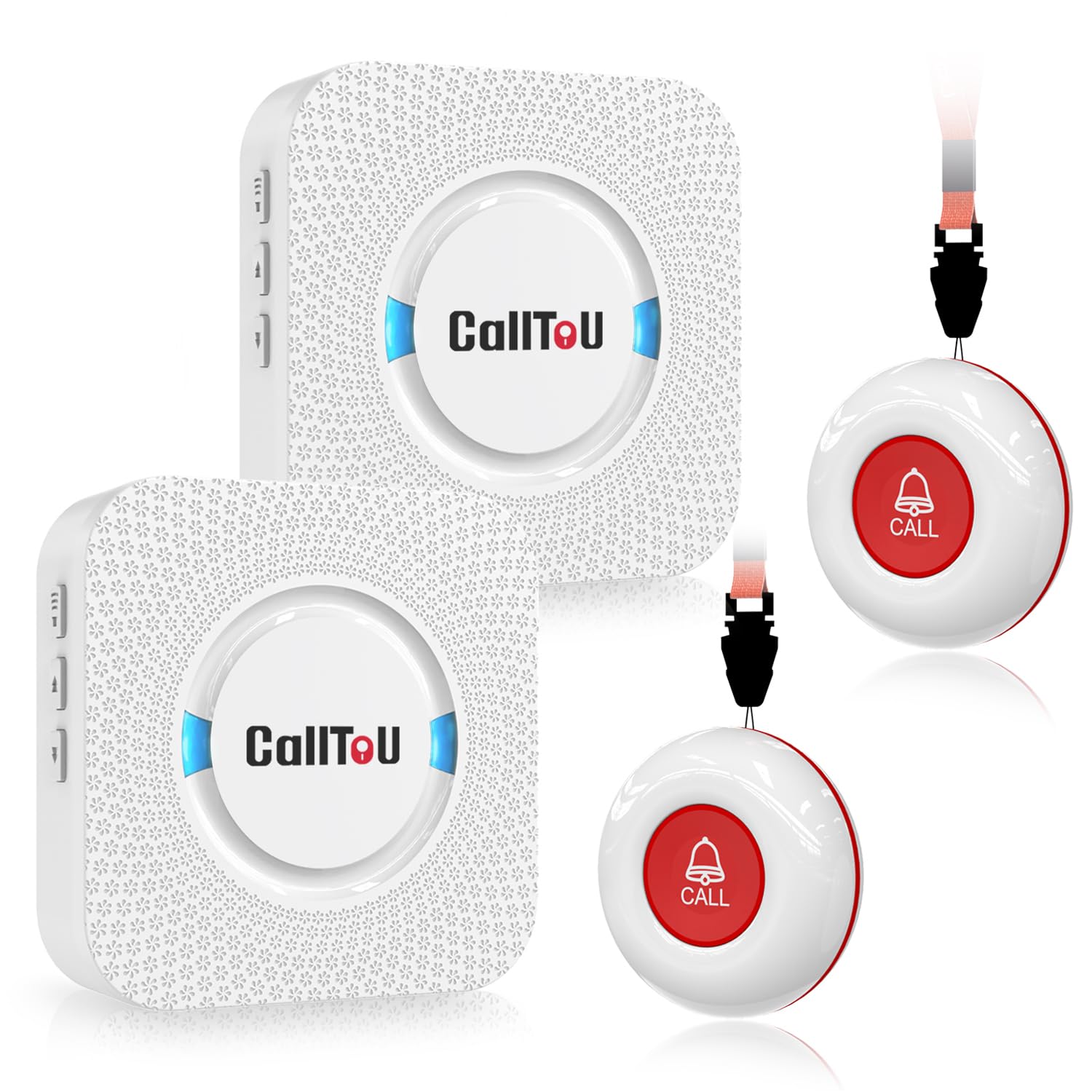
We recommend this pager for households that need a simple way to call for help without Wi-Fi or a phone app.
Pros
- Two call buttons and two receivers support multiple rooms.
- Loud alerts, adjustable volume, and many ringtone choices.
- Waterproof buttons work well near bathrooms and kitchens.
Cons
- Receivers must stay plugged into outlets.
- The buttons do not detect falls automatically.
- Small print may make setup harder for some users.
We found the system easy to set up and use. Each call button can hang from a neck strap, sit nearby, or attach to a wall. Pressing it sends an alert to both receivers, which helps caregivers hear the call from different parts of the home.
The receivers provide strong sound and several volume levels. We could move them between common areas as needed, but they still require a power outlet. The reported range worked well across multiple rooms and floors, though walls and the home’s layout can affect performance.
Water-resistant construction makes the buttons practical for use near sinks or showers. However, this is a basic call system, not a monitored medical alert service. It cannot contact emergency services or recognize a fall on its own.
TurboSense Home Caregiver Pager
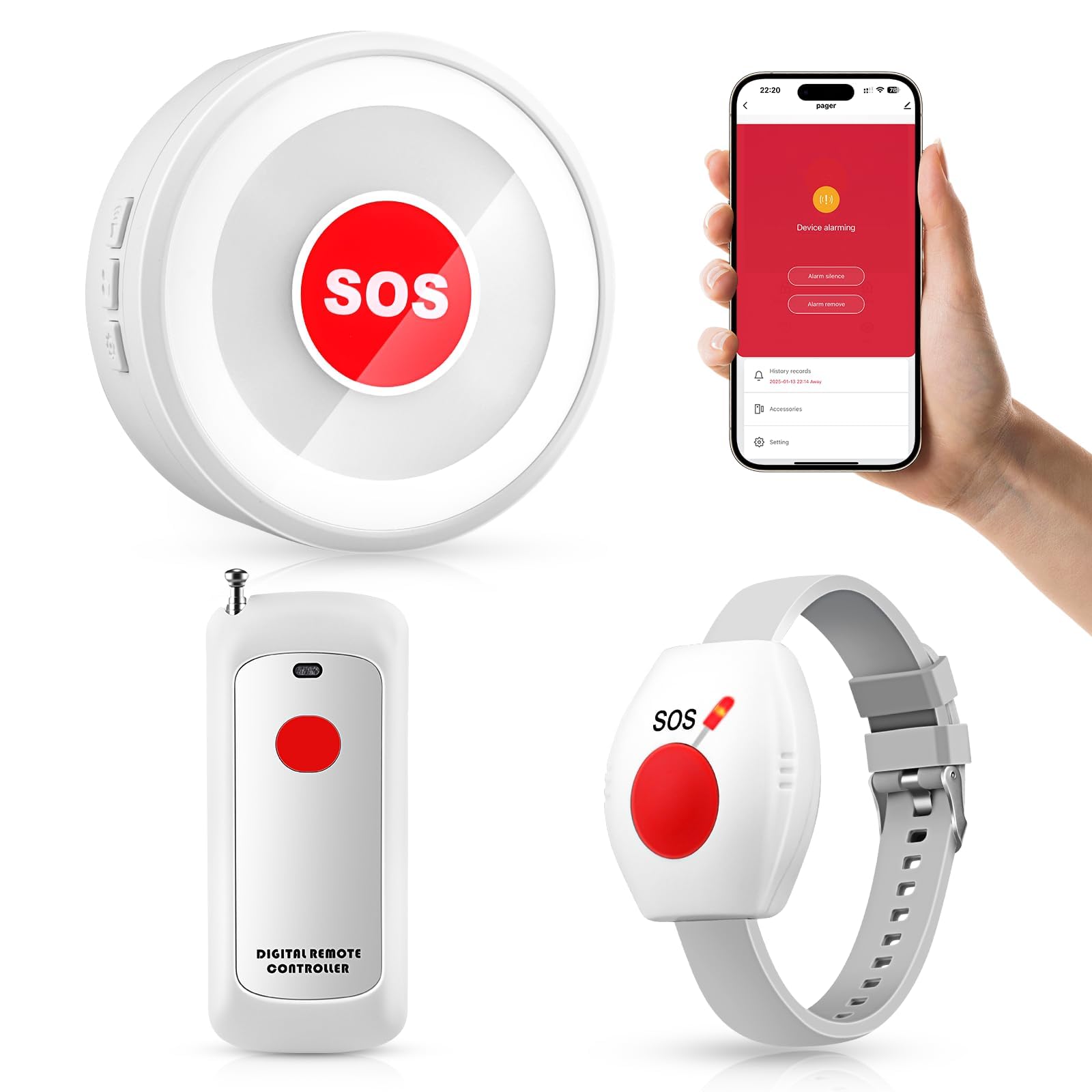
We recommend this system for households that want a simple alert button without a monthly service fee.
Pros
- No subscription required
- Loud receiver with several alert tones
- Includes pendant and wrist-button options
Cons
- Wi-Fi app setup may take some effort
- False alerts may occur for some users
- It contacts caregivers, not emergency services
We found the receiver easy to use once paired with the buttons. A press sounds the indoor alarm, which helps family members notice a request for assistance from another room.
The pendant and wrist button give users flexible ways to carry the alert. The waterproof design also suits common areas such as the bathroom, bedroom, and kitchen.
The receiver can work without the app or home Wi-Fi for basic in-house alerts. App notifications add remote updates, but setup depends on a compatible 2.4GHz Wi-Fi network.
This system works best when a caregiver stays nearby and can respond quickly. It does not replace a monitored medical alert service or directly contact emergency responders.
CallToU Wireless Caregiver Pager
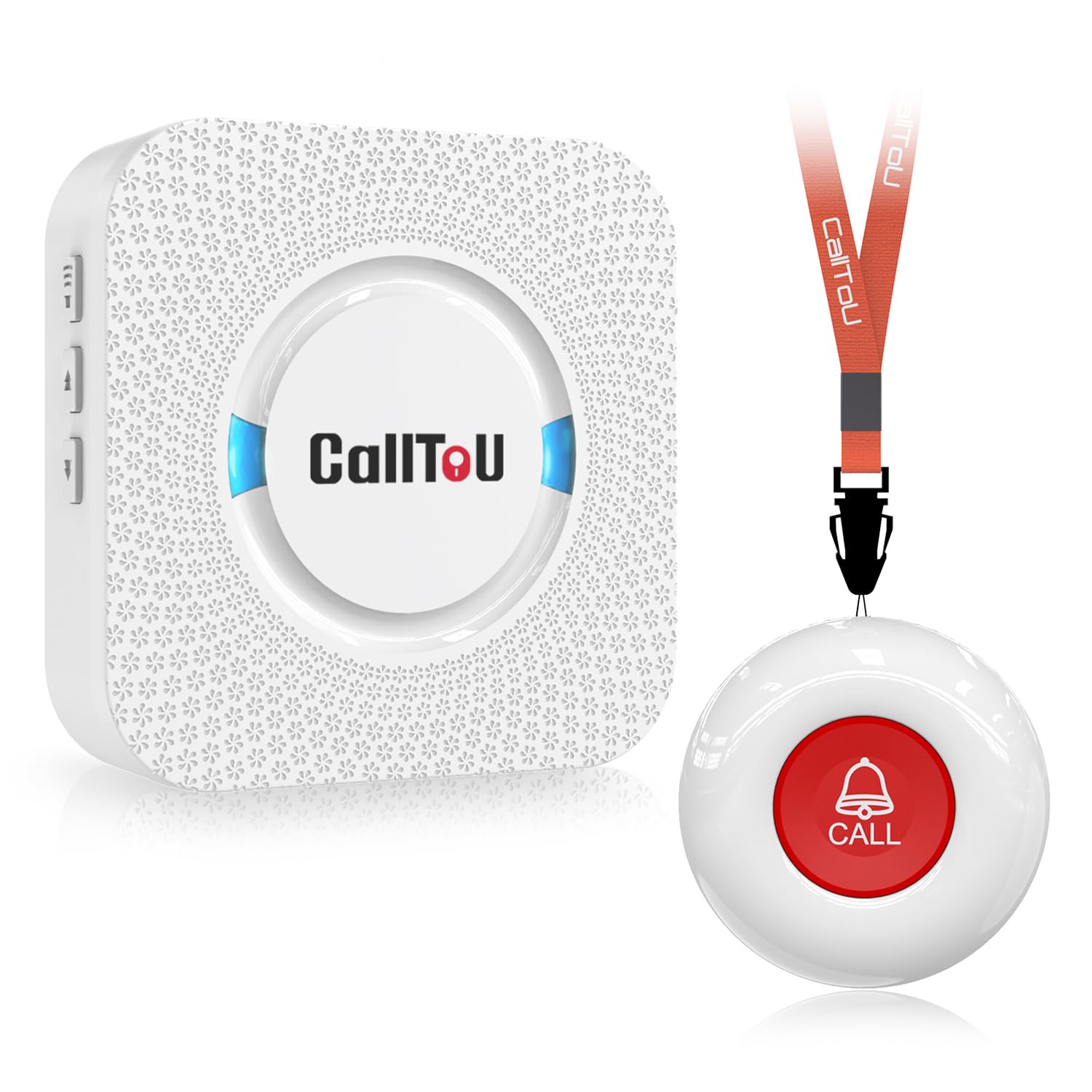
We recommend this simple home alert system for caregivers who need a reliable way to hear a call from another room.
Pros
- Simple setup with pre-paired buttons and receivers
- Loud, adjustable alerts with 55 ringtone choices
- Waterproof call button for bathroom or outdoor use
Cons
- The receiver must stay plugged into an outlet
- It does not contact emergency services
- The included wall mount may not fit the button well
We found the CallToU easy to set up and use. The person needing help can press the button, while the caregiver carries the receiver around the home. The button can also hang around the neck or sit near a bed or chair.
The alert remained easy to hear from other rooms, and the volume controls helped us adjust it for different parts of the home. We also liked choosing a ringtone that stood out from other household sounds.
The waterproof design makes the button useful near a sink, shower, or outdoor area. However, this is a caregiver pager rather than a monitored medical alert service. It does not call emergency responders, so someone must be close enough to hear and answer the alert.
Nomo Smart Care Home System
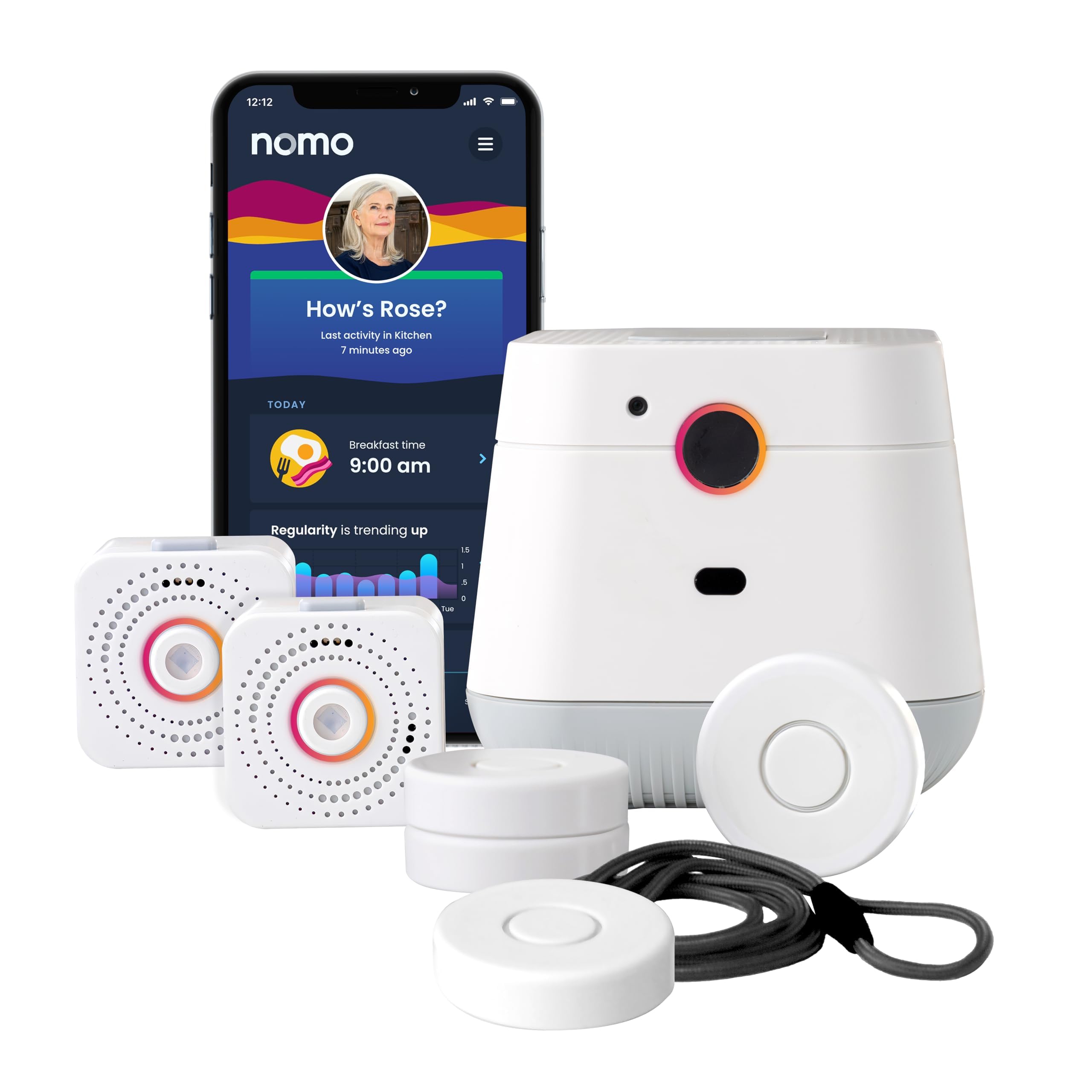
We recommend this system for households that want camera-free activity monitoring, caregiver alerts, and two-way emergency communication at home.
Pros
- Camera-free monitoring helps protect privacy
- App alerts can keep caregivers informed
- Setup requires no wiring or professional installation
Cons
- Fall detection may not catch every fall
- Requires 2.4 GHz Wi-Fi
- Ongoing service costs $19.99 per month after the trial
During setup, we plugged in the Hub and two Satellites, connected them to 2.4 GHz Wi-Fi, and placed the Smart Tags on key doors and items. The wireless design made installation fairly simple, but users should check their Wi-Fi settings before buying.
The system gives caregivers updates through the Nomo app and lets users speak through the Hub during an alert. Smart Tags can also help track activity around medications, cabinets, and doors without using indoor cameras.
We like the 60-day trial and the option to cancel without a contract. However, the subscription becomes necessary for 24/7 monitoring and RapidSOS emergency response after the trial ends.
Fall detection adds useful protection, but we would not treat it as a replacement for a wearable alert button or regular check-ins. Some customer feedback also reports inconsistent fall detection, so families should test the system carefully during the trial period.
SecuLife Medical Alert Pendant
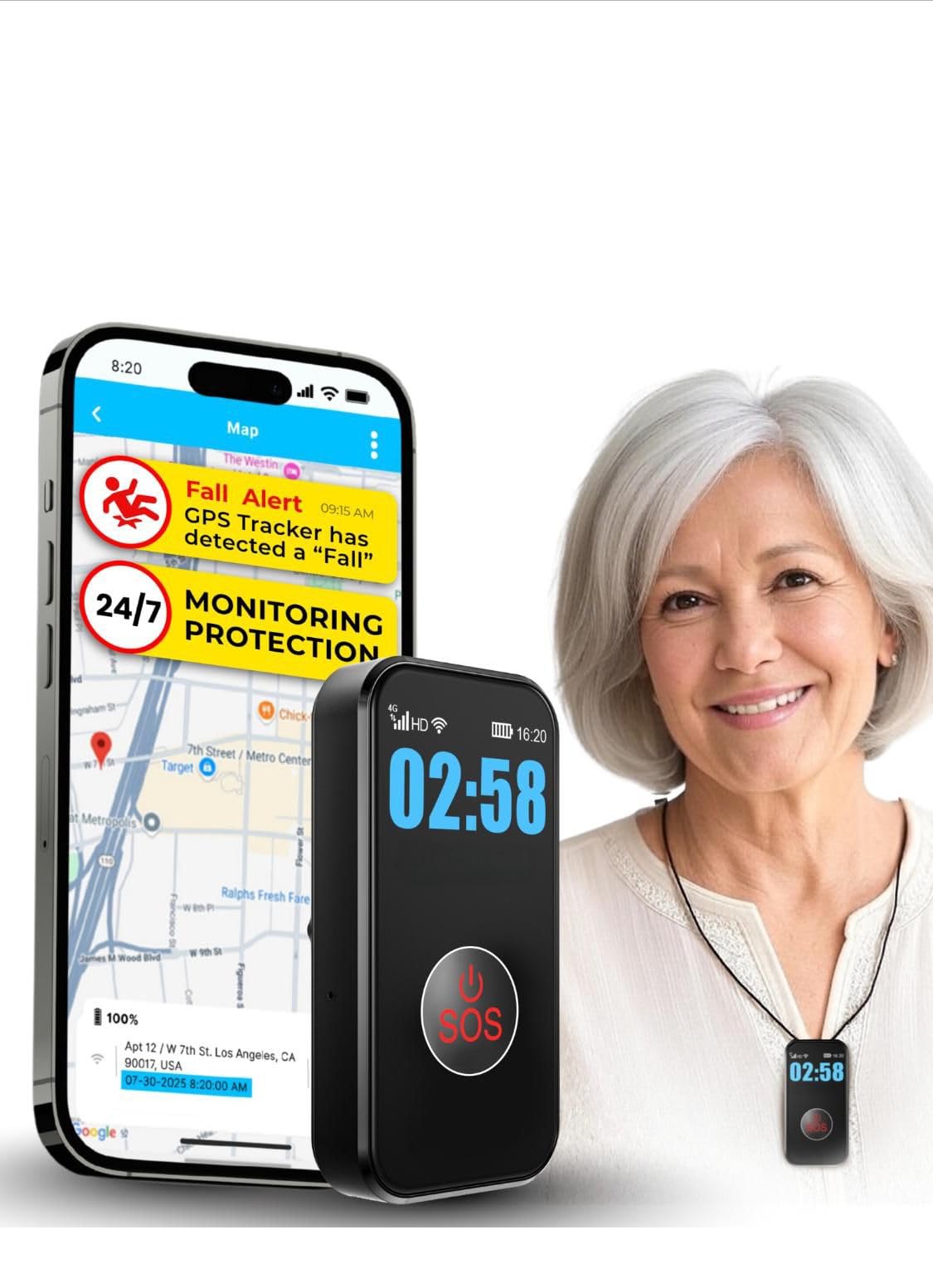
We recommend this pendant for families who want direct contact with caregivers, GPS tracking, and fall alerts, but should review the required monthly fee first.
Pros
- Simple SOS button and two-way calling
- GPS tracking with geofence alerts
- Waterproof design for daily wear
Cons
- Requires a $20 monthly subscription
- Fall detection may not catch every fall
- Battery life depends on tracking use
We found the pendant easy to set up and simple to operate. The large SOS button suits users who may have limited dexterity, while the speakerphone lets them talk with family members without reaching for a phone.
GPS tracking adds value for users who leave home. Caregivers can check a location, set safe zones, and receive alerts when the wearer crosses them. The device also works in the shower and during light rain, which supports regular use.
The subscription includes cellular service, fall alerts, live tracking, voice calls, and customer support. We would confirm coverage in the user’s area before buying, since the pendant relies on a 4G LTE connection.
Charging should fit into a routine, but the battery may last about five days in typical use and less with frequent tracking. We also recommend testing the fall detection and emergency contacts after setup, because automatic detection can miss some falls or trigger a false alert.
STECHRO Wireless Caregiver Pager

We recommend this simple pager for home caregivers who need a loud, nearby alert without a monthly service fee.
Pros
- Easy setup and large call buttons
- Adjustable volume with many tone choices
- Water- and dust-resistant design
Cons
- It does not contact emergency services
- The call button needs to stay within range
- The basic kit includes only one button
We found the STECHRO pager easy to set up and use. Pressing the call button sent a clear alert to the receiver, making it useful when a family member needs help from another room.
The receiver offers several volume levels and alert sounds. We could lower the sound for quiet periods or raise it when working on another floor. The maximum volume is helpful for people with hearing loss, though it may sound too loud in smaller rooms.
The call button feels simple enough for many older adults and can be placed near a bed, chair, or bathroom. It also has a water- and dust-resistant build, but we would not treat it as fully waterproof or submerge it.
This system works best for homes where a caregiver is close by. It alerts the person carrying the receiver, but it does not call 911, connect to a monitoring center, or provide location tracking.
PILSAMAS WiFi Caregiver Pager
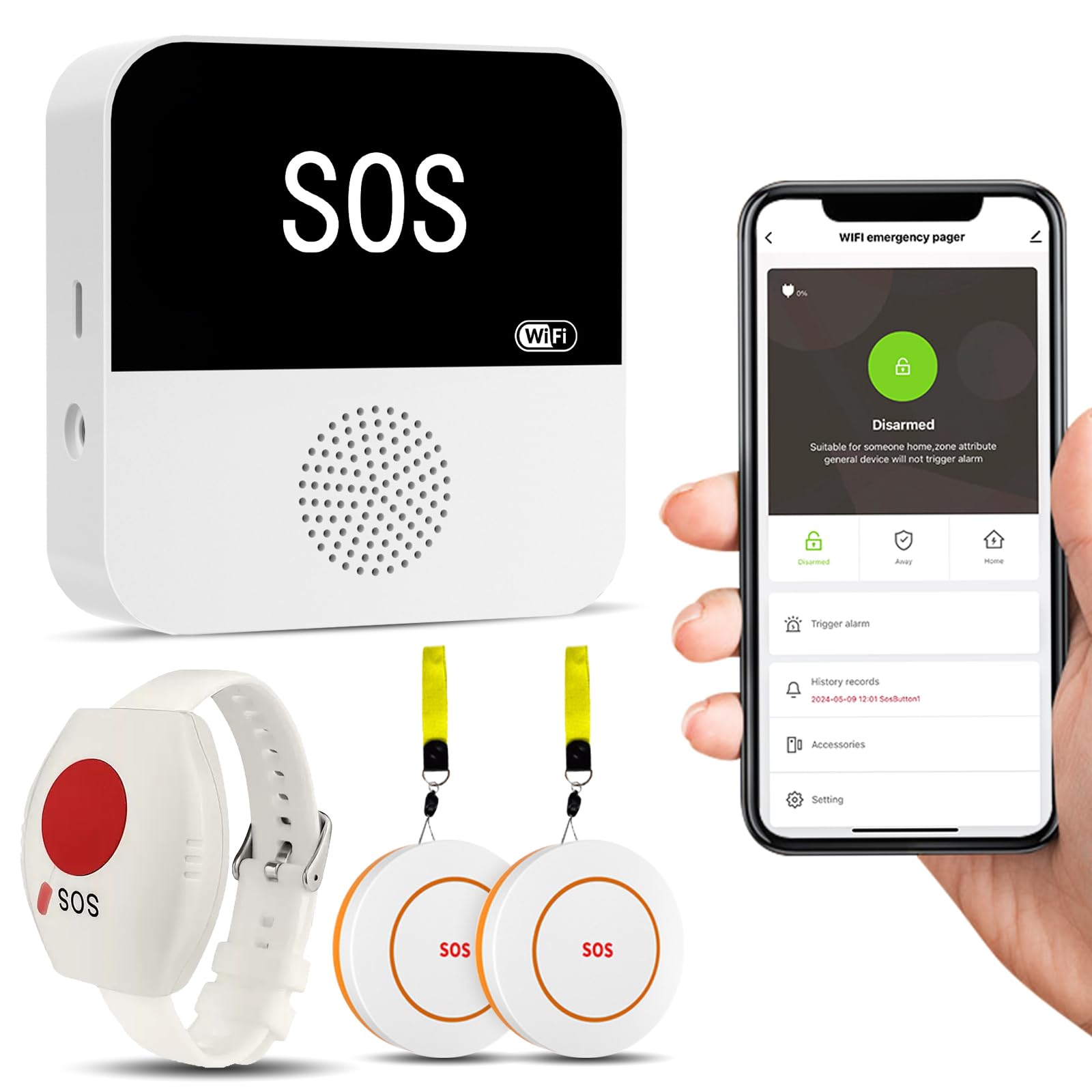
We recommend this system for households that want local alerts, app control, and no required monthly fee.
Pros
- Loud receiver with flashing lights
- Two call buttons and a wristband
- Custom tones and app monitoring
Cons
- Setup requires a 2.4GHz Wi-Fi network
- The wearable button may trigger false alarms
- Phone, text, and email alerts require a subscription
We found the large call buttons easy to press and useful near a bed, chair, or bathroom. The wristband adds another way to call for help, although we would secure it carefully because it can activate when it rubs against nearby objects.
The receiver produced a loud alert that was easy to notice from another room. We could also assign different sounds to each button, which helped identify where assistance was needed without checking the phone first.
Setup worked best after connecting to a 2.4GHz network. The app lets us adjust volume, choose tones, name devices, and share notifications with family members. The system covers up to about 230 feet, but walls and building layout can reduce that distance.
This is an in-home caregiver pager rather than a professional emergency monitoring service. We would choose it for family care, assisted living, or a small facility where someone nearby can respond.
Full House Caregiver Pager

We recommend this pager for households that need a simple, no-monthly-fee way to call a nearby caregiver.
Pros
- Simple setup with multiple plug-in receivers
- Loud alerts, flashing light, and silent mode
- Call buttons support several placement options
Cons
- The call button should not be submerged
- Receivers need access to wall outlets
- It does not contact emergency services
We found the system easy to set up because the buttons and receivers worked without complicated pairing. The three receivers let us place alerts in different rooms, which helped us hear calls from the bedroom, kitchen, or living area.
The call button can hang around the neck, sit near a bed, attach to a wheelchair, or mount on a wall. Its splash-resistant design suits bathroom use, but we would remove it before bathing or showering.
We liked the choice of 52 alert sounds and five volume levels. The flashing light and silent setting also help when sound could disturb others. Still, this system only alerts people nearby; it does not connect to a monitoring center or emergency responders.
CallToU Wi-Fi Caregiver Alert System
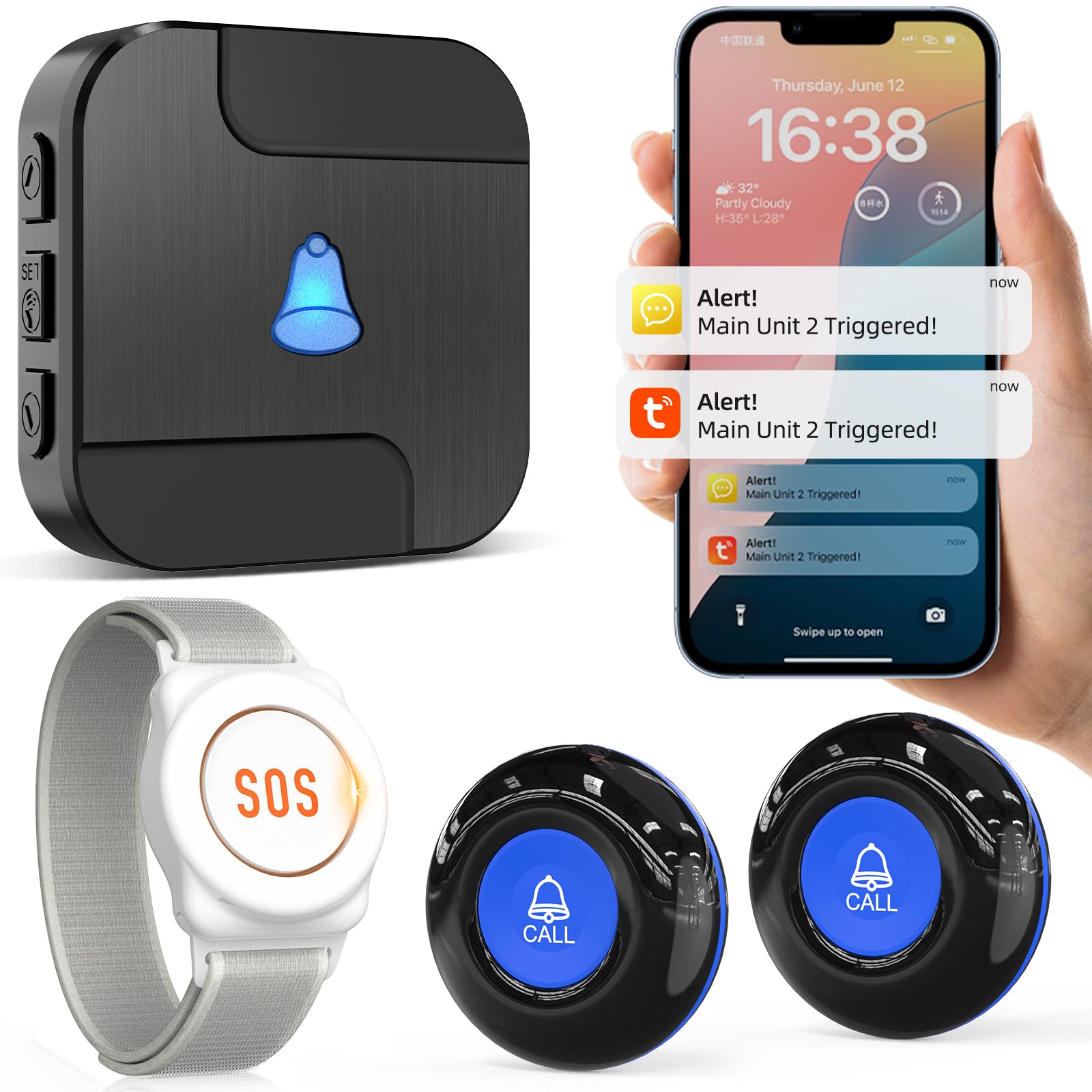
We recommend this system for households that want a simple caregiver alert with phone notifications and a long wireless range.
Pros
- Loud alerts with flashing lights
- App sharing for multiple family members
- Custom ringtones and button names
Cons
- Wi-Fi features require a 2.4GHz network
- Some users reported button or receiver failures
- Text and phone alerts require a paid plan
We found the buttons easy to place around the home, and the wrist button gives the user a convenient way to call for help. The receiver’s adjustable volume and light alerts make it useful during daily activities or at night.
The system works within a large home area, and the app can notify several caregivers. We also liked that custom names and ringtones help us identify which button was pressed without checking the phone first.
This model depends on a stable 2.4GHz Wi-Fi connection for remote app access. We would also test every button regularly, since some customers reported that a button or receiver stopped sounding after several weeks. It works best as an in-home caregiver pager, not as a complete emergency monitoring service.
Bay Alarm Medical SOS Mobile GPS

We recommend this system for people who want a portable medical alert button with GPS tracking and direct access to a 24/7 response center.
Pros
- Simple setup with several wearing options
- Works without a smartphone or home base
- Offers caregiver tracking and optional fall detection
Cons
- Requires an ongoing service subscription
- Needs regular charging
- Cellular coverage may vary by location
We found the device easy to start using, thanks to the included instructions and charging dock. Its small, lightweight design felt practical for wearing around the neck or clipping to clothing.
Pressing the button connects us with a trained operator through the built-in speaker. Because the device uses cellular service, we could use it outside the home without carrying a phone or relying on a base station.
The caregiver app adds useful support by showing device status, battery information, and location. Optional fall detection provides another layer of help, but we would not treat it as a replacement for pressing the button after a fall.
Battery life can last several days, although usage and network conditions affect charging needs. We also noted that the service plan is required, and some users may prefer text alerts instead of email notifications for low battery warnings.
Buying Guide
We should start by matching the system to the user’s daily routine, health needs, and home layout. A simple in-home unit may work well for someone who spends most of the day at home, while a system with mobile coverage may suit someone who regularly goes outside.
Key features to compare include:
| Feature | What to check |
|---|---|
| Connection type | Landline, cellular, Wi-Fi, or a combination |
| Range | Distance between the help button and the base unit |
| Button design | Comfort, water resistance, size, and ease of pressing |
| Fall detection | Whether it is included, optional, or unavailable |
| Response service | 24/7 monitoring, trained operators, and contact procedures |
| Emergency contacts | Ability to call family, caregivers, or emergency services |
| Battery life | Expected runtime and how the system signals a low battery |
| Costs | Equipment fees, monthly charges, activation fees, and cancellation terms |
We should check whether the system works in every area where help may be needed, including bathrooms, basements, and outdoor spaces. We should also confirm that the user can wear or reach the help button at all times.
Before choosing a monitored system, we should review the response process and test the equipment regularly. If the user has hearing, vision, or mobility limits, we should select controls and alerts that match those needs.
Editor’s Choice
We chose Bay Alarm Medical as our editor’s pick for home use. Its in-home system offers a wearable help button, a base station, and access to trained emergency operators at any time.
The system supports a range of home layouts and needs. We can choose a standard landline connection or a cellular option, depending on the household’s service and location.
| Feature | Why it matters |
|---|---|
| Wearable help button | Lets users call for help from different rooms |
| Two-way voice system | Supports direct communication with the response center |
| Cellular option | Works in homes without a landline |
| Optional fall detection | Can request help after a detected fall, though it may not detect every fall |
We like the company’s flexible equipment choices and optional add-ons, including fall detection and wall-mounted help buttons. Pricing, equipment fees, and contract terms can vary by plan, so we recommend reviewing the current details before ordering.
Fall detection can provide added support, but users should still press the help button whenever possible. Families should also confirm that the system covers the rooms, yard areas, and communication methods the user needs.
Conclusion
We should choose a medical alert system based on the user’s health needs, home layout, and daily routine. A system with a wearable button, two-way communication, and 24/7 monitoring can offer useful support during emergencies.
Before buying, we should check the system’s range, battery life, response process, and monthly fees. We should also confirm whether it works during power or internet outages and whether it includes fall detection.
The best choice should be simple to use and comfortable enough for daily wear. We can compare these features with the user’s budget and test the system regularly to make sure it works when needed.
FAQs
What is a medical alert system?
We use medical alert systems to help people call for assistance after a fall, illness, or other emergency. Most systems include a help button and connect users to trained emergency response staff.
Do medical alert systems work without a landline?
Yes. Many home systems use cellular networks instead of a landline. We recommend checking cellular coverage at the user’s home before choosing a system.
Can a medical alert system detect falls?
Some devices offer automatic fall detection. We should treat this feature as a backup because it may not detect every fall, and users should press the help button when possible.
How much do medical alert systems cost?
Prices vary by provider and features. We may pay a monthly monitoring fee, equipment charges, activation fees, or extra costs for fall detection. We should review the full price before enrolling.
What should we look for in a home system?
We should compare:
- Response time and monitoring hours
- Range between the button and base unit
- Cellular coverage
- Water resistance
- Battery life
- Contract and cancellation terms
- Caregiver or family notifications
Can caregivers receive alerts?
Many systems let us add family members or caregivers. Depending on the plan, they may receive app notifications, text messages, or calls when an alert occurs.
