
Kobo vs Boox E-Reader for Seniors: Which?


Air Fryer for Easy Cooking

Quad Cane for Seniors

Folding Walking Cane
Kobo vs Boox e-reader for seniors is mainly a choice between a simpler reading experience and a more flexible, app-focused device. Kobo’s current range includes compact readers such as the Clara models and the 7-inch Libra Colour, while BOOX offers 7-inch readers such as the Go 7 and Go Color 7 (Gen II).
For a senior who mainly wants to read books with minimal setup, Kobo has a more focused approach. BOOX can be more useful for someone who wants Android apps, more file-format support, expandable storage, or extra flexibility.

Quick Comparison
For most seniors who want a straightforward e-reader, Kobo is the simpler choice. Its interface and reading ecosystem are built around eBooks, while current BOOX 7-inch models run Android and support third-party apps.
BOOX becomes more appealing when flexibility matters more than simplicity. Its Go 7 series supports many document formats, microSD storage, page-turn buttons, speakers, and optional stylus support.
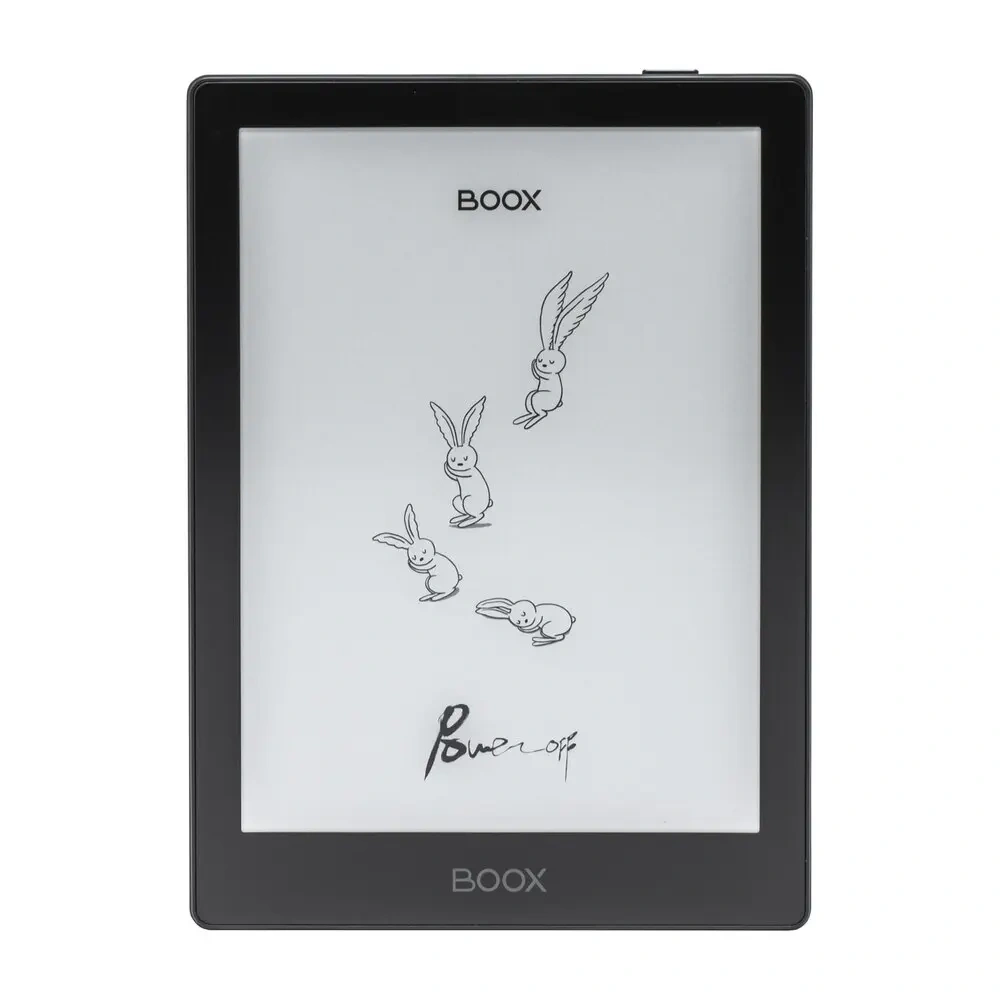
Kobo vs Boox At a Glance
The exact features vary by model, so this comparison uses the current Kobo Libra Colour and BOOX Go Color 7 (Gen II) as representative 7-inch color e-readers.
| Feature | Kobo Libra Colour | BOOX Go Color 7 (Gen II) |
|---|---|---|
| Display | 7-inch color E Ink | 7-inch Kaleido 3 color E Ink |
| Resolution | 300 ppi black and white | 300 ppi B&W, 150 ppi color |
| Storage | 32GB | 64GB |
| Waterproofing | IPX8 | Water-repellent, not waterproof |
| Page-turn buttons | Yes | Yes |
| Stylus | Kobo Stylus 2 compatible | InkSense/InkSense Plus compatible |
| Operating system | Kobo software | Android 13 |
| Third-party apps | Limited ecosystem | Yes |
| Library borrowing | OverDrive integration | Depends on apps/services |
| Audiobooks | Bluetooth | Built-in speaker/Bluetooth |
| Weight | Model-dependent | About 195g |
Kobo lists the Libra Colour with a 7-inch color display, 32GB storage, waterproofing, page-turn buttons, audiobook support, and Stylus 2 compatibility. BOOX lists the Go Color 7 (Gen II) with 64GB storage, Android 13, microSD support, page-turn buttons, speakers, and support for third-party apps.
Kobo Review for Senior Readers
Kobo focuses strongly on reading. That makes its devices easier to understand when the main goal is opening a book, adjusting the text, and continuing to read.
Ease of Use
Kobo’s dedicated e-reader approach can be helpful for seniors who do not want a tablet-like interface.
The Libra Colour also has physical page-turn buttons. This can be useful for readers who prefer pressing a button instead of repeatedly tapping the screen. Kobo also offers adjustable brightness and blue-light control through ComfortLight PRO.
Key Strengths
- Reading-focused interface
- Physical page-turn buttons on Libra Colour
- Waterproof design
- Adjustable front lighting
- Bluetooth audiobook support
- Library borrowing through OverDrive
- Stylus support on compatible models
- Simple eBook-focused experience
Potential Drawbacks
- Less flexible than Android-based BOOX devices
- Fewer third-party app options
- Some advanced features depend on the specific Kobo model
- Color models can cost more than basic black-and-white readers
BOOX Review for Senior Readers
BOOX takes a different approach. Its e-readers are closer to small Android devices with E Ink displays.
Ease of Use
The extra flexibility can be useful, but it also creates more choices.
The Go Color 7 (Gen II), for example, runs Android 13 and supports third-party apps. It also supports many document formats, including EPUB, PDF, DOC, DOCX, MOBI, and several comic and image formats.
That is powerful for experienced users. For a senior who only wants to read purchased books, however, those extra options may add some learning time.
Key Strengths
- Android-based flexibility
- Third-party app support
- 64GB internal storage
- microSD card support
- Page-turn buttons
- Built-in speaker and microphone
- Many supported document formats
- Optional stylus support
- Color and monochrome models available
Potential Drawbacks
- Android adds more settings and menus
- More flexible software can mean a steeper learning curve
- Go Color 7 (Gen II) is water-repellent rather than waterproof
- Stylus is an additional accessory
- Some apps may not provide the same E Ink experience as a dedicated e-reader
Which Is Easier for Seniors to Use?
Kobo generally has the simpler learning path. Its current product range is centered on reading, while BOOX combines e-reading with Android features and third-party apps.
A Kobo may be easier for seniors who:
- Mainly read eBooks
- Prefer fewer menus
- Want physical page-turn buttons
- Want a dedicated reading device
- Borrow books from supported libraries
BOOX may be easier for seniors who already use Android apps and want familiar services on their e-reader.
The important distinction is not age alone. A senior who is comfortable with technology may actually prefer BOOX’s flexibility.
Performance Comparison
Both brands use E Ink displays designed for long reading sessions, but they prioritize different experiences.
Kobo’s Libra Colour uses a 7-inch Kaleido 3 display and includes reading-focused features such as ComfortLight PRO, waterproofing, and Kobo audiobook support.
BOOX’s Go Color 7 (Gen II) uses a 7-inch Kaleido 3 screen with 300 ppi black-and-white resolution and 150 ppi color resolution. Its Android platform and octa-core processor allow it to handle a wider range of apps and file types.
For basic book reading, both provide an E Ink experience. For broader digital tasks, BOOX has more flexibility.
Comfort, Accessibility, and Senior-Friendly Design
Physical controls can matter more than a long specification list.
The Kobo Libra Colour includes page-turn buttons and an ergonomic design. Kobo also provides adjustable brightness and color-temperature control.
BOOX’s Go Color 7 (Gen II) also has page-turn buttons and weighs about 195g. Its auto-rotation feature can also be useful when changing how the device is held.
For someone who has difficulty with precise tapping, physical page-turn buttons may be especially useful.
Features Comparison
The biggest difference is the software ecosystem.
| Feature | Kobo | BOOX |
|---|---|---|
| Dedicated reading experience | Strong focus | Strong, but broader |
| Android apps | No Android app platform | Yes |
| File flexibility | Good | Very broad |
| Physical page buttons | Select models | Go 7 series |
| Stylus | Select models | Supported on Go 7 series |
| Expandable storage | Model-dependent | microSD on Go 7 series |
| Waterproofing | Available on current models | Go 7 series is not waterproof |
| Audiobooks | Kobo ecosystem | Speaker/Bluetooth and apps |
Kobo’s current lineup includes waterproof models such as the Clara BW, Clara Colour, and Libra Colour. BOOX specifically notes that the Go 7 series has a water-repellent design but is not intended to be submerged.
Price, Maintenance, and Long-Term Value
Price changes by model and market, so the model matters more than the brand name.
Kobo’s U.S. store currently lists the Libra Colour at $259.99, while the Clara Colour and Clara BW are lower-priced options.
BOOX’s official store currently lists the Go 7 at $269.99 and the Go Color 7 (Gen II) at $289.99.
BOOX can provide greater value for someone who will actually use its Android apps, larger storage, and broad file support. Kobo can offer better practical value for someone who simply wants a focused e-reading device.
Who Should Choose Kobo?
- Choose Kobo if simple reading is the main goal.
- Choose Kobo if physical page-turn buttons are important.
- Choose Kobo if waterproofing matters.
- Choose Kobo if library borrowing through Kobo’s ecosystem is useful.
- Choose Kobo if you want fewer software distractions.
- Choose Kobo if the user does not need Android apps.
Who Should Choose BOOX?
- Choose BOOX if Android apps are important.
- Choose BOOX if you read many different file types.
- Choose BOOX if expandable storage is useful.
- Choose BOOX if you want more flexibility than a traditional e-reader.
- Choose BOOX if the user is comfortable with Android-style menus.
- Choose BOOX if note-taking and app-based features matter.
Kobo vs Boox — Final Verdict
For most seniors who mainly want an easy e-reader, Kobo’s focused design is likely to be easier to live with. The combination of dedicated reading software, physical controls on selected models, adjustable lighting, and waterproof options makes the ecosystem straightforward.
BOOX is the more flexible option for seniors who are comfortable with technology and want Android apps, broad file support, expandable storage, and more than traditional e-reading.
The key question is simple: Does the senior want an e-reader or a flexible Android E Ink device? That answer matters more than the brand name.
Scoring Summary
Rather than assigning artificial scores, the main differences can be summarized this way:
| Category | Kobo | BOOX |
|---|---|---|
| Simplicity | Reading-focused | More feature-rich |
| App flexibility | Limited | Very broad |
| Reading | Strong | Strong |
| File support | Good | Very broad |
| Waterproof options | Strong | Model-dependent |
| Physical controls | Available on select models | Available on Go 7 series |
| Storage flexibility | Model-dependent | microSD on Go 7 series |
| Learning curve | Generally simpler | More involved |
How We Evaluate Products
This comparison focuses on factors that matter for senior readers:
- Ease of use
- Display readability
- Physical controls
- Accessibility
- Comfort
- Setup
- Software complexity
- File support
- Maintenance
- Water resistance
- Long-term practicality
- Overall value
The comparison uses current manufacturer information rather than claiming hands-on testing. Kobo’s current product information confirms the features of its e-readers, while BOOX provides specifications for its current Go 7 series.
Senior-Specific Buying Considerations
Physical Effort
Look for a device that is light enough to hold comfortably for the expected reading time. Physical page-turn buttons can also reduce the need for repeated screen tapping.
Controls
Check whether the reader’s buttons, menus, and touch controls are easy for the intended user to understand.
Display
A larger screen is not automatically better. Consider text size, contrast, lighting, and how the device will normally be held.
Setup
A Kobo may require less software exploration. BOOX offers more options, but those options can take more time to understand.
Storage
If the reader has a large collection of books, comics, documents, or audiobooks, storage capacity becomes more important. BOOX’s Go Color 7 (Gen II) has 64GB and microSD support.
Water Protection
If the device will be used near a bath, pool, or kitchen, check the exact water-resistance rating. Kobo offers waterproof models, while BOOX warns that the Go 7 series is not waterproof.
Common Buying Mistakes
- Choosing BOOX only because it has more features
- Choosing Kobo without checking whether the needed apps are supported
- Ignoring physical page-turn controls
- Assuming every model from a brand has the same features
- Comparing prices without checking storage and accessories
- Forgetting to check waterproofing requirements
- Buying a color model when black-and-white reading is enough
Safety
E-readers are generally low-risk consumer devices, but normal battery and charging precautions still apply.
Keep charging equipment in good condition and avoid exposing a non-waterproof device to significant moisture. For the BOOX Go 7 series, the manufacturer specifically says its water-repellent design is not intended for submersion.
Frequently Asked Questions
Is Kobo easier to use than BOOX for seniors?
Kobo is generally more focused on reading, while BOOX offers Android apps and more settings. Seniors who want simplicity may prefer Kobo.
Is BOOX better for PDFs?
BOOX can be a strong option for users who work with PDFs and many other document formats. Its Go 7 series supports a broad range of formats.
Does Kobo have color e-readers?
Yes. Kobo currently offers the Libra Colour and Clara Colour with color E Ink displays.
Is the BOOX Go Color 7 waterproof?
No. BOOX describes it as water-repellent rather than waterproof.
Can seniors use Android apps on BOOX?
Yes. Current BOOX Go 7 series models run Android 13 and support third-party apps.
Which is better for someone who only reads books?
Kobo’s reading-focused ecosystem may be the simpler fit when the user does not need Android apps or advanced document features.
Conclusion
Kobo and BOOX take different approaches to e-reading. Kobo focuses on a streamlined reading experience, while BOOX adds Android, broader file support, and greater software flexibility.
For seniors, the practical choice comes down to the user’s habits. Kobo suits readers who value simplicity and dedicated reading features. BOOX suits readers who want an E Ink device that can do much more than read books.