
Kindle vs PocketBook E-Reader for Seniors: Which?

Electric Mobility Scooter

Bathroom Grab Bar Set

Lightweight Vacuum Cleaner
Kindle vs PocketBook e-reader for seniors is a useful comparison if easy reading, simple controls, and comfort matter more than having every possible feature. Both brands offer glare-free E Ink screens and front lighting, but their approach to reading is quite different.
Kindle is closely tied to Amazon’s book ecosystem. PocketBook takes a more open approach and supports many common ebook formats. For seniors, the better choice can depend on where the books come from and how much control the reader wants over files.
Quick Comparison
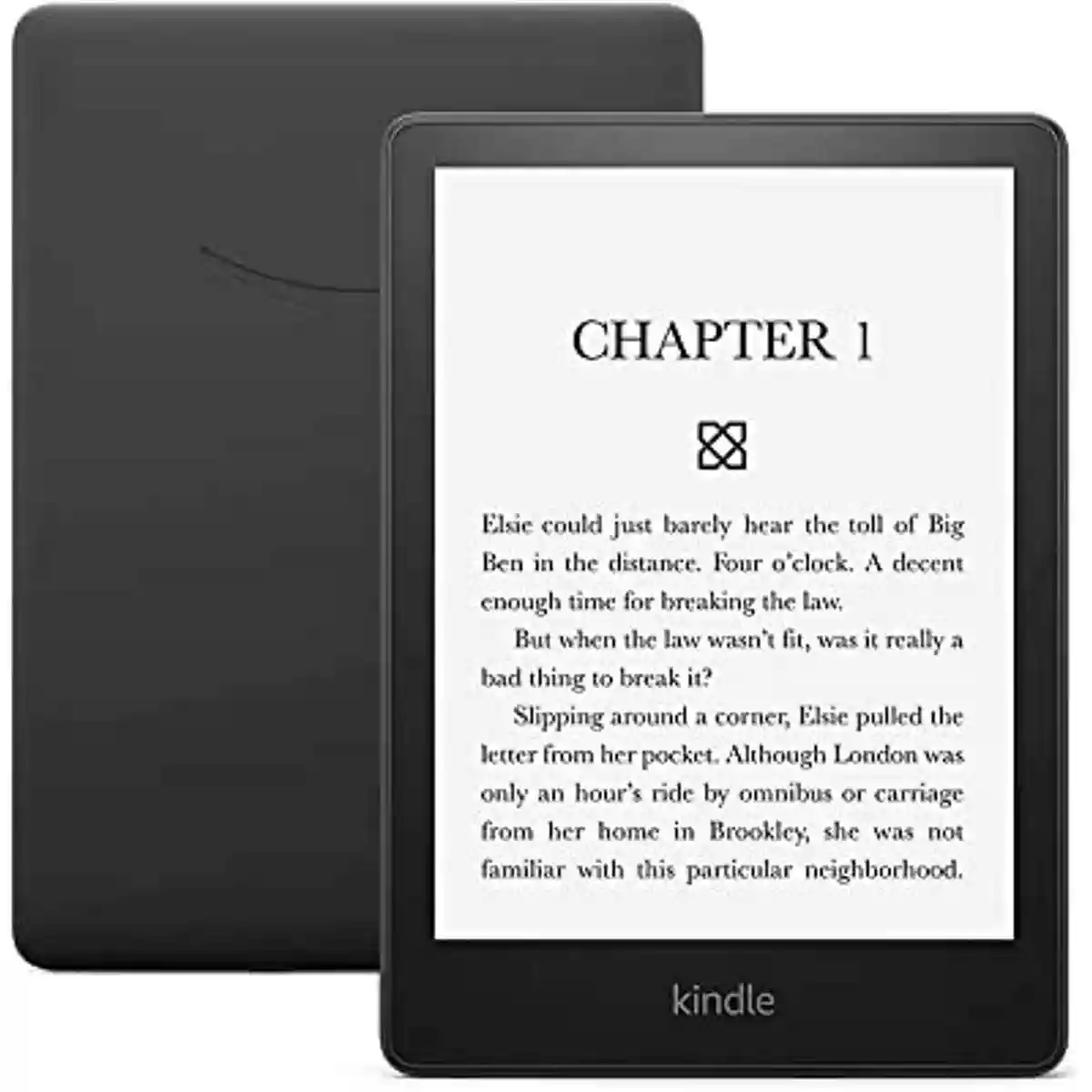
For a senior who mainly buys books from Amazon and wants a simple reading experience, Kindle Paperwhite is a straightforward option. It has a large 7-inch display, adjustable warm light, waterproofing, and VoiceView support.
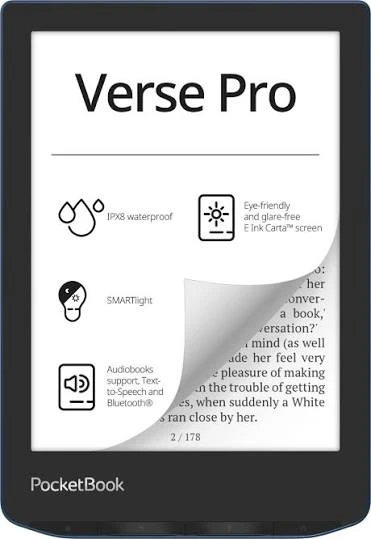
PocketBook Era may suit readers who already have ebooks in different formats or want physical page-turn buttons, built-in audio, and text-to-speech. It supports a wide range of ebook formats without conversion.
The main difference is simple: Kindle focuses heavily on the Amazon reading ecosystem, while PocketBook offers broader file-format flexibility.
Kindle vs PocketBook At a Glance
Both are designed for long reading sessions, but the controls and ebook ecosystems differ.
| Feature | Kindle Paperwhite | PocketBook Era |
|---|---|---|
| Display | 7-inch E Ink | 7-inch E Ink Carta 1200 |
| Resolution | 300 ppi class | 1264 × 1680, 300 dpi |
| Front light | Adjustable warm light | SMARTlight |
| Waterproofing | IPX8 | IPX8 |
| Controls | Touchscreen | Touchscreen + side buttons |
| Audio | VoiceView over Bluetooth | Speaker, Bluetooth, TTS |
| File support | Kindle-focused ecosystem | Broad format support |
| Charging | USB-C | USB-C |
Amazon lists the 12th-generation Paperwhite with up to 12 weeks of battery life, while PocketBook rates the Era for up to one month depending on use and settings.
Kindle Paperwhite Is Simple for Daily Reading
The Kindle Paperwhite is appealing to seniors who want a focused reading device without many extra functions. Its 7-inch display provides a good balance between screen size and portability.
The Paperwhite also includes adjustable warm light, dark mode, IPX8 waterproofing, and VoiceView screen-reader support over Bluetooth.
Ease of Use
The touchscreen design keeps the basic controls simple. A reader can tap to open a book, adjust settings, and change pages.
There are fewer physical controls to manage, which can be helpful for someone who prefers a clean interface. The trade-off is that readers who like physical page-turn buttons may prefer PocketBook.
Key Strengths
- Simple touchscreen reading experience
- 7-inch display
- Adjustable warm light
- IPX8 waterproofing
- Dark mode
- VoiceView support
- Strong battery life
- USB-C charging
Potential Drawbacks
- Best suited to readers comfortable with Amazon’s ecosystem
- Fewer physical controls
- Less flexible than PocketBook for many ebook formats
- Some features depend on Amazon services
A simple interface can be a real advantage when the goal is reading rather than managing lots of device settings.
PocketBook Era Offers More Reading Flexibility
The PocketBook Era takes a different approach. It combines a 7-inch E Ink Carta 1200 screen with touchscreen controls, physical side buttons, audio features, and broad ebook-format support.
This makes it interesting for seniors who already own ebooks from different sources.
Ease of Use
The side buttons are one of the most noticeable differences. They provide another way to turn pages without relying entirely on the touchscreen.
The Era also has an ergonomic shape and supports automatic orientation through its G-sensor. PocketBook specifically highlights its side grip and control buttons as comfort features.
Key Strengths
- Physical page-turn buttons
- 7-inch 300-dpi display
- SMARTlight
- Text-to-speech
- Built-in speaker
- Bluetooth
- Broad ebook-format support
- IPX8 water protection
Potential Drawbacks
- More features can mean more settings to learn
- Its open file support may be unnecessary for Amazon-focused readers
- The ecosystem is less centered around one major bookstore
- Availability can vary by market
Which Is Easier for Seniors to Use?
For basic reading, both devices can be easy to operate. The better fit depends on how the person prefers to interact with an e-reader.
Kindle may be easier for seniors who:
- Already use Amazon regularly
- Want a simple touchscreen
- Buy most books through Kindle
- Prefer fewer device options
PocketBook may be easier for seniors who:
- Like physical page-turn buttons
- Have ebooks in different formats
- Want text-to-speech
- Want built-in speaker support
PocketBook’s physical buttons can be useful for readers who find repeated touchscreen gestures less convenient. The Era also supports text-to-speech and audio through its built-in speaker or Bluetooth.
Performance Comparison
Both devices use high-resolution E Ink displays designed for reading rather than general tablet use.
The Kindle Paperwhite provides a 7-inch display with adjustable warm light and a long advertised battery life of up to 12 weeks.
The PocketBook Era also has a 7-inch screen at 300 dpi. Its E Ink Carta 1200 display, SMARTlight, and up-to-one-month battery rating provide a similar reading-focused experience.
| Performance Area | Kindle Paperwhite | PocketBook Era |
|---|---|---|
| Reading display | 7-inch E Ink | 7-inch E Ink Carta 1200 |
| Resolution | 300 ppi class | 300 dpi |
| Warm lighting | Yes | Yes |
| Battery rating | Up to 12 weeks | Up to 1 month |
| Audio | VoiceView/Bluetooth | Speaker/Bluetooth/TTS |
| Waterproofing | IPX8 | IPX8 |
Battery figures are manufacturer estimates and depend on settings, connectivity, and reading habits.
Comfort, Accessibility, and Senior-Friendly Design
Comfort matters during long reading sessions. Both devices are compact compared with tablets and use E Ink displays rather than a conventional LCD screen.
The Kindle Paperwhite keeps the controls simple with a touchscreen. Its adjustable warm light can also be useful for readers who prefer a warmer display at night.
The PocketBook Era adds side controls and an ergonomic shape. Its physical buttons can be especially useful for readers who prefer pressing a button rather than tapping the screen.
For accessibility, PocketBook also provides text-to-speech, while Kindle supports VoiceView through Bluetooth. These features can be useful for readers who want audio assistance, although their operation is different.
Features Comparison
The biggest feature differences are not the screen. They are the ecosystem, controls, and file support.
| Feature | Kindle Paperwhite | PocketBook Era |
|---|---|---|
| Touchscreen | Yes | Yes |
| Physical page buttons | No | Yes |
| Warm/adjustable light | Yes | SMARTlight |
| Text-to-speech | VoiceView | Yes |
| Built-in speaker | No | Yes |
| Bluetooth | Supported for VoiceView | Yes |
| Waterproofing | IPX8 | IPX8 |
| Ebook formats | Kindle ecosystem | Many formats |
PocketBook lists support for formats including EPUB, PDF, MOBI, DOC/DOCX, CBZ, CBR, and others without conversion.
Price, Maintenance, and Long-Term Value
Prices can change by country, retailer, storage version, and promotions, so a temporary price should not be treated as a permanent difference.
For long-term value, consider more than the device price.
Kindle value depends heavily on:
- Access to the Amazon Kindle ecosystem
- How often books are purchased
- Storage needs
- Desired lighting and waterproof features
PocketBook value depends heavily on:
- The number of ebook formats you use
- Whether physical buttons matter
- Whether text-to-speech is useful
- Whether built-in audio is important
Both devices use USB-C charging, and both offer IPX8 water protection in the models compared here.
Who Should Choose Kindle?
- Choose Kindle if most books come from Amazon.
- Choose Kindle if you want a focused reading device.
- Choose Kindle if a simple touchscreen matters.
- Choose Kindle if long battery life is important.
- Choose Kindle if you want adjustable warm lighting and waterproofing.
Who Should Choose PocketBook?
- Choose PocketBook if you use ebooks from several sources.
- Choose PocketBook if broad file-format support matters.
- Choose PocketBook if physical page buttons are useful.
- Choose PocketBook if text-to-speech is important.
- Choose PocketBook if built-in audio features are useful.
Kindle vs PocketBook — Final Verdict
Best for Amazon-focused reading: Kindle Paperwhite
Best for ebook-format flexibility: PocketBook Era
Best for physical page buttons: PocketBook Era
Best for a simple Amazon-centered experience: Kindle Paperwhite
Best for audio and text-to-speech features: PocketBook Era
There is no single choice that fits every senior. The Kindle Paperwhite makes more sense for someone who wants a simple Amazon reading experience. The PocketBook Era makes more sense for someone who values flexible file support and physical controls.
Scoring Summary
The scores below are comparison judgments based on the documented features above, not laboratory test results.
| Category | Kindle Paperwhite | PocketBook Era |
|---|---|---|
| Ease of Use | 9/10 | 8.5/10 |
| Senior-Friendly Design | 9/10 | 9/10 |
| Reading Performance | 9/10 | 9/10 |
| Accessibility Features | 8.5/10 | 9/10 |
| Flexibility | 7.5/10 | 9.5/10 |
| Long-Term Value | 8.5/10 | 9/10 |
These scores should be viewed as a quick comparison aid rather than objective laboratory measurements.
How We Evaluate Products
We focus on the things that can make an e-reader easier or harder for an older adult to use.
That includes:
- Screen readability
- Controls
- Physical comfort
- Accessibility
- Battery life
- Setup
- File compatibility
- Audio features
- Water protection
- Long-term practicality
- Overall value
We do not claim hands-on testing. The comparison is based on available manufacturer specifications and documented product features. Amazon and PocketBook provide the specifications used for the key hardware and feature comparisons.
Senior-Specific Buying Considerations
Physical Controls
Think about whether touchscreen gestures or physical page buttons feel more natural.
Display
A 7-inch E Ink screen gives both models a reading-focused display. Warm-light controls can also be useful for evening reading.
Audio
If reading aloud is important, check the exact accessibility and audio features before buying. The two brands use different approaches.
Ebook Sources
This is one of the most important questions. If the reader already owns books in several formats, PocketBook’s broader support can matter.
Setup
Consider who will set up the device. A family member or caregiver may be able to help with accounts, Wi-Fi, books, and accessibility settings.
Common Buying Mistakes
- Choosing only by screen size
- Ignoring the ebook formats already owned
- Forgetting about physical controls
- Assuming all Kindle and PocketBook models have identical features
- Ignoring accessibility settings
- Comparing temporary sale prices instead of long-term value
Safety
Both compared models have IPX8 water protection, but waterproofing does not mean they should be treated as completely risk-free around water. Follow the manufacturer’s care instructions.
Also, use only compatible chargers and cables, and avoid exposing the device to conditions outside the manufacturer’s recommendations.
Conclusion
Kindle vs PocketBook e-reader for seniors comes down mainly to ecosystem versus flexibility. Kindle Paperwhite is a strong fit for readers who want a simple Amazon-centered experience, while PocketBook Era offers physical page buttons, broader file support, and more built-in audio features.
For seniors, the most important choice is not simply which device has more features. It is which device matches the reader’s books, preferred controls, accessibility needs, and everyday habits.