
Fall Detection Watch vs Medical Alert Compared


Smart Plug with Alexa

Bed Exit Alarm Sensor

Heated Blanket
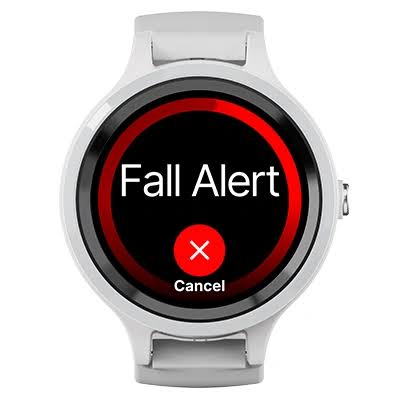
A Fall Detection Watch vs Medical Alert choice comes up when a family wants fast help after a fall. Both can call for help. They do not work the same way.
The watch sits on the wrist and often looks like a normal watch. A medical alert is built for one job: get help, even if the person cannot speak. The right pick depends on fall risk, tech comfort, and who will charge the device.
Quick Comparison
A medical alert is the stronger pick for most seniors who live alone or have a real fall risk. It uses a big help button. It also links to a staffed help center. Many plans keep medical notes on file.
A fall detection watch is a better fit for an active senior who already likes a smartwatch. It can add heart alerts and fitness tools. It often costs less each month. It also needs more setup and more charging.
The biggest split is simple. The watch often calls 911. The medical alert often calls a trained person who already knows the wearer.
Fall Detection Watch vs Medical Alert At A Glance
Use this snapshot to see the main trade-offs before you buy. Then read the notes below for the details that change the choice.

| Feature | Fall Detection Watch | Medical Alert |
|---|---|---|
| Main job | Watch plus safety tools | Get help fast |
| Help path | Often 911 or contacts | 24/7 help center |
| Fall type | Best on hard falls | Often better on slow falls |
| Battery | About 18–24 hours | Often 1–7 days |
| Daily use | Touchscreen and apps | One large button |
| Phone needed | Often yes, unless cellular | Usually no |
| Monthly cost | Low, or a small cell plan | About $25–$60 |
“The device that gets worn every day is the one that can call for help.”
Fall Detection Watch Review for Seniors
A fall detection watch can feel less like a medical device. That can help a senior wear it all day. Many models also track heart rate, steps, and crashes.
Ease of Use
Most watches use a small screen and a side button. Setup often needs a phone, an app, and Wi-Fi. Apple Watch can turn fall detection on at age 55 and up. Samsung Galaxy Watch needs the setting turned on in the app.
A cellular watch can call for help without a phone nearby. A GPS-only watch may need the phone close. The screen can be hard to read in bright light. Small taps can be tough with stiff fingers. Charging is a daily task on most models.
Key Strengths
- Looks like a normal watch, so many people wear it
- Hard-fall alerts can start a call if the wearer does not move
- Extra health tools, such as heart rate and crash alerts
- No monthly monitoring fee on many consumer watches
- GPS on cellular models can share a location during a call
Potential Drawbacks
- Often misses slow slides from a chair or bed
- Battery often lasts one day, so night charging leaves a gap
- Setup can be hard without a caregiver
- Many models need a matching phone
- 911 may not have meds, allergies, or contact notes on file
Medical Alert System Review for Seniors
A medical alert system is made for emergencies, not apps. The help button is large. The base or mobile unit talks to a staffed center. Agents can send help even if the person cannot speak.
Ease of Use
Most units use one button. Press it, and a person answers. Fall detection is often an add-on. Home systems work inside a set range. Mobile GPS units work away from home.
There is little to learn. Charging is less frequent than on most watches. Some home kits also add a wall button in the bath. Caregivers can often see battery status in an app.
Key Strengths
- One large button is easy to press
- Help center staff can speak for the wearer
- Medical notes and contacts are often on file
- Better chance of catching a slow fall on many pendants
- Longer battery than most smartwatches
- No smartphone is required on most plans
Potential Drawbacks
- Monthly fee, and fall detection may cost extra
- A pendant can feel more “medical” to some wearers
- Help range is limited on home-only kits
- False alerts can happen, based on brand and wear style
- You must still wear it. A button in a drawer cannot help.
Which Is Easier for Seniors to Use?
For daily use, a medical alert is easier for most seniors. One button. One job. Less menu work.
A watch may be easier for seniors who already use a smartphone. The crown or side button can start SOS. The screen still asks for small taps. Setup is the hard part.
Charging also changes ease. A watch that dies by evening leaves a gap. Many falls happen at night or in the bath. A medical alert with a longer charge, plus a bathroom button, may cover those hours.
Grip and dexterity matter too. A large pendant button may be easier for seniors with arthritis. A watch band should be easy to open. Magnetic or pin-and-tuck bands can help.
| Senior Need | Fall Detection Watch | Medical Alert |
|---|---|---|
| First-week setup | Higher | Lower |
| Daily charging | Most days | Less often |
| Button size | Small | Large |
| Help if the person cannot speak | Limited | Strong |
Performance Comparison
Both can call after a hard fall. The gap shows up on slower falls and on who answers.
Independent tests often find consumer watches strong on fast, high-impact falls. They are weaker on slow slumps. Dedicated alert devices, worn on the neck or waist, often catch more of those slow falls. Wrist sensors can mix up a fall with a quick arm swing. No device catches every fall.
Response path is the other split. A watch may wait about a minute, then call 911 and text contacts. A medical alert often reaches an agent in seconds. That agent can send help and call family. That helps when the wearer is confused or cannot talk.
GPS is useful away from home. Cellular watches and mobile alerts can share a location. Home-only alerts do not track walks or errands.
| Performance Area | Fall Detection Watch | Medical Alert |
|---|---|---|
| Hard falls | Strong on many models | Strong on many models |
| Slow falls | Often weaker | Often stronger |
| Who answers | 911 or contacts | Trained agent |
| Help if silent | Auto 911 on some watches | Agent can still send help |
| Coverage | Phone, Wi-Fi, or cell | Home range or mobile GPS |
Comfort, Accessibility, and Senior-Friendly Design
Comfort is not only how a device feels. It is whether the person will wear it.
A watch wins on looks for many people. It can stay on during errands, church, or a walk. Bands come in many sizes. A tight band can irritate skin. A loose band can miss wrist motion.
A medical alert pendant is light. It can bounce during a walk. A wrist or belt clip can feel more stable. Water use matters. Ask if the device can stay on in the shower. Many falls happen on wet floors.
Alerts should be loud enough to hear. A watch tap on the wrist can help if hearing is low. A base speaker in the home can be easier than a tiny watch mic.
Features Comparison
The extra watch features are real. They are not the same as a help plan.
| Feature | Fall Detection Watch | Medical Alert |
|---|---|---|
| SOS button | Yes, often a side button | Yes, large dedicated button |
| Auto fall alert | Yes on many models | Optional on many plans |
| Heart and crash tools | Common on smartwatches | Rare |
| Caregiver app | Varies by brand | Common |
| Med history on file | Medical ID only | Often yes at the help center |
A watch can warn about a high or low heart rate. That can help an active senior. It still does not replace a monitored help plan for someone with a high fall risk.
Price, Maintenance, and Long-Term Value
Prices change. Think in ranges, not one sale tag.
A consumer fall detection watch often costs more up front. An Apple Watch SE-class model often starts in the mid-$200s. Monthly cost can be $0 if it pairs with a phone at home. A cellular plan may add a small monthly fee. Fall detection is usually included.
A medical alert often costs less to start, or the gear is leased. Monthly monitoring often runs about $25 to $60. Fall detection often adds about $10 a month. Some brands need no long contract. Some well-known names still use long contracts and higher fees.
Maintenance is the hidden cost. Watches need a daily charge and a matching phone. Bands wear out. Alert pendants need charging too, but less often. Help-center fees continue as long as you keep the service.
Value depends on the job. If the goal is daily health tracking plus a backup SOS, the watch can cost less over two years. If the goal is reliable help after a fall at home, the medical alert often earns the fee.
| Cost Factor | Fall Detection Watch | Medical Alert |
|---|---|---|
| Up-front cost | Higher for many watches | Lower or leased |
| Monthly fee | None to a cell plan | Monitoring fee |
| Fall detection fee | Usually included | Often an add-on |
| Contract | Rare | Varies by brand |
Who Should Choose a Fall Detection Watch?
- Choose a watch if the person already uses a smartphone and likes a wrist device.
- Choose a watch if looks matter, and a pendant might stay in a drawer.
- Choose a watch if monthly fees need to stay low.
- Choose a watch if heart alerts, steps, and crash alerts add real value.
- Choose a watch if fall risk is low, and a caregiver can manage charging and settings.
Who Should Choose a Medical Alert?
- Choose a medical alert if the person lives alone or has fallen before.
- Choose a medical alert if a simple button matters more than apps.
- Choose a medical alert if you want a person, not only 911, on the line.
- Choose a medical alert if slow falls, night use, or shower use are a concern.
- Choose a medical alert if no one can handle daily charging and app updates.
- Choose a medical alert if caregivers want meds and contacts on file at a help center.
Fall Detection Watch vs Medical Alert — Final Verdict
These tools serve different people. One is not a clone of the other.
Best for most seniors: Medical alert
Best for an active, tech-comfortable senior: Fall detection watch
Best value for pure safety: Medical alert
Best for ease of use: Medical alert
Best for extra health tools: Fall detection watch
If fall risk is more than a maybe, start with a medical alert. Add a watch later if the person wants fitness and heart tracking too. Some families use both. The alert covers help. The watch covers daily health.
Scoring Summary
Scores below reflect senior use, not ad copy. They compare typical consumer fall watches with typical monitored alert systems.
| Category | Fall Detection Watch | Medical Alert |
|---|---|---|
| Ease of Use | 6/10 | 9/10 |
| Senior-Friendly Design | 6/10 | 9/10 |
| Performance | 6/10 | 8/10 |
| Maintenance | 5/10 | 8/10 |
| Value | 7/10 | 8/10 |
How We Evaluate Products
This comparison looks at what older adults and caregivers face in real homes. It is based on maker specs, current plan ranges, and published independent tests. It is not a hands-on lab test by our team.
We weigh ease of use, charging, button size, who answers a call, fall-alert limits, and long-term cost. We do not treat a marketing claim as proof. When a spec varies by model, we say so.
Senior-Specific Buying Considerations
Physical effort
Check the band, clasp, and button. Can the person put it on without help?
Controls
Look for a large SOS control. Avoid deep menus if the user is new to tech.
Charging
Ask who will charge it. Night charging can leave a gap when many falls occur.
Wear time
A device only helps if it is on the body. Pick the style the person will actually wear.
Setup
Ask if a phone, app, or Wi-Fi is required. Standalone gear is simpler for many homes.
Safety
Confirm shower use, false-alert handling, and what happens if the wearer cannot speak. Talk with a healthcare professional about fall risk. This article is not medical advice.
Common Buying Mistakes
- Choosing only on monthly price, then skipping fall detection
- Assuming a watch will catch slow chair or bed slides
- Forgetting the charging gap at night
- Buying a home-only alert for a person who walks or drives
- Ignoring contract length and extra fees
- Picking a device the person will not wear in public
Safety
No watch or alert prevents a fall. None detects every fall. Apple and Samsung both say a watch cannot catch all falls. Hard activity can also trigger a false alert.
A help button is still the backup. Press it when you can. Keep the device on in the bath if the maker says it is safe. Do not rely on a GPS-only watch if the phone is in another room.
If the person has a high fall risk, recent surgery, or a condition that causes fainting, ask a clinician which type of help device fits. Original Medicare often does not pay for these systems. Some Medicare Advantage plans may help. Check the plan first.
Frequently Asked Questions
Can a fall detection watch replace a medical alert?
Not fully, for most high-risk seniors. A watch can call 911 after a hard fall. It usually does not give you a staffed help center with medical notes. A medical alert is still the stronger primary device when living alone or after prior falls.
Which option has better fall detection?
It depends on the fall. Watches are often better at hard, high-impact falls. Many medical alert pendants are better at slower falls. Neck or waist wear can help, because the torso moves less than the wrist.
Which is cheaper over a full year?
A watch can be cheaper if there is no monitoring fee. A medical alert can be cheaper up front if gear is leased. Add cell plans, fall-detection add-ons, and contracts before you compare.
Do I need a smartphone?
Many fall detection watches need a matching phone. Cellular models can work with less phone use. Most medical alerts work on their own cell link or a home base.
What if the person will not wear a pendant?
Then a watch-style device may get worn more. A dedicated medical alert watch can split the difference: watch look, help-center response. Wear time matters more than the extra feature list.
Does fall detection work in the shower?
Only if the device is rated for water and is being worn. Many falls happen on wet floors. Ask the maker about shower use. Add a wall button in the bath if you choose a home alert.
Conclusion
A Fall Detection Watch vs Medical Alert decision comes down to help path and daily wear. The watch is a smart daily tool with a hard-fall SOS. The medical alert is a simpler help system with a person on the other end.
Choose the watch for a tech-comfortable senior with lower fall risk. Choose the medical alert for a senior who needs easy help, longer battery life, and backup if they cannot speak. The most important test is still this: will it be on the body when a fall happens?