
10 Best Fall Detection Devices for Small Spaces: Top Picks for Safety


Automatic Can Opener

Sock Aid for Seniors

Bathtub Grab Bar
Falls can happen anywhere, including apartments, small bedrooms, and other spaces where large monitoring systems may not fit. Fall detection devices use sensors, motion tracking, or emergency buttons to identify a possible fall and connect the user with help.
For small spaces, the best devices usually have a compact design, reliable detection, and simple controls. Some work as watches or pendants, while others use sensors placed around the home. When choosing a fall detection device for a small space, we should focus on accurate alerts, comfortable wear, strong indoor coverage, and easy setup.
We evaluated fall detection devices with these needs in mind to identify the options that provide dependable support without adding clutter.
Best Fall Detection Devices for Small Spaces
We evaluated fall detection devices for accuracy, ease of use, and performance in compact homes and apartments. Our list highlights the best options for helping older adults get assistance quickly while maintaining comfort and privacy.
Seculife Medical Alert Pendant
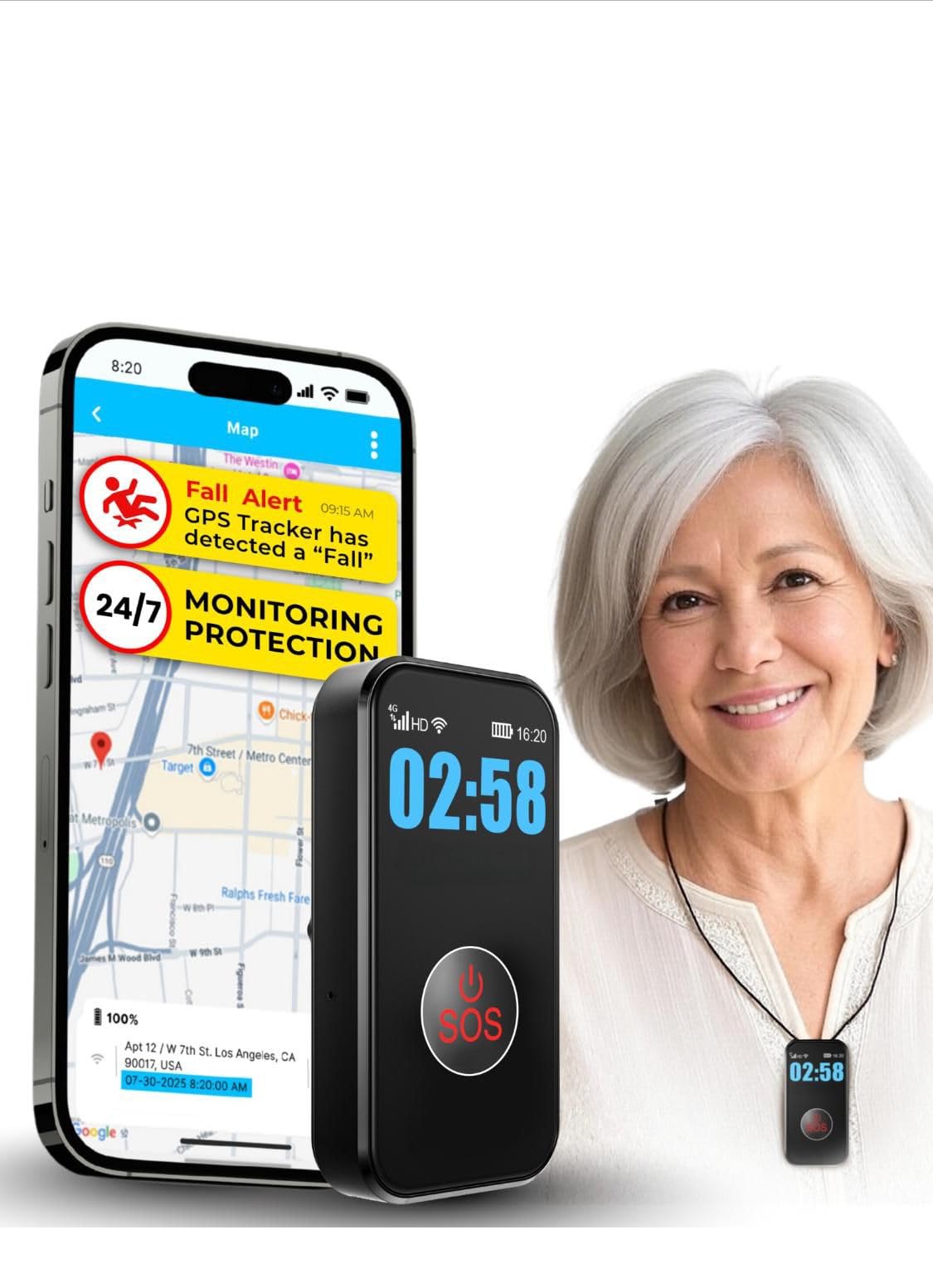
We recommend this compact pendant for small homes because it combines fall alerts, GPS tracking, and two-way calling in one wearable device.
Pros
- Compact design fits well in small living spaces
- Two-way calling connects directly with family
- Waterproof build supports use in the shower
Cons
- Requires a $20 monthly subscription
- Fall detection may not catch every type of fall
- Some users report activation and setup problems
We found the large SOS button easy to press and the display simple to read. Its small size feels practical in apartments and other tight spaces where a base station could take up too much room.
The pendant uses cellular service for calls and alerts, so it does not depend on a home phone or indoor base unit. We could also use GPS tracking and geofence alerts when monitoring someone outside the home.
The waterproof design supports daily wear, including showers. Battery life lasts several days, though frequent location tracking may require more charging.
Setup should be tested carefully before relying on the device. Customer feedback is generally positive, but some reviews mention activation difficulties and support concerns. The required subscription also adds to the long-term cost.
Family First Alert Mini Medical Alert Pendant
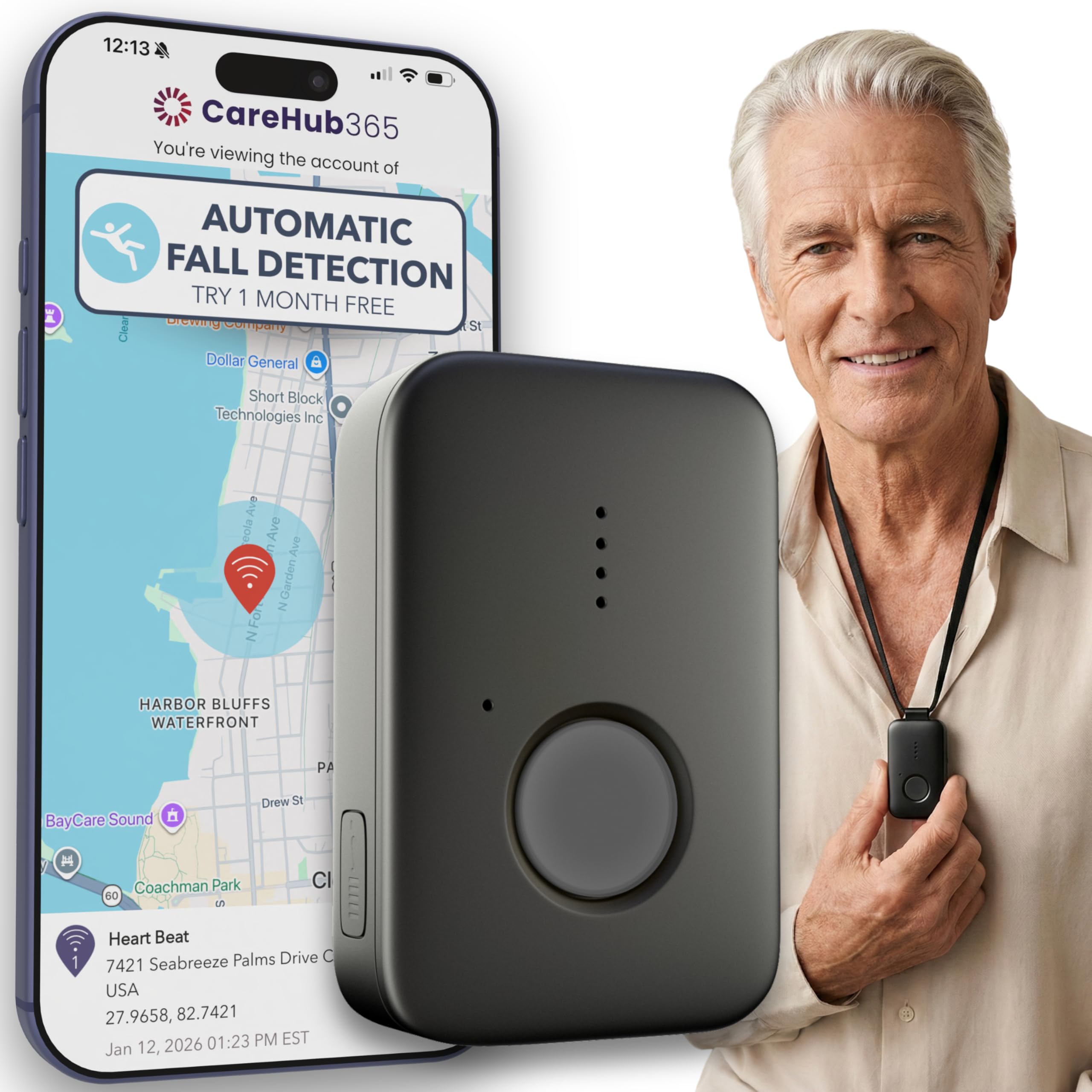
We recommend this compact pendant for small homes because it offers 24/7 monitoring, two-way voice, and optional fall detection without needing a base station.
Pros
- Small, lightweight design suits tight spaces
- Works on AT&T and Verizon 4G LTE networks
- Water-resistant and usable in the shower
Cons
- Requires a $39.99 monthly monitoring plan
- Fall detection costs an added $4.99 per month
- Needs regular charging
We found the pendant easy to wear and less noticeable than larger medical alert devices. Its included lanyards and belt clip give us several ways to carry it around a small home or apartment.
The SOS button connects to trained operators, while GPS tracking can help share the user’s location. Two-way voice lets us speak with the response team through the pendant instead of finding a phone.
Fall detection is optional rather than included in the base plan. We also recommend charging the unit daily, even though the battery may last up to five days. Cellular coverage remains important, since the pendant depends on available AT&T or Verizon service.
Fajocru V46 Fall Detection Watch
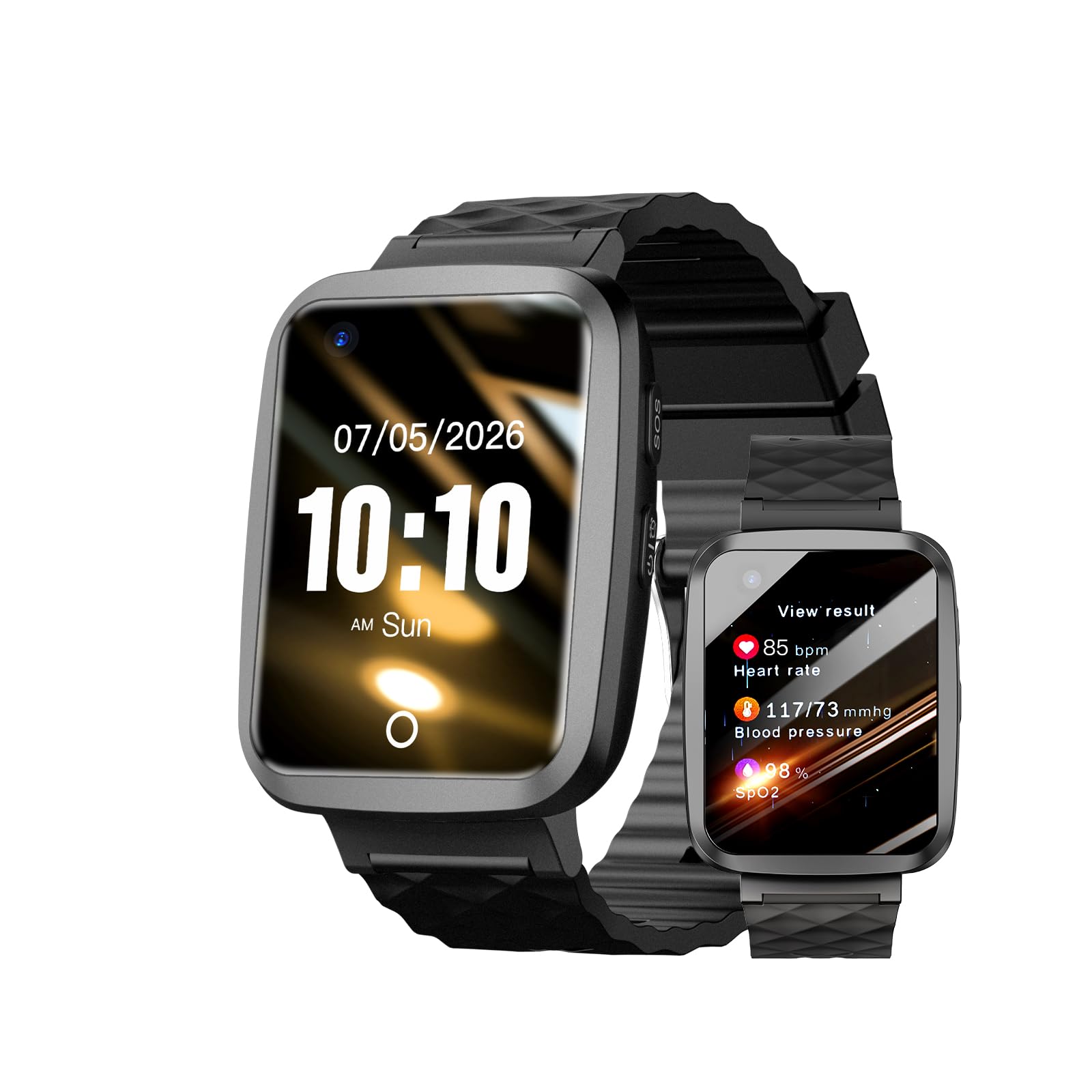
We recommend this watch for families who need fall alerts, GPS tracking, and voice calls in a small home or apartment.
Pros
- Fall alerts and an SOS button support quick contact
- Built-in GPS and two-way voice calling
- Waterproof design with a simple touchscreen
Cons
- Setup may take time
- App instructions may be unclear
- Fall detection may not catch every fall
We found the Fajocru V46 comfortable for daily wear and useful in tight spaces where a wall-mounted alert system may not fit. Its wrist design keeps the emergency button close, whether we moved between rooms, used the kitchen, or stepped outside.
The watch also adds GPS tracking and two-way calling. We could contact a wearer without requiring a separate phone, while caregivers could check the wearer’s location through the app. These tools may help when someone lives alone or has memory problems.
Setup was less consistent. Some users reported trouble connecting the watch or understanding the instructions, although customer service helped resolve at least one setup issue. We would test the SOS alert, GPS, and calling features before relying on the watch for emergencies.
Its water-resistant design works well for hand washing and light rain. The watch also tracks steps and offers health readings, but we would treat those readings as general information rather than medical data.
Smart Caregiver Floor Mat Alarm
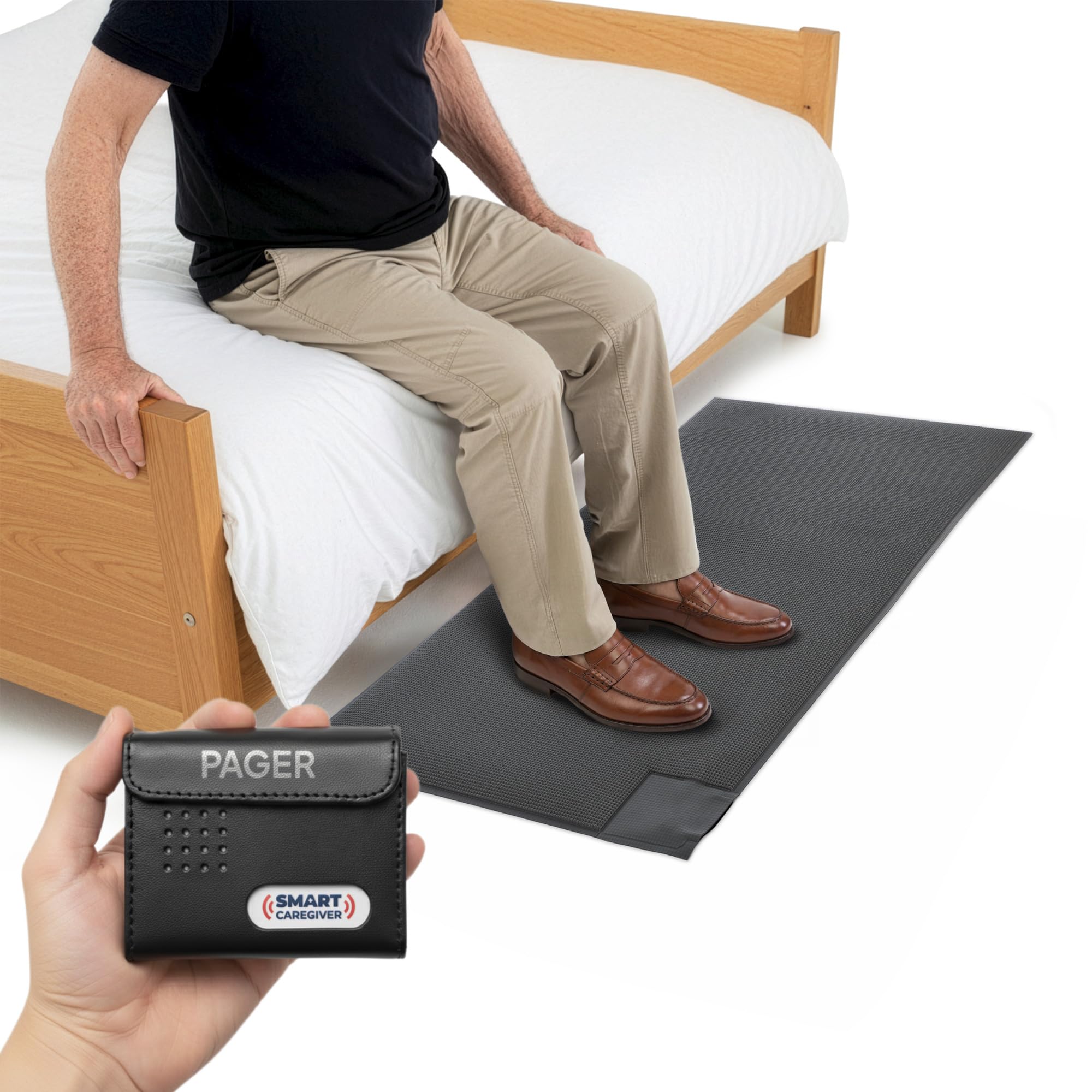
We recommend this system for small spaces because its slim floor mat sends alerts to a portable pager without adding a loud alarm near the person.
Pros
- Wireless pager works up to 300 feet away
- Sound or vibration alert options
- Simple setup beside a bed or doorway
Cons
- Pager needs two AA batteries
- Mat covers a limited walking area
- It detects pressure but does not prevent a fall
We found the 24-by-48-inch mat easy to place beside a bed or near an exit. Its low profile fits well in tight rooms, though we would secure it carefully so it does not shift or create a tripping risk.
The pager gave us more flexibility than a room alarm. We could carry it while doing other tasks, and the vibration setting worked well when we wanted to avoid waking or startling someone.
This system suits caregivers who need a basic alert for nighttime movement or wandering. It does not replace supervision, and the mat only alerts after someone steps on it. The included one-year warranty and compatibility with other Smart Caregiver devices add useful support for larger care setups.
Connected Caregiver Safety+ 4G
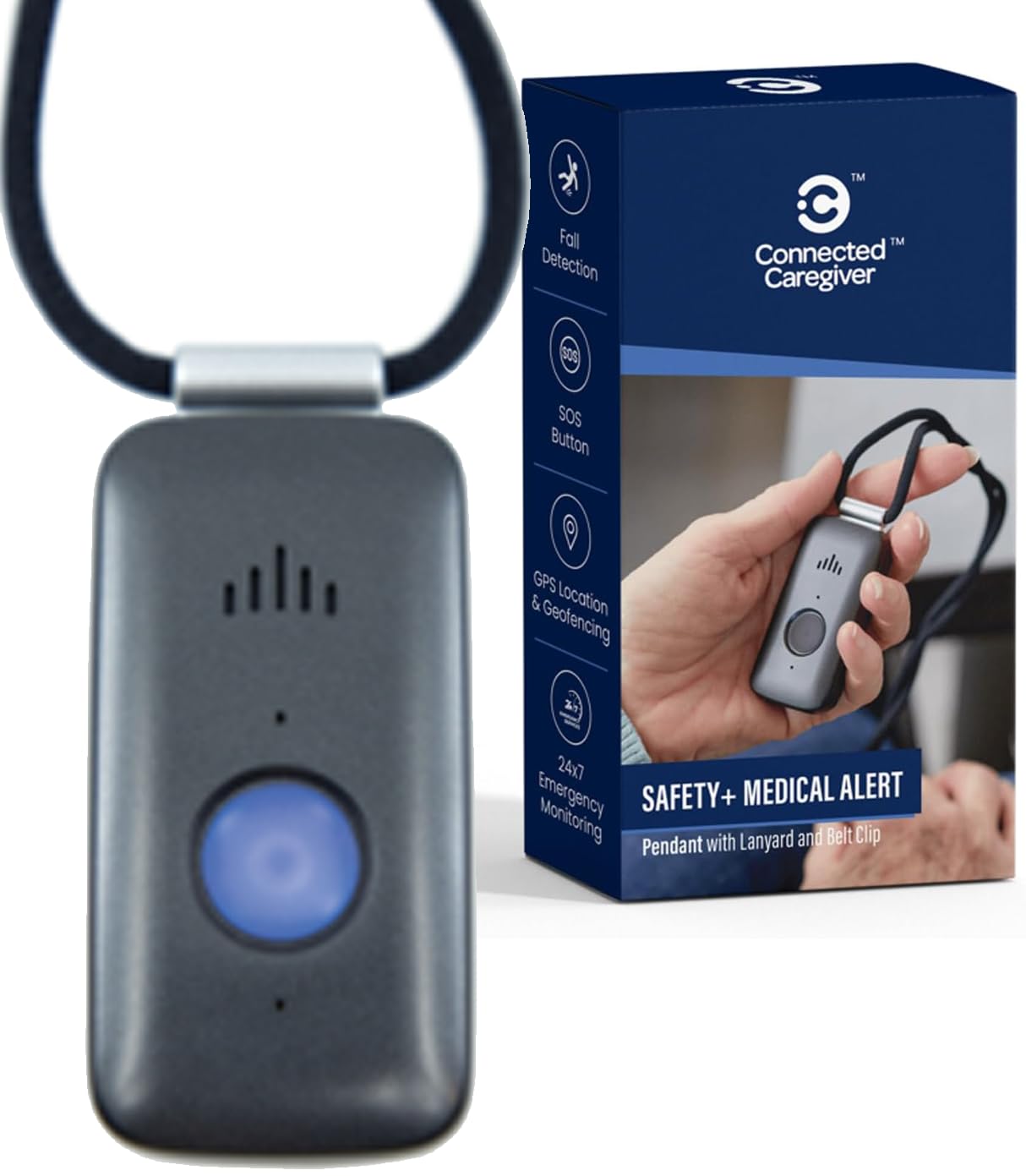
We recommend this compact device for small homes because it offers fall detection, two-way communication, and cellular service without needing a landline or smartphone.
Pros
- Small, lightweight design with two wearing options
- Fall detection, GPS, and caregiver alerts
- Water-resistant and simple to charge
Cons
- Requires a paid monitoring plan after the first month
- Activation and app setup may take support
- Battery performance can vary with use
We found the device easy to carry through tight rooms and hallways. The lanyard and belt clip gave us useful choices, although the lanyard may feel less secure for active users.
The built-in speaker and microphone let us speak with the monitoring center after pressing the help button. Fall detection adds protection when someone cannot reach the button, but we would still treat it as backup rather than a guarantee.
Charging was straightforward with the included dock. The device is designed for showers and rain, which suits daily use, though some users report shorter battery life than expected.
The caregiver app adds location, activity, battery, and emergency updates. Setup experiences appear mixed, so we recommend reviewing the service terms and confirming the monthly cost before activating the device.
Seculife SOS Wristband
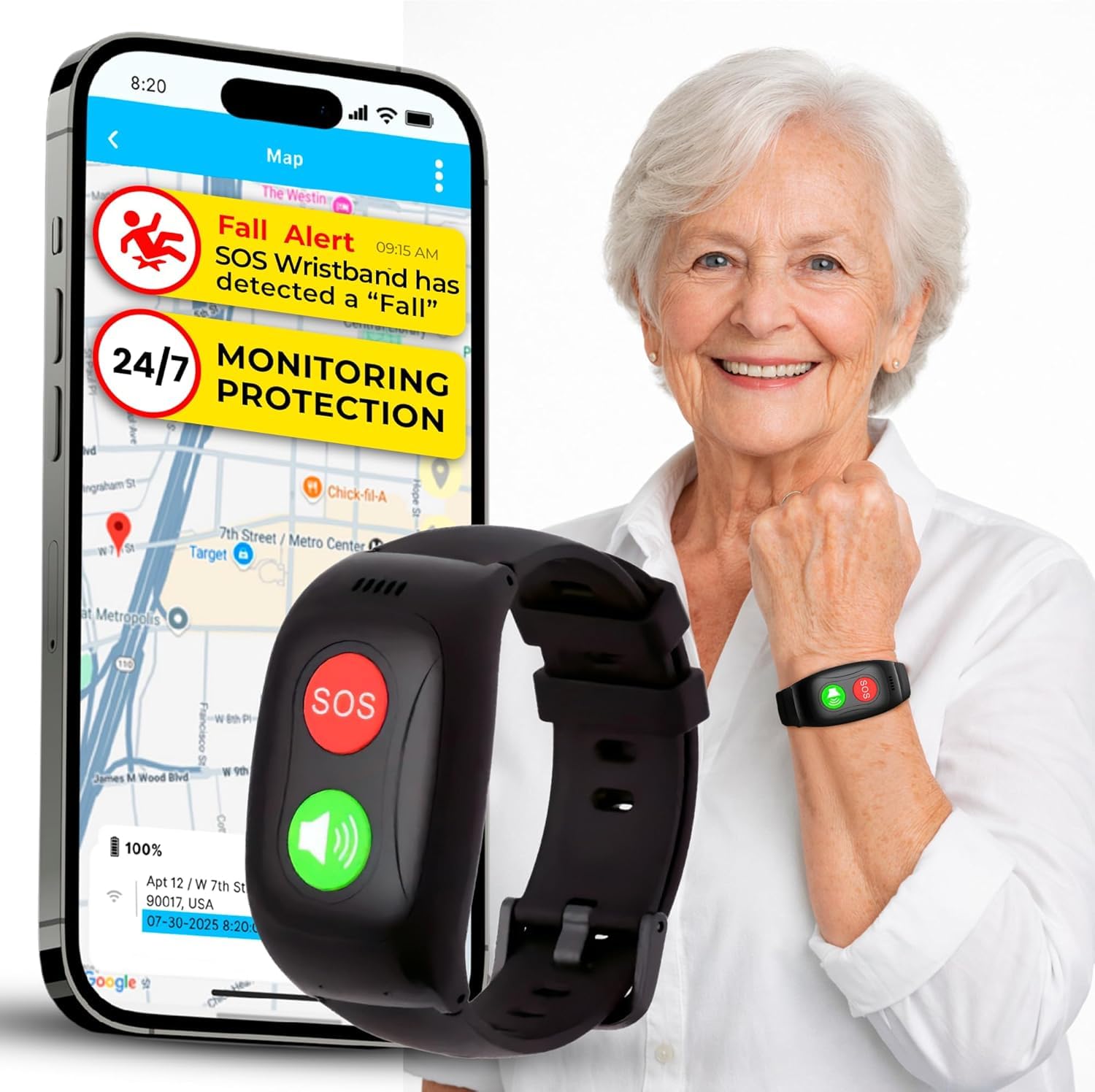
We recommend this bracelet for small homes when family members want direct alerts, GPS tracking, and two-way calling without a screen.
Pros
- Simple SOS button and automatic fall alerts
- GPS tracking with geofence notifications
- Lightweight, screen-free design
Cons
- Requires a $25 monthly subscription
- Battery life may last about one day
- Some users report setup and support problems
We found the screen-free design easy to manage in a small living space. The wearer can press the SOS button to contact preset family members, while two-way calling lets caregivers check in without using a separate phone.
GPS tracking and geofence alerts add value when the wearer leaves home. Inside a small apartment, though, location features matter less than reliable alerts and clear voice communication.
The bracelet feels suited to everyday wear and can handle splashes, handwashing, and rain. We would plan to charge it daily and test the fall detection before relying on it during an emergency.
The required subscription raises the long-term cost. Reviews also show mixed experiences with setup, support, and billing, so we would confirm the service terms before buying.
Seculife S16 Medical Alert Smartband
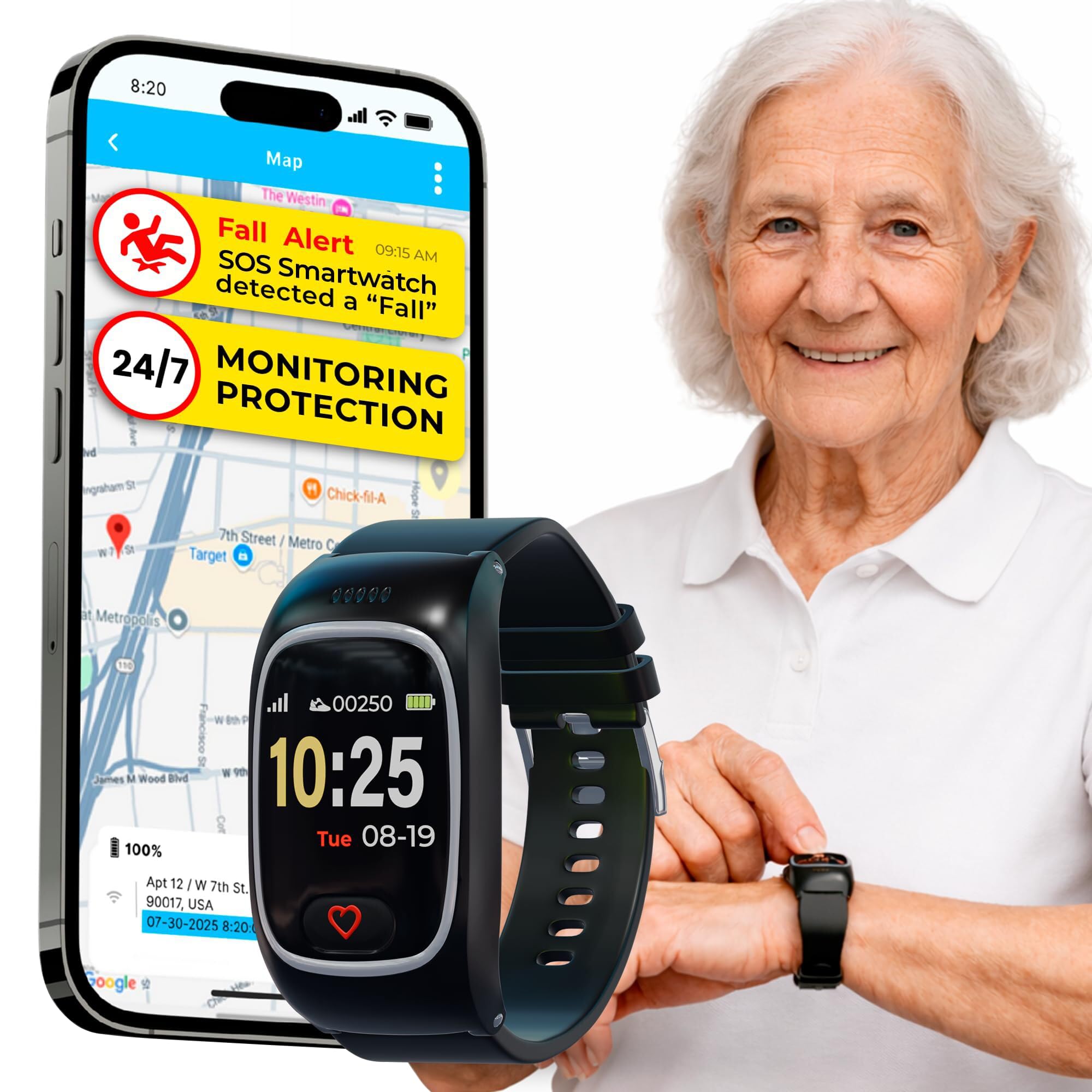
We recommend the Seculife S16 for small homes when family members want GPS, two-way calling, and direct alerts, but its battery and fall detection may need close testing.
Pros
- Sends SOS calls to selected contacts
- Offers GPS tracking and geofence alerts
- Compact design with water resistance
Cons
- Requires a monthly plan starting at $25
- Battery may last only about one day
- Some users report unreliable alerts and charging
In a small apartment, the S16 keeps several safety tools on the wrist instead of adding a wall unit or base station. We found the large SOS button easy to identify, and the two-way calling feature useful when reaching for a phone would take too long.
GPS tracking and geofencing add value for users who may leave home and become confused. Family members can check location through the app, while automatic answering can make calls easier for someone who struggles with touchscreens.
The device is splash-resistant and comfortable enough for daily wear. However, the short battery life means we would charge it every night and check the connection often.
Fall detection appears useful as a backup, not a replacement for direct supervision. Customer feedback includes reports of missed alerts, false triggers, loud sound, and charging problems. The required subscription also raises the long-term cost, so we would confirm coverage, alert performance, and return terms before relying on it.
Nesthao Bed Sensor Alarm

We recommend this compact alarm for caregivers who need a simple way to know when someone leaves a bed or room.
Pros
- Works well in bedrooms and other small spaces
- Sends alerts to a separate caregiver pager
- Offers battery or Micro USB power
Cons
- Requires testing to find the best sensor position
- May need pairing again after being turned off
- Does not detect a fall after it happens
We placed the motion sensor near the foot of the bed and found the setup less intrusive than a large bed pad. It can also work near a doorway, which helps us monitor room exits without adding a camera or taking up floor space.
The separate pager lets us keep the alarm outside the bedroom. This design avoids startling the person in bed, while the adjustable volume gives us more control over how strongly the alert carries through the home.
Before relying on it, we tested the sensor from several angles. The unit runs a short self-test when powered on, so we waited for that process to finish before checking its range. The stated range reaches up to 918 feet in open areas, though walls and furniture can reduce it.
The sensor uses AAA batteries, while the pager uses AA batteries and can also connect through Micro USB. We like the flexibility, but some users report needing to pair the units again after switching them off and on. It works as an early warning tool, not as a replacement for supervision or emergency medical support.
Generic K2 Privacy Detector
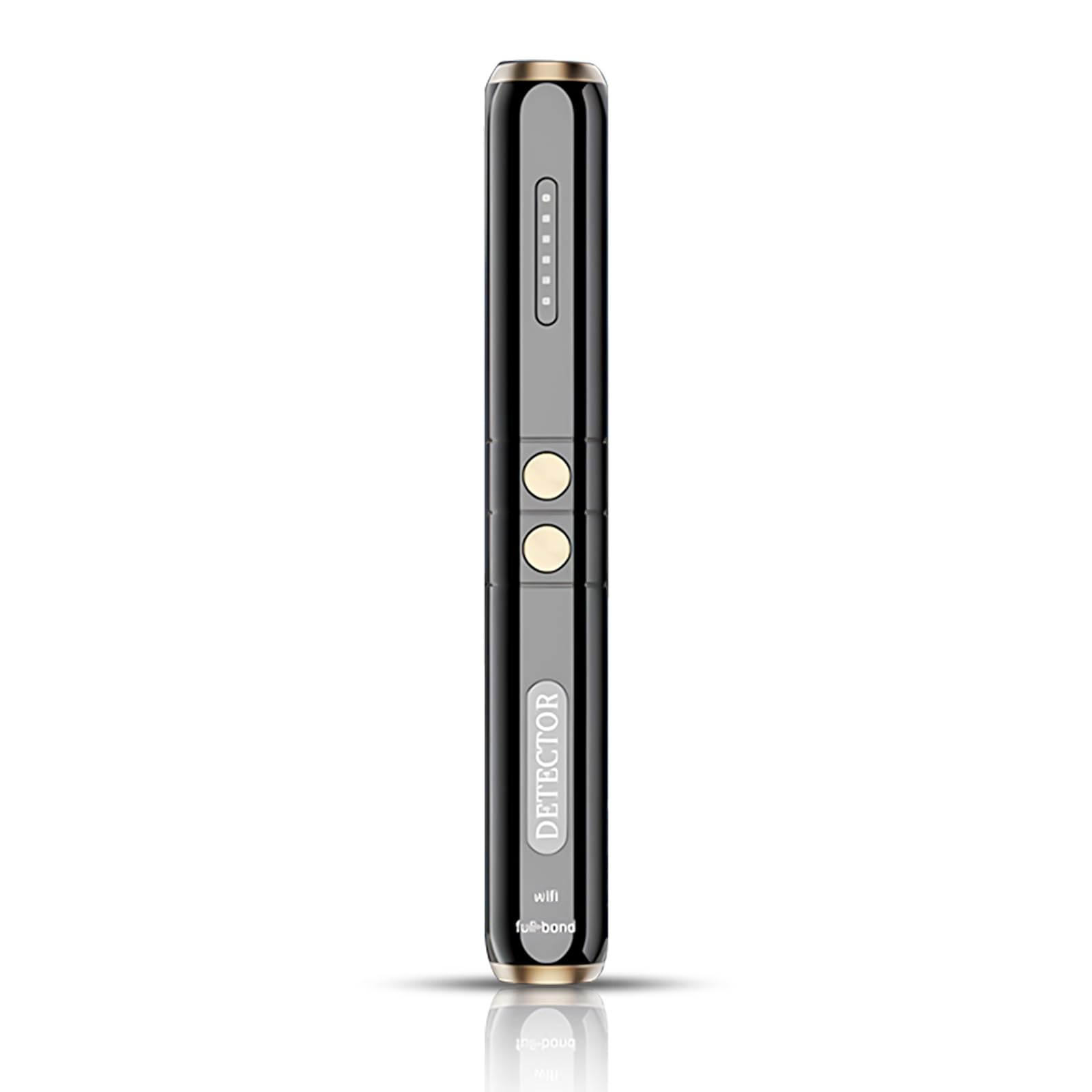
We recommend the Generic K2 for small homes, hotel rooms, and cars because its compact design makes quick privacy checks easy, though it is not a fall detection device.
Pros
- Small, portable shape
- Several detection modes
- Long battery life
Cons
- Designed for privacy checks, not fall alerts
- Nearby Wi-Fi and Bluetooth signals may cause alerts
- Generic brand offers limited product information
We found the K2 easy to carry and simple to use in tight spaces. Its small body fits in a travel bag or drawer, and vibration mode lets us scan without adding noise.
The device checks for RF signals, magnetic fields, and infrared light. We would turn off nearby Wi-Fi and Bluetooth devices first because they can interfere with the scan.
Its battery lasts up to 25 hours according to the listing, with a claimed one-hour USB-C charge. That makes it useful for travel, but the product does not provide emergency calling, automatic fall alerts, or caregiver notifications.
For shoppers seeking fall protection in a small space, we would choose a dedicated medical alert device instead. The K2 works better as a portable privacy tool than as personal safety equipment.
Nomo Smart Care Fall Detection System
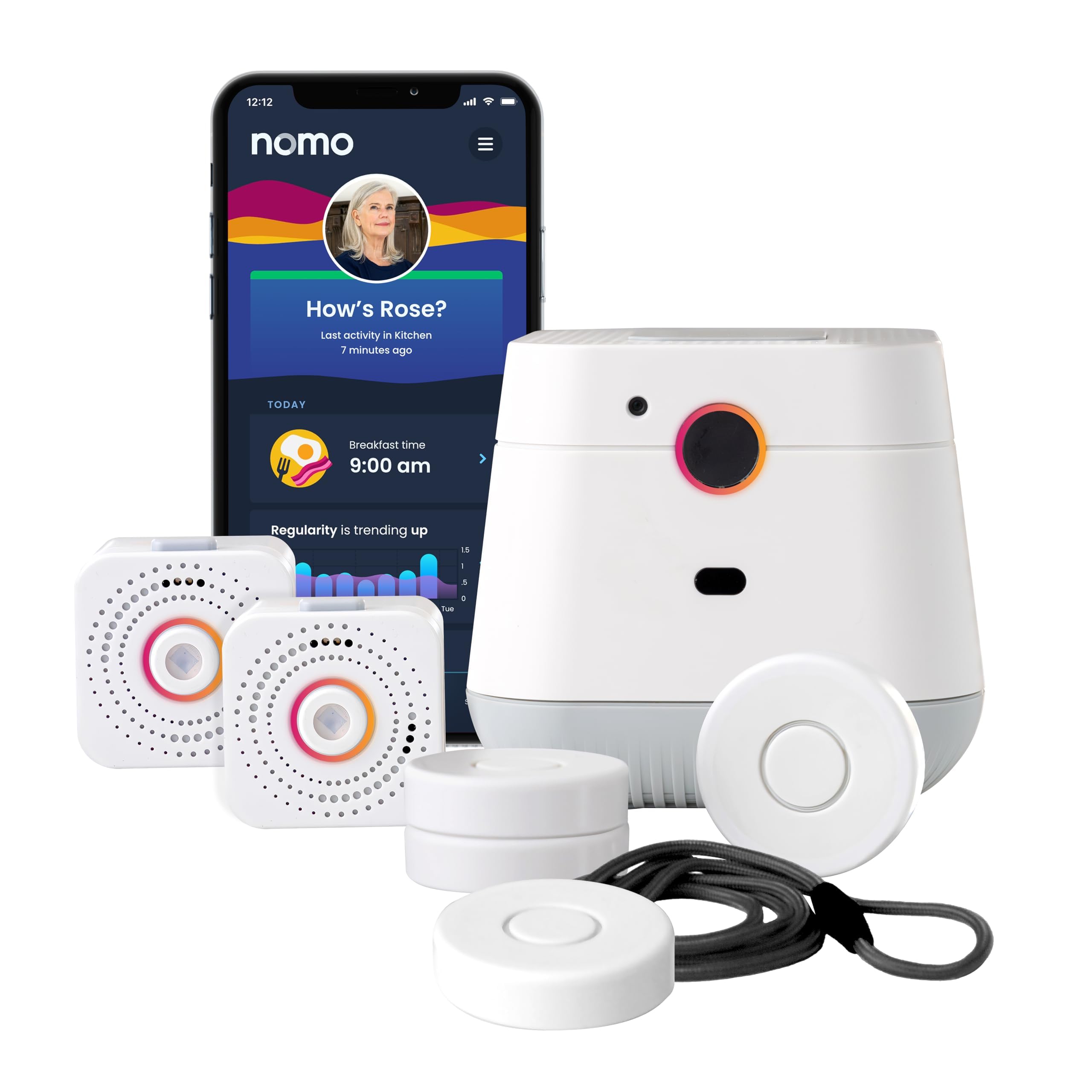
We recommend this system for small homes where we want camera-free monitoring, caregiver alerts, and two-way voice support.
Pros
- Camera-free monitoring suits privacy-conscious households.
- Motion, sound, and Smart Tags cover more than falls alone.
- Setup uses existing 2.4 GHz Wi-Fi without professional installation.
Cons
- The monitoring service costs $19.99 per month after the 60-day trial.
- Fall detection may not work reliably in every situation.
- The system needs Wi-Fi and several plugged-in devices.
We found the compact hub and two satellites practical for a small apartment or single-level home. Their wireless setup made placement simple, though we needed to choose outlets that gave the sensors a useful view of daily activity.
The app can notify a trusted care circle about unusual movement or possible falls. Smart Tags also let us monitor selected doors, cabinets, medications, or other items. This added routine tracking can help caregivers notice changes without using cameras.
The hub’s two-way voice feature gives users a direct way to contact caregivers during an emergency. We liked having communication built into the main unit, but the system still depends on a working Wi-Fi connection and an active subscription for its full monitoring service.
Customer feedback is generally positive, with a 4.2-star average from 61 ratings. However, some users reported problems with automatic fall detection, so we would treat it as an extra safety layer rather than a replacement for a personal response plan.
Buying Guide
We should start by measuring the room and identifying areas where a fall could happen. In small spaces, choose a device that covers the needed area without creating false alerts from pets, furniture, or normal movement.
Key features to compare include:
| Feature | What we should look for |
|---|---|
| Detection method | Sensors that suit the room, such as motion, floor pressure, or wearable detection |
| Alert speed | Fast notifications sent to caregivers or emergency contacts |
| Privacy | Non-camera options or systems that limit stored images and recordings |
| Power | Battery life, charging needs, and backup power during outages |
| Setup | Simple installation with minimal wiring and clear instructions |
| Connectivity | Reliable Wi-Fi, cellular service, or local alarms for the space |
We should check how the device handles missed falls, false alarms, and movement near walls or furniture. Adjustable sensitivity can help reduce unwanted alerts, while a manual help button gives the user another way to request assistance.
We should also review the alert process. Look for clear instructions on who receives notifications, whether multiple contacts can be added, and whether the system works when a phone is not nearby.
Before buying, we should confirm the return policy, subscription fees, warranty, and ongoing equipment costs. The best choice should fit the user’s mobility, comfort, hearing, and ability to charge or wear the device.
Editor’s Choice
We recommend the Medical Guardian Mini Guardian for small spaces. Its compact design supports movement between rooms without adding equipment to walls, floors, or doorways.
The device includes fall detection, two-way communication, and GPS support. We can wear it as a pendant, which keeps the alert button within reach while using the kitchen, bathroom, or bedroom.
| Feature | Why it matters in small spaces |
|---|---|
| Compact pendant | Reduces clutter and avoids trip hazards |
| Automatic fall detection | Can request help after some falls |
| Two-way voice | Lets us speak with the response center |
| GPS support | Helps outside the home, where available |
We should remember that automatic fall detection may not identify every fall. We still need to press the help button when possible and test the device in the rooms where we spend the most time.
Before choosing a plan, we should check monthly fees, cellular coverage, charging needs, and return terms. We should also confirm whether the device works with the available response service in our area.
Conclusion
We should choose a fall detection device based on the person’s needs, home layout, and daily routine. In a small space, simple setup and reliable coverage often matter more than a large range of features.
A wearable device can help when the user moves between rooms or leaves home. A wall-mounted button, smart speaker, or room sensor may work better for someone who does not want to wear a device.
Before buying, we should check:
- Detection method: automatic detection, manual alerts, or both
- Monitoring: professional response, family alerts, or app notifications
- Connectivity: Wi-Fi, cellular service, or a landline
- Privacy: camera-free options may suit users who want more privacy
- Costs: device fees, subscriptions, batteries, and setup charges
We should also test the device in the actual living space. Furniture, walls, noise, and weak signals can affect performance. Regular battery checks and practice using the alert button can help users respond more confidently during an emergency.
FAQS
What type of fall detector works best in a small space?
We usually recommend a wearable device with automatic fall detection and a two-way voice feature. It can detect a fall without needing a large base unit or several room sensors.
Do we need cameras for accurate fall detection?
No. Wearable pendants, watches, and discreet sensors can detect falls without recording video. We can choose a non-camera model when privacy matters.
Will walls or furniture affect detection?
Some systems use room sensors that may have limited coverage behind walls or large furniture. We should check the manufacturer’s coverage guide and place sensors where movement is easy to detect.
Can fall detectors work without Wi-Fi?
Many cellular devices work without home Wi-Fi. We should confirm that the device supports cellular service in our area and check its monthly fees.
What features should we compare?
- Automatic fall detection
- Two-way voice communication
- Emergency response or caregiver alerts
- Battery life and charging method
- Water resistance
- Small, comfortable design
Are wearable devices reliable for people who forget to wear them?
A wearable device only works when the person uses it. For people who often remove pendants or watches, we may consider a room sensor or a device that sends reminders.