
Medical Alert vs Apple Watch: Which Is Better for Seniors?


Adjustable Walker with Wheels

Emergency SOS Phone
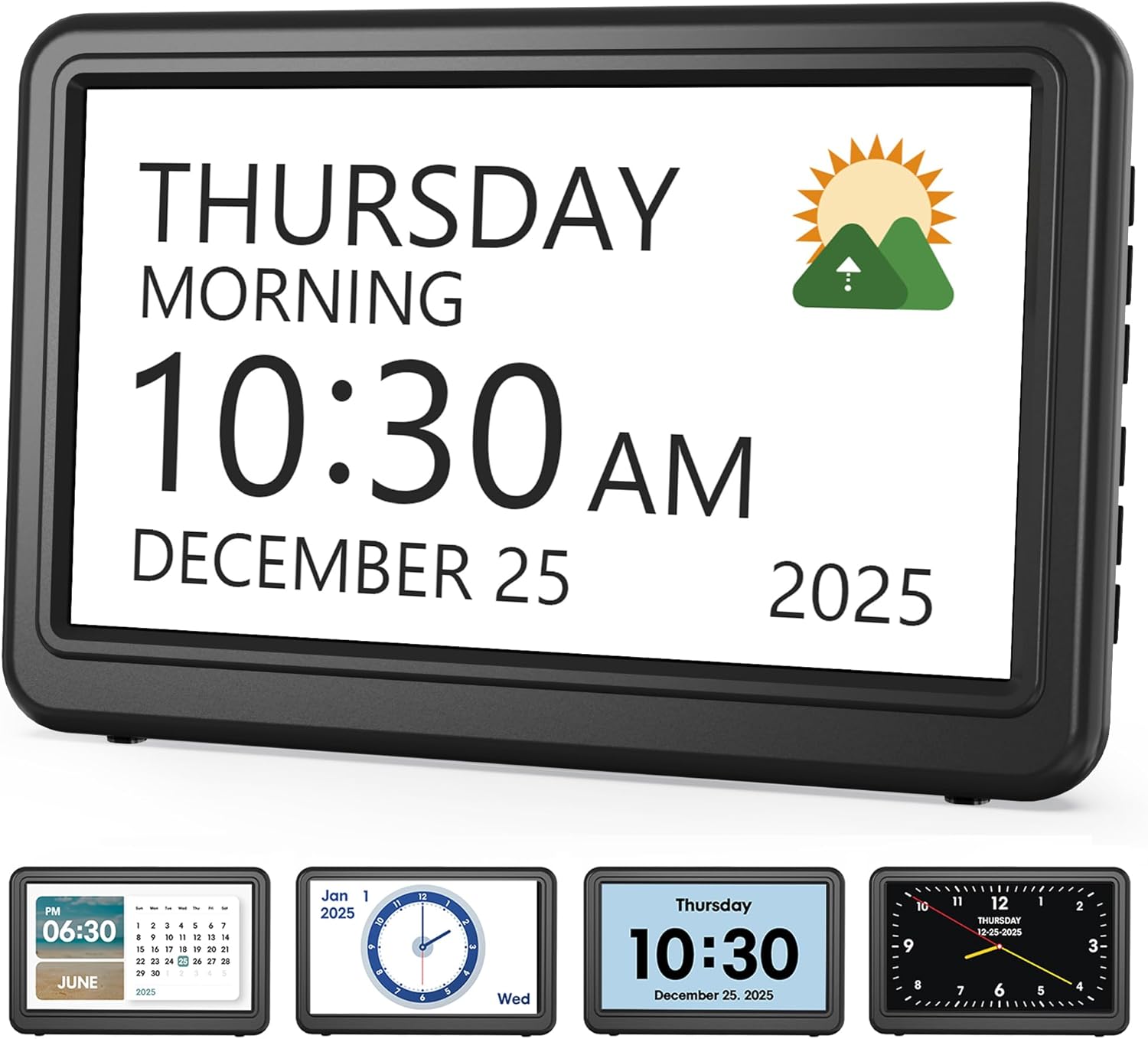
Medication Reminder Alarm
Medical Alert vs Apple Watch is a useful comparison for seniors who want a wearable way to get help during an emergency. Both can provide safety features, but they work in different ways.
A medical alert system is built around emergency response. An Apple Watch is a smartwatch that also has emergency tools such as Emergency SOS, Fall Detection, and Medical ID. The better choice depends on whether you want dedicated emergency support or a broader smartwatch.

Quick Comparison
A medical alert system is usually the simpler choice for someone who mainly wants emergency help. Many systems connect the user to a 24/7 monitoring center with one button press.
An Apple Watch can do much more than an alert device. It can call emergency services, detect some hard falls, share location, and provide health and communication features. However, setup, charging, connectivity, and learning the watch may require more attention.
Simple rule: Choose a medical alert system for dedicated emergency support. Choose an Apple Watch if you also want a smartwatch with safety features.
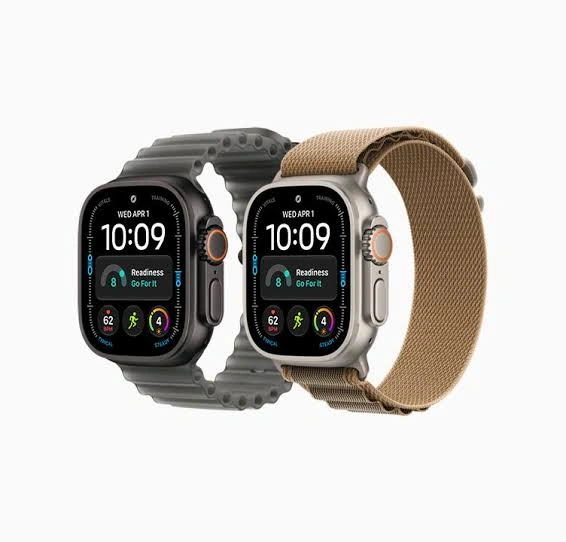
Medical Alert vs Apple Watch At a Glance
The two options have different goals, so the most useful differences are practical ones.
| Feature | Medical Alert | Apple Watch |
|---|---|---|
| Main purpose | Emergency assistance | Smartwatch and safety |
| Help method | Help button and monitoring center | Emergency SOS and emergency contacts |
| Fall detection | Available on many systems | Available on supported models |
| Professional monitoring | Common | No dedicated monitoring center |
| GPS | Available on mobile systems | Available on supported models |
| Two-way communication | Common on mobile devices | Available |
| Other smart features | Limited | Extensive |
| Charging | Varies by device | Requires regular charging |
| Setup | Usually simple | More setup and pairing |
Medical alert providers commonly offer wearable devices, 24/7 monitoring, GPS on mobile systems, and optional fall detection.
Medical Alert Systems for Senior Safety
Medical alert systems are designed around one main task: helping a person get assistance during an emergency.
Many systems use a pendant, wrist button, or small mobile device. Pressing the help button can connect the user to a trained monitoring center. Some systems can also use GPS and fall detection.
Ease of Use
The biggest advantage is simplicity.
A senior may only need to press one button to request help. There is no need to open an app or search through several menus.
This can be useful for someone who wants a device that does one important job well.
Many current systems are also water resistant, allowing some users to wear them while showering. Exact protection varies by device.
Key Strengths
- Simple emergency button
- 24/7 professional monitoring on monitored plans
- Wearable designs
- GPS on many mobile systems
- Optional automatic fall detection
- Often designed for simple daily use
- Some systems provide two-way voice communication
Potential Drawbacks
- Monthly monitoring fees are common
- Features vary widely between providers
- Some fall detection features cost extra
- It offers fewer everyday smart features than an Apple Watch
- The exact service depends on the provider and plan
Apple Watch for Senior Safety
Apple Watch takes a different approach. It combines emergency tools with a full smartwatch.
Supported Apple Watch models can provide Emergency SOS, Fall Detection, Crash Detection, and Medical ID. Fall Detection can automatically attempt to contact emergency services after a detected hard fall if the wearer remains immobile and does not respond.
Ease of Use
Apple Watch can be easy to use once it is set up, but it has more features to learn.
The user may need to understand the side button, Digital Crown, Emergency SOS, contacts, settings, charging, and other watch functions.
A cellular Apple Watch can make emergency calls without relying on a nearby iPhone in supported situations. A GPS-only model may need a nearby iPhone or suitable Wi-Fi calling setup. Availability also varies by country and network.
Key Strengths
- Emergency SOS
- Fall Detection on supported models
- Crash Detection on supported models
- Medical ID
- Location sharing
- Fitness and health features
- Calls and messages
- Large ecosystem of apps
Potential Drawbacks
- Requires regular charging
- More complicated than a basic help button
- Some emergency functions depend on connectivity
- Cellular models may require additional service
- Fall Detection cannot detect every fall
- It does not provide the same dedicated professional monitoring model as a monitored medical alert service
Which Is Easier for Seniors to Use?
For pure emergency use, a medical alert system is often simpler.
The reason is straightforward. A dedicated alert device usually has a prominent help button. A monitored system can connect that button to a response center.
Apple Watch gives the user more choices, but that also means more things to learn.
A senior who enjoys technology may have no trouble using an Apple Watch. Someone who wants the fewest steps during an emergency may prefer a dedicated medical alert device.
Apple itself notes that Fall Detection cannot detect all falls, so it should not be treated as a guarantee of automatic help.
Performance Comparison
The two products perform different jobs, so performance depends on what you need.
For emergency response, a monitored medical alert system has a clear focus. Current providers such as Medical Guardian describe 24/7 monitoring centers that can assess an alert and arrange appropriate help.
Apple Watch is stronger as an all-purpose wearable. It combines safety features with communication, activity tracking, health tools, and other smartwatch functions.
| Performance Area | Medical Alert | Apple Watch |
|---|---|---|
| Emergency button | Excellent fit for this purpose | Available |
| Professional monitoring | Common | Not included as a dedicated service |
| Fall detection | Available on many systems | Available on supported models |
| Communication | Two-way voice on many devices | Calls and messages |
| Smart features | Limited | Extensive |
| Everyday versatility | Moderate | High |
Comfort, Accessibility, and Senior-Friendly Design
Comfort depends heavily on the specific device.
Medical alert systems are available as pendants, wrist devices, clips, and mobile units. Some are designed to be lightweight and discreet.
Apple Watch sits on the wrist and may feel natural for someone already comfortable with watches. Its screen also makes information visible without reaching for a phone.
However, the touchscreen and multiple controls can be less straightforward for someone who prefers a single physical emergency button.
Features Comparison
The most important difference is the design philosophy behind each option.
| Feature | Medical Alert | Apple Watch |
|---|---|---|
| Emergency help | Core purpose | Important feature |
| 24/7 monitoring | Available with monitored plans | No dedicated monitoring center |
| Fall detection | Often optional | Built into supported models |
| Medical information | Provider-dependent | Medical ID |
| GPS | Available on many mobile systems | Available on supported models |
| Calls and texts | Some devices | Yes |
| Fitness tracking | Some devices | Extensive |
| Apps | Limited | Extensive |
Apple Medical ID can display important emergency information such as allergies, medical conditions, and emergency contacts when it has been set up.
Price, Maintenance, and Long-Term Value
Price is difficult to compare directly because “medical alert” covers many providers and plans.
A medical alert system commonly involves a monitoring fee. Extra features, such as automatic fall detection, may also cost more. For example, Medical Guardian currently lists fall detection as an add-on for some systems.
Apple Watch has a higher upfront hardware cost, and some models may also involve cellular service. It does not normally require a medical-alert monitoring subscription simply to use Emergency SOS.
The trade-off is important.
A medical alert system puts more of your spending toward emergency support. Apple Watch puts more of your spending toward a multipurpose device.
Who Should Choose a Medical Alert?
Choose a medical alert system if:
- Emergency response is the main goal.
- You want a simple help button.
- Professional monitoring is important.
- You want a device designed around senior safety.
- You prefer fewer controls and menus.
- You want optional fall detection from a dedicated provider.
- You do not need extensive smartwatch features.
Who Should Choose an Apple Watch?
Choose an Apple Watch if:
- You want a smartwatch as well as safety features.
- You are comfortable with technology.
- You want calls, messages, apps, and activity tracking.
- You want Emergency SOS and Fall Detection in one wearable.
- You are comfortable charging the watch regularly.
- You already use an iPhone and want the Apple ecosystem.
Medical Alert vs Apple Watch — Final Verdict
There is no single choice that fits every senior.
A medical alert system makes more sense when emergency assistance is the primary need. Its simple button and professional monitoring can reduce the number of steps between an emergency and a request for help.
An Apple Watch makes more sense when the user wants safety features plus a full smartwatch. Emergency SOS, Fall Detection, Medical ID, communication, and health features can all live on the same wrist device.
Scoring Summary
These scores are a practical comparison of the product categories, not laboratory test results. Individual devices and service plans can differ.
| Category | Medical Alert | Apple Watch |
|---|---|---|
| Ease of Use | 9/10 | 7/10 |
| Senior-Friendly Design | 9/10 | 7/10 |
| Emergency Support | 9/10 | 8/10 |
| Smart Features | 5/10 | 10/10 |
| Maintenance | 8/10 | 6/10 |
| Versatility | 6/10 | 10/10 |
| Value for Emergency Use | 9/10 | 7/10 |
The scoring reflects the typical design of each category. It should not be treated as a rating of every medical alert provider or every Apple Watch model.
How We Evaluate Products
We focus on the factors that can make a real difference for older adults.
Our comparison looks at:
- Ease of use
- Emergency access
- Accessibility
- Comfort
- Fall detection
- Connectivity
- Battery needs
- Maintenance
- Long-term practicality
- Overall value
We do not assume that every senior has the same mobility, vision, hearing, or technology needs.
Senior-Specific Buying Considerations
Before choosing either option, look at the details that affect daily use.
Physical Effort
A medical alert button should be easy to press. An Apple Watch should be comfortable to wear and operate.
Controls
Consider whether the user prefers one large help button or a touchscreen with several functions.
Charging
Check how often the device needs charging and whether the user can manage that routine.
Apple Watch models vary, but Apple’s published specifications show that some models have all-day battery targets rather than multi-day operation.
Connectivity
For Apple Watch, check whether the model is GPS-only or cellular. For a medical alert device, check whether it uses cellular, Wi-Fi, landline, or another connection.
Monitoring
If professional monitoring matters, check exactly what the medical alert plan includes.
Fall Detection
Do not assume that any fall detection system will identify every fall. Both Apple and medical alert providers acknowledge limitations with automatic fall detection.
Common Buying Mistakes
Avoid these mistakes before choosing.
- Buying an Apple Watch without checking connectivity requirements
- Choosing a medical alert plan without checking the monthly cost
- Assuming all medical alert systems include fall detection
- Assuming fall detection catches every fall
- Ignoring charging requirements
- Choosing too many features for a user who wants simplicity
- Forgetting to set up emergency contacts
- Not checking whether the device is comfortable enough for daily wear
Safety
Neither option should be treated as a guarantee of emergency assistance.
Apple Watch Fall Detection may miss some falls, and connectivity is important for emergency communication. Apple states that emergency calling can depend on cellular connectivity, Wi-Fi calling, or supported satellite features.
Medical alert systems also vary. Fall detection may be optional, and automatic systems may not recognize every fall. If a person can manually press the help button, that remains an important way to request assistance.
For a senior with a significant medical or safety concern, discuss the appropriate emergency setup with a healthcare professional or caregiver.
Conclusion
Medical Alert vs Apple Watch comes down to purpose. A medical alert system is built primarily for emergency assistance and can provide professional monitoring with a simple help button. Apple Watch combines emergency tools with communication, fitness, health, and smartwatch features.
For someone who wants simple, dedicated emergency support, a medical alert system is the more natural fit. For someone who wants a versatile smartwatch with built-in safety features, Apple Watch offers a broader range of functions. The right choice depends on which features the user will actually use every day.
