
Digital vs Manual Blood Pressure Monitor


Adaptive Eating Utensils

Book Holder Stand

Portable Radio with Large Buttons
For seniors choosing between a Digital vs Manual Blood Pressure Monitor, the main difference is how the reading is taken. Digital monitors measure and show the result on a screen, while manual monitors require a cuff, pressure gauge, and usually a stethoscope.
For home use, ease of operation matters as much as the measurement method. The American Heart Association recommends a validated automatic upper-arm cuff monitor for home blood pressure checks.
Quick Comparison
For most seniors who want to check blood pressure at home, a validated digital upper-arm monitor is usually the simpler option. It needs less technique and displays the reading directly.
A manual monitor can still be useful when a trained person is taking the measurement. It requires more skill because the user must inflate the cuff, control the pressure release, and listen with a stethoscope.
The monitor is only one part of an accurate reading. Correct cuff size, positioning, rest, and technique also matter.
Digital vs Manual Blood Pressure Monitor At a Glance
Both types use an arm cuff, but the way they produce and display the reading is different.
| Feature | Digital Monitor | Manual Monitor |
|---|---|---|
| Ease of use | Easier for most home users | Requires practice |
| Reading display | Digital screen | Pressure gauge + listening |
| Training needed | Low | Higher |
| Stethoscope | Usually not needed | Required |
| Home use | Very practical | Better with a trained user |
| Memory | Available on some models | Usually manual recording |
| Physical effort | Press button and position cuff | Pump cuff and release pressure |
| Senior-friendly | Generally easier | More demanding |
Digital Blood Pressure Monitor for Seniors
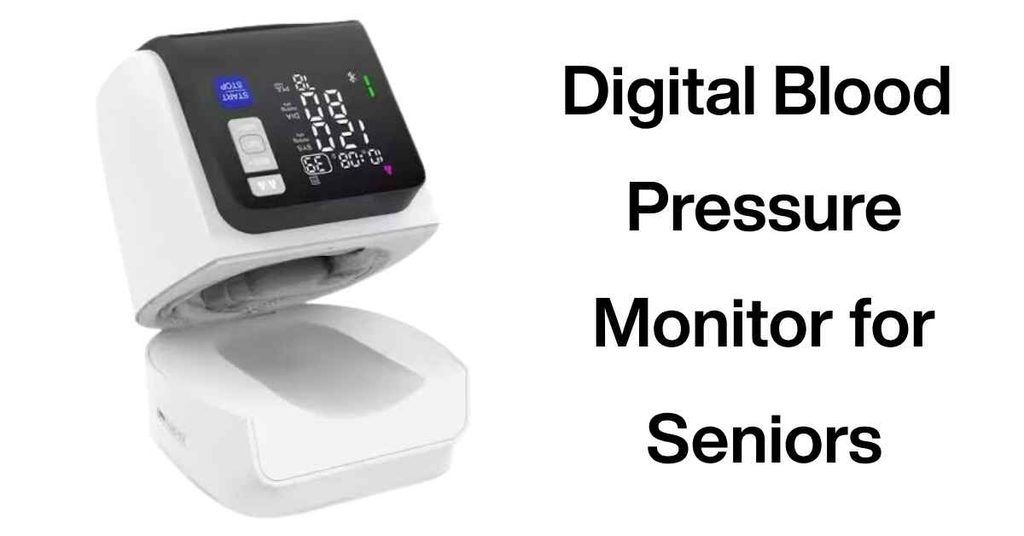
A digital monitor is designed to simplify the measurement process. After the cuff is positioned correctly, many automatic models inflate and measure blood pressure with the press of a button.
For seniors measuring their own blood pressure, this can remove several steps that make manual measurement difficult.
Ease of Use
The biggest advantage is simplicity. The user normally places the cuff on the upper arm, starts the monitor, and waits for the result.
There is no need to listen through a stethoscope or interpret a moving pressure gauge.
A large, clear display can also make the result easier to read. However, display size and button design vary by model, so these should be checked before buying.
Key Strengths
- Simple one-button operation on many models
- Automatic cuff inflation
- Digital systolic and diastolic readings
- Often includes pulse information
- Some models store previous readings
- Suitable for routine home monitoring
- Less training is needed than with manual measurement
Potential Drawbacks
- Accuracy depends on correct cuff placement and technique
- Some models have small buttons or displays
- Electronic features can vary widely between models
- Batteries or an external power source may be needed
- Not every device sold as a blood pressure monitor has been independently validated
The AHA recommends choosing a validated monitor and using the correct cuff size.
Manual Blood Pressure Monitor for Seniors
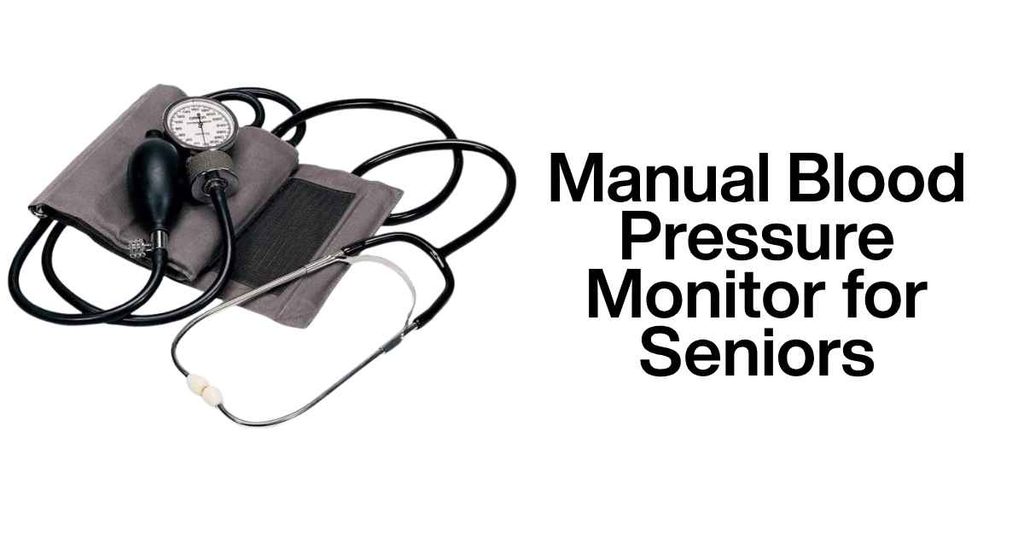
A manual blood pressure monitor uses a cuff and pressure gauge. The person taking the measurement normally uses a stethoscope to listen for blood-flow sounds while controlling the cuff pressure.
This method can provide useful measurements when performed correctly, but it requires more technique than an automatic digital monitor.
Ease of Use
Manual measurement is less straightforward for someone who has never learned the procedure.
The user must position the cuff correctly, inflate it, slowly release pressure, watch the gauge, and listen carefully through the stethoscope.
That makes it more practical for trained caregivers or healthcare professionals than for many people taking their own readings.
Key Strengths
- No electronic display or digital memory is required
- Can be used without batteries
- Useful for trained users
- Familiar equipment in many clinical settings
- Gives the person taking the measurement direct control of the process
Potential Drawbacks
- Requires training and practice
- Requires a stethoscope
- More steps are involved
- Harder for one person to use on themselves
- Reading depends heavily on proper technique
- Fine control and hearing ability can affect usability
Manual measurement is therefore less about the equipment being complicated and more about the skill required to use it correctly.
Which Is Easier for Seniors to Use?
For independent home monitoring, digital usually has the practical advantage.
A senior does not need to learn how to listen for blood-flow sounds or read a pressure gauge while controlling the cuff. The monitor performs the measurement automatically and displays the result.
| Usability Factor | Digital | Manual |
|---|---|---|
| Setup | Simple | More steps |
| Controls | Usually simple | Requires coordinated actions |
| Reading result | Screen | Gauge + stethoscope |
| Self-measurement | Easier | Difficult for many users |
| Training | Minimal | Important |
| Caregiver use | Easy after basic instruction | Better for trained users |
The AHA specifically recommends automatic upper-arm cuff monitors for home monitoring and does not recommend wrist or finger monitors as the first choice because they can be less reliable.
Performance Comparison
The most important issue is not simply whether a monitor is digital or manual. Measurement quality depends heavily on the device, cuff, and technique.
A validated digital monitor can provide a practical way to collect repeated home readings. Manual equipment can also be useful when operated by someone who knows the correct technique.
For either method, the cuff should fit correctly. An incorrect cuff size can produce an inaccurate reading.
Digital monitors also make it easier to take repeated readings and record them. Some models have built-in memory, although this feature is not universal.
Manual monitors do not automatically store readings. The user or caregiver generally needs to record the numbers separately.
Comfort, Accessibility, and Senior-Friendly Design
A blood pressure monitor should be easy to position and operate without unnecessary physical effort.
Digital monitors generally require fewer actions. This may make them easier for seniors who have limited hand strength, reduced dexterity, or difficulty coordinating several steps.
Manual monitors require more active control. Pumping the cuff, adjusting the valve, watching the gauge, and using a stethoscope all happen during the same measurement.
This does not mean manual monitors are unsuitable for older adults. A trained caregiver can operate one effectively.
The key difference is who is taking the measurement.
Features Comparison
Features can make digital monitors more convenient, but they should not replace the basic requirements of a reliable monitor.
| Feature | Digital Monitor | Manual Monitor |
|---|---|---|
| Automatic inflation | Common | No |
| Digital display | Yes | No |
| Memory | Available on some models | Usually no |
| Stethoscope | Not normally needed | Required |
| Automatic measurement | Yes | No |
| Battery | Common | Not required |
| Simple self-use | Usually easier | More difficult |
When buying a digital monitor, validation and cuff fit should come before extra features. The FDA has also warned consumers about unauthorized devices that claim to measure or estimate blood pressure.
Price, Maintenance, and Long-Term Value
Manual monitors can have a simple design and do not normally need batteries. That can make them attractive to someone who already knows how to use them.
Digital monitors may cost more depending on their features. Some include memory, multiple-user functions, irregular-heartbeat indicators, or connectivity.
But paying more for extra features does not automatically mean getting a better monitor.
For seniors, value often comes from choosing a validated device with the correct cuff size that is easy to use consistently.
The AHA recommends taking a home monitor to a healthcare appointment so its readings and the user’s technique can be checked against clinical equipment.
Who Should Choose a Digital Monitor?
- Choose digital if you want simple home operation.
- Choose digital if you will take readings without a caregiver.
- Choose digital if reading results from a screen is easier for you.
- Choose digital if you want automatic cuff inflation.
- Choose digital if storing readings would be useful.
- Choose digital if you prefer fewer measurement steps.
For most independent home users, these practical benefits make digital monitors the easier starting point.
Who Should Choose a Manual Monitor?
- Choose manual if you are trained to take blood pressure manually.
- Choose manual if a caregiver or healthcare professional will take the readings.
- Choose manual if you prefer equipment that does not depend on batteries.
- Choose manual if you already know how to use a stethoscope and pressure gauge.
- Choose manual when the person taking the measurement is comfortable with the required technique.
A manual monitor makes more sense when the operator’s skill is already there.
Digital vs Manual Blood Pressure Monitor — Final Verdict
For most seniors checking blood pressure at home, a validated automatic upper-arm digital monitor is generally the more practical choice. It reduces the number of steps and makes independent measurement easier.
A manual monitor has a different role. It can work well when a trained person takes the measurement, but it is less convenient for independent home use.
| Category | Digital | Manual |
|---|---|---|
| Ease of Use | 9/10 | 5/10 |
| Senior-Friendly Design | 9/10 | 5/10 |
| Home Convenience | 9/10 | 5/10 |
| Training Required | 9/10 | 4/10 |
| Long-Term Simplicity | 8/10 | 7/10 |
These scores are practical usability ratings for the comparison, not clinical accuracy scores. Individual models can differ substantially.
How We Evaluate Products
This comparison focuses on the factors that matter when a senior or caregiver needs to monitor blood pressure at home.
We consider:
- Ease of operation
- Measurement technique
- Cuff requirements
- Display and controls
- Training needs
- Self-use
- Caregiver use
- Recording and memory features
- Maintenance
- Long-term practicality
- Validation and safety considerations
We do not assume that a digital monitor is accurate simply because it is electronic. Device validation and proper measurement technique remain important.
Senior-Specific Buying Considerations
Before choosing a blood pressure monitor, check these points.
Physical Effort
Think about whether the user can comfortably position the cuff and operate the controls.
Controls
Large, simple buttons can be helpful. Avoid unnecessary complexity if the user only needs basic readings.
Cuff Size
Measure the upper arm and choose a cuff designed for that circumference. An incorrect cuff can affect the reading.
Setup
An upper-arm digital monitor should be straightforward to position and start. A manual monitor requires more steps and technique.
Storage
A compact design can make regular monitoring easier, especially when the device needs to be stored after every use.
Safety
Blood pressure monitoring is health-related. Do not use readings from a home monitor to change medication without guidance from a healthcare professional. The AHA advises that home monitoring does not replace regular medical care.
Common Buying Mistakes
Avoid these mistakes when choosing between digital and manual monitors:
- Choosing a device without checking whether it has been validated
- Buying the wrong cuff size
- Choosing a monitor based only on price
- Assuming more features mean better measurement
- Buying a manual monitor without learning the correct technique
- Ignoring how easy the display and controls are to use
- Using a wrist or finger monitor when an appropriate upper-arm option is available
The FDA has warned that unauthorized blood-pressure devices can provide inaccurate measurements, so device authorization and validation deserve attention.
Safety
Correct technique matters with both types of monitors.
Before measuring, the AHA recommends avoiding smoking, caffeine, alcohol, and exercise for 30 minutes, emptying the bladder, and sitting quietly for at least five minutes. The arm should be supported at heart level, with the cuff placed on bare skin.
Take at least two readings about one minute apart and record the results. If a reading is unusually high, follow appropriate medical guidance rather than making medication changes yourself.
Conclusion
The main difference between a digital and manual blood pressure monitor is simplicity versus measurement technique. Digital monitors automate much of the process, while manual monitors require more active skill from the person taking the reading.
For seniors who want to monitor blood pressure independently at home, a validated automatic upper-arm digital monitor is generally the easier option. A manual monitor can still be useful for trained caregivers or healthcare professionals who are comfortable with manual measurement.
