
NOOK vs Boox e-reader for seniors: Which?


Electric Food Chopper
Bed Rail for Seniors

Book Holder Stand
NOOK vs Boox e-reader for seniors is mainly a choice between a simpler reading device and a more flexible one. NOOK focuses on reading through the Barnes & Noble ecosystem. BOOX offers more freedom, apps, file support, and extra tools.
For many seniors, the key question is not which device has more features. It is which device feels easier to use every day. A simple reader may be better for someone who mainly wants books. BOOX may suit someone who wants apps, more file types, or extra features.

Quick Comparison
The NOOK GlowLight 4 Plus is the simpler choice for seniors who mainly want an e-reader. It has a 7.8-inch E Ink screen, physical page-turn buttons, 32GB storage, waterproofing, and audiobook support.
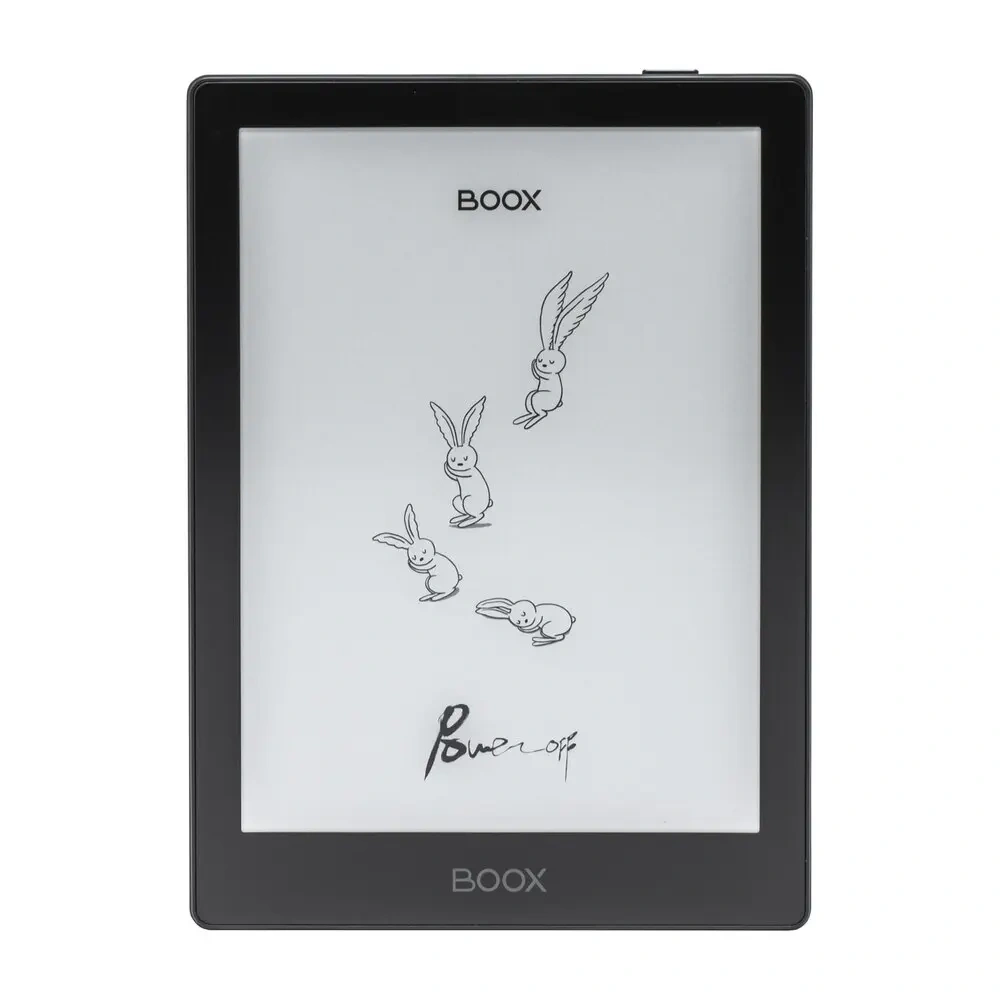
The BOOX Go 7 is more flexible. It has a 7-inch 300 PPI E Ink screen, Android 13, Google Play, 64GB storage, microSD support, speakers, page-turn buttons, and support for many file types.
Simple reading: NOOK
More apps and flexibility: BOOX
NOOK vs Boox At a Glance
Both can provide a comfortable E Ink reading experience. The main difference is how much freedom you want beyond reading books.
| Feature | NOOK GlowLight 4 Plus | BOOX Go 7 |
|---|---|---|
| Screen | 7.8-inch E Ink | 7-inch E Ink |
| Resolution | High-resolution E Ink | 300 PPI |
| Page buttons | Yes | Yes |
| Storage | 32GB | 64GB |
| Waterproofing | IPX7 | Water-repellent design |
| Front light | GlowLight with night mode | Adjustable warm/cool front light |
| Audiobooks | Bluetooth and headphone jack | Speaker and Bluetooth |
| Apps | Focused NOOK ecosystem | Google Play Store |
| File support | eBooks and PDFs | 26 digital formats |
| microSD | No | Yes |
| Best fit | Simple reading | Flexible reading and apps |
The specifications above come from current manufacturer information. Features can vary by model and software version.
NOOK GlowLight 4 Plus Review for Seniors
The NOOK GlowLight 4 Plus is built around reading. Its 7.8-inch E Ink display gives more room than the smaller 6-inch NOOK GlowLight 4. It also has physical page-turn buttons, which can be useful for readers who prefer buttons over repeated screen taps.
Ease of Use
NOOK keeps the experience fairly focused. You can use the touchscreen and physical page buttons to move through books.
The 7.8-inch screen can also be useful for seniors who prefer larger text areas. Text size can be adjusted for reading comfort.
Its capacitive home button is touch-sensitive rather than a physical button. Barnes & Noble says it needs a deliberate touch to activate.
Key Strengths
- Large 7.8-inch E Ink screen
- Physical page-turn buttons
- 32GB internal storage
- IPX7 waterproof design
- Audiobook support
- Warm night-reading mode
- Simple reading-focused design
Potential Drawbacks
- Less flexible than an Android e-reader
- No Google Play Store
- Less suited to users who want many third-party apps
- The home button is touch-sensitive rather than physical
BOOX Go 7 Review for Seniors
The BOOX Go 7 takes a different approach. It is an Android e-reader with access to Google Play. That means a reader can install compatible apps instead of being limited to one reading ecosystem.
The device has 4GB of RAM, 64GB of storage, a microSD slot, a 7-inch 300 PPI monochrome E Ink display, and a 2,300mAh battery. It weighs about 195g.
Ease of Use
The BOOX Go 7 has dedicated page-turn buttons. Its front light can also use warm and cool tones.
The larger number of options can be helpful. But they also add complexity. A senior who only wants to open a book and read may not need an Android system with many apps and settings.
Key Strengths
- 7-inch 300 PPI E Ink screen
- Google Play Store
- 64GB storage
- microSD card support
- Physical page-turn buttons
- Adjustable warm and cool front light
- Built-in speaker
- Bluetooth
- Support for many file formats
- Optional handwriting support
Potential Drawbacks
- More settings can mean a higher learning curve
- App setup may take more time
- More flexibility can create more distractions
- It may be more than needed for simple book reading
Which Is Easier for Seniors to Use?
For a senior who wants a focused reading device, NOOK has the simpler purpose. Its main experience is centered around books.
BOOX offers more freedom, but that freedom comes with more choices. Users can install apps, manage different file types, use web-based services, and customize the reading experience.
| Usability Area | NOOK | BOOX |
|---|---|---|
| Simple reading | Strong fit | Strong fit |
| Physical page buttons | Yes | Yes |
| App flexibility | Limited | High |
| Setup simplicity | Simpler | More involved |
| File flexibility | Moderate | High |
| Customization | Moderate | High |
For seniors who prefer fewer menus and fewer choices, NOOK may feel easier. For seniors who are comfortable with Android devices, BOOX may be easier to adapt to.
Performance Comparison
Both devices use E Ink displays, so neither is designed to behave like a fast smartphone or tablet.
The NOOK GlowLight 4 Plus focuses on books and audiobooks. BOOX Go 7 is designed for broader use. BOOX supports 26 digital formats and can run third-party apps through Google Play.
That difference matters if you already have books or documents in different formats.
For basic reading: NOOK has enough.
For mixed content: BOOX offers more flexibility.
Comfort, Accessibility, and Senior-Friendly Design
Comfort is not only about weight. Screen size, buttons, lighting, and the number of steps needed to perform a task all matter.
The NOOK has a larger 7.8-inch display. BOOX has a smaller 7-inch display but weighs about 195g and has a textured back and page-turn buttons.
Both offer front-light features. BOOX lets users adjust warm and cool light. NOOK offers GlowLight and a warmer night mode.
A senior who wants a larger reading area may prefer NOOK. Someone who values a lighter, compact reader with more functions may prefer BOOX.
Features Comparison
The biggest feature difference is flexibility.
| Feature | NOOK | BOOX |
|---|---|---|
| Reading | Yes | Yes |
| Audiobooks | Yes | Yes |
| Third-party apps | Limited | Yes |
| Google Play | No | Yes |
| microSD | No | Yes |
| Handwriting | No | Supported |
| Many file formats | Limited | Yes |
| Waterproofing | IPX7 | Water-repellent |
BOOX’s open Android system gives it a clear advantage for users who want apps and different types of content.
NOOK’s advantage is focus. It does not need to be a mini tablet to work well as an e-reader.
Price, Maintenance, and Long-Term Value
At the time of checking, Barnes & Noble lists the NOOK GlowLight 4 Plus at $199.99.
The BOOX Go 7 is currently listed at $269.99 on the official BOOX store.
That makes the NOOK less expensive based on the current official US prices checked for these models.
| Cost Factor | NOOK GlowLight 4 Plus | BOOX Go 7 |
|---|---|---|
| Current listed price | $199.99 | $269.99 |
| Storage | 32GB | 64GB |
| Expandable storage | No | microSD |
| Accessories | Covers available | Cases and stylus options |
| Battery | Long reading use | 2,300mAh |
| Main value | Focused reading | Flexibility |
Prices can change. Accessories and local availability can also affect the final cost.
Who Should Choose NOOK?
Choose NOOK if:
- You mainly want to read books.
- You prefer a simple device.
- You like physical page-turn buttons.
- You want a larger 7.8-inch screen.
- Waterproofing matters to you.
- You want audiobook support.
- You do not need many third-party apps.
- You want a lower current listed price.
Who Should Choose BOOX?
Choose BOOX if:
- You want Google Play apps.
- You read many file types.
- You want microSD expansion.
- You want more control over the reading setup.
- You use audiobooks or other media.
- You want note-taking features.
- You are comfortable with Android.
- You want one device for more than just books.
NOOK vs Boox — Final Verdict
For most seniors who want a simple e-reader, the NOOK GlowLight 4 Plus is the more focused option. Its larger screen, physical page buttons, waterproof design, and reading-first approach make the experience straightforward.
For seniors who want apps, more file formats, expandable storage, and greater customization, BOOX is the more flexible choice. The Go 7 combines a 300 PPI E Ink display with Android, Google Play, 64GB storage, and microSD support.
| Category | Better Fit |
|---|---|
| Simple reading | NOOK |
| App flexibility | BOOX |
| Larger screen | NOOK |
| File flexibility | BOOX |
| Expandable storage | BOOX |
| Waterproof reading | NOOK |
| Lower current listed price | NOOK |
| Customization | BOOX |
Scoring Summary
The scores below are practical editorial scores based on the features and use cases discussed above. They are not laboratory test results.
| Category | NOOK | BOOX |
|---|---|---|
| Ease of Use | 9/10 | 8/10 |
| Senior-Friendly Design | 9/10 | 8/10 |
| Reading Experience | 9/10 | 9/10 |
| Flexibility | 7/10 | 10/10 |
| Maintenance | 9/10 | 8/10 |
| Value | 9/10 | 8/10 |
How We Evaluate These E-Readers
This comparison focuses on everyday factors that can matter to older readers.
We look at:
- Ease of use
- Screen and text readability
- Physical controls
- Setup
- Reading comfort
- File support
- Apps
- Storage
- Maintenance
- Price and long-term value
The comparison does not claim hands-on testing. It is based on available product information and practical senior-use considerations.
Senior-Specific Buying Considerations
Screen Size
Think about how much reading space feels comfortable. A 7.8-inch display gives NOOK a size advantage over the 7-inch BOOX Go 7.
Controls
Physical page-turn buttons can be useful if you prefer not to tap the screen for every page.
Setup
If you want the fewest choices, a focused reader may be easier. BOOX gives you more options, but you may need more setup.
File Support
Check your existing books before buying. BOOX supports a broad range of digital formats.
Apps
If you want apps beyond reading, BOOX has a major advantage because of Google Play access.
Storage
NOOK has 32GB. BOOX Go 7 has 64GB plus microSD expansion.
Common Buying Mistakes
Avoid these mistakes when choosing between the two:
- Buying BOOX only because it has more features.
- Choosing NOOK without checking your preferred book formats.
- Ignoring screen size.
- Forgetting the importance of physical buttons.
- Paying for features you will never use.
- Focusing only on storage instead of overall usability.
Safety
Both are electronic devices with rechargeable batteries. Use the supplied or compatible charging equipment and keep charging ports dry.
The NOOK GlowLight 4 Plus has an IPX7 waterproof rating. Barnes & Noble specifies fresh-water protection for up to 30 minutes at a maximum depth of about 1 meter. The USB port should be dry before charging.
Do not assume waterproof means safe for every liquid or situation.
Conclusion
NOOK and BOOX take different approaches to e-reading. NOOK GlowLight 4 Plus is focused on a simple reading experience with a larger 7.8-inch screen, physical page buttons, waterproofing, and audiobook support.
BOOX Go 7 is better suited to readers who want more freedom. Android, Google Play, broad file support, microSD expansion, and extra features make it more versatile.
For a senior who mainly wants simple reading, NOOK is the more focused choice. For someone who wants reading plus apps and flexibility, BOOX is the better fit.