
PocketBook vs Boox E-Reader for Seniors Compared


Reading Light for Bed

Arthritis Gloves

Sudoku Puzzle Book
PocketBook vs Boox e-reader for seniors is a useful comparison if you want a simple reading device but also care about comfort and flexibility. Both brands offer compact E Ink readers, but they take different approaches to the reading experience.
For a fair 7-inch comparison, this guide uses the PocketBook Era and BOOX Go 7 as representative monochrome models. The PocketBook focuses strongly on reading, audio, text-to-speech, and simple built-in tools. The BOOX Go 7 adds Android, Google Play, third-party apps, and physical page-turn buttons.
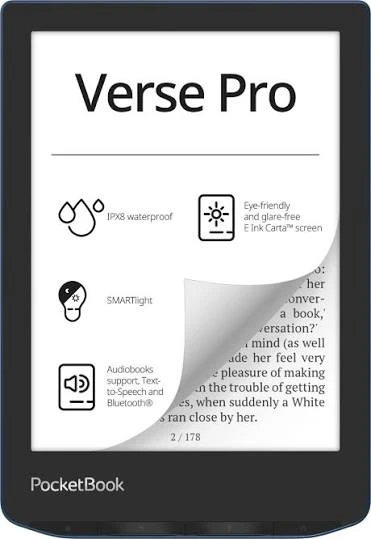
Quick Comparison
For seniors who mainly want a straightforward e-reader, the PocketBook Era offers a focused reading experience with useful built-in features such as SMARTlight, text-to-speech, audio support, and IPX8 water protection.
The BOOX Go 7 is more flexible. Its Android 13 system and Google Play support allow users to install third-party reading apps, while physical page-turn buttons can make page navigation easier for some readers.
Simple reading: PocketBook Era
App flexibility: BOOX Go 7
Water protection: PocketBook Era
Physical page buttons: BOOX Go 7
Best fit depends on the reader’s priorities: Both
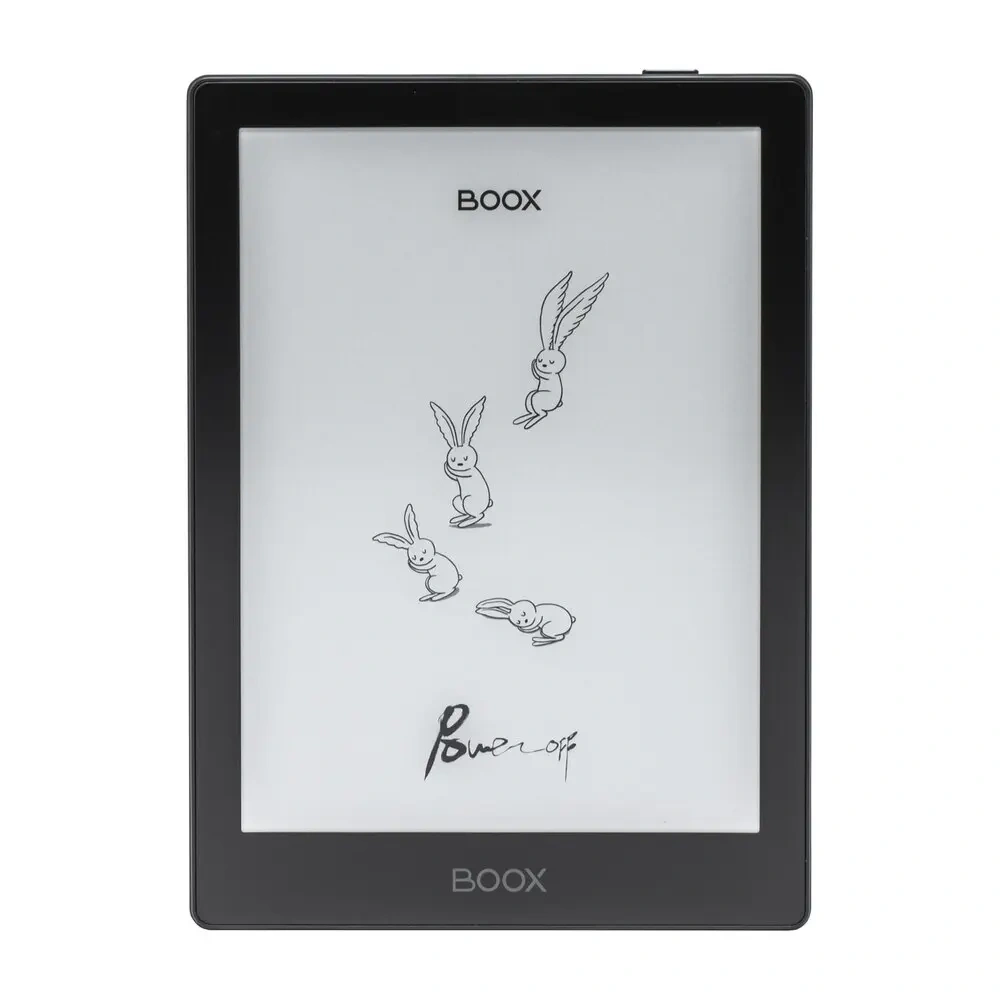
PocketBook vs Boox At a Glance
These two 7-inch models are close in size, but their software and feature sets are quite different.
| Feature | PocketBook Era | BOOX Go 7 |
|---|---|---|
| Screen | 7-inch E Ink Carta 1200 | 7-inch Carta 1300 |
| Resolution | 1264 × 1680, 300 PPI | 1680 × 1264, 300 PPI |
| Weight | 228 g | About 195 g |
| Front light | SMARTlight | Adjustable warm/cool light |
| Page buttons | Side control buttons | Physical page-turn buttons |
| Operating system | Linux | Android 13 |
| App support | Built-in apps and services | Google Play and third-party apps |
| Text-to-speech | Yes | Yes |
| Water protection | IPX8 | Water-repellent |
| Storage | 16 GB | 64 GB |
| Audio | Speaker and Bluetooth | Speaker and Bluetooth |
Specifications can vary across models, so this table is specifically about the PocketBook Era and BOOX Go 7 used in this comparison.
PocketBook Era Review for Seniors
The PocketBook Era is designed around reading rather than acting like a general-purpose tablet. Its 7-inch E Ink Carta 1200 display has 300 PPI, and it includes adjustable SMARTlight, a G-sensor, side controls, and built-in audio features.
Ease of Use
The Era keeps the core experience focused on books and documents. Its physical side controls can help readers who prefer buttons over tapping the screen for every page turn.
It also supports many ebook and document formats, including EPUB, PDF, MOBI, DOC, DOCX, CBZ, and CBR. Text-to-speech is built in, which can be useful when a reader wants to listen instead of read.
Key Strengths
- Focused e-reading experience
- 7-inch 300 PPI display
- SMARTlight for brightness and color temperature
- Physical side controls
- Built-in speaker
- Text-to-speech
- Bluetooth audio
- IPX8 water protection
- Wide ebook format support
Potential Drawbacks
- Less flexible than an Android e-reader
- 16 GB internal storage
- Fewer third-party app options
- 228 g is heavier than the BOOX Go 7
- The Linux-based system is designed more around reading than app customization
BOOX Go 7 Review for Seniors
The BOOX Go 7 takes a more tablet-like approach. It uses Android 13 and includes Google Play support, allowing users to install third-party apps. It also weighs about 195 g and has physical page-turn buttons.
Ease of Use
The physical page buttons are a useful touch for readers who prefer not to tap the display repeatedly. The device also supports adjustable front lighting, automatic screen rotation, and customizable reading themes.
The main trade-off is software complexity. Android and Google Play offer more options, but more options can also mean more settings to learn.
Key Strengths
- Lightweight 195 g design
- Physical page-turn buttons
- Android 13
- Google Play support
- 64 GB storage
- Adjustable front light
- Text-to-speech
- Built-in speaker
- microSD support
- Wide document-format support
Potential Drawbacks
- Android may feel more complex for a reader who wants a simple device
- Water protection is described as water-repellent rather than IPX8 waterproof
- More apps and settings can create a steeper learning curve
- The extra flexibility may not matter to someone who only reads ebooks
Which Is Easier for Seniors to Use?
Ease of use depends heavily on how the reader plans to use the device. A person who wants an e-reader mainly for books may prefer the focused PocketBook interface.
Someone who already uses Android apps or wants access to different reading services may find BOOX more useful.
| Usability Area | PocketBook Era | BOOX Go 7 |
|---|---|---|
| Basic reading | Simple and focused | Flexible but more configurable |
| Page turning | Side controls | Physical page buttons |
| Weight | 228 g | About 195 g |
| Screen adjustment | SMARTlight | Warm/cool front light |
| App learning curve | Lower for basic reading | Potentially higher |
| Orientation | G-sensor | G-sensor |
The lighter BOOX may be easier to hold for long periods, while PocketBook’s simpler reading ecosystem may be easier for users who do not want many apps.
Performance Comparison
Both devices are designed for E Ink reading, but their performance priorities differ.
The PocketBook Era uses a dual-core processor and 1 GB of RAM. The BOOX Go 7 uses an octa-core processor with 4 GB of RAM and 64 GB of storage.
| Performance Area | PocketBook Era | BOOX Go 7 |
|---|---|---|
| Reading books | Strong fit | Strong fit |
| PDF/document flexibility | Good | Good |
| Third-party apps | Limited | Strong |
| Storage | 16 GB | 64 GB |
| Multitasking | More limited | Better suited |
| Audio/TTS | Yes | Yes |
For ordinary ebook reading, the extra BOOX hardware is not necessarily important. It becomes more useful when running multiple apps or handling a wider range of tasks.
Comfort, Accessibility, and Senior-Friendly Design
Both readers have 7-inch displays, front lighting, automatic rotation, and physical controls. These features can reduce the need for constant touchscreen interaction.
The BOOX Go 7 has the advantage in weight. At about 195 g, it is around 33 g lighter than the PocketBook Era. That difference is modest, but it may matter when holding an e-reader for a long session.
PocketBook has another practical advantage: IPX8 water protection. BOOX describes the Go 7 as water-repellent, so the two should not be treated as having the same level of water protection.
For seniors, the best design is often the one that removes unnecessary steps rather than simply adding more features.
Features Comparison
The biggest difference is not the E Ink screen. It is what each device lets you do beyond basic reading.
| Feature | PocketBook Era | BOOX Go 7 |
|---|---|---|
| Text-to-speech | Yes | Yes |
| Built-in speaker | Yes | Yes |
| Bluetooth | Yes | Yes |
| Physical controls | Yes | Yes |
| Third-party apps | Limited | Yes |
| Google Play | No | Yes |
| Custom reading themes | Available | Extensive customization |
| microSD | Not listed for Era | Yes |
| Water protection | IPX8 | Water-repellent |
PocketBook includes services such as PocketBook Cloud, Dropbox, and Send-to-PocketBook. BOOX instead emphasizes its open Android environment and Google Play access.
Price, Maintenance, and Long-Term Value
E-reader prices change by country, retailer, storage version, and sales period, so a fixed price would quickly become outdated.
The BOOX Go 7 currently has a larger 64 GB storage capacity, while the PocketBook Era lists 16 GB. The BOOX also provides access to Android apps, which can add value for someone who wants more than one reading platform.
PocketBook may offer better value for someone who wants a dedicated reader and does not need a large app ecosystem.
| Cost Factor | PocketBook Era | BOOX Go 7 |
|---|---|---|
| Storage | 16 GB | 64 GB |
| App flexibility | Lower | Higher |
| Maintenance | Mostly reading-focused | More software options to manage |
| Water protection | IPX8 | Water-repellent |
| Long-term use | Strong for dedicated reading | Strong for flexible use |
Who Should Choose PocketBook?
Choose the PocketBook Era if:
- You mainly want to read ebooks.
- You prefer a focused reading device.
- You want built-in text-to-speech.
- Water protection is important.
- You want physical controls without needing Android apps.
- You prefer a simpler ecosystem.
- You use formats such as EPUB, PDF, MOBI, or DOC files.
Who Should Choose BOOX?
Choose the BOOX Go 7 if:
- You want access to Android apps.
- You use more than one ebook or reading service.
- You want Google Play.
- You prefer a lighter 7-inch reader.
- You want 64 GB of storage.
- You like physical page-turn buttons.
- You want more control over fonts, themes, and reading settings.
PocketBook vs Boox — Final Verdict
There is no single choice that fits every senior.
Best for focused reading: PocketBook Era
Best for app flexibility: BOOX Go 7
Best for lighter weight: BOOX Go 7
Best for water protection: PocketBook Era
Best for large storage: BOOX Go 7
Best for a simple dedicated reader: PocketBook Era
The main difference is simple: PocketBook is more focused on the traditional e-reader experience, while BOOX gives you a more open Android-based experience.
Scoring Summary
The scores below are editorial comparisons based on the documented features above. They are not laboratory test results.
| Category | PocketBook Era | BOOX Go 7 |
|---|---|---|
| Ease of Use | 9/10 | 8/10 |
| Senior-Friendly Design | 9/10 | 9/10 |
| Reading Performance | 8/10 | 9/10 |
| Feature Flexibility | 7/10 | 10/10 |
| Maintenance Simplicity | 9/10 | 8/10 |
| Value | 8/10 | 9/10 |
These scores are meant to summarize the trade-offs, not replace them. A senior who values simplicity may reach a different decision from someone who wants Android apps.
How We Evaluate Products
This comparison focuses on features that can affect everyday senior use.
We look at:
- Ease of use
- Screen readability
- Physical controls
- Weight
- Accessibility
- Audio and text-to-speech
- Software flexibility
- Maintenance
- Water protection
- Storage
- Long-term practicality
The comparison does not claim hands-on testing or laboratory performance. It is based on available manufacturer specifications and documented product features.
Senior-Specific Buying Considerations
Before choosing between PocketBook and BOOX, think about how the reader will actually be used.
Physical Effort
A lighter reader may be easier to hold for long sessions. The BOOX Go 7 is about 195 g, compared with 228 g for the PocketBook Era.
Controls
Both devices provide physical page controls. This can be useful if tapping a touchscreen repeatedly is less comfortable.
Software
Ask whether the reader needs only books or also apps. PocketBook is more focused. BOOX offers Google Play and third-party apps.
Storage
If the user keeps many books, documents, or apps on the device, storage becomes more important. The BOOX Go 7 lists 64 GB, while the PocketBook Era lists 16 GB.
Water Protection
The PocketBook Era has IPX8 water protection. BOOX describes the Go 7 as water-repellent, so they should not be considered equivalent for water exposure.
Common Buying Mistakes
Avoid these mistakes when choosing an e-reader for a senior:
- Choosing based only on storage size.
- Buying Android flexibility when the user only wants simple reading.
- Ignoring the importance of physical page buttons.
- Assuming water-repellent means waterproof.
- Overlooking device weight.
- Choosing advanced features that the reader will rarely use.
Safety
E-readers are generally low-risk consumer devices, but normal battery and charging precautions still apply.
Keep the device and charging cable away from damaged electrical outlets or visibly damaged cables. For water exposure, follow the manufacturer’s protection rating rather than assuming every e-reader is waterproof.
Conclusion
PocketBook vs Boox e-reader for seniors comes down to simplicity versus flexibility. The PocketBook Era is a strong fit for someone who wants a dedicated reading device with physical controls, text-to-speech, audio support, and IPX8 water protection.
The BOOX Go 7 makes more sense for a senior who wants a lighter device and the freedom to install Android apps. Its larger storage and Google Play support make it much more flexible, but that flexibility can also mean more settings to learn.
For a senior who simply wants to read, the PocketBook approach is easier to understand. For a senior who wants an e-reader that can do more, BOOX provides the broader platform.