
Apple Watch vs Samsung Galaxy Smartwatch for Seniors: Which?

Orthopedic Pillow

Lightweight Vacuum Cleaner

Button Hook Dressing Aid
If you are comparing Apple Watch vs Samsung Galaxy smartwatch for seniors, the biggest difference is not simply the watch itself. It is the phone that comes with it. Apple Watch is designed around the iPhone, while newer Galaxy Watch models work with Android phones and do not support iPhone pairing.
For seniors, that makes the phone ecosystem a key part of the buying decision. Ease of use, screen visibility, emergency features, battery life, and health tools also matter when choosing a watch for everyday use.
Quick Comparison
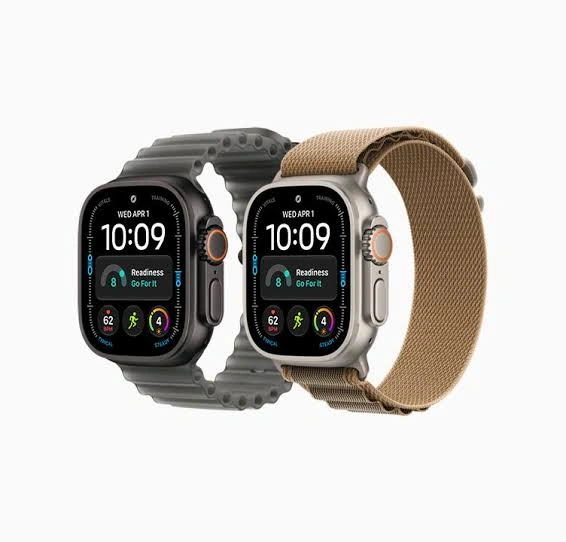
For an iPhone user, Apple Watch is the natural fit. For an Android user, Galaxy Watch is the practical choice because current Galaxy Watch models such as the Watch8 series require Android.
The right smartwatch is usually the one that works smoothly with the phone the user already owns.
For most seniors, phone compatibility should be checked before comparing advanced features.
Apple Watch vs Samsung Galaxy At a Glance
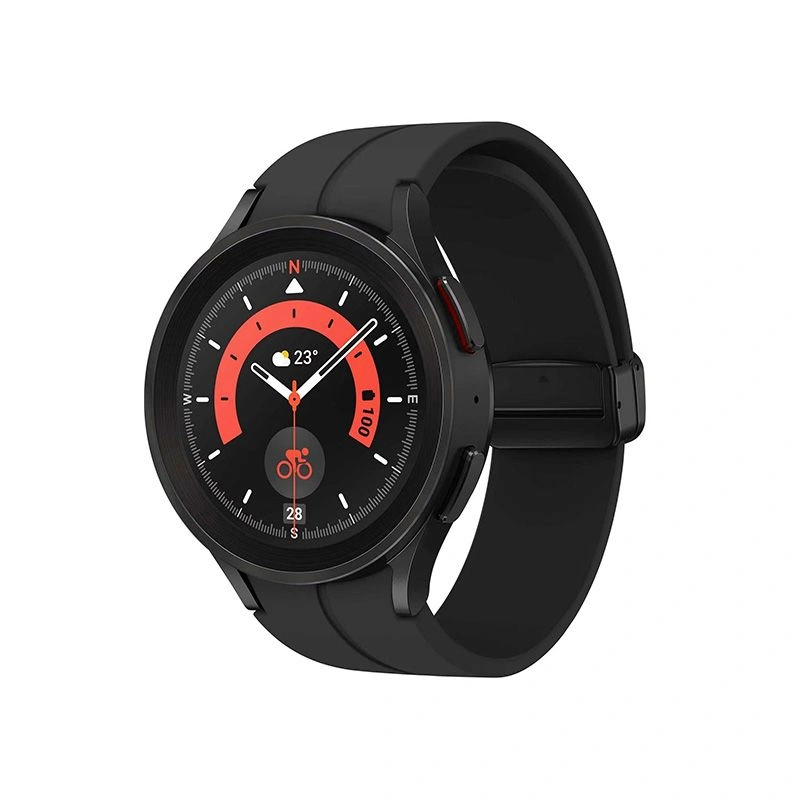
The current comparison is best understood through the Apple Watch Series 11 and Samsung Galaxy Watch8 families. Both offer health, fitness, communication, and safety features, but they take different approaches.
| Feature | Apple Watch Series 11 | Galaxy Watch8 |
|---|---|---|
| Phone compatibility | iPhone 11 or later | Android 12 or later |
| iPhone support | Yes | No |
| Battery | Up to 24 hours | Up to 30 hours with AOD |
| Fall detection | Yes | Yes |
| Emergency features | Emergency SOS, Fall Detection, Crash Detection | SOS and Fall Detection |
| Display brightness | Up to 2,000 nits | Up to 3,000 nits |
| LTE option | Available | Available |
Apple lists up to 24 hours of normal use for Series 11, while Samsung lists up to 30 hours with Always-On Display for Galaxy Watch8. Actual battery life varies with use.
Apple Watch Series 11 Review for Seniors
Apple Watch Series 11 is a strong option for seniors who already use an iPhone. Its biggest advantage is the close connection between the watch and Apple’s phone ecosystem.
The watch includes an always-on Retina display, health and fitness features, emergency functions, and a rechargeable battery. Apple lists a peak brightness of up to 2,000 nits, which can help with outdoor visibility.
Ease of Use
Apple Watch uses a touchscreen, side button, and Digital Crown for navigation. The interface can take some learning, but it provides access to calls, messages, apps, health information, and notifications from the wrist.
The main limitation is compatibility. Series 11 requires an iPhone 11 or later with iOS 26 or later.
Key Strengths
- Strong integration with iPhone
- Clear, bright display
- Fall Detection and Emergency SOS
- Crash Detection
- Large selection of apps
- Useful notifications and communication tools
- Fast charging
Potential Drawbacks
- Requires an iPhone
- Battery life is shorter than the Galaxy Watch8’s quoted AOD figure
- The number of settings and features may feel complex to some users
- Some emergency functions depend on connectivity and regional availability
Samsung Galaxy Watch8 Review for Seniors
Galaxy Watch8 is designed for Android users and combines Samsung’s software with Google’s Wear OS platform. Samsung lists Android 12 or later and at least 1.5GB of RAM as compatibility requirements for the Watch8 series. iPhone support is not available.
It offers a bright display, health tracking, sleep features, safety tools, GPS, Bluetooth, Wi-Fi, and optional LTE. Samsung also lists 5ATM, IP68, and MIL-STD-810H durability ratings.
Ease of Use
Galaxy Watch8 uses a touchscreen with physical controls and Samsung’s One UI Watch interface. Android users can manage the watch through the Galaxy Wearable app.
For a senior who already uses a Samsung Galaxy phone, the overall setup can be more familiar.
Key Strengths
- Works with Android phones
- Bright display
- Up to 30 hours with AOD according to Samsung
- Fall detection and SOS
- LTE models can support calls and messages without the phone nearby
- Strong health and fitness feature set
- Durable construction
Potential Drawbacks
- Not compatible with iPhone
- Some features can vary by phone, model, region, or carrier
- Advanced health features may require compatible Samsung devices
- The large number of features may take time to learn
Which Is Easier for Seniors to Use?
Neither watch is automatically easier for every senior. The phone already being used is the biggest factor.
An iPhone user may find Apple Watch easier because the two devices are designed to work together. An Android user may have a smoother experience with Galaxy Watch8.
Display brightness is another useful factor. Galaxy Watch8 can reach up to 3,000 nits on supported models, while Apple Watch Series 11 reaches up to 2,000 nits.
For someone who has difficulty reading a small display, brightness and text settings may matter more than having a long list of advanced features.
Performance Comparison
Both watches are designed for everyday communication, activity tracking, health monitoring, navigation, and notifications.
Apple Watch Series 11 provides an extensive watchOS app ecosystem and integrates closely with iPhone. Galaxy Watch8 uses Wear OS and provides access to Google services and apps. Samsung also supports LTE versions that can make calls, send messages, and stream music without keeping the phone nearby.
| Performance Area | Apple Watch Series 11 | Galaxy Watch8 |
|---|---|---|
| Everyday notifications | Excellent integration with iPhone | Strong Android integration |
| GPS | Available | Dual-frequency GPS |
| Apps | watchOS ecosystem | Wear OS and Google Play |
| LTE | Available | Available |
| Battery claim | Up to 24 hours | Up to 30 hours with AOD |
Samsung lists L1+L5 dual-frequency GPS on Galaxy Watch8, while Apple lists built-in GPS and other positioning systems for Series 11.
Comfort, Accessibility, and Senior-Friendly Design
Comfort depends heavily on case size, band choice, wrist size, and personal preference.
Both watches offer adjustable bands and touchscreen controls. A senior who prefers fewer devices to manage may benefit from LTE connectivity, although cellular service can add cost.
For easier daily use, consider:
- A comfortable band
- A case size that is easy to read
- A display that is bright enough
- Simple watch faces
- Large text settings
- Easy access to emergency contacts
- A charging routine that fits daily habits
Galaxy Watch8 has a slimmed-down 8.6mm profile according to Samsung, while Apple Watch Series 11 is also designed as an everyday wearable rather than a rugged outdoor-only watch.
Features Comparison
The important differences are less about having more features and more about which features fit the user’s phone and daily routine.
| Feature | Apple Watch Series 11 | Galaxy Watch8 |
|---|---|---|
| Fall detection | Yes | Yes |
| Emergency SOS | Yes | Yes |
| Crash detection | Yes | — |
| Sleep features | Yes | Yes |
| Health tracking | Yes | Yes |
| Voice assistant | Siri | Google Gemini |
| Phone ecosystem | iPhone | Android |
Apple’s Fall Detection can help contact emergency services after a detected hard fall, while Samsung provides fall detection and SOS tools on Galaxy Watch models.
These features are helpful safety tools, but neither watch can detect every emergency. Connectivity and regional availability can also affect emergency functions.
Price, Maintenance, and Long-Term Value
Smartwatch prices change with sales, storage, case size, connectivity, and model. It is better to compare the total ownership cost rather than focus only on the initial watch price.
Consider:
- Watch price
- LTE service if needed
- Replacement bands
- Charging accessories
- Battery aging over time
- Warranty
- Compatibility with the current phone
- Cost of replacing the phone later
Battery life can also affect daily convenience. Apple rates Series 11 for up to 24 hours of normal use, while Samsung rates Watch8 for up to 30 hours with AOD.
Who Should Choose Apple Watch?
- Choose Apple Watch if the senior already uses an iPhone.
- Choose it if fall and crash detection are important.
- Choose it if close iPhone integration matters.
- Choose it if a large watchOS app ecosystem is useful.
- Choose it if fast charging is important.
Who Should Choose Samsung Galaxy Watch8?
- Choose Galaxy Watch8 if the senior uses an Android phone.
- Choose it if longer quoted AOD battery life is useful.
- Choose it if a very bright display is important.
- Choose it if Google and Wear OS services fit the user’s routine.
- Choose it if LTE connectivity is useful without keeping the phone nearby.
Apple Watch vs Samsung Galaxy — Final Verdict
There is no single choice that fits every senior.
Best for iPhone users: Apple Watch Series 11.
Best for Android users: Samsung Galaxy Watch8.
Best for fall and crash safety tools: Apple Watch offers both Fall Detection and Crash Detection, while Galaxy Watch8 provides fall detection and SOS features.
Best for longer quoted AOD battery life: Galaxy Watch8.
The most important decision is therefore simple: check the senior’s phone first. An Apple Watch requires a compatible iPhone, while Galaxy Watch8 requires a compatible Android phone.
Scoring Summary
The scores below are editorial comparisons based on the features discussed above, not laboratory test results.
| Category | Apple Watch Series 11 | Galaxy Watch8 |
|---|---|---|
| Ease of Use | 9/10 | 9/10 |
| Senior-Friendly Design | 9/10 | 9/10 |
| Safety Features | 9/10 | 8/10 |
| Battery Convenience | 8/10 | 9/10 |
| Phone Integration | 10/10 with iPhone | 10/10 with Android |
These scores should not be treated as universal rankings. Phone compatibility can change the practical result completely.
How We Evaluate Products
This comparison focuses on factors that can matter in everyday senior use.
We consider:
- Ease of operation
- Display visibility
- Phone compatibility
- Safety features
- Battery convenience
- Comfort
- Health and activity features
- Communication
- Long-term practicality
- Overall value
The comparison does not claim hands-on testing or laboratory measurements.
Senior-Specific Buying Considerations
Physical Effort
A smartwatch requires regular charging and occasional band adjustment. Choose a band that is easy to fasten and comfortable for daily wear.
Controls
Look for a watch interface that feels simple enough for the intended user. A complicated setup can reduce the value of even a feature-rich smartwatch.
Maintenance
Both watches need regular charging and software updates. Keeping the paired phone updated is also important for compatibility.
Setup
Check phone compatibility before buying. This is especially important because current Apple Watch and Galaxy Watch models follow different phone requirements.
Safety
Fall detection and emergency functions can be useful, but they are not guaranteed to detect every fall or emergency. Apple specifically notes that Fall Detection cannot detect all falls.
Common Buying Mistakes
- Buying an Apple Watch without checking iPhone compatibility
- Buying a Galaxy Watch8 for an iPhone user
- Choosing a large case only because the screen is bigger
- Ignoring LTE service costs
- Focusing on health features that the user will never use
- Forgetting that battery life depends on actual usage
Safety
Smartwatch safety features can provide an extra communication tool, but they should not replace normal emergency planning.
Apple Watch can contact emergency services after certain detected events, while Samsung provides SOS and fall-detection functions. Availability and behavior can vary by model, region, connectivity, and settings.
Treat emergency smartwatch features as a helpful backup, not a guarantee that help will always be contacted.
Conclusion
Apple Watch and Samsung Galaxy Watch8 are both capable smartwatches for seniors, but their ecosystems are different. Apple Watch makes the most sense for someone using an iPhone, while Galaxy Watch8 is designed for Android users.
For most buyers, the simplest starting point is the phone already in use. From there, compare display comfort, safety tools, battery needs, LTE requirements, and the features the senior will actually use every day.
