
Apple AirTag vs Samsung SmartTag Bluetooth Tracker for Seniors: Which?

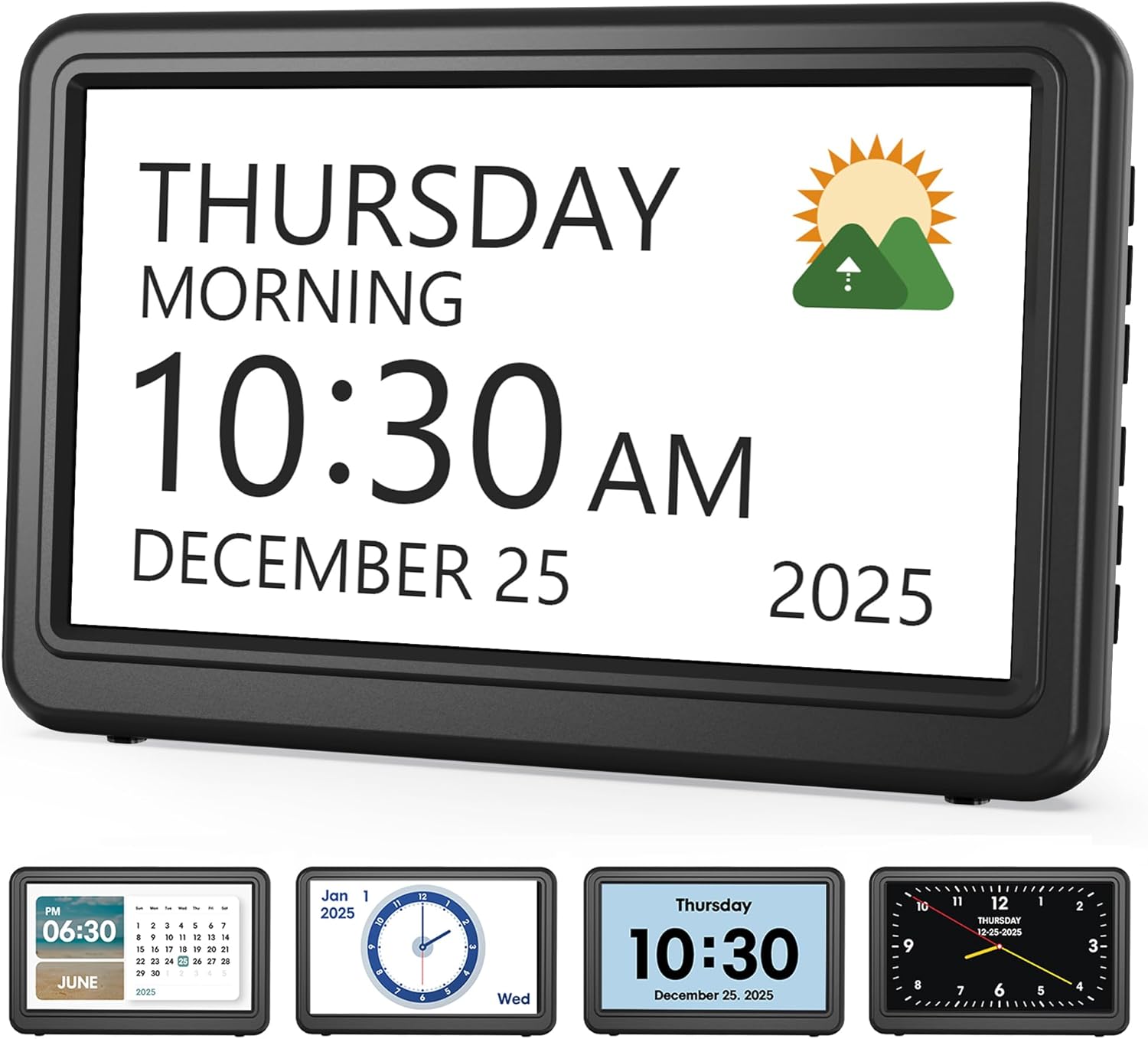
Medication Reminder Alarm

Smart Digital Photo Frame

Adjustable Walker with Wheels
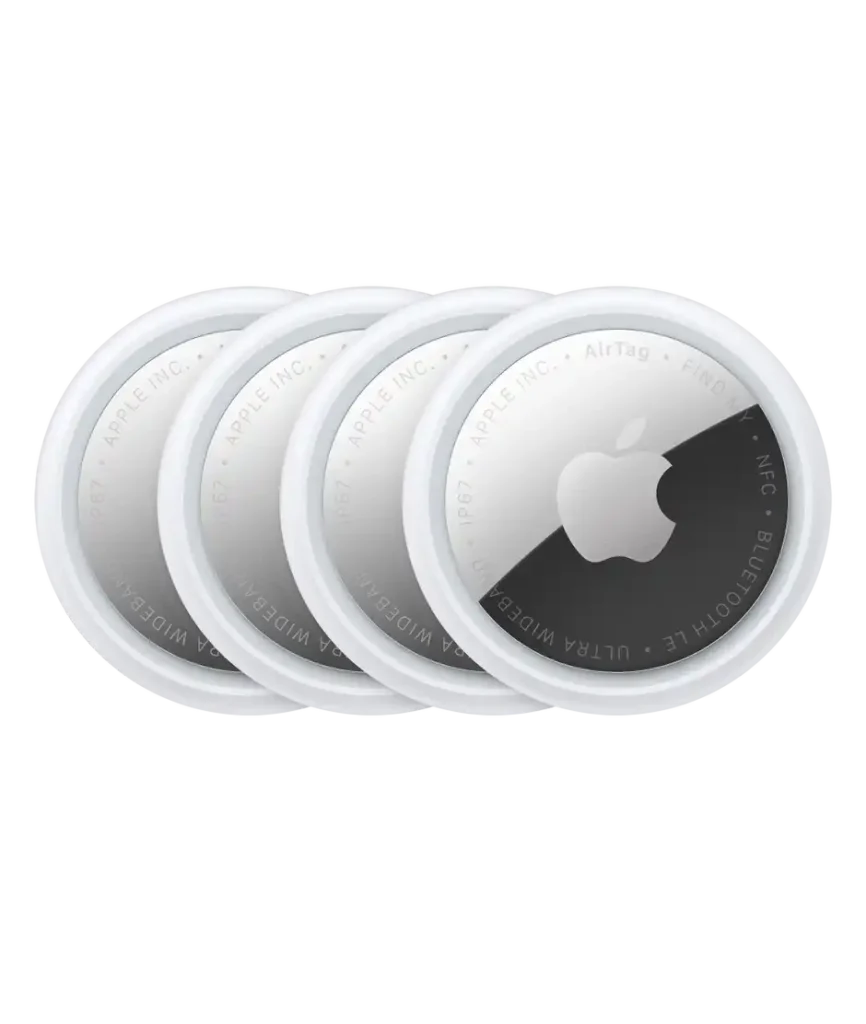
Apple AirTag vs Samsung SmartTag bluetooth tracker for seniors is mainly a choice between two phone ecosystems. AirTag works with Apple devices, while Galaxy SmartTag2 is designed around Samsung Galaxy phones and SmartThings Find.
Both trackers can help seniors keep track of keys, bags, wallets, and other everyday items. The better choice depends less on the tag itself and more on the phone the senior already uses.
Quick Comparison
For an iPhone user, Apple AirTag is the more natural choice because it works directly with Apple’s Find My app and supports Precision Finding on compatible iPhones. The 2026 AirTag 2nd generation also has a louder speaker and an expanded Precision Finding range.
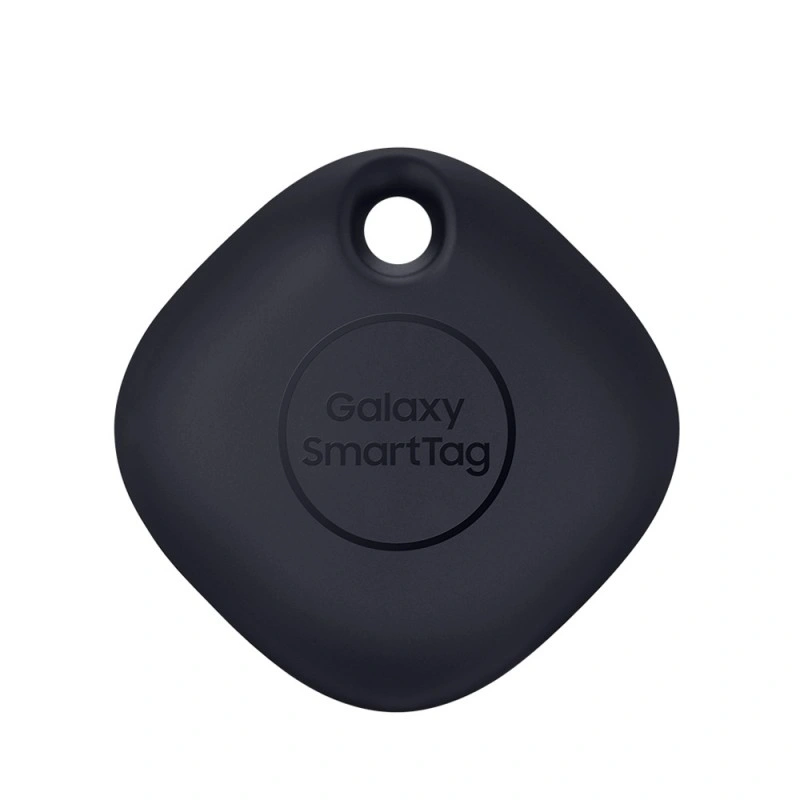
For a Samsung Galaxy user, Galaxy SmartTag2 is the better fit. It works with SmartThings Find, offers a replaceable CR2032 battery, and supports UWB-based finding on compatible Galaxy phones.
The simplest rule is: iPhone user → AirTag. Samsung Galaxy user → SmartTag2.
Apple AirTag vs Samsung SmartTag At a Glance
Both products use Bluetooth for nearby finding and can use a wider device network when the tag is out of Bluetooth range.
| Feature | Apple AirTag | Samsung Galaxy SmartTag2 |
|---|---|---|
| Best phone ecosystem | iPhone | Samsung Galaxy |
| Nearby finding | Bluetooth | Bluetooth |
| Precision finding | Ultra Wideband on compatible devices | UWB on compatible Galaxy devices |
| Battery | Replaceable CR2032 | Replaceable CR2032 |
| Water resistance | IP67 | IP67 |
| Speaker | Built-in speaker | Built-in buzzer |
| Approx. weight | 11.8 g | 13.75 g |
| App | Find My | SmartThings Find |
Apple lists the 2nd-generation AirTag at 11.8 grams with IP67 resistance and a replaceable CR2032 battery. Samsung lists SmartTag2 at 13.75 grams, with IP67 resistance and up to 500 days of battery life under typical conditions.
Apple AirTag Is Simple for iPhone Seniors
Apple AirTag is a small Bluetooth tracker built around the Find My app. Its main advantage for seniors is the simple connection between the tag, iPhone, and Apple account.
Ease of Use
An iPhone user can open Find My, select the tagged item, and use nearby finding or play a sound when the tag is within range.
The 2nd-generation AirTag supports expanded Precision Finding through Apple’s second-generation Ultra Wideband technology. Apple also says its speaker is 50% louder than the previous generation.
That can be useful when keys or another tagged item are hiding somewhere nearby.
Key Strengths
- Works naturally with the Find My app.
- Small and light.
- Replaceable CR2032 battery.
- Built-in speaker.
- IP67 water and dust resistance.
- Precision Finding on compatible iPhones.
- Find My supports accessibility features such as VoiceOver and larger text.
Potential Drawbacks
- Designed around Apple’s ecosystem.
- Precision Finding requires compatible hardware.
- An iPhone is needed for the full experience.
- The tag itself does not have a screen or display.
Samsung SmartTag2 Fits Galaxy Users Well
Galaxy SmartTag2 is Samsung’s Bluetooth tracker for Galaxy devices. It works through SmartThings Find and can use Samsung’s Galaxy Find Network when the tag is outside normal Bluetooth range.
Ease of Use
SmartTag2 has a physical button and a built-in buzzer. Samsung says nearby finding can provide guidance through Compass View on compatible devices.
For a senior already familiar with a Samsung Galaxy phone, this can make the tracker feel like a natural part of the existing phone setup.
Key Strengths
- Designed for Samsung Galaxy devices.
- SmartThings Find integration.
- Replaceable CR2032 battery.
- Battery life of up to 500 days under Samsung’s stated typical-use conditions.
- IP67 water and dust resistance.
- Bluetooth range listed by Samsung at up to 120 meters without obstacles.
- UWB support on compatible Galaxy phones.
Potential Drawbacks
- The full experience depends on Samsung Galaxy compatibility.
- UWB features require a compatible Galaxy phone.
- Some features require a Samsung account and SmartThings Find.
- It is slightly heavier than the current AirTag.
Which Is Easier for Seniors to Use?
The answer depends heavily on the phone already in use.
An iPhone user may find AirTag easier because Find My is already part of the Apple ecosystem. A Samsung Galaxy user may find SmartTag2 easier because SmartThings Find is designed for Galaxy devices.
For either tracker, the basic process is straightforward: attach the tag, pair it with the phone, and use the related app when something goes missing.
For seniors who have limited dexterity, the small size of both trackers can be helpful. However, attaching either tag to keys or bags may require a separate holder or key-ring accessory.
Performance Comparison
Both trackers are designed primarily for finding personal items rather than providing continuous GPS tracking.
AirTag uses Bluetooth for nearby finding and Apple’s Find My network when the tag is away from the user’s device. Its newer 2nd-generation model adds an expanded Precision Finding range with second-generation Ultra Wideband.
SmartTag2 uses Bluetooth nearby and Samsung’s Galaxy Find Network when the tag is outside Bluetooth range. Samsung lists Bluetooth range at up to 120 meters without obstacles, while noting that actual accuracy can be affected by obstacles.
| Performance Area | Apple AirTag | Galaxy SmartTag2 |
|---|---|---|
| Nearby finding | Bluetooth | Bluetooth |
| Directional finding | Precision Finding | Compass View with compatible UWB Galaxy phone |
| Wider finding network | Find My network | Galaxy Find Network |
| Sound alert | Built-in speaker | Built-in buzzer |
| UWB | Yes, compatible devices | Yes, compatible Galaxy devices |
The important difference is not simply the advertised Bluetooth range. The surrounding network of compatible phones can affect how useful an out-of-range tracker is in the real world.
Comfort, Accessibility, and Senior-Friendly Design
Neither tracker requires the senior to carry a separate device. The tag can stay attached to an everyday item.
AirTag weighs 11.8 grams, while SmartTag2 weighs 13.75 grams. The difference is small and unlikely to matter for most users.
Apple also states that Find My works with accessibility features including VoiceOver, larger text, and braille displays.
For Samsung users, the main accessibility advantage is the integration with an existing Galaxy phone and SmartThings Find setup.
Features Comparison
The biggest feature difference is ecosystem compatibility rather than basic tracking ability.
| Feature | Apple AirTag | Galaxy SmartTag2 |
|---|---|---|
| Tracking app | Find My | SmartThings Find |
| Family sharing | AirTag can be shared with up to five people | Galaxy ecosystem features |
| Replaceable battery | CR2032 | CR2032 |
| Water resistance | IP67 | IP67 |
| UWB finding | Compatible Apple devices | Compatible Galaxy devices |
| Smart-home integration | Apple ecosystem | SmartThings ecosystem |
Apple says AirTag can be shared with up to five other people, allowing them to help locate a shared item.
Samsung SmartTag2 can also interact with compatible SmartThings devices and routines, giving it an extra role for users already invested in Samsung’s smart-home ecosystem.
Price, Maintenance, and Long-Term Value
Both trackers use replaceable CR2032 coin-cell batteries, so users do not need to replace the entire tracker when the battery runs out.
SmartTag2 has a stated battery life of up to 500 days under Samsung’s typical-use conditions. Actual battery life can vary with usage and other factors.
For long-term value, ecosystem compatibility matters more than a small difference in the purchase price.
An iPhone household may get more practical value from AirTag because it works with Find My. A Samsung Galaxy household may get more value from SmartTag2 because it integrates with SmartThings Find.
Who Should Choose Apple AirTag?
- Choose AirTag if the senior uses an iPhone.
- Choose AirTag if Find My is already familiar.
- Choose AirTag if Precision Finding is important and the iPhone supports it.
- Choose AirTag if family members also use Apple devices.
- Choose AirTag if a lightweight tracker is preferred.
Who Should Choose Samsung SmartTag2?
- Choose SmartTag2 if the senior uses a Samsung Galaxy phone.
- Choose SmartTag2 if SmartThings is already being used.
- Choose SmartTag2 if long battery life is important.
- Choose SmartTag2 if compatible Galaxy UWB features are useful.
- Choose SmartTag2 if the household already uses Samsung’s connected-device ecosystem.
Apple AirTag vs Samsung SmartTag — Final Verdict
Best for iPhone users: Apple AirTag
Best for Samsung Galaxy users: Galaxy SmartTag2
Best for Apple ecosystem integration: AirTag
Best for Samsung SmartThings integration: SmartTag2
Best for a simple ecosystem-based choice: Either, depending on the phone
There is no universal winner here. The phone the senior already owns should be the first consideration.
Scoring Summary
A simple score can help summarize the practical differences, but the ecosystem requirement matters more than the small numerical differences.
| Category | Apple AirTag | Galaxy SmartTag2 |
|---|---|---|
| Ease of Use | 9/10 | 9/10 |
| Senior-Friendly Design | 9/10 | 9/10 |
| Nearby Finding | 9/10 | 9/10 |
| Battery Convenience | 9/10 | 9/10 |
| Ecosystem Integration | 10/10 | 10/10 |
These scores are category summaries rather than laboratory measurements. The ecosystem score reflects how strongly each tracker integrates with its intended phone platform.
How We Evaluate Products
This comparison focuses on practical factors that can affect everyday use by older adults.
We consider:
- Ease of setup
- Phone compatibility
- Accessibility
- Physical size
- Battery replacement
- Finding accuracy
- App usability
- Sound alerts
- Water resistance
- Long-term practicality
- Family or caregiver usefulness
The comparison does not claim hands-on laboratory testing.
Senior-Specific Buying Considerations
Phone Compatibility
Check the senior’s phone first. AirTag is designed for Apple devices, while SmartTag2 is designed around Samsung Galaxy devices.
Setup
A tracker is only useful if the user can complete the initial setup. Family members or caregivers can help if account setup becomes confusing.
Battery
Both use replaceable CR2032 batteries. This avoids replacing the entire tracker when the battery becomes depleted.
Finding Features
If precise nearby finding matters, check whether the senior’s phone supports the required Ultra Wideband features.
Caregiver Access
If family members may help locate important belongings, check the sharing and ecosystem features before choosing a tracker.
Common Buying Mistakes
- Buying AirTag for someone who does not use Apple devices.
- Buying SmartTag2 without checking Galaxy compatibility.
- Assuming Bluetooth range equals guaranteed tracking distance.
- Ignoring the phone’s UWB support.
- Forgetting that the tracker needs a battery replacement eventually.
- Treating an item tracker as a dedicated GPS safety device.
Safety
These trackers contain small coin-cell batteries. Keep replacement batteries and unused batteries away from children and anyone who may accidentally swallow them.
Both products are rated IP67 for water and dust resistance, but that does not mean they are permanently waterproof. Apple and Samsung both describe their ratings under controlled conditions.
An item tracker should also not be treated as a substitute for a dedicated emergency, medical, or personal safety device.
Conclusion
Apple AirTag and Samsung Galaxy SmartTag2 are both practical Bluetooth trackers, but they are built around different ecosystems. AirTag makes the most sense for seniors who use iPhones, while SmartTag2 fits seniors who use Samsung Galaxy phones.
For most families, the easiest decision is to match the tracker with the senior’s existing phone. That keeps setup simple and lets the user take advantage of the tracking features already built into the phone’s ecosystem.
