
TP-Link vs Eero Wi-Fi Router for Seniors: Which?


Bathtub Grab Bar

Hands-Free Neck Magnifier

Glucose Monitor Kit
Choosing between TP-Link vs Eero Wi-Fi router for seniors often comes down to one simple question: how much control do you want over your home network?
TP-Link offers traditional routers with many settings and features. Eero takes a simpler app-based approach. For this comparison, we use the TP-Link Archer AX55 and Eero 6+ as clear Wi-Fi 6 examples. Features can vary across models.
For a senior who wants simple setup and easy daily control, Eero has a clear appeal. TP-Link can make more sense for someone who wants more ports, settings, and control over the network.
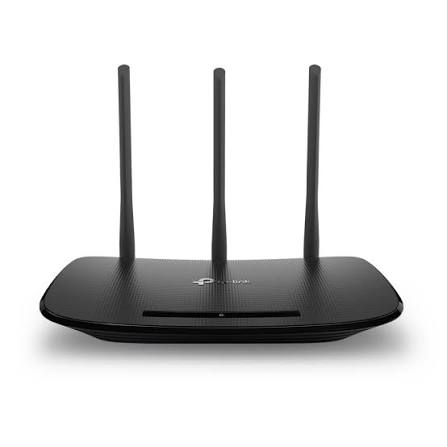
Quick Comparison
Eero 6+ is easier for a simple home setup. Its app guides the user through installation and network management. TP-Link Archer AX55 gives users more traditional router controls and hardware features.
The better choice depends on the home. A small home with simple needs may suit Eero well. A larger or more customized network may benefit from TP-Link.
Simple choice: Eero focuses on easy app-based management, while TP-Link gives you more control and flexibility.
TP-Link vs Eero At a Glance
These two routers take different approaches. The table below focuses on features that can affect everyday use.

| Feature | TP-Link Archer AX55 | Eero 6+ |
|---|---|---|
| Wi-Fi standard | Wi-Fi 6 | Wi-Fi 6 |
| Wi-Fi class | AX3000 | AX3000 |
| Ethernet | Gigabit ports | 2 Gigabit ports |
| USB | USB 3.0 | No USB storage port |
| Setup | App/web options | Eero mobile app |
| Mesh support | OneMesh/EasyMesh support | Eero mesh system |
| Security | HomeShield | Eero security features |
| Smart home | Alexa compatible | Alexa, Zigbee, Thread, Matter |
| Best fit | More control | Simple management |
TP-Link lists the Archer AX55 as an AX3000 Wi-Fi 6 router with four external antennas, Gigabit ports, USB 3.0, HomeShield, and OneMesh support. Eero 6+ is also an AX3000 Wi-Fi 6 router, with two auto-sensing Gigabit ports and built-in smart-home connectivity.
TP-Link Archer AX55 for Senior-Friendly Home Wi-Fi
The Archer AX55 is a conventional router with a strong set of features. It is aimed at users who want good Wi-Fi performance but also want room to adjust their network.
Ease of Use
The router can be managed through TP-Link software, while its web interface gives users more configuration options.
That flexibility is useful, but it can also mean more settings to understand. A senior who only wants to connect phones, TVs, and laptops may not need all of them.
TP-Link also supports EasyMesh on compatible devices. This can help create one Wi-Fi network across a larger home.
Key Strengths
- Wi-Fi 6 performance
- Four external antennas
- Gigabit Ethernet ports
- USB 3.0 port
- HomeShield security features
- Mesh expansion options
- More network control
Potential Drawbacks
- More settings can feel complex
- Mesh features depend on compatible hardware
- Features can vary by model and hardware version
TP-Link also notes that hardware versions and availability can vary by region, so buyers should check the local model before purchasing.
Eero 6+ for Simple Senior Home Networking
Eero 6+ takes a simpler approach. The system is designed around its mobile app, which handles setup and network management.
Ease of Use
Eero says its app guides users through the setup process, from connecting the first unit to creating the Wi-Fi network.
This can be useful for seniors who do not want to work through a long list of router settings.
The Eero app can also be used to change the Wi-Fi password and manage the network. Eero currently requires network management through its mobile app rather than a normal desktop web interface.
Key Strengths
- Simple app-based setup
- Wi-Fi 6
- Easy network management
- Good fit for mesh Wi-Fi
- Built-in smart-home features
- Compact design
Potential Drawbacks
- Fewer physical Ethernet ports
- Less traditional web-based control
- Some advanced services may involve subscriptions
- Mobile app is required for setup
The Eero 6+ requires a supported iOS or Android device for setup.
Which Is Easier for Seniors to Use?
For basic setup and daily management, Eero has an advantage in simplicity.
The Eero app is designed to guide the user through setup. This can reduce the need to understand technical router settings.
TP-Link is not necessarily difficult. However, its wider range of settings can make the experience feel more technical.
| Usability Area | TP-Link | Eero |
|---|---|---|
| Basic setup | Easy to moderate | Very simple |
| App management | Yes | Yes |
| Advanced settings | More options | Fewer options |
| Desktop management | Available on supported routers | Mainly mobile app |
| Mesh expansion | Compatible systems | Core strength |
For a senior who wants fewer decisions, Eero may be easier. For someone comfortable with technology, TP-Link’s extra control may be useful.
Performance Comparison
Both examples use Wi-Fi 6, so both can provide modern wireless performance.
The Archer AX55 supports up to 2402 Mbps on 5 GHz and 574 Mbps on 2.4 GHz under its rated configuration. It also supports 160 MHz channels and OFDMA.
Eero 6+ supports Wi-Fi 6 with 160 MHz channels and is rated for wired or wireless speeds up to 1 Gbps. Eero says the unit can support 75+ connected devices.
Real-world speed will depend on the internet connection, device, distance, walls, interference, and network setup.
For normal activities such as video calls, streaming, browsing, and smart-home devices, either can provide enough performance when properly installed.
Comfort, Accessibility, and Senior-Friendly Design
A router does not require physical handling very often. The bigger issue for seniors is usually network management.
Eero keeps much of that management inside its mobile app. That may be helpful for someone who wants a simple interface.
TP-Link offers more choices. That is useful when a family member or caregiver needs to adjust network settings.
For caregivers, TP-Link may be attractive when detailed network control matters. Eero may be easier when the main goal is keeping the network simple.
Features Comparison
The biggest difference is not simply Wi-Fi speed. It is how the two systems are designed to be used.
| Feature | TP-Link Archer AX55 | Eero 6+ |
|---|---|---|
| Wi-Fi 6 | Yes | Yes |
| 160 MHz | Yes | Yes |
| Mesh | OneMesh/EasyMesh | Eero mesh |
| USB | USB 3.0 | No |
| Smart-home hub | No | Zigbee/Thread support |
| Alexa | Compatible | Works with Alexa |
| Security | HomeShield | Eero security |
TP-Link’s HomeShield platform provides security and parental-control functions on supported models, with some advanced features requiring a subscription. TP-Link also lists the Archer AX55 among HomeShield-supported routers.
Eero 6+ includes Zigbee and Thread connectivity and supports Matter-related smart-home functions, making it more than just a basic Wi-Fi router.
Price, Maintenance, and Long-Term Value
Router prices change often, so it is better to compare ownership needs rather than use one temporary price.
TP-Link can offer strong value when the buyer wants hardware features such as USB connectivity, multiple Ethernet connections, and detailed settings.
Eero can offer value when simple setup and mesh expansion are more important than advanced configuration.
One point to check is subscriptions. TP-Link states that some HomeShield advanced features require a subscription. Eero also offers subscription services such as eero Plus, although the basic Eero 6+ hardware does not require that service simply to operate as a router.
Who Should Choose TP-Link?
Choose TP-Link if:
- You want more control over network settings.
- You need a USB port.
- You want more traditional router management.
- You may expand with compatible mesh hardware.
- A family member will help manage advanced settings.
- You want a router that can grow with a more complex home network.
Who Should Choose Eero?
Choose Eero if:
- Simple setup is your top priority.
- You prefer managing Wi-Fi from a phone.
- You want an easy path to mesh Wi-Fi.
- You have several smart-home devices.
- You do not need many advanced router settings.
- A caregiver may need to help manage the network remotely.
TP-Link vs Eero — Final Verdict
There is no single choice for every senior.
Best for simple setup: Eero 6+
Best for network control: TP-Link Archer AX55
Best for smart-home integration: Eero 6+
Best for extra hardware flexibility: TP-Link Archer AX55
For a senior who mainly wants reliable Wi-Fi without dealing with many technical settings, Eero’s app-centered design can make everyday management easier. For someone who wants more control or has a family member helping with network management, TP-Link offers more flexibility.
Scoring Summary
The scores below are editorial comparisons based on the documented features and usability differences above. They are not laboratory test scores.
| Category | TP-Link | Eero |
|---|---|---|
| Ease of Use | 8/10 | 9/10 |
| Senior-Friendly Design | 8/10 | 9/10 |
| Performance | 9/10 | 9/10 |
| Flexibility | 9/10 | 7/10 |
| Smart-Home Features | 8/10 | 9/10 |
| Value | 9/10 | 8/10 |
How We Evaluate These Routers
This comparison focuses on practical factors that can matter in a senior household.
We consider:
- Setup difficulty
- App usability
- Network management
- Wi-Fi performance
- Mesh options
- Smart-home features
- Security tools
- Hardware flexibility
- Maintenance
- Long-term value
We do not treat these scores as hands-on laboratory test results.
Senior-Specific Buying Considerations
Before choosing a router, check these points.
Setup
Ask whether the user can complete setup alone or may need help from a family member.
Controls
A simple app can be useful when the user does not want to adjust technical network settings.
Coverage
Think about the size of the home and whether Wi-Fi must reach bedrooms, a home office, or another floor.
Support
Consider who will help if the network stops working. A simple system can be useful when technical support comes from a caregiver or family member.
Smart Home
If the home uses smart lights, locks, sensors, or other devices, check compatibility before buying.
Common Buying Mistakes
Avoid these common mistakes:
- Choosing only by advertised Wi-Fi speed
- Ignoring home size
- Forgetting about Ethernet ports
- Buying advanced features that will never be used
- Ignoring app requirements
- Overlooking subscription features
- Failing to check regional model availability
Safety
Routers have few direct physical risks in normal use. Still, place the router on a stable, ventilated surface and keep power cables tidy.
Avoid placing networking equipment where cables can create a trip hazard. Follow the manufacturer’s electrical and placement instructions.
Frequently Asked Questions
Is Eero easier for seniors than TP-Link?
For basic setup and management, Eero’s guided mobile-app approach may be easier. TP-Link offers more settings, which can be useful but may add complexity.
Does TP-Link have mesh Wi-Fi?
Yes. Compatible TP-Link routers and extenders can work together through EasyMesh, while some models also support OneMesh. Compatibility depends on the specific hardware.
Does Eero 6+ support Wi-Fi 6?
Yes. Eero 6+ supports Wi-Fi 6 and 160 MHz channels on the 5 GHz band.
Can Eero be managed from a computer?
Eero says its network is managed through the mobile app rather than a standard web browser interface.
Which is better for a large home?
Neither brand is automatically better for every large home. Mesh expansion, building layout, wall materials, and router placement all matter. Eero is designed around mesh expansion, while compatible TP-Link systems can also provide whole-home coverage.
Conclusion
TP-Link and Eero take different approaches to home Wi-Fi. TP-Link gives users more control and hardware flexibility, while Eero focuses more heavily on simple app-based management.
For seniors who want a straightforward setup, Eero 6+ may be easier to live with. For users who want more settings, ports, and customization, the TP-Link Archer AX55 is the more flexible option. The right choice depends mainly on how much control the household wants over its Wi-Fi network.