
Medical Alert vs Smartwatch for Senior Safety


Pulse Oximeter Finger Monitor
Electric Mobility Scooter

Portable Wheelchair
Medical Alert vs Smartwatch is a useful comparison for seniors who want a simple way to get help in an urgent moment. Both can support safety, but they are built for different jobs.
A medical alert system is made around emergency help. A smartwatch is a daily tech device that may also offer SOS, fall alerts, location tools, and health features. The better fit depends on how much safety support is needed and how much smart tech the user wants.

Quick Comparison
For a senior who wants a clear path to emergency help, a medical alert system is often the more direct choice. It usually has fewer steps and keeps safety at the center.
A smartwatch can be a better fit for someone who wants one device for calls, messages, fitness, time, and safety tools. The trade-off is more setup, charging, and learning.
The best safety device is not the one with the most features. It is the one the user can use fast and with confidence.
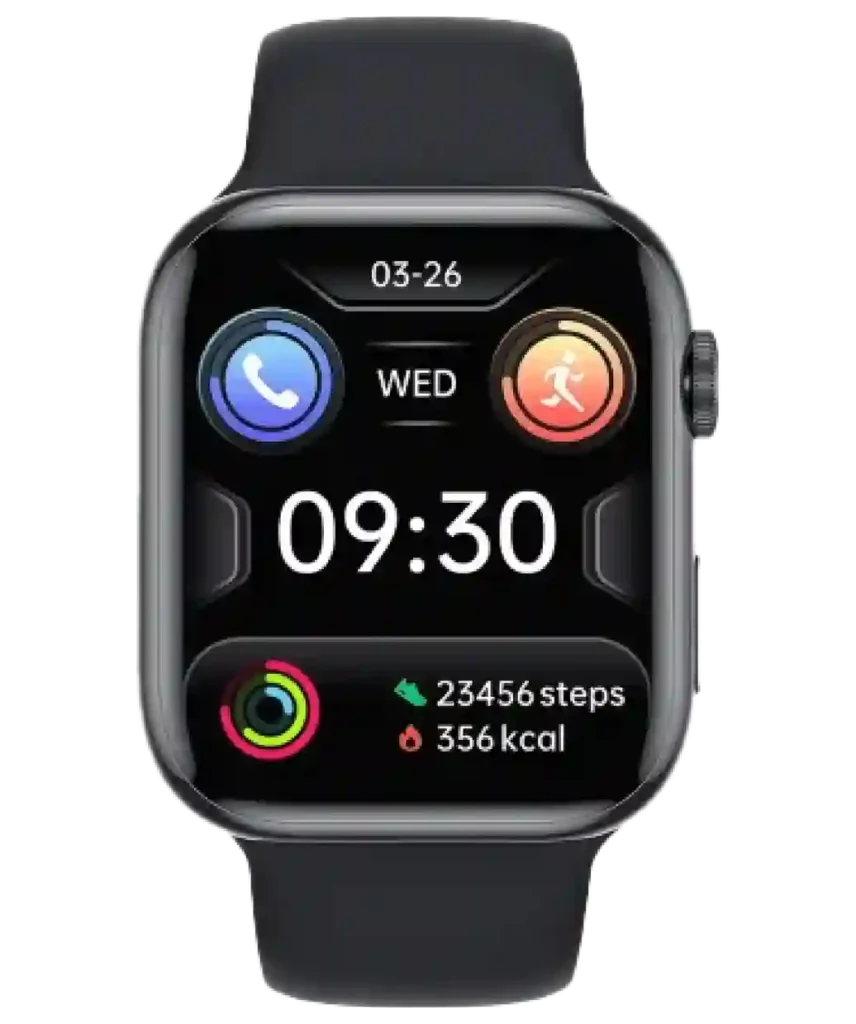
Medical Alert vs Smartwatch At a Glance
Both can offer safety tools. The main difference is focus: emergency support versus broad daily use.
| Feature | Medical Alert | Smartwatch |
|---|---|---|
| Main purpose | Emergency help | Daily smart functions |
| Help control | Usually central | Often built in |
| Professional monitoring | Available on some plans | Usually not the core service |
| Fall alerts | Available on some models | Available on some models |
| Calls and texts | Limited or model-dependent | Common on many models |
| Setup | Often simple | Can need more setup |
| Charging | Varies by device | Usually regular |
Medical Alert Device Options for Seniors
Medical alert devices are designed to make emergency help simple to reach. Many use a pendant, wrist device, or mobile unit with a help button.
Ease of Use
The main strength is a focused control. A user may only need to press one button. This can be easier for someone who does not want to manage a small screen or many settings.
Key Strengths
- Simple safety-first design
- Dedicated help control on many models
- Some plans offer professional monitoring
- Often easier to learn than a full smart device
- Several wearing styles are available
Potential Drawbacks
- Some plans have a monthly fee
- Extra features may be limited
- It means carrying another device
- Range and network support vary
Smartwatch Safety Options for Seniors
A smartwatch can combine safety tools with daily features. It may support calls, messages, location sharing, activity tracking, and emergency functions.
Ease of Use
A smartwatch can be easy for a senior who already uses a phone. For a new user, the small screen and many settings can take time to learn.
Key Strengths
- Combines safety with daily features
- May offer SOS and location tools
- Useful for calls and messages
- Some models offer fall alerts
- One device can replace several tools
Potential Drawbacks
- More menus and settings
- Regular charging is common
- Some features depend on a phone or cellular service
- More features can mean a longer learning curve
Which Is Easier for Seniors to Use?
Ease of use is often the biggest gap between these categories.
A medical alert device may be easier for a senior who wants one clear action during an emergency. A smartwatch may be easier for someone already comfortable with touch screens and phone apps.
| Usability Area | Medical Alert | Smartwatch |
|---|---|---|
| Emergency action | Usually simple | May involve more steps |
| Screen use | Often limited | Central to many models |
| Setup | Often simpler | Can be more involved |
| Learning curve | Lower for simple systems | Higher for feature-rich models |
| Charging | Depends on device | Usually regular |
| Phone skills | Often not needed | Often useful |
Eyesight, hearing, hand control, and comfort with technology can change the answer. Someone who finds screens hard to read may value a dedicated button more than many smart features.
Performance Comparison
Medical alert systems focus on a help request. Some offer professional monitoring, while others rely on direct calls or contacts. A smartwatch may offer SOS or fall detection, but the path to help varies by model. Connectivity matters too.
| Performance Area | Medical Alert | Smartwatch |
|---|---|---|
| Emergency focus | High | High on supported models |
| Communication | Safety-focused | Broader tools |
| Fall detection | Some systems | Some models |
| Location sharing | Common on mobile units | Common on connected models |
| Daily use | Basic | Strong |
Comfort, Accessibility, and Senior-Friendly Design
A medical alert pendant may feel natural for someone who wants a simple device. A smartwatch may feel more normal for someone who already wears a watch.
Check the control size, screen text, alert style, strap comfort, and charging routine. A device that feels awkward may be left on a table instead of worn.
Features Comparison
Focus on the tools that fit the user’s real routine.
| Feature | Medical Alert | Smartwatch |
|---|---|---|
| Help button | Core feature on many models | Often through SOS |
| Professional monitoring | Available on some services | Not usually the main model |
| Voice calls | Some devices | Common on many models |
| Messaging | Limited | Common |
| Health tracking | Usually limited | Often broad |
| GPS/location | Many mobile units | Common on connected models |
More features do not always mean more value. A simple help path may matter more than a long feature list.
Price, Maintenance, and Long-Term Value
Medical alert systems may have a lower device cost but add a monthly service fee. Smartwatches may cost more upfront and may also need a phone, cellular plan, or other service for full use.
| Cost Factor | Medical Alert | Smartwatch |
|---|---|---|
| Upfront cost | Often moderate | Modest to high |
| Monthly fee | Common for monitored plans | May depend on cellular use |
| Charging | Varies | Usually frequent |
| Accessories | Bands, pendants, chargers | Bands and chargers |
| Main value | Safety support | Safety plus daily features |
The lowest price is not always the lowest total cost. Check service fees, cellular needs, replacement costs, and warranty.
Who Should Choose Medical Alert?
A medical alert option may make more sense when:
- Emergency help is the main goal.
- The user wants a simple button.
- A caregiver wants a focused safety tool.
- The user does not want many smart features.
- A monitored service is important.
Who Should Choose a Smartwatch?
A smartwatch may fit better when:
- The user already likes smartphones.
- Calls and messages matter every day.
- Safety tools should sit beside other watch features.
- Location or activity tools are useful.
- Regular charging is acceptable.
Medical Alert vs Smartwatch — Final Verdict
There is no single winner for every senior. Medical alert systems are built around emergency access, while smartwatches are built for broader daily use with safety features added in.
For a senior who values a clear safety function and less tech, a medical alert system is often the more direct fit. For a confident phone user who wants safety plus calls, messages, and other smart tools, a smartwatch may offer more day-to-day value.
Scoring Summary
Because these are broad categories, scores are a guide rather than a rating of every model.
| Category | Medical Alert | Smartwatch |
|---|---|---|
| Ease of use | 9/10 | 7/10 |
| Senior-friendly design | 9/10 | 8/10 |
| Emergency focus | 10/10 | 7/10 |
| Daily features | 5/10 | 10/10 |
| Long-term flexibility | 7/10 | 9/10 |
These scores reflect category purpose, not a specific model. A simple smartwatch may be easier than a complex alert system.
How We Evaluate Products
The comparison focuses on practical use, not marketing claims. Key factors include ease of use, access to help, comfort, setup, charging, connectivity, cost, and long-term fit. No hands-on testing is claimed here.
Senior-Specific Buying Considerations
A short checklist helps prevent a poor fit.
Emergency Access
Check how help is reached. See whether the device calls a contact, a monitoring center, or another emergency service.
Controls
Look at button size, screen text, and the number of steps needed to send an alert.
Charging
Make sure the user can charge the device on schedule. A dead battery can remove access to key features.
Connectivity
Check whether the device needs Wi-Fi, a phone, or cellular service. Coverage matters too.
Comfort
Pick a form the user will wear every day. A pendant, wrist device, and watch can feel very different.
Common Buying Mistakes
Avoid these common errors:
- Choosing based only on price
- Assuming fall detection catches every fall
- Forgetting monthly service costs
- Ignoring phone or cellular needs
- Picking a complex device for someone who wants one button
- Buying a simple alert device when the user wants daily smart features
Safety for Emergency Use
Test the alert function as allowed by the service. Keep contact details current. Make sure the device is charged and worn as intended.
For a serious health or fall concern, the choice may depend on the person’s care plan. A healthcare professional can help when a medical condition affects the decision.
Conclusion
Medical alert vs smartwatch comes down to purpose. A medical alert system puts emergency help first. A smartwatch adds safety tools to a wider set of daily functions.
The best fit is the device the senior will wear, understand, charge, and use without hesitation. For some users, that means a simple medical alert. For others, it means a smartwatch that fits daily life.