
House Phone for Senior Citizens


Big Button Mobile Phone

Rollator Walker with Seat

Anti-Slip Shower Stickers
House phones for senior citizens are specially designed communication tools that prioritize simplicity, safety, and ease of use. With features like large buttons, loud volume, and emergency call options, these devices help older adults stay connected with family, access medical help quickly, and maintain independence at home. Choosing the right model can make a big difference in daily comfort and peace of mind.
As we age, small changes in our physical abilities can have big impacts on how we communicate and stay safe at home. For many senior citizens, the simple act of answering the phone or calling for help becomes more challenging due to declining eyesight, hearing loss, or reduced dexterity. This is where a house phone for senior citizens becomes invaluable. These specially designed phones go beyond basic calling—they offer clarity, safety, and confidence, helping older adults maintain their independence while staying connected to loved ones.
Unlike modern smartphones filled with apps and touchscreens, house phones for seniors focus on what matters most: reliability, simplicity, and accessibility. Whether you’re looking to replace an old corded phone, upgrade to a wireless model, or set up an emergency alert system, choosing the right device can make everyday life easier and safer. In this guide, we’ll explore everything you need to know about selecting and using the best house phone for senior citizens—so your loved one can stay connected, secure, and comfortable in their own home.
Key Takeaways
- Ease of Use: House phones for senior citizens often feature oversized buttons, clear displays, and simple menus that reduce confusion and frustration.
- Emergency Features: Many models include one-touch emergency dialing to contact caregivers or 911 instantly during falls or health emergencies.
- Amplified Sound: High-volume speakers ensure that even those with hearing loss can hear calls clearly without straining.
- Wireless Connectivity: Cordless models allow movement around the home while staying connected, offering greater freedom than traditional landlines.
- Reliable Performance: Unlike smartphones, dedicated house phones don’t require internet or complex setups, making them dependable during power outages or tech glitches.
- Affordable Options: Most senior-friendly house phones are budget-friendly and come with long battery life or backup power sources.
- Customizable Settings: Features like speed dial, caller ID, and visual alerts help tailor the phone to individual needs and preferences.
📑 Table of Contents
- Why Senior Citizens Need Specialized House Phones
- Top Features to Look for in a Senior-Friendly House Phone
- Types of House Phones Ideal for Seniors
- Setting Up Your Senior’s House Phone: Tips for Success
- Maintaining Your Senior’s House Phone
- Cost Considerations and Financial Assistance
- Real-Life Examples: How Seniors Use Their House Phones
- Common Misconceptions About Senior House Phones
- Final Thoughts: Empowering Seniors Through Simple Technology
Why Senior Citizens Need Specialized House Phones
The transition into later years often brings new challenges when it comes to technology. Smartphones, tablets, and even regular landline phones can be overwhelming. But a house phone for senior citizens doesn’t try to do everything—it focuses on doing just enough, and doing it well.
For example, imagine your elderly parent struggling to read tiny text on a smartphone screen or accidentally deleting important contacts. Now picture them confidently pressing one large button to call their doctor or family member with ease. That’s the power of a thoughtfully designed senior phone.
These devices are built with the unique needs of older adults in mind. From hearing aids compatibility to backlit keypads, every detail supports usability. Plus, they work reliably even during storms or internet outages—something that’s not always true for VoIP services or mobile networks.
The Emotional Benefits of Staying Connected
Loneliness and isolation are serious issues among seniors. According to the Administration for Community Living, nearly one in four Americans aged 65+ lives alone. Regular communication with family and friends isn’t just nice—it’s essential for mental and emotional well-being.
A house phone makes it easy to check in throughout the day. Grandchildren can call during lunchtime; neighbors can share updates; healthcare providers can schedule appointments. These small connections add up to a stronger support network and a happier life.
Moreover, knowing they can reach help quickly reduces anxiety. When someone feels secure, they’re more likely to enjoy their daily routines and participate in community activities.
How House Phones Support Independence
Many seniors want to age in place—meaning they prefer to live at home rather than move to assisted living facilities. A reliable house phone supports this goal by enabling quick access to services like telehealth visits, medication reminders, and emergency response systems.
For instance, some models integrate with medical alert systems so that pressing a single button sends both a voice call and GPS location to emergency responders. This dual-action feature can be life-saving during a fall when mobility is limited.
Additionally, house phones eliminate the learning curve associated with smartphones. There’s no need to navigate menus, download apps, or worry about data usage. Just pick up the handset, press the number you want, and talk.
Top Features to Look for in a Senior-Friendly House Phone
Not all house phones are created equal—especially when it comes to serving senior citizens. Here’s what to prioritize when shopping:
1. Large, Backlit Buttons
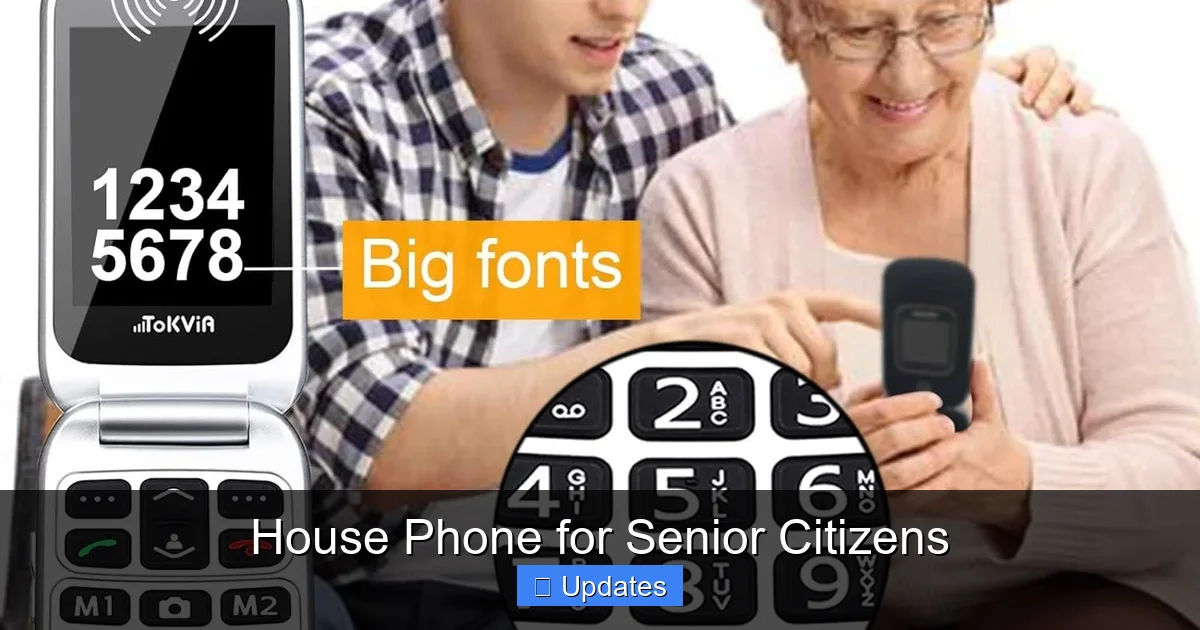
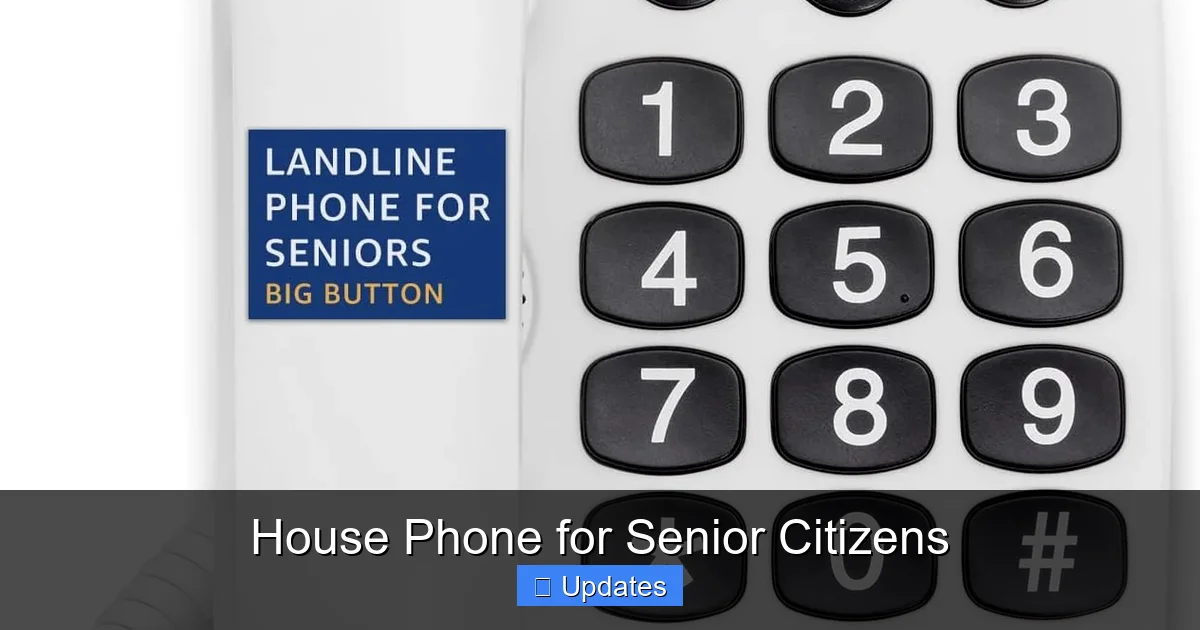
Poor vision is common among older adults. That’s why phones with large, raised buttons and bright backlighting are ideal. They make it easy to see and press numbers even in dim lighting.
Look for models with high-contrast colors (like black numbers on white backgrounds) and tactile feedback so users know when a button has been pressed.
2. Amplified Volume and Hearing Aid Compatibility
Hearing loss affects about 40% of people over 75, according to the National Institute on Deafness and Other Communication Disorders. Amplified ringtones and receivers allow users to adjust volume up to 40% louder than standard phones.
Even better: many senior phones are compatible with hearing aids via T-coil or M3/R3 ratings, ensuring clear audio without interference.
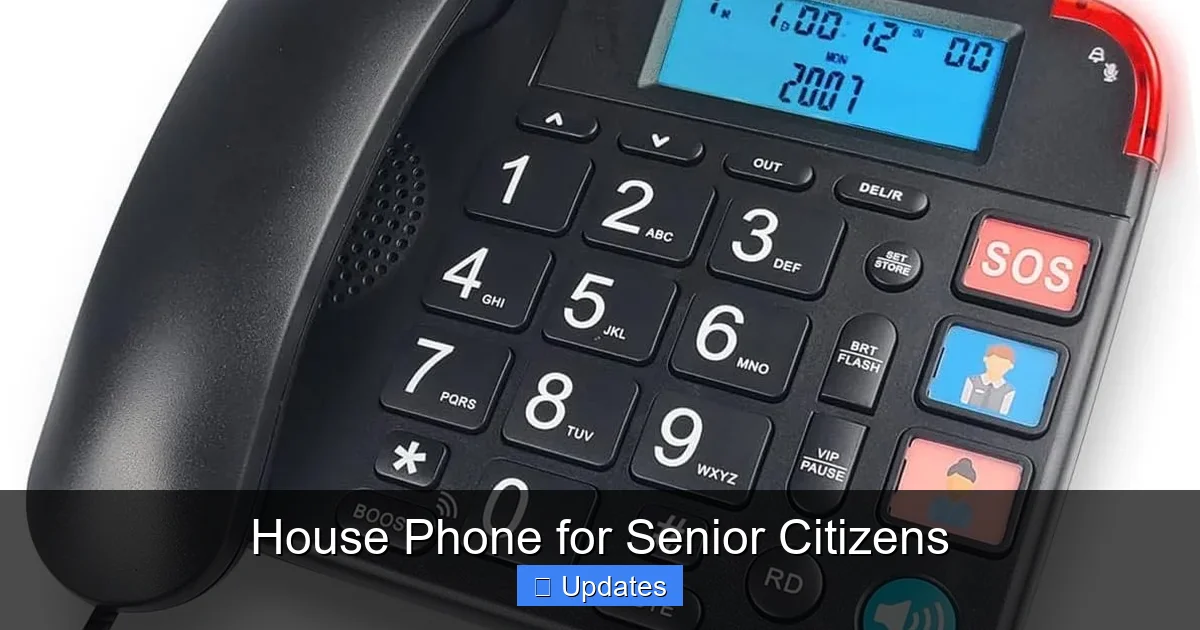
3. One-Touch Emergency Dialing
This feature lets users press a single button to call pre-programmed emergency contacts—such as a child, doctor, or neighbor—or directly connect to 911. Some models also include fall detection sensors that automatically trigger an alert if the user doesn’t respond within a few seconds.
4. Simplified Menu Systems
Avoid phones with confusing voicemail prompts or multiple menu layers. Instead, choose models with straightforward interfaces—maybe even ones that skip menus entirely and go straight to dialing after lifting the receiver.
Some advanced units even allow caregivers to customize settings remotely, such as adding frequently called numbers or adjusting ring patterns.
5. Wireless Range and Battery Backup
Cordless models offer greater mobility within the home. Look for extended range (up to 1,000 feet outdoors) and long battery life—ideally 10–15 hours of talk time or standby for a week.
Backup batteries or AC adapters ensure the phone keeps working during power outages, which is especially important for medical devices and security systems.
6. Caller ID and Visual Alerts
Visual caller ID shows the name and number of incoming calls on an LCD screen, helping users identify who’s calling before answering. This prevents missed calls from doctors or family members trying to reach them.
Some phones also flash lights or display messages when the phone rings, aiding those with mild hearing impairment.
Types of House Phones Ideal for Seniors
There are several categories of house phones available, each suited to different lifestyles and living situations.
Landline Phones with Enhanced Features
Traditional landline phones remain popular because they operate independently of electricity (with battery backups) and cellular networks. Models like the Vtech DS6161 or AT&T EL52203 include large screens, amplified sound, and emergency buttons.
These are great choices for fixed locations like kitchens or bedrooms where mobility isn’t needed.
Cordless Phones with Multiple Handsets
If you need coverage across multiple rooms, consider a cordless base station with extra handsets. You can place one near the bed for nighttime calls and another in the living room for daytime use.
Brands like Panasonic KX-TG9581B offer expandable systems with up to six handsets and DECT 6.0 technology for crystal-clear calls.
Medical Alert-Integrated Phones
For seniors with chronic conditions or balance issues, integrating a house phone with a medical alert system adds an extra layer of safety. Devices like the Bay Alarm Medical + Home Phone Combo combine two-way communication with GPS-based emergency dispatch.
When the panic button is pressed, operators receive the user’s location and can send help immediately—even if the person is unable to speak.
Smart Speaker-Enabled Phones
While not traditional phones, smart speakers with calling capabilities (like Amazon Echo Show or Google Nest Hub) can serve as accessible communication hubs. Voice commands let users make hands-free calls, check calendars, and video chat with grandchildren.
However, these require Wi-Fi and may pose privacy concerns, so they’re best used alongside simpler landline options.
Setting Up Your Senior’s House Phone: Tips for Success
Installing a new phone isn’t just about plugging it in—it’s about creating a supportive environment. Follow these steps to ensure smooth adoption:
Choose the Right Location
Place the phone in a central area like the kitchen, bedroom, or living room where it’s easily reachable but not in a high-traffic zone that causes clutter. Avoid bathrooms or garages due to moisture or temperature extremes.
Ensure the cord (if wired) or charging dock (for cordless) is accessible without tripping hazards.
Program Speed Dial Numbers
Pre-load the most important contacts—family members, doctors, pharmacies, and local emergency services—into speed-dial memory. Label each button clearly with permanent marker or adhesive stickers.
For added safety, teach your loved one how to redial the last number by pressing “Redial” or repeating the last digits.
Test the Features Together
Sit down together and practice making test calls, adjusting volume, and using the emergency button. Ask them to repeat instructions aloud to confirm understanding.
Don’t rush—this step builds confidence and ensures they feel comfortable using the device independently.
Keep Instructions Handy
Print out a simplified user guide with photos and large font. Include emergency contacts, troubleshooting tips (e.g., “What if it doesn’t ring?”), and warranty information.
Attach a magnet to the fridge or bedside table so it’s always visible but never lost.
Consider Caregiver Monitoring (Optional)
Some phones allow remote monitoring through apps or web portals. While this raises privacy questions, it can reassure families that their loved one isn’t isolated. Always discuss boundaries and consent beforehand.
Maintaining Your Senior’s House Phone
Like any tool, house phones benefit from regular maintenance. Here’s how to keep yours running smoothly:
Clean the Buttons and Screen Weekly
Use a soft, dry cloth to wipe down surfaces. Avoid alcohol wipes—they can damage plastic over time. For sticky residue, slightly dampen the cloth with water only.
Check Battery Levels Monthly
Even if the phone seems fine, swap out old batteries proactively. NiMH rechargeables last longer than alkaline ones and reduce waste.
Update Contact Lists Annually
Family moves, new doctors, or updated clinic numbers mean outdated info. Set a reminder every January to review and refresh stored contacts.
Inspect Cords and Chargers
Frayed wires or loose connections cause static or dropped calls. Replace damaged cables immediately—safety first!
Reset Occasionally
Unplugging the phone for 30 seconds resets its internal system and clears minor glitches. Do this once a quarter to maintain performance.
Cost Considerations and Financial Assistance
House phones for senior citizens vary widely in price, from $20 for basic models to $150+ for advanced medical-integrated systems. Fortunately, financial aid options exist:
Lifeline Program
Administered by the FCC, Lifeline provides discounted phone service (including landlines) to low-income households. Eligible seniors receive free or reduced-cost monthly bills—sometimes including free minutes or texts.
Apply online at lifelinesupport.org or through participating carriers like Assurance Wireless or SafeLink.
State-Specific Programs
Several states offer additional subsidies. For example, Georgia residents aged 65+ qualify for free prescription drugs through state grant programs. Similar benefits may cover communication devices in other regions.
Check with your county aging office or Area Agency on Aging for local resources.
Nonprofit Support
Organizations like local nonprofits focused on senior advocacy sometimes distribute refurbished phones or cover installation fees. Volunteer groups also host “Tech Help” days at senior centers.
Real-Life Examples: How Seniors Use Their House Phones
To understand the real impact of these devices, consider Maria, a 78-year-old widow living alone in rural Texas. After a hip fracture last winter, she struggled to manage daily tasks. Her daughter installed a Vtech CS6111 cordless phone with emergency button and caller ID.
Now, Maria uses it to call her granddaughter every evening, order groceries, and alert the local fire department when she slips in the shower. “I feel safer knowing I can reach someone anytime,” she says. “And I don’t need to learn new gadgets.”
Another example is Robert, 82, who moved into a retirement community with poor cell reception. His son bought him a Panasonic KX-TGV510 video phone linked to his tablet. Now he attends virtual bingo nights, consults his cardiologist, and watches his grandkids’ soccer games—all from his armchair.
These stories highlight how the right house phone bridges gaps in mobility, health, and social connection.
Common Misconceptions About Senior House Phones
Despite their benefits, some myths deter families from investing in senior-friendly phones:
Myth: “They’re Too Old-Fashioned”
Reality: Modern house phones blend retro simplicity with cutting-edge features like fall detection, HD audio, and app connectivity—proving old tech can still be innovative.
Visual guide about House Phone for Senior Citizens
Image source: gosupps.com
Visual guide about House Phone for Senior Citizens
Image source: m.media-amazon.com
Visual guide about House Phone for Senior Citizens
Image source: m.media-amazon.com
Myth: “Seniors Won’t Use Them”
Reality: With proper setup and encouragement, most adapt quickly. In fact, studies show that familiar interfaces increase digital inclusion among older adults.
Myth: “Cell Phones Are Better”
Reality: While smartphones offer flexibility, they demand constant attention. Landlines require zero maintenance and work during disasters—making them ideal for critical communication.
Myth: “All Models Are the Same”
Reality: Just like cars, phones differ vastly in quality. Reading reviews and testing usability (if possible) saves money and frustration down the road.
Final Thoughts: Empowering Seniors Through Simple Technology
A house phone for senior citizens isn’t just a gadget—it’s a lifeline. It preserves dignity, fosters independence, and strengthens relationships. In a world increasingly dominated by screens and software updates, sometimes the simplest solution is the most powerful.
By focusing on clarity, safety, and ease of use, these devices prove that aging doesn’t mean losing connection. Whether it’s hearing a grandchild’s voice or summoning help after a stumble, every ring counts.
So whether you’re buying your first senior phone or upgrading an existing one, remember: the goal isn’t perfection—it’s presence. And nothing says “I’m here” quite like a clear, reliable tone dialing into someone’s heart.
—
Frequently Asked Questions
What makes a house phone suitable for senior citizens?
A house phone for senior citizens should have large, backlit buttons, amplified sound, emergency dialing, and simple operation. Features like caller ID, hearing aid compatibility, and battery backup further enhance usability and safety for older adults.
Can I use a regular cordless phone for seniors?
Yes, but only if it meets senior-specific criteria like high volume, tactile buttons, and visual alerts. Avoid models with complex menus or small fonts—opt instead for brands known for senior-friendly designs like Vtech or Panasonic.
Do house phones work during power outages?
Most landline phones continue working during outages because they draw power from the telephone line itself. Cordless models may lose functionality unless they have backup batteries or AC adapters—always verify this before purchasing.
Are there government programs that help pay for senior house phones?
Yes! The FCC’s Lifeline program offers free or discounted phone service to eligible low-income seniors, including landline options. State agencies and nonprofits may also provide financial assistance or donated devices.
How do I set up an emergency button on a house phone?
Many senior phones allow programming a single button to call 911, a caregiver, or a doctor. Consult the manual or contact customer support to assign contacts. Some models even integrate with medical alert systems for automatic fall detection.
Should I choose a wired or wireless house phone for my elderly parent?
It depends on their mobility needs. Wired phones suit fixed locations like kitchens; wireless models offer freedom to move. If your loved one spends time in multiple rooms, a cordless system with extra handsets is usually best.