
Google Nest vs Amazon Smart Thermostat for Seniors: Which?


Upright Walker

Fall Detection Smart Watch

Easy Grip Knife Set
Google Nest vs Amazon smart thermostat for seniors comes down to more than temperature control. The two options use different smart-home systems, and that can affect setup, daily use, and remote control.
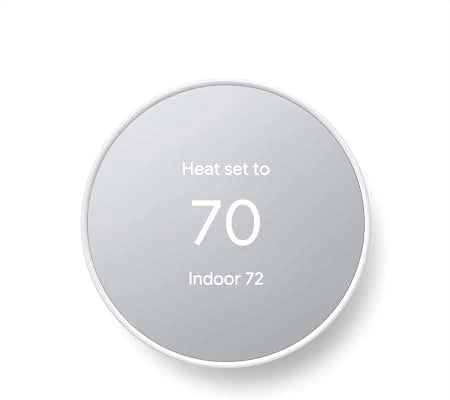
For this comparison, Google Nest refers to the current Nest Learning Thermostat (4th gen). It has a large display, learning features, a Nest Temperature Sensor, and Google Home control. The Amazon Smart Thermostat works with Alexa and uses the Alexa app for setup and control.
Quick Comparison
The Nest Learning Thermostat (4th gen) offers more advanced learning and room-sensing features. Its larger display may also help users who prefer information that is easier to see from across the room.
The Amazon Smart Thermostat is a simpler and less costly option. It makes the most sense for seniors who already use Alexa and want basic smart temperature control without paying for the extra Nest features. The current listed price is $79.99.
Google Nest vs Amazon Smart Thermostat At a Glance
Here is a quick look at the main differences.
| Feature | Google Nest | Amazon Smart Thermostat |
|---|---|---|
| Model | Nest Learning Thermostat (4th gen) | Amazon Smart Thermostat |
| Main app | Google Home | Alexa |
| Voice control | Google Home and compatible assistants | Alexa-enabled device |
| Display | 2.7-inch color LCD | Touch display |
| Temperature sensor | 1 included | External sensors supported through Amazon devices |
| C-wire | Not needed in most homes | Required or adapter needed |
| HVAC support | Most 24V systems | More limited compatibility |
| Current listed price | $279.99 | $79.99 |
The Nest has a wider HVAC compatibility range and does not need a C wire in most homes. Amazon requires a C wire or compatible adapter.
Google Nest Learning Thermostat Is Feature-Rich
The Nest Learning Thermostat (4th gen) is built for users who want smart automation.
Its large, borderless display can show temperature, time, weather, and other information. Google says the display is 60% larger than the previous generation.
Ease of Use
The thermostat uses a physical stainless-steel ring. Turn the ring to change the temperature and press it for more options.
The Google Home app handles setup and remote control. Nest can also learn temperature preferences and create a schedule based on the user’s routine.
For a senior who likes simple physical controls, the turning ring can be useful.
Key Strengths
- Large display
- Physical ring control
- Learns temperature routines
- Includes one Nest Temperature Sensor
- Remote control through Google Home
- Works with most 24V HVAC systems
- No C wire needed in most homes
- Supports Matter-compatible smart-home control
Potential Drawbacks
- Much higher purchase price
- More features may take longer to learn
- Requires the Google Home app for setup
- HVAC compatibility should still be checked
- Advanced features may be unnecessary for simple temperature control
Amazon Smart Thermostat Keeps Things Simple
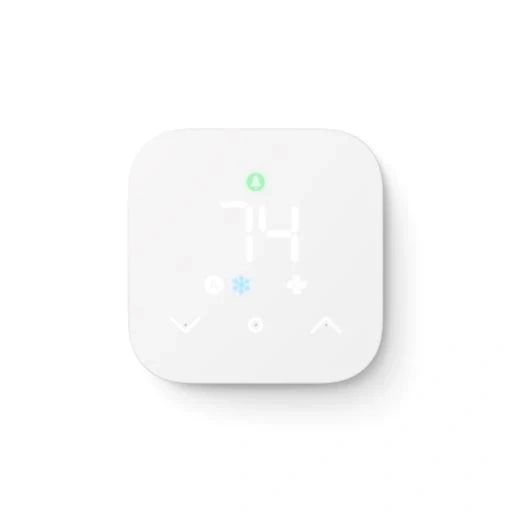
The Amazon Smart Thermostat focuses on smart temperature control through Alexa.
It can be controlled from the Alexa app. Voice control is also possible when paired with a compatible Alexa-enabled device. The thermostat itself does not have a built-in microphone.
Ease of Use
The Amazon thermostat uses a touch display. Users can adjust the temperature directly or use the Alexa app.
Alexa can also help with temperature routines. This can be useful for seniors who already use Echo devices or other Alexa products.
A familiar smart-home system can make daily control easier.
The main setup issue is wiring. Amazon says the thermostat requires a C wire or a C-wire adapter.
Key Strengths
- Lower purchase price
- Alexa control
- Remote control through the app
- Energy-use information
- Scheduling
- Simple touch controls
- Works with Alexa routines
- ENERGY STAR certified
Potential Drawbacks
- Requires a C wire or adapter
- HVAC compatibility is more limited
- Voice control needs a compatible Alexa device
- Fewer advanced learning features than the Nest
- Installation may be harder if the wiring is not ready
Which Is Easier for Seniors to Use?
Both thermostats can be easy to use after setup. The better fit depends on the user’s habits.
The Nest has a physical ring and a larger display. That may suit seniors who prefer turning a control rather than using a small touch interface. Its Dynamic Farsight display can also show information from across the room.
The Amazon model may feel more familiar to someone already using Alexa.
| Usability Area | Google Nest | Amazon Smart Thermostat |
|---|---|---|
| Physical control | Turning ring | Touch display |
| Remote control | Google Home | Alexa |
| Voice control | Compatible assistants | Alexa device needed |
| Large display | Yes | Standard display |
| Learning schedule | Yes | Alexa-based automation |
| Setup app | Google Home | Alexa |
For a senior with limited comfort using smartphone apps, the physical Nest control may be helpful. For someone already comfortable with Alexa, Amazon may be easier to fit into the existing routine.
Performance Comparison
Smart thermostats mainly differ in how they manage comfort, schedules, sensors, and smart-home control.
The Nest Learning Thermostat can automatically create a schedule by learning preferences. It also supports Adaptive Eco and other energy-saving features.
Amazon offers scheduling and Alexa-based automatic temperature control. It also provides energy information through the Alexa app.
| Performance Area | Google Nest | Amazon Smart Thermostat |
|---|---|---|
| Automatic scheduling | Learning-based | Alexa-based |
| Remote control | Google Home | Alexa |
| Energy features | Advanced | Basic to moderate |
| Room sensing | Nest Temperature Sensor | Supported external sensors |
| Smart-home ecosystem | Google Home / Matter | Alexa |
| HVAC compatibility | Broad | More limited |
For users who want more automation, Nest has the deeper feature set.
Comfort, Accessibility, and Senior-Friendly Design
Comfort is not only about the temperature. The thermostat should also be easy to read and adjust.
The Nest’s 2.7-inch display and Dynamic Farsight can be useful when the thermostat is mounted some distance away. The included Nest Temperature Sensor can also help manage temperature differences between rooms.
Amazon offers a more basic interface. Its advantage is its integration with Alexa.
A senior who already uses Alexa may not need to learn another smart-home system.
Features Comparison
The biggest feature difference is automation.
| Feature | Google Nest | Amazon Smart Thermostat |
|---|---|---|
| Learning schedule | Yes | No comparable Nest-style learning |
| Away features | Adaptive Eco | Alexa automation |
| Room sensor | Included | External sensor options |
| Google Home | Yes | No |
| Alexa | Compatible smart-home control | Yes |
| Matter | Yes | Not the main platform |
| Energy dashboard | Yes | Yes |
Nest’s current model also supports humidity, ambient light, and other sensors. It can control heating, cooling, heat pumps, fans, humidifiers, dehumidifiers, and ventilation systems when compatible.
Price, Maintenance, and Long-Term Value
Price is one of the clearest differences.
The Google Nest Learning Thermostat (4th gen) is listed at $279.99 on Google’s store. The Amazon Smart Thermostat is listed at $79.99 through Ring’s current product page. Prices can change by retailer and promotion.
| Cost Factor | Google Nest | Amazon Smart Thermostat |
|---|---|---|
| Listed price checked | $279.99 | $79.99 |
| C-wire | Usually not needed | Required or adapter |
| Extra sensor | One included | Optional external options |
| Subscription | Not required for basic thermostat use | Not required for basic thermostat use |
| Main long-term cost | Higher upfront cost | Lower upfront cost |
For basic heating and cooling control, Amazon costs much less.
For users who value room sensing, learning, and broader HVAC support, the Nest offers more features to justify its higher price.
Who Should Choose Google Nest?
Choose the Google Nest Learning Thermostat if:
- A large, clear display matters.
- You like a physical turning control.
- You want automatic learning.
- You want a temperature sensor included.
- You use Google Home.
- Your home has several HVAC functions.
- You want more advanced energy-saving features.
- You want to avoid a C-wire requirement in most installations.
Who Should Choose Amazon Smart Thermostat?
Choose the Amazon Smart Thermostat if:
- Price is a major concern.
- You already use Alexa.
- You want basic smart temperature control.
- You want remote control from an app.
- You have a compatible HVAC system.
- Your home already has a C wire.
- You do not need advanced Nest learning features.
Final Verdict
There is no single choice for every senior.
Best for advanced smart features: Google Nest Learning Thermostat
Best for Alexa users: Amazon Smart Thermostat
Best for a lower upfront cost: Amazon Smart Thermostat
Best for a large display and physical dial: Google Nest
Best for broader HVAC compatibility: Google Nest
The biggest practical difference is the smart-home ecosystem. Google Nest fits naturally into Google Home, while Amazon Smart Thermostat fits Alexa.
Scoring Summary
The scores below are editorial comparisons based on the documented features above. They are not laboratory test scores.
| Category | Google Nest | Amazon Smart Thermostat |
|---|---|---|
| Ease of Use | 9/10 | 8/10 |
| Senior-Friendly Design | 9/10 | 8/10 |
| Smart Features | 10/10 | 8/10 |
| HVAC Compatibility | 9/10 | 7/10 |
| Value | 7/10 | 10/10 |
| Setup Flexibility | 9/10 | 7/10 |
The price gap explains much of the value difference. The Nest offers more features, but Amazon costs substantially less.
How We Evaluate Products
We focus on practical factors that matter when an older adult uses a smart thermostat.
These include:
- Ease of use
- Display readability
- Control method
- Setup
- HVAC compatibility
- Smart-home support
- Maintenance
- Energy features
- Price
- Long-term practicality
We do not treat marketing claims as independent test results.
Senior-Specific Buying Considerations
Before choosing either thermostat, check these points.
Physical Controls
Think about whether the user prefers a physical dial or a touch display.
Controls
Check whether the user is comfortable using Google Home or Alexa.
Setup
Check HVAC compatibility before buying. This is especially important with the Amazon model because a C wire or adapter is required.
Display
A larger display may help users who prefer to see the temperature without walking close to the thermostat.
Smart Home
Choose the system that matches the devices already used in the home.
Common Buying Mistakes
Avoid these mistakes:
- Buying without checking HVAC compatibility
- Ignoring the C-wire requirement
- Paying for features that will not be used
- Choosing an ecosystem the user does not know
- Assuming voice control works without another compatible device
- Focusing only on purchase price
Safety
Thermostat installation involves HVAC wiring and electricity.
Amazon advises switching off HVAC power before installation and warns users not to touch exposed wire ends. If the homeowner is not comfortable with HVAC wiring, professional installation is a safer option.
Google also provides compatibility and installation guidance through the Google Home app.
Conclusion
Google Nest and Amazon Smart Thermostat take different approaches. The Nest Learning Thermostat offers a larger display, learning features, a temperature sensor, and broader HVAC support. Amazon focuses on affordable smart control through Alexa.
For seniors, the right choice depends on the user’s comfort with smart-home technology, preferred controls, HVAC setup, and budget. Checking compatibility before installation is one of the most important steps for either thermostat.
