
10 Best Smart Door Locks for Disabled Adults: Accessible Home Security Choices


Folding Walking Stick with Seat

Lap Desk for Reading

Automatic Jar Opener
Smart door locks can make entering and securing a home easier without requiring a traditional key. Depending on the model, users can unlock the door with a keypad, smartphone, fingerprint, remote control, or voice assistant. These options may help disabled adults who have limited hand strength, trouble turning a key, or difficulty reaching a lock.
The best smart door locks for disabled adults offer simple controls, reliable access, and a backup entry method that works during power or connection problems. We also look for features such as clear buttons, easy installation, remote access, and compatibility with the existing door and deadbolt. Battery life and alerts matter, too, since a dead battery or missed notification can prevent access.
We compared smart locks and focused on models that balance accessibility, security, and ease of use. Our recommendations and buying advice explain which features matter most and how to choose a lock that fits your needs.
Best Smart Door Locks for Disabled Adults
We selected the best smart door locks for disabled adults based on ease of use, reliable access, security features, and installation needs. Our list includes options with keypads, smartphone controls, voice commands, and other features that can support different mobility and access needs.
Philips 4200 WiFi Smart Lock
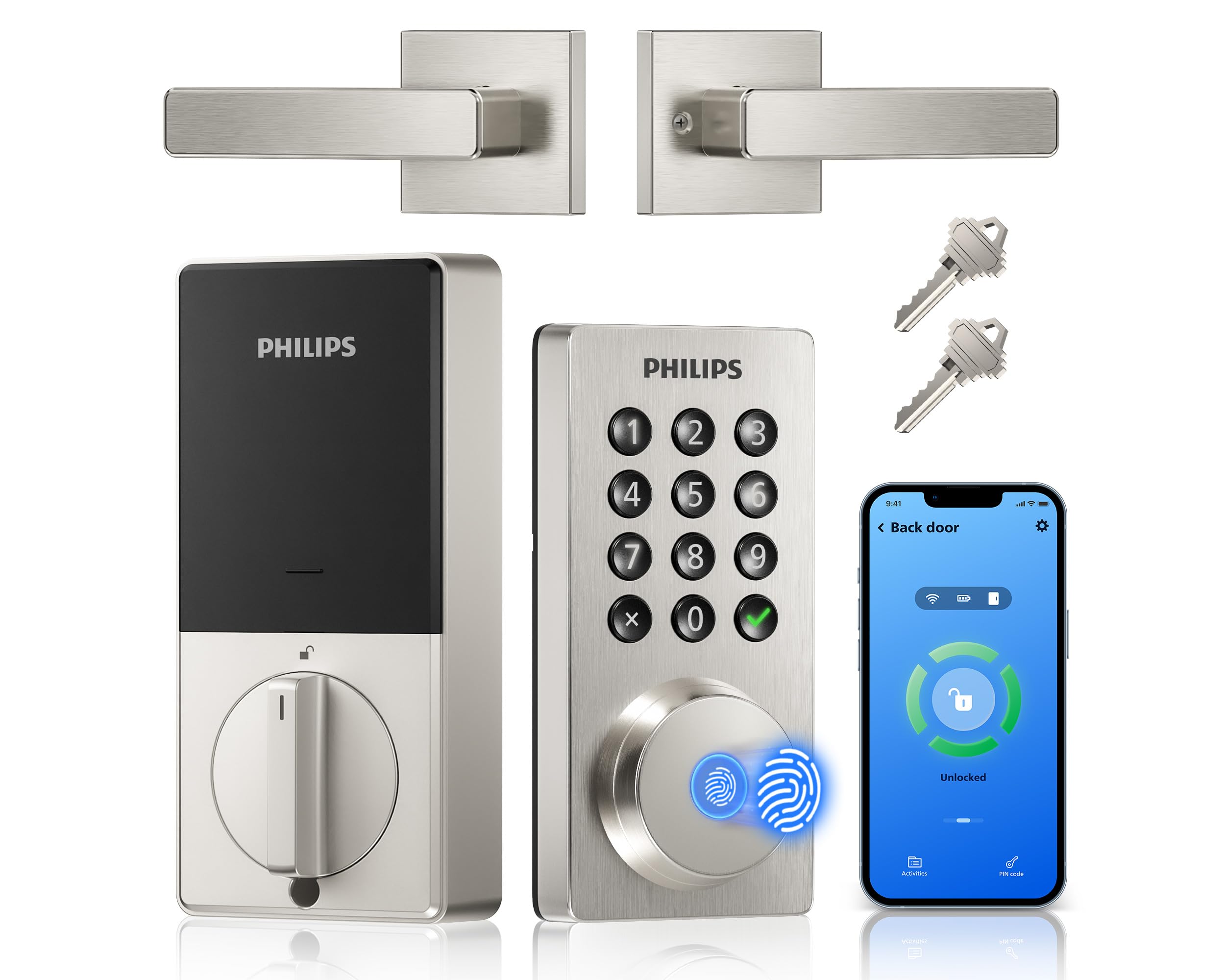
We recommend this lock for disabled adults who want several easy entry options and remote control without adding a separate hub.
Pros
- Fingerprint, keypad, app, and voice access
- Auto-lock and remote status checks
- Includes a matching handle set
Cons
- Requires eight AA batteries, sold separately
- Needs a 2.4GHz WiFi network
- Fingerprint access may not suit every user
We found the multiple entry methods useful for people who may have trouble turning a key or reaching for a phone. The backlit keypad supports different types of codes, while the fingerprint reader offers quick access when it works well with the user’s finger.
The Philips Home Access app lets us lock or unlock the door, create codes, and review access history from a distance. That feature can help family members or caregivers provide entry without sharing a physical key. Alexa and Google Assistant support add another hands-free option, though voice commands should not replace a secure manual method.
Installation uses a standard screwdriver and includes the handle, latch, and mounting hardware. We would measure the door first because the lock fits doors from 1-3/8 to 1-3/4 inches thick. Battery choice also matters; some users report that low-quality batteries drain quickly.
The adjustable auto-lock timer helps prevent missed lockups, and the app can confirm the door’s status. For homes where reliable access matters, we would keep the keypad code or a physical backup available in case the batteries run low or the fingerprint reader fails.
Wyze Palm Lock

We recommend the Wyze Palm Lock for disabled adults who want touch-free entry, remote control, and several backup ways to unlock the door.
Pros
- Touch-free palm scanning reduces the need to grip or press anything.
- Backup battery and USB-C emergency charging help prevent lockouts.
- Keypad, app, voice control, and a physical key offer flexible entry.
Cons
- Palm scanning may take practice and works best with proper hand placement.
- Installation requires careful alignment to prevent binding.
- Wi-Fi features depend on a stable home network.
We found the palm scanner quick and easy to use after setting up our hand profile. It avoids the finger pressure needed by fingerprint locks, which can help users with limited hand strength or movement.
The illuminated keypad adds another useful option. We could create separate codes for family members or caregivers, including temporary codes. The anti-peep feature also lets us enter extra numbers around the real code.
Auto-lock worked well when the door closed correctly, but installation and alignment mattered. If the door or deadbolt rubs against the frame, the lock may not operate smoothly. We would check the door before installing it.
The dual-battery design gives us more confidence than a single-battery lock. If both batteries run down, the USB-C emergency port can connect to a power bank. The Wyze app also lets us check the lock remotely, while Alexa and Google Assistant provide hands-free control.
This lock still includes a traditional key, which helps during setup issues or power problems. Its weather resistance suits many covered exterior doors, but we would avoid exposing it to heavy, direct weather.
Schlage Encode Smart Wi-Fi Deadbolt

We recommend this lock for disabled adults who want remote access, keypad entry, and optional voice control without adding a separate hub.
Pros
- Built-in Wi-Fi supports remote control and alerts
- Keypad, app, voice, and physical key entry
- Simple installation with a screwdriver
Cons
- Battery life may require regular checks
- Some doors may need extra adjustment
- Touchscreen use may not suit every user
We found the keypad helpful when reaching for keys was difficult. The touchscreen supports one-touch locking, while the app lets us check the lock and create access codes without walking to the door.
Built-in Wi-Fi keeps the lock connected without an extra hub. We could manage access remotely, review lock activity, and set alerts. Alexa and Google Home support also adds hands-free control when paired with a compatible device.
Installation was manageable, though door alignment mattered. Some doors may need a larger bolt opening or adjustment before the deadbolt moves smoothly. The lock uses four AA batteries, includes a low-battery warning, and comes with a backup key.
Veise VE027-K Smart Deadbolt
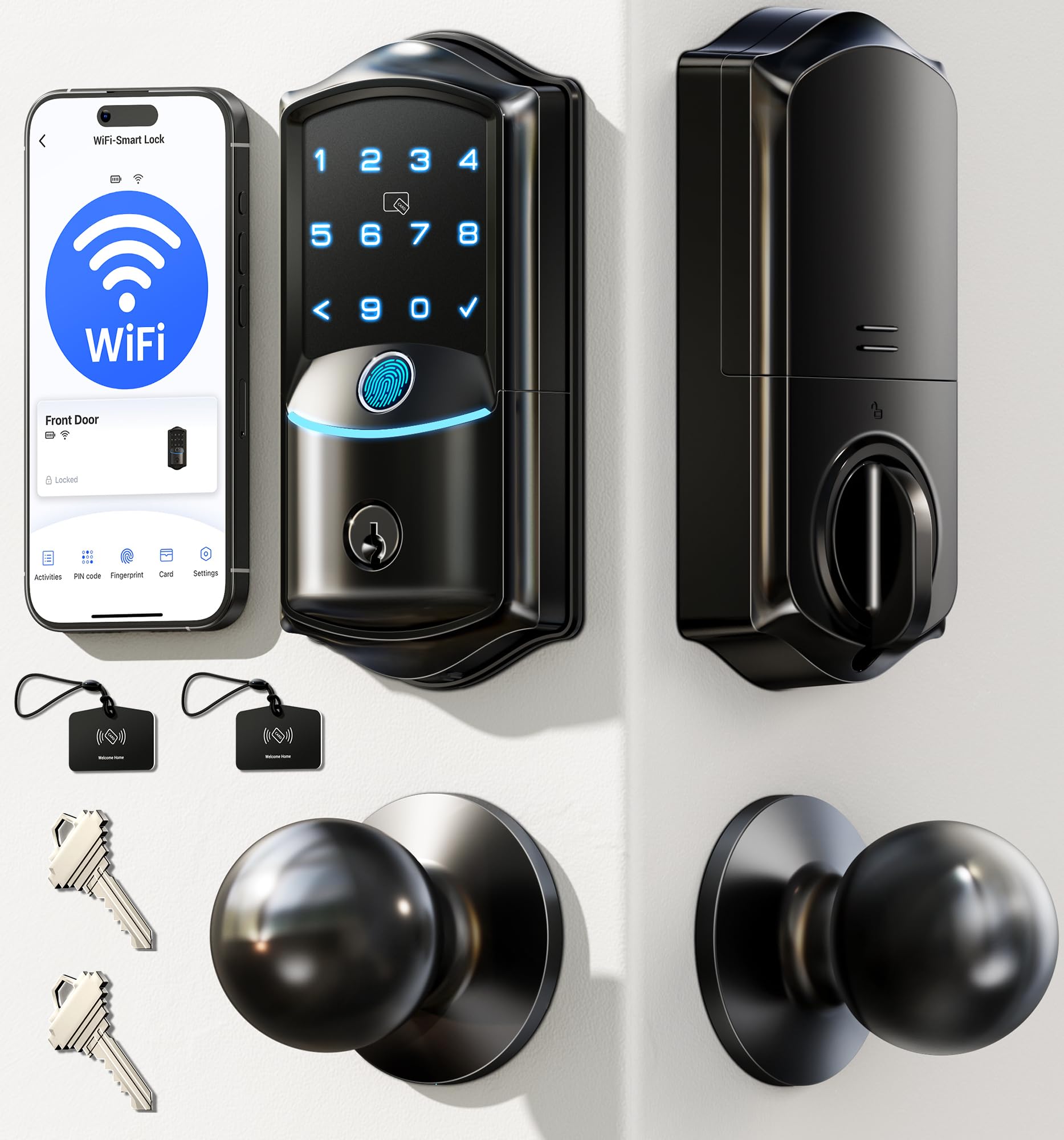
We recommend this lock for disabled adults who want several hands-free entry options and remote control without adding a separate hub.
Pros
- Fingerprint, voice, app, keypad, card, and key access
- Remote user management and activity alerts
- Auto-lock helps prevent missed lockups
Cons
- Requires eight AA batteries, which are not included
- Fingerprint setup may take some trial and error
- Voice control depends on a compatible smart-home setup
We found the fingerprint reader especially useful when carrying bags or using a mobility aid. The backlit touchscreen also made nighttime entry easier, while the physical key provided a dependable backup.
The built-in Wi-Fi let us check the lock, review activity, and manage access from our phones without installing a hub. We could also create permanent, scheduled, or one-time codes for caregivers, family members, or home-service workers.
Installation should be manageable for many households with a standard door and a screwdriver. However, users with limited hand strength may still need help during installation or battery replacement. The lock uses eight AA batteries and can run for up to about 240 days, depending on use.
Auto-lock settings range from 10 to 180 seconds, which gave us time to clear the doorway before the lock engaged. Alexa and Google Assistant support added convenience, but remote and voice features rely on a working Wi-Fi connection.
Yamiry Smart Fingerprint Door Lock

We recommend this lock for disabled adults who want several simple ways to enter, including fingerprints, codes, key fobs, and an app.
Pros
- Fast fingerprint and keypad entry
- Multiple access options for different needs
- Simple screwdriver installation
Cons
- Remote control needs a separately sold Wi-Fi gateway
- App setup may take extra time
- Battery changes remain necessary
We found the fingerprint reader quick and useful when carrying items or avoiding a traditional key. The keypad also worked well for people who prefer not to use a phone or remember where they placed a key.
The lock offers several backup methods, including key fobs and mechanical keys. This flexibility can help households support different mobility, vision, or dexterity needs. We also liked the ability to create temporary codes for caregivers and visitors.
Installation uses a screwdriver and fits many standard wooden doors without new drilling. The reversible handle supports either door swing, though we would still check the door measurements before ordering.
Bluetooth app control works nearby, while remote access and Alexa features require the optional Wi-Fi gateway. We would choose this lock for flexible entry and caregiver access, but buyers should plan for app setup and routine battery maintenance.
Philips Wi-Fi Smart Deadbolt

We recommend this lock for disabled adults who want several simple ways to unlock a door without carrying keys.
Pros
- Fingerprint, code, app, key, and voice access
- Remote control works without an extra hub
- Auto-lock and temporary codes support safer routines
Cons
- Batteries are not included
- Works only with 2.4GHz Wi-Fi
- No door-open sensor
We found the fingerprint reader and backlit keypad useful for quick entry, especially when reaching for keys feels difficult. Family members can use different fingerprints or passcodes, while caregivers can receive temporary or scheduled codes.
The built-in Wi-Fi lets us lock or unlock the door from the app when we are away. Alexa and Google Assistant add hands-free control, but voice access requires account setup and a stable network. The lock also needs to stay within about 65 feet of the router for reliable remote use.
Installation took about 20 minutes with a screwdriver when the door matched the listed size range. We would check the door thickness and latch alignment first, since poor alignment can make the motor work harder or prevent smooth locking.
Auto-lock can activate after 10 to 180 seconds, which helps when someone forgets to secure the door. However, the lock cannot confirm whether the door is fully closed because it lacks a door sensor. We should also use AA alkaline batteries, which must be purchased separately.
Sifely Fingerprint Smart Lock

We recommend this lock for disabled adults who want several simple entry options, especially fingerprint, keypad, and app access.
Pros
- Fingerprint, keypad, app, key card, fob, and key entry
- Backlit keypad and anti-peeping password feature
- Reversible handle and generally simple installation
Cons
- Remote access requires the optional Wi-Fi gateway
- Some doors may need extra drilling or adjustment
- The lock may not support easy rekeying
We found the fingerprint reader quick and useful when we did not want to search for keys. The backlit keypad also helped in low light, while the auto-lock feature reduced the need to turn the handle and check the lock manually.
Multiple entry methods make this model practical for households with different needs. We could assign codes to family members, use a key card as a backup, or unlock the door through Bluetooth. The app also shows access records, which can help caregivers monitor entry.
Installation fit a standard wood door without major changes in our experience, but door measurements still matter. Some users report needing a larger opening or extra holes, especially with certain door types. We recommend checking compatibility before ordering.
Bluetooth control works nearby, but unlocking the door from another location requires the separate Sifely Wi-Fi Gateway. Voice control through Alexa or Google also depends on that gateway, adding to the total cost.
Yamiry Fingerprint Smart Lock

We recommend this lock for adults who want several simple entry options, especially fingerprint, keypad, key fob, and a physical key.
Pros
- Multiple entry methods reduce the need to handle keys.
- Fingerprint access worked quickly during testing.
- Straightforward installation for compatible doors.
Cons
- Bluetooth connection problems may occur.
- The strike plate may need extra door work.
- Remote control requires a separate Wi-Fi gateway.
We found the fingerprint reader useful when our hands were full or when turning a key felt difficult. The keypad also provides a clear backup, while the included key fobs can help users who prefer not to enter a code.
Installation took about 20 to 25 minutes on a compatible standard door. However, the strike plate did not fit every door without adjustment, so we recommend checking the measurements before buying.
The app supports stored fingerprints and codes, but Bluetooth control works only nearby. Remote access needs the optional Wi-Fi gateway. Some users also reported connection failures, so we would keep the physical keys available.
The auto-lock feature can help users who might forget to lock the door. Still, the lock’s reported reliability varies, and one review noted early product failure. We would choose it for flexible access rather than for advanced remote control.
TEEHO TE001 Keypad Deadbolt

We recommend this lock for adults who want key-free entry, simple controls, and flexible auto-lock settings at a reasonable price.
Pros
- Large backlit keypad with one-touch locking
- Temporary and one-time codes support caregivers and guests
- Auto-lock delay can help reduce missed locking
Cons
- Requires four AA batteries, which are not included
- Works only with doors using a 2⅛-inch bore hole
- Does not offer phone or app control
We found the keypad easy to use and helpful for anyone who has trouble handling small keys. The backlight improves visibility, while anti-peep entry lets us enter extra digits around the real code for added privacy.
The lock supports up to 20 user codes, plus temporary and single-use codes. That setup works well for family members, home aides, pet sitters, or repair workers without sharing a permanent code.
We liked the adjustable auto-lock feature, which can wait from 10 to 99 seconds. We could also lock the door by holding any keypad button for two seconds. However, users must check the door size before buying, and battery changes remain part of regular upkeep.
The TEEHO TE001 uses a physical keypad rather than an app or voice assistant. Its low-battery warning, backup keys, weather resistance, and two-year warranty add useful support for everyday home access.
Evanshow Fingerprint Door Knob
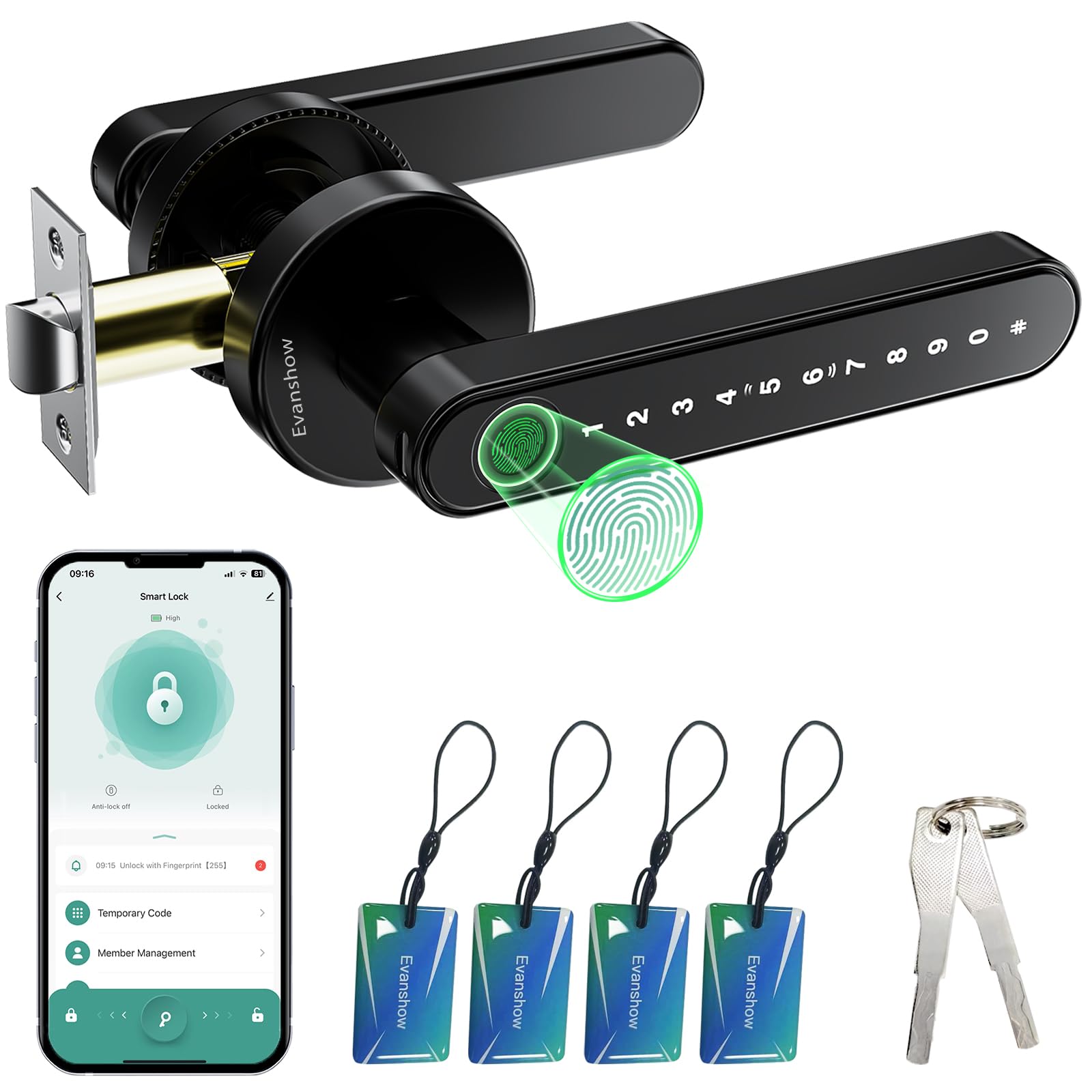
We recommend this lock for disabled adults who want several easy entry options at a reasonable price, but setup and physical durability deserve attention.
Pros
- Fingerprint, keypad, app, card, and key access
- Simple installation on compatible wooden doors
- Auto-lock and remote passcode management
Cons
- Setup instructions may feel confusing
- Some users report weak cards or a loose handle
- The lock needs an administrator fingerprint before use
We found the fingerprint reader convenient for quick entry, especially when carrying items or avoiding small keys. The keypad and mechanical key provide useful backups, while the app lets us create access codes for family members, guests, or caregivers.
Installation does not require drilling or wiring when the door fits the listed size range. The reversible handle also works with either door swing, which helps during replacement projects. Auto-lock adds convenience, but we would check its timing before relying on it.
Setup takes more care than the installation. We must register an administrator fingerprint first because any fingerprint can unlock the door before that step. The USB port can provide emergency power from a power bank, but it cannot recharge the lock’s batteries.
We also noticed mixed feedback about programming, card recognition, and handle strength. For an interior door, apartment, or lower-risk entry, this lock offers useful accessibility features; for a high-security exterior door, we would choose a stronger model.
Buying Guide
We should start with the user’s daily needs, hand strength, vision, and comfort with technology. The best lock should reduce effort without creating new steps or safety concerns.
| Feature | What we should check |
|---|---|
| Easy access | Keypad, phone control, voice control, or automatic unlocking |
| Low effort | A motor that turns the lock without firm gripping or twisting |
| Clear controls | Large numbers, strong contrast, and helpful sound or light signals |
| Reliable power | Long battery life, low-battery alerts, and emergency power access |
| Installation | Compatibility with the existing door, lock, and frame |
| Safety | Manual override, secure encryption, and access logs if needed |
We should choose controls that match the user’s abilities. A keypad can help people who do not use smartphones, while app or voice controls may suit people with limited reach or hand movement. We should confirm that the lock still works if the phone, internet connection, or smart-home system fails.
We also need to check installation requirements before buying. Some locks replace only the inside mechanism, while others require changes to the entire lock. We should review return policies, warranty coverage, software support, and whether a trusted person can manage access remotely.
Battery access matters for users who cannot easily reach the door or replace batteries. We should look for clear alerts and an external backup option, such as a temporary power connection or physical key.
Editor’s Choice
We chose the Schlage Encode Plus as our editor’s choice for many disabled adults. It supports keypad entry, smartphone control, and voice commands through compatible smart home systems. These options can reduce the need to carry keys or use a small thumb turn.
The lock works with a standard deadbolt and includes a built-in alarm. We also value its clear keypad and remote access features, which can help users and caregivers manage entry from different locations.
| Feature | Why it helps |
|---|---|
| Keypad entry | Avoids handling small keys |
| App control | Lets users lock or unlock the door remotely |
| Voice control | Supports hands-free operation |
| Access codes | Allows separate codes for caregivers |
| Built-in alarm | Alerts users to possible tampering |
We recommend professional installation for people who have limited hand strength, mobility, or tool use. Before buying, we should check door compatibility, Wi-Fi needs, and whether the user can operate the app or voice assistant. A backup key or external battery option also adds useful protection if the main battery runs out.
Conclusion
We should choose a smart door lock based on the user’s mobility, dexterity, vision, and comfort with technology. Key features may include keypad entry, voice control, remote access, auto-unlock, and a physical key backup.
We also need to check the door’s condition and lock compatibility before buying. Some models require a specific deadbolt type, enough space around the door, or a stable Wi-Fi connection. Professional installation may help if the user cannot safely complete the setup.
Our key priorities should be:
- Easy entry without twisting or gripping
- Clear controls and readable numbers
- Reliable access for trusted caregivers
- Battery alerts and emergency backup options
- Strong privacy and account security
A lock should support independence without creating new risks. We should test the main entry method, teach trusted users how to operate it, and keep a backup plan for power, battery, or network problems.
FAQS
What type of smart lock works best for disabled adults?
We recommend locks with keypad, fingerprint, smartphone, or voice-control options. The best choice depends on the user’s hand strength, vision, memory, mobility, and comfort with technology.
Are smart locks easy to use with limited hand strength?
Many models use touchscreens, large buttons, or automatic unlocking. We should avoid locks that need tight gripping, twisting, or small keys.
Can we unlock the door without a smartphone?
Yes. Many smart locks support keypad codes, physical keys, fingerprint access, or remote control through a caregiver’s account. We should choose at least one backup method.
Can caregivers control the lock?
Most connected locks let us create separate access codes and review entry history. Temporary codes can help home health workers enter without sharing a primary code.
Do smart locks work during a power or internet outage?
Battery-powered locks usually continue working during an internet outage, but remote features may stop. We should select a model with low-battery alerts and a physical key or external battery backup.
What features improve safety?
- One-touch or automatic locking
- Voice assistant compatibility
- Large, visible buttons
- Emergency access options
- Low-battery warnings
- Easy installation and battery replacement
Will a smart lock fit every door?
No. We should check the door’s thickness, deadbolt type, frame condition, and available clearance before buying. Some models need a compatible existing deadbolt, while others replace the entire lock.