
Logitech vs Razer Webcam for Seniors: Which?


Spill-Proof Adult Cup
Robot Vacuum Cleaner
Medication Reminder Alarm
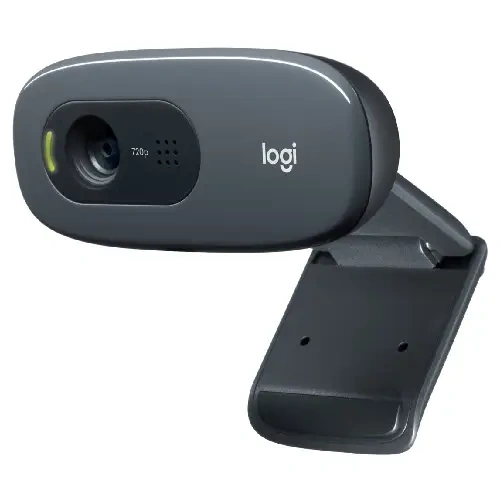
If you are comparing Logitech vs Razer webcam for seniors, the biggest difference is how each brand approaches everyday video calls. Logitech’s Brio 505 is built strongly around video meetings, simple setup, and features such as automatic framing and a privacy shutter. Razer’s Kiyo X focuses more on customizable camera controls and streaming.
For a senior who mainly wants an easy webcam for Zoom, Google Meet, or family calls, the simpler workflow can matter more than advanced camera controls. The Kiyo X can make more sense for someone who wants greater control over the picture.
Quick Comparison
For most seniors using a webcam mainly for family calls or meetings, the Logitech Brio 505 is the more straightforward choice. It has 1080p video, autofocus, stereo microphones, USB-C plug-and-play connectivity, an integrated privacy shutter, and automatic light correction with HDR.
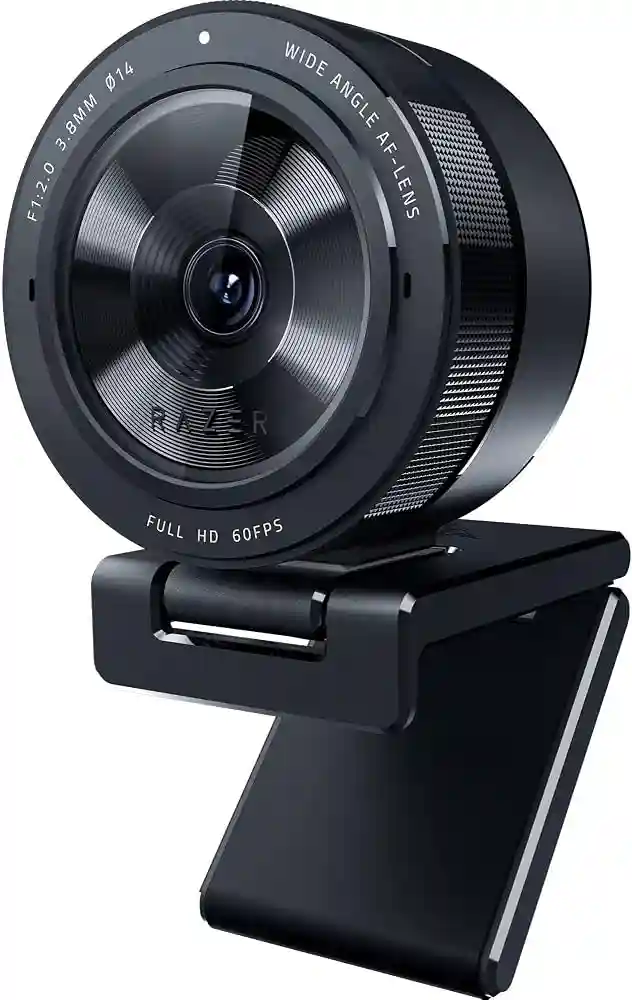
The Razer Kiyo X is a better fit for users who want manual control over brightness, contrast, saturation, and other camera settings through Razer Synapse. It also supports 1080p at 30 fps and 720p at 60 fps.
Logitech Brio 505 vs Razer Kiyo X At a Glance
These two webcams are both Full HD models, but their designs target somewhat different users.
| Feature | Logitech Brio 505 | Razer Kiyo X |
|---|---|---|
| Max video | 1080p/30fps | 1080p/30fps |
| 720p video | 60fps | 60fps |
| Autofocus | Yes | Yes |
| Field of view | Up to 90° | 82° |
| Microphone | Stereo | Mono |
| Connection | USB-C | USB |
| Privacy shutter | Yes | Not listed |
| Weight | 121 g | 172 g |
| Software | Logi Tune | Razer Synapse 3 |
| Tripod support | Yes | Yes |
Specifications are based on current manufacturer information and Razer’s technical documentation.
Logitech Brio 505 for Senior Video Calls
The Brio 505 is designed around video meetings, which makes its feature set useful for everyday communication.
Ease of Use
The webcam uses USB-C plug-and-play connectivity and autofocus. Logitech also includes an integrated privacy shutter, so the camera can be physically covered when it is not being used.
Its automatic light correction can also be helpful when room lighting changes. Logitech lists RightLight 4 with HDR as part of the camera’s image system.
Key Strengths
- 1080p video at 30fps
- Autofocus
- Stereo microphones
- USB-C plug-and-play setup
- Integrated privacy shutter
- Up to 90° field of view
- 4x digital zoom
- 3-year limited hardware warranty
Potential Drawbacks
- Maximum Full HD resolution is 1080p
- Some features depend on compatible software
- USB-C may require an adapter on an older computer with only USB-A ports
- Advanced camera features may be more than a basic video-call user needs
Razer Kiyo X for Simple Home Streaming
The Kiyo X takes a slightly different approach. It is a Full HD webcam with autofocus and software controls aimed at users who want to adjust the camera image.
Ease of Use
Razer says the Kiyo X supports full camera controls through Synapse 3, including brightness, contrast, and saturation adjustments.
That flexibility is useful if someone enjoys adjusting settings. But for a senior who simply wants to connect the webcam and start a family call, additional controls may not provide much benefit.
Key Strengths
- 1080p at 30fps
- 720p at 60fps
- Autofocus
- 82° field of view
- Adjustable image settings
- Flexible monitor or tripod mounting
- 1.5 m cable
- Razer Synapse 3 support
Potential Drawbacks
- Heavier than the Brio 505
- Mono microphone
- Uses USB rather than USB-C
- Camera controls can add complexity
- No integrated privacy shutter is listed in Razer’s current specifications
Which Is Easier for Seniors to Use?
For a senior who wants a straightforward webcam, the Brio 505 has several practical advantages.
Its USB-C plug-and-play connection, autofocus, automatic light correction, and physical privacy shutter reduce the number of things the user needs to manage.
The Kiyo X is still easy to mount and use, but its main advantage is customization. Razer’s Synapse software lets users adjust several image settings.
| Usability Area | Logitech Brio 505 | Razer Kiyo X |
|---|---|---|
| Basic setup | Simple | Simple |
| Autofocus | Yes | Yes |
| Privacy | Physical shutter | No listed shutter |
| Camera controls | Automatic + software | Extensive software controls |
| Weight | 121 g | 172 g |
| Field of view | Up to 90° | 82° |
For seniors who prefer fewer settings to manage, the Brio 505’s simpler approach may be easier.
Performance Comparison
Both cameras support 1080p video at 30fps and 720p at 60fps. The difference is less about basic resolution and more about supporting features.
The Brio 505 offers RightLight 4 with HDR and multiple field-of-view options. It also includes stereo microphones.
The Kiyo X provides autofocus and adjustable image settings, along with an 82° diagonal field of view. Its microphone is mono and omnidirectional.
For ordinary family calls, both provide Full HD video. The Brio 505 has the more meeting-focused feature set, while the Kiyo X gives users more control over the camera image.
Comfort, Accessibility, and Senior-Friendly Design
Physical handling is not a major issue with either webcam because both are designed to remain mounted on a monitor or laptop rather than being held during calls.
The Brio 505 weighs 121 g with its mount and cable, while the Kiyo X weighs 172 g.
The Brio 505 also provides a wider maximum field of view. This can be useful when the webcam needs to show more of the room or when the user sits slightly farther from the camera.
For many seniors, a webcam that works without frequent adjustment may be more useful than one with more advanced controls.
Features Comparison
The feature differences become clearer when looking at everyday communication rather than gaming or streaming.
| Feature | Logitech Brio 505 | Razer Kiyo X |
|---|---|---|
| HDR | Yes | No |
| Digital zoom | 4x | Not listed |
| Auto framing | Yes | Not listed |
| Image customization | Yes | Yes |
| Privacy shutter | Yes | Not listed |
| Virtual lighting | — | Virtual Ring Light |
| Microphone | Stereo | Mono |
Logitech lists auto-framing, Show Mode, RightLight 4 with HDR, and a privacy shutter for the Brio 505. Razer provides Synapse controls and a Virtual Ring Light feature for the Kiyo X.
Price, Maintenance, and Long-Term Value
Webcam prices change by country, retailer, and promotion, so a temporary online price should not be treated as a permanent difference.
There are also no batteries to charge in either webcam. Both are USB-powered, which keeps maintenance simple. The Brio 505 has a listed 3-year limited hardware warranty, while Razer lists up to a 1-year warranty for the Kiyo X on its product page.
For long-term ownership, check the computer’s available USB port before buying. This matters especially with older computers.
Who Should Choose Logitech Brio 505?
Choose the Brio 505 if:
- The webcam is mainly for family video calls.
- A physical privacy shutter matters.
- Automatic lighting correction is useful.
- Stereo microphones are preferred.
- A wider field of view is helpful.
- The user wants fewer camera settings to manage.
- A longer listed hardware warranty is important.
Who Should Choose Razer Kiyo X?
Choose the Kiyo X if:
- The user wants more control over the picture.
- Manual brightness and contrast adjustments are useful.
- 720p at 60fps is desirable.
- The webcam may also be used for streaming.
- Razer Synapse is already familiar.
- A compact, flexible mounting setup is preferred.
Logitech vs Razer Webcam for Seniors — Final Verdict
The Logitech Brio 505 and Razer Kiyo X are both capable Full HD webcams, but they emphasize different things.
The Brio 505 is centered more on video meetings and convenient everyday use. The Kiyo X offers more camera customization and is better suited to users who enjoy adjusting their video settings.
Scoring Summary
Rather than treating these scores as laboratory measurements, they reflect the practical feature differences discussed above.
| Category | Logitech Brio 505 | Razer Kiyo X |
|---|---|---|
| Ease of Use | 9/10 | 8/10 |
| Senior-Friendly Design | 9/10 | 8/10 |
| Video Features | 9/10 | 8/10 |
| Customization | 8/10 | 9/10 |
| Maintenance | 9/10 | 9/10 |
| Everyday Value | 9/10 | 8/10 |
These are editorial comparison scores based on documented features, not manufacturer ratings or independent laboratory measurements.
How We Evaluate Products
We focus on features that can affect everyday use by older adults.
Our comparison considers:
- Ease of setup
- Controls and software
- Video quality
- Microphone design
- Privacy
- Mounting
- Physical handling
- Maintenance
- Warranty
- Long-term practicality
We do not claim hands-on testing. The comparison is based on available manufacturer specifications and supporting product information. Logitech’s current Brio 505 specifications and Razer’s current Kiyo X documentation were used for the technical comparison.
Senior-Specific Buying Considerations
Setup
Check whether the computer has the correct USB connection. The Brio 505 uses USB-C, while the Kiyo X uses a USB connection.
Controls
A user who wants simple video calls may prefer automatic features. Someone comfortable with software controls may appreciate the Kiyo X’s customization.
Privacy
A physical privacy shutter is useful when the webcam stays connected to the computer. The Brio 505 includes one.
Microphone
For normal calls, the built-in microphone can reduce the need for another accessory. The Brio 505 uses stereo microphones, while the Kiyo X uses a mono omnidirectional microphone.
Mounting
Both webcams support monitor mounting and tripod use, so consider where the camera will normally sit before choosing one.
Common Buying Mistakes
Avoid these mistakes when choosing a webcam:
- Buying based only on maximum resolution
- Forgetting to check the computer’s USB port
- Ignoring the importance of a privacy shutter
- Paying for advanced controls that will never be used
- Overlooking microphone differences
- Failing to check the webcam’s mounting position
Safety
Webcams do not have many physical safety concerns, but privacy deserves attention.
Keep the webcam covered or disconnected when it is not needed if the user wants extra privacy. A physical shutter can make this simple. Also, avoid leaving cables where they can become a trip hazard.
Conclusion
The Logitech Brio 505 and Razer Kiyo X both provide 1080p video and autofocus, but they are aimed at slightly different use cases. The Brio 505 puts more emphasis on convenient video meetings, privacy, automatic image adjustment, and straightforward operation. The Kiyo X puts more emphasis on camera customization and streaming-oriented controls.
For a senior who mainly wants an easy webcam for staying connected with family, friends, or work, the Brio 505’s meeting-focused features may make the setup more straightforward. For someone who enjoys adjusting camera settings or wants a webcam that also suits streaming, the Kiyo X offers more flexibility.