
Kindle vs Boox E-Reader for Seniors: Which?


Hands-Free Neck Magnifier

Large Button TV Remote

Electric Jar Opener
If you are comparing a Kindle vs Boox e-reader for seniors, the biggest difference is simple: Kindle focuses on straightforward reading, while BOOX offers more flexibility and apps. Both use E Ink-style displays and can be comfortable for long reading sessions.
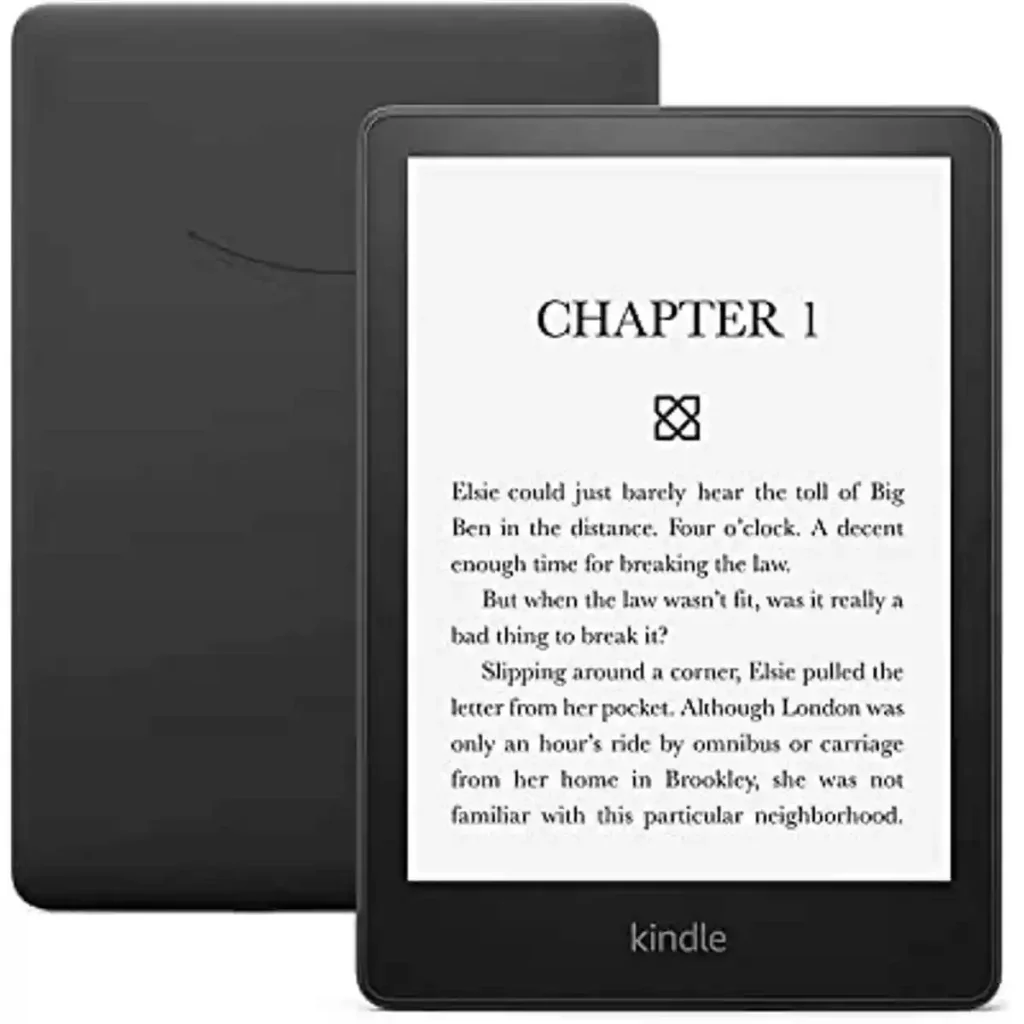
For a practical current comparison, this guide uses the Kindle Paperwhite 12th Generation and BOOX Go 7 as representative current models. Amazon lists the Paperwhite with a 7-inch display, adjustable warm light, IPX8 waterproofing, 16GB storage, and up to 12 weeks of battery life. BOOX lists the Go 7 with a 7-inch 300-ppi display, Android 13, 64GB storage, page-turn buttons, and a microSD card slot.
Quick Comparison
For seniors who mainly want to read books with minimal setup, the Kindle Paperwhite is the simpler choice. Its focused software and Amazon reading ecosystem make the basic reading experience easy to understand.
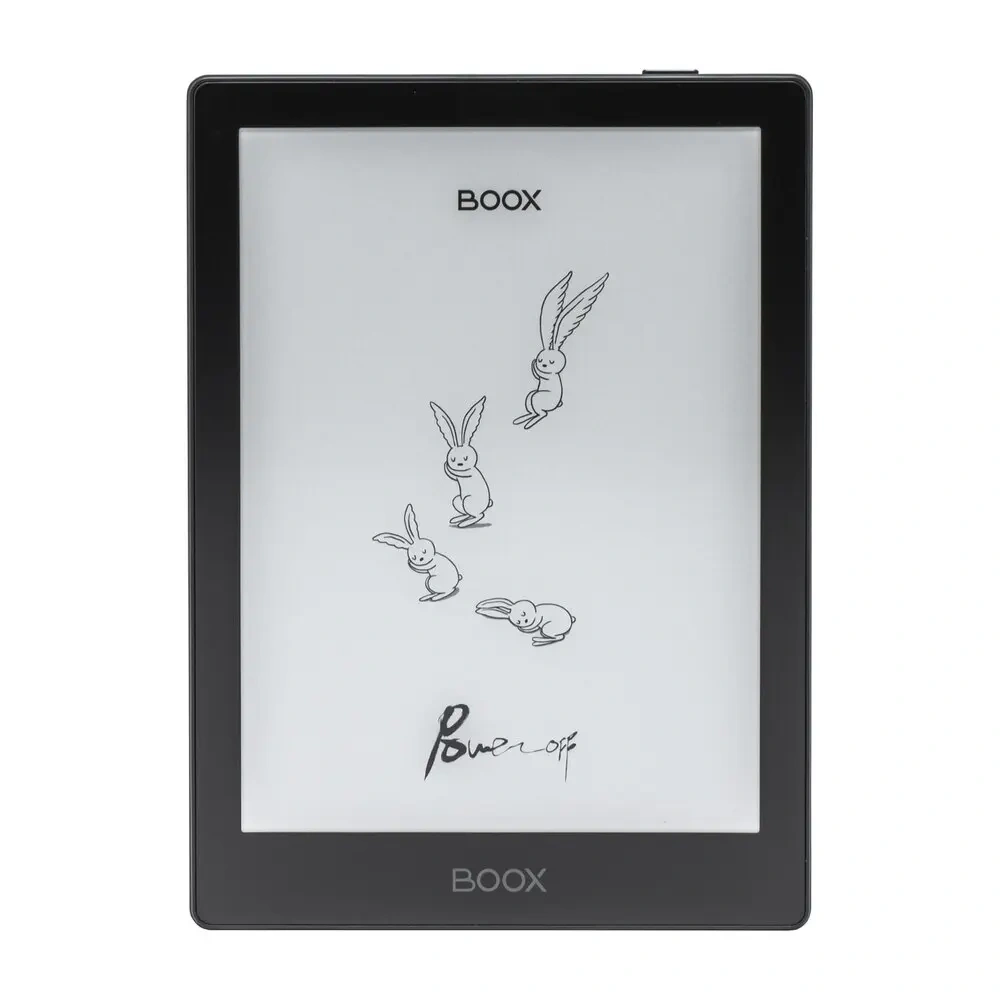
The BOOX Go 7 is more flexible. It supports Android apps, Google Play, many document formats, physical page-turn buttons, and expandable storage. That flexibility is useful for seniors who read from several services or want more than a basic e-reader.
Kindle vs Boox At a Glance
These two devices take different approaches. Kindle keeps the experience focused, while BOOX gives the reader more control.
| Feature | Kindle Paperwhite | BOOX Go 7 |
|---|---|---|
| Display | 7-inch E Ink | 7-inch E Ink |
| Resolution | Noted by Amazon as a current Paperwhite model | 300 ppi |
| Front light | Adjustable warm light | Adjustable warm/cool front light |
| Storage | 16GB | 64GB |
| Apps | Focused Kindle ecosystem | Android + Google Play |
| Page-turn buttons | No physical page-turn buttons | Yes |
| Expandable storage | No microSD | Yes |
| Waterproofing | IPX8 | Water-repellent protection |
| Battery information | Up to 12 weeks | 2,300mAh battery |
| Weight | Model-specific | About 195g |
Amazon confirms the Paperwhite’s 16GB storage, warm light, IPX8 rating, and up to 12 weeks of battery life. BOOX lists 64GB storage, microSD support, page-turn buttons, Android 13, and a 195g weight for the Go 7.
Kindle Paperwhite Review for Seniors
The Kindle Paperwhite is designed around reading rather than general tablet functions. That can be a major benefit for someone who wants fewer menus and fewer things to configure.
Ease of Use
The Paperwhite uses a touchscreen interface and adjustable lighting. Amazon also lists VoiceView screen-reader support over Bluetooth. These features can be useful for readers who want simple touch navigation or accessibility support.
The focused interface is one of its biggest practical advantages. A senior who mainly reads Kindle books does not need to learn a full tablet-style operating system.
Key Strengths
- Simple reading-focused interface
- 7-inch display
- Adjustable warm light
- 16GB internal storage
- IPX8 waterproofing
- Long claimed battery life
- VoiceView support over Bluetooth
Potential Drawbacks
- Less flexible than an Android-based e-reader
- No microSD card slot
- No physical page-turn buttons
- Best suited to readers comfortable with the Kindle ecosystem
BOOX Go 7 Review for Seniors
The BOOX Go 7 takes a different approach. It is an Android e-reader that can run third-party apps through Google Play.
Ease of Use
The physical page-turn buttons are useful for readers who prefer pressing a button rather than repeatedly tapping the screen. BOOX also gives the Go 7 a textured back and a 195g weight, which may make it comfortable to hold for many readers.
The trade-off is software complexity. Android and Google Play provide more choices, but more choices can also mean more settings to learn.
Key Strengths
- Physical page-turn buttons
- Android 13
- Google Play support
- 64GB internal storage
- microSD expansion
- 300-ppi monochrome display
- Adjustable warm and cool front light
- Support for many file formats
Potential Drawbacks
- More software choices can increase setup complexity
- Android may feel less focused than Kindle
- Some advanced features may be unnecessary for simple reading
- App-based reading can require more configuration
BOOX lists support for numerous document formats, including EPUB, PDF, MOBI, DOCX, and others. It also lists third-party app support and Google Play access.
Which Is Easier for Seniors to Use?
Ease of use depends heavily on what the reader wants to do.
For someone who mainly buys and reads Kindle books, the Kindle Paperwhite may feel easier because it is built around one primary purpose.
For someone who wants to use different reading apps, borrow books through different services, or open many file types, the BOOX Go 7 offers more flexibility.
Simple is not always better, and more features are not always better. The right choice depends on how the e-reader will actually be used.
Physical controls may also matter. BOOX includes page-turn buttons, while the Paperwhite relies on its touchscreen. A reader who finds touch gestures less comfortable may prefer the BOOX approach.
Performance Comparison
Both devices are designed primarily for reading, but their software goals are different.
The Kindle Paperwhite prioritizes a focused reading experience. Its current Paperwhite model supports features such as adjustable warm light, dark mode, and VoiceView.
The BOOX Go 7 has a broader computing role. Its Android 13 system, octa-core processor, 4GB of RAM, and 64GB storage give it room for third-party apps and different types of content.
| Performance Area | Kindle Paperwhite | BOOX Go 7 |
|---|---|---|
| Main focus | Reading | Reading plus apps |
| App flexibility | Limited | High |
| File flexibility | More limited | Broad format support |
| Navigation | Touchscreen | Touchscreen + page buttons |
| Storage flexibility | 16GB internal | 64GB + microSD |
For pure book reading, BOOX’s extra processing power and Android flexibility may not matter much. For mixed reading and app use, those features become more useful.
Comfort, Accessibility, and Senior-Friendly Design
Comfort is not the same for every reader. Hand strength, preferred controls, eyesight, and reading habits all matter.
The BOOX Go 7 weighs about 195g and has physical page-turn buttons. Its front light can also adjust between warm and cool tones.
The Kindle Paperwhite has an adjustable warm light, dark mode, and VoiceView support over Bluetooth. Its IPX8 waterproof rating can also be useful for reading around water.
A senior who values simple menus may prefer Kindle. A reader who values physical buttons and flexible controls may prefer BOOX.
Features Comparison
The main feature gap is not the screen. It is what each device can do beyond basic reading.
| Feature | Kindle Paperwhite | BOOX Go 7 |
|---|---|---|
| Warm lighting | Yes | Yes |
| Dark mode | Yes | Yes |
| Physical page buttons | No | Yes |
| Android apps | No | Yes |
| Google Play | No | Yes |
| microSD | No | Yes |
| VoiceView | Yes | — |
| Many document formats | More limited | Yes |
Amazon confirms VoiceView, dark mode, warm lighting, and waterproofing on the Paperwhite. BOOX confirms Google Play, Android 13, microSD, physical page buttons, and broad document-format support on the Go 7.
Price, Maintenance, and Long-Term Value
Price can change by retailer, region, storage version, and sales period, so a temporary price should not be treated as a permanent one.
BOOX currently lists the Go 7 at $249.99 on its official store. Amazon’s current device information confirms the Paperwhite model but does not provide a universal retail price in the specification page used here.
| Cost Factor | Kindle Paperwhite | BOOX Go 7 |
|---|---|---|
| Main device cost | Varies by retailer | Official price varies by market |
| Storage | 16GB | 64GB |
| Expandable storage | No | microSD |
| Accessories | Case and charging accessories | Case, stylus/accessories vary |
| Maintenance | Low | Low, but more settings may require management |
For long-term value, storage and software flexibility can matter as much as the purchase price. BOOX gives substantially more storage and expandable storage, while Kindle offers a simpler reading-focused experience.
Who Should Choose Kindle?
Choose the Kindle Paperwhite if:
- You mainly want to read books.
- You prefer a simple interface.
- You already use Kindle books.
- You want IPX8 waterproofing.
- You want a warm reading light.
- You value long battery life.
- You do not need Android apps.
- You prefer fewer settings and distractions.
Who Should Choose BOOX?
Choose the BOOX Go 7 if:
- You want Android apps.
- You use more than one reading platform.
- You need broad file-format support.
- You want physical page-turn buttons.
- You want 64GB of internal storage.
- You want microSD expansion.
- You read PDFs and other documents.
- You want more control over the reading experience.
Kindle vs Boox — Final Verdict
The Kindle Paperwhite is the more straightforward option for seniors who mainly want an easy, focused e-reading experience.
The BOOX Go 7 is better suited to readers who want flexibility. Android, Google Play, physical page-turn buttons, broad file support, and expandable storage give it a wider range of uses.
Rather than treating one as universally better, think about the reader’s habits. If simplicity comes first, Kindle makes sense. If flexibility comes first, BOOX is the more feature-rich option.
Scoring Summary
These scores are a simple editorial comparison based on the features discussed above, not laboratory test results.
| Category | Kindle Paperwhite | BOOX Go 7 |
|---|---|---|
| Ease of Use | 9/10 | 8/10 |
| Senior-Friendly Design | 9/10 | 8/10 |
| Performance Flexibility | 7/10 | 9/10 |
| Storage | 7/10 | 10/10 |
| Reading Simplicity | 10/10 | 8/10 |
| App Flexibility | 5/10 | 10/10 |
| Everyday Value | 9/10 | 9/10 |
These scores should be viewed as a quick summary, not an objective laboratory measurement.
How We Evaluate Products
This comparison focuses on practical factors that can affect everyday senior use.
We consider:
- Ease of setup
- Reading controls
- Display and lighting
- Physical comfort
- Storage
- Software simplicity
- Accessibility features
- Maintenance
- Flexibility
- Long-term practicality
We do not claim hands-on testing. The comparison is based on current manufacturer specifications and documented product features.
Senior-Specific Buying Considerations
Before choosing between these e-readers, consider how the reader will use the device.
Physical Controls
If tapping and swiping are less comfortable, physical page-turn buttons may be useful. BOOX provides dedicated page-turn buttons.
Screen and Lighting
Adjustable front lighting can make reading easier in different rooms. Both models provide adjustable lighting, although their implementations differ.
Software
A reader who wants a simple device may not need Android apps. Someone who uses multiple reading services may appreciate BOOX’s Google Play access.
Storage
Think about the size of the reader’s digital library. BOOX provides 64GB and microSD expansion, while the Paperwhite model used here provides 16GB.
Water Protection
The Paperwhite has an IPX8 waterproof rating. BOOX describes the Go 7 as water-repellent, which is not the same thing as an IPX8 waterproof rating.
Common Buying Mistakes
Avoid these common mistakes when choosing an e-reader.
- Choosing based only on storage
- Ignoring physical page controls
- Buying Android flexibility that will never be used
- Assuming every e-reader handles the same book formats
- Ignoring the preferred reading ecosystem
- Forgetting to consider screen lighting and accessibility features
Safety
E-readers have relatively few physical safety concerns, but basic device care still matters.
Keep charging equipment in good condition and follow the manufacturer’s charging guidance. Also, do not assume that water resistance ratings are interchangeable. The Kindle Paperwhite has a specific IPX8 rating, while BOOX describes the Go 7 as water-repellent.
Conclusion
The Kindle Paperwhite and BOOX Go 7 are both capable e-readers, but they target different reading styles. Kindle puts more emphasis on a focused and simple reading experience, while BOOX provides greater flexibility through Android, apps, file support, and expandable storage.
For seniors, the most important question is not simply which device has more features. It is which device matches the reader’s habits. Choose Kindle for a more focused reading experience, or consider BOOX if flexibility and physical page controls matter more.