
10 Best Medical Alert Systems for Caregivers: Top Picks for 2026


Smart Plug with Alexa

Folding Walking Stick with Seat

Quad Cane for Seniors
Medical alert systems help older adults and people with health concerns call for help after a fall, medical emergency, or other crisis. Caregivers can use them to support someone from a distance while staying informed about their safety. Most systems include a wearable button, a two-way speaker, and access to trained emergency operators.
For caregivers, the best medical alert systems combine reliable emergency response with useful features such as fall detection, location tracking, caregiver notifications, and clear monthly pricing. We also look at signal range, battery life, setup, cellular coverage, and whether the system works inside the home, outside, or both.
We compared medical alert systems for different needs, budgets, and living situations to identify the options that make caregiving safer and easier.
Best Medical Alert Systems for Caregivers
We reviewed medical alert systems that help caregivers monitor safety and respond quickly during emergencies. Our list includes options with features such as 24/7 monitoring, fall detection, GPS tracking, and caregiver alerts.
TurboSense Caregiver Pager
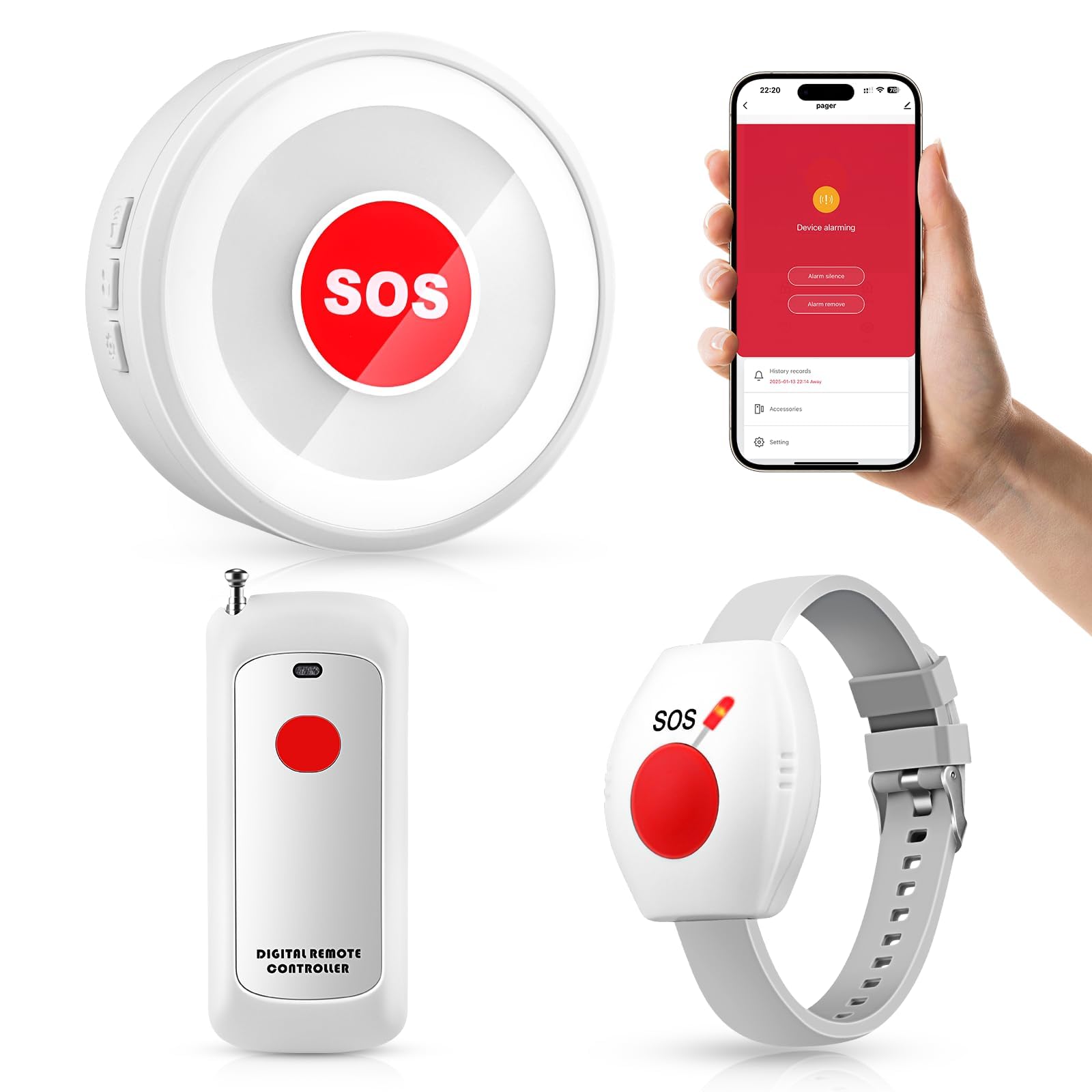
We recommend this system for caregivers who want a simple in-home alert button without a monthly service fee.
Pros
- Loud receiver with several tone options
- Includes pendant and wrist-worn buttons
- Can send alerts through a caregiver app
Cons
- Setup may take some trial and error
- App alerts require 2.4GHz Wi-Fi
- Some users reported false alarms
During testing, we found the main receiver easy to notice from nearby rooms. The high volume works well in a house or apartment, especially when a caregiver stays in another room or on another floor.
We also liked the flexible button placement. We could wear one button as a pendant, use the other on the wrist, or keep one near the bed or bathroom. The waterproof design adds useful protection in areas where falls are more likely.
The system can work as a basic local pager without relying on the app. Wi-Fi adds push notifications for connected family members, but setup may feel less clear for some users. We would test the alert range and app connection before relying on it for urgent care.
A few customer reports mention phantom alerts from an unpaired button. We would monitor the system after setup and return it if false alarms continue. Overall, this TurboSense model fits caregivers who need a low-cost way to call for help inside the home.
Daytech Wireless Caregiver Pager

We recommend this in-home alert system for caregivers who need a simple way to receive help requests without using a monitored emergency service.
Pros
- Simple call button and wrist pager
- Two plug-in receivers help cover the home
- Easy-to-hear alerts with adjustable tones
Cons
- Not a 911 or professional monitoring service
- The wrist pager is not fully waterproof
- Setup can take time when pairing units
We found the Daytech system easy to use right out of the box. A loved one can press the wrist button or wall-mounted call button, while the caregiver receives an alert from either plug-in receiver.
The two receivers work well in different rooms or floors. This setup can help us hear a call from the bedroom, kitchen, or another part of the home. The listed range varies by home layout, so thick walls and multiple floors may reduce coverage.
We also liked the choice of alert sounds and volume levels. The call button can handle splashes, making it useful near a bathroom, but we would remove the wrist pager before bathing or showering.
This product suits families who want a direct way to request help at home. It does not contact emergency services, so we would use it alongside a phone or another plan for serious emergencies.
Seculife Medical Alert Pendant
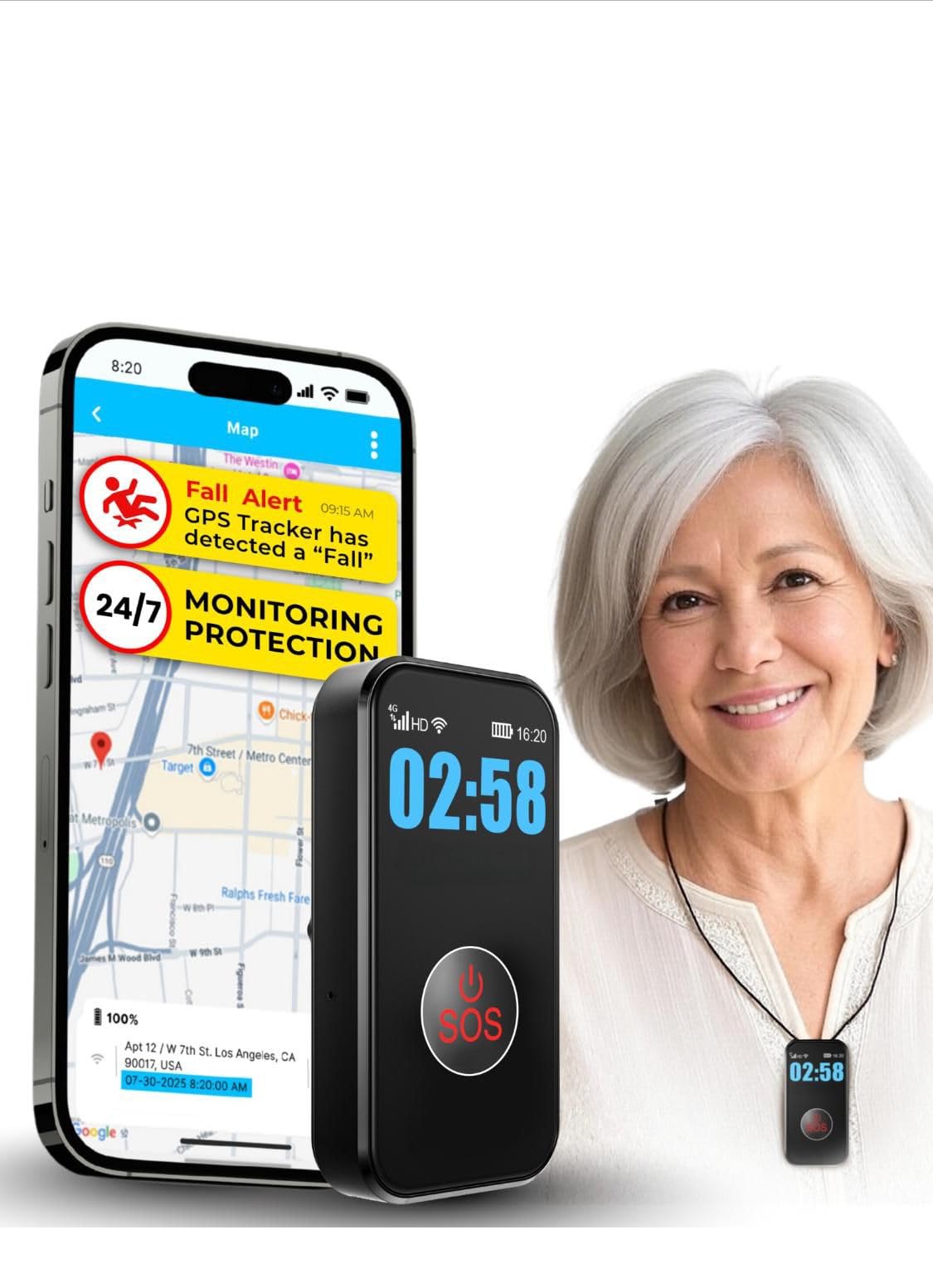
We recommend this pendant for caregivers who want GPS location tracking, two-way calling, and direct contact with family.
Pros
- Simple SOS button and hands-free calling
- GPS tracking with geofence alerts
- Waterproof design with several days of battery life
Cons
- Requires a $20 monthly subscription
- Fall detection may not catch every fall
- Cellular coverage affects performance
We found setup fairly quick, and the large SOS button felt easy to press. The pendant also works as a small speakerphone, letting caregivers call the wearer and check in without relying on a separate cellphone.
GPS tracking and geofence alerts add useful support for people who may wander. We could also see the battery, signal, and time on the display, which makes daily use simpler.
The waterproof design supports wearing it in the shower or outdoors. However, the service requires a monthly subscription, and the device depends on cellular coverage. We would still test fall alerts carefully because automatic detection can miss certain falls or trigger a false alert.
CallToU Caregiver Pager
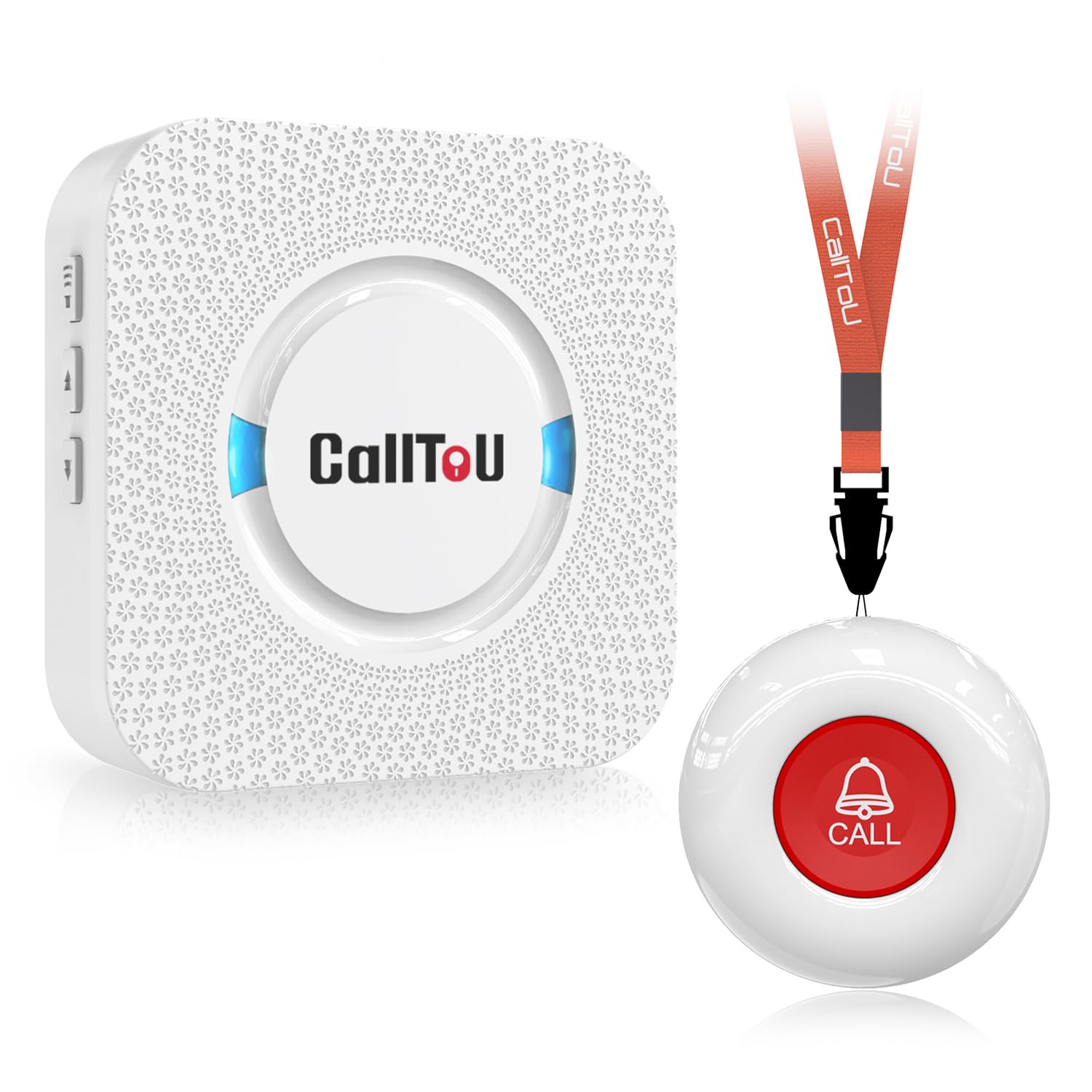
We recommend this simple pager for home caregivers who need an affordable way to receive alerts from another room.
Pros
- Simple setup with pre-paired parts
- Strong range through walls
- Waterproof call button with flexible placement
Cons
- The receiver must stay plugged into an outlet
- Only one call button and receiver come in this set
- The mounting hardware may feel unclear
We found the system easy to use because the receiver and call button were ready to pair. We could place the receiver in a bedroom, kitchen, or living area and carry the button on a neck strap or attach it near a bed.
The alert gives caregivers several ringtone and volume choices. We could select a sound that stood out without using the loudest setting. The system also worked well across rooms, which helped us stay nearby without standing in the same space.
The call button’s water-resistant design makes it useful near a bathroom or outside in light rain. However, the receiver needs a wall outlet, so we had to plan where to place it. The included mounting setup also took some attention to understand.
This is a practical choice for basic in-home alerts, but it does not provide emergency monitoring, GPS, or automatic help from a response center.
STECHRO Wireless Caregiver Pager

We recommend this simple pager for caregivers who need an affordable way to receive an alert from another room.
Pros
- Loud, adjustable receiver with 58 tone choices
- Easy setup and large call button
- Water- and dust-resistant design
Cons
- It does not contact emergency services
- The call button needs to stay within range
- The basic kit includes only one button
We found the STECHRO pager easy to set up and use. The call button gives the user a direct way to get attention, while the receiver can stay nearby or move between rooms. Its simple controls should work well for caregivers who prefer fewer features.
The receiver offers several volume levels, including a very loud setting, which helped us hear alerts from other parts of the home. We also liked having many ringtone choices, since different sounds can help separate this alert from other household noises.
The button can work as a bedside, bathroom, or tabletop alert. Its water- and dust-resistant build adds some protection, but we would not treat it as fully waterproof. We also would not rely on it alone for someone who needs emergency monitoring, GPS, two-way voice contact, or automatic fall detection.
The system has a claimed range of up to 1,500 feet in open conditions, but walls and other obstacles can reduce that distance. We recommend testing it throughout the home before relying on it.
CallToU Wireless Caregiver Pager
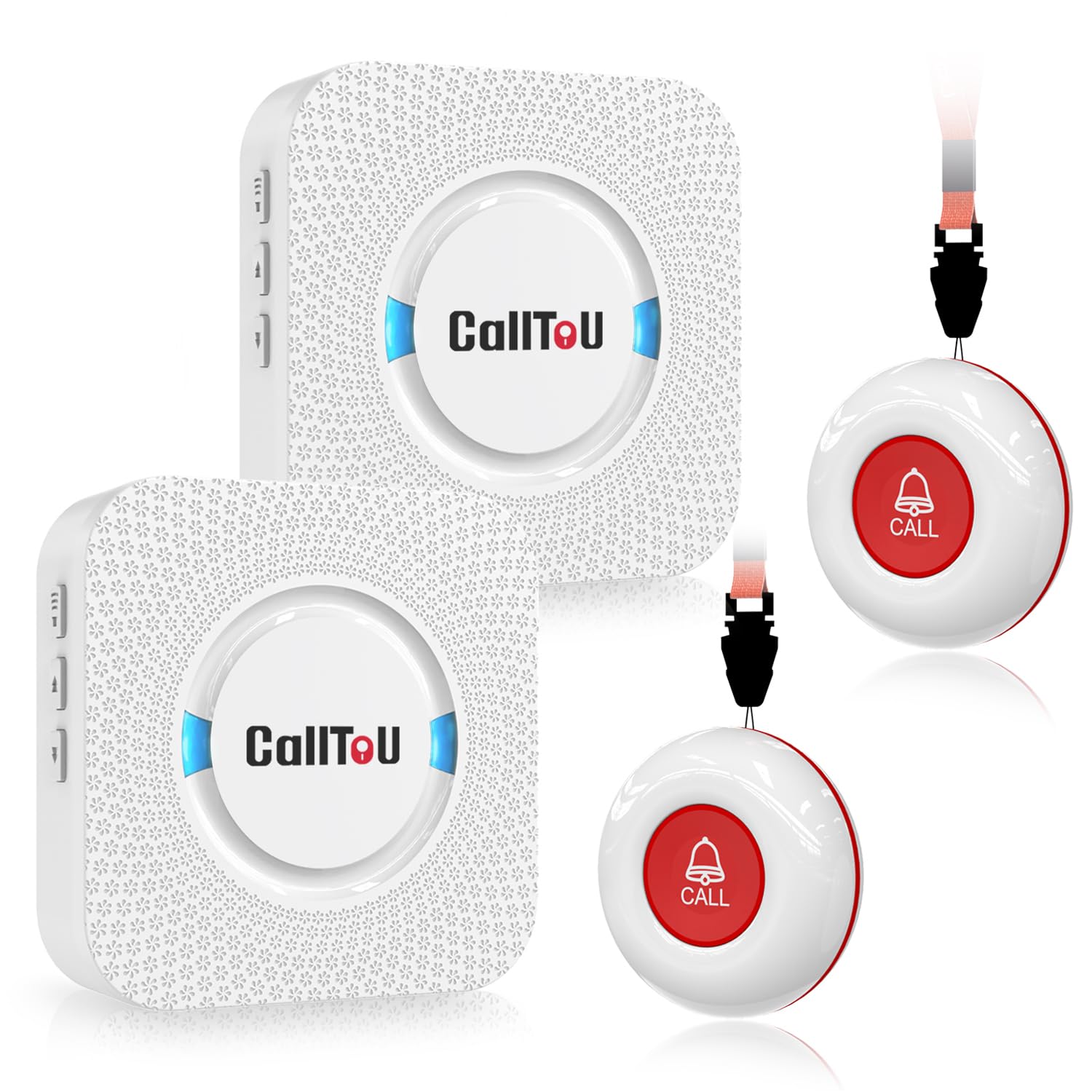
We recommend this system for caregivers who want simple, whole-home alerts without Wi-Fi or a phone app.
Pros
- Two receivers and two call buttons support multiple rooms and users
- Loud, adjustable alerts with many ringtone choices
- Waterproof buttons work well near bathrooms and outdoors
Cons
- Receivers need nearby wall outlets
- Buttons do not detect falls automatically
- Small instructions may be difficult to read
We found the system quick to set up and easy to use. A caregiver can carry one receiver between rooms, while the second stays in another part of the home. The call buttons can hang around the neck or attach near a bed or chair.
The alert sound reaches well across a large home, and the volume settings make it easier to hear from another room. We also liked having two buttons, which lets two people call for help or gives one person access from separate areas.
The buttons resist water and dust, so we would feel comfortable placing one near a bathroom. Still, this is a basic pager rather than a full medical alert system. It does not contact emergency services, track location, or provide automatic fall detection.
PILSAMAS WiFi Caregiver Pager
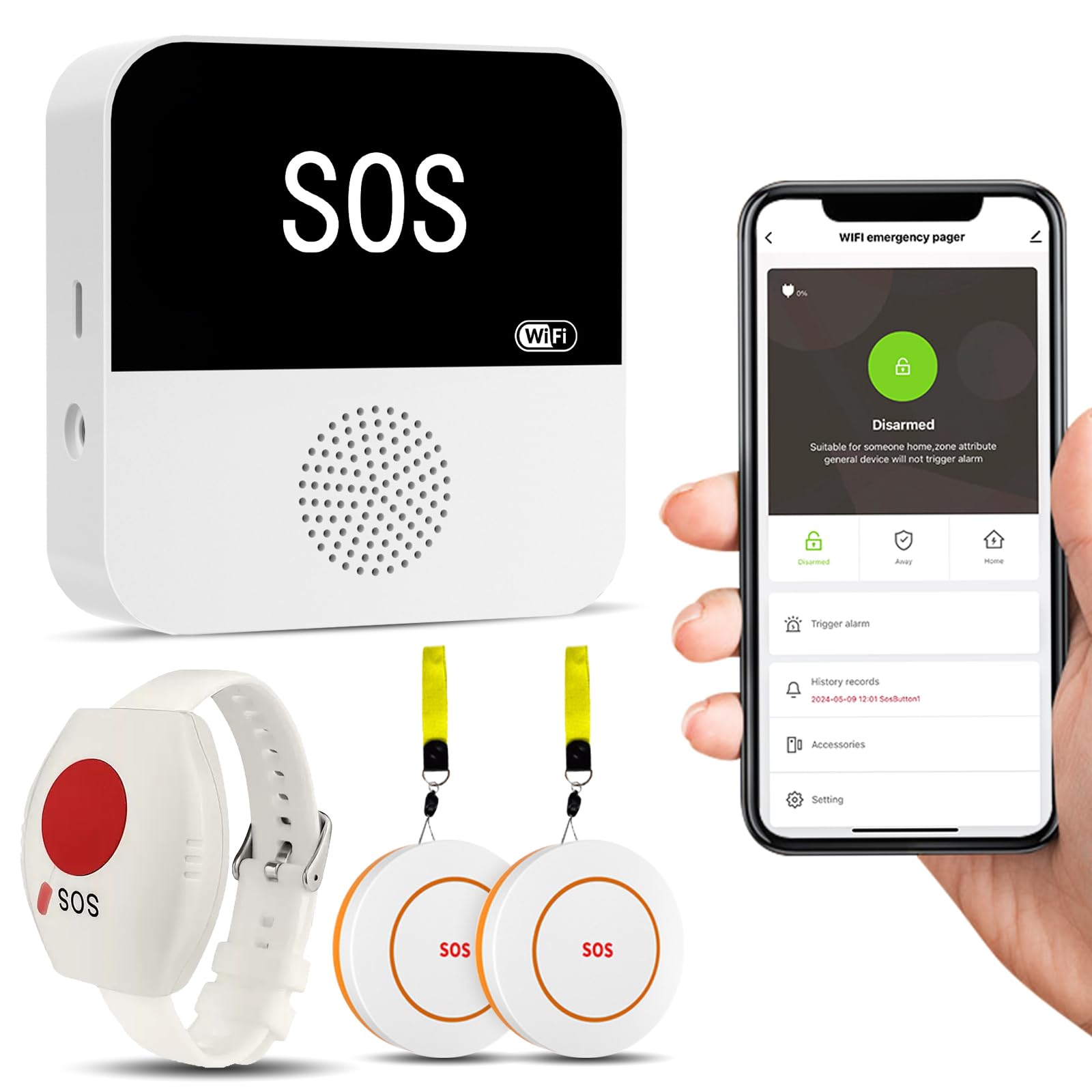
We recommend this system for caregivers who want local alerts and app monitoring without a required monthly fee.
Pros
- Loud receiver with flashing lights
- Includes two call buttons and a wearable wrist button
- Custom tones and app alerts
Cons
- Setup requires a 2.4GHz Wi-Fi network
- The wrist button may trigger false alarms if bumped
- Text, phone, and email alerts may require a subscription
We found the buttons easy to press and useful in different rooms. The receiver produced a loud alert, while the flashing light added a helpful visual signal for people who may not hear the alarm.
The app lets us name each button, change tones, adjust volume, and check device status. We also liked sharing alerts with family members. The system covers homes with up to about 230 feet of range, though walls and layout can affect performance.
Setup takes some care because the receiver needs a 2.4GHz Wi-Fi connection. The wrist button also felt sensitive during use, so we would test its placement before relying on it.
This product works best for in-home caregiving, dementia support, and small care settings. It does not replace a professionally monitored medical alert service, but it offers a practical way for caregivers to receive local and app-based alerts.
MT EXESPR Caregiver Alert System
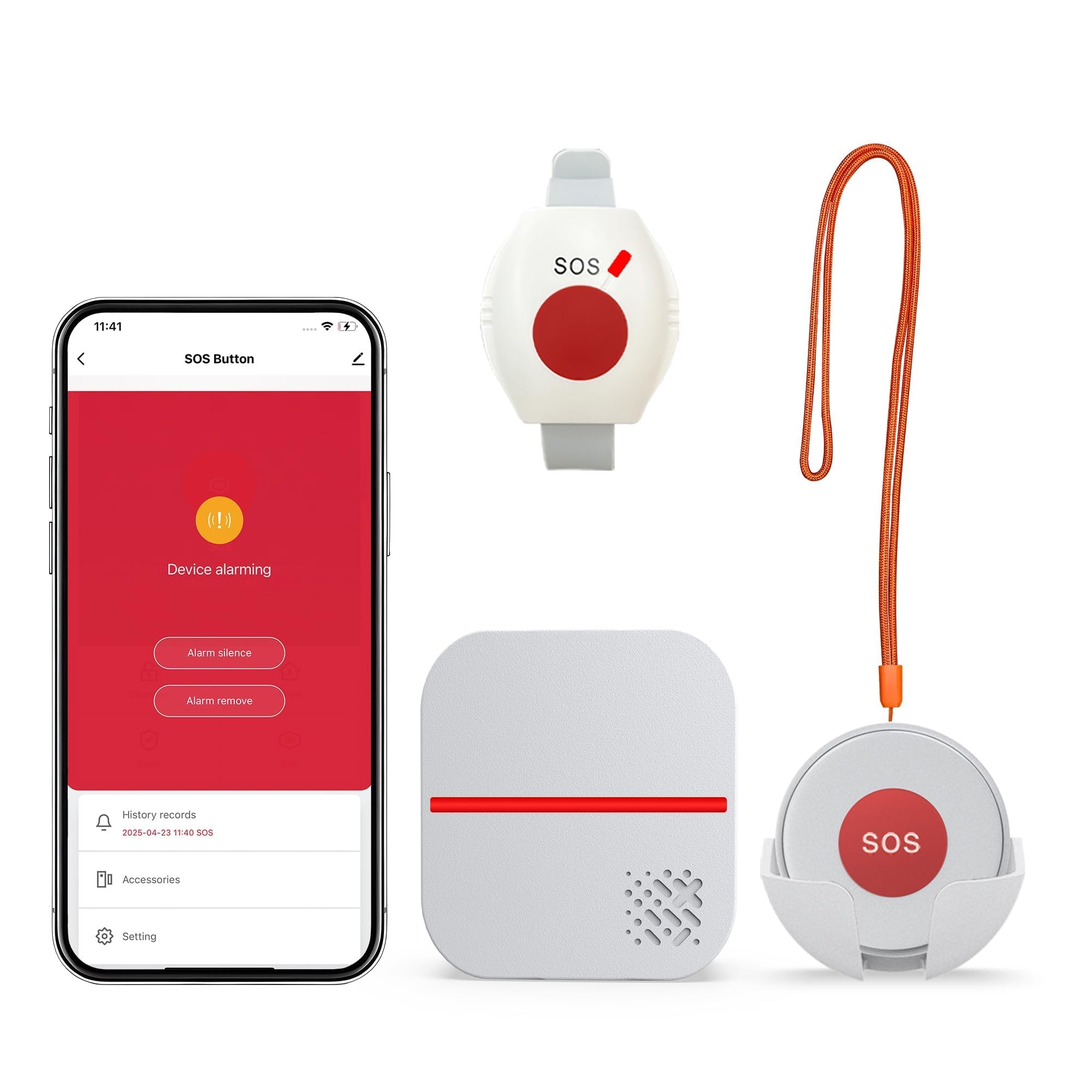
We recommend this system for caregivers who need a simple home alert button without a required monthly fee.
Pros
- Easy push-button operation
- Loud, adjustable receiver with flashing alerts
- Waterproof wearable button for bathroom use
Cons
- Text and phone alerts require an added subscription
- App support works only with 2.4GHz Wi-Fi
- It does not automatically detect falls
We found the setup simple: plug in the receiver, pair the buttons, and choose a chime and volume. The receiver carried well between rooms, making it useful when a caregiver stays elsewhere in the home.
The pendant and watch-style button give users two ways to request help. The waterproof design also makes the button practical near sinks and in the bathroom, although the user must press it manually after a fall or other emergency.
The receiver combines sound and flashing lights, which helps caregivers who may not hear a chime right away. App notifications can extend the system’s reach, but users should note that it supports 2.4GHz Wi-Fi only, and SMS or phone alerts cost extra.
This system works best in homes where a caregiver or family member can respond. It does not connect users to a professional monitoring center, so we would not treat it as a replacement for a monitored medical alert service.
Connected Caregiver Safety+ 4G Medical Alert System
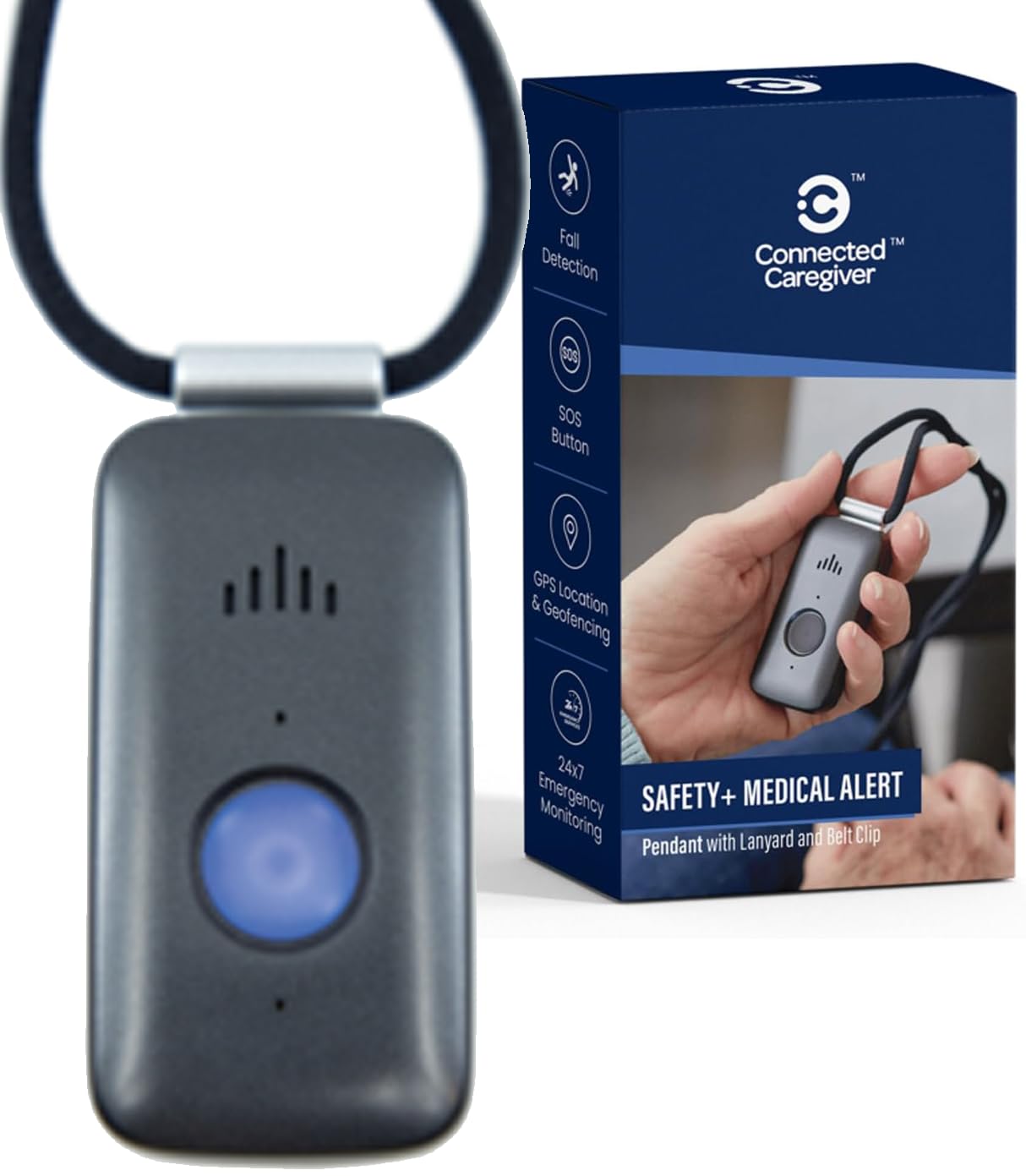
We recommend this system for caregivers who want GPS, fall detection, and emergency monitoring in one wearable device, but we suggest reviewing the service terms before activating it.
Pros
- GPS location and fall detection support
- Caregiver app with alerts and activity tracking
- Water-resistant design with a charging dock
Cons
- Requires a paid monitoring plan after the first month
- Some users report setup and service concerns
- Battery life may vary with regular use
We found the device simple to wear with either the lanyard or belt clip. Since it uses cellular service, the wearer does not need a smartphone. Activation requires a phone call, but the process should be manageable for most families.
The caregiver app adds useful tools for checking location, battery status, steps, and emergency alerts. We like that family members can join a Care Circle, which makes it easier to share updates without passing one account between several people.
Fall detection provides extra support, but caregivers should not treat it as guaranteed. We would still teach the wearer to press the help button after a fall whenever possible. The built-in speaker and microphone allow operators to speak with the wearer during an alert.
The device works at home and outdoors, and its water-resistant design supports use in the shower or rain. We would place it on the charger regularly, even though the manufacturer lists several days of battery life, because actual runtime can change with location and usage.
The included first month of service lowers the initial cost, but the ongoing plan costs $40 per month. We recommend reading the activation and cancellation terms carefully, since some customer reviews mention confusion about billing and contract requirements.
PILSAMAS Smart Caregiver Pager
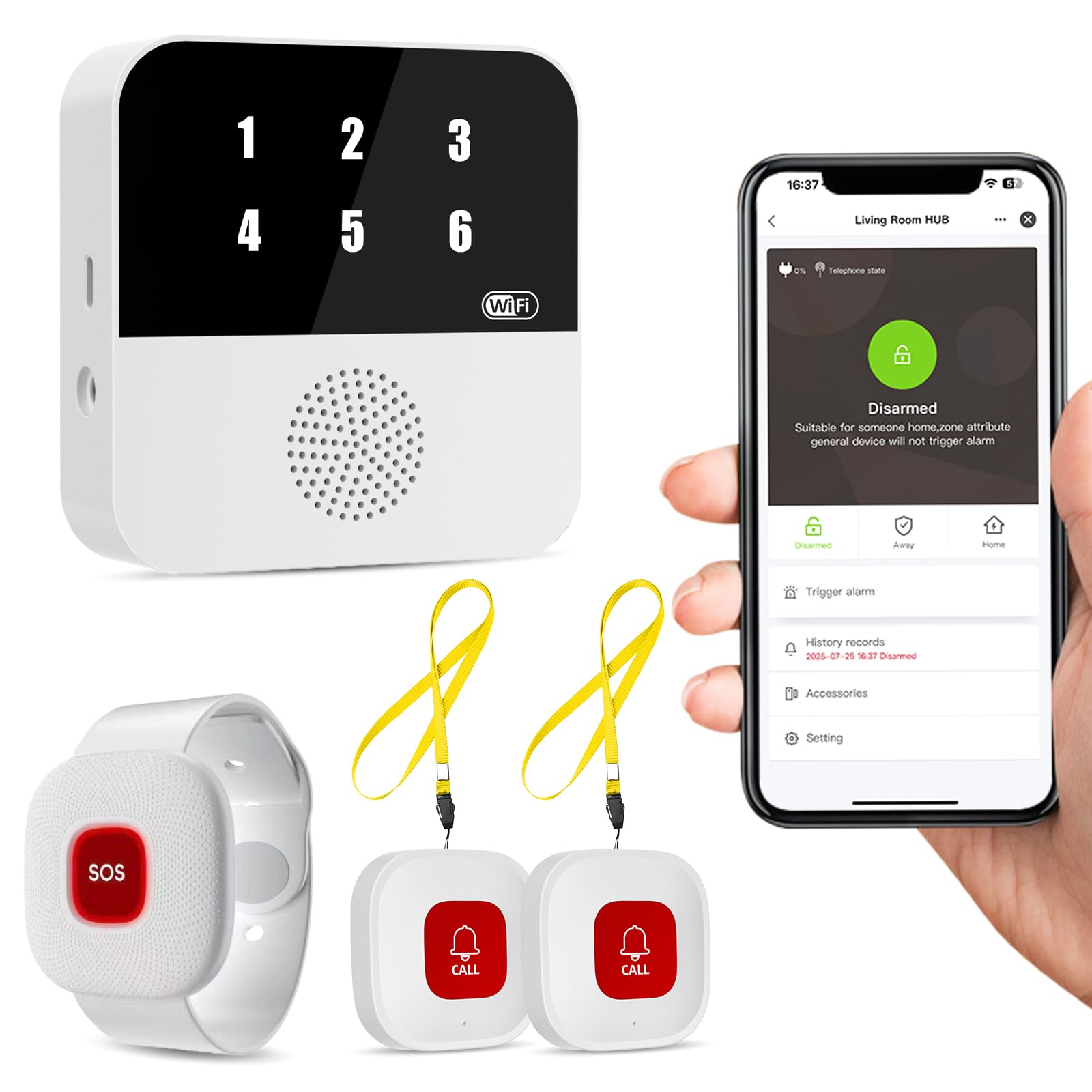
We recommend this system for caregivers who want local alerts and app notifications without a required monthly fee.
Pros
- Sends alerts through the hub and Wi-Fi app
- Includes two call buttons and a wearable wristband
- Waterproof design suits bathrooms and kitchens
Cons
- Uses 2.4 GHz Wi-Fi, not 5 GHz
- Some users report connection and pairing problems
- The wristband may need frequent charging
We found the setup straightforward because the buttons arrive paired with the hub. When someone presses a button, the hub shows its assigned number and sounds an alert. This helps us identify which person or room needs attention.
The system covers a reported range of up to 328 feet through walls, though actual results depend on the home’s layout. We could also name each button in the app, such as “Bedroom” or “Bathroom,” which made alerts easier to understand.
The IP65-rated buttons and wristband handle water exposure, so we could place them near sinks or showers. However, the wristband’s charging needs may create extra work for caregivers, especially when the user forgets to recharge it.
The free app provides alert history and lets family members share notifications. SMS, phone, and email alerts may require an optional plan, so we would confirm those costs before buying.
Buying Guide
We should match the system to the caregiver’s needs, living situation, and budget. Start by deciding whether the user needs protection at home, outside the home, or in both settings.
Key features to compare include:
- Connection type: Landline, cellular, or Wi-Fi service may affect coverage and reliability.
- Help button: Look for a button that feels comfortable and works from the needed range.
- Two-way communication: A built-in speaker and microphone let the user speak with a monitoring agent.
- Fall detection: This feature may detect some falls, but it may not detect every fall. Users should still press the help button when possible.
- GPS location: Mobile systems with GPS can help caregivers locate a user away from home.
- Battery life: Check how long the device lasts between charges and whether it provides low-battery alerts.
- Water resistance: A water-resistant device supports use in bathrooms and near sinks.
- Caregiver tools: Apps, call lists, activity alerts, and location sharing may make care coordination easier.
| Factor | What we should check |
|---|---|
| Monthly cost | Service fees, equipment charges, and activation costs |
| Support | Availability, response time, and support methods |
| Contract | Month-to-month terms, cancellation rules, and trial periods |
| Setup | Installation needs and ease of daily charging |
| Coverage | Cellular signal and location limits in common areas |
We should also read the privacy policy and ask how the service stores and shares personal or medical information. Before choosing, we can test the device in the places where the user spends the most time.
Editor’s Choice
We choose Bay Alarm Medical as our top pick for caregivers. It offers in-home and mobile systems, fall detection, GPS tracking, and 24/7 professional monitoring. Caregivers can also use the app to check device activity and receive alerts.
| Best for | Our pick | Key feature |
|---|---|---|
| Most caregivers | Bay Alarm Medical | Flexible home and mobile plans |
| Budget shoppers | Medical Guardian | Several equipment options |
| Caregivers who want app access | Aloe Care Health | Caregiver-focused app and sensors |
We recommend comparing monthly fees, equipment costs, activation charges, and cancellation terms before enrolling. Fall detection usually costs extra, and no device detects every fall.
For older adults who spend time away from home, we prefer a system with GPS location tracking, two-way voice communication, and a long battery life. For users who stay mostly at home, a base station with a wearable help button may provide enough coverage.
Conclusion
We should choose a medical alert system based on the user’s health needs, daily routine, and living situation. Key features include fall detection, GPS location tracking, two-way communication, and access to trained response agents.
Caregivers should also review monthly fees, equipment costs, battery life, and cellular coverage. A simple setup can support regular use, while automatic alerts and caregiver notifications may provide added support when the user cannot call for help.
Before we decide, we should check the cancellation policy, test the equipment, and confirm that the monitoring center operates at all needed times. The best system is one that the user can wear comfortably and use without confusion.
FAQS
What should we look for in a medical alert system?
We should compare fall detection, response time, coverage, battery life, and monthly costs. We also need to check whether the system works at home, outside, or both.
Do medical alert systems need a landline?
Many systems use a cellular network and do not need a landline or home internet. We should confirm that the provider has reliable service in the user’s area.
Can caregivers receive alerts?
Most systems let us add family members, friends, or professional caregivers as emergency contacts. Some also offer apps that show alerts, location, device status, and activity updates.
Is automatic fall detection reliable?
Fall detection can identify some hard falls, but it may miss others or trigger a false alert. We should treat it as an added safety feature, not a replacement for pressing the help button.
How much do medical alert systems cost?
Costs often include a monthly service fee and, in some cases, equipment or activation charges. We should review the contract, cancellation policy, replacement fees, and optional features before enrolling.
What happens when the user presses the help button?
The device connects the user with a trained response agent. The agent assesses the situation and contacts emergency services or the user’s chosen caregivers based on the person’s needs and care plan.
