
Microsoft vs Razer Webcam for Seniors: Which?


Reacher Grabber Tool

Button Hook Dressing Aid
Audiobook Player
Microsoft vs Razer webcam for seniors is mainly a choice between simple video calling and more advanced camera controls. Microsoft’s Modern Webcam is built around everyday conferencing, with 1080p video, autofocus, HDR, a 78° field of view, and a physical privacy shutter.
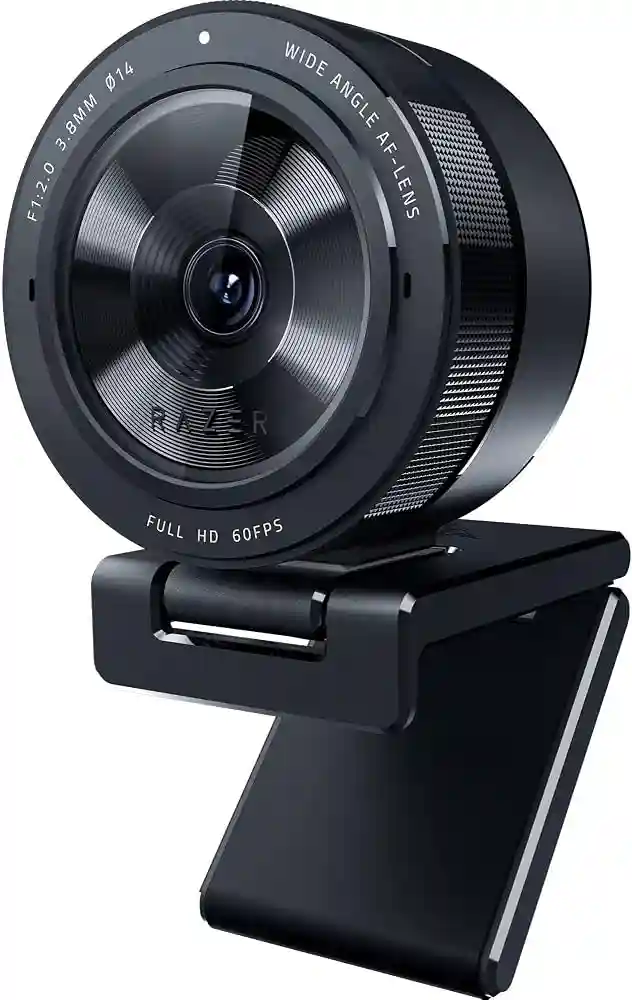
Razer offers several webcams, so the exact model matters. For this comparison, the Razer Kiyo X is used as the main Razer option because it is a direct 1080p webcam competitor. It offers autofocus, 1080p at 30 fps, 720p at 60 fps, and software controls through Razer Synapse.

Quick Comparison
For seniors who mainly want easy video calls, the Microsoft Modern Webcam has a simpler feature set and a physical privacy shutter. It is also Microsoft Teams certified and designed for straightforward plug-and-play use.
The Razer Kiyo X makes more sense for someone who wants more control over the camera image. Its autofocus and customizable settings can be useful, but those extra controls may matter less for a senior who simply wants to join calls without adjusting camera settings.
The key difference is simple: Microsoft focuses more on everyday conferencing, while Razer gives users more camera customization.
Microsoft vs Razer At a Glance
Here is a practical look at the two webcams using features that matter during everyday senior video calls.
| Feature | Microsoft Modern Webcam | Razer Kiyo X |
|---|---|---|
| Main use | Video calls and meetings | Video calls and streaming |
| Maximum video | 1080p at 30 fps | 1080p at 30 fps |
| Autofocus | Yes | Yes |
| Privacy shutter | Yes | No built-in shutter listed |
| Field of view | 78° | Not specified as a fixed FOV on the current product page |
| Mounting | Monitor, desk, tripod | Monitor, desk, tripod |
| Connection | USB-A | USB |
| Software controls | Microsoft Accessory Center | Razer Synapse |
| Senior-friendly strength | Simple conferencing setup | Autofocus and customization |
Microsoft’s published specifications list 1080p at 30 fps, HDR, auto exposure, auto white balance, anti-flicker, a 78° field of view, and an integrated privacy shutter. Razer lists 1080p at 30 fps, autofocus, customizable camera settings, and flexible mounting for the Kiyo X.
Microsoft Modern Webcam Review
The Microsoft Modern Webcam is aimed at people who want a straightforward webcam for meetings and calls. Its compact design and simple mounting system make it practical for a home computer setup.
Ease of Use
The webcam connects through USB-A and can be mounted on a display, desk, or tripod. Microsoft also provides a physical privacy shutter that slides over the lens.
For a senior who does not want to learn many camera settings, this simplicity can be useful. The webcam can handle exposure, white balance, and anti-flicker automatically.
Key Strengths
- 1080p video at up to 30 fps
- Autofocus
- HDR support
- 78° field of view
- Physical privacy shutter
- Microsoft Teams certification
- Flexible mounting
- Lightweight 88.3 g design
Potential Drawbacks
- Limited to 1080p at 30 fps
- USB-A may be less convenient on some newer computers
- Advanced camera customization is more limited
- The built-in microphone has received criticism in independent reviews
Razer Kiyo X Review
The Razer Kiyo X is designed with streaming as well as video calls in mind. It provides 1080p at 30 fps and 720p at 60 fps, along with autofocus and adjustable camera settings.
Ease of Use
The Kiyo X supports plug-and-play use and can be mounted on a monitor or desk. It can also be detached for tripod mounting.
The basic setup is not complicated. However, users who want to take advantage of brightness, contrast, saturation, and other controls will need to use Razer Synapse. That creates more flexibility but also adds another layer of software.
Key Strengths
- 1080p video at 30 fps
- 720p at 60 fps
- Fast autofocus
- Adjustable camera settings
- Flexible mounting
- Compact design
- Razer Synapse support
Potential Drawbacks
- More camera controls than many casual users need
- No physical privacy shutter is highlighted in Razer’s Kiyo X specifications
- Streaming-focused features may provide little benefit for simple family calls
- Software customization can add complexity
Which Is Easier for Seniors to Use?
For simple video calls, the Microsoft Modern Webcam has an advantage in straightforward operation. Its main controls are uncomplicated, and the physical privacy shutter is easy to understand.
The Razer Kiyo X is still easy to connect and mount. Its extra software controls become more useful when someone wants to adjust the image manually.
For seniors who want to plug in a camera and make calls, fewer settings can be a benefit. For seniors who enjoy adjusting their camera picture, Razer provides more flexibility.
Performance Comparison
Both webcams can provide Full HD 1080p video at 30 fps, which is suitable for normal video meetings and family calls. Microsoft adds HDR, auto exposure, auto white balance, and anti-flicker processing.
Razer’s Kiyo X focuses on autofocus and customizable image settings. It also supports 720p at 60 fps when smoother motion is more important than maximum resolution.
For normal conversations, the difference is less about resolution and more about how much control the user wants over the image.
Comfort, Accessibility, and Senior-Friendly Design
A webcam does not require much physical effort, so weight and mounting are more important than grip strength.
The Microsoft webcam weighs about 88.3 g and supports monitor, desk, and tripod mounting. This can make it easy to leave in one position.
The Razer Kiyo X also offers flexible mounting. Its compact design allows it to be stored or moved when needed.
The physical privacy shutter on the Microsoft is especially useful for anyone who prefers a visible, mechanical way to cover the camera.
Features Comparison
The two webcams take different approaches to features. Microsoft concentrates on conferencing, while Razer gives more attention to camera customization.
| Feature | Microsoft Modern Webcam | Razer Kiyo X |
|---|---|---|
| Autofocus | Yes | Yes |
| HDR | Yes | Not listed on Kiyo X product page |
| Privacy shutter | Yes | Not listed |
| Auto exposure | Yes | Camera settings can be customized |
| 1080p | Yes | Yes |
| 60 fps | No at 1080p | Yes at 720p |
| Software | Microsoft Accessory Center | Razer Synapse |
Microsoft’s documentation confirms the privacy shutter, mounting options, Teams certification, and Microsoft Accessory Center support. Razer confirms Synapse controls for brightness, contrast, saturation, and other camera settings.
Price, Maintenance, and Long-Term Value
Webcam prices can change by retailer, region, and availability, so a temporary listing price should not be treated as a permanent cost.
Both are USB webcams, so there is no rechargeable battery to maintain. The main long-term considerations are compatibility, cable condition, software support, and warranty coverage.
Microsoft lists a limited hardware warranty for the Modern Webcam, while Razer states that the Kiyo X comes with up to one year of warranty and access to technical support when purchased directly from Razer.
For value, the better choice depends on how much the user will actually use the extra Razer controls.
Who Should Choose Microsoft Modern Webcam?
- Choose Microsoft if the main goal is video calls.
- Choose it if a physical privacy shutter matters.
- Choose it if Microsoft Teams is used often.
- Choose it if automatic camera adjustments are preferred.
- Choose it if a lightweight webcam is useful.
- Choose it if the user wants fewer settings to manage.
Who Should Choose Razer Kiyo X?
- Choose Razer if image customization matters.
- Choose it if autofocus is important.
- Choose it if the webcam will also be used for streaming.
- Choose it if 720p at 60 fps is useful for smoother motion.
- Choose it if the user enjoys adjusting brightness, contrast, and saturation.
- Choose it if flexible mounting is important.
Microsoft vs Razer Webcam for Seniors — Final Verdict
For a senior who mainly needs a webcam for family calls, online meetings, or Microsoft Teams, the Microsoft Modern Webcam is the more straightforward choice. Its privacy shutter, automatic image features, lightweight design, and Teams certification fit that use case well.
The Razer Kiyo X is better suited to seniors who want more control over their camera or plan to use the webcam for streaming as well as calls. Its autofocus and Synapse controls provide more flexibility.
Scoring Summary
These scores are editorial assessments based on the documented features above, not laboratory test results.
| Category | Microsoft Modern Webcam | Razer Kiyo X |
|---|---|---|
| Ease of Use | 9/10 | 8/10 |
| Senior-Friendly Design | 9/10 | 8/10 |
| Video Performance | 8/10 | 8/10 |
| Customization | 7/10 | 9/10 |
| Privacy | 9/10 | 7/10 |
| Value | 8/10 | 8/10 |
How We Evaluate Products
This comparison focuses on practical factors that matter during everyday senior webcam use.
We consider setup, ease of operation, accessibility, video quality, privacy, mounting, maintenance, software requirements, and long-term practicality.
No laboratory testing or hands-on testing is claimed here. The comparison is based on manufacturer specifications, support documentation, and available independent product information.
Senior-Specific Buying Considerations
Before choosing a webcam, look at the way it will actually be used.
Setup
A simple USB connection can reduce setup work. Check whether the computer has the required USB port.
Controls
Think about whether the user wants automatic adjustments or prefers manual control.
Privacy
A physical shutter can make it simple to cover the lens when the camera is not being used.
Mounting
Check whether the webcam can sit securely on the monitor or laptop. A tripod option can help with alternative setups.
Microphone
If the webcam’s built-in microphone is not ideal for the user’s environment, a headset or separate microphone may provide better audio.
Common Buying Mistakes
- Choosing based only on resolution
- Ignoring the computer’s available USB ports
- Paying for advanced settings that will never be used
- Forgetting about camera privacy
- Assuming the built-in microphone will suit every room
- Ignoring how the webcam will be mounted
Safety
Webcams have few physical safety concerns, but privacy is worth considering.
Use the physical shutter on the Microsoft Modern Webcam when the camera is not needed. Microsoft specifically provides this shutter to cover the lens.
Keep the USB cable positioned so it does not create a snagging hazard around the desk or walking area.
Frequently Asked Questions
Is Microsoft or Razer easier for seniors?
The Microsoft Modern Webcam is generally simpler for seniors who mainly want video calls. The Razer Kiyo X provides more controls for users who want to customize the camera.
Does the Microsoft Modern Webcam have autofocus?
Yes. Microsoft Modern Webcam supports autofocus, along with automatic exposure and white balance.
Does the Razer Kiyo X support autofocus?
Yes. Razer lists fast autofocus as one of the Kiyo X’s main features.
Which webcam has a privacy shutter?
The Microsoft Modern Webcam has an integrated physical privacy shutter.
Is the Razer Kiyo X good for video calls?
Yes. Its 1080p video, autofocus, USB connection, and mounting options make it suitable for video calls as well as streaming.
Which is better for Microsoft Teams?
The Microsoft Modern Webcam has a clear advantage for Teams because Microsoft officially certifies it for Microsoft Teams.
Conclusion
Microsoft Modern Webcam and Razer Kiyo X can both handle everyday 1080p video calls, but they target slightly different users. Microsoft keeps the experience focused on straightforward conferencing, privacy, and automatic image adjustments.
Razer offers more control for users who want to customize their camera or use it for streaming. For a senior choosing mainly for family calls and online meetings, simplicity may matter more than having a long list of camera controls.