
Computer Glasses vs Reading Glasses for Seniors


Mattress Topper Memory Foam

Non-Slip Bathroom Mat

Heated Blanket
Computer Glasses vs Reading Glasses may look like a small choice, but the right pair can make screen and close-up tasks more comfortable. The main difference is the distance they are designed to help you see clearly.
Reading glasses are made mainly for close work, such as books, labels, and newspapers. Computer glasses are designed around the longer viewing distance used for a computer screen. That difference can matter for seniors who spend a lot of time at a desktop or laptop.
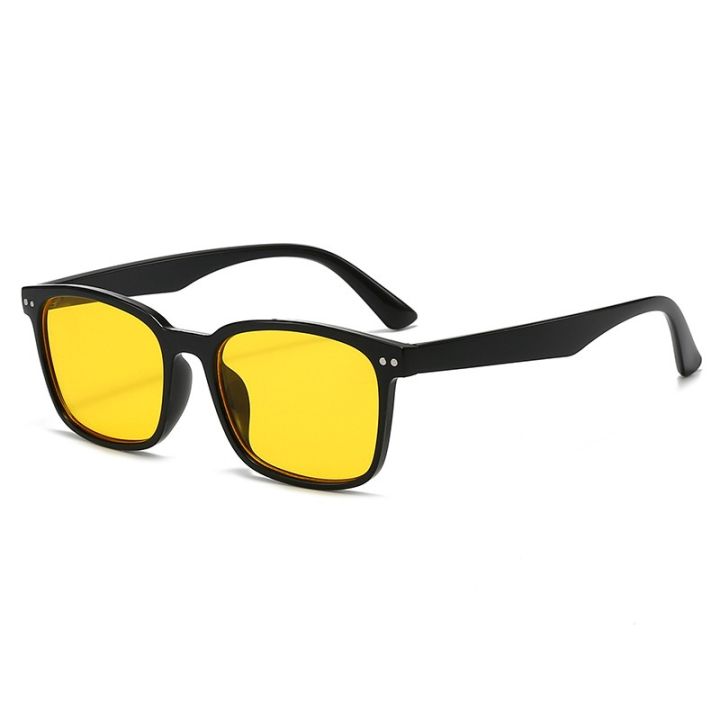
Quick Comparison
For simple close-up reading, reading glasses are usually the more direct choice. They can work well for books, printed instructions, and other near tasks.
Computer glasses may make more sense for someone who spends long periods looking at a screen. Computer work often uses an intermediate viewing distance that is different from normal reading distance.
The key point is simple: choose based on the main distance you use, not just the name printed on the glasses.
Computer Glasses vs Reading Glasses At a Glance
Both types can help with close work, but they are not designed for exactly the same viewing needs.
| Feature | Computer Glasses | Reading Glasses |
|---|---|---|
| Main use | Computer and screen work | Books and close reading |
| Typical viewing need | Intermediate | Near |
| Screen work | Often better suited | May be less suitable |
| Printed books | May work, depending on lens | Well suited |
| Prescription | Can be customized | OTC or prescription |
| Best for | Frequent computer users | Frequent readers |
Computer screens are often viewed farther away than books or phones. The American Optometric Association notes that computer work can involve viewing distances around 20–30 inches, so a general reading prescription may not provide the most efficient computer vision for everyone.
Computer Glasses Review for Seniors
Computer glasses are designed around the visual demands of screen work. Their main benefit is matching the lens power to the distance where the screen is used.
For a senior who works at a desk, manages email, shops online, or spends hours on a laptop, this can be useful.
Ease of Use
Computer glasses are simple to use once the prescription is correct.
The main advantage is that the lenses can be made for the user’s actual computer distance. This can reduce the need to lean forward or tilt the head to find a clear area through the lens.
A customized computer prescription can also take other vision needs into account. An eye examination can help determine the correct prescription for computer work.
Key Strengths
- Designed for computer viewing
- Useful for long periods of screen work
- Can be made to match a user’s working distance
- May provide more comfortable intermediate vision
- Can be prescribed for individual vision needs
Potential Drawbacks
- They may not be ideal for normal reading
- They are not automatically suitable for driving
- A separate pair may be needed for other distances
- Prescription computer glasses can cost more than basic readers
Computer glasses are therefore not simply stronger or weaker reading glasses. They are intended to address a different viewing distance.
Reading Glasses Review for Seniors
Reading glasses are made to help with close-up tasks. They are commonly used by people with presbyopia, an age-related change that makes near objects harder to see clearly.
They are widely available in different strengths, including inexpensive over-the-counter options.
Ease of Use
Reading glasses are very simple.
Put them on when reading a book, checking a label, or doing another close task. For many people, that simplicity is the biggest benefit.
Prescription reading glasses can also be made when a person needs correction for issues that basic readers do not address.
Key Strengths
- Simple to use
- Easy to find
- Often inexpensive
- Useful for books and printed material
- Available in many strengths
- Prescription versions can address individual vision needs
Potential Drawbacks
- A standard reading prescription may not suit computer distance
- OTC readers may not correct every vision problem
- They may need to be removed for distance viewing
- One strength may not work equally well for every task
The National Eye Institute notes that reading glasses can help with presbyopia, but regular eye exams are still important to make sure vision is being corrected properly.
Which Is Easier for Seniors to Use?
Ease depends on the task.
For reading a book, reading glasses are usually simpler because they are made for close work. For a desktop computer, computer glasses may be easier if their prescription is matched to the screen distance.
The most useful pair is the one that matches the distance you use most.
Computer work is different from reading a printed page. Screen position, glare, posture, and viewing distance can all affect comfort.
For seniors who switch between books and computers often, one pair may not provide the clearest view for every task.
Performance Comparison
The biggest performance difference is viewing distance.
Reading glasses are intended mainly for near vision. Computer glasses can be designed for intermediate vision, which can be useful for a monitor.
| Performance Area | Computer Glasses | Reading Glasses |
|---|---|---|
| Books | Good, depending on prescription | Excellent for near work |
| Desktop monitor | Often better suited | May require adjustment |
| Laptop | Good, depending on distance | May work at closer range |
| Phone | May be less suitable | Usually well suited |
| Near labels | May work | Well suited |
There is no single lens type that is perfect for every person. Presbyopia can occur alongside other refractive errors, such as nearsightedness or astigmatism.
Comfort, Accessibility, and Senior-Friendly Design
Comfort is not only about the frame. The lens prescription and working distance matter too.
A senior may have clear vision with reading glasses while holding a book close, but the same glasses may not be ideal for a monitor farther away.
Computer work can also lead to eye strain, headaches, blurred vision, dry eyes, and neck or shoulder discomfort. Poor lighting, glare, posture, and an unsuitable prescription can contribute to these symptoms.
For better comfort:
- Keep the screen at a comfortable distance.
- Reduce glare from windows and lights.
- Keep the screen slightly below eye level.
- Take regular breaks.
- Blink often when working on a screen.
The American Optometric Association recommends the 20-20-20 approach: every 20 minutes, look about 20 feet away for 20 seconds.
Features Comparison
The most useful feature is not always a coating or a special label. It is the lens design that fits the task.
| Feature | Computer Glasses | Reading Glasses |
|---|---|---|
| Near focus | Yes | Yes |
| Intermediate focus | Often a key purpose | Not the main purpose |
| Screen use | Strong use case | Depends on distance |
| Prescription options | Yes | Yes |
| OTC availability | Some options | Very common |
Some computer lenses may also use special lens designs, powers, or coatings intended to improve comfort during computer work. However, these features vary by lens and prescription.
Price, Maintenance, and Long-Term Value
Basic reading glasses are usually inexpensive and easy to replace. This makes them practical for people who mainly need help with close reading.
Computer glasses may cost more if they are prescription lenses made for a specific working distance.
| Cost Factor | Computer Glasses | Reading Glasses |
|---|---|---|
| Basic cost | Varies | Often low |
| Prescription option | Yes | Yes |
| OTC option | Available in some forms | Very common |
| Replacement | Depends on lens and frame | Usually simple |
| Long-term value | Good for frequent screen users | Good for frequent readers |
The better value depends on use. Buying inexpensive readers does not offer much value if they do not provide comfortable computer vision. Likewise, prescription computer glasses may be unnecessary if someone only reads a few pages each day.
Who Should Choose Computer Glasses?
Computer glasses may be a good fit for seniors who:
- Spend several hours a day at a computer.
- Use a desktop monitor at a fixed distance.
- Feel that normal readers are not ideal for screen work.
- Need clearer intermediate vision.
- Frequently work with documents and a screen at the same time.
- Want a prescription designed around their normal computer distance.
If screen use causes repeated discomfort or blurred vision, an eye exam can help determine whether an updated prescription or computer-specific lenses are appropriate.
Who Should Choose Reading Glasses?
Reading glasses may be a better fit for seniors who:
- Mainly read books and newspapers.
- Need help with labels or small print.
- Use a phone at a close distance.
- Want a simple and inexpensive option.
- Do not spend long periods at a computer.
For occasional reading, a basic pair can be convenient. However, regular eye exams remain important because not every vision problem can be corrected with simple OTC readers.
Computer Glasses vs Reading Glasses — Final Verdict
There is no universal winner because the two lens types solve different problems.
Best for frequent computer work: Computer glasses
Best for books and close reading: Reading glasses
Best for a fixed computer distance: Computer glasses
Best for simple near tasks: Reading glasses
Best value: Depends on the user’s main task
The most important question is: How far away is the object you need to see clearly?
If your main task is a book, reading glasses may be enough. If your main task is a monitor, computer-specific lenses may provide a better match.
Scoring Summary
A numerical score would be misleading here because these are different lens types rather than two directly competing products.
| Category | Computer Glasses | Reading Glasses |
|---|---|---|
| Computer work | Strong fit | Depends on distance |
| Close reading | Good | Strong fit |
| Simplicity | Good | Excellent |
| Customization | Strong | Varies |
| Best use | Intermediate work | Near work |
The better option depends on the user’s visual task and prescription needs.
How We Evaluate Products
For this comparison, the focus is on practical senior needs rather than brand claims.
The main factors are:
- Viewing distance
- Ease of use
- Visual comfort
- Prescription flexibility
- Everyday practicality
- Cost
- Maintenance
- Safety
This is a product comparison, not a clinical eye examination. Lens needs can differ from one person to another.
Senior-Specific Buying Considerations
Before choosing either type, think about how you use your glasses each day.
Viewing Distance
Measure where your monitor normally sits. Also think about how far you hold a book or phone.
Prescription
Do not assume that one OTC strength is right for every task. Astigmatism and other refractive errors may require prescription correction.
Screen Time
If you spend many hours at a computer, lens design is only one part of comfort. Screen position, lighting, glare, and breaks matter too.
Multiple Tasks
If you move often between reading, computer work, and distance viewing, ask an eye-care professional whether a multifocal or other lens design may better suit your routine. Multifocal lenses can provide correction for more than one viewing distance.
Common Buying Mistakes
Avoid these common mistakes when choosing between the two:
- Buying readers only because they are cheap.
- Assuming computer glasses are simply stronger readers.
- Ignoring the actual screen distance.
- Using one pair for every task without checking clarity.
- Ignoring repeated headaches or blurred vision.
- Choosing a lens strength without considering other vision problems.
- Skipping regular eye exams.
Safety
Glasses themselves are generally a simple vision-correction option, but persistent vision problems should not be ignored.
If you have ongoing blurred vision, headaches, eye discomfort, or trouble focusing even with glasses, an eye examination can help identify the cause. The National Eye Institute recommends regular eye exams to make sure vision is being corrected properly.
Computer glasses also should not be treated as a replacement for proper screen habits. Good lighting, reduced glare, suitable screen positioning, and regular breaks can all help reduce digital eye strain.
Conclusion
Computer glasses and reading glasses serve different everyday needs. Reading glasses are mainly designed for close tasks such as books, labels, and small print. Computer glasses can be designed around the longer viewing distance used for computer screens.
For seniors, the best choice depends on the task, viewing distance, and individual prescription. If you mostly read, reading glasses may be enough. If you spend long periods at a computer, computer-specific lenses may be worth discussing with an eye-care professional.