
10 Best Smart Door Locks for Caregivers: Secure, Convenient Options


Kindle E-Reader

Non-Slip Slippers
Bed Rail for Seniors
Smart door locks can give caregivers a safer, simpler way to enter a home without managing spare keys. These locks may support keypads, smartphone apps, temporary codes, remote access, and activity alerts, helping families coordinate visits and respond to changing care needs.
For caregivers, the best smart door locks combine reliable access, simple controls, strong security, and backup entry options. We also look for locks that work with the home’s existing deadbolt, offer long battery life, and remain useful if the internet or phone is unavailable. A clear keypad and easy-to-share access codes can matter more than advanced features.
We compared smart door locks with caregiver needs in mind, focusing on setup, daily use, security, and access control. Our recommendations highlight the models that make home entry more dependable for caregivers and the people they support.
Best Smart Door Locks for Caregivers
We selected the best smart door locks for caregivers based on access controls, ease of use, security features, and remote management. Our list includes options that can help families and caregivers enter a home safely without relying on shared keys.
Yamiry Smart Fingerprint Door Lock

We recommend this lock for caregivers who want several ways to provide access without handing out keys.
Pros
- Fingerprint, code, app, fob, and key entry
- Quick installation with basic tools
- Temporary codes and unlock records in the app
Cons
- Remote access requires a separate Wi-Fi gateway
- App features depend on Bluetooth or internet access
- Fingerprint entry may need occasional retries
We found the installation straightforward and suitable for many standard wooden doors. The adjustable latch and reversible handle make it easier to fit different door setups, which helps when replacing an existing lock.
The fingerprint reader and keypad give caregivers fast daily access. We could also use the app, fobs, or mechanical keys when a fingerprint did not work. This range of options helps family members, aides, and other trusted visitors use their preferred method.
The app lets us create ongoing or temporary access codes and review unlock activity. That can help us coordinate visits without sharing a permanent code. However, remote control and Alexa features require the separately sold Wi-Fi gateway, so we would include that added cost in our plans.
eufy Security FamiLock C32
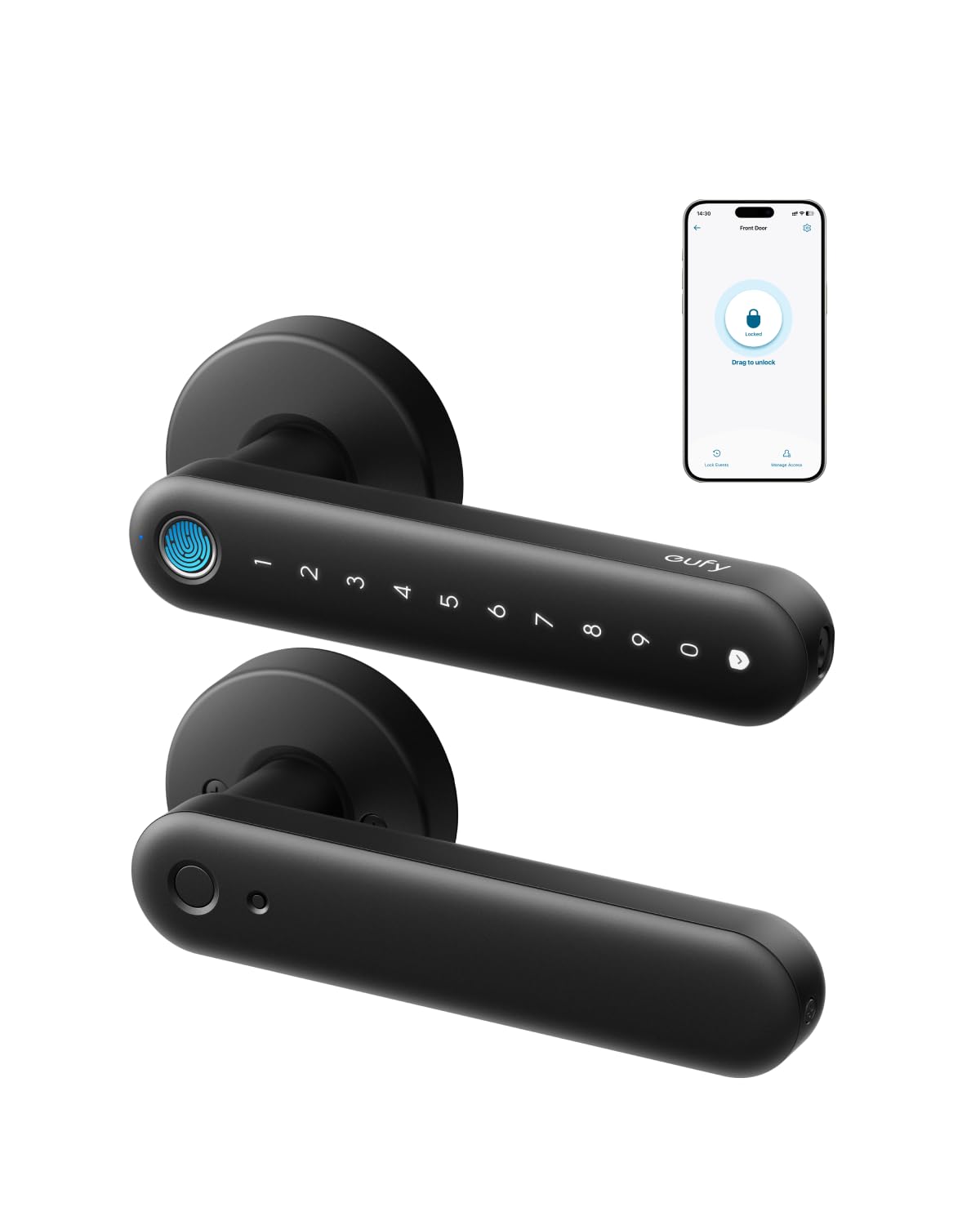
We recommend this lock for caregivers who need remote access and several simple ways to unlock interior doors.
Pros
- Fast fingerprint access for multiple users
- Built-in Wi-Fi supports remote controls and alerts
- Simple installation with app, PIN, key, and fingerprint access
Cons
- Designed for interior doors, not main entry doors
- Fingerprint performance may vary between users
- Some users report connection and reliability problems
We found the installation straightforward and completed it with basic tools. The lock fits standard interior doors, making it useful for bedrooms, offices, storage areas, and garage entries.
Fingerprint access worked well for quick entry, while the PIN and physical keys provided useful backups. Caregivers can also use the app to authorize access remotely instead of traveling to the home.
The built-in Wi-Fi adds convenience, but performance depends on a stable 2.4 GHz network. We also noted that fingerprint scanning may not work equally well for every person, especially children or users with worn fingerprints.
Four AA batteries should provide several months of use, and a USB-C power bank can help unlock the door during a low-battery situation. Because the lock does not support rekeying and is not recommended for front doors, we would use it mainly on interior doors where remote access matters.
Sifely Fingerprint Smart Lock

We recommend this lock for caregivers who need several simple ways to give trusted people home access.
Pros
- Fast fingerprint and keypad entry
- Supports temporary codes and access logs
- Simple installation on many standard doors
Cons
- Remote control requires the optional Wi-Fi gateway
- Some doors may need extra drilling or adjustments
- The lock may not support rekeying
We found the fingerprint reader quick and useful for daily entry. A keypad, app, key cards, fobs, and physical keys give caregivers several backup options when a fingerprint does not work.
The app helps us manage users and review entry records. Caregivers can create access for family members, aides, or repair workers without handing out a permanent key. Remote unlocking and Alexa or Google control require the separate Sifely Wi-Fi Gateway.
Installation felt straightforward on a compatible wood door, but door fit matters. Some users needed to enlarge holes or make adjustments, especially with less common door types. We also recommend checking the existing lock setup because the lock may not be rekeyable.
The lock includes auto-lock, a backlit keypad, and an anti-peeping password feature. Those tools can help older adults who forget to lock the door or have trouble carrying keys, but caregivers should keep the physical keys and a backup entry plan available.
Wyze Palm Lock

We recommend the Wyze Palm Lock for caregivers who need fast, touch-free entry and flexible access codes.
Pros
- Palm scanning offers quick, contactless entry.
- Remote controls and alerts help with access from anywhere.
- A backup battery, USB-C charging, keypad, and key provide several entry options.
Cons
- Palm scanning may take practice for some users.
- Installation requires careful alignment to prevent sticking.
- Caregivers must manage batteries, codes, and app access.
We found the palm reader convenient when our hands were full or dirty. It worked faster than many fingerprint locks we have used, though users need to hover their hand in the right position for a consistent scan.
The keypad makes this lock useful for home health workers, family members, and other visitors. We could create separate or temporary codes, while the anti-peep feature allowed extra numbers before or after the real code.
Remote status checks and notifications added useful oversight. We could confirm whether the door was locked and receive alerts, while auto-lock helped secure the door after someone closed it. We would still check the door’s alignment during installation because a tight or uneven deadbolt can affect performance.
The dual-battery design reduces the risk of a dead lockout, and the USB-C emergency charging port gives us another backup. Traditional keys remain available, but caregivers should keep them in a secure, accessible place.
Philips Wi-Fi Smart Deadbolt

We recommend this lock for caregivers who need flexible access, remote control, and clear entry alerts without adding a separate hub.
Pros
- Fingerprint, app, passcode, key, and voice unlocking
- Remote access and activity alerts through built-in Wi-Fi
- Supports temporary and scheduled codes
Cons
- Requires 2.4 GHz Wi-Fi and AA alkaline batteries
- Does not include a door-position sensor
- Installation depends on careful cable and latch placement
We found the Philips lock easy to install with a screwdriver, making it a practical replacement for many standard deadbolts. Its fingerprint reader gives regular users a quick way in, while the keypad helps caregivers enter without carrying a key.
The app lets us unlock the door remotely and review access activity. We could also create codes for family members, home aides, cleaners, or short-term visits. Scheduled and one-time codes reduce the need to share a permanent entry code.
Automatic locking can activate after 10 to 180 seconds, which helps when someone forgets to lock the door. However, the lock does not confirm whether the door itself remains open, so we still need to check the door manually.
Caregivers should confirm door thickness and Wi-Fi coverage before buying. The lock supports doors from 1⅜ to 2 inches thick, uses only 2.4 GHz Wi-Fi, and requires AA alkaline batteries, which are not included.
Philips 4200 WiFi Smart Lock
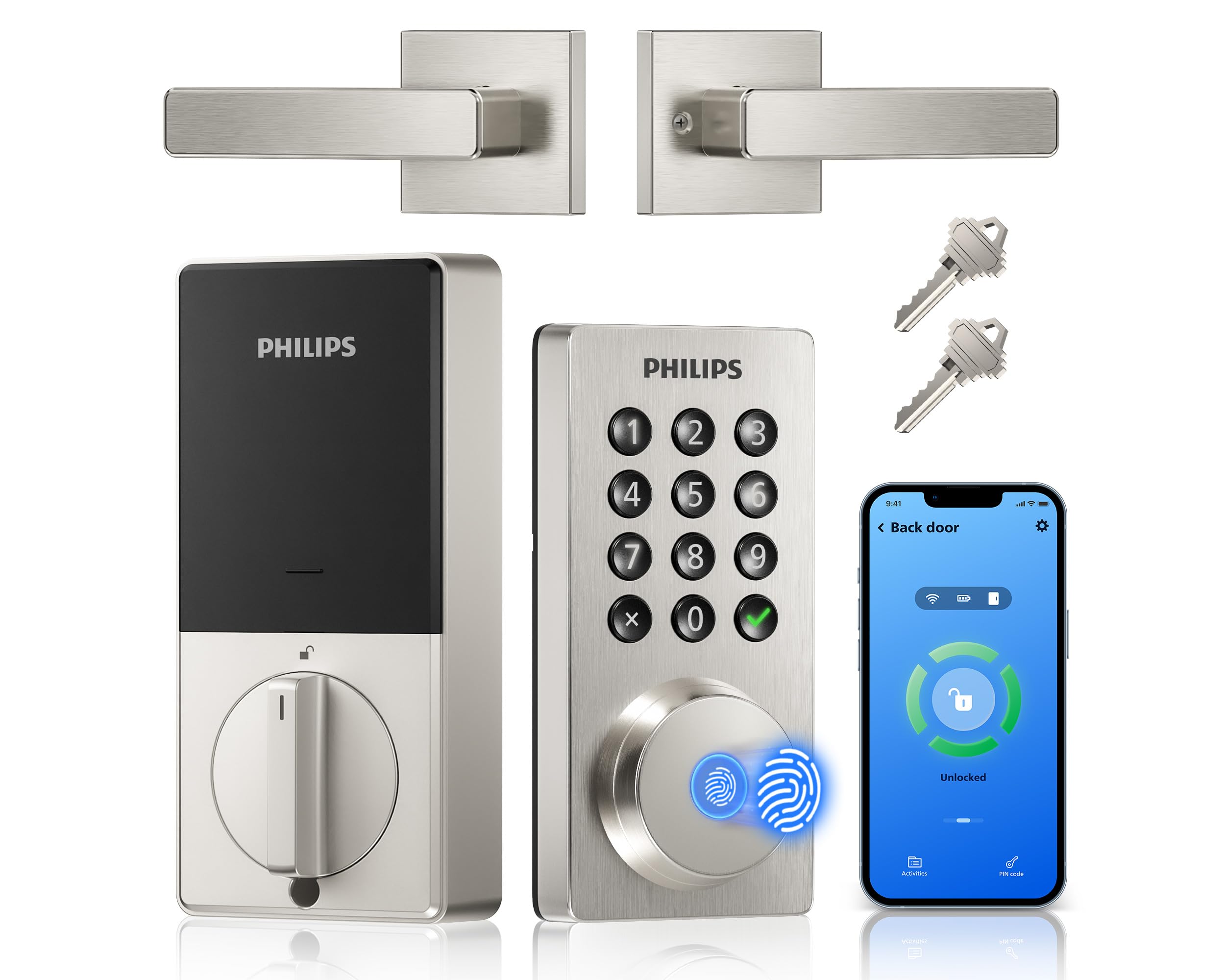
We recommend this lock for caregivers who need remote access, flexible codes, and quick fingerprint entry without adding a separate hub.
Pros
- Remote lock control and access alerts through the app
- Fingerprint entry and several types of PIN codes
- Matching handle set included
Cons
- Requires eight AA alkaline batteries, sold separately
- Needs a 2.4GHz WiFi network
- Door measurements must match before installation
We found the Philips 4200 useful for managing access from a distance. The app lets us lock or unlock the door, review access activity, and check the lock’s status. That can help when a caregiver needs to enter while we are away or when a family member forgets a code.
The fingerprint reader offers a fast option for approved users. We also liked the choice of permanent, temporary, recurring, and one-time codes. These options work well for family members, home health aides, housekeepers, or other trusted visitors.
Installation was straightforward with a screwdriver, and the included handle gave the door a finished look. We would measure the door first, since the lock fits doors from 1-3/8 to 1-3/4 inches thick. The lock also needs eight AA alkaline batteries, and some users reported short battery life with lower-quality batteries.
Auto-lock settings can help prevent an unlocked door, while Alexa and Google Assistant support adds hands-free control. We would still keep a backup entry plan and confirm that the lock connects properly to the home’s 2.4GHz network before relying on it for regular caregiver access.
Schlage Encode Smart WiFi Deadbolt

We recommend this lock for caregivers who need reliable remote access, temporary codes, and clear activity updates without adding a separate hub.
Pros
- Remote control through the Schlage Home app
- Supports many personal access codes
- Built-in alarm and automatic locking
Cons
- Battery life depends on use and Wi-Fi strength
- Some doors may need careful alignment or minor adjustment
- Setup can take longer if the existing deadbolt hole is tight
We found the app useful for caregiving because we could create separate codes for family members, aides, or repair workers. The lock history also helped us check whether someone entered, while remote access reduced the need to hand out physical keys.
Installation was simple with a screwdriver, but door alignment mattered. On some doors, the bolt did not move smoothly until we adjusted the strike plate. The Snap ‘n Stay design helped hold the lock in place during installation.
The touchscreen responded well, and the one-touch lock feature made it easy to secure the door when leaving. Auto-lock added another layer of convenience, though we would choose the delay carefully so it does not lock someone out unexpectedly.
The built-in Wi-Fi means caregivers can manage the lock without buying a separate hub. We would still check the battery indicator regularly, especially in a home where the lock sees frequent daily use. Alexa and Google Home support provide added convenience, but the app remains the better choice for managing access codes.
Yamiry Fingerprint Smart Lock

We recommend this lock for caregivers who need several simple entry options, but remote access requires a separate Wi-Fi gateway.
Pros
- Fingerprint, code, key fob, app, and physical key access
- Easy setup with a screwdriver on many standard doors
- Stores multiple user credentials for family or caregivers
Cons
- Remote control needs an extra Wi-Fi gateway
- Fit may require door or strike-plate adjustments
- Bluetooth connection may be unreliable for some users
We found the fingerprint reader quick and useful when our hands were full. Caregivers can also assign codes or fobs, giving trusted people access without handing out physical keys.
Installation was straightforward on a compatible door, though we would check the latch and strike-plate alignment first. Some users needed to make small adjustments for a proper fit.
The lock offers helpful backup options if a fingerprint fails. We liked having a keypad and physical keys available, but reports of Bluetooth dropouts make the key or code important for emergencies.
The app handles local Bluetooth control, while remote access requires the optional gateway. We would choose this model for a nearby caregiver who needs flexible entry, not for households that depend entirely on remote unlocking.
eufy FamiLock S3 Max
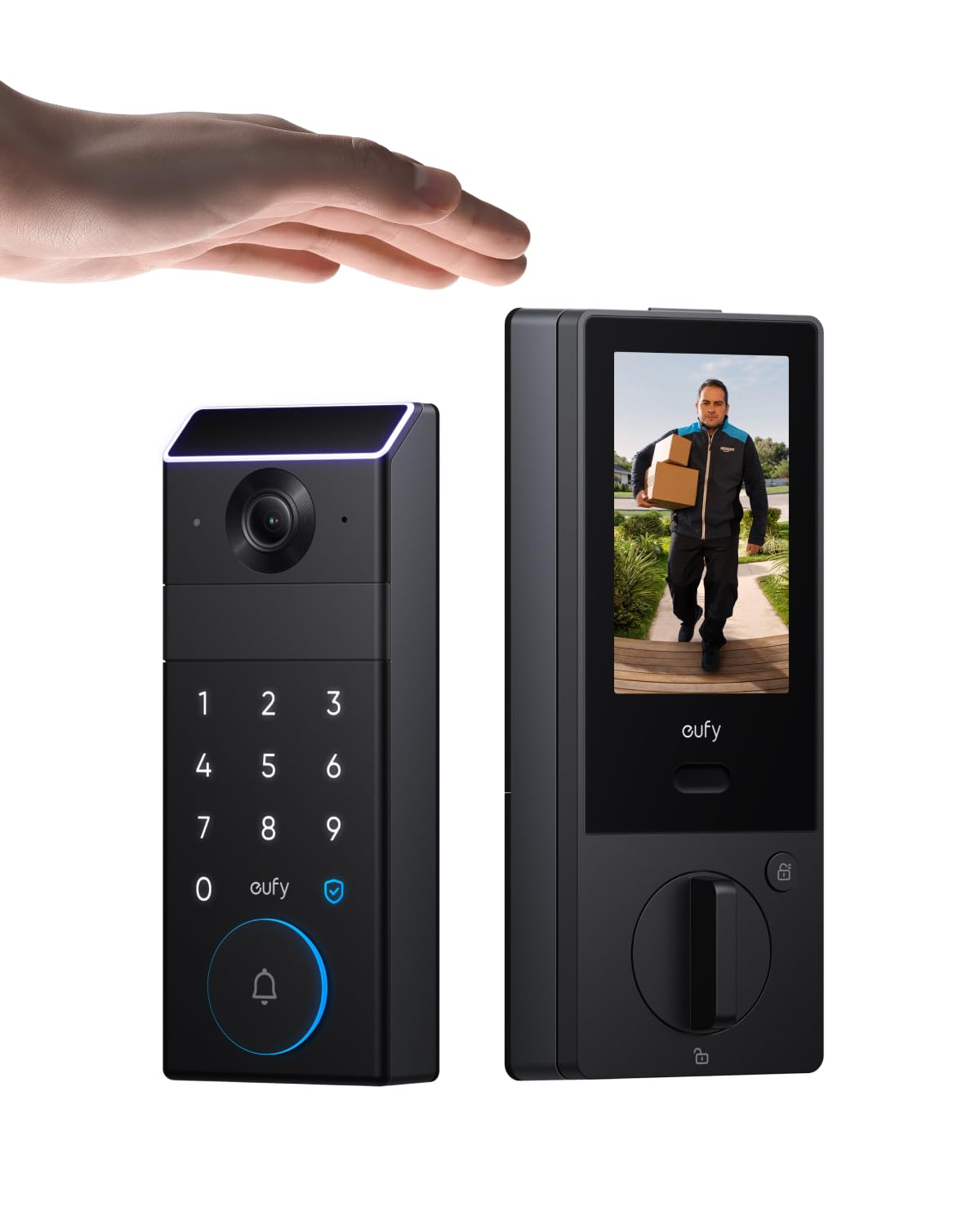
We recommend this lock for caregivers who want remote access, a built-in doorbell camera, and a simple indoor screen in one device.
Pros
- Palm, keypad, app, and physical-key entry
- Clear 2K video with a wide viewing angle
- Rear screen helps users check the door without a phone
Cons
- Large unit may not fit every door
- Camera features require the eufy app
- Some setup may require a 2.4 GHz Wi-Fi network
We found the FamiLock S3 Max useful for caregiving because we could unlock the door remotely and check visitors from the app. Caregivers can also create entry codes for family members or support workers instead of sharing a physical key.
The palm-vein reader worked quickly during testing, but a keypad or phone may feel easier for some users. The indoor screen adds another helpful option, especially for older adults who prefer not to use a smartphone.
Its built-in camera showed a broad view of the entrance and provided visitor alerts. The rechargeable battery reduces routine maintenance, while the backup AAA batteries and physical keys provide alternatives if the main battery runs low.
We should note that the lock combines several features in one large assembly, so installation may take time on some doors. We also found that full camera access depends on the eufy app, even though the lock supports Matter and several smart-home platforms.
SwitchBot Lock Vision
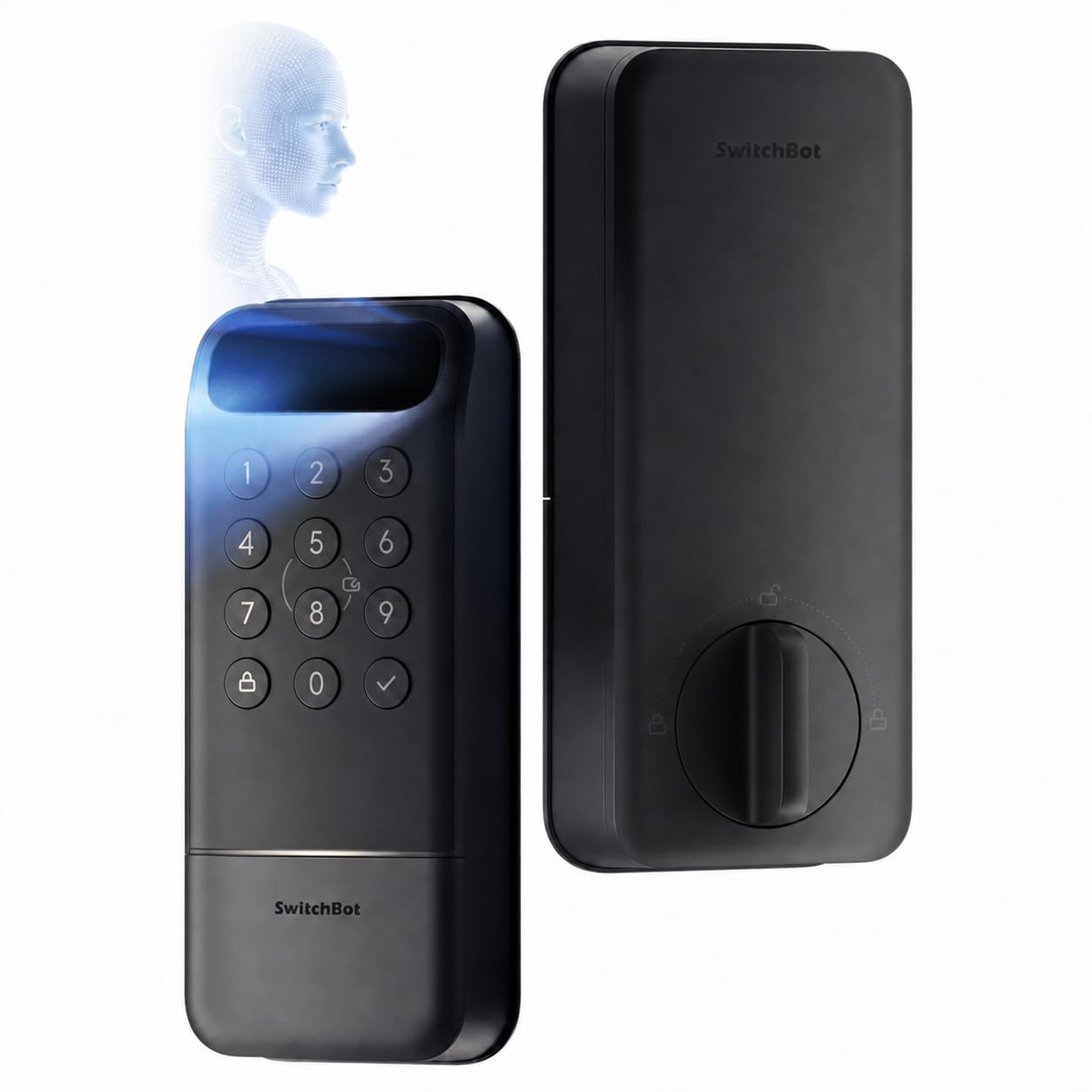
We recommend this lock for caregivers who want quick, remote access without buying a separate hub.
Pros
- Face unlock keeps hands free while carrying items.
- Supports timed, temporary, and emergency access codes.
- Offers battery backup and USB-C emergency power.
Cons
- Face recognition may not suit every household.
- Installation requires a compatible deadbolt.
- The product has limited customer review history.
We found the hands-free entry useful when carrying groceries or helping someone at the door. The lock recognizes an approved face quickly, and it can work in low light. Caregivers can also use the app, a PIN, an NFC card, or a physical key.
Remote access adds practical value. We could create a timed code for a home health aide, send a one-time code to a visitor, and check the lock status from the app. The built-in Wi-Fi removes the need for a separate bridge, while Matter support helps it work with Apple Home, Alexa, Google Home, and Home Assistant.
Battery planning is another strong point. The main rechargeable battery can last for months, and the backup battery can provide emergency access if the main battery runs out. We would still keep a USB-C power bank available and enable low-battery alerts.
Before ordering, we would measure the existing deadbolt and door thickness. A compatible door should have a 1.50- or 2.13-inch cross bore, a 1.38- to 2.17-inch thickness, and a 2.36- or 2.76-inch backset. The installation uses a Phillips screwdriver, but fit matters.
Buying Guide
We should start by identifying the caregiver’s main needs. Consider remote access, temporary codes, activity alerts, and easy operation for people who may have limited mobility, memory, or vision.
| Feature | What to check |
|---|---|
| Access control | Look for unique codes, scheduled access, and the ability to remove users quickly. |
| Remote management | Choose a lock that lets us lock, unlock, and review activity from a secure app. |
| Power | Check battery life, low-battery warnings, and emergency power options. |
| Installation | Confirm that it fits the existing door and works with the current deadbolt or latch. |
| Connectivity | Review Wi-Fi, Bluetooth, or hub requirements before buying. |
| Safety | Look for encryption, two-factor authentication, and automatic locking settings. |
We should choose a model with a simple keypad or another access method that suits the resident. A physical key backup can provide another option during app, battery, or network problems.
We also need to check privacy controls. Each caregiver should receive an individual account or code instead of sharing one login, and we should review how the device stores and displays entry records.
Before purchase, we should confirm compatibility with the door, smartphone, and home network. We should also review the return policy, warranty, support hours, and replacement battery costs.
Editor’s Choice
We choose the Schlage Encode Plus as our top smart lock for caregivers. It supports remote locking and unlocking through the Schlage app, while its keypad lets approved users enter without carrying a key or phone.
Caregivers can receive individual access codes and remove them when care ends. We also value its activity history, which helps families check when someone entered or left.
| Feature | Why it helps caregivers |
|---|---|
| Keypad entry | Supports key-free access |
| Remote control | Lets us manage access from anywhere |
| Unique codes | Helps identify each approved user |
| Activity log | Shows lock and entry events |
| Built-in alarm | Warns us about possible tampering |
The lock requires compatible Wi-Fi for remote features and works with select smart-home platforms. We should confirm door fit, phone compatibility, and local emergency procedures before installation.
For older adults, we recommend keeping a physical key available as a backup. We should also explain the keypad clearly and choose a code that the resident can remember but strangers cannot easily guess.
Conclusion
We should choose a smart door lock based on the caregiver’s access needs, the resident’s comfort, and the home’s existing door hardware. Key features include remote access, temporary codes, activity alerts, and reliable backup entry.
A lock with a mobile app can help us grant or remove access without visiting the home. Keypad codes can also make entry easier for caregivers who do not want to carry keys. We should use separate codes for each person when the lock supports them.
Before buying, we should check the door’s lock type, Wi-Fi or Bluetooth needs, battery life, and compatibility with the resident’s phone. A simple setup matters, especially when several people need access.
We should also create a backup plan. Keep a physical key, emergency code, or other approved entry method available, and review access codes regularly. These steps help us support safe, reliable home access while protecting the resident’s privacy.
FAQS
Can caregivers unlock the door remotely?
Yes. Many smart locks let us lock or unlock the door through a mobile app. We should choose a model with reliable internet access and clear activity alerts.
Can we create separate access codes?
Most keypad locks allow us to create unique codes for family members, nurses, and other trusted visitors. We can delete or change a code when access is no longer needed.
What happens if the power or Wi-Fi fails?
Many locks still work with a physical key, keypad, or Bluetooth connection. We should check the backup options before buying and keep fresh batteries available.
Can a smart lock help track visits?
Some models record when users enter or leave. This log can help us confirm visits, but we should review privacy settings and follow local privacy rules.
Are smart locks safe for older adults?
They can improve access and reduce the need to handle keys. We should select a lock with simple controls, strong security features, and a manual backup method.
Will the lock fit an existing door?
Not every smart lock fits every door. We should measure the existing deadbolt, check the door’s condition, and confirm compatibility before ordering.
Do we need a subscription?
Basic locking and code features often work without a subscription. Some brands charge extra for advanced alerts, video features, or professional monitoring.