
Ring vs Eufy Security Camera for Seniors: Which?


Electric Kettle with Auto Shutoff

Voice Assistant Smart Speaker

Non-Slip Bathroom Mat
Ring vs Eufy security camera for seniors is mainly a choice between two different security styles. Ring focuses on cloud services, Alexa, and a broad security system. Eufy focuses more on local storage, flexible cameras, and less reliance on monthly fees.
For older adults, the key question is not only video quality. Setup, app use, alerts, storage, maintenance, and ongoing costs can matter just as much. The right choice depends on how much simplicity and hands-on control the user wants.
Quick Comparison
Eufy may suit seniors who want local storage and fewer recurring costs. Ring may suit seniors or caregivers who already use Alexa or want a wider security system with cameras, alarms, and optional professional monitoring.
The biggest difference is simple: Eufy often puts more emphasis on local storage, while Ring puts more emphasis on its cloud-based security ecosystem.
Ring vs Eufy At a Glance
Both brands offer indoor and outdoor cameras. However, their storage and wider security features are quite different.
| Feature | Ring | Eufy |
|---|---|---|
| Main focus | Cloud security ecosystem | Local-first camera ecosystem |
| Camera range | Indoor, outdoor, spotlight, floodlight | Indoor, outdoor, solar, floodlight |
| Local storage | Limited by model/service | Available on many models |
| Monthly fee | Often needed for recorded history | Many models work without a subscription |
| Smart home | Strong Alexa integration | Alexa, Google, and some model-dependent support |
| Alarm system | Ring Alarm available | More camera-focused |
| Professional monitoring | Available with eligible plans | Not a core feature |
| Best fit | Alexa and full-system users | No-fee and local-storage users |
Ring’s current camera range includes Indoor Cam, Outdoor Cam, Spotlight Cam, and Floodlight Cam models. Eufy’s range includes cameras such as the SoloCam S340, with model-specific storage and features.
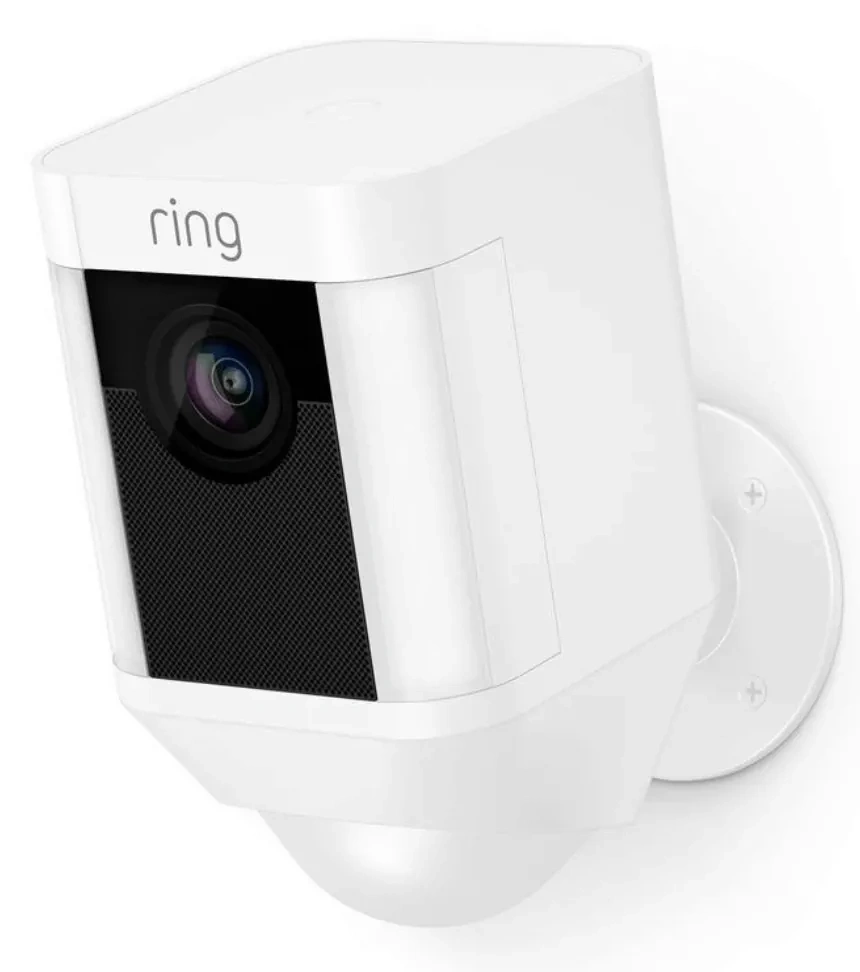
Ring Security Camera Review for Seniors
Ring offers a large camera range and a mature security app. It can be useful for a senior who wants cameras to work with other Ring security products.
Ease of Use
Ring cameras are designed around app-based control. The current range includes indoor and outdoor models, with different power choices such as battery, plug-in, wired, and solar options.
For seniors, choosing the right power type is important. A battery camera can avoid wiring work, but it may require charging. A wired camera can reduce charging tasks but may need more installation work.
Ring can also be a practical choice when a caregiver already knows the Ring system. A familiar app can make remote help easier.
Key Strengths
- Wide range of indoor and outdoor cameras
- Strong Alexa integration
- Ring Alarm integration
- Optional professional monitoring
- Many mounting and power choices
- Well-developed security ecosystem
Potential Drawbacks
- Recorded video can require a paid plan
- Cloud-based storage adds an ongoing cost
- Some advanced features depend on the selected plan
- The large product range can make model selection confusing
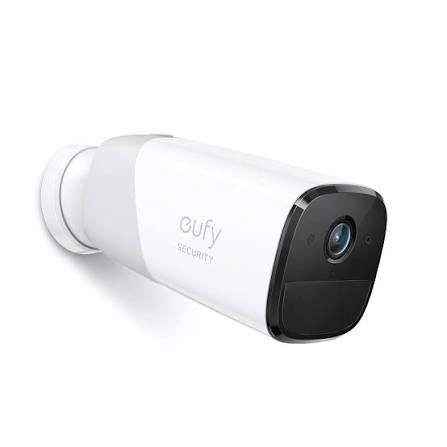
Eufy Security Camera Review for Seniors
Eufy takes a different approach. Many Eufy cameras support local storage, which can reduce the need for a monthly subscription. Exact storage options still vary by model.
Ease of Use
Eufy can be attractive to seniors who want a camera system that does not depend on a monthly recording plan.
Some models are also designed for flexible placement. For example, the SoloCam S340 supports outdoor use and solar installation options. It uses two cameras and offers 3K wide-angle video with a 2K telephoto lens.
The trade-off is that local storage can require more setup or hardware knowledge, depending on the model.
Key Strengths
- Local-storage options
- Many cameras can work without a required subscription
- Strong focus on camera features
- Solar-powered options on selected models
- Good choice for multi-camera users who want lower recurring costs
Potential Drawbacks
- Features vary widely between models
- Some setups may involve HomeBase hardware
- The wider security system is less straightforward than Ring Alarm
- Local storage requires the user to understand where footage is stored
Which Is Easier for Seniors to Use?
There is no single answer for every senior.
Ring may be easier for someone who already uses Alexa or other Ring products. Its ecosystem can reduce the need to learn several different systems.
Eufy may be easier for someone who mainly wants cameras without adding a monthly recording plan. However, the exact setup depends heavily on the Eufy model.
For a senior with limited technical confidence, a caregiver-assisted setup can make either option much easier.
Performance Comparison
Both brands offer different camera models, so performance should be compared by model rather than brand alone.
Ring’s current lineup includes standard outdoor cameras as well as newer Retinal 2K and Retinal 4K models.
Eufy also offers high-resolution models. The SoloCam S340, for example, combines a 3K wide-angle camera with a 2K telephoto camera and hybrid zoom.
| Performance Area | Ring | Eufy |
|---|---|---|
| Video quality | Varies by model | Varies by model |
| Night viewing | Available on many models | Available on many models |
| Motion alerts | Available | Available |
| AI detection | Model and plan dependent | Model dependent |
| Local recording | Limited/model dependent | Available on many models |
| Outdoor choices | Extensive | Extensive |
Do not assume every Ring or Eufy camera has the same resolution, storage, or AI features. Check the exact model before buying.
Comfort, Accessibility, and Senior-Friendly Design
For seniors, the easiest camera is often the one that needs the least physical attention.
Battery models can reduce wiring work but create a charging task. Wired models can reduce charging but may need installation.
A caregiver may also prefer a system that is easy to access remotely. Ring can make sense when the household already uses Alexa and Ring devices. Eufy can make sense when reducing recurring fees and keeping storage local are bigger priorities.
Large installation jobs should not be treated as a simple app setup. If drilling, ladder work, or electrical wiring is needed, getting help is safer.
Features Comparison
The most important differences are storage, subscriptions, smart-home support, and security-system integration.
| Feature | Ring | Eufy |
|---|---|---|
| Local storage | Limited | Available on many models |
| Cloud storage | Core part of the ecosystem | Optional on many setups |
| Alexa | Strong integration | Supported on selected devices |
| Google Home | More limited | Supported on selected devices |
| Alarm ecosystem | Ring Alarm | More camera-focused |
| Professional monitoring | Available | Not a core offering |
| Solar cameras | Selected models | Selected models |
Ring’s advantage is its broader security ecosystem. Eufy’s advantage is the flexibility offered by local-storage camera systems.
Price, Maintenance, and Long-Term Value
The purchase price can change often, so it is better to look at total ownership cost.
Ring can have a lower upfront camera price, but recorded video and other services may add recurring costs. Eufy often allows local recording without a required monthly subscription on supported models.
| Cost Factor | Ring | Eufy |
|---|---|---|
| Camera cost | Model dependent | Model dependent |
| Recording cost | Plan may be needed | Often no required plan |
| Storage hardware | Cloud-focused | Local storage options |
| Battery maintenance | Model dependent | Model dependent |
| Long-term cost | Can rise with subscriptions | Often lower without cloud plans |
For a senior on a fixed budget, recurring fees deserve as much attention as the initial camera price.
Who Should Choose Ring?
Choose Ring if:
- You already use Alexa or Ring devices.
- You want cameras plus a wider alarm system.
- Professional monitoring is important.
- You prefer cloud-based video storage.
- A caregiver already knows the Ring app.
- You want a broad selection of camera types.
Who Should Choose Eufy?
Choose Eufy if:
- You want local storage.
- You want to avoid a required monthly recording fee.
- You prefer owning your storage hardware.
- You want flexible camera choices.
- Solar camera options appeal to you.
- Long-term recurring costs are a major concern.
Ring vs Eufy Security Camera — Final Verdict
Ring and Eufy are not identical systems, so the better choice depends on the user’s priorities.
Best for a broader security ecosystem: Ring
Best for local-storage users: Eufy
Best for avoiding recurring recording fees: Eufy
Best for Alexa-focused homes: Ring
Best for professional monitoring: Ring
Best for a camera-first setup: Eufy
These are category-specific differences, not a universal winner. A senior who wants simple Alexa integration and a complete alarm system may prefer Ring. Someone who mainly wants cameras without a required monthly recording plan may prefer Eufy.
Scoring Summary
Scores are not used here because the two brands offer many different camera models. A brand-level score could hide important differences between individual cameras.
Instead, compare the exact models you plan to install.
How We Evaluate Products
This comparison focuses on factors that can affect everyday senior use:
- Ease of setup
- App simplicity
- Accessibility
- Alert management
- Storage
- Maintenance
- Security features
- Ongoing cost
- Smart-home compatibility
- Long-term practicality
The comparison does not claim hands-on testing or laboratory testing.
Senior-Specific Buying Considerations
Setup
Check whether the camera needs drilling, wiring, a hub, or Wi-Fi configuration.
Controls
Make sure the app is easy for the user or caregiver to understand.
Maintenance
Battery cameras may need charging. Local-storage systems may require storage management.
Alerts
Too many alerts can become annoying. Check which motion and detection settings are available.
Storage
Decide whether you prefer cloud recording or local storage before choosing a camera.
Caregiver Access
If a family member will help manage the camera, check whether the system supports the required account and sharing features.
Common Buying Mistakes
- Choosing a brand without checking the exact camera model
- Looking only at the camera price
- Forgetting subscription costs
- Ignoring battery maintenance
- Assuming every model has local storage
- Buying advanced features that the user will not use
Safety
Security cameras involve both physical and digital safety.
If installation requires ladders, drilling, or electrical work, consider getting help rather than taking unnecessary risks.
Also check the camera’s privacy settings. Avoid pointing cameras into areas where recording other people could create privacy concerns. Local laws and rules can vary by location.
Frequently Asked Questions
Does Eufy require a subscription?
Many Eufy camera models can provide core recording through local storage without a required monthly subscription. The exact setup depends on the camera.
Does Ring require a subscription?
Ring cameras can provide live viewing and other basic functions without a plan, but recorded video history and some advanced features can require a Ring subscription.
Which is easier for a senior?
It depends on the setup. Ring may be easier for an Alexa or Ring household, while Eufy may appeal to someone who wants a simpler camera-only system without recurring recording fees.
Which has better local storage?
Eufy has a stronger local-storage focus, although storage options vary by model. Ring is more cloud-focused.
Is Ring better for caregivers?
Ring can be useful for caregivers when the household already uses Ring Alarm, Alexa, or other Ring devices. Its broader ecosystem can make it easier to manage several security products together.
Should seniors buy a battery or wired camera?
A battery model can reduce installation work but needs charging. A wired model may need more installation but can reduce battery maintenance. The best choice depends on the camera location and the user’s ability to manage it.
Conclusion
Ring and Eufy take different approaches to home security. Ring is built around a broader cloud-connected security ecosystem, while Eufy puts more emphasis on local storage and reducing recurring camera costs.
For seniors, the most important step is to choose the exact camera based on setup, storage, alerts, maintenance, and caregiver needs. A simple system that the user can manage confidently is often more useful than a camera packed with features they will never use.
