
10 Best Video Doorbells 2026: Top Smart Security Picks


Portable Wheelchair

Upright Walker

Toilet Safety Rails
Video doorbells combine a doorbell, camera, speaker, and motion sensor in one device. They let us see who is outside, speak with visitors, and receive alerts when someone approaches. Some models connect to existing doorbell wiring, while others run on rechargeable batteries.
The best video doorbells provide clear video, reliable motion alerts, useful night vision, and simple controls without requiring a costly subscription. When comparing models, we pay close attention to video quality, viewing angle, response time, battery life, weather resistance, smart-home compatibility, and how each company stores video. Privacy features and installation requirements also matter, especially for renters or homes with limited wiring.
We tested and researched video doorbells to find the models that deliver dependable security, useful features, and good value for different homes.
Best Video Doorbells 2026
We tested and compared leading video doorbells based on video quality, smart features, installation, reliability, and value. Our list highlights the best options for different homes, budgets, and security needs.
Mamerry No-Drill Doorbell Mount
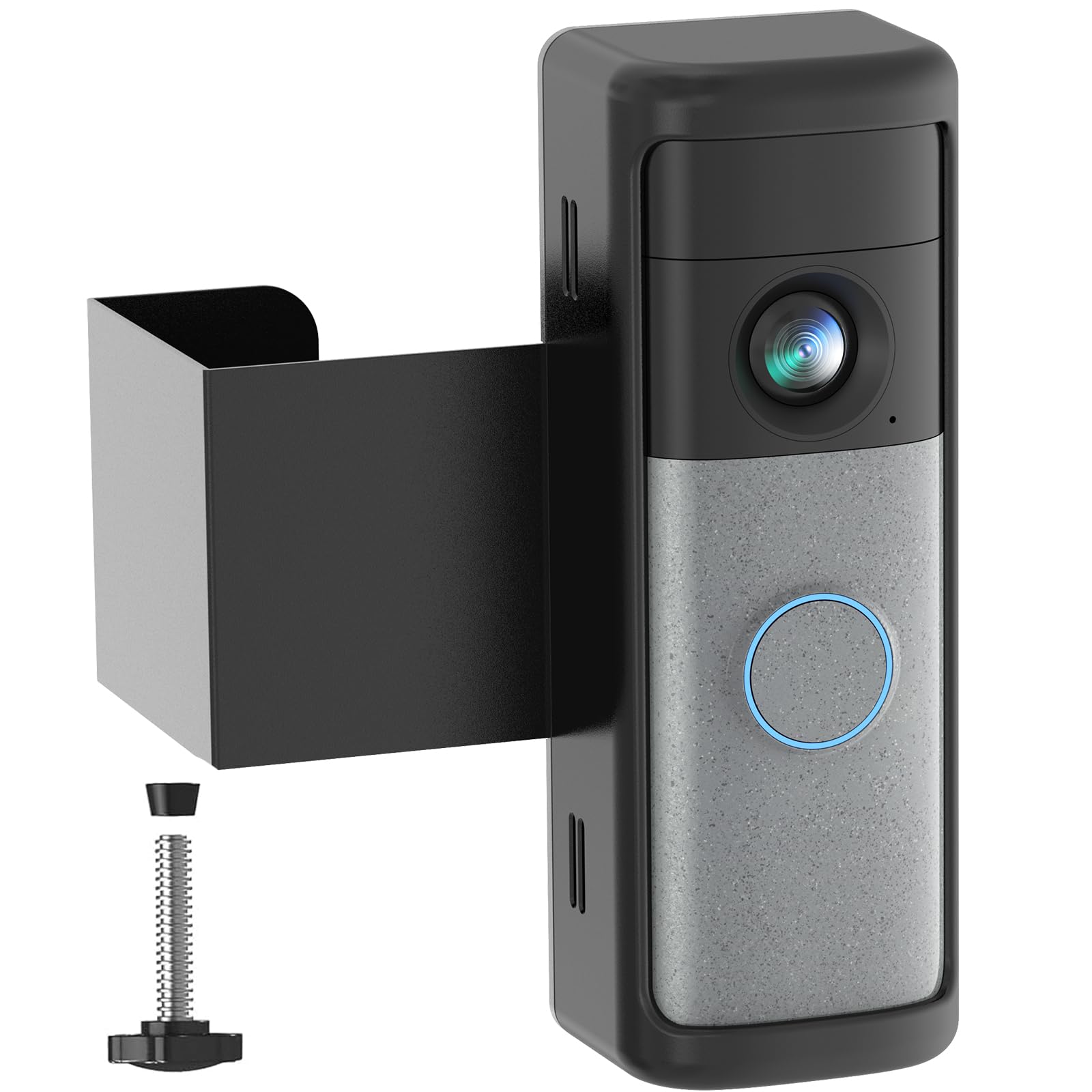
We recommend this mount for renters who use a compatible Ring or Blink doorbell and need secure, drill-free installation.
Pros
- Installs without drilling or adhesive
- Sturdy metal and ABS construction
- Helps protect the doorbell from theft
Cons
- Fits only select doorbell models
- Requires an inward-swinging door
- May feel loose on some doors
We found the installation quick and simple, with the included screwdriver and thumb screw making setup easy. The mount held the doorbell firmly on suitable doors and avoided damage to the frame, which makes it useful for apartments, dorms, and rental homes.
The anti-theft design keeps the bracket in place while the door remains closed. Its matte black finish also looks neat beside most entry doors.
Before buying, we would check the door measurements carefully. The mount needs an inward-swinging door with enough frame clearance, and it does not work with storm doors, screen doors, uneven doors, or several older Ring and Blink models. Some users also report that the adjustable clip can remain loose.
anyfree Solar Video Doorbell
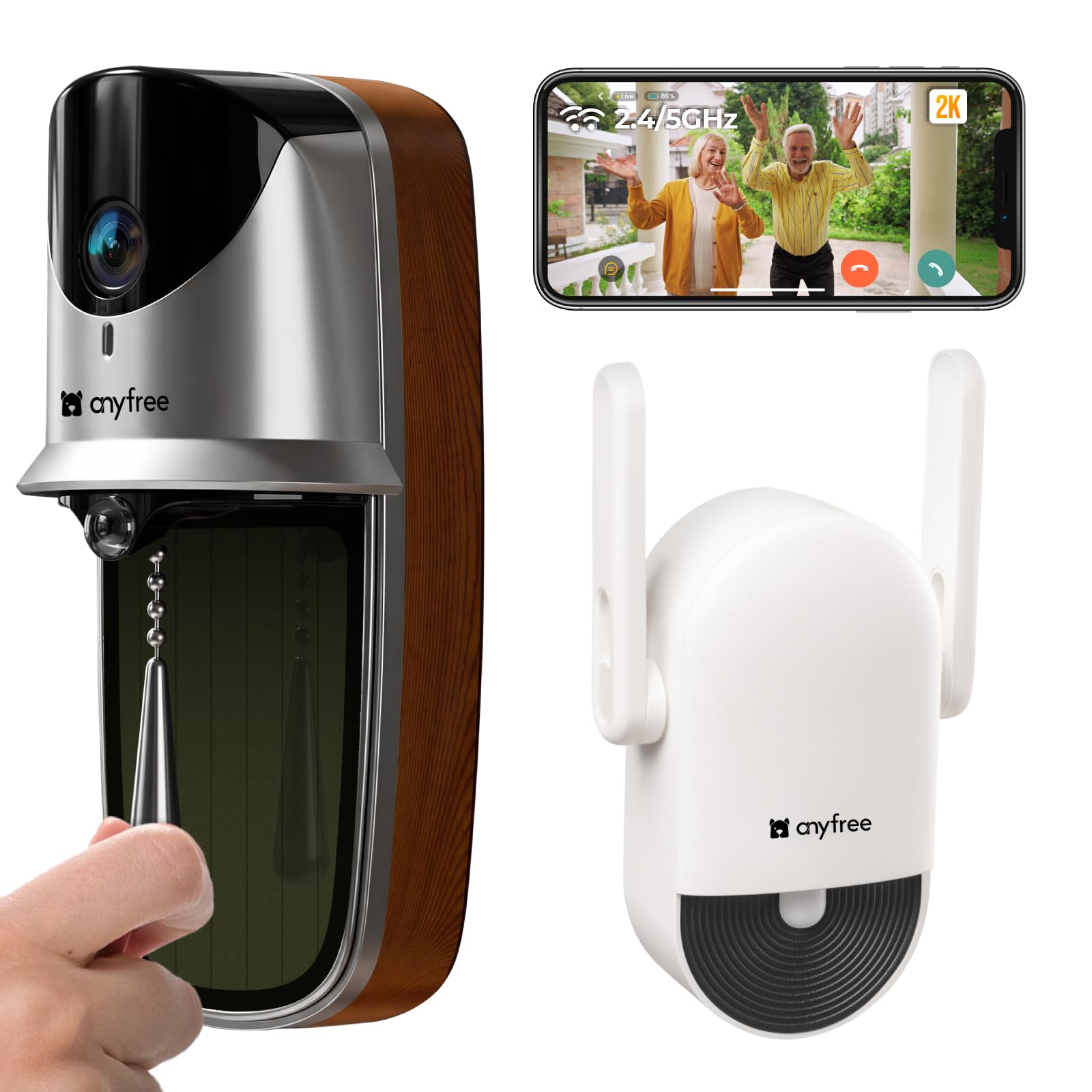
We recommend this doorbell for shoppers who want sharp video, local storage, and a flexible setup without a required subscription.
Pros
- Clear 2K video with wide coverage
- Solar charging and built-in battery
- Includes an outdoor chime
Cons
- Solar charging may vary by location
- MicroSD card costs extra
- App and setup support may need attention
During testing, we liked the doorbell’s compact design and unusual pull-down ring. The 2K image showed faces and packages clearly, while the wide view helped us see more of the area around the door.
The wireless installation gave us two options: screws or adhesive mounting. Dual-band Wi-Fi and the included chime helped make daily use convenient, though connection quality can still depend on the router and the doorbell’s location.
Motion alerts use radar, PIR sensors, and AI detection to help reduce unwanted notifications. We also found useful features such as two-way talk, night vision, adjustable chime volume, Alexa support, and an anti-tamper alarm.
Local recording supports microSD cards up to 128GB, which helps avoid monthly storage fees. The solar panel can reduce charging, but some owners report that it does not provide enough power in all conditions, so we would not rely on it as the only power source.
Ring Battery Doorbell 2K
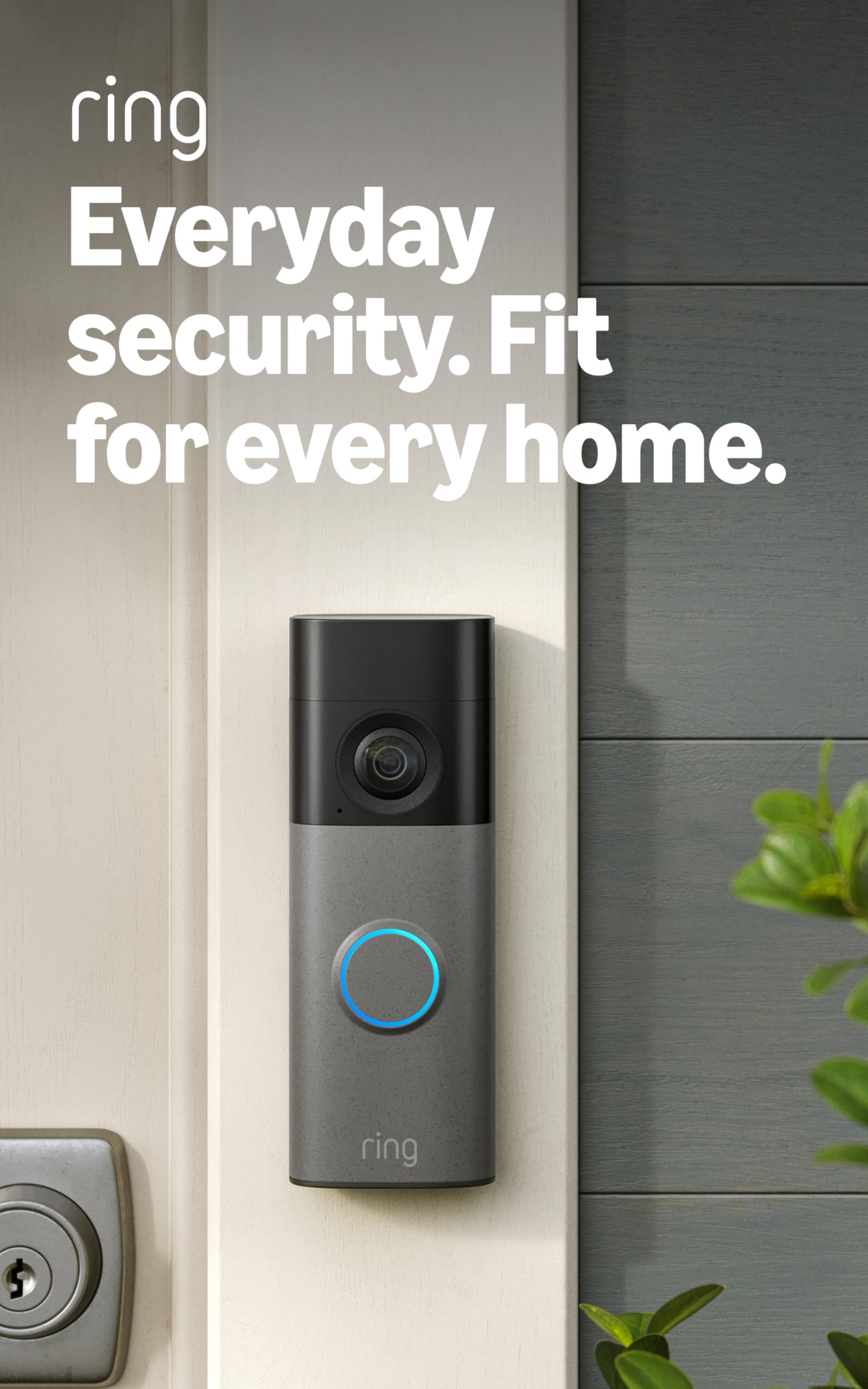
We recommend this doorbell for clear video, flexible installation, and useful Alexa support, as long as we accept the need to recharge it and pay for some advanced features.
Pros
- Sharp 2K video with up to 6x zoom
- Wide, head-to-toe viewing angle
- Easy removal for USB-C battery charging
Cons
- Charging cable is not included
- Many recording and AI tools require a subscription
- Works only with 2.4GHz Wi-Fi
After using the Ring Battery Doorbell 2K, we found its video clear enough to distinguish faces, packages, and activity near the entrance. The wide view also helped us see more of the area around the door instead of focusing only on visitors.
Live View and two-way talk worked well when our Wi-Fi connection was stable. Motion alerts arrived quickly, and we could adjust the detection area to reduce unwanted notifications from nearby activity.
Installation took about 10 minutes with the included hardware. When the battery needed charging, we removed the doorbell with the provided tool and connected it by USB-C. Ring does not include the cable, so we needed to supply our own.
The built-in battery keeps installation simple, but frequent alerts and advanced features can shorten the time between charges. Cloud recordings, AI alerts, and some playback tools also require a separate Ring Protect subscription.
BOIFUN Dual-Camera 2K Video Doorbell
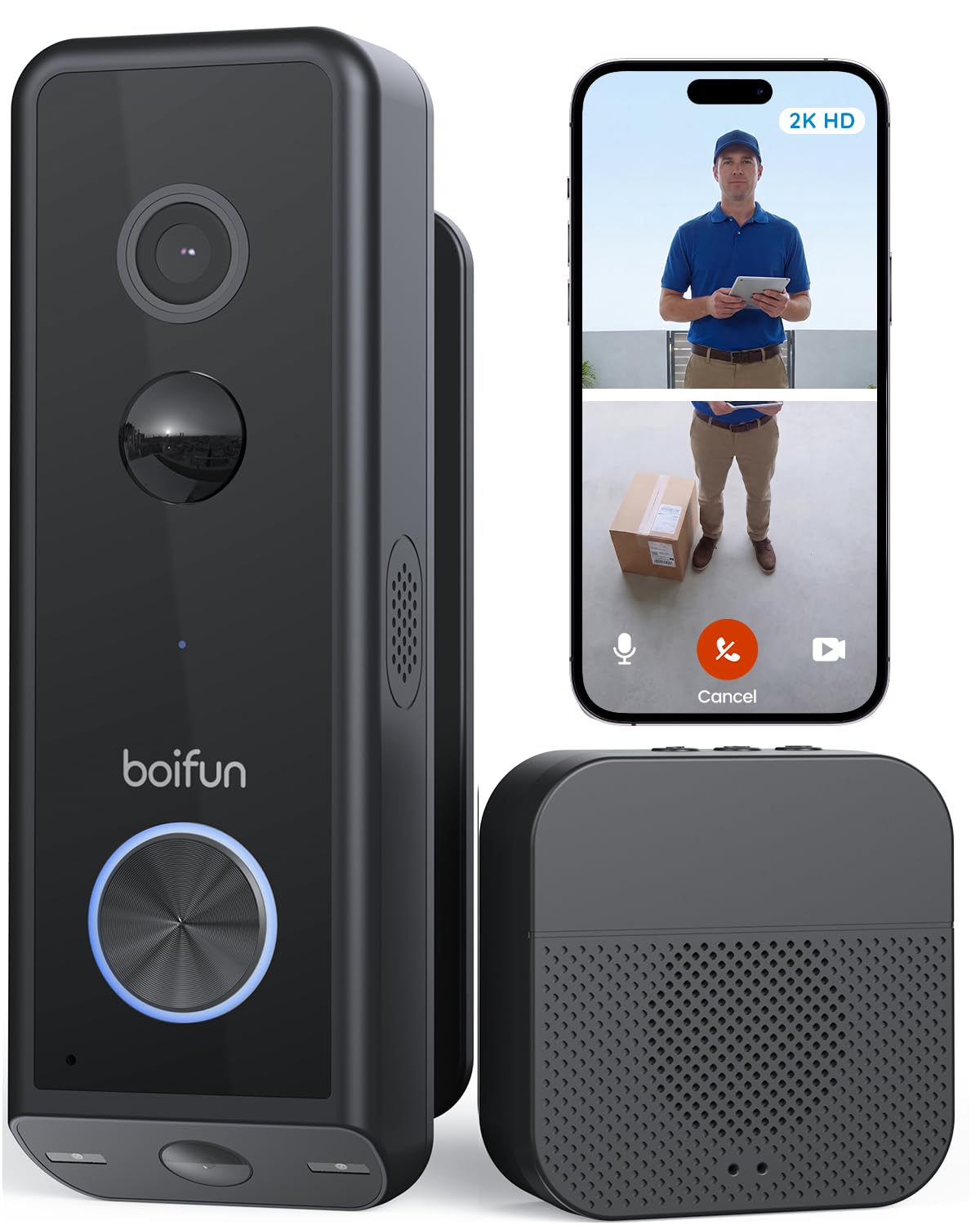
We recommend this doorbell for shoppers who want a clear view of visitors and packages without a required monthly fee.
Pros
- Dual cameras cover faces and the area below the door.
- Color night vision and spotlights improve views after dark.
- Supports battery or wired installation.
Cons
- Works only with 2.4GHz Wi-Fi.
- The battery requires regular charging if not hardwired.
- Cloud storage and advanced features may cost extra.
During testing, the lower camera made it easier for us to check packages without opening the app’s live view repeatedly. The main camera showed visitors clearly, while the second view covered the porch floor and reduced the usual blind spot.
Setup was flexible. We could use the rechargeable battery or connect the doorbell to existing wiring. The adjustable mount also helped us aim both views toward the entry path, though the installation may take some trial and error.
At night, the built-in spotlights produced a more useful image than basic black-and-white footage. Motion alerts, human detection, two-way audio, and local recording worked without a required subscription. We also liked the separate indoor chime, which made alerts easier to hear around the house.
The main limitation is Wi-Fi support. This model uses 2.4GHz networks only, so shoppers with a 5GHz-only setup will need to adjust their router. Overall, the BOIFUN offers practical package coverage, flexible power options, and useful core features at a reasonable price.
Qwwia Anti-Theft Doorbell Mount
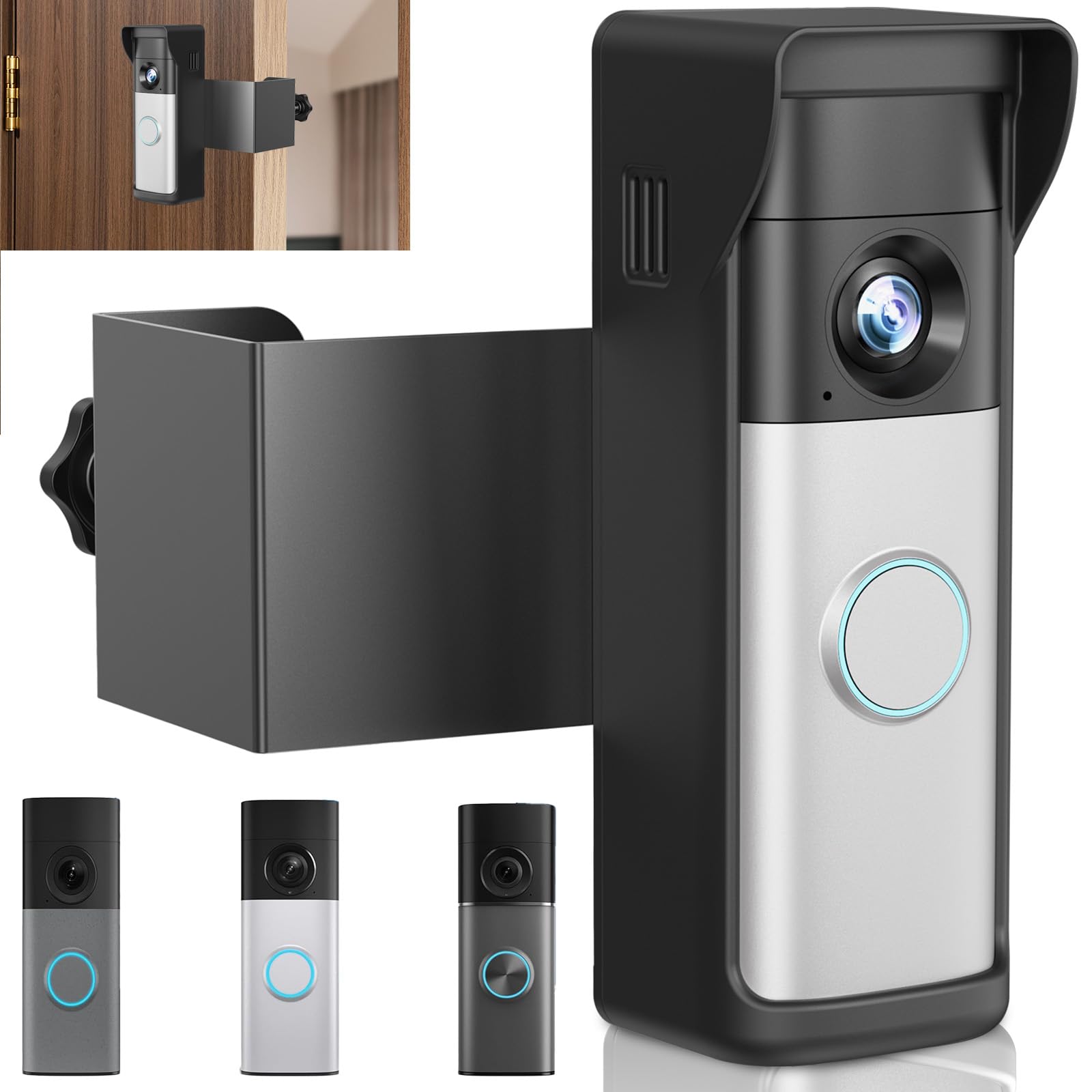
We recommend this mount for renters with a compatible 2026 Ring Battery Doorbell who want a no-drill setup and added theft protection.
Pros
- Installs without drilling
- Includes a rain and sun cover
- Holds the doorbell firmly
Cons
- Fits only select 2026 Ring models
- Does not work with security or storm doors
- Removing the doorbell can take extra effort
We found the adjustable clamp easy to fit on a standard inward-swinging apartment door. The foam padding helped protect the door, while the metal and ABS frame kept the doorbell steady during normal use.
The included safety screws add useful protection, and the cover helps shield the camera from rain and direct sunlight. The mount also blends into the door better than many bulky no-drill brackets.
Before ordering, we would check the door measurements and model number carefully. The mount requires a door thickness of 0.82 to 2.08 inches, a small door gap, and an inward swing. Some users also reported missing parts or difficult screw alignment, so installation may not feel equally smooth for everyone.
Dukoyb Anti-Theft Ring Doorbell Mount
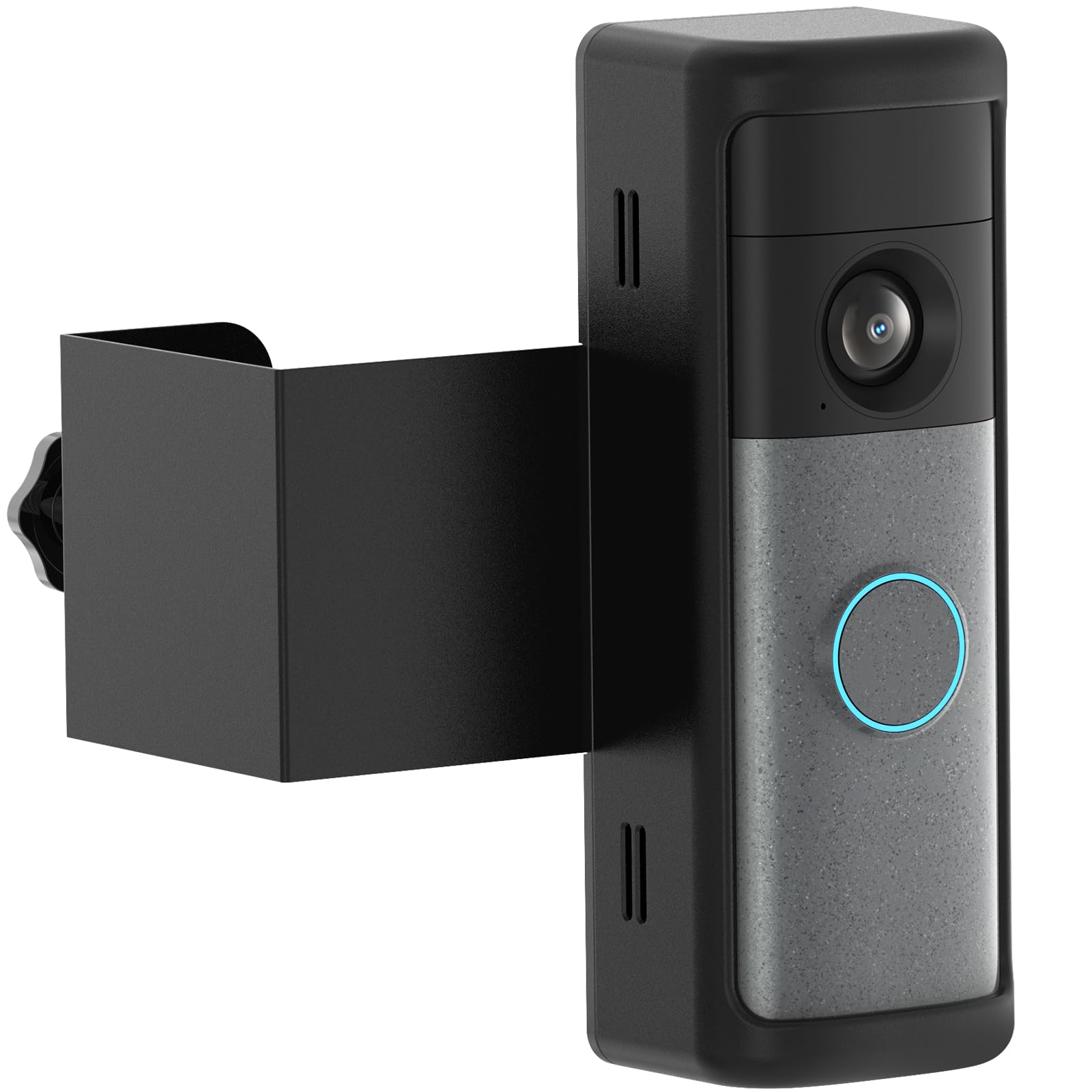
We recommend this mount for renters who want to install a compatible Ring doorbell without drilling into the door.
Pros
- Installs without tools or permanent changes
- Holds the doorbell securely and keeps the camera view clear
- Works well for many apartment and rental doors
Cons
- Fits only select 2026 Ring Battery models
- Does not work with out-swinging, screen, or uneven-edge doors
- The plastic housing may not resist strong tampering
We found the clamp simple to fit on a suitable in-swinging door. The padded contact points helped protect the finish, and we could remove or reposition the mount without leaving holes.
Once installed, the mount kept the camera steady and improved the viewing angle for some door setups. Its full cover adds protection, but we would not treat the plastic housing as complete theft protection.
Before ordering, we would check both the Ring model and door measurements carefully. The mount requires a door thickness of about 0.8 to 2.3 inches and will not fit wired Ring doorbells or several common door styles.
Pyfhy Anti-Theft Video Doorbell Mount
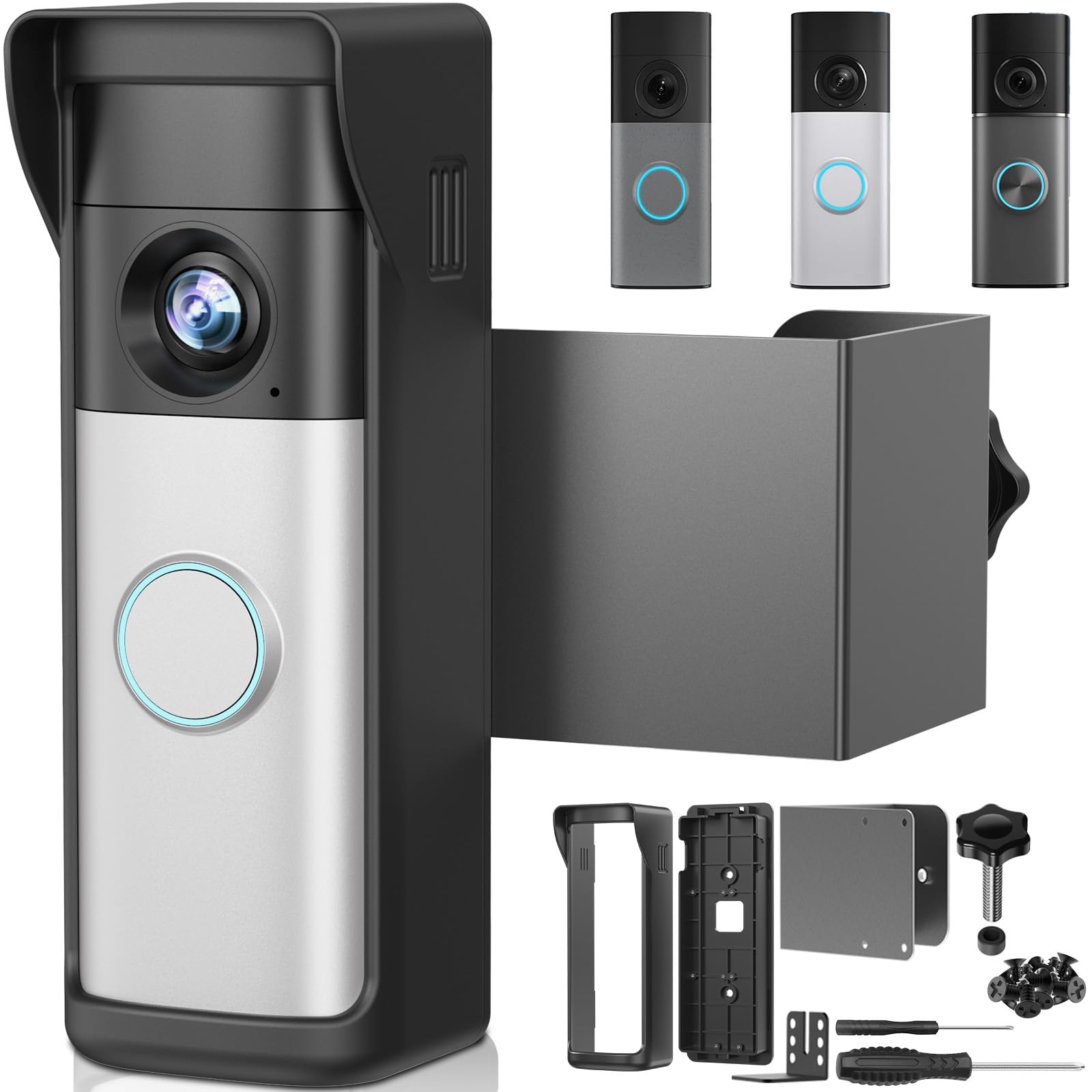
We recommend this mount for renters who own a compatible 2026 Ring battery doorbell and want a no-drill installation.
Pros
- No drilling or adhesive required
- Adjustable fit with included foam pads
- Bottom screw helps deter doorbell theft
Cons
- Works only with select 2026 Ring battery models
- Does not fit storm, iron, or uneven doors
- Door measurements must match the listed range
We found the mount simple to install on a suitable door. The bracket held the doorbell firmly, and the included tools and hardware made setup convenient. The foam pads also helped us adjust the height for a better camera view.
Its anti-theft screw adds useful protection for apartments, rentals, offices, and dorms. The design kept the doorbell’s motion sensor clear during use.
Compatibility requires careful checking. The mount fits doors between 1.41 and 2.75 inches thick with a gap wider than 0.1 inch. We would measure the door and confirm the exact Ring model before ordering, since this mount does not support older 2024 versions.
Qwwia No-Drill Ring Doorbell Mount
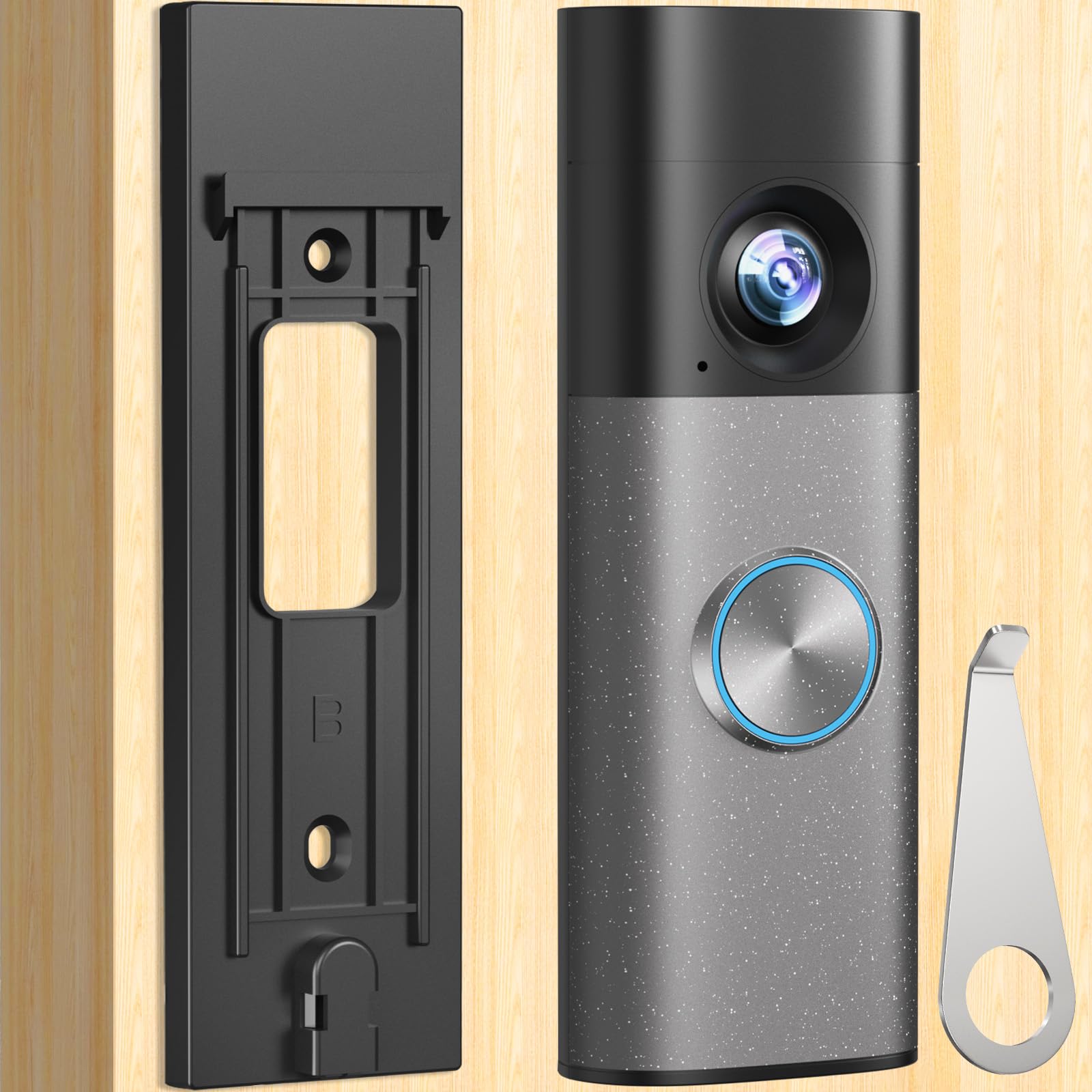
We recommend this mount for renters and homeowners who want a simple way to install a compatible Ring Battery Doorbell 2nd Gen without drilling.
Pros
- Adhesive or screw-based installation
- Quick setup on smooth, clean surfaces
- Compact design with a secure fit
Cons
- Does not fit every Ring doorbell model
- Adhesive may fail on rough surfaces
- Requires careful placement before mounting
We found the adhesive setup quick and clean on a smooth door. The mount held the doorbell firmly in place, but we would clean the surface first and wait at least 24 hours before attaching the camera.
Its slim black design keeps the doorbell looking neat rather than bulky. We also like having the included screws as a backup for a more permanent installation.
This mount works best on metal, glass, marble, or smooth wood. It may not stay attached to brick, tile, or rough plaster, so we would choose the screw option for those surfaces. Compatibility also matters: it fits the standard 2026 Ring Battery Doorbell 2nd Gen, not the Plus or Pro models.
Blink Video Doorbell

We recommend this doorbell for shoppers who want an affordable, simple setup with long battery life and clear daytime video.
Pros
- Simple wire-free or wired installation
- Wide head-to-toe view with two-way talk
- Sync Module and lithium batteries included
Cons
- Cloud storage and person alerts require a paid plan
- Night footage can look less clear
- No built-in indoor chime for wire-free setups
We found the setup quick and easy through the Blink app. The included Sync Module helped the doorbell connect reliably, while the flexible mounting options made it easier to position the camera near the entryway.
The square view showed more of the area around the door than many standard doorbells. We could see visitors and packages clearly during the day, and two-way audio made short conversations convenient. Infrared night vision worked well enough for basic monitoring, though fine details looked softer in the dark.
Battery operation gives us more placement choices, especially when existing doorbell wiring is unavailable. Blink’s claim of up to two years depends on settings, activity, and weather, so heavy use may shorten that time.
The main drawback is the subscription plan. We need it for cloud storage and person detection, while basic alerts and live viewing remain more limited without it. Alexa integration adds useful hands-free control for homes that already use compatible Echo devices.
Yaluyo No-Drill R-ing Doorbell Mount
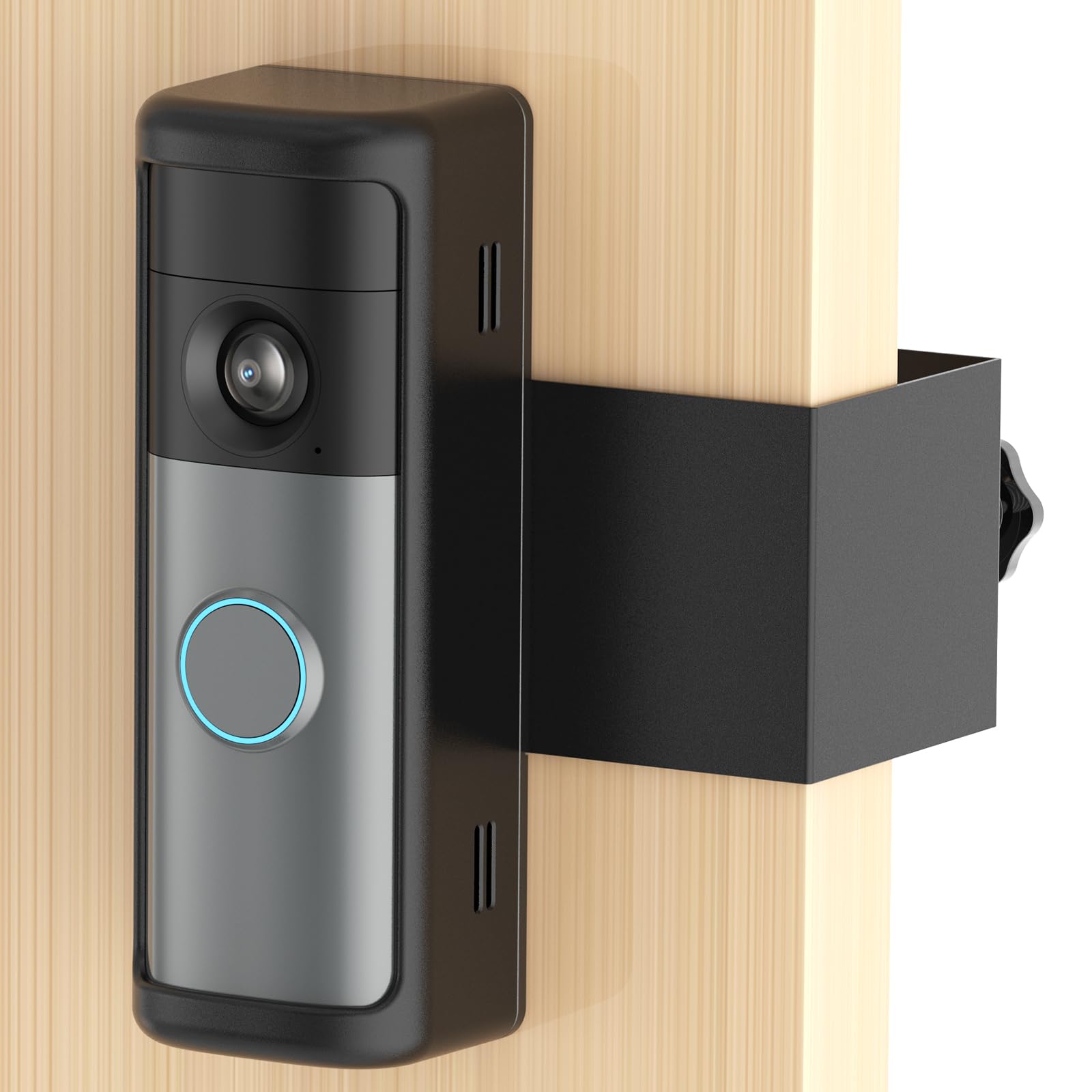
We recommend this mount for renters with a compatible battery-powered R-ing doorbell who want a no-drill, anti-theft setup.
Pros
- Installs without drilling holes
- Includes a protective cover and rain shield
- Sturdy fit for many inward-opening doors
Cons
- Compatibility may vary by doorbell model
- Does not fit outward-opening or security doors
- Included screwdriver may be difficult to use
We found the mount easy to place on an inward-opening door, making it useful for apartments, dorms, and rentals where drilling is not allowed. The bracket felt stable once tightened, and the protective housing added useful security for the doorbell.
The rain cover helps protect the camera from light weather, while the thick plastic body resists scratches during normal use. We also liked that the package includes a tool for removing the doorbell, which can be handy when the device needs charging.
Before buying, we recommend measuring the door and checking the exact R-ing model. Some users reported that the mount felt too small for the 2026 second-generation model, so compatibility deserves close attention. The included screwdriver also may not provide enough grip for installation.
Overall, this mount offers a practical rental-friendly design, but buyers should confirm the fit before ordering.
Buying Guide
We should start by checking whether a video doorbell works with our existing doorbell wiring, chime, and electrical system. Battery models offer easier installation, while wired models can avoid regular charging. We should also check whether the device needs a subscription for key features.
Video quality matters, but resolution is not the only factor. We should look for a wide viewing angle, clear night vision, useful motion detection, and two-way audio. Package detection, activity zones, and adjustable alerts can reduce unwanted notifications.
| Feature | What we should check |
|---|---|
| Power | Battery life, charging method, or wiring needs |
| Video | Resolution, field of view, and night vision |
| Alerts | Motion controls, person detection, and package detection |
| Storage | Cloud fees, local storage, and video access |
| Security | Two-factor authentication and data controls |
| Durability | Weather resistance and operating temperature |
| Compatibility | Smart home support and existing chime support |
We should review storage policies before buying. Free plans may offer limited access, while paid plans may unlock longer video history or advanced detection. Local storage can reduce ongoing costs but may require extra equipment.
Installation also affects our choice. We should measure the mounting area, check the Wi-Fi signal near the door, and confirm that the doorbell can withstand local weather. A model with clear privacy settings and reliable account security should receive priority.
Editor’s Choice
We recommend the Google Nest Doorbell (wired, 2nd gen) for homes that already have compatible doorbell wiring. It provides clear video, reliable motion alerts, and familiar-face detection through the Google Home app.
Its 24/7 recording option helps us review activity before and after an alert. A Nest Aware subscription adds longer video history and advanced detection, so we should include that cost in the total price.
| Feature | Details |
|---|---|
| Video | 2K-quality sensor with HDR |
| Power | Wired |
| Storage | Cloud-based |
| Smart alerts | People, packages, animals, and vehicles |
| Best for | Homes using Google services |
We also value its vertical view, which makes it easier to see packages near the doorstep. The doorbell works best with a strong Wi-Fi signal and a properly installed wired connection.
For homes without existing wiring, we would choose a battery model instead. Renters and users who want local storage may prefer options from Eufy or Reolink, depending on their security and privacy needs.
Conclusion
We should choose a video doorbell based on our home, budget, and daily needs. Wired models suit homes with existing doorbell wiring, while battery models offer easier installation and more flexible placement.
We also need to check subscription fees before buying. Some doorbells store video locally, while others require a plan for cloud recordings, smart alerts, or longer video history.
Our key checks:
- Video quality in daylight and at night
- Reliable motion alerts
- Two-way audio performance
- Privacy and data storage options
- Smart home compatibility
- Weather resistance and power needs
The best video doorbell for us will provide dependable security without adding costs or features we will not use. We should also review app ratings and warranty terms, since daily reliability depends on both the hardware and the supporting software.
FAQS
What should we look for in a video doorbell?
We should compare video quality, night vision, motion alerts, two-way audio, weather resistance, and smart-home support. Local storage can reduce subscription costs, while cloud storage often makes remote access simpler.
Do video doorbells need a subscription?
Some models work without a monthly plan and store recordings locally. Others require a subscription for features such as video history, person detection, or extended cloud storage. We should check the plan details before buying.
Are wired or battery-powered doorbells better?
Wired models provide steady power and avoid regular charging, but installation may require existing doorbell wiring. Battery models offer more flexible placement, although we need to recharge them or replace their batteries.
How much video storage do we need?
We should choose storage based on how often we want to review past events. A short event history may suit basic use, while longer storage helps us investigate deliveries or incidents days later.
Can video doorbells work without Wi-Fi?
Most smart video doorbells need Wi-Fi to send alerts, stream live video, and save recordings online. Some models can still record locally during an internet outage, depending on their storage system.
Are video doorbells secure?
We should use strong, unique passwords and enable two-factor authentication when available. Regular firmware updates also help protect the doorbell, account, and recorded video.
