
10 Best Fall Detection Devices for Caregivers: Top Picks for Safety and Peace of Mind


Electric Food Chopper

Mattress Topper Memory Foam
Electric Mobility Scooter
Falls are a serious safety concern for older adults and people with limited mobility. Fall detection devices give caregivers another way to monitor a loved one, especially when they cannot stay nearby at all times. These devices may use a pendant, smartwatch, wristband, or phone to detect a fall and contact a caregiver or emergency service.
The best fall detection devices for caregivers combine accurate detection, a simple alert process, reliable connection, and comfortable daily wear. We also look for features such as two-way communication, GPS, caregiver notifications, battery life, and water resistance. Automatic fall detection can help, but it may not identify every fall, so a manual help button remains important.
We compared leading devices to find options that balance detection features, ease of use, response support, and cost. Next, we’ll explain our top picks and the key details to consider before buying.
Best Fall Detection Devices for Caregivers
We reviewed fall detection devices that can help caregivers respond quickly during emergencies. Our list includes options with features such as automatic fall detection, two-way communication, GPS tracking, and professional monitoring.
Fajocru V46 Fall Detection Watch
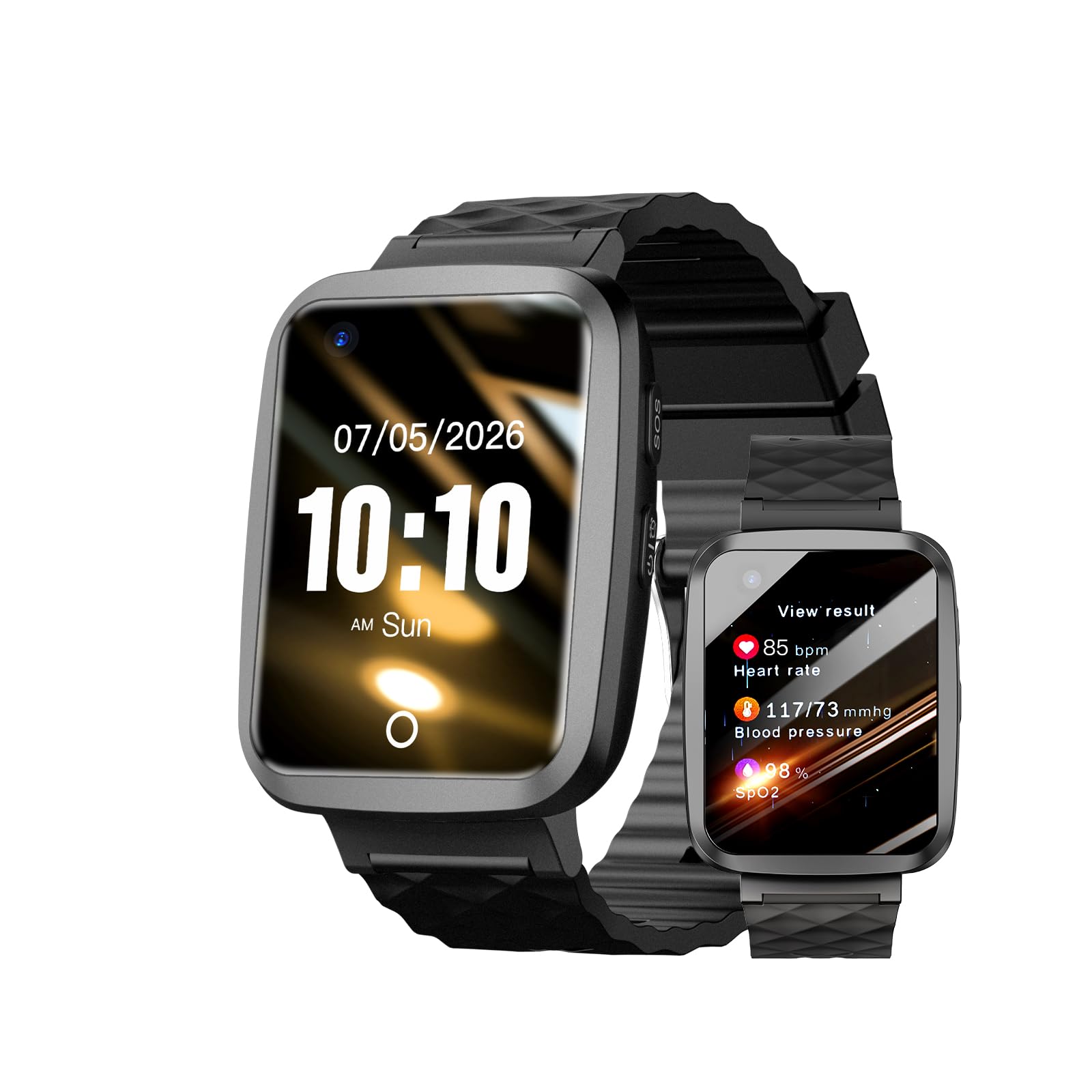
We recommend this watch for caregivers who want fall alerts, GPS tracking, and voice calls in one wearable, but setup may take patience.
Pros
- Fall alerts and an SOS button support quick contact during emergencies
- GPS tracking and safe-zone alerts help monitor wandering
- Two-way calling works without a separate phone
Cons
- Setup and app use may feel confusing
- Some users report connection problems
- Health readings should not replace medical devices
We found the large touchscreen easy to read, and the buckle helped keep the watch secure during daily use. The magnetic charger also made charging simpler for someone with limited hand strength.
The watch combines GPS location sharing with fall alerts and two-way voice calls. We liked having several safety tools in one device, especially for a family member who spends time outside the home.
Caregivers should plan time for setup and testing. User feedback shows that some people had trouble getting the watch working, while others received prompt help from customer service. Its IP67 water resistance suits rain and hand washing, but we would not use it for swimming.
The Fajocru V46 needs a compatible cellular connection and the SeTracker app for its tracking features. We would test fall alerts, GPS updates, calling, and battery performance before relying on it during an emergency.
Seculife Medical Alert Pendant
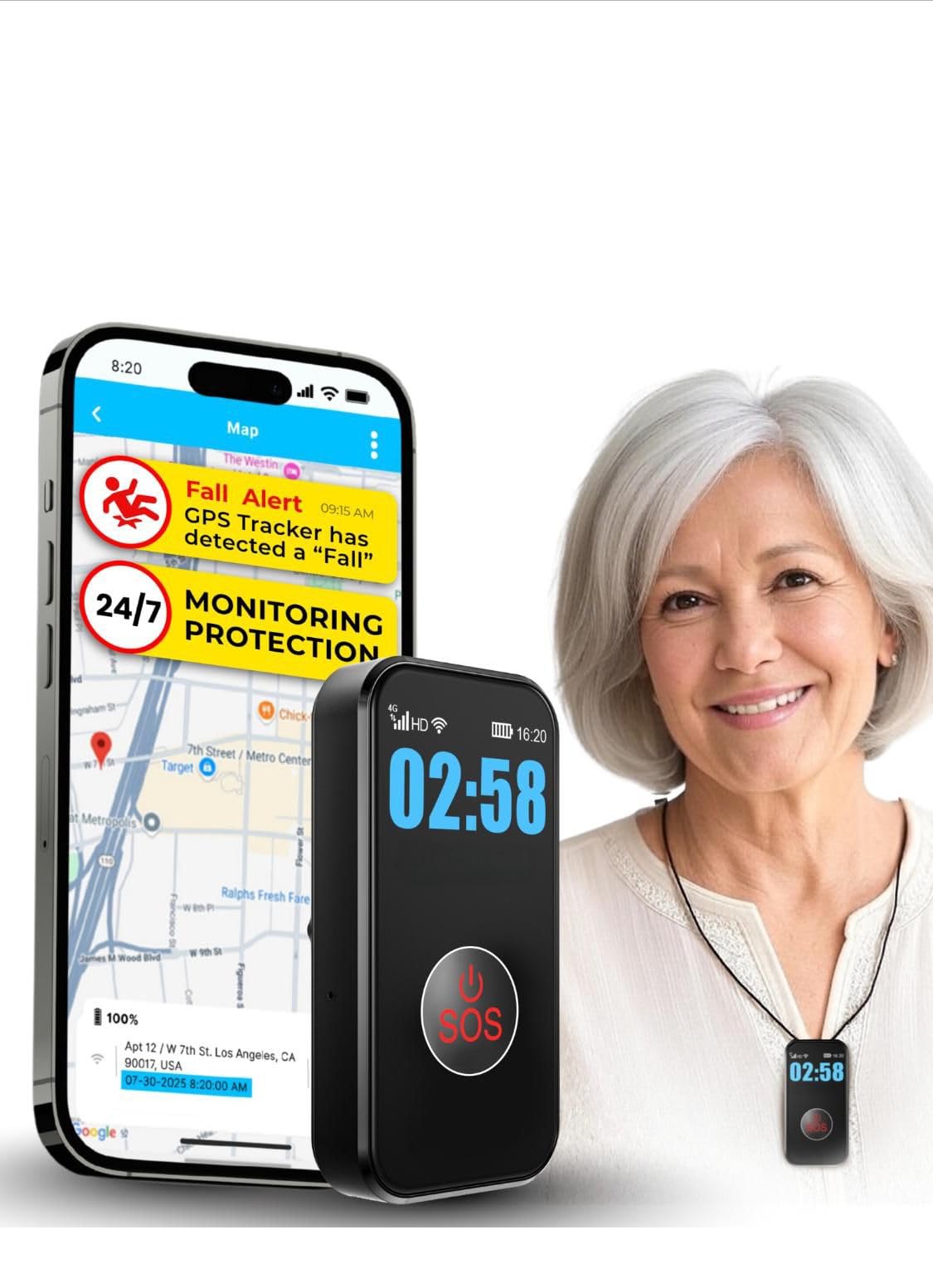
We recommend this pendant for caregivers who want fall alerts, GPS tracking, and direct contact without a call center.
Pros
- Simple SOS button and two-way calling
- GPS tracking with geofence alerts
- Waterproof design for daily wear
Cons
- Requires a $20 monthly subscription
- Fall detection may need confirmation
- Battery life can vary with tracking use
We found the pendant easy to set up and simple for an older adult to use. The large SOS button stands out, while the display shows basic details such as battery and signal status.
During testing, two-way calling made it easy to check in without asking the wearer to find a phone. The device also supports hands-free calls, which helps when a caregiver cannot reach the person’s smartphone.
GPS tracking and geofence alerts add useful support for people who may wander. The waterproof build allows regular wear during showers and outdoor activities, but we would still check the fit and charging routine often.
Fall detection can help when the wearer cannot press the SOS button, but no automatic system catches every fall. We would treat it as a backup to regular check-ins, not a replacement for supervision or emergency planning.
The $20 monthly plan covers cellular service, alerts, tracking, calling, and support. We would review the subscription terms before buying, especially because some customer reports mention activation or setup concerns.
Smart Caregiver Floor Mat and Pager
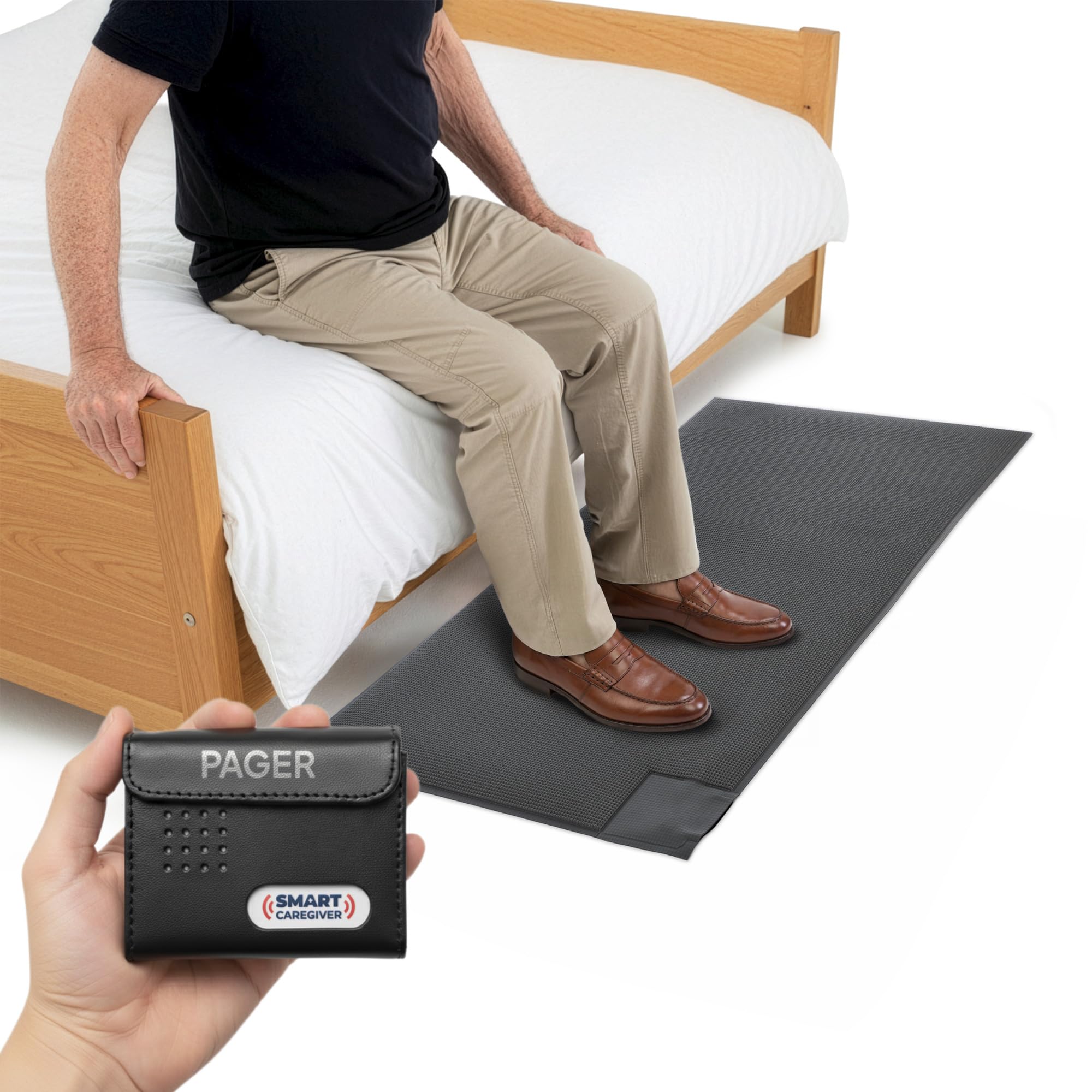
We recommend this system for caregivers who need a simple bedside or doorway alert without placing a loud alarm near the user.
Pros
- Sends alerts to a pager up to 300 feet away
- Offers both vibration and sound modes
- Sets up quickly and supports additional Smart Caregiver sensors
Cons
- The pager needs two AA batteries, which are not included
- The mat covers a limited 24-by-48-inch area
- It alerts when someone steps on it but does not prevent a fall
We found the mat easy to place beside a bed or near an exit. When pressure reached the sensor, the pager responded promptly, giving us a choice between a vibration or audible alert. The vibration setting worked well when we wanted to avoid disturbing the person in the room.
The wireless range gave us room to move around while staying connected. The pager can also monitor compatible Smart Caregiver devices, such as call buttons and bed pads, which may help as care needs change.
The mat feels sturdy, but caregivers should position it carefully so its edges do not create a tripping risk. It also works best as an alert tool, not as a replacement for supervision, mobility support, or a medical alert service.
Family First Alert Mini Medical Alert Pendant
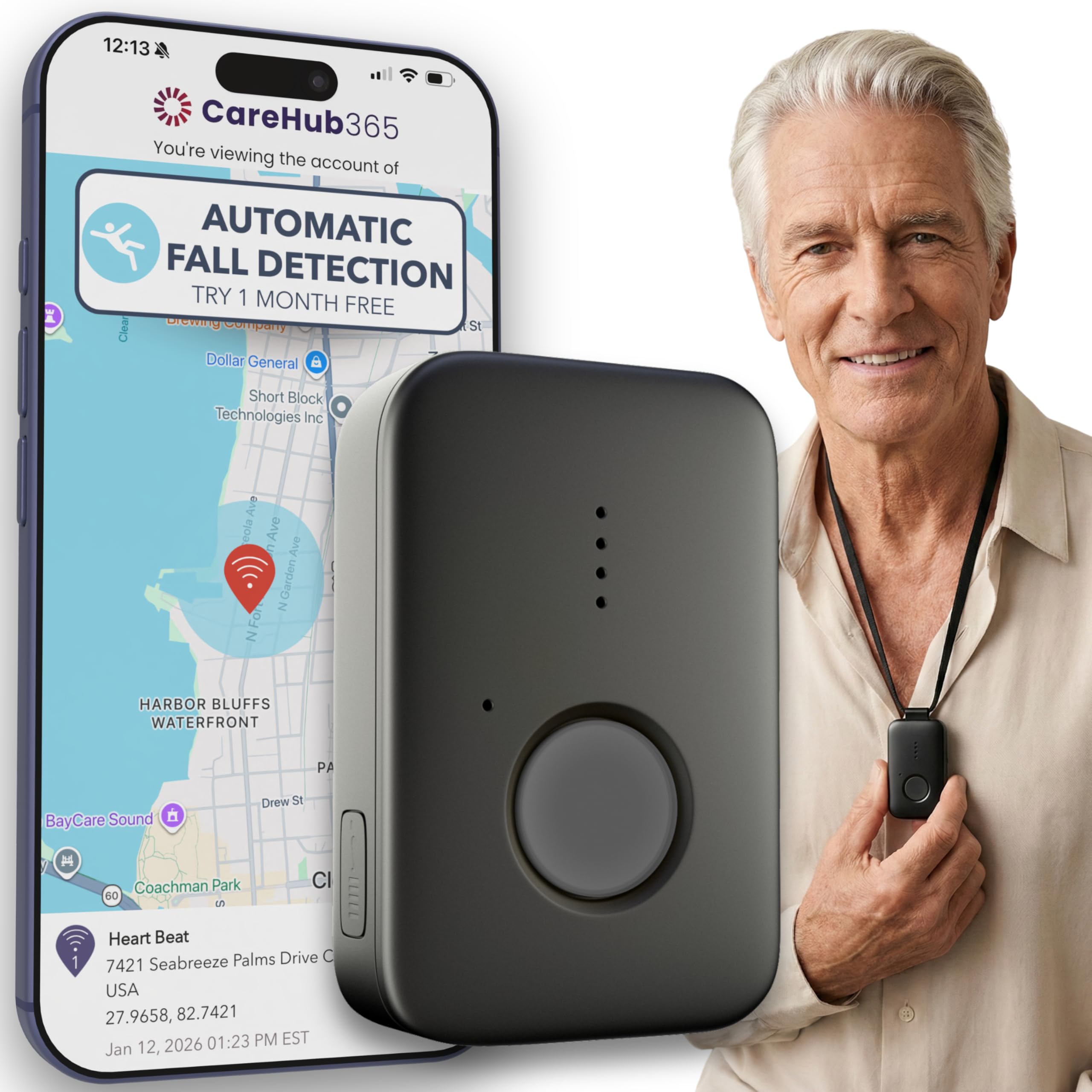
We recommend this pendant for caregivers who want 24/7 monitoring, GPS support, and optional fall detection in a small device.
Pros
- Lightweight design with a lanyard and belt clip
- Works on AT&T and Verizon 4G LTE networks
- Water-resistant and suitable for shower use
Cons
- Fall detection costs an added $4.99 per month
- Monitoring requires a $39.99 monthly subscription
- Users must contact the company to activate the device
We found the pendant easy to wear and simple to charge. Its compact shape stays out of the way, while the included lanyards and belt clip offer useful carrying options.
Pressing the button connects the wearer with a live operator. GPS support can help caregivers and responders locate the user when cellular service is available. The device also supports two-way voice communication.
The pendant can last up to five days per charge, though we would charge it daily to avoid surprises. Its water-resistant design allows shower use, but it should not replace careful handling around water.
Fall detection is optional rather than included in the base plan. We would confirm the subscription price, activation steps, network coverage, and cancellation terms before ordering.
Connected Caregiver Safety+ Medical Alert
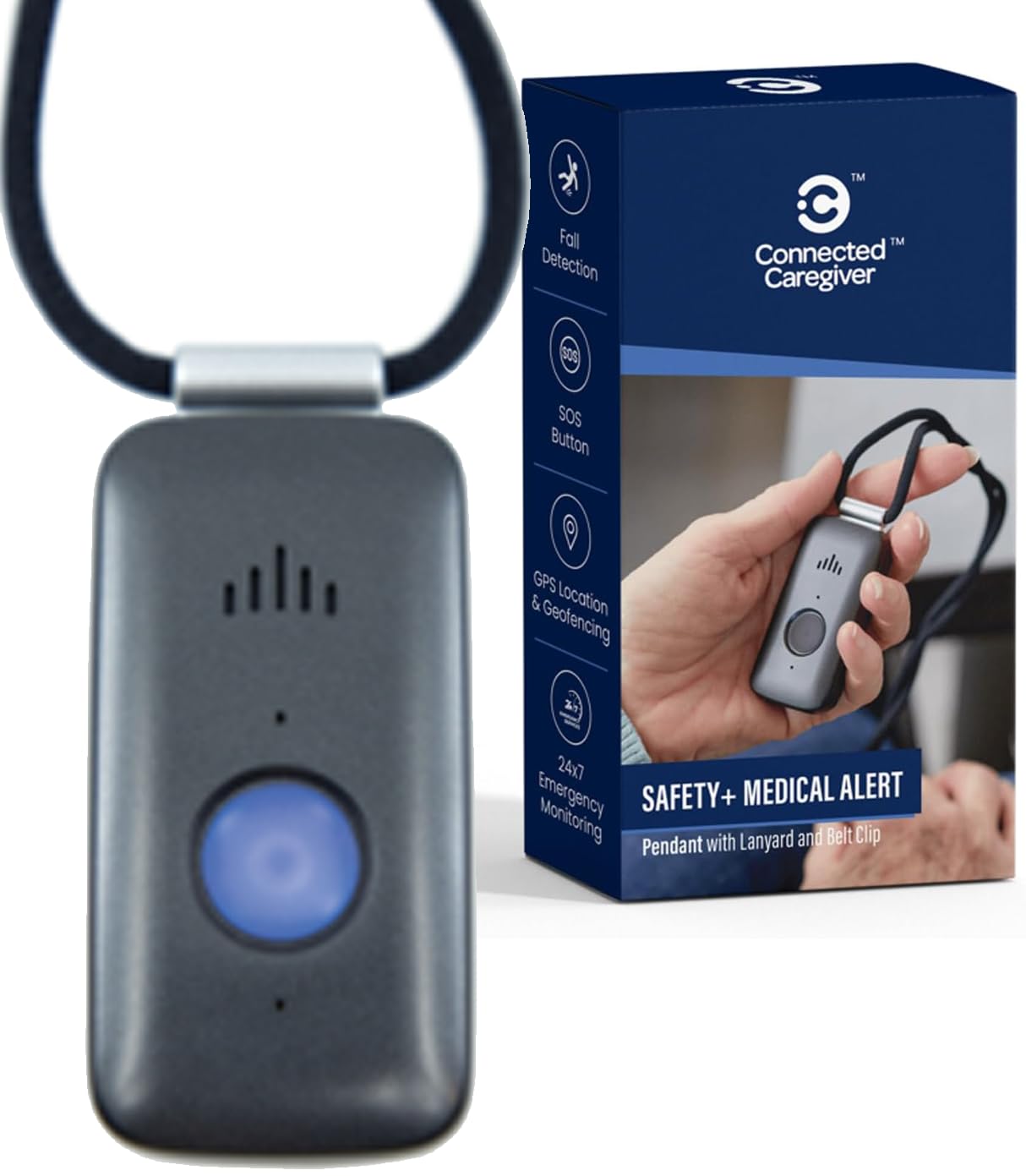
We recommend this device for caregivers who want GPS, fall detection, and emergency monitoring in one wearable system, but we suggest reviewing the service terms before buying.
Pros
- 24/7 monitoring works at home and away from home
- Caregivers can view alerts, location, battery status, and activity
- The device supports lanyard or belt-clip wear
Cons
- The service costs $40 per month after the first month
- Activation and app setup may require customer support
- Some users report battery and cellular connection problems
We found the device easy to carry and simple to use after activation. The built-in speaker and microphone let the monitoring team speak with the wearer, which helps when the person cannot reach a phone.
The caregiver app adds useful details, including location and battery status. We could also set up a Care Circle so more than one family member could receive updates. However, app setup may take extra effort, especially for caregivers who are less comfortable with smartphones.
Fall detection provides another layer of support, but we would not treat it as a replacement for pressing the help button. The device is water-resistant for showers and rain, though charging still needs regular attention. The company advertises up to six days of battery life, while product information also lists a shorter average figure, so we would check the battery often.
The first month of service is included, but ongoing monitoring costs $40 per month. We would read the activation terms carefully because some buyers report confusion about contract requirements and cancellation. Overall, this system suits families who value mobile monitoring and GPS, provided they accept the recurring cost and confirm coverage in the user’s area.
Seculife SOS Fall Detection Wristband
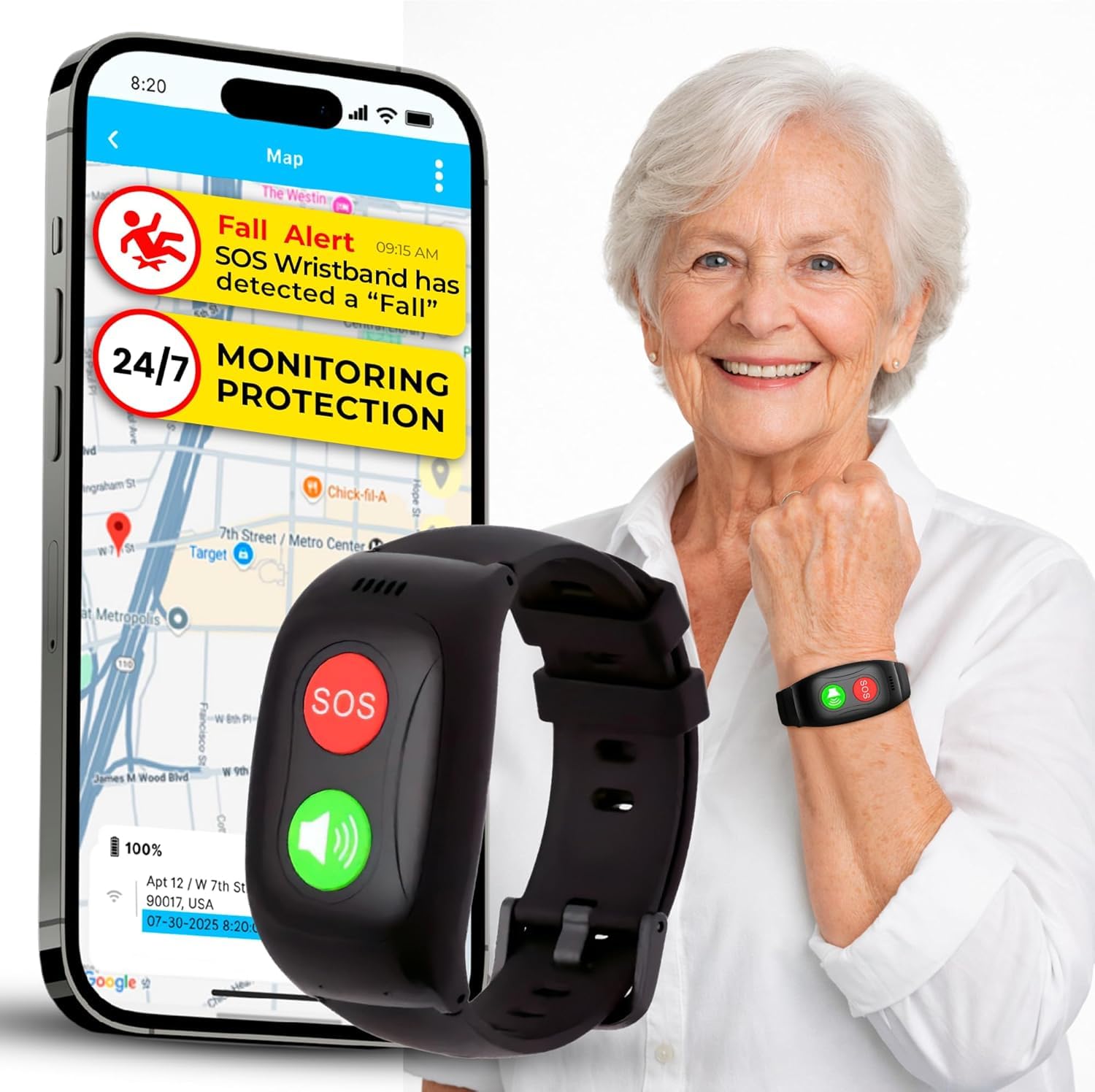
We recommend this wristband for caregivers who want GPS tracking, two-way calling, and direct family alerts, but the required monthly fee and mixed support reports deserve careful review.
Pros
- One-button SOS calling and automatic fall alerts
- GPS tracking with geofence notifications
- Screen-free, splash-resistant design
Cons
- Requires a $25 monthly subscription
- Battery life may last only about one day
- Some buyers report setup and support problems
We found the screen-free design simple for older adults who do not want a smartwatch. The large SOS button feels easy to identify, while two-way calling lets caregivers speak with the wearer without carrying a phone.
The Seculife app adds useful location tools. We could use GPS tracking and geofences to monitor trips outside a chosen area. Direct alerts go to preset family contacts instead of a call center, which may suit families who want to manage responses themselves.
Caregivers should plan for daily charging because the listed battery life is about one day. The $25 monthly subscription also raises the total cost, although it includes cellular service, alerts, calling, tracking, and support.
Customer feedback is mixed, with a 3.3-star average from 27 ratings. Several users describe easy setup and helpful daily use, while others mention trouble reaching support, charging issues, or billing concerns after cancellation.
Seculife S16 Medical Alert Smartband
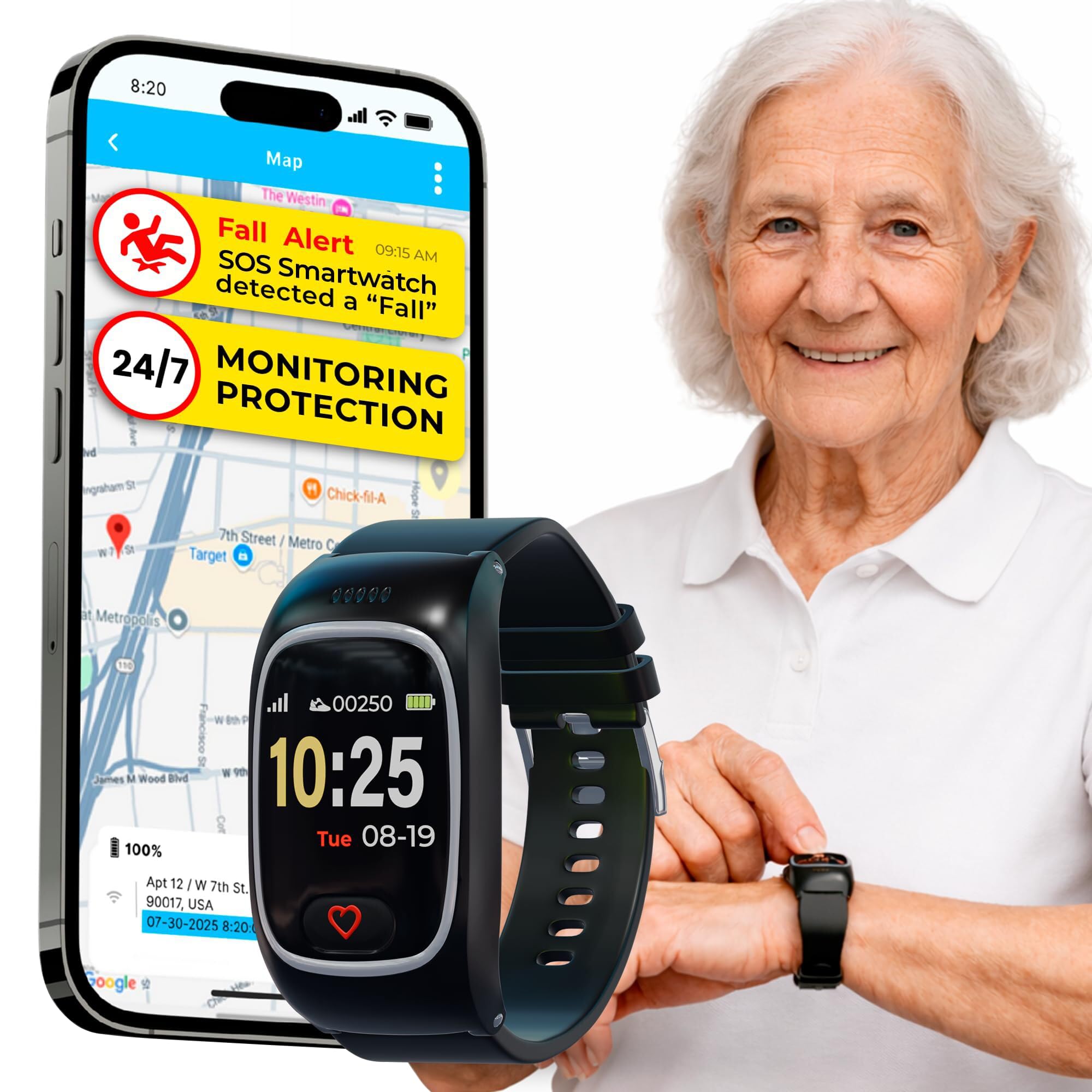
We recommend the Seculife S16 for caregivers who want GPS tracking, two-way calls, and direct family alerts in one wearable, but its battery and alert reliability need careful testing.
Pros
- GPS tracking and geofence alerts support remote caregiving.
- The large SOS button and auto-answer calls simplify communication.
- IP67 water resistance suits daily wear and light water exposure.
Cons
- The battery may last only about one day.
- A monthly plan starting around $25 is required.
- Some users report inconsistent alerts, charging issues, and excessive volume.
The S16 combines fall alerts, an SOS button, GPS, and two-way calling. We found the large button easier for seniors to identify than a small touchscreen control. The device can also answer calls from approved contacts without requiring the wearer to press a button.
Caregivers can use the app to check location and set safe zones. That makes this model useful for someone who may wander or become disoriented. Its heart rate, blood oxygen, and temperature features add health information, but we would not treat them as medical measurements.
The required subscription adds a significant ongoing cost. We also would test the fall detection at home before relying on it, since customer feedback mentions missed or unreliable alerts. Battery complaints make daily charging an important part of the care routine.
PILSAMAS WiFi Caregiver Pager
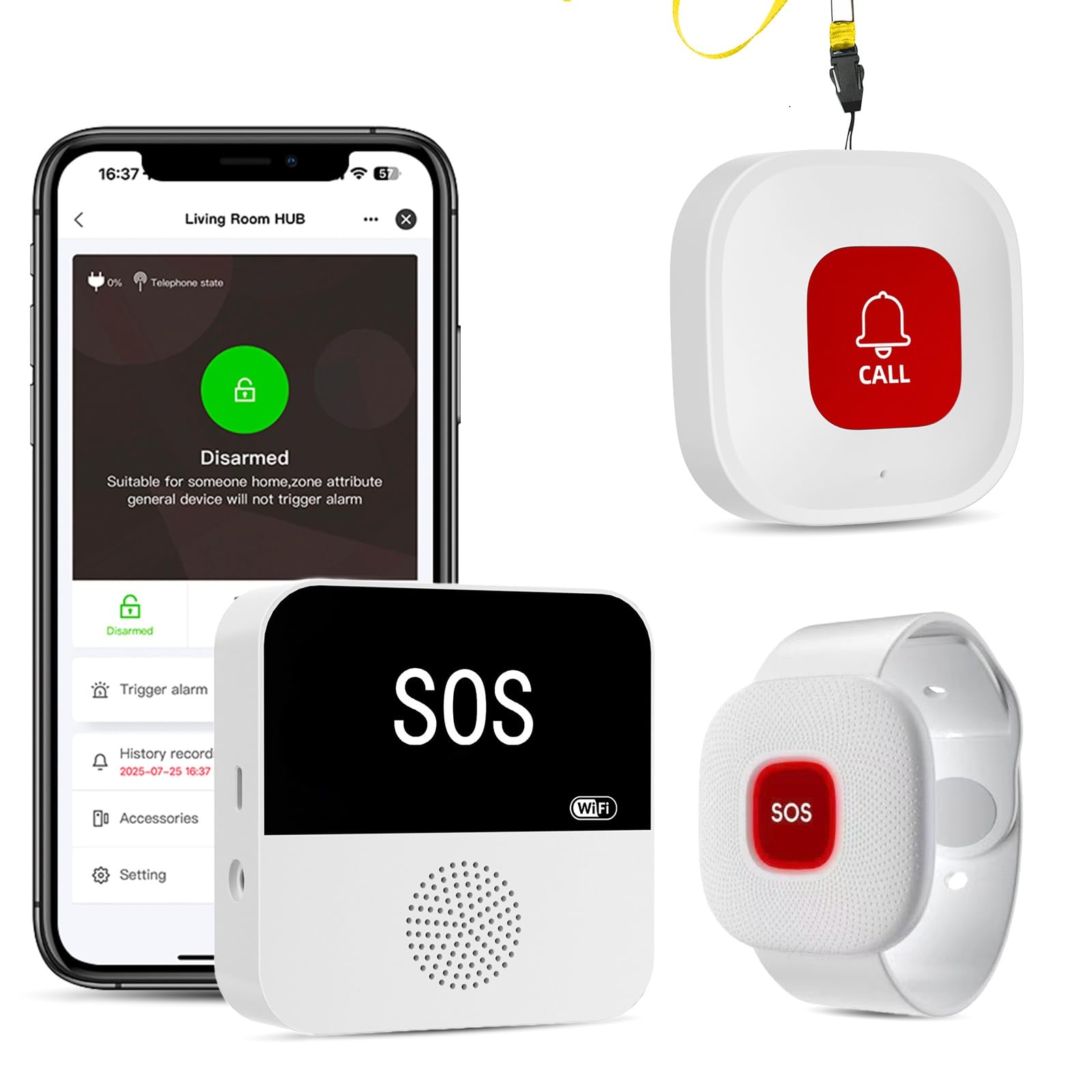
We recommend this system for caregivers who want room-to-room alerts and app notifications without a required monthly fee.
Pros
- Loud receiver with flashing alerts
- Waterproof call buttons and wristband
- App supports custom names, tones, and shared alerts
Cons
- Hub requires 2.4 GHz Wi-Fi
- Neck-worn button may trigger false alarms
- Receiver needs a USB power connection
We found the system easy to set up after connecting the hub to a 2.4 GHz network. The included buttons arrive paired, so we could place one in a bedroom, bathroom, or common area without much extra work.
The receiver produced a loud alert that worked well across several rooms. We could also assign different tones to buttons, which helped us identify who needed help and where the alert came from.
The wristband and call buttons handle water exposure, making them useful near showers and sinks. The wristband felt practical for regular wear, though the neck button could activate when it brushed against clothing or furniture.
The free app provides phone alerts, device labels, alert history, and family sharing. Text messages, calls, and emails require an optional paid plan, and the receiver must remain plugged in.
Seculife Fall Detection Smartwatch
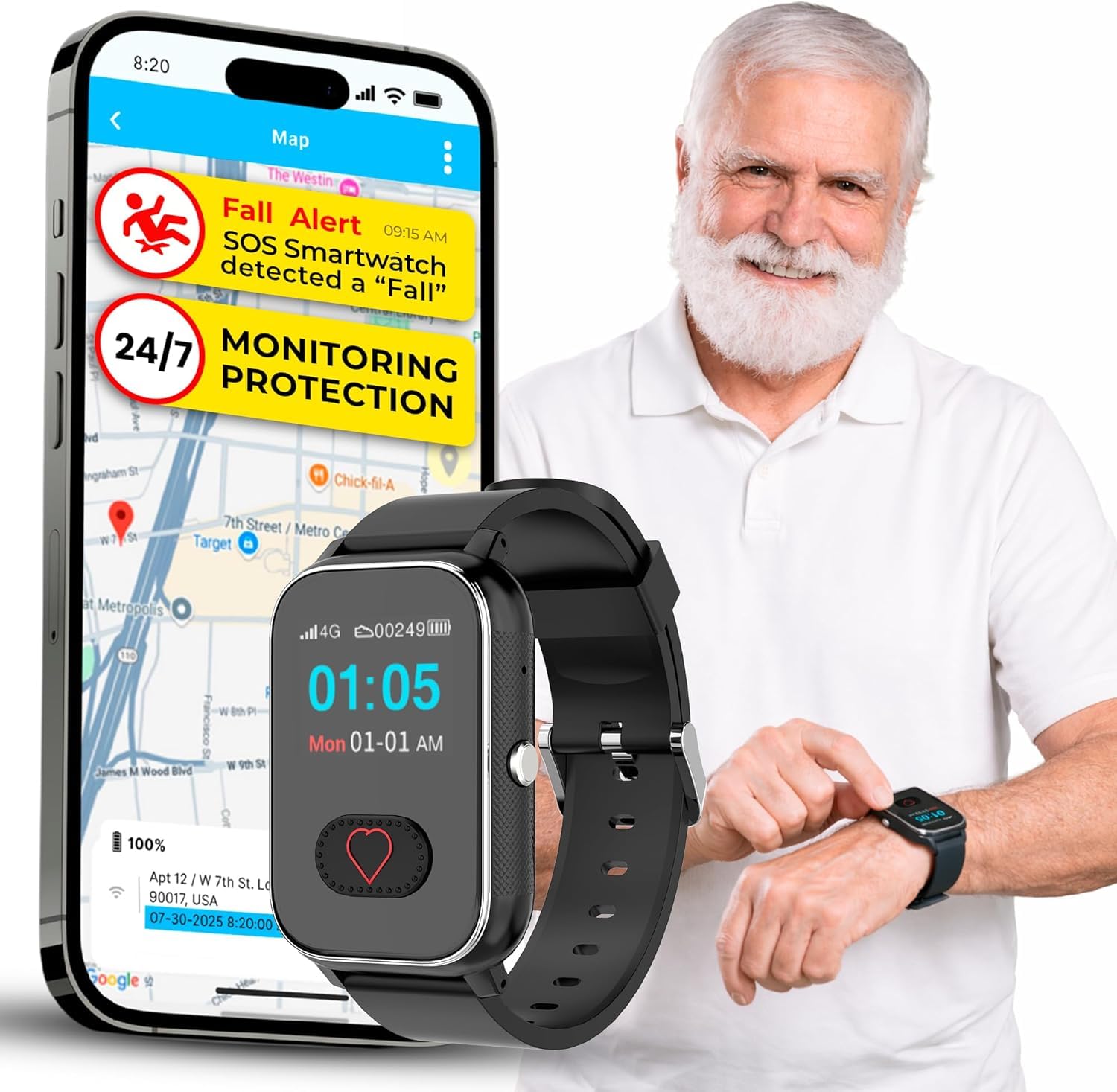
We recommend this watch for caregivers who want fall alerts, GPS tracking, and two-way calling in one device, provided they accept the monthly service fee.
Pros
- Fall detection, SOS alerts, and GPS tracking work together.
- Large button and simple display suit many older users.
- Two-way calling avoids the need to carry a phone.
Cons
- Requires a $25 monthly subscription.
- Battery life may require daily charging.
- Health readings should not replace medical equipment.
We found the large SOS button easy to locate and press. The watch can also call approved contacts, while blocking unknown numbers. That setup may help older adults who struggle with smartphones.
GPS tracking adds value for caregivers when a wearer goes outside or becomes confused. The watch also offers medication reminders, step counting, and basic health readings, though we would treat those measurements as general information rather than clinical results.
The IP67 water resistance supports handwashing and light rain, but we would avoid swimming with it. Its reported 12-hour battery life is a drawback, since caregivers may need to build charging into the daily routine.
The required subscription includes fall alerts, live tracking, voice minutes, and customer care. At 3.5 out of 5 stars from 27 ratings, the feedback is mixed, so we would confirm coverage, service terms, and return rules before buying.
Safety+ 4G Medical Alert

We recommend this device for caregivers who want mobile monitoring, caregiver app tools, and included fall detection, but the mixed user feedback makes testing and support important.
Pros
- Fall detection comes included with the monthly plan.
- The charging dock makes daily recharging simple.
- Caregivers can view location, activity, steps, and battery status.
Cons
- The $40 monthly plan adds a long-term cost after the free month.
- Some users report missed fall alerts and unreliable notifications.
- The app may take time to learn, and support hours are limited.
We found the watch easy to carry beyond the home because it uses 4G service and includes GPS and Wi-Fi location features. The SOS button and two-way speaker can connect the wearer with the monitoring center without needing a phone.
Fall detection adds useful backup, especially for someone who may not press the button after a fall. Still, reports from several users say the feature did not always detect falls or send alerts, so we would not treat it as the only safety measure.
The caregiver app provides location, activity, step, and battery updates. We also like that the device resists water for shower use. Battery life lasts about 36 hours, but caregivers must keep the watch charged for reliable coverage.
The first month is free after activation, then service costs $40 per month. We would review the subscription terms before ordering, especially because some users reported problems with cancellation, app alerts, and customer service.
Buying Guide
We should start with the user’s daily needs, health risks, and living space. A device should feel comfortable enough for regular use and simple enough to operate during stress.
| Feature | What we should check |
|---|---|
| Fall detection | Check whether it works automatically or requires the user to press a button. |
| Connection type | Choose cellular service, Wi-Fi, or a phone-based system based on where the user spends time. |
| Two-way voice | Look for clear communication with trained responders or selected contacts. |
| Battery life | Check how often the device needs charging and whether it warns about low power. |
| Water resistance | Choose protection that supports use in bathrooms and other wet areas. |
| Location features | Consider GPS or location sharing for users who spend time outside alone. |
| Caregiver alerts | Check whether alerts can reach family members, caregivers, or a monitoring center. |
We should confirm that the device works throughout the home and in areas the user visits often. Cellular coverage, Wi-Fi strength, and GPS performance can vary by location.
We should also review the full cost, including equipment, activation, monitoring, replacement parts, and cancellation fees. A low purchase price may not reflect the total cost over time.
Ease of use matters. We should favor large buttons, clear signals, comfortable wear options, and setup instructions that caregivers can follow without technical help.
Before choosing, we should read the privacy policy and check how the company stores and shares location, health, and emergency data. We should also test the device regularly and keep emergency contacts up to date.
Editor’s Choice
We chose the Bay Alarm Medical SOS All-In-One as our editor’s pick for caregivers who want broad coverage and flexible use. It combines a wearable help button, optional fall detection, GPS location support, and access to a professional response center.
The device works at home and on the go. We also value its caregiver features, which can help approved contacts stay informed during an emergency. Fall detection may not identify every fall, so users should still press the help button when they can.
| Feature | Why it matters |
|---|---|
| Automatic fall detection | Can place a call after some falls |
| GPS support | Helps locate users away from home |
| Two-way speaker | Lets users speak with responders |
| Wearable options | Supports different comfort and mobility needs |
| 24/7 response center | Provides help at any time |
We recommend checking the monthly plan, equipment costs, fall detection fees, and cancellation terms before ordering. Caregivers should also confirm cellular coverage in the user’s area and test the device regularly.
Conclusion
We should choose a fall detection device based on the user’s health needs, daily routine, home layout, and comfort with technology. Automatic fall detection can add support, but users should not rely on it as their only safety measure.
Caregivers should compare detection accuracy, response time, battery life, GPS, two-way communication, and subscription costs. A device that the user will wear and charge regularly often provides more value than one with advanced features they will not use.
Before buying, we should check how the device handles false alarms, weak signals, and emergencies outside the home. We should also confirm that the monitoring service covers the user’s location and that caregivers can receive alerts quickly.
Regular testing helps us find problems before an emergency occurs. We should test the alert button, fall detection, speaker, mobile connection, and caregiver notifications. We should also keep emergency contacts and medical information up to date.
FAQs
How do fall detection devices work?
We use devices that detect sudden changes in motion, position, or impact. Some models contact a monitoring center, while others alert selected caregivers through a mobile app.
Do users need to press a button after falling?
No. Automatic fall detection can send an alert without button use. We still recommend a device with an emergency button because sensors may miss slow falls or events with little impact.
Which device type works best for caregivers?
We choose based on the user’s needs. Wearable pendants and watches suit people who need help inside and outside the home. In-home systems may work well for users who rarely go out.
Do fall detection devices require a monthly fee?
Some devices use a monthly monitoring plan. Others send alerts through a smartphone without a monitoring fee, but they may require a data plan, app, or compatible phone.
Can caregivers track the user’s location?
Some mobile devices include GPS location sharing. We check the privacy settings, battery life, and coverage area before choosing this feature.
What should we check before buying?
- Battery life and charging needs
- Water resistance for shower use
- Cellular or Wi-Fi coverage
- Alert options and response times
- App support and caregiver access
- Return policy and contract terms
Will insurance pay for a fall detection device?
Coverage varies by plan and location. We contact the insurer and ask whether it covers the device, monitoring service, or related medical equipment.