
10 Best Medical Alert Systems for Arthritis: Top Picks and Key Features


Smart Plug with Alexa
Medication Reminder Alarm

Shower Chair for Elderly
Arthritis can make everyday tasks harder, including reaching a phone or pressing a small emergency button. Medical alert systems provide a way to contact trained help after a fall, injury, or sudden health problem, using devices such as pendants, wristbands, and mobile units.
For people with arthritis, the best medical alert systems have large, easy-to-press buttons, comfortable designs, clear speakers, and simple setup. We also look for fall detection, long battery life, reliable home or cellular coverage, and plans with no confusing fees. Wearable options should fit securely without causing pressure or making movement more difficult.
We compared leading systems for comfort, ease of use, response times, features, and cost to find the options that offer dependable support for people with arthritis.
Best Medical Alert Systems for Arthritis
We reviewed medical alert systems for features that can help people with arthritis, including simple controls, wearable designs, and responsive support. Our list highlights the best options for comfort, ease of use, and reliable emergency help.
TurboSense No-Fee Medical Alert System
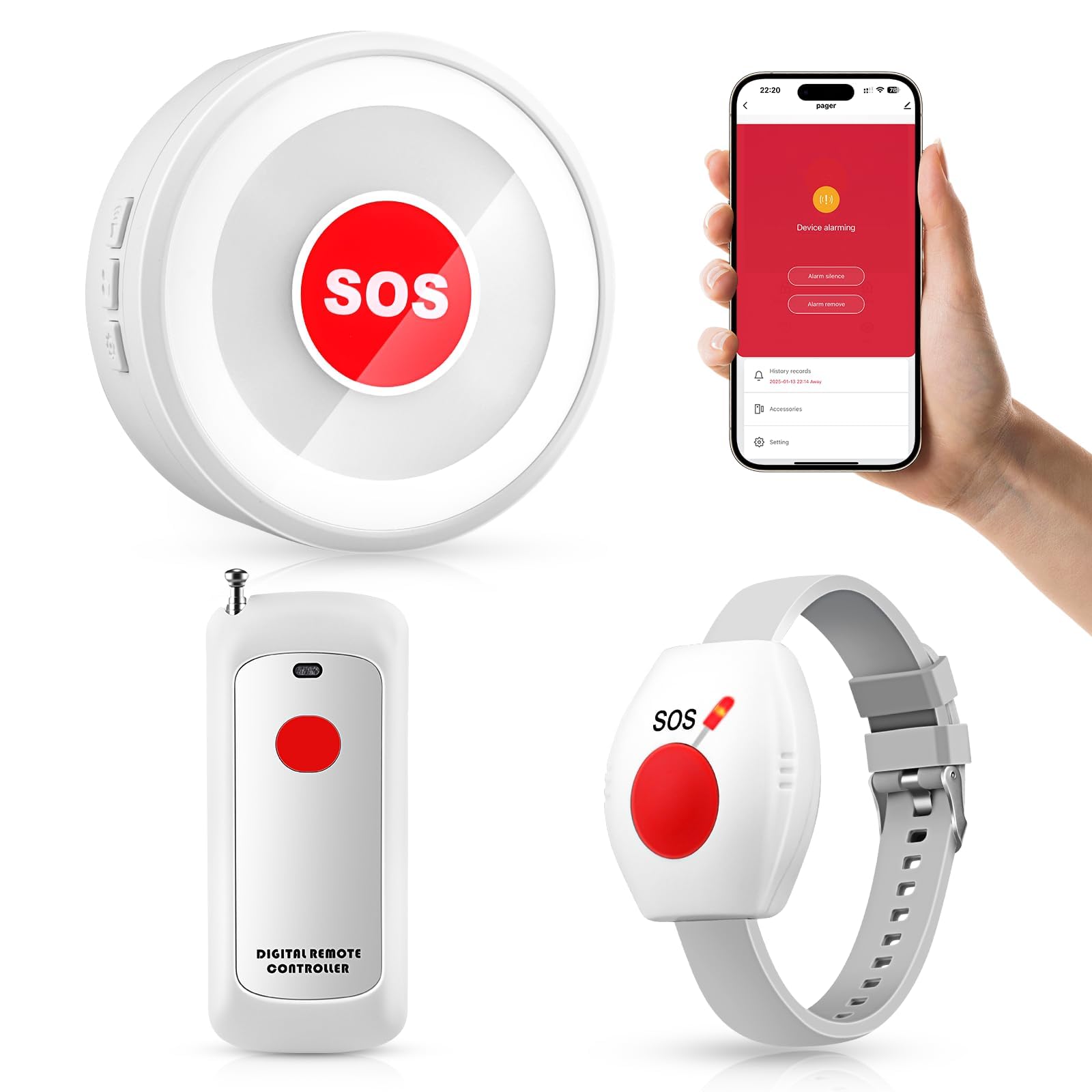
We recommend this system for households where a caregiver needs a simple way to receive alerts without paying a monthly service fee.
Pros
- Large call buttons suit stiff or painful fingers
- Loud receiver works well across a home
- Includes both pendant and wrist-worn options
Cons
- App alerts require 2.4GHz Wi-Fi
- Setup may take some trial and error
- Reports include occasional false alarms
We found the buttons easy to press, which matters for people with arthritis or limited hand strength. The pendant and wrist button offer flexible placement, so we could keep one nearby in the bathroom, bedroom, or living area.
The plug-in receiver produces a strong sound that carries through several rooms. We also liked that the system can work as an in-home pager without Wi-Fi, while the app adds phone notifications when connected to a compatible 2.4GHz network.
Setup was mostly simple, but choosing tones and pairing the app took some patience. A few users reported phantom alerts, so we would test the system in every room before relying on it.
This product does not contact emergency services directly. It works best when a family member or caregiver stays close enough to respond.
Seculife Medical Alert Pendant
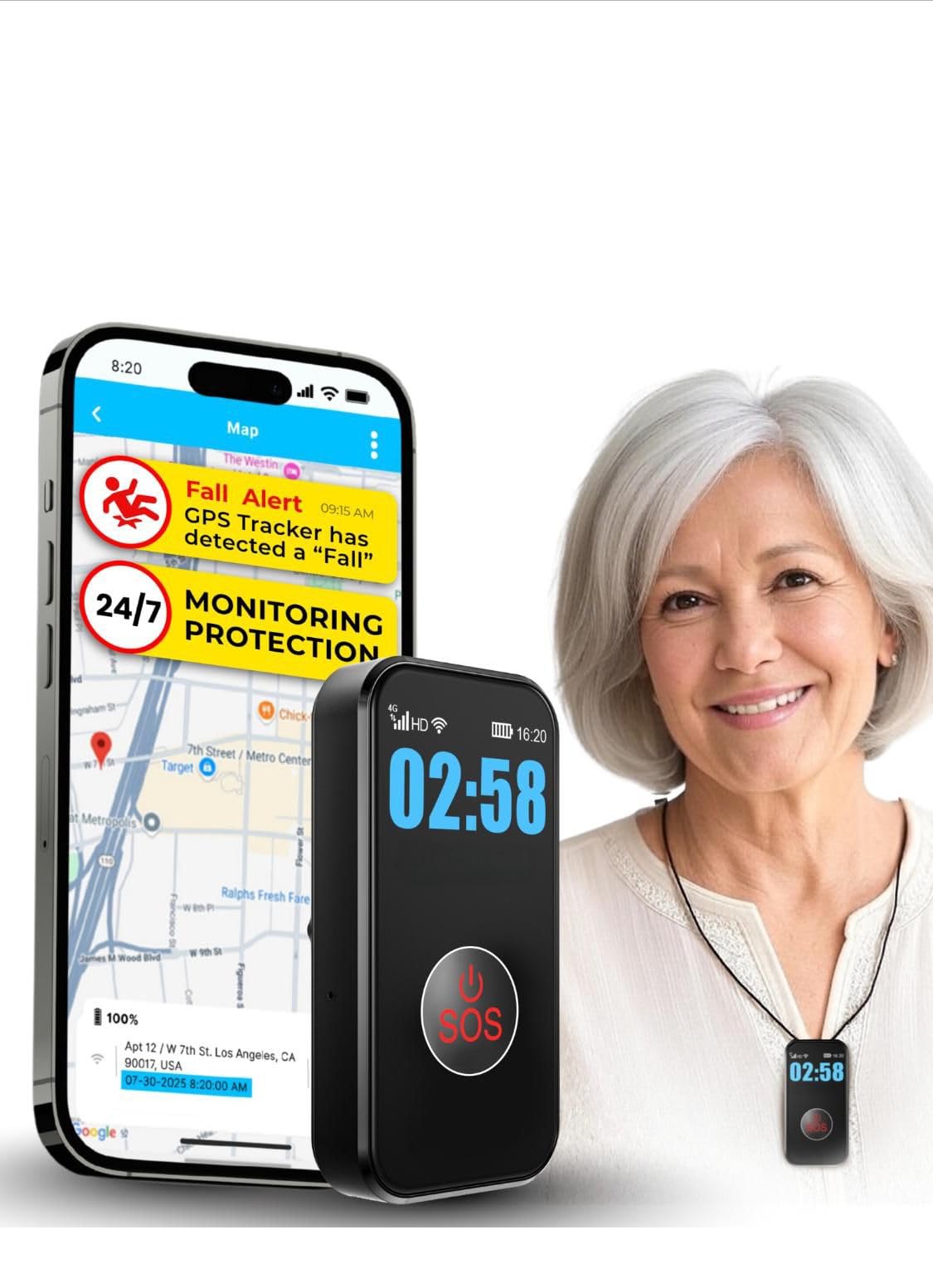
We recommend this pendant for people with arthritis who need an easy-to-press SOS button and direct contact with family.
Pros
- Large SOS button is easy to press
- Two-way calling connects directly with chosen contacts
- Waterproof design supports use in the shower
Cons
- Requires a $20 monthly subscription
- Fall detection may not identify every fall
- Setup and activation may require support
We found the button simple to press, even with stiff or painful fingers. The pendant also supports hands-free calls, which helps when arthritis makes holding a phone difficult.
The device uses a cellular connection, so it can work away from home. GPS tracking and geofence alerts may help caregivers monitor location, while the battery lasts several days between charges in typical use.
Seculife sends alerts to selected family members rather than a professional call center. That keeps communication direct, but it also means those contacts must respond. We also recommend testing fall detection and call features after setup.
The $20 monthly fee adds an ongoing cost, and some users may need help activating the service. Still, the waterproof build, clear display, and large button make this a practical choice for many users with arthritis.
Nomo Smart Care Medical Alert System
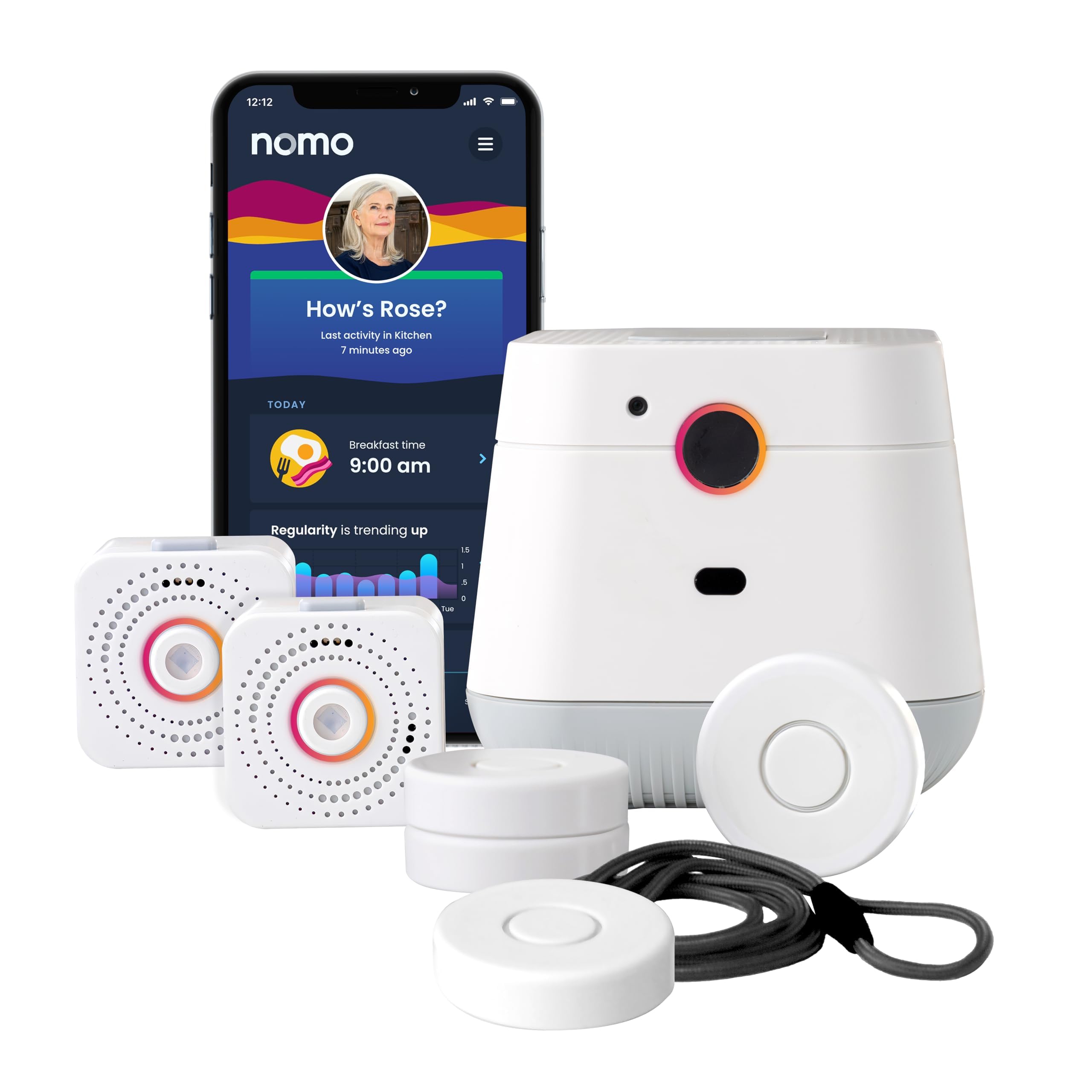
We recommend this system for households that want camera-free activity monitoring, caregiver alerts, and two-way voice support at home.
Pros
- Camera-free fall and routine monitoring
- Two-way voice communication through the Hub
- Simple Wi-Fi setup with a 60-day app trial
Cons
- Requires 2.4 GHz Wi-Fi
- Ongoing service costs $19.99 per month after the trial
- Some users report inconsistent automatic fall detection
We found the setup straightforward: plug in the Hub and two Satellites, connect them to home Wi-Fi, and place the Smart Tags where needed. The tags can monitor doors, cabinets, medications, and other daily activities.
The camera-free design gives caregivers useful updates without recording video. Through the app, our care circle could receive alerts and notice changes in daily routines. The Hub also supports two-way voice communication during an alert.
People with arthritis may appreciate the system because it reduces the need to handle small controls during an emergency. However, the system depends on Wi-Fi and AC power, so it may not work during an internet or extended power outage.
Automatic fall detection deserves careful testing at home. While many buyers report helpful alerts, some reviewers say the feature did not detect every fall. We would treat it as an added safeguard, not a replacement for a wearable alert button or regular check-ins.
After the 60-day trial, the Nomo app and monitoring service cost $19.99 per month. There is no contract, but buyers should include this recurring fee in the total cost.
MT EXESPR Caregiver Alert System
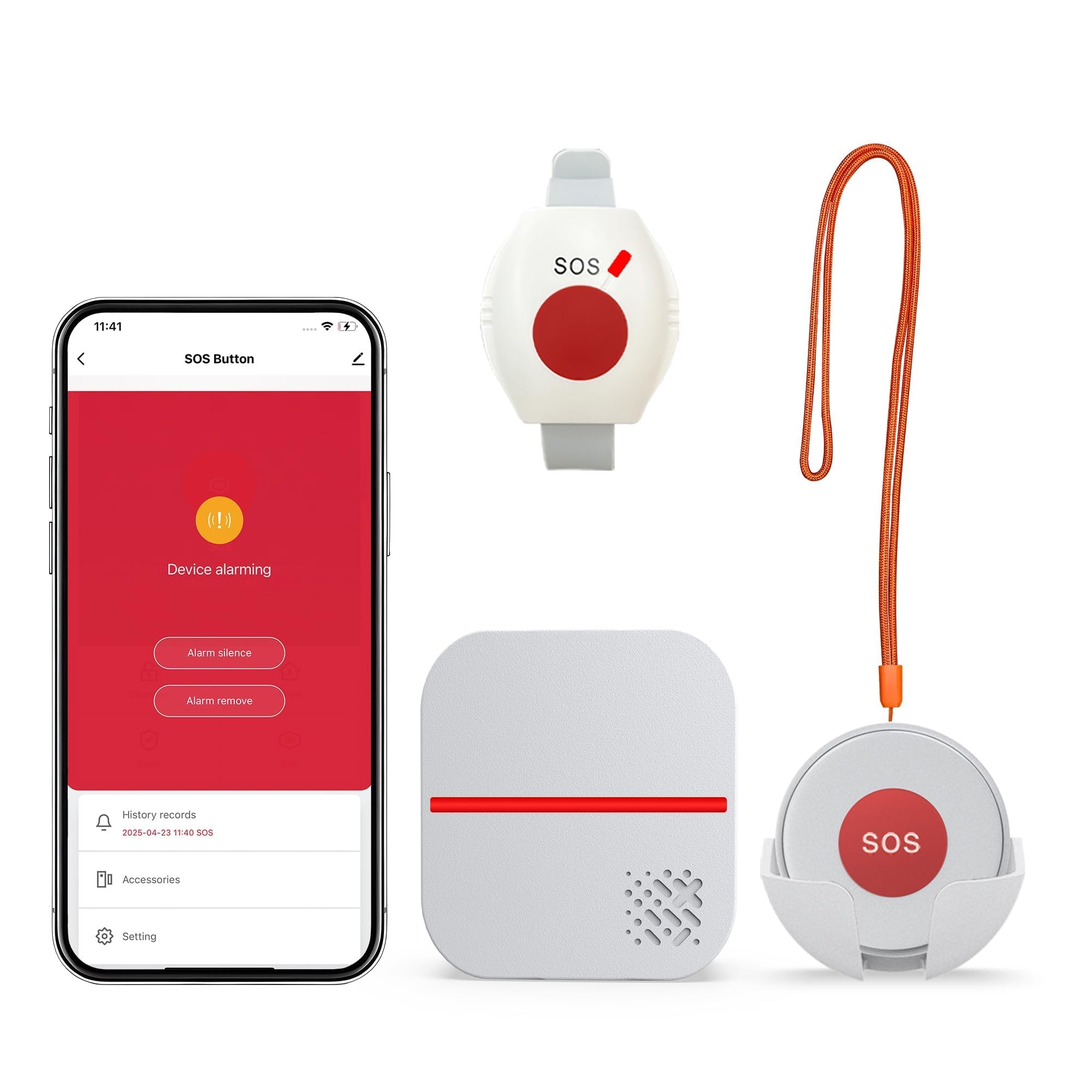
We recommend this system for households with a nearby caregiver who wants a simple call button without a required monthly alert fee.
Pros
- Large, easy-press buttons
- Waterproof wearable button
- Loud, adjustable receiver
Cons
- Text and phone alerts require a subscription
- App works only with 2.4GHz Wi-Fi
- Does not provide automatic fall detection
We found the buttons simple to use, which matters for people with stiff or painful hands. The wearable option can sit around the neck or on the wrist, while the second button can stay near a bed, chair, or bathroom.
The plug-in receiver gives both sound and flashing alerts. We could adjust the volume and choose from several tones, making it easier to notice from another room. Its stated range reaches up to 656 feet in open areas, though walls and furniture may reduce that distance.
The waterproof button suits bathroom use and can support manual help requests after a fall. However, it does not detect falls on its own. App notifications can reach caregivers through 2.4GHz Wi-Fi, but text messages and phone calls need an extra subscription.
PRNBRH App-Controlled Medical Alert System
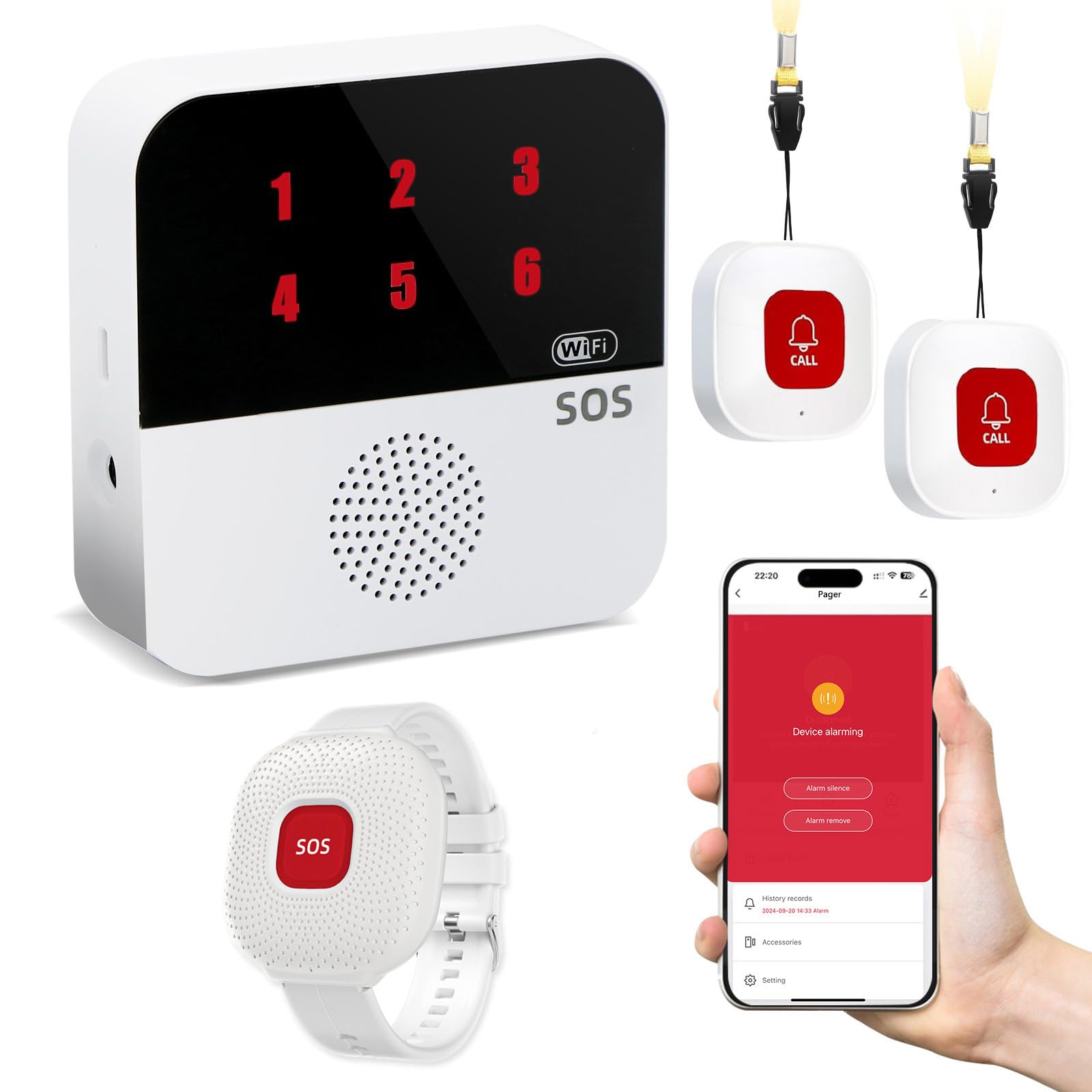
We recommend this system for families who want a simple home alert device with app notifications and no required monthly monitoring plan.
Pros
- Waterproof wristband supports use during showers
- App sharing lets several caregivers receive alerts
- Pager can work through wireless signals during internet outages
Cons
- The system supports only 2.4GHz Wi-Fi
- Text alerts require an additional subscription
- It works mainly within the home’s stated range
We found the wristband practical for daily use because it stays available during common fall-risk activities, including bathing. The two call buttons also give users more than one way to request help.
Setup requires connecting the receiver to Wi-Fi and using the Tuya Smart or Smart Life app. Once connected, shared caregivers can receive notifications, while the pager provides a local alarm with a numbered display.
The wireless signal reaches up to 300 feet under suitable conditions, though walls and other obstacles may reduce that distance. We also like that the pager can continue working through a wireless connection if the internet drops.
This device does not provide professional emergency monitoring or automatic fall detection. It suits households that can respond to alerts themselves, especially when they want to avoid a required monthly fee.
Bay Alarm Medical SOS Mobile GPS

We recommend this system for people with arthritis who want a simple, wearable help button that works outside the home without a smartphone.
Pros
- One-button access with two-way voice communication
- Lightweight design with lanyard and belt-clip options
- Caregiver app tracks battery and device status
Cons
- Requires a paid service plan
- Charging may be difficult for users with limited hand movement
- Fall detection costs extra and may not detect every fall
We found the button easy to carry and use, especially with the large, simple activation design. Its small size and choice of wearing options make it less likely to interfere with daily tasks or stiff joints.
The device connects through 4G LTE and works on its own, so we did not need to pair it with a phone. The built-in speaker lets users speak with a trained operator after pressing the button. GPS support can also help responders locate the user when they are away from home.
The charging dock keeps the routine simple, and the battery can last several days under normal use. However, people with arthritis may need help placing the device correctly on the dock. We also found that the required subscription adds an ongoing cost.
The caregiver app provides useful battery and status updates. Optional fall detection offers added support, but we would not treat it as a replacement for pressing the button after a fall.
LogicMark Freedom Alert

We recommend this system for people with arthritis who want a simple, at-home alert device without a monthly fee, provided they have a landline.
Pros
- Two-way voice communication helps users speak without reaching for a phone.
- The wearable pendant offers quick access around the home.
- Rechargeable power includes a 24-hour backup.
Cons
- It requires an active landline.
- The pendant may feel bulky for some users.
- It works only within about 600 feet of the base unit.
During setup, we found the controls fairly simple, and the two-way voice feature made test calls easy to understand. Users can contact family members or emergency services by pressing the pendant, which helps when arthritis makes dialing a phone difficult.
The pendant can be worn around the neck or kept on its mount. Its size may bother some people, especially if hand or neck movement feels uncomfortable, but the large design also makes it easier to locate and press.
This system does not charge a monthly service fee, which can reduce long-term costs. However, it depends on a landline and does not provide mobile protection outside the home. We would choose it for someone who spends most of their time indoors and has reliable landline service.
321 Alert Mini X2
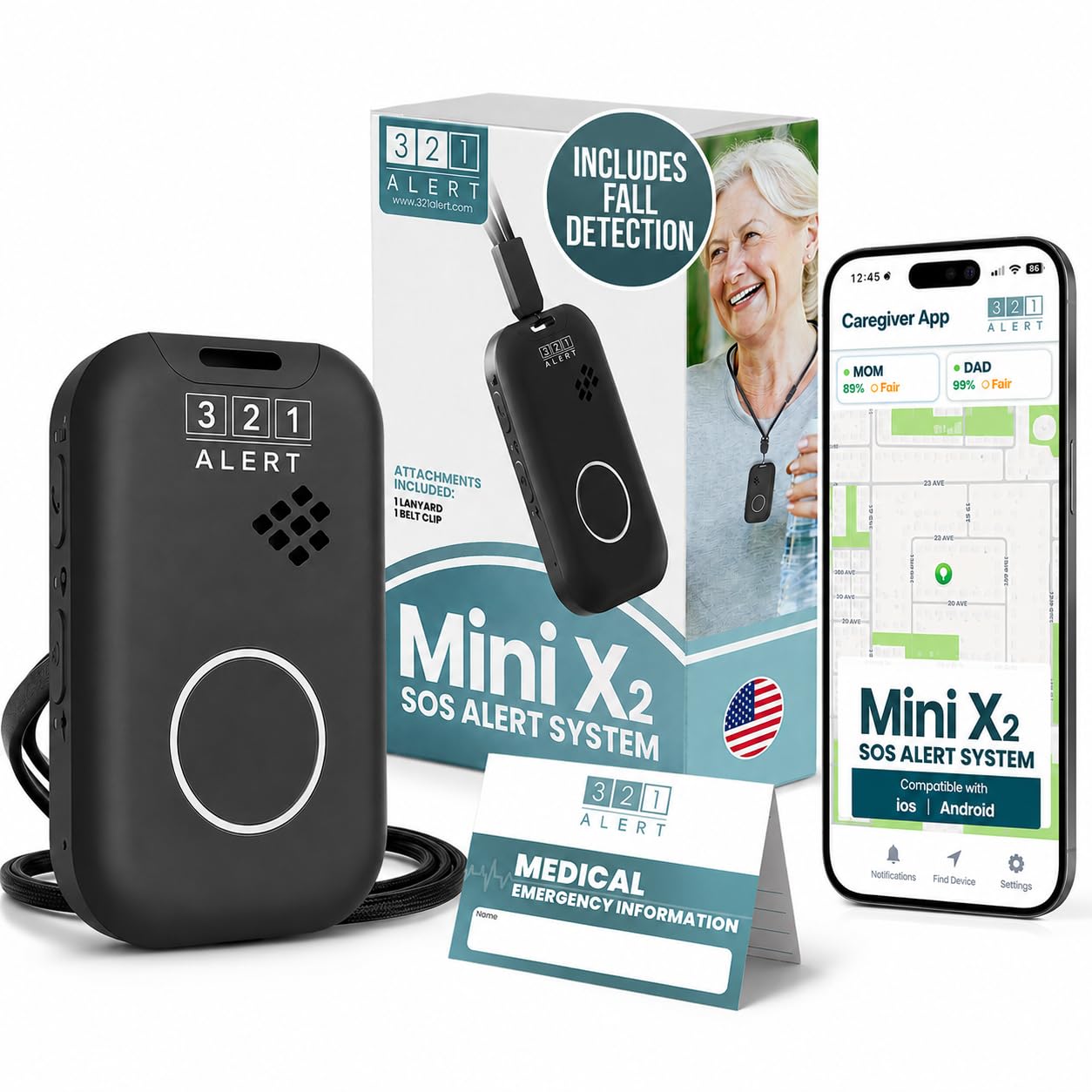
We recommend the 321 Alert Mini X2 for people with arthritis who want a wearable alert device with fall detection, GPS, and 24/7 monitoring.
Pros
- Large, easy-to-press help button
- Fall detection and GPS support
- Charging dock includes a bedside help button
Cons
- The alert button may trigger too easily
- Instructions may feel complex for some users
- Battery life varies with use
We found the Mini X2 easy to set up, and its rounded design felt simpler to handle than a very small alert button. The included lanyard, belt clip, and bedside charging dock give users several ways to keep it within reach.
Fall detection can contact the monitoring center if the wearer cannot press the button. We also like the GPS and 4G LTE connection for people who spend time outside the home, although service depends on available cellular coverage.
The button may be too sensitive for some users, which can cause accidental alerts. We would also review the setup steps with anyone who has trouble reading instructions or using small controls. The battery lasts several days, but frequent alerts and location use may require more charging.
STECHRO Wireless Caregiver Pager

We recommend this pager for households that need a simple alert button within the home, especially when arthritis makes reaching or calling difficult.
Pros
- Large, easy-to-press call buttons
- Adjustable volume with many tone choices
- Two buttons support coverage in separate rooms
Cons
- It alerts a nearby receiver rather than emergency services
- The listed range applies to open areas
- Buttons need to stay within signal range
We found the buttons simple to press, which can help users with stiff or painful hands. The two-button setup also gives us flexibility to place one near a bed and another in a bathroom or living area.
The receiver offers five volume levels and 58 ringtone options. We could set a quieter tone for daytime use or choose a louder setting when the caregiver was farther away. The receiver can reach up to 120 decibels, though walls and other obstacles may reduce its effective range.
The call buttons use a CR2032 battery and have an IP55 rating for some water and dust resistance. We would still avoid soaking them or placing them where they could fall into water. This system works as an in-home caregiver alert, but it does not contact 911 or provide professional monitoring.
Bay Alarm Medical SOS Micro

We recommend the SOS Micro for people with arthritis who want a small, simple alert button and do not need daily charging.
Pros
- Lightweight design with wrist, neck, and belt-wearing options
- Two-way voice contact with a 24/7 U.S.-based monitoring center
- Water-resistant and works without a smartphone
Cons
- Battery lasts up to 36 hours, so regular charging matters
- Professional monitoring requires a monthly subscription
- Some buyers reported customer service and device issues
We found the compact design easy to wear without adding much weight or bulk. The wrist option may suit people with arthritis who find necklaces or clips uncomfortable. The single-button setup also keeps use simple during an emergency.
The SOS Micro connects through Verizon’s 4G LTE network and includes a speaker for talking with an operator. We would still check cellular coverage at the user’s home before relying on it, especially in areas with weak signal.
Its water resistance makes it useful in the bathroom, where falls can happen, but it should not be submerged. The battery needs more attention than systems with longer runtimes, and some users may struggle with charging every day or two.
Optional fall detection and caregiver tracking add useful support for family members. However, fall detection may not catch every fall, so we would treat the main help button as the most important feature.
Buying Guide
When choosing a medical alert system for arthritis, we should focus on comfort, ease of use, and reliable access to help. A device should fit daily routines without causing pain or requiring difficult hand movements.
| Feature | What we should check |
|---|---|
| Button design | Large, raised buttons that are easy to press |
| Wear options | Wrist, pendant, belt, or other comfortable choices |
| Water resistance | Protection for use in the bathroom, where falls may occur |
| Voice activation | Hands-free help when gripping or pressing is difficult |
| Battery life | A battery that lasts long enough for our routine |
| Support | Clear setup help and customer service |
We should choose a device that remains easy to use during stiffness, swelling, or reduced hand strength. Test the controls if possible, and check whether we can press the help button with one hand.
Some systems connect to a home base station, while others use mobile networks. We should confirm that the system works in the places where we spend the most time, including outdoors if needed.
Before buying, we should review monthly fees, activation charges, equipment costs, cancellation rules, and fall detection terms. Automatic fall detection can support a help request, but it may not identify every fall and should not replace manual use when we can press the button.
Editor’s Choice
We chose Bay Alarm Medical as our editor’s choice for people with arthritis. Its systems offer wearable help buttons, 24/7 monitoring, and fall detection as an optional feature. The simple controls can help users who have stiff or painful hands.
| Feature | Bay Alarm Medical |
|---|---|
| Device options | Pendant, wrist button, in-home, and mobile systems |
| Fall detection | Optional |
| Monitoring | 24/7 professional response |
| Best for | Users who want flexible equipment choices |
We value the company’s range of device styles. Users can choose a wrist button instead of a pendant, while mobile options support people who spend time away from home.
We also look for controls that require little force. Bay Alarm Medical’s help buttons use a large, easy-to-press design, but users should check each device’s fit and comfort before subscribing.
Fall detection can provide added support, but it may not detect every fall. We recommend treating it as a backup and pressing the help button whenever possible.
Conclusion
We should choose a medical alert system that matches our arthritis symptoms, daily routine, and budget. Simple controls, comfortable wear, strong speaker quality, and reliable emergency response can make the system easier to use when pain or stiffness limits hand movement.
Before we buy, we can compare:
- Wearable design: Look for a light pendant, wristband, or fall detection option.
- Ease of use: Choose large buttons and voice controls when possible.
- Support: Check response times, monitoring hours, and caregiver alerts.
- Costs: Review equipment fees, monthly charges, contracts, and cancellation terms.
- Water resistance: A waterproof device can provide protection in the shower, where falls may occur.
We should also test the device regularly and make sure its battery stays charged. The best choice gives us dependable access to help without adding difficult steps to our daily routine.
FAQs
What features help people with arthritis?
We recommend systems with large buttons, simple controls, voice activation, and comfortable wear options. Water resistance, fall detection, and long battery life can also make daily use easier.
Which medical alert device is easiest to press?
We should look for a device with a large, raised help button that needs little force. Some systems also let us call for help through a mobile app or voice command.
Can we wear a medical alert device in the shower?
Many devices are water resistant, but not all can stay submerged. We should check the product’s water rating before wearing it in the shower or bath.
Does fall detection replace pressing the help button?
No. Fall detection may call for help after a detected fall, but it cannot identify every fall. We should still press the help button whenever possible.
Can we use medical alert systems outside the home?
Yes, some systems use cellular networks and GPS to work away from home. We should confirm network coverage in the places we visit most often.
What should we check before buying?
- Button size and required pressure
- Wearable comfort and weight
- Fall detection options
- Cellular coverage
- Battery life and charging method
- Monthly fees, activation costs, and cancellation terms
