
Senior Cell Phone with Picture Dialing


Adult Coloring Book

Upright Walker

Automatic Can Opener
Senior cell phones with picture dialing make calling easier than ever by allowing users to place calls using familiar photos instead of memorizing numbers. This innovative feature is especially helpful for seniors who may struggle with traditional keypads or have memory challenges. With large buttons, simple menus, and intuitive design, these devices help older adults stay connected with family and friends safely and confidently.
Imagine picking up your phone and seeing your granddaughter’s smiling face on the screen—no memorized digits, no fumbling through menus. Just one tap, and you’re talking to someone you love. That’s the power of a senior cell phone with picture dialing. It’s not just about making calls; it’s about restoring confidence, independence, and connection for older adults who want to stay in touch without frustration.
As we age, small tasks like dialing a phone can become surprisingly difficult. Memory lapses, declining eyesight, or arthritis in the hands might make traditional smartphones feel overwhelming. That’s where picture dialing comes in. Instead of remembering a string of numbers, you simply select a photo of the person you want to call. It’s intuitive, fast, and deeply human. Whether it’s checking in with a grandchild, calling the doctor, or reaching out during an emergency, this feature puts control back in your hands.
In this guide, we’ll walk through everything you need to know about senior cell phones with picture dialing—what they are, why they matter, which models work best, and how to choose the right one for your lifestyle. We’ll also share practical tips for setting them up and using them effectively. By the end, you’ll understand how this simple yet powerful technology can make a real difference in daily life.
Key Takeaways
- Picture dialing simplifies calling: Users tap a photo instead of typing a number, reducing confusion and errors.
- Ideal for seniors with cognitive or motor challenges: The visual interface supports those with memory issues, vision decline, or dexterity limitations.
- Enhances independence and safety: Seniors can quickly call loved ones, emergency contacts, or healthcare providers without assistance.
- Many models include extra accessibility features: Large screens, loud speakers, hearing aid compatibility, and emergency SOS buttons are common.
- Affordable plans available: Specialized carriers offer low-cost, no-contract options designed specifically for older adults.
- Easy setup and support: Most devices come with step-by-step guides and customer service trained in senior-friendly technology.
📑 Table of Contents
- What Is Picture Dialing?
- Why Picture Dialing Matters for Seniors
- Top Features to Look for in Senior Cell Phones
- Best Senior Cell Phones with Picture Dialing (2024)
- How to Set Up Picture Dialing on Your Senior Cell Phone
- Tips for Using Picture Dialing Effectively
- Cost Considerations and Affordable Plans
- Safety and Emergency Features Beyond Picture Dialing
- Common Concerns and How to Address Them
- Conclusion: More Than Just a Phone—A Bridge to Connection
What Is Picture Dialing?
Picture dialing is a contact management system that lets users initiate phone calls by selecting a photograph rather than entering a phone number manually. Each contact—whether it’s a spouse, child, caregiver, or doctor—is assigned a unique image stored directly on the device. When you want to make a call, you open the contacts list, tap the photo, and the call connects automatically.
This feature is especially valuable for seniors who may find numeric keyboards confusing or forgetful of long sequences like “(555) 123-4567.” Instead, recalling “Mom’s photo on the kitchen table” is much easier. The system often includes customizable labels too—like “Dr. Smith” below a photo—so even if someone doesn’t recognize the face, they’ll know who it is.
Most senior phones with picture dialing also allow multiple images per contact (such as both parent and child photos), so users can choose the most meaningful one for each situation. Some models even let you add voice recordings or short text notes alongside the image for added clarity.
Why Picture Dialing Matters for Seniors
Visual guide about Senior Cell Phone with Picture Dialing
Image source: c8.alamy.com
Technology should serve people—not overwhelm them. For many older adults, smartphones designed for younger users can feel like learning a new language. But a senior cell phone with picture dialing speaks their language: clear, visual, and emotionally familiar.
Consider Sarah, a 78-year-old widow living alone. She used to rely on her son to help her make appointments over the phone. After he moved across the country, she felt isolated and frustrated trying to navigate modern apps. Then she got a phone with picture dialing. Now, she taps a photo of her daughter every Sunday for their weekly chat. No more misdials. No more anxiety. Just peace of mind.
Picture dialing reduces cognitive load. It turns abstract numbers into concrete memories. And because it uses visuals—something our brains process quickly—it’s faster and less error-prone than typing. Studies show that visual cues significantly improve recall and decision-making in aging populations.
Beyond convenience, picture dialing promotes emotional well-being. Social isolation is a serious health risk for seniors, linked to higher rates of depression, dementia, and even early mortality. Easy access to communication helps maintain vital relationships and community ties.
Top Features to Look for in Senior Cell Phones
Visual guide about Senior Cell Phone with Picture Dialing
Image source: thumbs.dreamstime.com
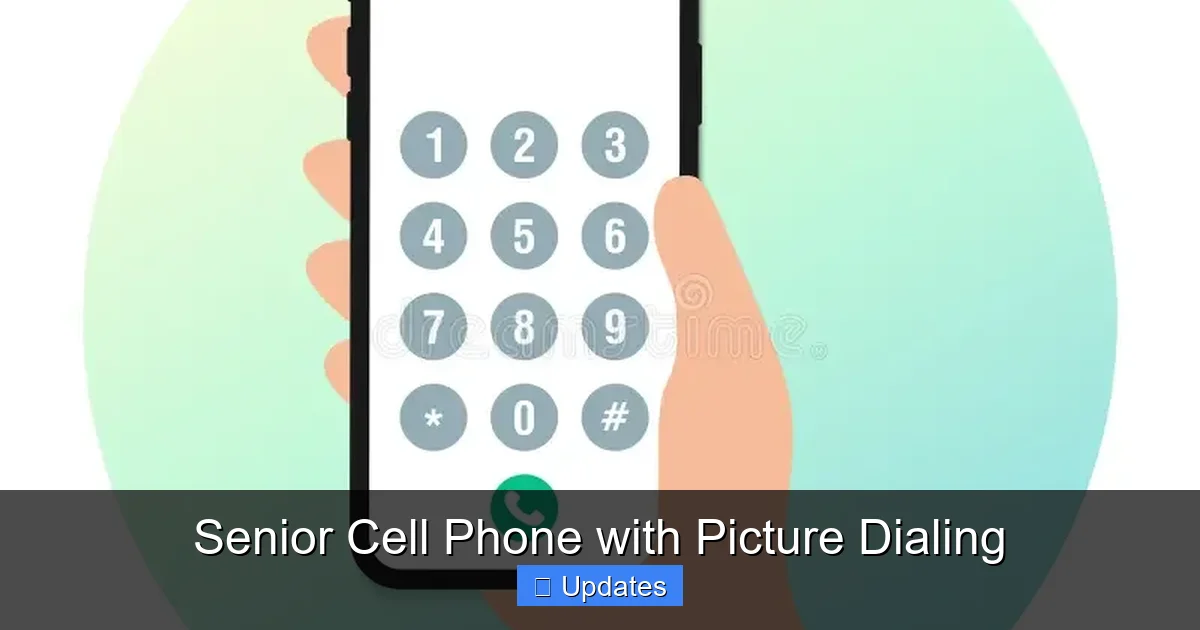
Not all senior phones are created equal. When shopping for a device with picture dialing, focus on these essential features:
Large, High-Contrast Display
Look for screens at least 2.4 inches diagonally with bold fonts and adjustable brightness. Anti-glare coatings help in bright sunlight or dim rooms.
One-Touch Emergency Button
An SOS button that instantly calls preset emergency contacts (family, doctor, 911) is critical for safety. Some models even send GPS location automatically.
Loud Speakerphone and Amplified Ringtone
Hearing loss is common among seniors. A phone that plays ringtones at up to 100 decibels ensures you never miss an important call.
Long Battery Life
Devices should last 3–5 days on a single charge. Avoid models requiring daily charging unless they support quick recharges.
Simple Menu Navigation
Avoid cluttered interfaces. Ideal phones use numbered or letter-based menus (“Press 1 for Family”) rather than swipe gestures or touch-sensitive icons.
Durability and Ergonomics
Lightweight bodies, rubberized grips, and shatter-resistant screens add comfort and longevity.
Best Senior Cell Phones with Picture Dialing (2024)

Visual guide about Senior Cell Phone with Picture Dialing
Image source: c8.alamy.com
Here are five standout models currently available, each offering robust picture dialing capabilities:
Jitterbug Smart3 by Lively
The Jitterbug Smart3 stands out for its intuitive interface and strong picture dialing system. Contacts appear as full-color photos with names underneath. Users can add up to nine images per contact for clarity. The phone includes a dedicated “Family & Friends” button for group calls and integrates with Alexa for voice commands. It runs on the Verizon network and offers nationwide coverage.
T-Mobile myPhone Mobile by Jitterbug
Part of T-Mobile’s affordable prepaid lineup, this flip-style phone features a 2.8-inch color display and picture dialing via photo selection. It includes free unlimited talk/text in the U.S., plus 1,000 anytime minutes to Canada/Mexico. The battery lasts up to four days, and the SOS button connects to trained advisors 24/7.
GreatCall Lively Voice Mate
Unlike standard flip phones, the Lively Voice Mate combines picture dialing with voice activation. Say “Call Mom” and the device finds her photo and initiates the call. It also supports video calling via Wi-Fi and includes medication reminders and weather alerts. GreatCall provides free 24/7 tech support tailored to seniors.
Panasonic TCL Flip Phone
Budget-friendly and reliable, this model offers a 2.8-inch screen and straightforward picture dialing. It works on AT&T’s network and includes hearing aid compatibility (M3/T3 rated). The physical keypad reduces accidental touches, and the speakerphone is optimized for clear audio.
Verizon Wireless Jitterbug Flip2
Slightly larger than its predecessor, the Flip2 features a 3-inch display and enhanced picture quality for contacts. It includes free monthly health reports and connects to Lively’s wellness platform. Emergency calls route through trained agents who can dispatch help if needed.
When choosing between models, consider your network preferences (AT&T, Verizon, T-Mobile), budget ($50–$150 range), and whether you need additional services like fall detection or medication tracking.
How to Set Up Picture Dialing on Your Senior Cell Phone
Setting up picture dialing is surprisingly easy—even for beginners. Here’s a step-by-step guide:
Step 1: Charge and Power On
Plug in your new phone overnight. Most devices take 2–3 hours to fully charge.
Step 2: Create Your Contact List
Use the included guide or connect to a computer to upload photos and names. Many carriers provide online portals where you can drag-and-drop images into contact fields.
Step 3: Add Photos
Take or print clear headshots of family members, doctors, and caregivers. Crop them square for best results. Avoid busy backgrounds.
Step 4: Label Clearly
Write names under each photo using large, legible text. You can also record voice tags saying “This is Dr. Evans.”
Step 5: Test the System
Make a test call to ensure the photo triggers the correct number. Adjust settings if multiple contacts share similar images.
Pro tip: Keep a printed reference sheet near the phone listing all contacts and their corresponding photos. This backup helps during setup or if the screen malfunctions.
Tips for Using Picture Dialing Effectively
To get the most out of your senior cell phone with picture dialing:
- Update photos regularly: Replace outdated images to reflect current relationships.
- Limit contacts to 15–20: Too many choices cause decision fatigue. Prioritize frequent callers.
- Use consistent naming conventions: Always label “Grandma” or “Doctor” so there’s no confusion.
- Enable caller ID for unknown numbers: If someone calls but isn’t in your contacts, the phone can alert you.
- Pair with wearable devices: Some phones sync with smartwatches or pendants that vibrate when a specific contact calls.
Also, teach a trusted family member how to update photos remotely via cloud storage. This way, grandchildren can send new pictures without needing physical access to the device.
Cost Considerations and Affordable Plans
You don’t need a premium smartphone to enjoy picture dialing. Entry-level models start around $70, with most retailing between $90 and $140. Monthly plans typically range from $15 to $35, depending on talk time, data, and carrier.
For example:
- T-Mobile myPhone: $15/month (unlimited talk/text + 1,000 international minutes)
- Verizon Jitterbug: $29.99/month (includes health monitoring features)
- GreatCall Lively: $24.99/month (with optional wellness add-ons)
Many carriers waive activation fees for seniors and offer discounts through organizations like AARP or AAA. Always check for promotional deals—especially during holidays or back-to-school seasons.
Safety and Emergency Features Beyond Picture Dialing
While picture dialing improves usability, safety requires more layers. Top senior phones include:
- GPS tracking: Helps locate the user during falls or wandering incidents.
- Medication reminders: Alerts pop up at set times to improve adherence.
- Weather and news updates: Keeps users informed without complex app navigation.
- Two-way radios: Some models let neighbors communicate locally without cellular service.
These extras transform the phone into a lifeline—not just a communication tool.
Common Concerns and How to Address Them
Some seniors worry that picture dialing is “too complicated” or “not private.” Let’s address those fears:
“Won’t others see my photos?” — Most devices lock with a PIN or pattern. Only people you approve can view contacts.
“What if I lose the phone?” — Remote wipe features delete personal data if the device goes missing.
“Is it really that simple?” — Yes. After initial setup, making a call takes under 10 seconds.
Family members often assist with the first few weeks. After that, most users report feeling more confident than ever before.
Conclusion: More Than Just a Phone—A Bridge to Connection
A senior cell phone with picture dialing isn’t just another gadget—it’s a bridge back to connection, dignity, and daily joy. It acknowledges that aging brings changes, but it doesn’t mean giving up independence. By turning abstract numbers into beloved faces, this technology removes barriers and opens doors.
Whether you’re looking for peace of mind for yourself or a loved one, investing in a senior-friendly device with picture dialing is one of the most meaningful steps you can take. The right phone empowers seniors to live fuller lives, maintain relationships, and stay safe—all with a single, comforting tap.
Remember: simplicity is strength. In a world of constant innovation, sometimes the best solutions are the simplest ones. And when it comes to staying close to the people we love, there’s nothing simpler—or more powerful—than seeing a familiar smile and knowing you’re just one tap away.
Frequently Asked Questions
What exactly is picture dialing on a senior cell phone?
Picture dialing allows users to make calls by selecting a photo of the person they want to reach instead of typing a phone number. Each contact is linked to an image stored on the device, making it easier for seniors with memory or vision challenges to identify and call loved ones quickly.
Are senior phones with picture dialing expensive?
No, most models cost between $70 and $140 upfront, with monthly plans starting around $15. Many carriers offer discounted rates for seniors, and some even include health monitoring or emergency features at no extra cost.
Can I still use regular phone numbers with picture dialing?
Yes. Picture dialing works alongside traditional contact lists. You can store both photos and phone numbers, and the device will automatically dial the correct number when you tap the image.
Do I need internet access for picture dialing to work?
No. Picture dialing operates entirely offline using the phone’s internal memory. Internet is only needed if you’re downloading updates, syncing contacts via cloud storage, or using Wi-Fi-based features like video calling.
How do I add photos to my senior cell phone’s contact list?
Photos can be added through the phone’s menu system (usually under “Contacts” or “People”), via USB cable and computer software, or through carrier-provided web portals. Clear headshots work best—avoid blurry or distant images.
Is it hard to learn how to use picture dialing?
Not at all. Once photos are loaded, making a call takes just seconds. Most seniors master it within a day. Family members or customer support can help with initial setup, but the interface is designed for intuitive use.