
Best Caregiver App for Medication Tracking and Reminders

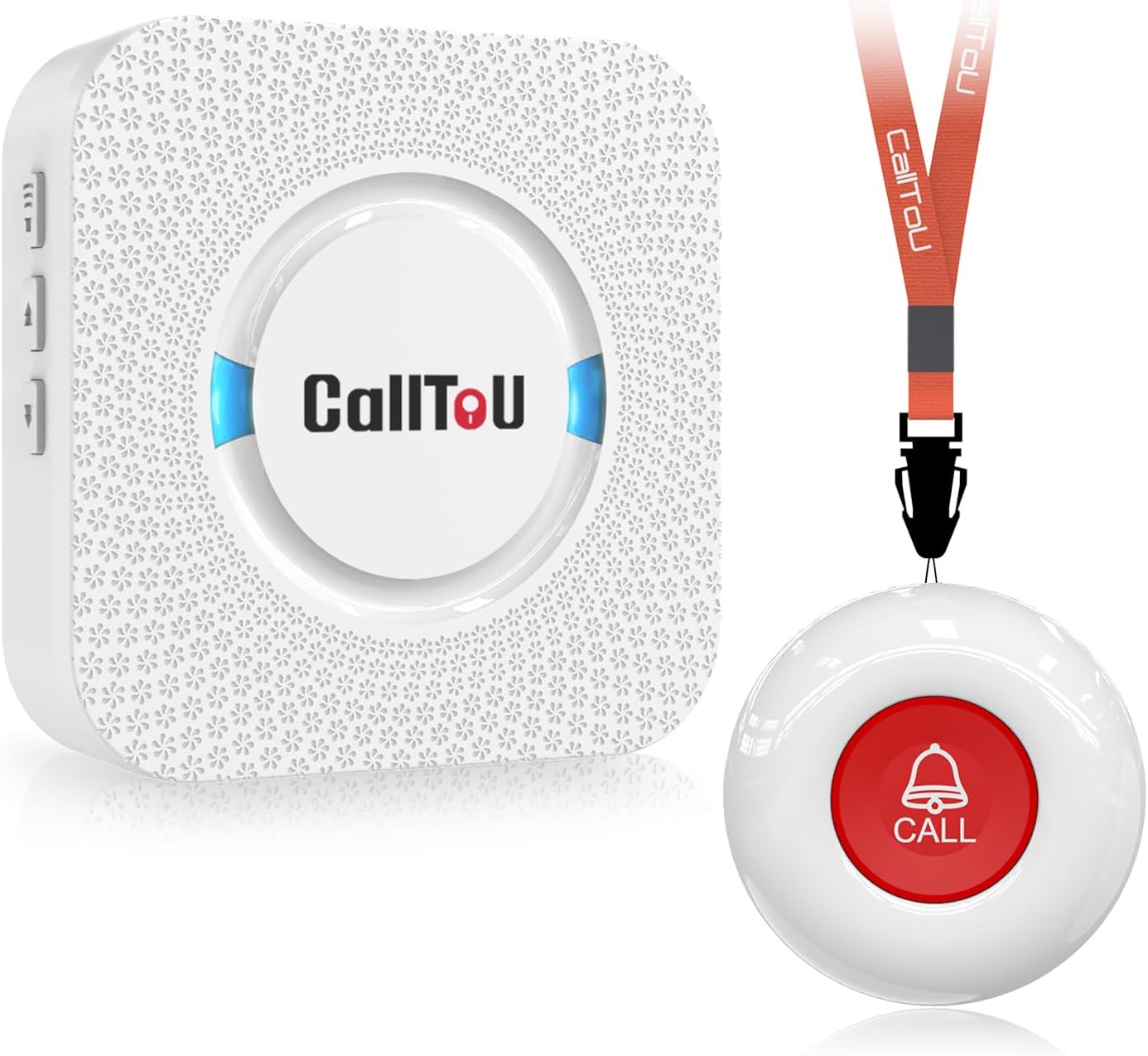
Medical Alert System

Smart Doorbell Camera

Automatic Pill Dispenser
The best caregiver app for medication tracking is one that makes reminders, shared updates, and medication notes easy for the whole care team to use. It should fit the caregiver’s routine, protect privacy, and still be checked against a doctor’s or pharmacist’s instructions.
A good caregiver app for medication tracking can make daily routines calmer, safer, and easier to follow. For many families, it helps turn a confusing list of pills, refills, and instructions into one clear plan that everyone can see and update.
In 2026, the best apps do more than send reminders. They help caregivers coordinate with family members, keep notes on what was taken, and reduce the chance of missed doses or accidental double dosing. If you are comparing options, it can also help to use a simple routine like a senior caregiver daily checklist alongside the app so nothing important gets overlooked.
- Simple matters: Choose an app that is easy for older adults and caregivers to use daily.
- Shared visibility: Real-time updates help prevent missed doses and duplicate dosing.
- Safety first: Confirm changes with your doctor or pharmacist after any new prescription or discharge.
- Privacy counts: Review security settings and data handling before sharing health details.
- Best fit wins: The right app is the one your family will actually use consistently.
What a caregiver app for medication tracking should solve in 2026
The main job of a caregiver app is simple: help the right person take the right medication at the right time. That sounds basic, but it becomes harder when someone takes several prescriptions, has memory changes, or receives care from more than one person.
Why medication reminders matter for seniors, family caregivers, and paid aides
Medication reminders matter because they support consistency. Seniors may want to stay independent, family caregivers may not live nearby, and paid aides may only be present during certain hours. A shared app can help everyone stay on the same page.
For adults aging at home, reminders can be especially helpful after a new diagnosis, a hospital stay, or a change in daily routine. They can also reduce stress for caregivers who are trying to remember several schedules at once. If medication routines are becoming harder to manage, talk to your doctor or pharmacist about whether the schedule itself can be simplified.
Common pain points: missed doses, duplicate dosing, and confusing schedules
Missed doses are one of the most common problems families try to prevent with an app. Another concern is duplicate dosing, which can happen when two caregivers assume the other person already handled the medication.
Confusing schedules are also common when a person takes medications at different times of day, with food, or only as needed. Some labels are hard to read, and some instructions change after a doctor visit. A good app should help make these details easier to follow, not more complicated.
Medication tracking apps can help with reminders, but they do not replace medical advice, pill identification, or emergency care. If a medication seems wrong, a dose was taken twice, or a person has severe side effects, seek professional help right away.
Key features that make the best caregiver app for medication tracking
Not every app is built for real caregiving. Some only send alerts, while others offer shared records, refill tracking, and notes that make daily care easier to manage.
Medication schedules, refill alerts, and dose reminders
At minimum, the app should let you enter medication names, times, and special instructions in a clear way. Refill alerts are also useful because running out of medicine can create a gap in care, especially for long-term prescriptions.
Look for reminders that are flexible enough to handle morning, evening, weekly, or as-needed schedules. The best tools make it easy to adjust timing when a doctor changes the plan. If you are comparing tools, a medication reminder alarm can be a helpful companion feature, but it should still connect to a broader tracking system when possible.
Shared caregiver access and real-time updates
Shared access is one of the biggest advantages of a caregiver app for medication tracking. It allows spouses, adult children, and home care aides to see the same information and avoid confusion.
Real-time updates matter when someone marks a dose as taken, skipped, or delayed. That way, the next caregiver does not have to guess. For families with rotating schedules, this feature can prevent repeated questions and reduce mistakes.
Photo logs, notes, and adherence history
Photo logs can help when a caregiver wants to remember what a pill bottle looked like, what the label said, or which medication was changed. Notes are also useful for recording small but important details, such as whether a person felt dizzy, refused a dose, or needed food first.
Adherence history means a record of what was taken and when. This can be helpful during doctor visits, because it gives a clearer picture than memory alone. It may also help a pharmacist understand whether a problem is related to timing, missed doses, or a possible side effect.
Many medication problems are not caused by the medicine itself, but by confusion about timing, changes after a discharge, or more than one caregiver using different routines.
Emergency contacts, doctor instructions, and care coordination tools
Some apps go beyond reminders and let you store emergency contacts, doctor instructions, and care notes in one place. That can be very helpful when a backup caregiver steps in or when a family member needs to answer questions quickly.
Care coordination tools may also include task notes, medication lists, and shared updates. These features are especially useful for people with several health conditions. Still, if instructions seem unclear, always confirm them with your pharmacist or healthcare provider rather than relying on the app alone.
When setting up an app, enter the medication label exactly as written and keep a paper copy nearby. If the app and the pharmacy label ever disagree, check with the pharmacist before making changes.
How to compare caregiver apps for medication tracking before choosing one
The best app is not always the one with the most features. It is the one that fits the caregiver’s daily routine and the senior’s comfort level.
Ease of use for older adults and non-tech-savvy caregivers
Simple design matters. Large buttons, clear wording, and easy setup can make the difference between an app that gets used and one that gets abandoned.
If the older adult will interact with the app directly, look for a clean screen and easy reminders. If the caregiver is not very tech-savvy, choose a tool that does not require too many steps to log a dose or update a schedule. A complicated app can create more stress than support.
Platform compatibility: iPhone, Android, tablet, and web access
Before choosing an app, check whether it works on the devices your family already uses. Some caregivers prefer a phone, while others find a tablet or web dashboard easier to read.
Platform compatibility is especially important when multiple people share care. If one person uses an iPhone, another uses Android, and a third wants computer access, the app should handle that smoothly. Otherwise, updates may get missed.
Security, privacy, and HIPAA-aware data handling
Medication information is personal, so privacy should be taken seriously. Look for apps that explain how data is stored, who can view it, and whether the company uses secure sign-in methods.
Some apps are designed with HIPAA-aware data handling, which means they are built to support health privacy practices. That said, not every app is a medical record system, and privacy rules can vary. If you are unsure, consult the app’s privacy policy and ask your healthcare provider what level of sharing is appropriate.
Free vs paid plans: what features usually cost extra
Many apps offer a free version, but some useful features may be limited. Shared access, advanced reminders, refill tracking, exportable history, and family dashboards are often part of paid plans.
Cost can also depend on whether the app is used by one person or a whole care team. If you are comparing spending, remember that Medicare and private insurance usually do not cover general consumer apps unless they are part of a covered care program. Out-of-pocket costs vary widely, so review the plan details before subscribing.
Best use cases for families, professional caregivers, and aging in place
Medication tracking apps are most helpful when daily life is busy, routines change often, or several people share responsibility. They are especially useful for aging in place, where the home setup may need to support both independence and safety.
Managing multiple prescriptions for chronic conditions
When someone takes medications for long-term conditions, the schedule can become hard to remember. An app can keep the routine organized and reduce the chance of mixing up morning and evening doses.
This is also helpful when prescriptions come from more than one doctor. A clear list can make it easier to spot duplicates or conflicting instructions, but a pharmacist should review any concerns about overlap or safety.
Supporting dementia or memory loss care routines
For a person with dementia or memory loss, reminders alone may not be enough. The app can help the caregiver stay consistent, but the routine may still need hands-on supervision.
In these cases, the app works best as a caregiver tool rather than a self-management tool. If the person often forgets doses, resists medication, or becomes confused about what each pill is for, talk to your doctor about safer ways to manage the routine.
Coordinating care across siblings, spouses, and home care aides
Shared tracking is valuable when care is spread across several people. One person may handle mornings, another evenings, and a home care aide may fill in on certain days.
A good app helps each person see what has already been done. That reduces duplication and helps family members avoid the common “I thought someone else handled it” problem. It can also support better communication during travel, illness, or schedule changes.
Tracking vitamins, supplements, and as-needed medications
Many families also use apps to track vitamins, supplements, and medications taken only when needed. This can be useful because these items are easy to forget, yet they can still affect health and interact with prescriptions.
Be careful, though. Supplements are not always harmless, and some can affect blood pressure, bleeding risk, or other treatments. Ask your pharmacist before adding supplements to the app if you are not sure how they fit with the full medication list.
Practical examples of how a caregiver app improves daily medication management
Real-life routines are where these apps prove their value. Small tracking habits can prevent bigger problems later.
Example: morning blood pressure medication with follow-up logging
A caregiver sets a reminder for a morning blood pressure pill and marks it as taken after the senior eats breakfast. Later, the caregiver adds a note that the person felt lightheaded, which is useful information to share at the next appointment.
That note does not diagnose the cause, but it gives the doctor or pharmacist a clearer picture. If dizziness keeps happening, the family should not ignore it.
Example: medication changes after a hospital discharge
After a hospital stay, the medication list may change quickly. An app can help the family update the new instructions, remove old entries, and track the first few days at home.
This is one of the times when careful review matters most. Discharge instructions can be confusing, so confirm the list with the discharge paperwork, the pharmacy, or your healthcare provider if anything seems unclear.
Example: shared reminders for rotating caregivers
Imagine one daughter handles weekdays, a spouse covers mornings, and a paid aide helps two afternoons a week. A shared app lets each person see whether a dose was already given.
That simple visibility can prevent double dosing and keep the routine steady even when the schedule changes. It also helps the family notice patterns, such as repeated skipped doses on certain days or times.
Apps work best when they are updated right away. If a dose is delayed, skipped, or changed, log it as soon as possible so the whole care team has current information.
Common mistakes when using a caregiver app for medication tracking
Even a good app can fail if the setup is incomplete or the routine is not followed consistently. A few common mistakes are easy to avoid once you know what to watch for.
Entering incomplete medication details or wrong dosing times
If the medication name, strength, or timing is entered incorrectly, the reminders may be misleading. That can create confusion instead of clarity.
Take time to copy the pharmacy label carefully. If you are unsure about any part of the instructions, check with the pharmacist before entering it into the app.
Relying on reminders without verifying actual intake
A reminder only tells you that it is time for a dose. It does not prove the medication was actually swallowed.
For seniors who are forgetful, distracted, or reluctant to take medicine, someone may still need to observe the dose. This is especially important when the medication is essential or when missing it could cause harm.
Not updating the app after prescription changes
Medication plans change more often than families expect. A new doctor, a hospital discharge, or a refill issue can all lead to changes in the schedule.
If the app is not updated, caregivers may keep following an old plan. That can lead to missed doses, duplicate dosing, or confusion about what has been stopped. Always update the app after any change.
Choosing a tool that is too complex for the caregiver’s routine
Some apps offer many features but are hard to use every day. If the setup takes too long, caregivers may stop using it consistently.
Choose the simplest tool that still meets the family’s needs. A smaller, well-used system is usually better than a powerful app that nobody wants to open.
Expert guidance and warning signs families should not ignore
Medication tracking is helpful, but it has limits. Some situations call for direct medical advice rather than app-based management alone.
When app-based tracking is not enough and a pharmacist or nurse should be involved
If the schedule is very complicated, if several medications interact, or if the person has trouble taking medicine safely, bring in a pharmacist or nurse. They can help review the plan and suggest safer ways to organize it.
Apps are tools, not decision-makers. When there is uncertainty about a pill, timing, or side effect, do not guess. Consult your pharmacist or healthcare provider.
Red flags for missed doses, medication side effects, or unsafe duplication
Watch for repeated missed doses, sudden confusion, unusual sleepiness, dizziness, nausea, rash, or any new symptom after a medication change. These may be signs that something needs attention.
Also be alert for duplicate medications or two bottles that seem too similar. If you suspect a problem, stop and verify before giving another dose. When symptoms are severe or alarming, seek medical help right away.
If a senior has a new side effect, repeated missed doses, trouble swallowing pills, or confusion after a medication change, contact the doctor or pharmacist promptly. Do not wait for the next routine refill if the situation looks unsafe.
Why caregivers should confirm instructions after any new prescription or discharge
New prescriptions and hospital discharge papers can contain changes that are easy to miss. A dose may be different, a medicine may have been stopped, or timing may have shifted.
Before updating the app, confirm the instructions with the discharge paperwork and, if needed, the pharmacy. This extra step can prevent mistakes during an already stressful time.
Final recap: choosing the right caregiver app for medication tracking
The best caregiver app for medication tracking is the one that helps your family stay organized without adding stress. It should be easy to use, secure enough for personal health information, and flexible enough to handle real-life changes.
Summary of the most important features, tradeoffs, and buying priorities
Look first for reminders, shared access, notes, and a clear medication history. Then compare platform compatibility, privacy practices, and whether the paid features are worth the cost for your situation.
If the app is too complicated, it will not help much. If it is too simple, it may not support the kind of care your family needs. The right balance depends on the senior’s health, the number of caregivers involved, and how often the medication plan changes.
Best-fit takeaway for families looking for safer medication routines in 2026
For many families, a caregiver app can bring more confidence and fewer mistakes to daily medication care. It is especially useful when several people share responsibility or when routines are changing after illness or memory loss.
Use the app as part of a larger care plan, not as a replacement for professional guidance. When in doubt, talk to your doctor or consult your pharmacist so the medication routine stays safe and clear.
Frequently Asked Questions
It should include dose reminders, medication schedules, shared access, notes, and a clear history of what was taken. Refill alerts and emergency contact details are also helpful.
Not always. If a senior often forgets doses or becomes confused, the app may need to be paired with direct caregiver supervision. Talk to your doctor if the routine feels unsafe.
Many apps use secure sign-in and privacy controls, but security varies by company. Review the privacy policy and ask whether the app uses HIPAA-aware data handling before sharing health information.
Some free apps are enough for simple reminders, but shared access, history, and advanced alerts may cost extra. Compare the features you need before choosing a plan.
It can reduce the risk by showing who already logged a dose, but it does not guarantee safety. Caregivers should still confirm the medication was actually taken.
Ask a pharmacist whenever the schedule changes, the instructions seem unclear, or you are worried about duplicate medications or side effects. A pharmacist can help verify the plan.